The Razer Viper V4 Pro steps into a fiercely competitive part of the gaming mouse market with the sort of confidence you can feel from the moment it lands in your hand. Built for fast reactions, sharp tracking and a lightweight feel that never seems to get in the way, it is clearly designed for players who value speed and control above everything else. What makes it especially appealing is that it does not rely on one headline feature alone, with nearly every part of the experience feeling carefully refined.
At first glance, the Viper V4 Pro follows the familiar esports formula of a streamlined symmetrical shell and featherlight construction, but it quickly becomes clear that there is more going on here than a simple spec upgrade. The shape feels polished, the sensor package is extremely capable, and the supporting hardware helps the mouse feel quick, precise and dependable across a wide range of games. Razer has also backed the hardware with a strong software suite, giving users plenty of room to fine-tune the mouse to suit different play styles.
After spending time with it in fast-paced shooters and everyday desktop use, the Viper V4 Pro leaves the impression of a product that has been tuned with serious attention to detail. From its responsive clicks to its strong wireless performance and flexible customisation options, it delivers the kind of experience that competitive players will immediately appreciate. It is the sort of mouse that feels ready for demanding play the second you start moving it.
Table of Contents
Design and Functionality
The Razer Viper V4 Pro sticks closely to the sort of shape that competitive players tend to favour, but it does so with a level of polish that helps it stand out. Its symmetrical design gives it broad appeal for claw and fingertip grips, while the overall body feels slightly fuller and more supportive than some ultra-light rivals. That added presence makes it feel less hollow in the hand without taking away from its speed-focused identity.
One of the most impressive aspects of the physical design is how light the mouse feels relative to its size. Razer has managed to keep the chassis exceptionally light while still offering dimensions that give your hand enough contact to feel stable during quick movements. This helps the Viper V4 Pro feel agile without becoming too small or too minimal.
The shell itself has a smooth, flowing profile that naturally encourages fast repositioning and quick flicks. The main buttons curve neatly into the body, while the side contours create a secure hold that feels controlled even during tense moments in-game. It is the kind of shape that disappears beneath your hand once you settle into a match.
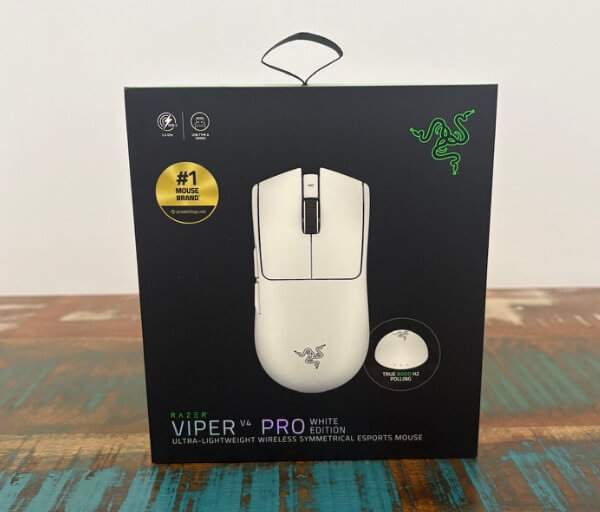
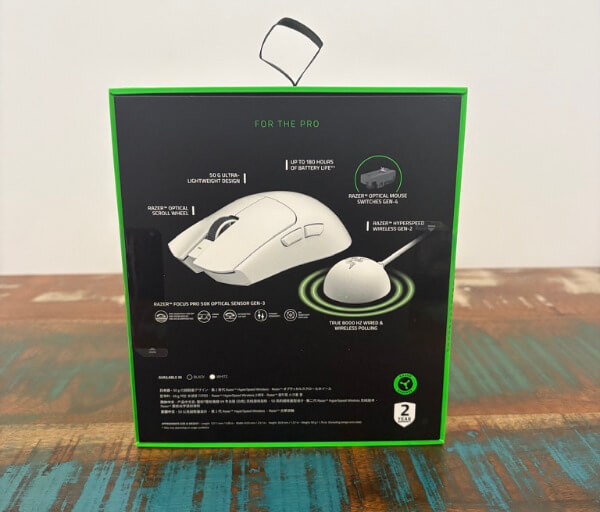
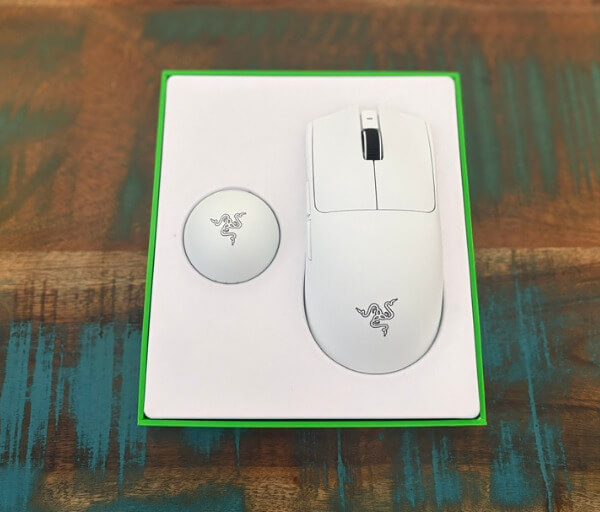
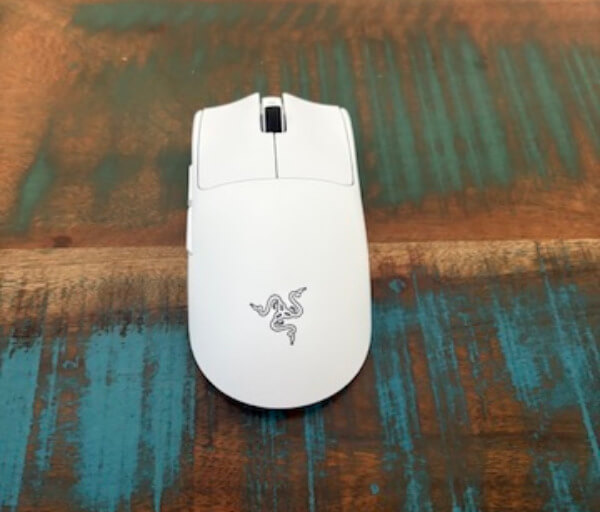
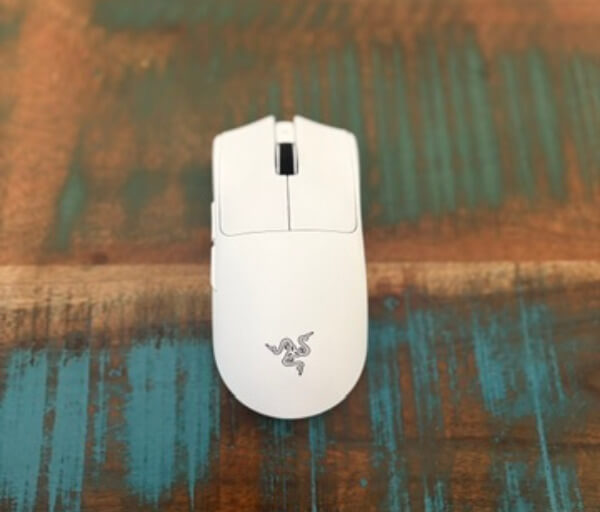
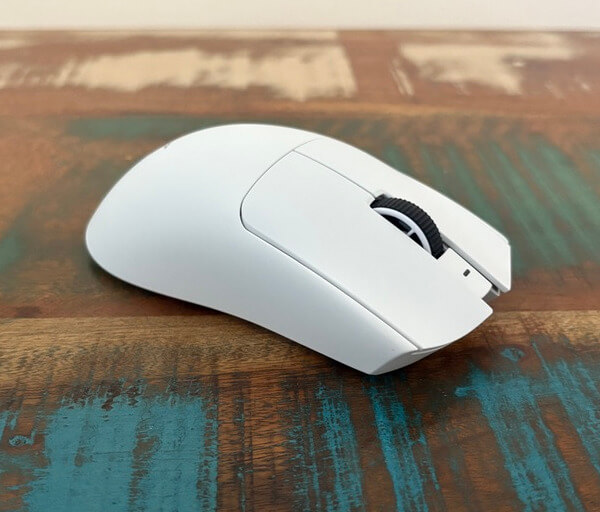
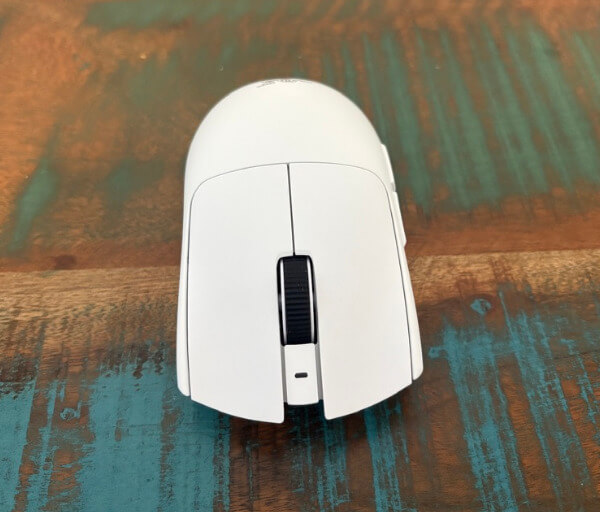
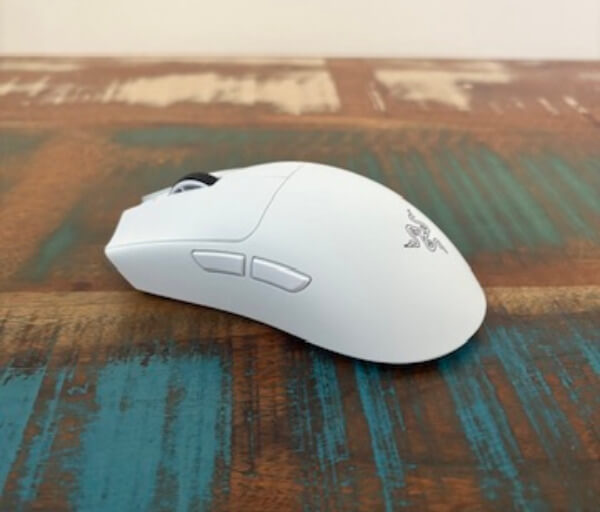
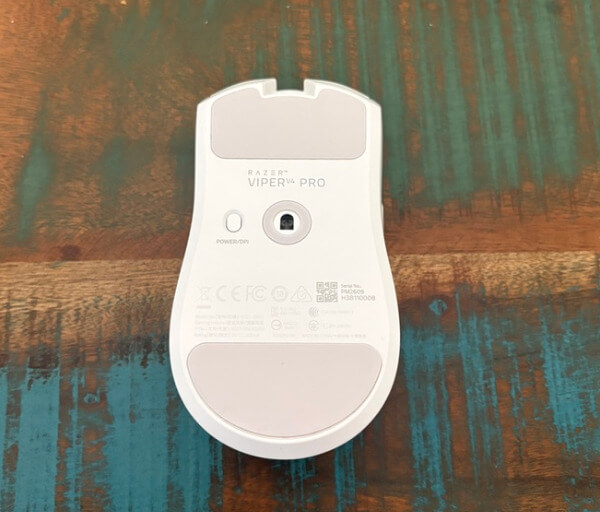
Comfort is another area where the design works in the mouse’s favour. Although this is clearly a performance-first product, it does not feel harsh or overly stripped back in the pursuit of low weight. The body offers enough support to remain pleasant over longer sessions, which is important for players who spend hours grinding ranked games or practising aim.
The finish and construction also leave a strong impression. The mouse feels solid and well assembled, with no obvious sense of flex or weakness in the frame. That sturdy feel gives confidence that the low weight has been achieved through thoughtful engineering rather than cutting corners.
Underneath, the Viper V4 Pro uses large 100% PTFE feet that help it glide smoothly across a range of surfaces. Movement feels fast and effortless, and the low-friction base contributes heavily to the sense of precision the mouse delivers. Paired with a quality mouse mat, it creates a very clean and consistent tracking experience.
Razer has kept the physical layout fairly clean, which suits the mouse’s competitive focus. There are six programmable buttons in total, giving users enough flexibility for core gaming needs without cluttering the shell with extra controls that could interfere with grip or movement. That restraint helps the Viper V4 Pro stay focused on responsiveness and ease of use.
The DPI button remains on the underside, which keeps the top of the mouse uninterrupted and prevents accidental presses during gameplay. This placement will suit players who prefer a cleaner top shell, even if it is less convenient for frequent on-the-fly switching. In practical use, it makes sense for a mouse intended to be configured once and then left to perform.
Another standout element is the updated HyperSpeed Wireless Gen-2 connectivity. The mouse supports up to 8000 Hz polling in both wired and wireless modes, which gives it an impressively responsive feel and helps it keep pace with high-level competitive play. Just as importantly, the wireless connection feels stable and immediate, with no sense of hesitation or inconsistency.
The included dongle adds a more premium and functional touch to the setup. Rather than acting as a basic receiver, it includes LED indicators that provide useful at-a-glance information such as signal quality, battery level and polling rate status. It adds a bit of desk presence while also making the overall system feel more considered.
Battery performance is another strength in the way the mouse is designed to be used day to day. It offers excellent longevity at 1000 Hz polling, making it easy to use for extended periods without constantly thinking about charging. Even when running at 8000 Hz, the battery life remains more practical than many people would expect from a high-performance wireless mouse.
The clicks and scroll wheel round out the experience with hardware that feels sharp and deliberate. The Optical Mouse Switches Gen-4 deliver a crisp, quick response with a lighter actuation that helps the buttons feel energetic and precise. The optical scroll wheel also gives the mouse a more refined character, with defined steps and a reassuring feel that suits both gaming and general navigation.
Key Features
One of the headline features of the Razer Viper V4 Pro is its Focus Pro 50K Optical Sensor Gen-3, which gives the mouse an exceptionally high performance ceiling. With support for up to 50,000 DPI, 930 IPS tracking speed and 90G acceleration, it is built to handle extremely fast hand movement without losing accuracy. Even for users who will never push those limits, that capability reinforces the sense that this is a serious competitive tool.
What makes the sensor especially impressive is not just the raw specification, but how versatile it is in actual use. It tracks with excellent consistency across suitable surfaces and allows fine tuning in very small increments, giving users more control over how the mouse feels. That flexibility makes it easier to dial in a setup that feels natural rather than settling for broad adjustments.
Razer has also packed in support for asymmetrical lift-off and landing distance customisation. This gives players more control over how the sensor behaves when repositioning the mouse, which can make a real difference for low-sensitivity play styles. It is the sort of feature that may seem minor at first, but it adds another layer of personalisation for those who are particular about mouse feel.
Angle snapping is also available, which will appeal to users who prefer a more guided cursor path or who naturally hold their mouse at a slight angle. While not every player will want it enabled, having the option available through software adds more versatility to the package. It is a useful example of Razer giving users access to features that can suit very different preferences.
Another major feature is the support for up to 8000 Hz polling in both wired and wireless modes. This allows the mouse to report movement with extremely high frequency, helping reduce latency and making cursor response feel incredibly immediate on the right setup. For fast-paced competitive gaming, this adds to the mouse’s sense of sharpness and precision.
Razer’s HyperSpeed Wireless Gen-2 technology plays a huge role in making that high polling rate practical. The wireless performance feels fast, stable and dependable, helping the Viper V4 Pro perform at a level that feels every bit as serious as a wired alternative. That freedom from cable drag, combined with elite responsiveness, is one of the mouse’s biggest strengths.
The Smart Polling Rate Switcher is another clever addition. Through Synapse, users can set the mouse to automatically shift to a higher polling rate for full-screen gaming and return to a lower setting outside of games. This helps balance maximum performance with more efficient battery use, making the feature feel genuinely useful rather than just technical padding.
Dynamic Sensitivity is one of the more interesting software-driven inclusions. It allows users to create acceleration behaviour that changes depending on how quickly the mouse is moving, which opens the door to a more tailored aiming experience. For players who want slower, controlled movement for precision and faster turning speed for sudden flicks, it offers a lot of potential.
Hypershift adds another layer of functionality by expanding what the six-button layout can do. With a secondary button layer available through Synapse, the Viper V4 Pro can access more commands without physically adding extra buttons to the shell. This keeps the mouse clean and competition-focused while still offering useful flexibility for different games and workflows.
Rounding out the feature set are the Optical Mouse Switches Gen-4, the 24-step optical scroll wheel, onboard profile storage and impressive battery life. These details help the mouse feel complete, combining durability, responsiveness and convenience in a way that supports both high-level gaming and regular daily use. Rather than relying on a single standout selling point, the Viper V4 Pro succeeds by stacking a wide range of premium features into one highly refined package.
Experience Using the Product and Performance
Using the Razer Viper V4 Pro for the first time, the immediate impression is just how effortless it feels in motion. The lightweight chassis glides with very little resistance, making even broad hand movements feel smooth and controlled. That sense of freedom gives it a natural advantage in fast games where every small adjustment matters.
The shape also plays a major role in how quickly the mouse feels familiar. Its symmetrical body suits fast grip transitions well, and it never feels awkward when shifting between precise aiming and more aggressive flick-based movement. That balance makes it a strong fit for players who want speed without giving up stability.
In longer sessions, the mouse continues to impress because it does not feel fatiguing. The low weight means less strain during extended play, while the shell still offers enough substance to avoid feeling flimsy or insubstantial. It strikes a very appealing middle ground between featherlight performance and day-to-day comfort.
The click response is one of the standout parts of the experience. The main buttons feel crisp and lively, with a quick, satisfying actuation that suits rapid-fire inputs and repeated taps in competitive shooters. There is a sharpness to the click-feel that makes the mouse seem eager and highly responsive in play.
That responsiveness extends to the scroll wheel as well. Each step feels defined and deliberate, making it easy to swap weapons, cycle abilities or navigate menus without the wheel feeling loose or vague. Small details like this help the mouse feel polished beyond its headline sensor and weight specifications.
Tracking performance is excellent, and the sensor never gives the impression of struggling to keep up. Fast sweeps, sudden corrections and small target adjustments all feel clean and consistent, which builds confidence very quickly. In practical use, the mouse delivers the sort of accuracy that lets skill take centre stage.
The high polling rate support adds to that refined feeling when paired with an appropriate system and display. Cursor movement appears especially immediate, and the mouse feels incredibly connected to hand input during fast action. For competitive players chasing every possible advantage, that level of responsiveness is easy to appreciate.
Wireless performance is equally impressive in real-world use. The connection feels stable and direct, with none of the hesitation or softness that some wireless peripherals can introduce. In fact, the cable-free setup helps the mouse feel even more fluid because there is no drag interrupting movement across the mat.
In fast-paced shooters, the Viper V4 Pro feels right at home. Quick tracking, snap aiming and sudden directional changes all feel natural, and the mouse responds in a way that encourages confident, aggressive play. It is particularly well suited to games where precision and reaction speed need to work together at all times.
The mouse also performs beautifully in games that involve frequent looting, inventory management and repeated clicking. The quick actuation and low-friction glide make it feel agile not just in firefights, but also during the smaller interactions that happen constantly throughout a match. This helps the mouse feel versatile across different game genres.
Dynamic Sensitivity adds an extra layer of experimentation for users who like to fine-tune their setup. Once adjusted to suit your play style, it can create a more flexible feel by supporting slower, controlled aim for careful shots and faster movement for quick turns. It is not essential to enjoy the mouse, but it is a genuinely interesting option to have.
The software experience supports that customisation well. Synapse feels more polished than it once did, and adjusting performance settings, remapping controls or building profiles is straightforward. The layout is clean enough that most users will be able to explore the advanced options without the process becoming frustrating.
Changing polling rate settings is especially useful because it allows the mouse to adapt to different use cases. Running at the highest level makes sense for competitive gaming, while lower settings are more practical for everyday use and preserving battery life. Having that flexibility gives the Viper V4 Pro a broader appeal than a pure tournament-only device.
Battery life also holds up well in practice. At more standard settings, the mouse can comfortably last through long stretches of use without demanding frequent charging, which makes it easy to treat as a dependable daily driver. Even at more demanding settings, the endurance remains strong enough to feel practical rather than compromised.
The included dongle contributes to the premium experience more than expected. It does not simply fade into the background as a basic receiver, but instead feels like a useful extension of the product with its visual indicators and clean presentation. It gives the setup a more complete and purpose-built feel on the desk.
Pairing the mouse with a quality mouse mat makes a noticeable difference to the experience. Because the feet glide so easily and the sensor is so capable, surface consistency becomes more important if you want the best possible feel. On a good mat, the Viper V4 Pro feels exceptionally smooth and dependable.
Testing across different surface styles also highlights how adaptable the mouse can be. Lower-friction surfaces help emphasise speed and effortless motion, while higher-friction options create a more controlled feel that some players may prefer for precision-heavy aiming. The mouse performs convincingly in both situations, which speaks well of the sensor and feet combination.
Outside of gaming, the Viper V4 Pro remains enjoyable to use. The smooth glide, sharp buttons and dependable tracking all make everyday desktop work feel quick and precise. It has a distinctly performance-focused personality, but that does not stop it from being a strong general-use mouse on a stationary setup.
Its long battery life at standard polling settings also helps it transition comfortably into productivity use. You can use it throughout the day without feeling like you are constantly managing power levels or compromising on responsiveness. That makes it easier to justify as more than just a specialised gaming accessory.
There are also small design choices that reinforce its competitive identity during daily use. The absence of RGB lighting keeps the look clean and distraction-free, and the understated styling gives it a professional edge despite its gaming roots. It feels modern and premium without needing to draw attention to itself.
The lack of Bluetooth means it is less travel-friendly than some multi-device mice, but that does little to diminish how strong it feels in its intended role. This is clearly a mouse designed to live beside a serious gaming or desktop setup, and within that context it performs brilliantly. Its focus on doing one job extremely well is part of what makes it so compelling.
What stands out most after extended use is how refined the full package feels. The shape, clicks, wireless performance, battery life, sensor behaviour and software all come together in a way that feels deliberate and highly polished. The Razer Viper V4 Pro does not rely on a single trick to impress, because nearly every part of the experience contributes to making it feel fast, precise and thoroughly enjoyable to use.
Razer Gigantus V2 Pro Mousepad – The Perfect Match
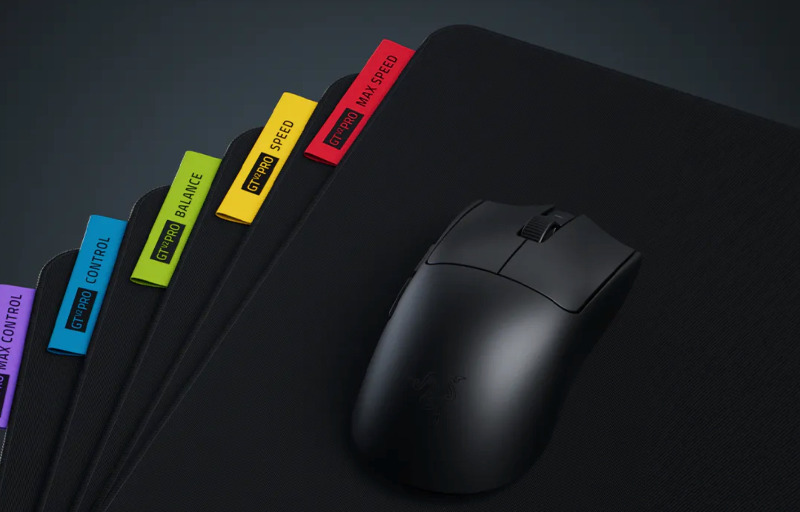
The Razer Viper V4 Pro is the kind of mouse that immediately feels built for serious gaming, but a mouse of this calibre also benefits from being paired with a surface that can fully support its sensor, glide and overall responsiveness. That is exactly where the new Razer Gigantus V2 Pro range comes into the conversation, with the Balance and Control variants in the Large 500 x 480mm size standing out as especially strong matches. Rather than acting as a simple desk accessory, these mousepads feel like an extension of the mouse itself, shaping the way movement, stopping power and precision come together in play.
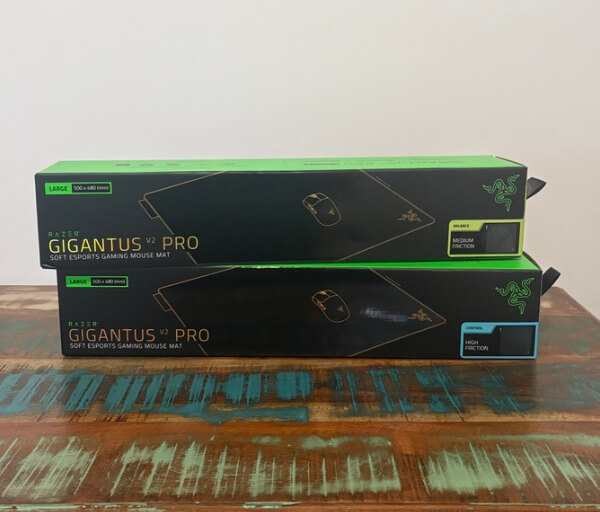
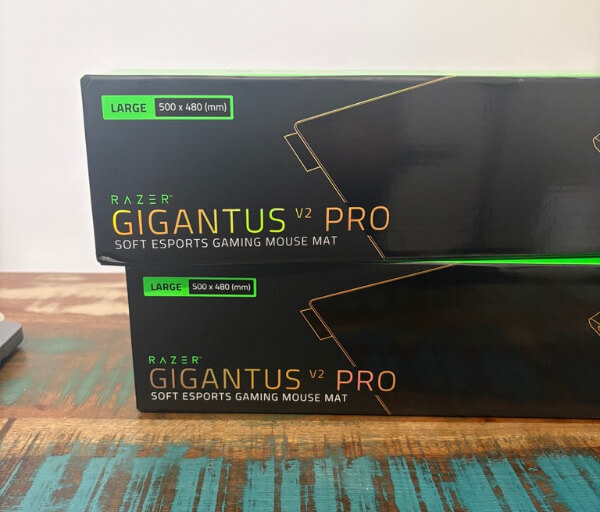
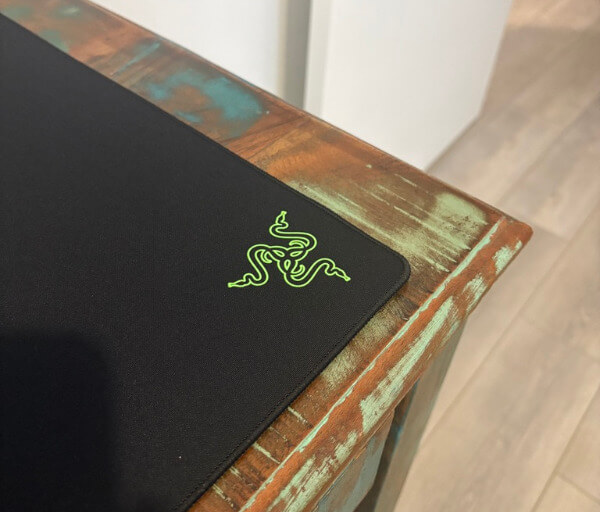
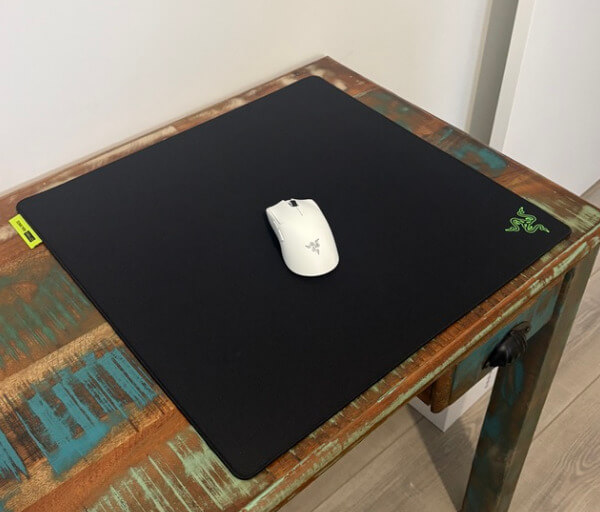
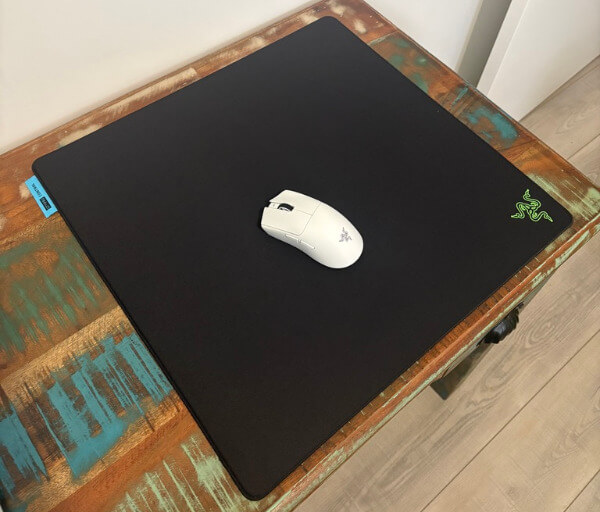
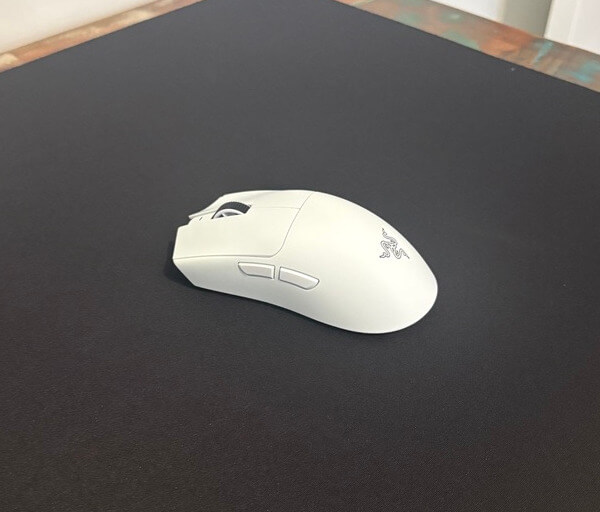
A big part of that comes down to the size. At 500 x 480mm, the Large format gives the Viper V4 Pro far more room to breathe than a more standard mousepad. For low-sensitivity players who rely on broad arm movements, that extra width is particularly valuable because it allows sweeping motions without feeling restricted, while the added vertical space still leaves plenty of room for precise tracking and controlled aim adjustments. Even for players who do not use especially low sensitivity, the larger surface helps the setup feel more premium, more comfortable and better suited to long gaming sessions.
The Gigantus V2 Pro line is also interesting because it is not simply about size, but about offering a more tailored mousing experience. Razer has created multiple friction profiles across the range, and the Balance and Control versions sit in a very appealing part of that lineup for the Viper V4 Pro. Both are designed for players who want precision and consistency, but they approach that goal in slightly different ways, which gives users the chance to choose the feel that best supports their own habits and preferred genres.
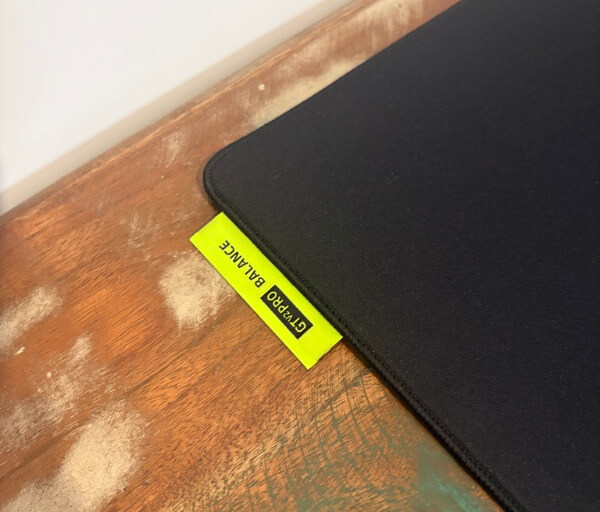
The Balance version is likely to be the most versatile option for a lot of players. It offers a medium-friction surface that gives the Viper V4 Pro a smooth, easy glide while still preserving enough resistance to keep movement feeling controlled. That middle ground works particularly well with such a lightweight mouse because it stops the experience from becoming overly loose or overly restrained. The result is a pairing that feels quick, clean and adaptable, whether you are flicking between targets in a fast shooter, tracking movement in a hero-based game or simply navigating the desktop.
What makes the Balance pad so appealing is that it allows the Viper V4 Pro’s natural strengths to shine without heavily altering its character. The mouse already feels exceptionally agile thanks to its ultra-light design, large PTFE feet and top-tier sensor, and the Balance surface complements that by preserving the sensation of speed while adding just enough composure to make every movement feel intentional. It is the sort of mousepad that feels instantly comfortable because it does not push too far in either direction.
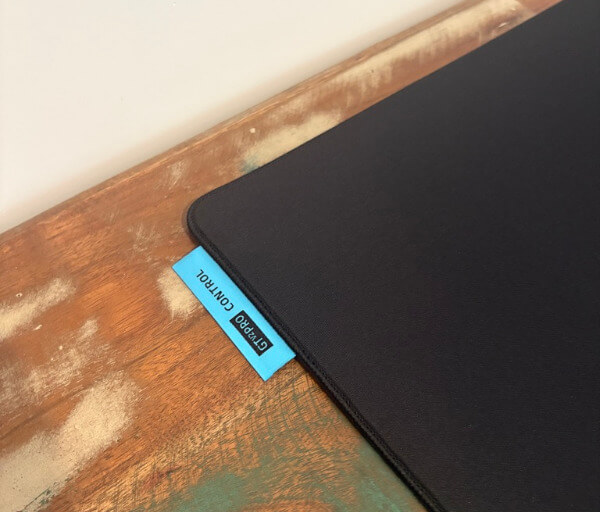
For players who want more resistance beneath the mouse, the Control variant makes an equally compelling case. This version uses a higher-friction surface that slows movement slightly and increases the sense of deliberate control under the hand. When paired with the Viper V4 Pro, it creates a more grounded and measured feel that is especially satisfying in games where tiny corrections, disciplined crosshair placement and steadier aiming matter more than ultra-fast glide. It gives the mouse more stopping power without taking away its fundamental responsiveness.
That stronger sense of control is particularly useful in tactical and precision-focused titles, where the ability to stop exactly where you intend can be just as important as moving quickly in the first place. With the Viper V4 Pro on the Control pad, the mouse still feels fast and highly responsive, but there is a little more friction working in your favour to keep movements settled and composed. This can make the overall experience feel more planted, which many competitive players will appreciate once the pace of a match intensifies.
One of the reasons these pads pair so well with the Viper V4 Pro is because the mouse itself is capable enough to expose the character of different surfaces very clearly. A less capable mouse might blur the distinction between Balance and Control, but the Viper V4 Pro’s sensor and smooth glide make the differences easy to notice. On the Balance pad, it feels more fluid and free-moving, encouraging rapid tracking and fast transitions. On the Control pad, it feels slightly more restrained in a positive way, helping smaller adjustments feel calmer and more deliberate.
That makes the choice between the two less about which pad is better and more about what kind of feel you want from your setup. The Balance version is excellent if you prefer a broader all-round experience that can comfortably handle both speed and precision. The Control version is ideal if you want the mouse to feel more anchored and if you place a high value on steadiness and exact stopping. Both bring out different strengths in the Viper V4 Pro, which is a good reflection of how flexible the mouse is in the first place.
The underlying construction also deserves attention, because these are not pads that feel like an afterthought. Razer’s proprietary foam design plays a role in how each surface behaves, helping reinforce the intended glide profile while also adding a layer of comfort. During long sessions, that cushioning can make a genuine difference, especially for players who rest part of their wrist or forearm on the pad. It adds to the sense that these mousepads are meant to support extended gaming rather than simply look good on a desk.
Comfort is helped further by the low-profile stitched edges, which keep the pads feeling tidy and durable without becoming distracting under the wrist. This sort of design detail matters more than it might seem, because sharp or raised edges can quickly become irritating during long hours of use. Here, the edge treatment feels subtle and well integrated, which helps preserve comfort while also improving durability over time. It gives the Gigantus V2 Pro range a more polished and premium finish.
The anti-slip base is another practical strength. A mousepad designed for competitive play needs to stay locked in place, and both the Balance and Control versions feel secure on the desk even when paired with aggressive, fast movement. That stability helps maintain consistency because the surface itself remains dependable under pressure. When combined with the Viper V4 Pro’s extremely responsive feel, it creates a setup that feels stable, predictable and ready for demanding sessions.
There is also something to be said for the way these pads visually and physically suit a premium setup. The Viper V4 Pro has a very clean, focused design language, and the Gigantus V2 Pro pads complement that nicely by keeping the presentation sleek and performance-oriented. They do not distract from the mouse or try to overwhelm the desk with unnecessary flair. Instead, they reinforce the impression of a setup built around function, refinement and serious play.
Another benefit of the Large size is that it helps the entire desk feel more purpose-built. Even outside of competitive gaming, the expanded surface area creates a more generous zone for movement, reducing the need to constantly reposition the mouse or worry about running out of space. This makes day-to-day use feel more comfortable as well, especially if the Viper V4 Pro is being used as both a gaming mouse and a high-performance desktop mouse. The pairing feels premium not just in matches, but throughout regular use too.
The Balance version is likely the easiest recommendation for players who want one surface to handle everything. It maintains a satisfying sense of speed while still offering enough resistance to support careful aim and consistent control. That makes it particularly appealing for players who move between genres, such as shooters, action games and general desktop work, because it never feels too specialised in one direction. It lets the Viper V4 Pro remain dynamic and lively without becoming overly slippery.
The Control version, meanwhile, is a strong choice for players who know exactly what they want from a mousepad and prefer that extra level of friction beneath the mouse. It gives the Viper V4 Pro a more disciplined feel, which suits players who want their setup to encourage steadier hand movement and more deliberate aim. In that sense, it becomes more than just a surface choice and starts to feel like part of the tuning of the mouse itself. For the right player, that added control can be extremely satisfying.
What stands out most is that both versions feel like they have been designed with genuine consideration for how modern competitive mice are actually used. The Viper V4 Pro is built around speed, precision and minimal latency, and the Gigantus V2 Pro Balance and Control variants support those goals in ways that are easy to appreciate in real use. They help shape the mouse experience without getting in the way, and that is exactly what a great gaming surface should do.
For anyone investing in the Razer Viper V4 Pro, pairing it with one of these Gigantus V2 Pro pads feels like a very natural next step. The Balance version is the ideal fit for players who want a smooth, adaptable glide with excellent versatility, while the Control version is better suited to those who want a steadier, more planted experience with stronger stopping power. Both are excellent companions for the Viper V4 Pro, and both help highlight just how much a well-matched mousepad can elevate an already exceptional gaming mouse.
Conclusion
The Razer Viper V4 Pro is an impressively refined wireless gaming mouse that delivers exactly the sort of speed, accuracy and responsiveness competitive players want. Its lightweight design, excellent sensor performance and crisp optical switches combine to create a mouse that feels sharp and dependable from the moment you start using it. Every major part of the experience feels tuned for serious play.
What helps it stand out is that Razer has not focused on one upgrade alone. The shape is comfortable, the wireless performance is outstanding, the battery life is strong, and the software adds useful depth without making the mouse harder to live with. That combination gives it a polished feel that goes beyond raw specifications.
It is also a mouse that adapts well to different play styles thanks to its deep customisation options, broad surface compatibility and consistently smooth tracking. Whether the goal is fast flick shots, controlled aiming or simply having a mouse that feels effortless in motion, the Viper V4 Pro handles the task with confidence. It manages to feel highly specialised without becoming overly narrow in everyday use.
For those looking for a premium esports-style mouse with top-tier wireless performance and a shape that remains comfortable over long sessions, this is a very easy product to recommend. The Razer Viper V4 Pro feels purposeful, refined and genuinely enjoyable to use across a wide range of games. It is the kind of mouse that makes a strong impression and keeps reinforcing it the longer you spend with it.