The Obsbot Tiny 3 Lite is designed for anyone who wants a smarter webcam experience without needing a complicated setup. It brings together 4K video, a motorised gimbal, AI tracking, gesture controls, voice commands, and strong built-in audio in a compact design that feels well suited to video calls, online meetings, streaming, presentations, and everyday content creation.
What makes the Tiny 3 Lite appealing is how much functionality Obsbot has managed to fit into such a small camera. Rather than simply offering a fixed webcam view, it can physically pan and tilt to keep you in frame, follow your movement, respond to simple commands, and adapt to different shooting situations through the Obsbot Center software.
It is not trying to be the most premium model in Obsbot’s range, but it still offers a polished and highly capable experience for users who want flexibility and automation. For those who spend a lot of time on camera, the Tiny 3 Lite feels like a meaningful upgrade over a standard webcam, especially if you value smart framing, smooth tracking, clear audio, and a cleaner overall setup.
Table of Contents
Design and Functionality
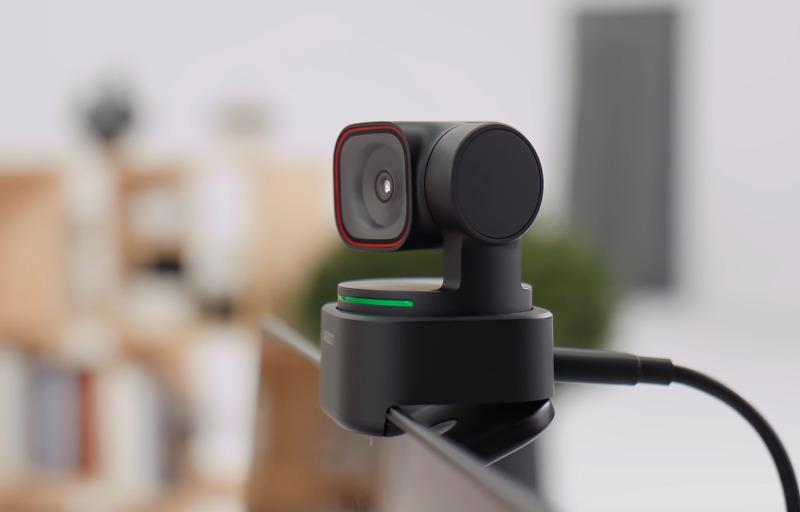
The Obsbot Tiny 3 Lite has a compact, modern design that immediately feels different from a traditional fixed webcam. Its small body, motorised gimbal, and clean black finish give it a neat desktop presence without making it look overly technical or bulky.
The camera is built around a two-part design, with the base supporting the moving camera module above it. This allows the webcam to physically pan and tilt, rather than relying only on digital cropping to follow movement or adjust framing.
That gimbal design is one of the key reasons the Tiny 3 Lite feels so flexible in daily use. It can smoothly move left, right, up, and down to keep the subject centred, which is particularly useful if you move around during calls, presentations, demonstrations, or livestreams.
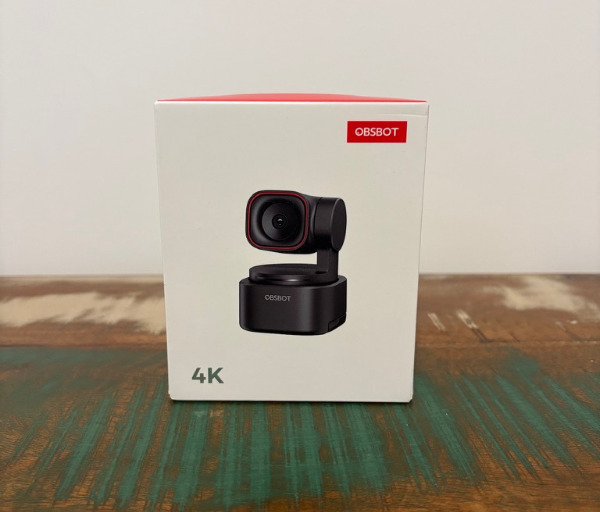
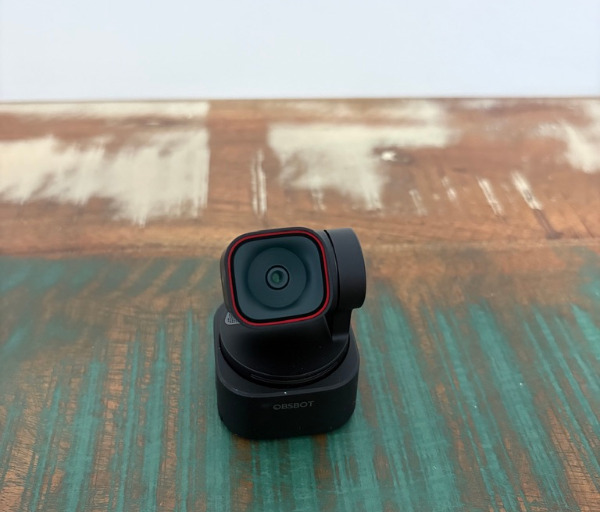
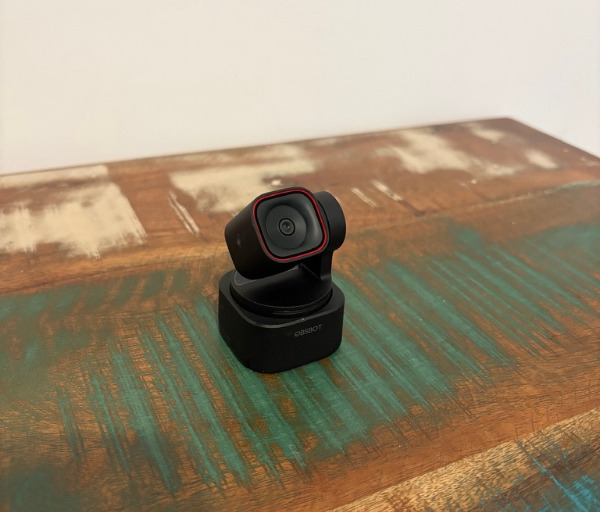
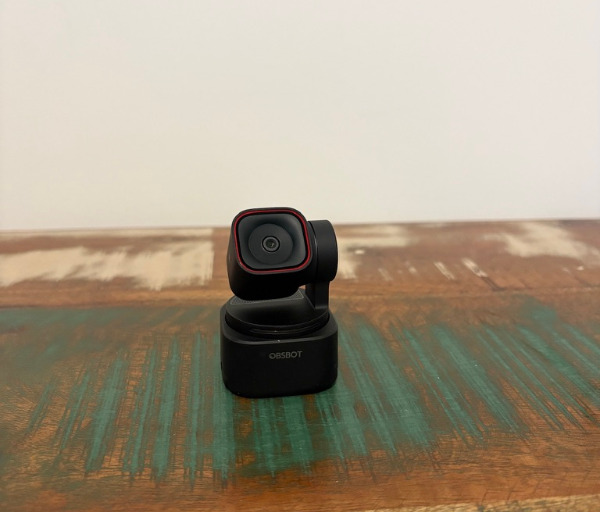
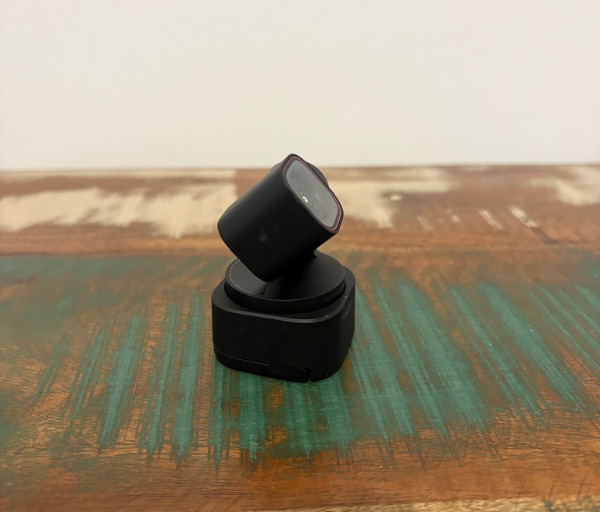
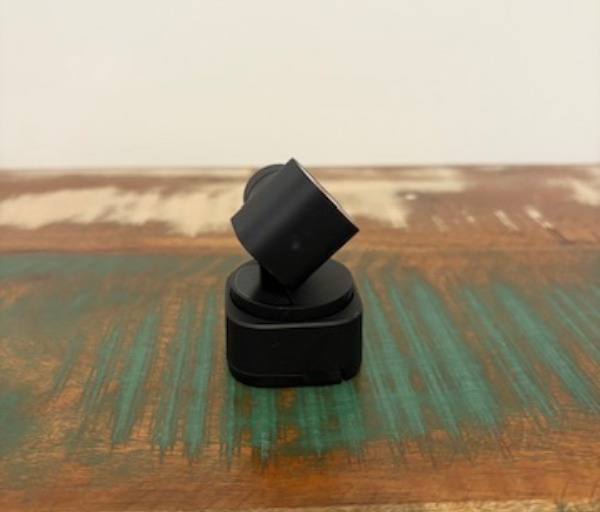
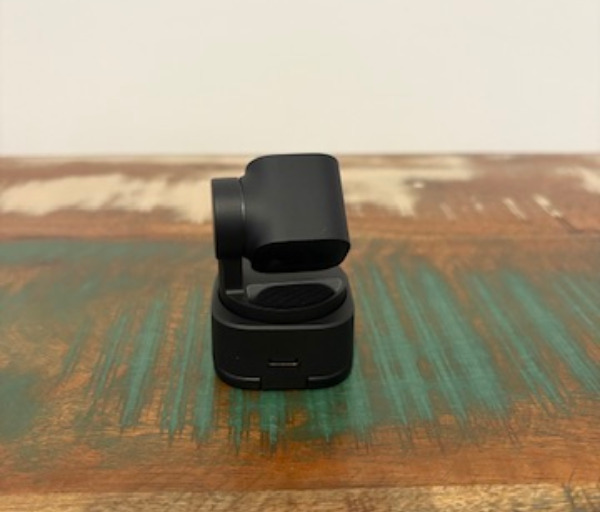
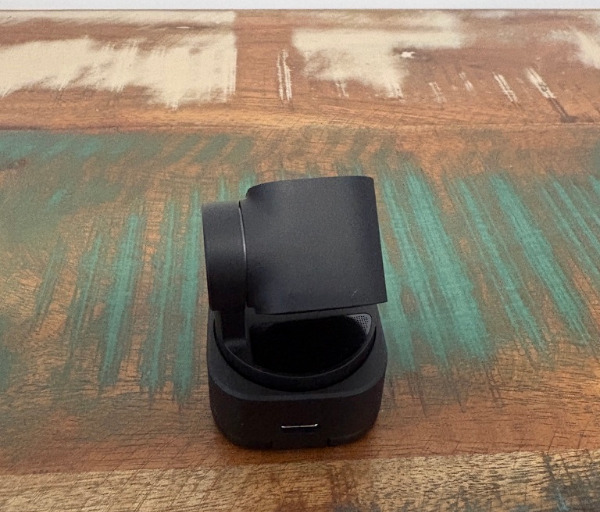
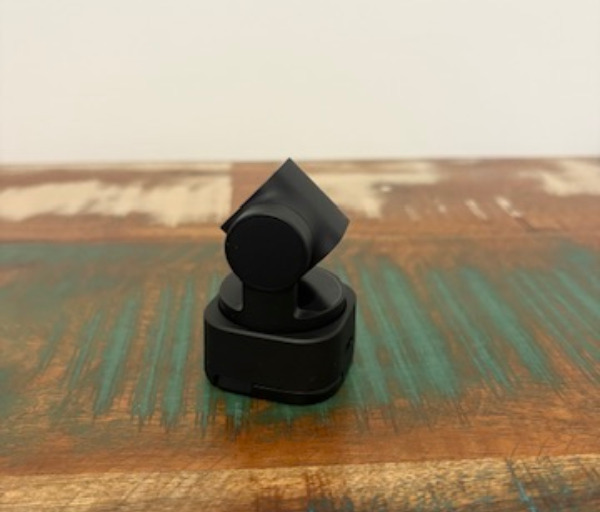
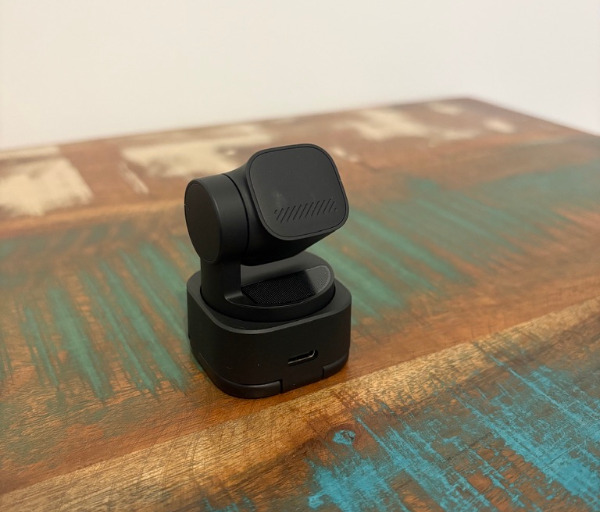
Despite its small footprint, the Tiny 3 Lite feels practical rather than fragile. The body is made from black plastic, but the finish still looks tidy and professional when placed on top of a monitor, laptop, or small stand.
The integrated monitor clip makes setup simple and secure. It has a firm hinge, a front lip, and a flat support section that helps the camera sit neatly on a screen without feeling loose or awkward.
There is also a screw mount underneath, which adds useful flexibility for users who prefer a tripod, arm, or dedicated stand. This is a great inclusion for content creators, remote workers, educators, and anyone who wants more control over camera height and angle.
The USB-C connection at the rear keeps the setup straightforward and helps reduce cable clutter. Once connected to a computer, the webcam is easy to position, and the compact body means it does not dominate the top of the display.
A light bar on the front of the base provides a simple way to see the camera’s current status. It changes colour depending on the mode, making it easier to tell when tracking, standby, or other functions are active.
Because the light bar moves with the gimbal section, it also reinforces the sense that the camera is actively following and responding to you. This small detail makes the Tiny 3 Lite feel more interactive than many conventional webcams.
The physical movement of the camera is smooth and well controlled, which helps the tracking feel natural rather than distracting. It is responsive enough to follow normal movement around a desk or room, while still maintaining a polished video-call appearance.
The overall design is clearly focused on convenience. You can use it as a standard webcam, place it on a tripod for more deliberate framing, or take advantage of its smart movement features when you need more dynamic camera behaviour.
The Tiny 3 Lite succeeds because its design does not feel complicated despite the number of features built into it. It looks simple on the desk, stays easy to mount and adjust, and provides the kind of mechanical flexibility that makes it much more capable than a basic webcam.
Key Features
The Obsbot Tiny 3 Lite includes a strong mix of hardware and software features that make it feel far more advanced than a basic plug-and-play webcam. Its combination of 4K recording, AI tracking, gimbal movement, voice controls, gesture support, and detailed software adjustment gives users plenty of control over how they appear on camera.
One of its most important features is its ability to record at up to 4K resolution at 30 frames per second. This gives the image a clean and detailed look for video calls, online presentations, livestreaming, recorded content, and any situation where a sharper image helps create a more professional impression.
It also supports 1080p recording at up to 120 frames per second, which gives users the option of capturing smoother motion when needed. This can be useful for creators who want more fluid movement, slow-motion clips, or a more responsive-looking video feed in supported workflows.
The built-in two-axis gimbal is another major highlight, allowing the camera to physically pan and tilt to follow movement. This gives the Tiny 3 Lite a more natural tracking style than webcams that rely only on digital framing, as the lens itself moves to keep the subject positioned correctly.
AI tracking gives the webcam much of its day-to-day convenience. It can follow a person in frame, adjust between different framing styles, and help keep the user centred without needing constant manual adjustment.
The tracking modes are impressively varied, with options that can focus on the face, upper body, lower body, full body, or multiple people. This makes the Tiny 3 Lite useful across different types of setups, whether you are sitting at a desk, standing during a presentation, teaching, demonstrating a product, or speaking with someone else in frame.
Obsbot Center is where the deeper controls become available. Through the software, users can adjust image settings such as contrast, hue, saturation, sharpness, exposure, focus, and white balance, while also choosing whether certain settings should remain automatic or be controlled manually.
The software also provides manual gimbal control, a zoom slider, and preset positions for quickly switching between preferred angles. This is especially useful for users who move between different camera setups, such as a front-facing call view, a wider room view, or a closer framing option.
Voice and gesture controls add another layer of convenience, especially when you do not want to reach for the keyboard or open the software. Simple spoken commands and hand gestures can start or stop tracking, adjust zoom, switch positions, or place the camera into sleep mode, making the webcam feel responsive and easy to manage during real use.
Audio is another important feature of the Tiny 3 Lite, with its microphone system designed to capture clear speech while reducing unwanted room noise. This makes it a strong all-in-one option for everyday calls and meetings, while still leaving room for users with more advanced recording needs to pair it with a dedicated microphone.
Experience Using the Product and Performance
Using the Obsbot Tiny 3 Lite feels noticeably more polished than using a standard webcam, especially once the tracking and gimbal features become part of your normal workflow. Instead of constantly checking your position on screen or manually adjusting the camera angle, the Tiny 3 Lite can keep you framed in a way that feels smooth, practical, and genuinely helpful.
The first thing that stands out is how simple the camera is to get running. Once connected through USB-C, it behaves like a regular webcam for common video apps, but the experience becomes far more capable when you start using the Obsbot Center software.
In everyday video calls, the Tiny 3 Lite delivers a clean and professional image that is more than suitable for meetings, online learning, remote work, and virtual presentations. The 4K resolution gives the feed a sharper look than many built-in laptop webcams, and it helps create a more polished impression without needing a complicated camera setup.
The camera performs particularly well in a well-lit room. With decent lighting, faces appear clear, colours look natural, and there is enough detail for the image to feel crisp and refined during both calls and recorded clips.
The image quality is also helped by the camera’s ability to manage exposure and focus automatically. For most users, leaving those settings on auto will be the easiest approach, as the Tiny 3 Lite does a good job of adjusting itself to common indoor lighting conditions.
For those who want more control, the manual image settings in Obsbot Center are a major advantage. Being able to fine-tune exposure, white balance, focus, sharpness, saturation, and other image details makes it easier to match the camera to your room, lighting, and preferred visual style.
The AI tracking is one of the most enjoyable parts of using the Tiny 3 Lite. It follows movement smoothly and keeps the subject centred without making the motion feel jerky or distracting, which is important when using the camera during professional calls or presentations.
This tracking becomes especially useful if you do not always sit perfectly still. Whether you lean back in your chair, shift to one side, stand up, or move slightly around your workspace, the gimbal helps the camera maintain a natural frame.
The different framing options also add to the camera’s versatility. A tighter face or upper-body view works well for calls and livestreams, while wider body tracking can be useful for demonstrations, teaching, fitness-style content, product showcases, or any situation where your movement is part of the presentation.
The ability to track more than one person also makes the Tiny 3 Lite useful in shared environments. If two people are speaking from the same room, the camera can help keep both subjects visible, which is far more practical than trying to manually reposition a fixed webcam.
Gesture controls are convenient once you remember the commands. Being able to raise a hand to toggle tracking or use simple gestures for zoom control makes the webcam feel more interactive, especially when you are not close to your keyboard.
Voice commands are another useful addition and help make the camera easier to control during live sessions. Commands such as starting or stopping tracking, switching between preset positions, zooming, or sending the camera to sleep can be handled without opening the software.
In practice, these hands-free controls make the Tiny 3 Lite feel more refined than a basic webcam. They are particularly helpful for presenters, educators, streamers, and creators who need to adjust the shot while staying focused on what they are doing.
The preset positions are also worth highlighting because they can save time during repeated use. You can set up favourite angles and switch between them quickly, which is handy if you want one framing style for meetings and another for recording or demonstrations.
The 1080p high frame rate mode gives the camera another layer of flexibility. Capturing at up to 120 frames per second allows for smoother motion, and it can be useful for creators who want more fluid video or slow-motion footage for specific types of content.
That said, the Tiny 3 Lite is still best thought of as a desk or studio webcam rather than an action camera. Its high frame rate mode is a nice creative option, but the product is at its best when placed on a monitor, tripod, or stand and used in a controlled environment.
Low-light performance remains usable and handled well for a webcam of this type. The camera can keep your face visible and maintain a practical image when lighting is not perfect, which is important for home offices, bedrooms, and workspaces that may not have dedicated studio lighting.
As with most webcams, the Tiny 3 Lite looks its best when the room has good lighting. Adding a small desk light, soft lamp, or natural light source helps the camera produce a cleaner, sharper image with less visible noise.
The built-in microphones are a strong part of the experience. Speech comes through clearly, with a full and detailed sound that is more impressive than many typical webcam microphones.
The microphone system also does a good job of keeping the voice as the focus. Room echo and background distractions are reduced well enough for meetings, calls, and general content use, making the Tiny 3 Lite a practical all-in-one option for many users.
For more serious content creation, a dedicated USB microphone or headset will still provide more control and closer voice capture. However, the onboard audio is good enough that many users will be comfortable relying on it for daily communication and casual recording.
The Tiny 3 Lite feels like a webcam built around convenience, flexibility, and smarter framing. Its combination of 4K video, smooth gimbal tracking, detailed software control, gesture support, voice commands, and clear audio makes it a very capable choice for anyone who wants their webcam setup to feel more professional and easier to manage.
Conclusion
The Obsbot Tiny 3 Lite is a smart, compact, and highly capable webcam that brings a much more flexible experience than a standard fixed camera. Its motorised gimbal, AI tracking, 4K video, hands-free controls, and clear built-in audio make it well suited to modern work, streaming, teaching, and content creation.
What makes it stand out is how easy these features are to use in everyday situations. The camera can keep you framed smoothly, respond to simple voice or gesture commands, and provide useful software controls without making the setup feel complicated.
It is especially appealing for users who want a cleaner and more professional camera experience without building a full creator-style setup. With good lighting, the Tiny 3 Lite delivers a sharp and polished image, while its tracking and framing tools help make calls and recordings feel more dynamic.
For remote workers, presenters, streamers, educators, and anyone who spends a lot of time on camera, the Obsbot Tiny 3 Lite is a strong upgrade that feels practical from the first use. It combines clever automation with reliable everyday performance, making it an easy webcam to recommend for users who want more control, better framing, and a more refined on-camera presence.