Table of Contents
1. Introduction: Why Rendering Speed Matters in 3D Production
3D rendering is fundamental to animation, architecture, product visualization, VFX, advertising, and motion design. As scenes grow increasingly detailed, they demand massive computing power. This is where a render farm becomes essential. It allows artists and studios to process demanding rendering workloads using multiple high-performance machines simultaneously. But how exactly can distributed computing make professional rendering faster and more efficient? Simply put, a render farm is a network of computers working together to drastically reduce the time it takes to generate high-quality 3D imagery, turning days of local processing into hours or minutes.
2. What Is a Render Farm?
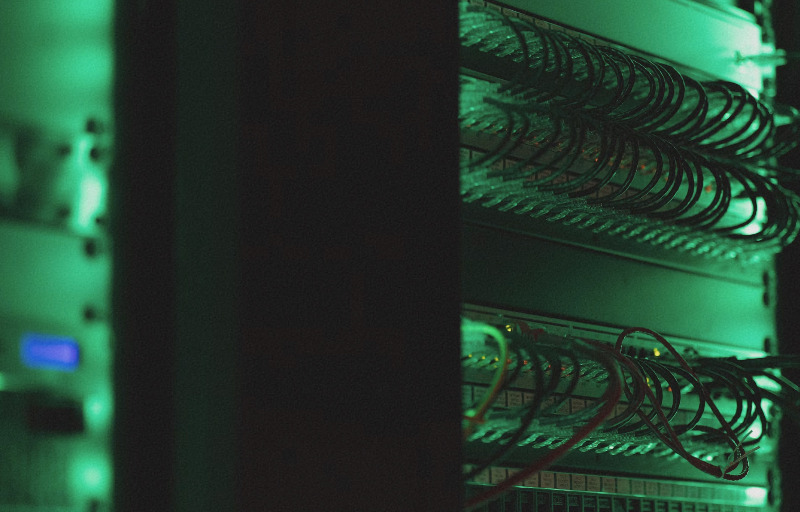
In simple terms, a render farm is a network or cluster of computers working together to process rendering tasks. Unlike rendering on a single workstation, which handles one frame at a time, a 3D render farm divides the workload. For animation, individual frames are distributed across multiple computing nodes, processing them concurrently. These farms can be operated internally by large studios or accessed externally as cloud rendering and online rendering services. By leveraging professional rendering services, independent artists and small studios gain access to enterprise-level hardware without massive capital investment.
3. Why 3D Rendering Can Be So Computationally Demanding
Modern 3D projects are incredibly resource-intensive. Several factors exponentially increase rendering requirements: high-resolution output (4K, 8K), complex 3D models with millions of polygons, large textures and assets, realistic lighting calculations, accurate reflections and shadows, and heavy simulation or visual effects. When combined into long animation sequences, these elements create a massive computational bottleneck. A single local workstation might take hours to render just one complex frame, meaning a standard animation could take weeks to complete locally, severely delaying project timelines.
4. How Does a Render Farm Work?
The cloud rendering process is straightforward and broken into five simple steps:
- Prepare the project: The artist finalizes the scene, assets, cameras, materials, and rendering settings locally.
- Upload or submit: The project file and all required textures or assets are securely transferred to the rendering infrastructure.
- Distribute the workload: The system’s manager software analyzes the job and assigns rendering tasks to available, idle computing nodes.
- Process the frames: Multiple machines work simultaneously, processing their assigned frames or buckets in parallel.
- Retrieve the results: Completed images or animation sequences are automatically compiled and returned to the artist for final review, compositing, and production delivery.
5. CPU vs. GPU Rendering: Which Is Better?
Choosing between CPU and GPU rendering depends entirely on the project, not a universal “better” option. CPU rendering utilizes central processors, making it highly reliable and advantageous for complex scenes with heavy geometry, specific CPU-based rendering engines, and software configurations requiring massive RAM. Conversely, GPU rendering harnesses graphics processors to accelerate compatible workloads. It is particularly useful for supported GPU-based engines, offering blazing-fast speeds for lighting and texture calculations. The optimal choice depends on your specific rendering engine, scene complexity, software compatibility, and overall project requirements.
6. Which Industries Use Render Farms?
Render farms deliver commercial value across diverse creative sectors:
- Animation and VFX: Animated films, character animation, complex simulations, and visual effects.
- Architectural Visualization: High-resolution still images, interior/exterior visualization, and immersive walkthrough presentations.
- Product Visualization: Advertising imagery, product launches, and interactive 3D product demonstrations.
- Motion Design: Brand animations, advertising campaigns, and dynamic 3D typography and graphics.
By accelerating turnaround times, these industries can meet tight deadlines and iterate more freely without being bottlenecked by local hardware limitations.
7. What Should You Consider When Choosing a Render Farm?
When evaluating a rendering partner, use this objective checklist:
- Supported software: Is your specific 3D application and version compatible?
- Rendering engines: Does it support your required renderer (e.g., V-Ray, Redshift, Arnold)?
- Hardware options: Are the appropriate CPU or GPU resources available?
- Processing speed: How quickly can your specific workload be completed?
- Ease of use: Is the project submission and plugin integration straightforward?
- Security: How are your proprietary project files and data protected?
- Technical support: Is responsive assistance available if issues occur?
- Pricing: Can you accurately estimate project costs before rendering?
8. How to Reduce Rendering Time and Costs
Maximize efficiency with these practical optimization tips:
- Optimize high-polygon models and remove unseen geometry.
- Reduce unnecessary high-resolution textures and unused assets.
- Always test render representative frames before processing an entire animation sequence.
- Optimize lighting and sampling settings to balance quality and speed.
- Use the provider’s cost calculator to estimate the job before starting.
- Select the most appropriate CPU or GPU resources for your specific engine.
9. FAQ: Render Farms and Cloud Rendering
What is a render farm used for?
It uses multiple computers to process demanding 3D rendering workloads more efficiently than a single machine.
Is a render farm useful for animation?
Yes. Animation involves hundreds or thousands of frames, making distributed rendering highly effective.
Are render farms suitable for architectural visualization?
Yes. They quickly process high-resolution architectural images and complex, light-heavy scenes.
Should I choose CPU or GPU rendering?
The right option depends on your rendering engine, software, scene complexity, and workload type.
10. Conclusion
As 3D projects become more detailed and sophisticated, rendering demands will only grow. A render farm provides vital access to scalable computing resources, drastically reducing processing times. However, users must carefully evaluate software compatibility, hardware, security, support, workflow, and pricing before selecting the right rendering solution for their creative needs.