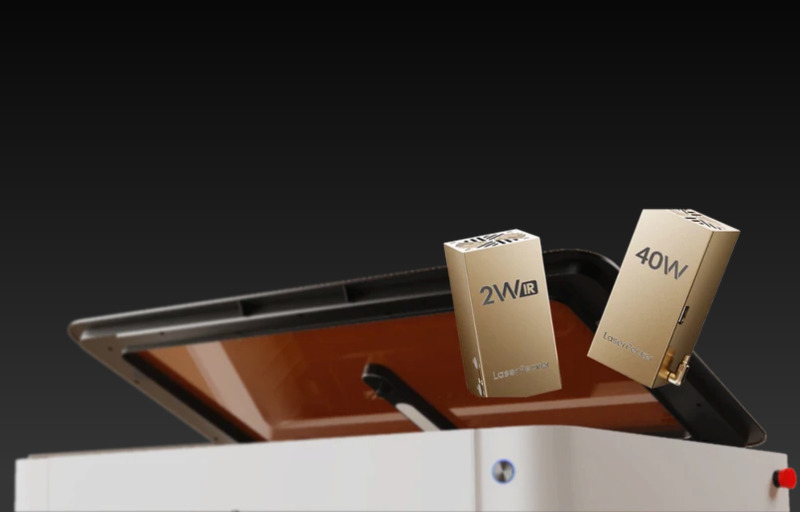
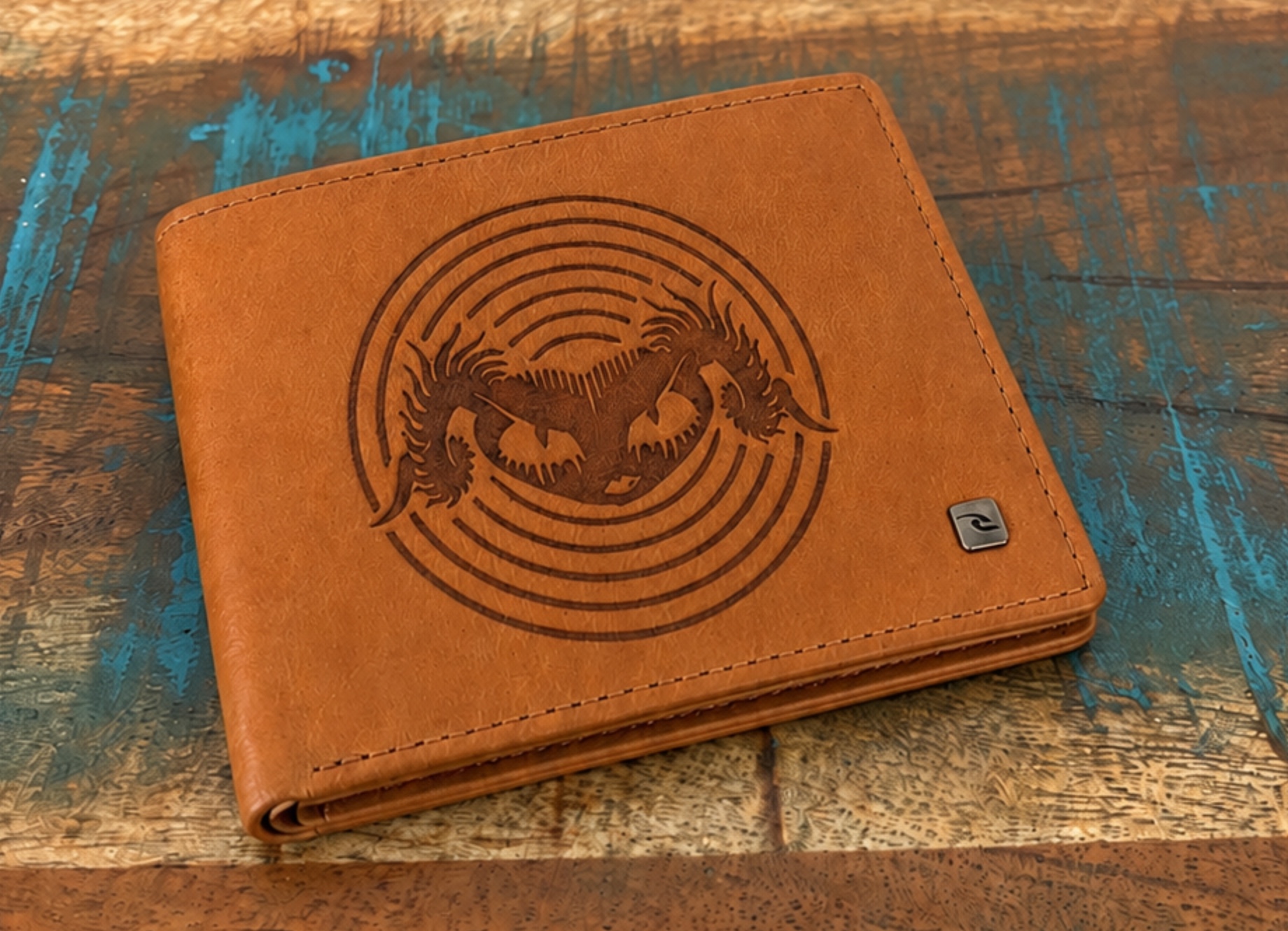
The LaserPecker LX2 is a powerful and flexible desktop laser cutter designed for makers, hobbyists, creative studios and small businesses that want more than a basic engraving machine. With a 40W diode laser module for demanding cutting and engraving projects, along with a 2W IR module for finer marking work across different materials, the LaserPecker LX2 offers a capable platform for both practical workshop tasks and detailed creative projects.
What makes the LaserPecker LX2 particularly appealing is how approachable it feels for such a capable desktop laser engraver. The enclosed design, camera-assisted positioning, height sensing, safety features and software-guided workflow all help reduce the learning curve. It offers plenty of depth for experienced users, while still feeling friendly enough for people moving up from a smaller or more basic laser system.
LaserPecker has also continued to improve the software experience around the machine. Features such as Material Parameter QR Code Saving and Recognition, High-Speed Mode parameter recommendations, real-time USB file framing preview, Honeycomb Bed Calibration and Positioning, and SVG export support all add meaningful value. These tools make the LaserPecker LX2 desktop laser cutter especially useful for users who want better repeatability, cleaner alignment and a smoother workflow across different materials and projects.
Table of Contents
Design and Functionality of the LaserPecker LX2 Desktop Laser Cutter
The LaserPecker LX2 has a more complete and refined design than many traditional desktop laser engraver systems. It feels like a dedicated workshop machine rather than a small accessory, measuring 779.5mm x 609.2mm x 281.15mm. This gives it a substantial footprint, but also makes it feel more suited to regular engraving, cutting and production work.
At 22.5kg for the main unit, the LaserPecker LX2 has a solid and reassuring presence once it is placed on a workbench. It is best treated as a semi-permanent part of a workspace rather than something that will be moved frequently. That weight helps the machine feel stable and planted during operation.
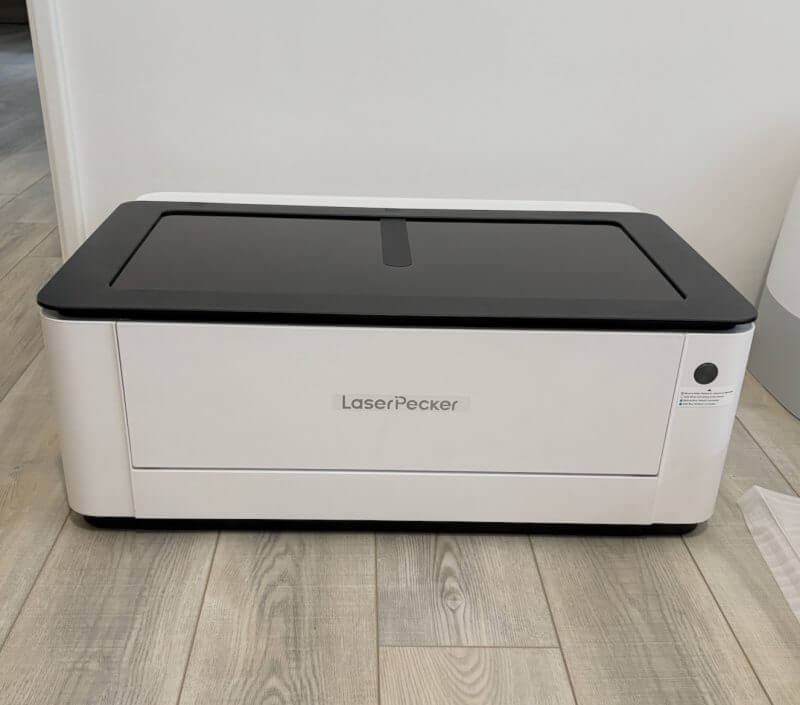
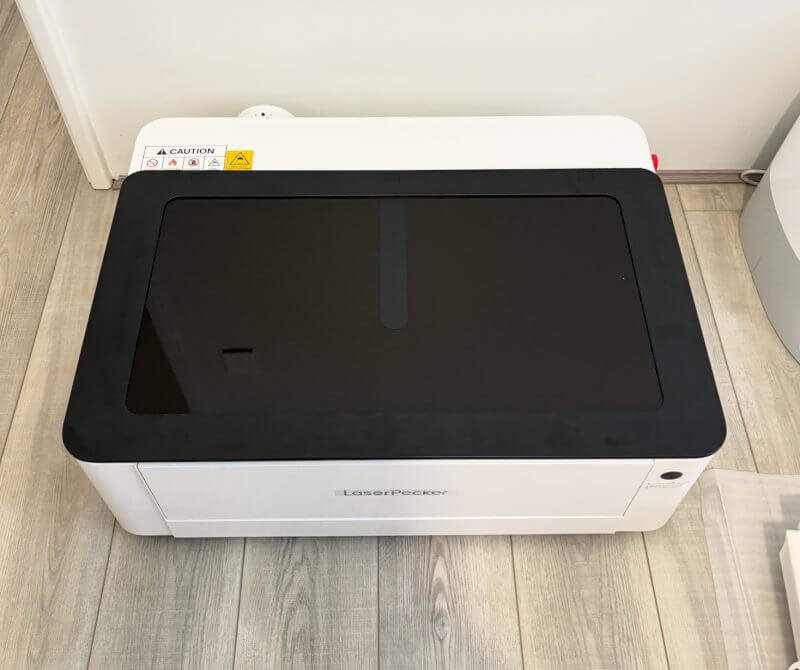
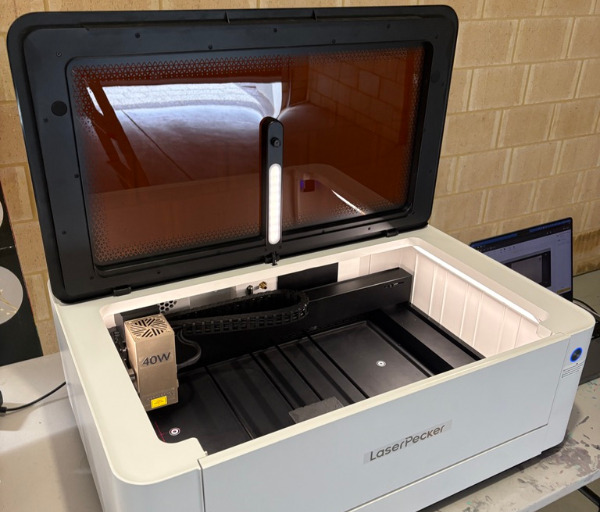
The enclosed construction is one of the biggest strengths of the LaserPecker LX2 desktop laser cutter. Rather than leaving the working area exposed like many open-frame laser engravers, the machine uses a full enclosure with a large amber viewing lid. This creates a cleaner, more controlled and more confidence-inspiring working environment.
The enclosed design also makes the LaserPecker LX2 feel more appropriate for home workshops, creative rooms and small business spaces. It contains the working area more effectively and gives the machine a tidier appearance when compared with many open laser systems. For users new to laser engraving, the enclosure also helps make the machine feel less intimidating.
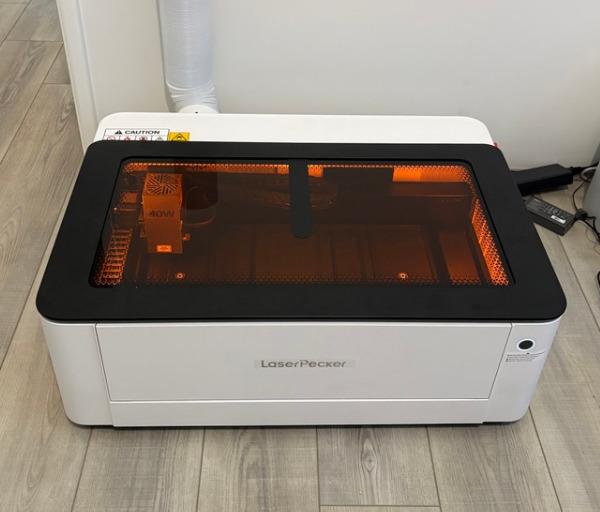
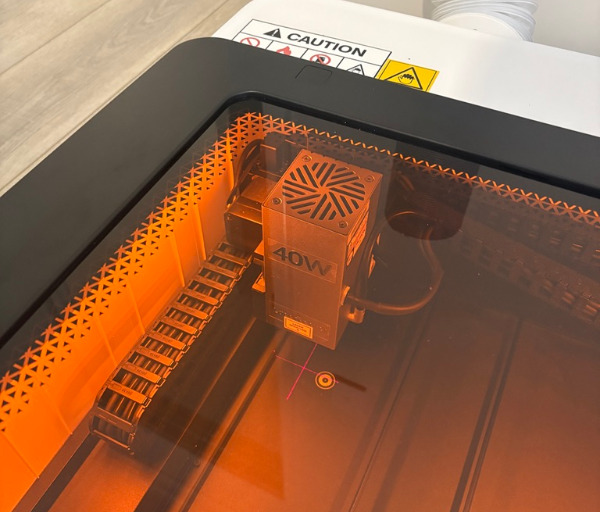
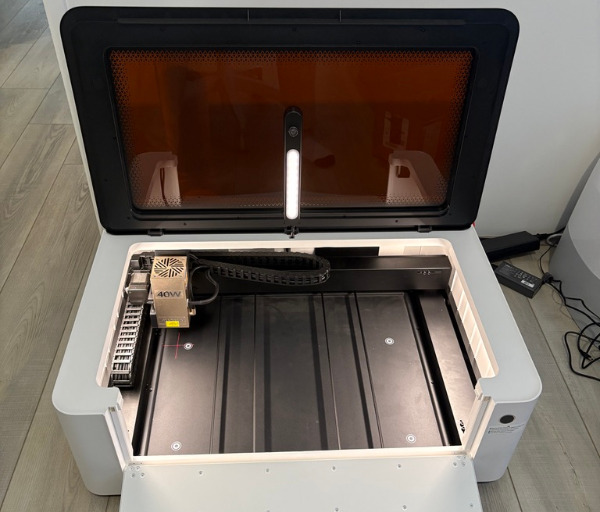
The white outer shell gives the LaserPecker LX2 a modern and approachable look. It avoids the overly industrial appearance often associated with workshop tools, while still looking practical enough for serious cutting and engraving work. It feels like a machine that can sit comfortably in a creative studio or dedicated maker space.
The large amber viewing lid is useful during operation because it gives a clear view of the working area without needing to interrupt the project. Being able to monitor engraving and cutting progress is especially helpful during longer jobs. It also allows users to keep an eye on material behaviour while maintaining the enclosed design.
The included 40W diode laser module is the main workhorse of this LaserPecker setup. Measuring 152.2mm x 77.4mm x 72mm and weighing 766g, it feels substantial without becoming awkward to handle. It is designed for stronger cutting performance and general engraving across a broad selection of materials.
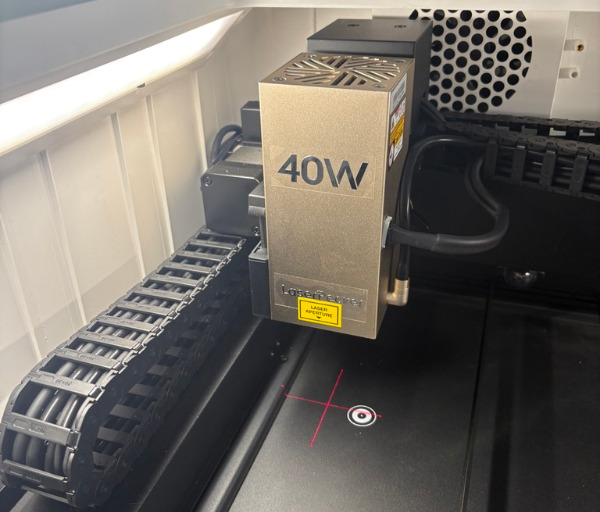
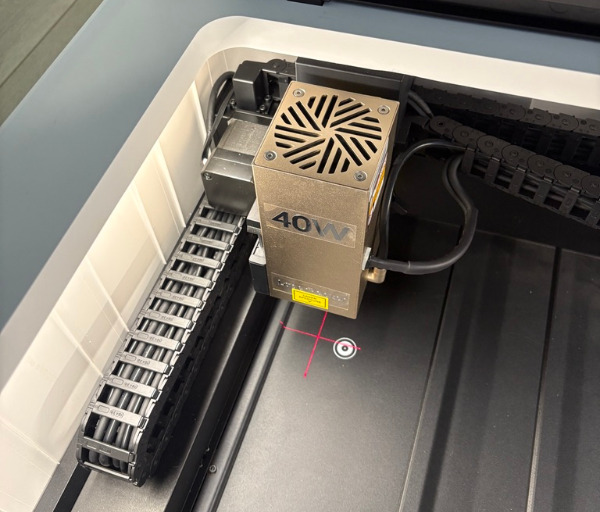
The 2W IR module adds another layer of flexibility to the LaserPecker LX2. Measuring 135mm x 72mm x 65mm and weighing 750g, it is compact enough to change over when needed while still feeling like a serious part of the system. This module is especially useful for finer engraving work and materials that benefit from infrared processing.
LaserPecker has made the module-swapping process refreshingly straightforward. The locking lever, direct cable connection and air assist connection are all arranged in a way that keeps the process quick and controlled. This is important because a modular desktop laser cutter is only truly useful when users feel comfortable changing modules regularly.
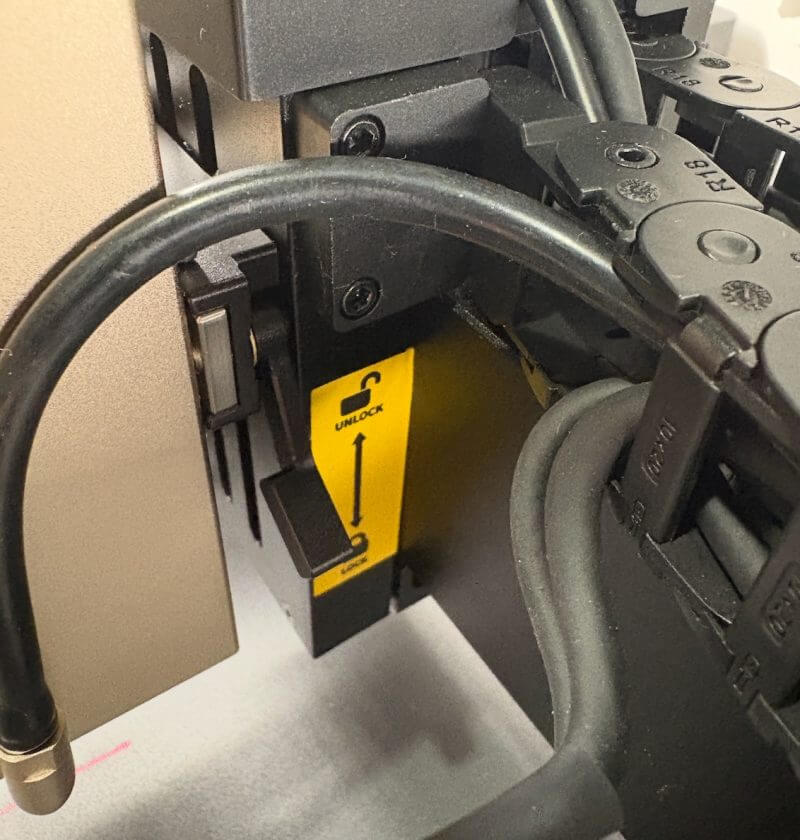
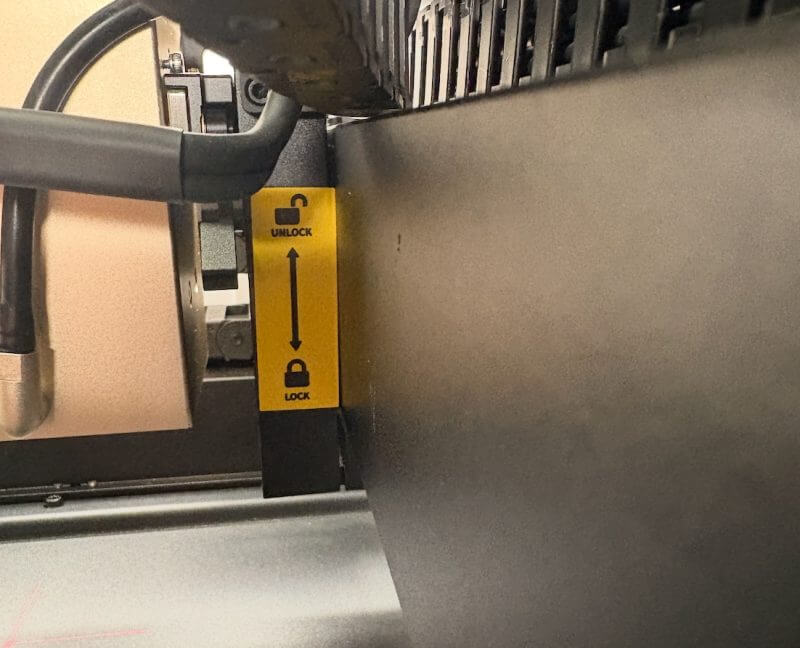
With the LaserPecker LX2, swapping between the 40W diode module and the 2W IR module feels realistic for everyday use. It does not feel like a complicated technical process that users will avoid after the first few attempts. That makes both modules feel like active parts of the workflow rather than accessories that spend most of their time stored away.
The 40W diode module is ideal for cutting and engraving common workshop materials. Wood, acrylic, leather, paper, rubber and similar materials can all benefit from the stronger output. This makes the LaserPecker LX2 desktop laser cutter well suited to signs, decorative pieces, templates, layered designs and custom products.
The 2W IR module expands the capabilities of the LaserPecker LX2 desktop laser engraver. It is particularly useful for finer engraving work across metals and selected plastics. This gives the machine a broader creative range than a standard diode-only laser system.
The working area measures 500mm x 305mm, which provides a practical amount of space for a desktop laser cutter. It is large enough for signs, panels, templates, decorative pieces, gifts and batch-style projects. At the same time, it remains manageable for many home workshops and small studio environments.
The standard processing height supports materials up to 45mm thick. This will cover many common cutting and engraving projects using flat materials or moderately thick stock. For users who want to work with larger items, the optional riser base increases the processing height to 150mm.
That extra height gives the LaserPecker LX2 room to grow with the user. It allows users to begin with everyday flat materials before moving into taller objects, thicker stock and rotary engraving projects. This makes the platform feel more adaptable over time.
When combined with the riser base, the optional rotary setup supports a maximum engraving diameter of 130mm. This creates more possibilities for cylindrical and curved items. It can be useful for personalised drinkware, custom containers, gifts and small business product work.
The internal layout feels well thought out, with the laser module, camera system and work surface all positioned to support a more guided workflow. Rather than relying entirely on manual measurements and guesswork, the LaserPecker LX2 uses camera positioning and software assistance to simplify setup. This makes the machine more approachable for users who are still learning laser workflows.
Camera-assisted alignment is one of the strongest usability features of the LaserPecker LX2. Users can position artwork visually over the material rather than relying only on rulers, offsets and test runs. This makes the setup process feel more natural and helps reduce alignment mistakes.
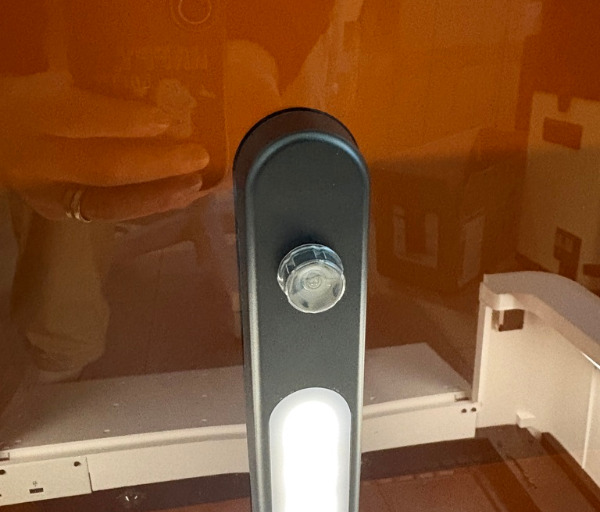
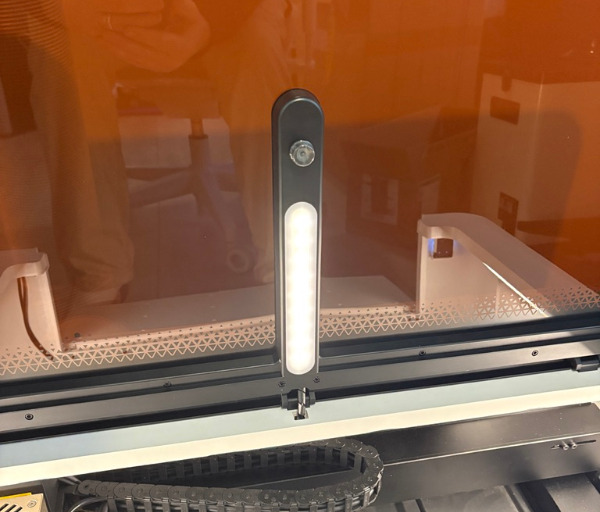
Honeycomb Bed Calibration and Positioning further improves the placement process. It is especially useful when working with regular material sizes, repeated designs or batch projects where accuracy matters. This feature helps users create a more reliable relationship between the software preview and the physical work surface.
The LaserPecker LX2 also supports real-time USB file framing preview. This is a practical feature for users who want to work from stored files rather than relying entirely on a connected computer. Being able to preview the framing before starting the job helps reduce waste and gives users more confidence in placement.
Ventilation has clearly been considered as part of the LaserPecker LX2 design. The machine includes a venting pathway and hose support so smoke and fumes can be directed away from the workspace when connected to suitable extraction. This is particularly important when cutting or engraving materials that produce noticeable smoke, odour or residue.
The enclosed format and external venting support make the LaserPecker LX2 more practical for longer sessions. It helps create a cleaner and more comfortable working environment when compared with many open-frame desktop laser engravers. Proper extraction is still essential, but the machine is designed with that need in mind.
Most physical ports are positioned at the rear of the unit. This helps keep the visible design neat and uncluttered. Power, USB-C, accessory connections, venting and the security key are arranged in a way that suits a permanent workshop setup.
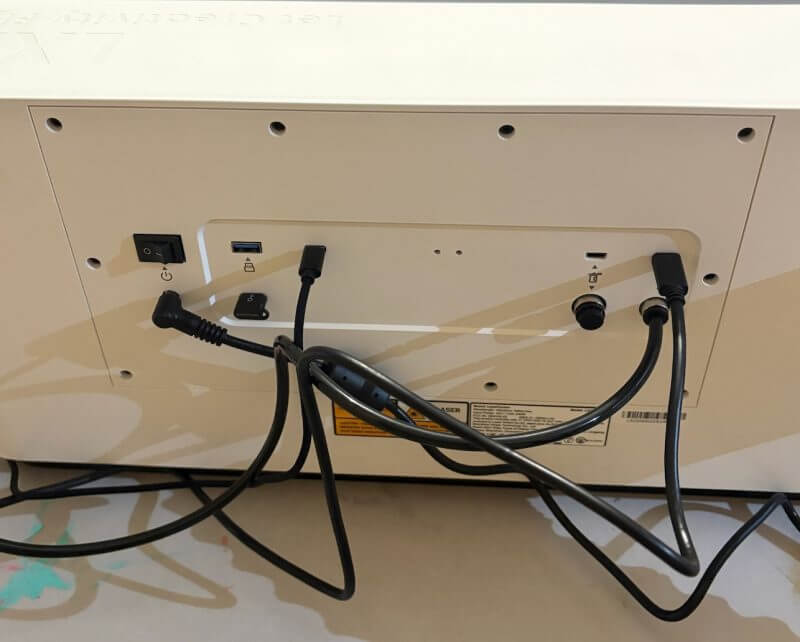
Wireless connectivity adds another useful layer of convenience once configured. Initial setup may still involve a direct connection, but moving to a wireless workflow can make the LaserPecker LX2 easier to use day to day. This is especially helpful when the machine is positioned away from the main computer.
Safety is clearly integrated into the LaserPecker LX2 rather than added as an afterthought. The enclosed body, amber lid, emergency stop button, security key, flame detection and lid-triggered stop behaviour all contribute to a more reassuring user experience. These features help the machine feel more suitable for regular use in a workshop or studio.
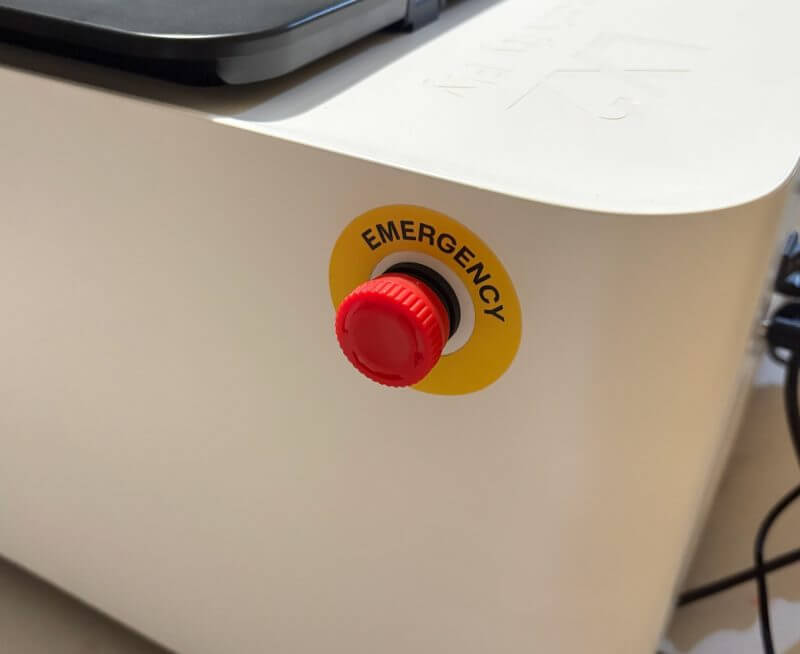
The emergency stop button is especially important because it gives users a direct way to halt operation quickly. Automated safety systems are valuable, but a clear physical stop control provides extra confidence when working with a powerful desktop laser cutter. It is a simple feature that can make a major difference during unfamiliar projects or material testing.
The design of the LaserPecker LX2 succeeds because it balances power, accessibility and expandability. It feels like a serious creative machine built for users who want more capability than a small entry-level desktop laser engraver. At the same time, it remains clean, safe and guided enough to suit users who want a smoother way to approach laser cutting and engraving.
Key Features of the LaserPecker LX2 Desktop Laser Engraver
The LaserPecker LX2 is built around flexibility, and the inclusion of both the 40W diode module and the 2W IR module gives users a strong starting point. Instead of being limited to one style of laser output, users can move between stronger cutting performance and finer engraving work depending on the project.
The 40W diode module is the main option for users who want reliable cutting power and efficient engraving across common materials. It is suited to wood, acrylic, leather, paper and rubber, making it useful for signs, templates, decorative pieces, custom gifts and small production runs. For many users, this module will become the centre of their everyday LaserPecker workflow.
The 2W IR module adds a different kind of value to the LaserPecker LX2 desktop laser cutter. It is particularly useful for fine engraving work across metals and selected plastics. This helps the machine support a wider range of project types and gives users greater freedom when choosing materials.
Tool-free module swapping is one of the most useful aspects of the system. The laser head can be changed without turning the process into a complicated technical task. This makes it far more likely that users will take advantage of both modules rather than leaving one permanently installed.
The modular design also makes the LaserPecker LX2 feel like a more future-focused platform. While this review focuses on the 40W Basic Bundle with the 40W diode and 2W IR modules, the machine clearly supports a broader range of creative workflows. It is designed to adapt as users become more confident and ambitious with their projects.
The enclosed body is another major feature because it changes the everyday experience of using a desktop laser engraver. Instead of dealing with an exposed working area, users get a cleaner and more contained environment. This makes the LaserPecker LX2 feel more suited to regular work in a home workshop, creative room or small business setting.
The large amber lid is practical because it allows users to monitor a project while keeping the machine enclosed. Watching the engraving or cutting process without opening the lid is especially useful during longer jobs. It also makes it easier to keep an eye on material behaviour while maintaining a more controlled environment.
Safety is supported through several layers, including enclosed operation, a physical security key, flame detection, lid-triggered stop behaviour and an emergency stop button. These features help make the LaserPecker LX2 feel more approachable for users who are stepping up from smaller hobby tools. They also give experienced users extra confidence during demanding projects.
The emergency stop button provides a fast and direct way to interrupt a job if needed. No desktop laser cutter should ever be left unattended, but having a physical emergency control is still important. It adds reassurance when working with new materials, thicker stock or more demanding cuts.
Flame detection is another valuable safety feature. Material behaviour can vary depending on thickness, density, finish and laser settings. The LaserPecker LX2 safety systems are not a replacement for responsible supervision, but they do add another layer of support during real-world use.
The 500mm x 305mm working area provides enough room for a wide range of projects without making the machine excessively large. It can handle panels, signs, craft pieces, batch layouts, custom gifts and small production runs. This makes the LaserPecker LX2 desktop laser cutter a practical option for users who need more space than a smaller compact engraver can provide.
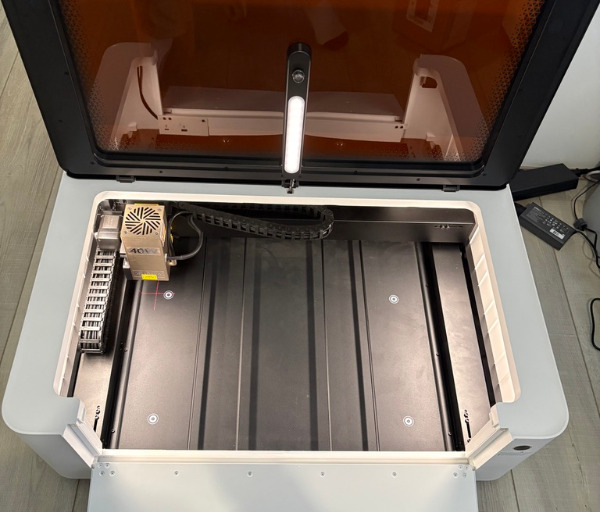
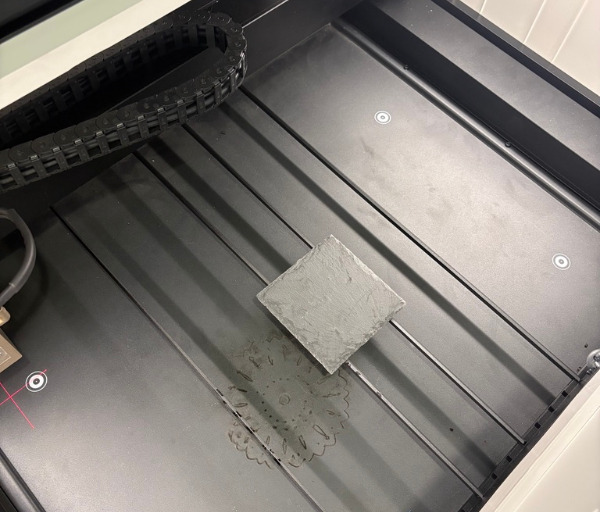
The standard processing height of 45mm is suitable for many flat materials and moderately thick objects. Users who need more flexibility can add the optional riser base to increase the processing height to 150mm. This helps the machine accommodate taller items and more specialised workflows.
The optional rotary capability expands the creative potential of the LaserPecker LX2 even further. With support for a maximum engraving diameter of 130mm when used with the riser base, the machine can be adapted for cylindrical objects and curved surfaces. This is useful for customised products, drinkware-style projects and branded items.
The 40W laser module gives the LaserPecker LX2 strong cutting potential for its class. According to the supplied specifications, it can cut up to 22mm paulownia, up to 19mm cherry wood, up to 20mm acrylic and up to 0.5mm stainless steel, depending on material quality, setup and selected settings. This gives the machine the ability to move beyond surface engraving into more substantial creative projects.
That cutting ability makes the LaserPecker LX2 useful for shaped components, layered artwork, decorative panels, model pieces and functional workshop items. It can support projects that require both engraving detail and cutting strength. This versatility is one of the biggest advantages of choosing a stronger desktop laser cutter.
The maximum working speed of 1000mm/s with 10,000mm/s² acceleration gives the LaserPecker LX2 a strong performance base. It helps the machine feel responsive during engraving tasks and supports more efficient workflows when paired with suitable material settings. This is especially useful for users who regularly create multiple items or repeat designs.
High-Speed Mode becomes more useful with LaserPecker Design Space parameter recommendations. When High-Speed Mode is enabled, the software can suggest settings based on the selected material type. This helps reduce trial and error and gives users a more confident starting point for cutting or engraving.
These recommendations are particularly useful for users who are still learning how speed, power and pass settings affect final results. Instead of beginning with a blank settings panel, the software provides guidance that can make testing more manageable. It helps the LaserPecker LX2 feel more accessible without removing creative control.
Material Parameter QR Code Saving and Recognition is one of the most useful workflow features available on the LaserPecker LX2. Users can create QR codes containing saved engraving or cutting settings for specific materials. These codes can then be printed or engraved and scanned later using the machine camera.
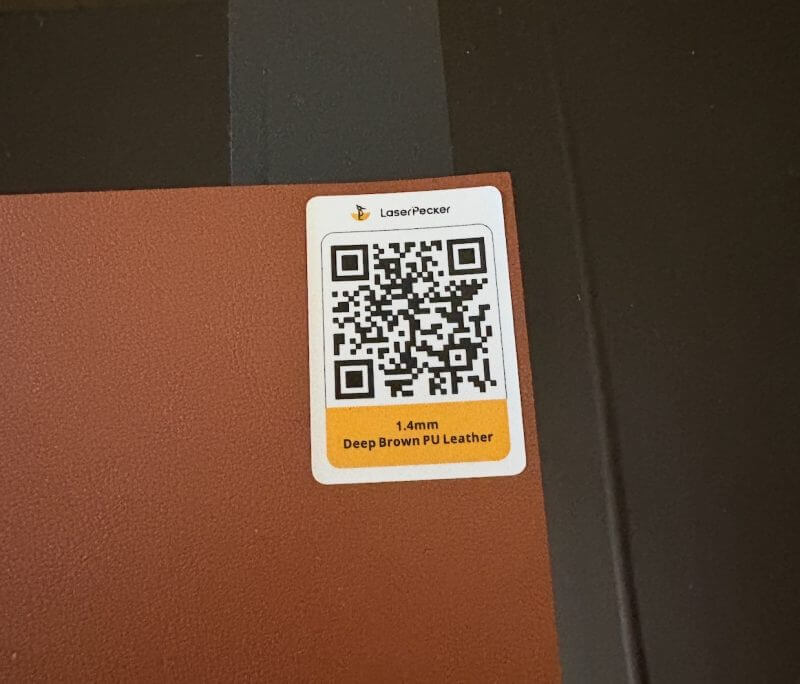
This feature is especially valuable for repeat work and small business use. Users who regularly work with the same plywood, acrylic, leather, metal blanks or other materials can save known settings for future jobs. This can reduce setup time and help maintain consistency between projects.
The QR code system also makes it easier to build a material library. Instead of relying on handwritten notes, screenshots or memory, users can create a more organised collection of saved settings. Each material can have its own QR code, making it easier to return to reliable settings when needed.
For batch processing, that repeatability can become a major advantage. When producing multiple items over time, consistent settings help maintain quality and reduce the need to rebuild the workflow from scratch. This is one of the areas where the LaserPecker LX2 feels especially useful for small-scale production.
The built-in camera is another standout feature. It allows users to place material inside the workspace, capture the work area and position their design over the preview. This is much easier than relying entirely on manual measurements and helps improve confidence before the laser begins.
Camera-assisted positioning is particularly helpful when working with irregular offcuts or pre-cut blanks. Users can make better use of available material and avoid wasting usable pieces. It also makes it easier to position artwork accurately on shaped or non-standard items.
Real-time USB file framing preview adds another useful layer of control. Before starting a job from a USB file, users can preview where the design will land on the material. This gives a clearer sense of placement and reduces the risk of wasting stock through alignment mistakes.
Honeycomb Bed Calibration and Positioning is another valuable update for accuracy and repeatability. It supports more reliable placement on the work surface, especially when working with alignment-sensitive layouts. This is useful for regular production jobs, repeated designs and multi-item layouts.
SVG export support adds flexibility for users who work with vector-based design files. It makes it easier to save, share and refine artwork across different tools. This is a practical feature for makers who move between multiple design programs or work with custom vector files.
The LaserPecker LX2 supports both LaserPecker Design Space and LightBurn. LaserPecker Design Space is the more approachable option for many users, especially those who want a visual, guided workflow. LightBurn support gives more advanced users the flexibility to work in an environment they may already know.
The combination of modular laser support, camera alignment, saved material settings, recommended parameters and software flexibility makes the LaserPecker LX2 feel like more than a standard desktop laser engraver. It is a complete creative platform designed to make laser cutting and engraving easier to manage, easier to repeat and more enjoyable to use.
LaserPecker LX2 Performance and Everyday Use
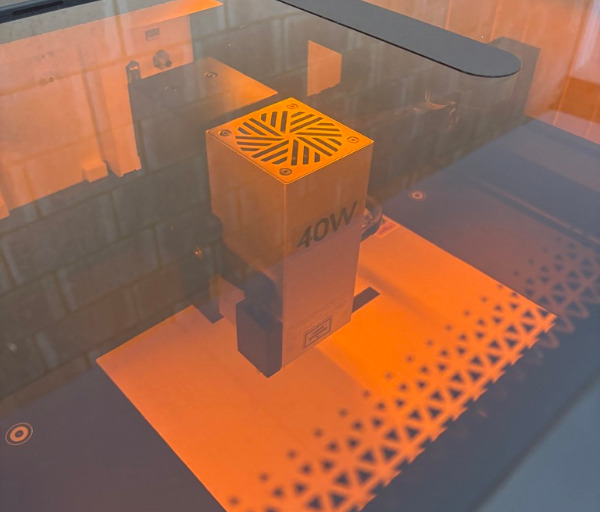
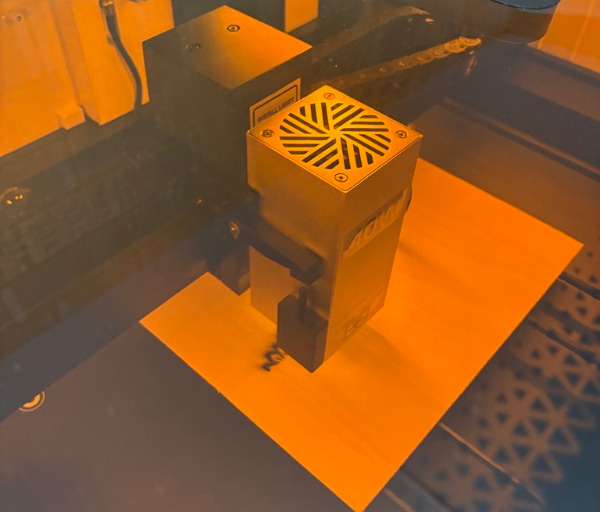
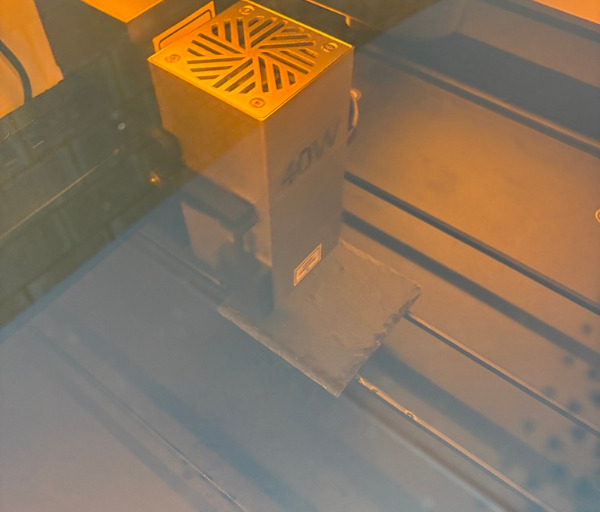
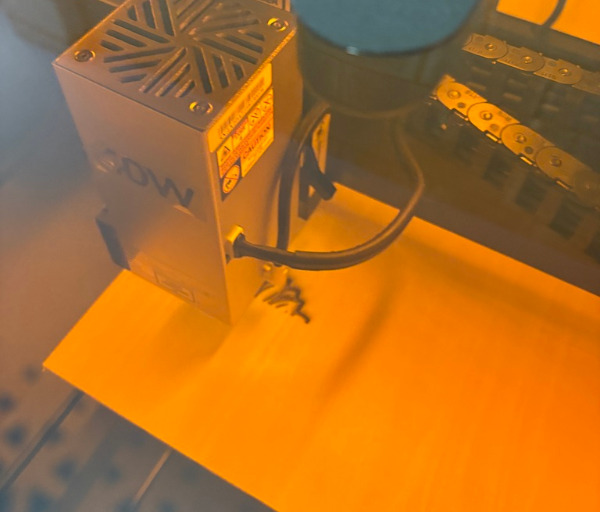
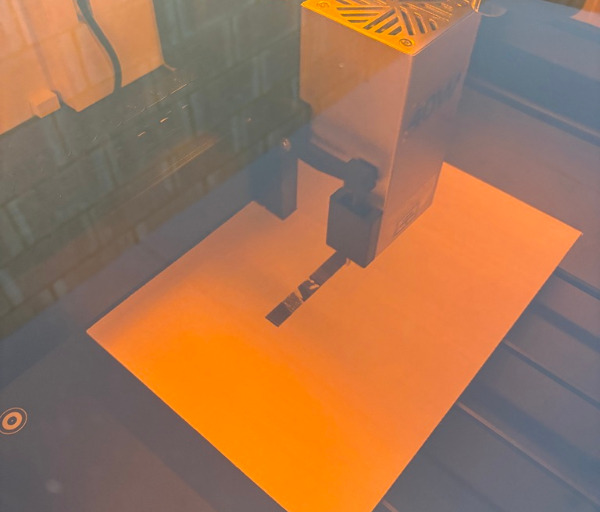
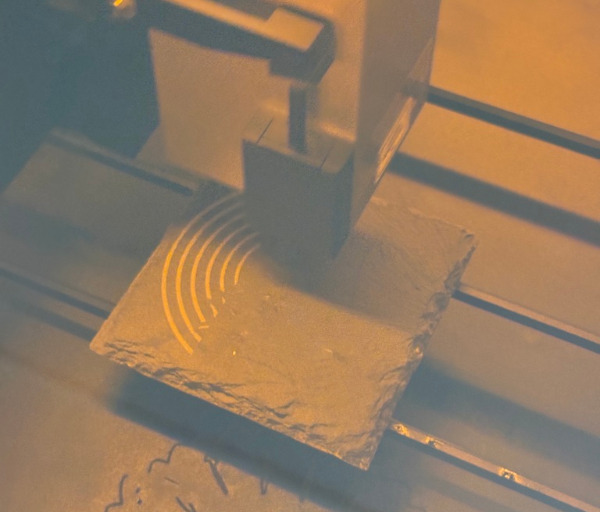
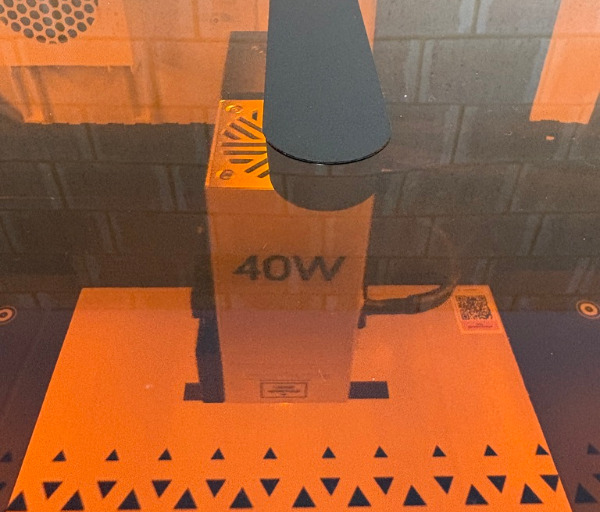
Using the LaserPecker LX2 feels more streamlined than many laser machines that expect users to manage every part of the process manually. From loading material and positioning artwork through to setting up the job and checking the frame, the workflow feels guided without becoming restrictive. This makes the LaserPecker LX2 desktop laser cutter approachable for newer users while still offering the flexibility experienced makers expect.
The size and weight of the LaserPecker LX2 make it feel like a serious piece of workshop equipment. At 22.5kg, it is best placed on a solid, level bench where it can remain ready for regular use. It is not designed to be moved around between jobs, but that permanent placement works in its favour once it becomes part of a dedicated creative workspace.
In a workshop setting, the enclosed body gives the LaserPecker LX2 a more controlled and professional feel than an open-frame desktop laser engraver. The work area is tidier, the machine feels more self-contained and the viewing lid makes it easy to monitor progress without constantly exposing the project. It is particularly well suited to maker spaces, home workshops, creative studios and small businesses that want a cleaner setup for regular engraving and cutting work.
The 40W diode module will be the main choice for most everyday projects. It offers the power needed for engraving and cutting common workshop materials, including wood, compatible acrylic, leather, paper, rubber and selected coated materials. This makes the LaserPecker LX2 useful for a broad mix of practical and creative work, from simple engraved labels through to layered signs, display pieces and customised products.
For wood-based projects, the 40W module gives users plenty of flexibility. It can produce detailed engraved artwork on plywood, hardwood, MDF and other suitable timber materials, while also providing the cutting strength needed for shaped components and layered designs. This makes it well suited to projects such as engraved signs, coasters, keyrings, decorative wall pieces, storage labels, workshop organisers and personalised gift items.
Acrylic is another material category where the LaserPecker LX2 can be particularly useful. Compatible acrylic sheets can be engraved and cut into custom shapes for signage, display pieces, templates, name plates, organisational labels and product tags. For makers producing layered designs, the ability to combine cut acrylic sections with engraved details opens up a wide range of polished-looking project options.
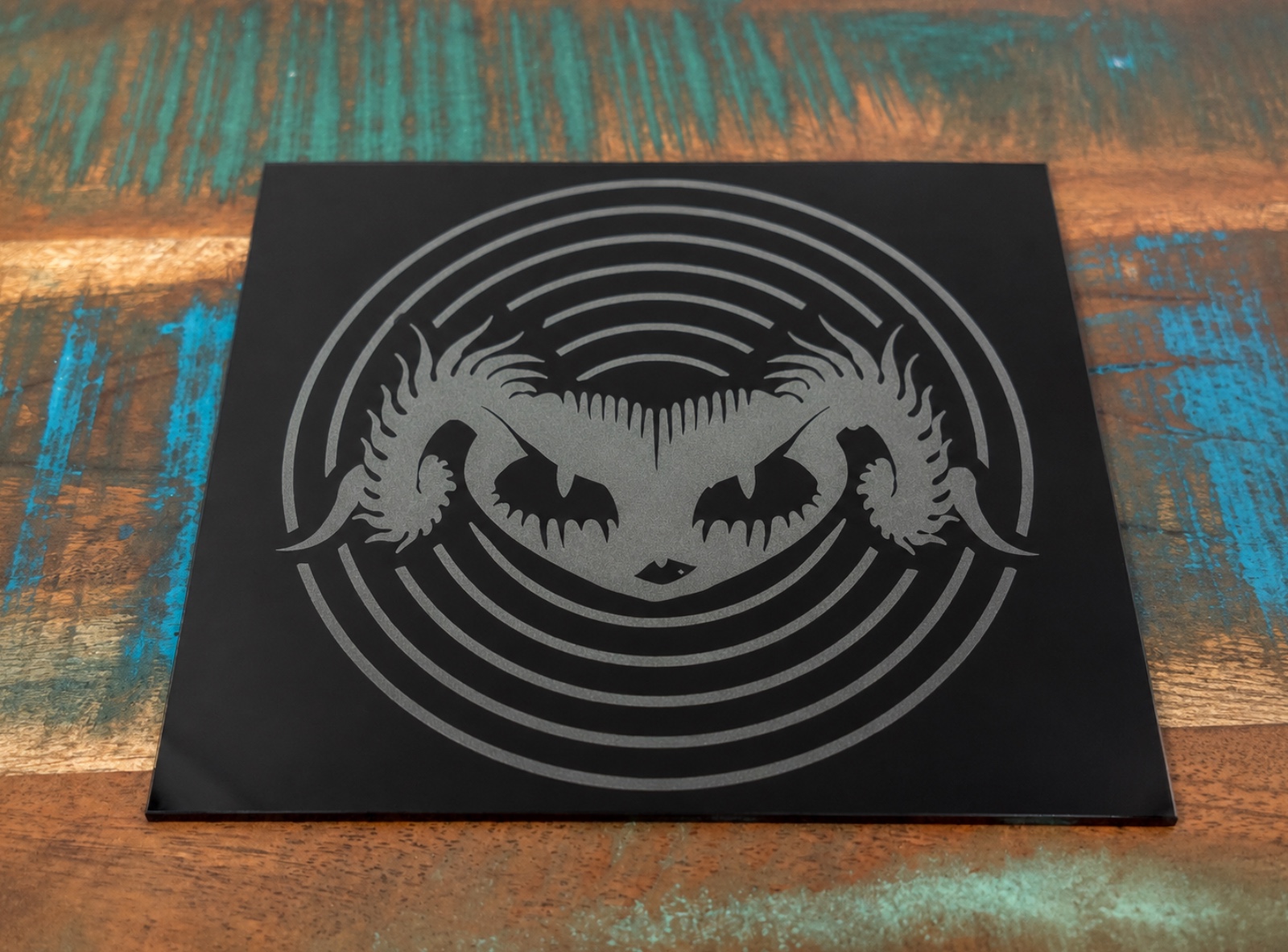
The 2W IR module adds another side to the LaserPecker LX2 experience. It is not intended to replace the 40W diode module for heavier cutting work, but it expands the machine’s ability to handle finer engraving projects and materials that respond better to infrared processing. This makes it useful for detailed marking on metals and selected plastics, including custom tags, branded components, metal tools, jewellery-style pieces and personalisation projects.
Having both modules available makes the LaserPecker LX2 desktop laser engraver more flexible in a real workshop environment. A user could spend one session cutting wooden signs or acrylic parts with the 40W diode module, then change over to the 2W IR module for finer metal marking work. The quick module-swapping process helps this feel practical rather than disruptive.
Material testing remains an essential part of using any desktop laser cutter, and the LaserPecker LX2 gives users a better starting point than many less guided machines. Even materials that look similar can react differently depending on their thickness, density, coating, moisture level, colour and finish. Taking the time to run small test grids before beginning a full project is one of the best ways to achieve consistent results.
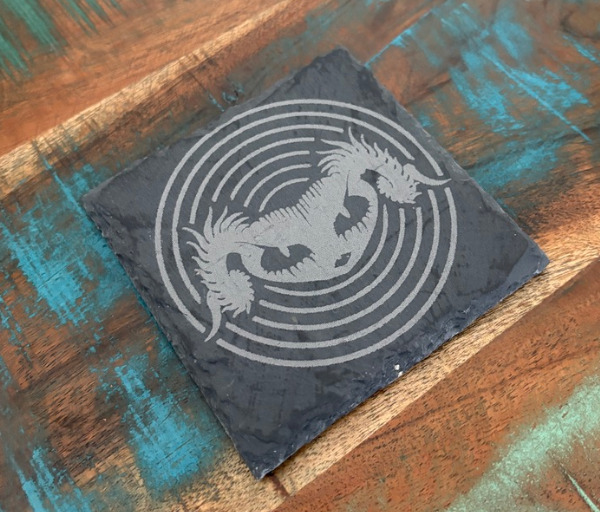
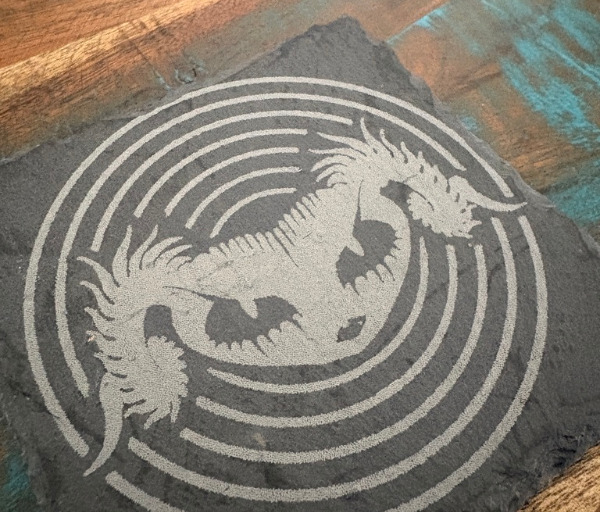
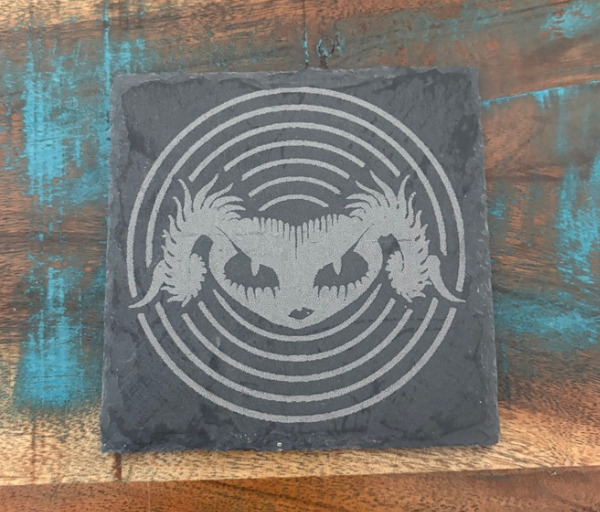
A good material test can quickly show how speed, power and pass settings affect engraving depth, contrast, cut quality and edge finish. For engraving, users may test several combinations of lower and higher power levels at different speeds to find the balance that produces the desired detail. For cutting, additional passes, slower speeds or adjusted air assist settings may be required depending on the material.
The supplied High-Speed Mode parameter recommendations in LaserPecker Design Space are helpful because they reduce the amount of guesswork at the beginning of a project. When a material type is selected, the software can offer a sensible starting point for speed, power and related settings. These recommendations should still be tested on a small offcut first, but they make the LaserPecker LX2 feel more beginner-friendly and more efficient for users who do not want to begin every project from a blank settings panel.
Speed and power settings have a major impact on the final result, and learning how they work becomes easier through regular use. Higher speeds can help reduce processing time and may create lighter engraving results, while slower speeds allow the laser more time to interact with the material. Power settings influence the intensity of the laser output, so finding the right combination is important for achieving a clean mark without excessive burning, melting or unnecessary material damage.
For a simple engraved plywood coaster, for example, the workflow could begin with a small test square on an offcut to find the right contrast and engraving depth. Once the preferred speed and power settings are identified, the same settings can be used across a full batch of coasters. The camera system makes it easier to position multiple blanks on the bed, while the honeycomb positioning tools help keep the layout consistent.
A more detailed sign project could involve cutting a base layer from wood or acrylic, engraving text or artwork into a second layer and then assembling the finished piece after processing. The 500mm x 305mm work area gives users enough space to prepare multiple sign components at once. This is useful for larger decorative pieces, business signage, house number plaques, workshop signs and custom event decorations.
For small business users, the LaserPecker LX2 can fit naturally into workflows involving product personalisation and short-run production. A business creating engraved keyrings, luggage tags, product labels, wedding place cards, branded packaging inserts or custom promotional items could use the machine to produce small batches efficiently. The camera-assisted positioning system is particularly useful when working with pre-cut blanks that need accurate logo placement.
Material Parameter QR Code Saving and Recognition is one of the most valuable features for repeat projects. Once a preferred material has been tested and the right speed, power, pass count and other settings have been identified, those settings can be saved into a QR code. The code can then be scanned with the machine camera later, helping users return to known settings without relying on handwritten notes, screenshots or memory.
This feature has clear value in a workshop where multiple materials are used regularly. A maker might have one QR code for 3mm plywood, another for leather patches, another for acrylic labels and another for metal tags. Over time, this creates a more organised material library and makes it easier to move between projects with less preparation.
For a small business, the QR code workflow can help improve consistency across repeated orders. A seller producing the same engraved product across different sessions can reload the known settings for that material and design type, rather than spending time rebuilding the process. This can reduce testing time, support more predictable output and make short-run production feel more manageable.
The camera-assisted alignment system is another feature that becomes more useful the more varied the projects become. For standard rectangular blanks, it makes it easier to line up engraving designs accurately. For irregular offcuts, curved pieces or partially used material sheets, it allows users to position artwork visually and make better use of available space.
This is especially useful for makers who prefer not to waste quality material. Rather than discarding small offcuts of timber, leather or acrylic, users can place them on the bed and use the camera preview to fit smaller designs into the available area. This can be useful for keyrings, tags, coasters, ornaments, badges, small logo plates and other compact projects.
Height sensing adds another practical advantage during day-to-day use. Instead of manually measuring each material and adjusting the laser position by hand, the LaserPecker LX2 helps establish the correct working distance before the job begins. This reduces setup friction and makes it easier to move between materials of different thicknesses.
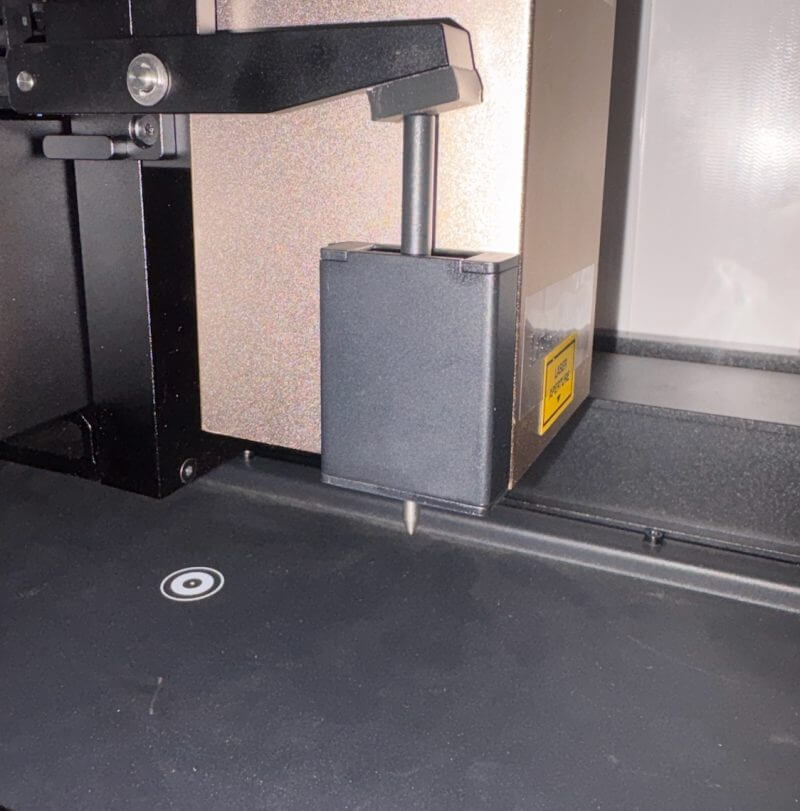
The two-stage camera and height workflow is easy to understand after a few uses. Material is placed inside the machine, the work area is captured through the camera, the measurement point is selected and the machine checks the surface height. The refreshed view can then be used to position the design accurately before the laser starts.
Framing preview remains an important final step before beginning any job. Even with camera alignment and saved settings, checking the expected engraving or cutting area can prevent costly placement mistakes. This is particularly important for custom work where the material may be expensive, pre-finished or difficult to replace.
The real-time USB file framing preview adds further convenience for users working from saved files. It provides a clearer way to check the job position before processing begins, which is useful when the LaserPecker LX2 is being used away from the main computer. This can suit workshop setups where designs are prepared elsewhere and transferred to the machine for production.
The 500mm x 305mm working area is practical in everyday use because it supports both large single-piece projects and multi-item layouts. A user could engrave a larger sign panel, prepare a set of matching coasters or place several keyrings and tags across the bed for a batch run. This flexibility makes the LaserPecker LX2 desktop laser cutter suitable for both one-off creative work and repeat production.
Batch work is an area where the machine can become especially useful. Makers producing sets of ornaments, keyrings, labels, coasters, name tags or business merchandise can arrange multiple pieces on the bed, position the artwork through the camera preview and run a more efficient production cycle. Once the process is dialled in, the workflow can become quick and repeatable.
Honeycomb Bed Calibration and Positioning also helps improve confidence during these batch workflows. When the bed is properly calibrated, users can better trust the relationship between the software layout and the physical material position. This is valuable when projects require repeated placement accuracy, especially for products where logos, names or borders need to sit in exactly the same location.
LaserPecker Design Space feels like the most natural software option for new users because it supports the visual and guided nature of the LX2 workflow. Material selection, camera alignment, recommended parameters and project framing are presented in a way that helps users move through the process step by step. It makes the machine feel accessible without limiting creative freedom.
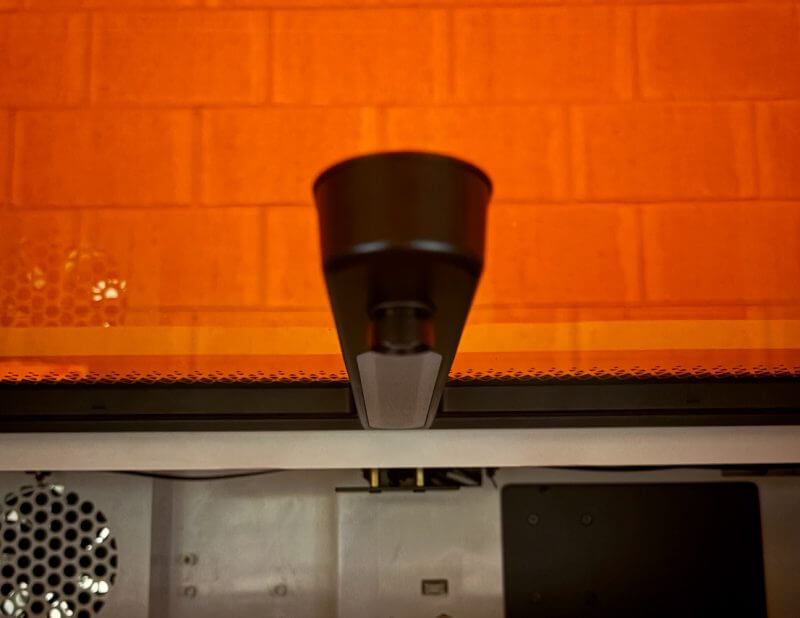
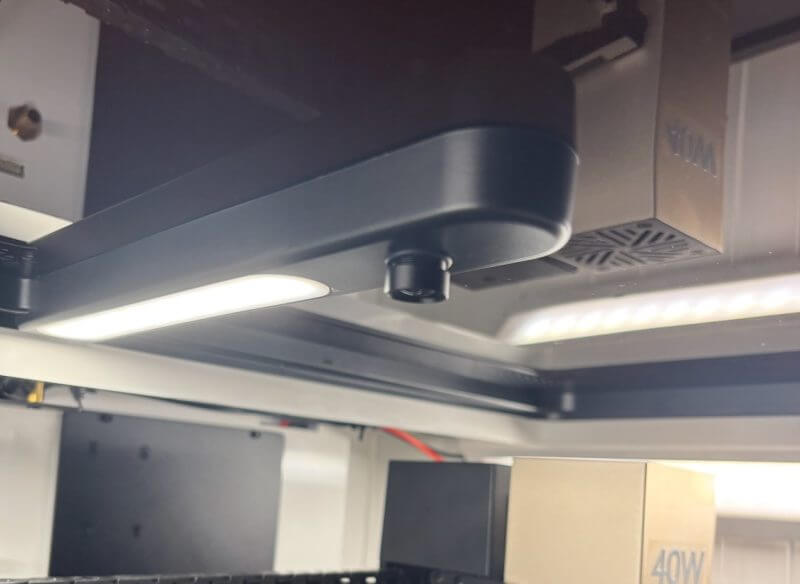
LightBurn support remains a valuable option for more experienced laser users. It gives the LaserPecker LX2 the flexibility to fit into existing design and production workflows. Users who already work with vector files, layered designs and more advanced laser settings can continue using familiar tools while benefiting from the machine’s enclosed design and camera-assisted placement.
SVG export support is another useful addition for maker workflows. It allows users to save, refine and move vector-based designs between different software platforms. This can be helpful when creating templates, product outlines, logos, custom text layouts and more detailed artwork for laser processing.
Ventilation is an important part of the real-world workshop experience and should be planned properly before regular use. The enclosed body helps contain the working area, but laser cutting and engraving can still create smoke, odour and residue. A suitable extraction system is essential, particularly when cutting wood, acrylic, leather or other materials over longer sessions.
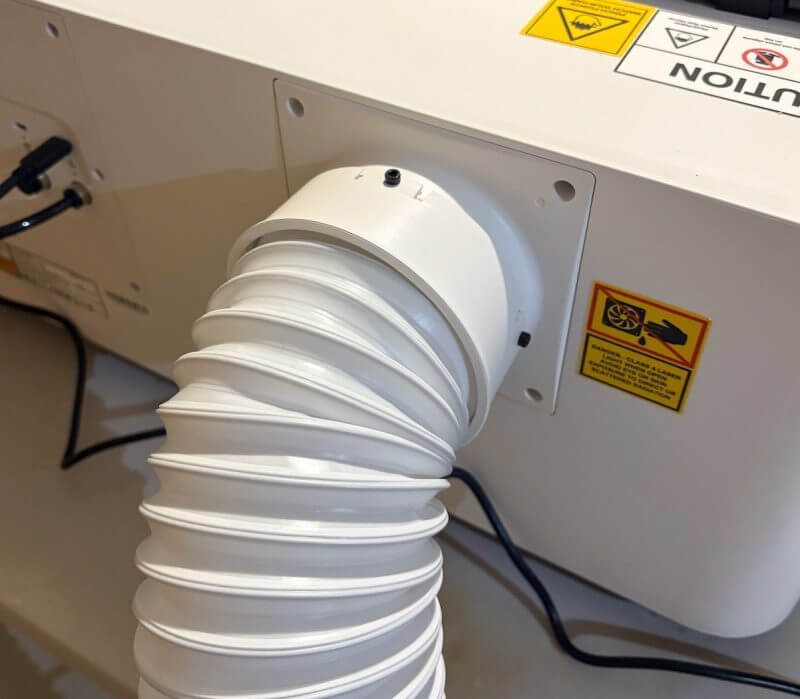
The venting support makes it easier to direct smoke away from the work area when paired with appropriate extraction. In practical workshop use, this can make a major difference to comfort, cleanliness and the overall experience of working with the machine. Good ventilation also helps users maintain a more pleasant environment when running regular projects or batch production.
The enclosed construction helps the LaserPecker LX2 feel more refined during longer jobs. The machine remains easier to monitor through the amber lid, and the safety systems provide added reassurance while users remain present. The lid-triggered stop behaviour, security key, emergency stop button and flame detection all contribute to a more controlled working environment.
The flame detection system is particularly useful when working with natural materials. Wood, leather and similar products can respond differently depending on material density, coatings and selected settings.
The LaserPecker LX2 still needs to be treated as an active workshop tool rather than an unattended appliance. Material testing, appropriate ventilation, responsible material selection and close supervision remain essential.
Final results from the LaserPecker LX2 can be highly satisfying when the material and settings are matched correctly. Engraved details can look crisp and clean, while the 40W diode module provides enough cutting strength for more ambitious projects. The combination of strong cutting performance, fine engraving flexibility and practical software tools gives the machine a broad range of creative potential.
Simple and Useful Framing Preview
The framing preview feature is one of the simplest parts of the LaserPecker LX2 workflow, but it can make a major difference to the final result. Once the material is positioned and the design is ready, users can preview the expected engraving or cutting area before the laser begins. This gives a clear visual confirmation that the artwork is sitting where it should.
The process feels quick and easy to understand. Rather than relying only on measurements, rulers or assumptions about where the design will land, the framing preview helps show the outer boundary of the job directly on the material. This makes it easier to catch placement issues before a permanent mark or cut is made.
The feature is especially beneficial when working with smaller blanks, irregular offcuts, pre-cut shapes or personalised items. For projects such as coasters, keyrings, acrylic plaques, gift tags and engraved metal pieces, even a small alignment error can affect the finished result. Framing preview helps reduce that risk and gives users more confidence before starting the job.
Real-time USB file framing preview is also useful for users working from saved project files. It allows designs to be checked directly at the machine, helping streamline workshop workflows where files may be prepared on another computer. For makers and small business users, this can help reduce wasted material, improve consistency and make batch production feel more controlled.
Quick and Practical Module Swapping
One of the LaserPecker LX2’s most useful design strengths is how straightforward it is to move between the included 40W diode module and 2W IR module. The swapping process uses a simple locking mechanism, direct cable connection and air assist connection, making it feel far less complicated than changing major components on a traditional workshop machine.
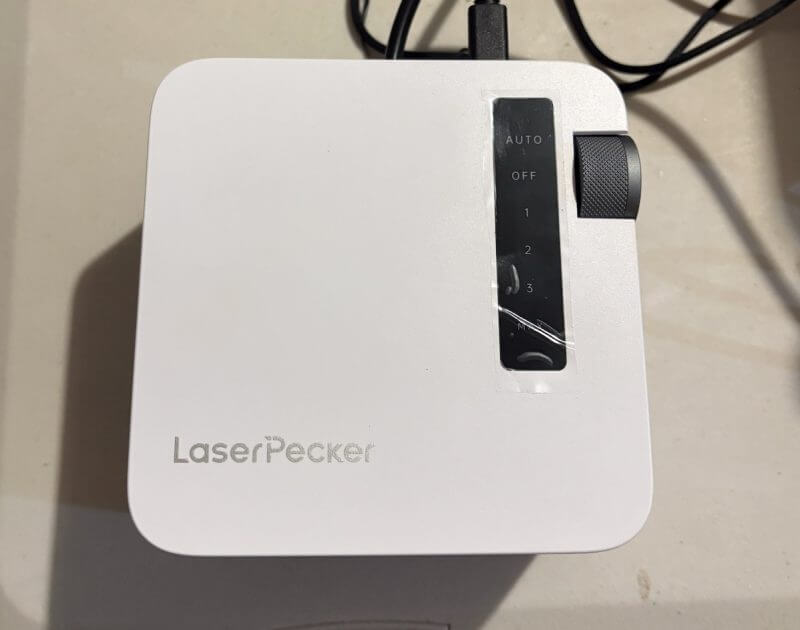
This matters because the two modules are designed for different project types. The 40W diode module is the better choice for general engraving and stronger cutting work across materials such as wood, compatible acrylic, leather, paper and rubber. The 2W IR module is better suited to finer engraving work on metals and selected plastics, giving users more flexibility when moving between creative projects.
In practical use, the module swap feels quick enough to suit a mixed workflow. A maker could spend part of the day cutting layered timber signs or acrylic name plaques with the 40W module, then switch to the 2W IR module for engraved metal tags, branded accessories or personalised gift items. This gives the LaserPecker LX2 desktop laser cutter a broader project range without requiring a separate machine for each material type.
The straightforward changeover also makes the LX2 more appealing for small business users. Instead of committing the machine to a single product category, it can support different orders as needed, from batch-cut wooden products to fine engraved metal pieces. That flexibility helps the LaserPecker LX2 feel like a more adaptable long-term tool for makers, side hustles and creative workshops.
Project Use Cases for Makers and Small Businesses
The LaserPecker LX2 is particularly well suited to projects that benefit from a combination of accurate positioning, repeatable settings and strong cutting performance. Its 500mm x 305mm working area provides enough space for both single-piece creations and multi-item layouts, allowing users to move easily between personal projects, workshop jobs and small-scale product production.
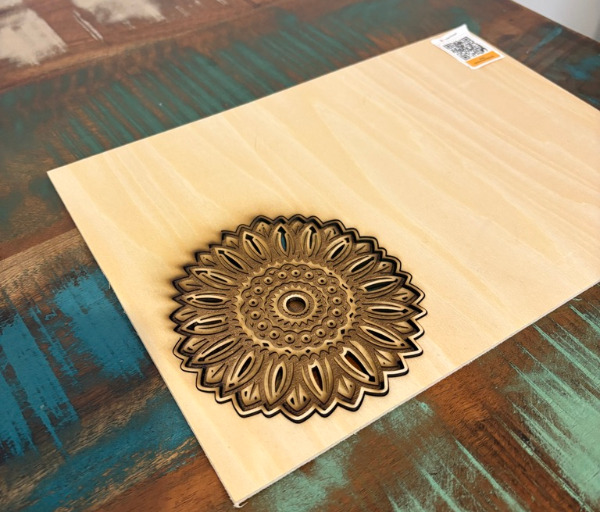
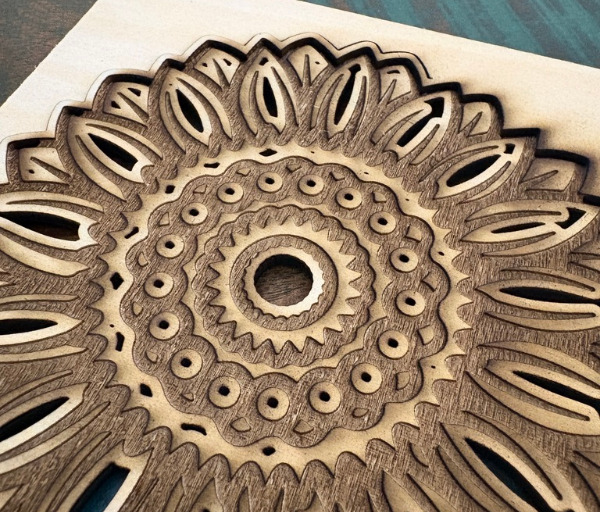
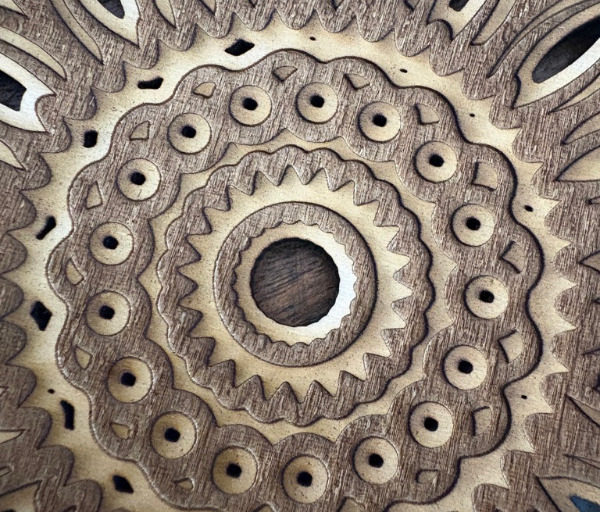
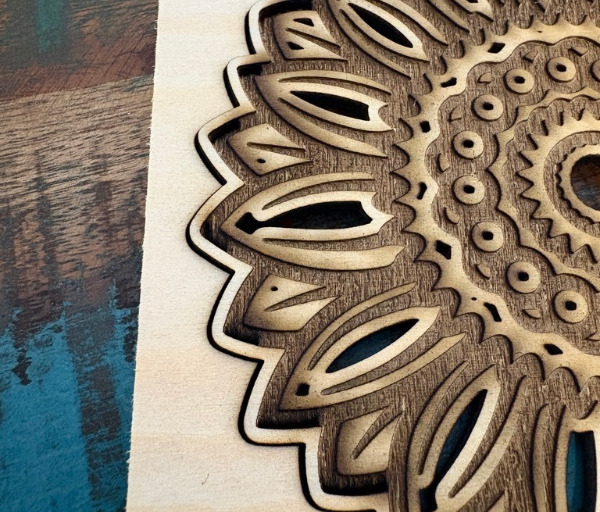
Acrylic signs are a natural fit for the LaserPecker LX2 desktop laser cutter. Compatible acrylic can be cut into custom lettering, shaped plaques, menu boards, desk signs, business displays, name plates and branded panels. The camera-assisted positioning system is useful when working with pre-cut sheets or leftover pieces, while the 40W diode module provides the cutting strength needed for more detailed shapes and layered sign components.
For makers creating signage, the ability to engrave text, cut outlines and prepare multiple pieces in one layout can make the workflow far more efficient. A small business could create branded counter signs, QR code display plaques, market stall signage, product information panels or custom house number signs. Once preferred settings are saved, repeat designs can be produced with more consistency across multiple sessions.
Layered wood projects are another area where the LaserPecker LX2 can deliver strong results. The 40W module can be used to cut suitable timber sheets into separate shapes, while engraving adds detail, texture, names, patterns or artwork to individual layers. These elements can then be assembled into finished wall art, nursery decorations, seasonal signs, maps, display pieces and personalised keepsakes.
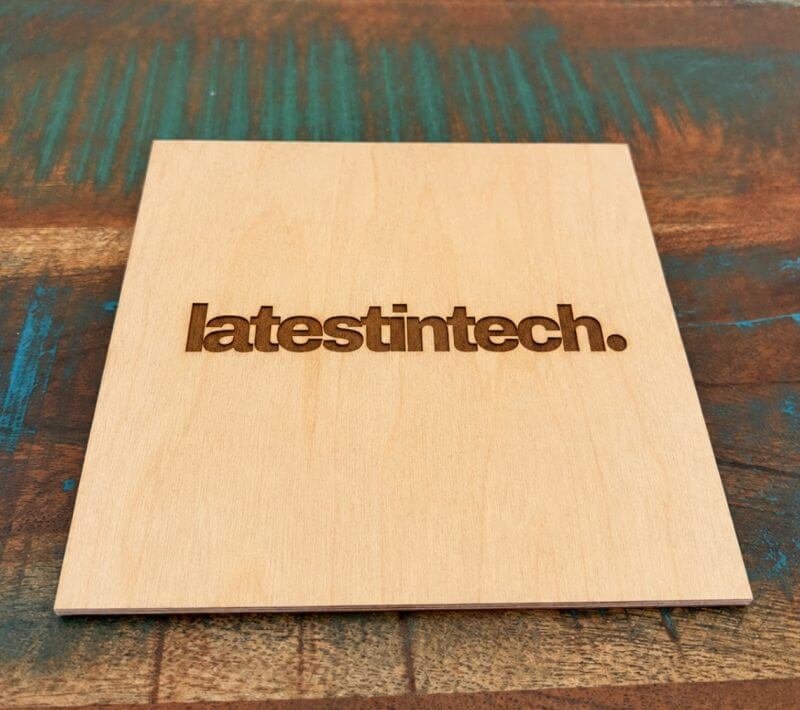
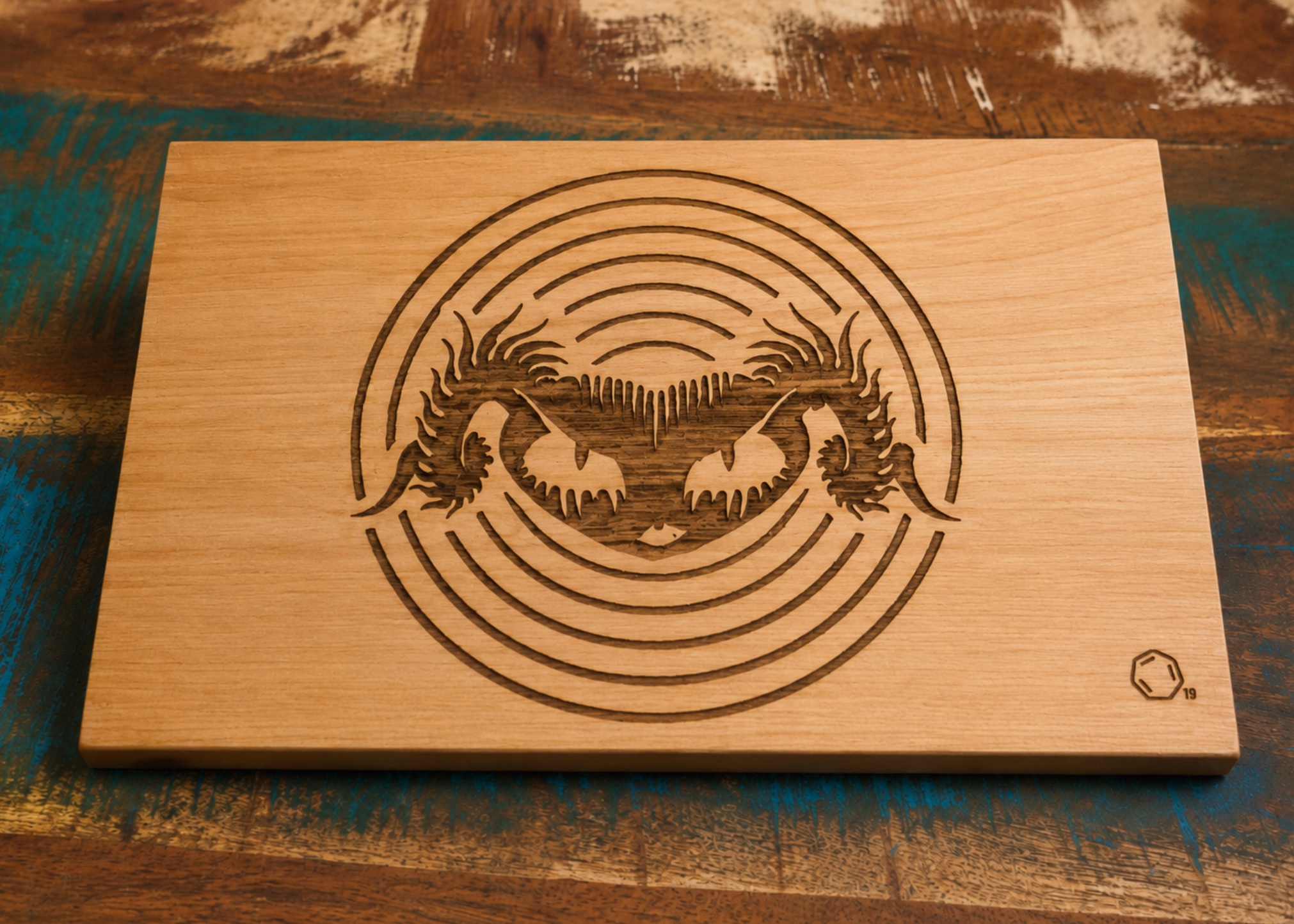
This type of project benefits from careful material testing before production begins. Different plywoods, hardwoods and engineered timber sheets can produce very different engraving contrast and cut edges, even when they appear similar. Testing speed, power and pass settings on a small offcut helps users find the right balance before committing to larger layered designs.
Custom gifts are one of the most practical uses for a desktop laser engraver such as the LaserPecker LX2. Personalised coasters, keyrings, ornaments, luggage tags, recipe boards, leather patches, engraved tool handles, pet tags and decorative keepsakes can all be produced from suitable materials. The camera preview makes it easier to place names, logos or messages accurately on blanks that may already be cut to shape.
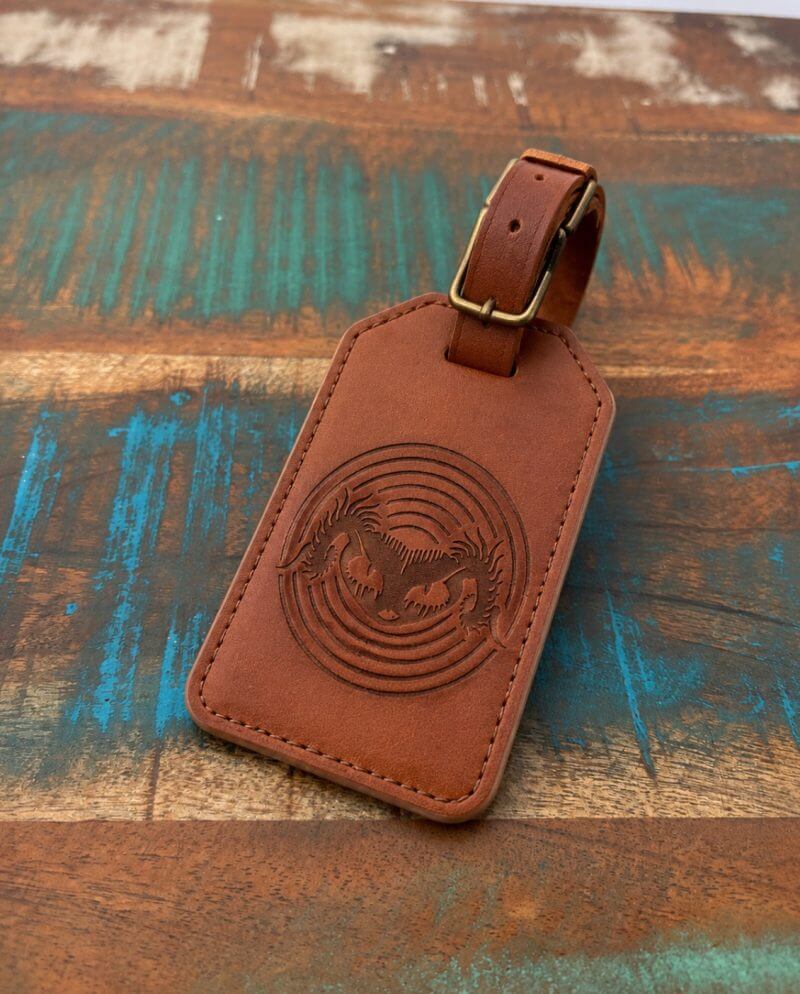
The 2W IR module also adds value for custom gift work involving metal. It can be used for finer marking on metal tags, jewellery-style pieces, branded accessories and personalised items where detailed text or graphics are important. Having both the 40W diode module and the 2W IR module available gives makers more freedom to work across different product categories without needing separate machines.
For side hustle products, the LaserPecker LX2 offers enough versatility to support a broad range of saleable items. Makers can produce personalised wedding place cards, branded keyrings, engraved coasters, acrylic name plaques, small business packaging inserts, custom ornaments, product tags, logo plates and market-stall merchandise. The enclosed design and camera-assisted workflow make the machine feel well suited to regular use in a dedicated home workshop or small studio.
A side business can also benefit from the machine’s ability to support different order types without requiring a complete reset of the workflow each time. One day might involve producing engraved timber gifts, while the next could focus on acrylic business signage or metal product tags. The modular laser system allows the LaserPecker LX2 to adapt to those changes more easily.
Batch production workflows are where the LaserPecker LX2 can become especially valuable over time. Users can arrange multiple items across the work area, use the camera preview to position designs and process a group of matching products in a single run. This is useful for items such as keyrings, coasters, tags, labels, ornaments, place cards and small branded pieces.
For repeat orders, Material Parameter QR Code Saving and Recognition can make the process more organised. Once settings for a particular material are tested and refined, they can be saved for later use. This means a maker producing the same style of acrylic label, timber coaster or leather patch can return to known speed, power and pass settings with less preparation.
Honeycomb Bed Calibration and Positioning also supports better repeatability during batch work. When the work surface and software layout are correctly aligned, users can have greater confidence that designs will sit consistently across multiple items. This can be particularly important for products that include logos, names, borders or precise artwork placement.
The LaserPecker LX2 is at its best when it becomes part of a repeatable creative process. From one-off personalised gifts through to small runs of products for a market stall, online store or local business, it gives makers the tools to move from idea to finished item with less guesswork. Its mix of cutting power, fine engraving capability, camera positioning and saved workflow settings makes it a useful platform for practical projects that can grow from a hobby into a more regular side hustle.
What makes the LaserPecker LX2 stand out is not just its output power or modular design. It is the way the full workflow has been considered, from material testing and visual alignment through to saved settings, framing previews and repeat production. These features reduce friction and make the machine more enjoyable to use over time.
For makers, hobbyists and small business users, the LaserPecker LX2 desktop laser cutter offers a capable platform for everything from personalised gifts and workshop labels through to branded products, decorative signage and short-run production. Its performance is strongest when users take advantage of its material testing tools, guided settings, camera alignment and repeatable workflow features.
Conclusion: Is the LaserPecker LX2 Worth Considering?
The LaserPecker LX2 is a highly capable enclosed laser system that combines strong cutting performance, fine engraving flexibility and an approachable user experience. With the 40W diode module and 2W IR module included, it gives users a versatile setup for creative projects, workshop tasks and small business production.
Its biggest strength is the way the hardware and software work together. Camera-assisted alignment, height sensing, Material Parameter QR Code Saving and Recognition, High-Speed Mode recommendations and real-time framing preview all help reduce guesswork. These features make the LaserPecker LX2 desktop laser cutter easier to manage across repeated projects.
For makers, hobbyists and small business users looking for a powerful and flexible LaserPecker machine, the LaserPecker LX2 is an excellent option. It combines practical cutting strength, detailed engraving potential and smart workflow tools in a modern package that feels genuinely useful for long-term creative work.