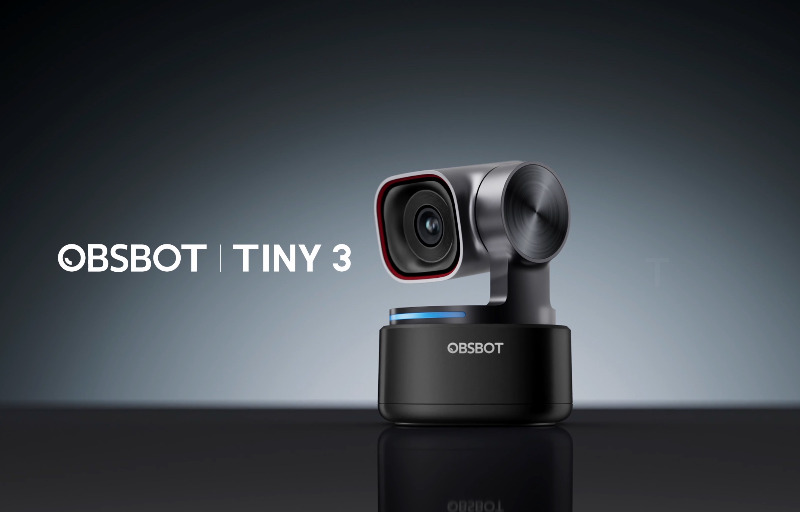
The Obsbot Tiny 3 is the kind of webcam that immediately feels designed for people who want more than a basic video call camera. It combines sharp 4K image quality, intelligent subject tracking, voice control, gesture support, and a compact gimbal-based design that makes it feel far more capable than a standard fixed-position webcam. For creators, streamers, remote workers, educators, and anyone who spends a lot of time on camera, it offers a polished mix of convenience and control.
What makes the Tiny 3 stand out is how much automation it brings to everyday use without making the experience feel complicated. Rather than constantly adjusting your framing, repositioning the webcam, or leaning into the centre of the shot, the camera can follow your movement smoothly and keep you presented naturally. This is especially useful for people who move around while presenting, demonstrate products at a desk, record tutorials, or simply want their video calls to look more professional with minimal effort.
It also helps that Obsbot has packed all of this into an impressively small and tidy design. The Tiny 3 feels like a webcam built for modern setups, whether it is sitting on top of a monitor, mounted to a tripod, or packed into a bag for use between different workspaces. With its combination of compact hardware, smart software, strong microphone performance, and detailed image capture, it sets itself up as a highly capable webcam for users who want their video presence to look clean, sharp, and effortless.
Table of Contents
Design and Functionality
The Obsbot Tiny 3 has a sleek, compact design that makes it easy to fit into almost any workspace without drawing too much attention to itself. It looks modern and refined, with a small camera module sitting on a motorised gimbal base that gives it far more flexibility than a traditional webcam. This design is one of its biggest strengths because it allows the camera to physically move, rather than relying purely on digital cropping to keep you in frame.
Despite its small footprint, the Tiny 3 feels solid and well made. The combination of a sturdy base, refined camera housing, and smooth gimbal movement gives it a premium feel without making it bulky or awkward. It is the sort of webcam that looks right at home on a clean desk setup, a creator workstation, or a professional office environment.
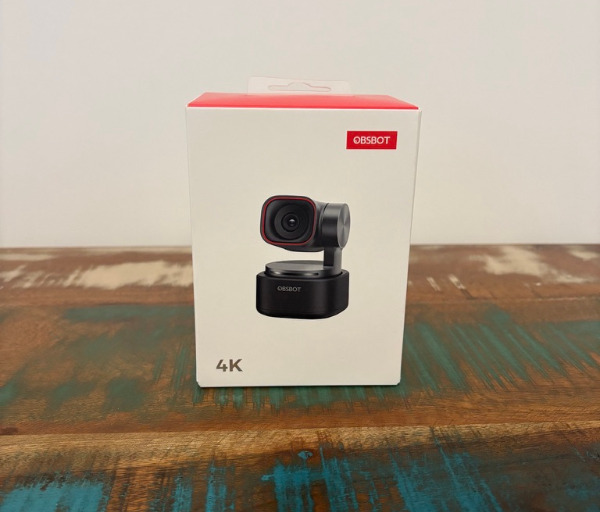
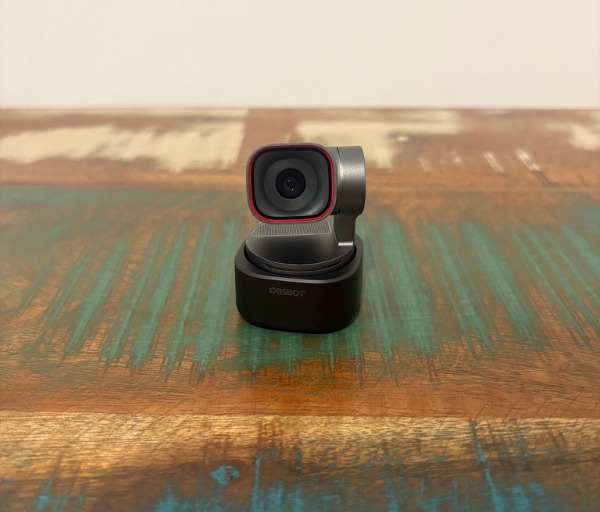
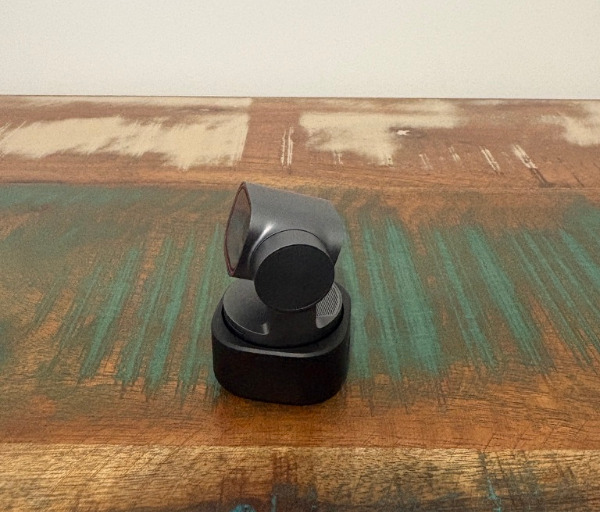
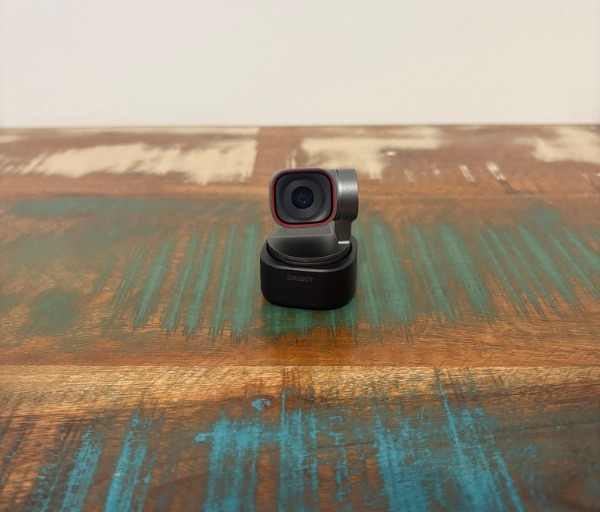
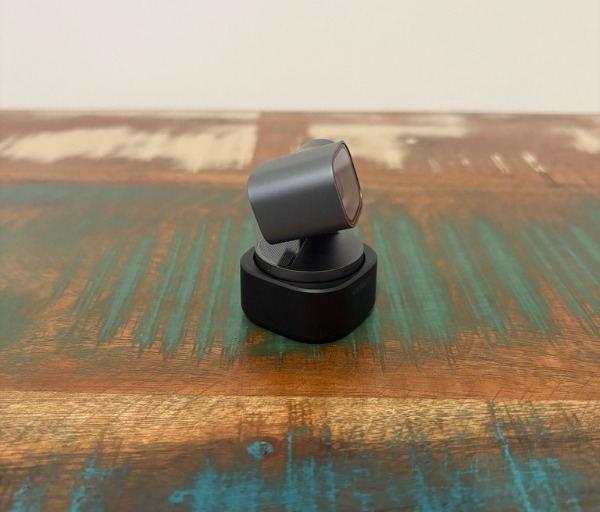
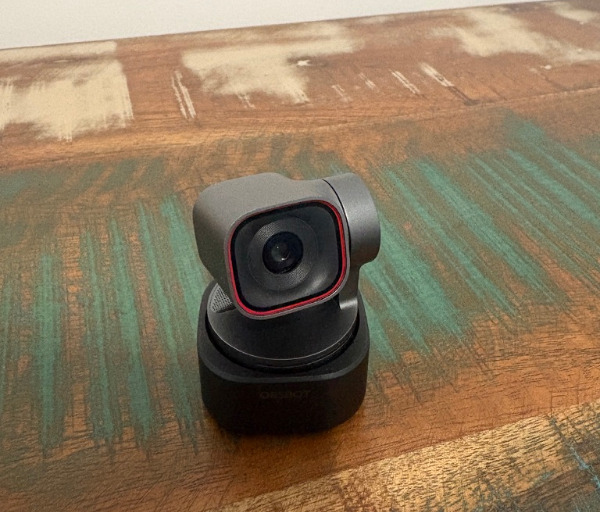
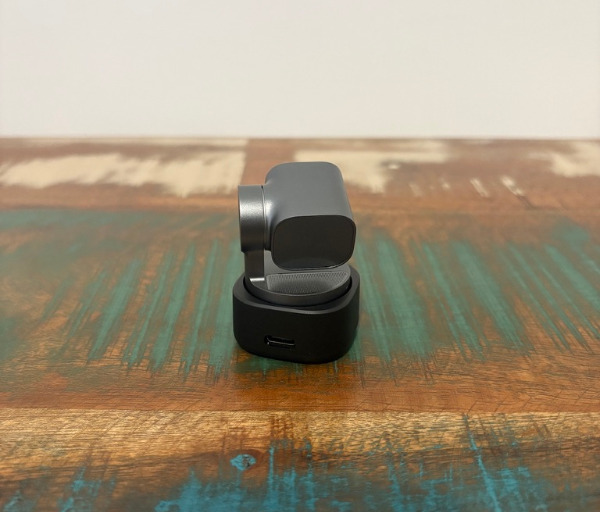
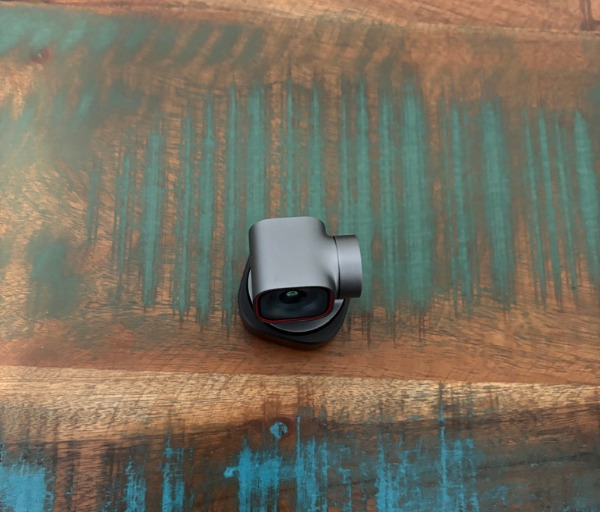
The compact size is especially useful for people who dislike large webcams sitting above their monitor. The Tiny 3 keeps things neat, while still offering the kind of advanced movement and tracking features usually associated with larger video hardware. It manages to feel discreet on a display, but still powerful enough to be the centrepiece of a streaming, meeting, or recording setup.
The gimbal is a key part of the design and gives the Tiny 3 a major advantage in day-to-day use. Instead of being locked into one angle, the camera can pan and tilt smoothly to follow movement, adjust framing, or shift between preset positions. This makes it feel more dynamic than a fixed webcam, especially when you are presenting, teaching, demonstrating something, or moving between sitting and standing positions.
Mounting the Tiny 3 is simple and flexible, which helps make it practical for different users. It can sit securely on top of a monitor or laptop using the included magnetic clip, and the hinged design makes it easy to adjust the angle to suit your screen. The base also supports standard mounting options, so it can be attached to a tripod or stand for more controlled setups.
The included monitor clip feels sturdy and well thought out, with enough grip and adjustment to keep the webcam in place without feeling flimsy. It attaches neatly to the camera and gives you a stable platform whether you are using a desktop monitor or a thinner laptop screen. This is important because a gimbal-based webcam needs a steady base to perform at its best.
Obsbot has also kept the physical layout clean and uncluttered. The USB-C connection sits at the rear of the base, helping the cable route neatly behind a screen or down a desk. This simple approach keeps the webcam looking tidy from the front, which matters if your setup is visible during calls, livestreams, or recorded content.
The light bar on the front is a useful design touch because it gives quick visual feedback without needing to open software. Different colours show whether the camera is tracking visually, using voice-based tracking, or staying locked in place. It is a small detail, but it makes the Tiny 3 easier to understand at a glance, especially when switching between modes during a call or recording session.
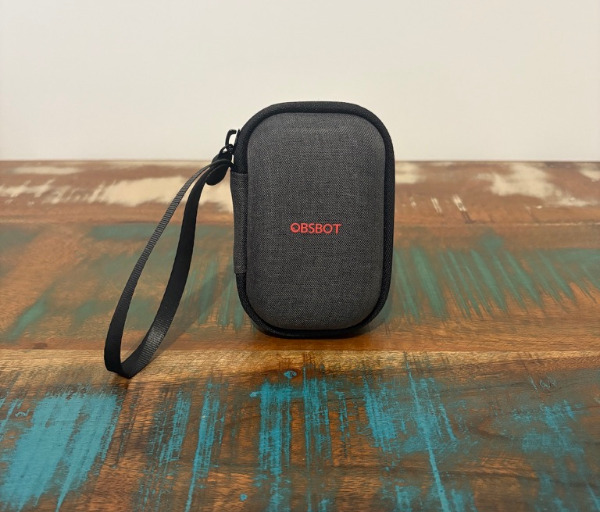
The hard-shell carry case adds to the product’s practical appeal. It gives the camera, clip, and cable a safe place to live when travelling or moving between workspaces. For people who regularly work from different locations, this makes the Tiny 3 feel less like a desk-only accessory and more like a portable video tool.
The design also works well for people who want a camera that can adapt to different types of content. It can be used as a standard webcam for calls, a tracking camera for presentations, a desk-view camera for projects, or a more flexible camera for recording tutorials. This versatility comes from the combination of physical movement, software control, and a compact form that is easy to reposition.
Another thoughtful aspect is how the camera can enter a low-power or privacy-friendly resting state. When it is not in use, the gimbal can point away, making it visually clear that the camera is no longer actively looking forward. This gives the Tiny 3 a more reassuring feel than many standard webcams, where it is not always obvious whether the lens is active.
The Obsbot Tiny 3 succeeds because its design is not just about looking small or stylish. Every part of its form supports how it is meant to be used, from the stable mounting options to the responsive gimbal and clear status lighting. It feels like a webcam built for people who want professional-looking video with less manual adjustment and more flexibility across work, streaming, teaching, and content creation.
Key Features
The Obsbot Tiny 3 is built around intelligent tracking, and this is where it feels much more advanced than a standard webcam. Instead of simply capturing a fixed view, it can actively follow the subject and adjust its position to keep the framing natural. This makes it a strong option for users who move while speaking, demonstrate products, or want a more polished on-camera presence without constantly adjusting the webcam manually.
Its AI tracking modes provide a useful amount of flexibility depending on how you want to appear on screen. The camera can focus on your face, upper body, full body, or other framing styles, allowing it to suit different types of calls, presentations, recordings, and streams. This makes the Tiny 3 feel adaptable rather than locked into one style of video capture.
The physical gimbal gives the tracking a smooth and natural feel. Because the camera can pan and tilt mechanically, it avoids the overly cropped look that some software-only framing systems can create. The result is a more fluid image when you shift position, stand up, sit down, or move around during a recording.
Voice tracking is another standout feature, allowing the camera to respond to where sound is coming from. This is particularly useful in scenarios where more than one person may be speaking, or when the subject is not always directly in front of the camera. It helps the Tiny 3 feel more responsive in real-world use, especially for meetings, teaching, and collaborative presentations.
Voice commands add another layer of convenience by letting you control key functions without reaching for the mouse. You can activate tracking, disable tracking, zoom in, zoom out, or move to preset positions using spoken instructions. This can be genuinely useful when you are mid-presentation, demonstrating something with your hands, or simply want to make changes without interrupting your flow.
Gesture control is also included, giving users a quick way to trigger selected actions from in front of the camera. Simple hand movements can enable tracking or adjust zoom, making it easier to control the webcam during content creation or live demonstrations. It gives the Tiny 3 a more interactive feel and helps reduce reliance on software controls.
The Obsbot Center software expands the webcam’s usefulness with a broad range of manual and automatic adjustments. Users can fine-tune image settings such as focus, white balance, exposure behaviour, contrast, saturation, hue, and sharpness. This is valuable for people who want a quick plug-and-play experience, but also want deeper control when lighting conditions or content requirements call for it.
Preset positions are another practical feature, especially for users with a more structured setup. You can save different camera angles and move between them quickly, which is ideal for switching from a face-on view to a desk view or a wider presentation angle. This helps the Tiny 3 function more like a small production tool rather than just a webcam.
The camera’s 4K recording capability gives it the sharpness needed for professional-looking video calls, content capture, and streaming setups. It also supports high frame rate recording at lower resolutions, which is useful for smoother motion when capturing movement. This combination gives users more freedom to choose between detail and fluidity depending on the type of content they are creating.
Audio is another strength, with the built-in microphones delivering clear voice capture for everyday use. While dedicated microphones still have their place in more advanced setups, the Tiny 3’s onboard audio is strong enough to make calls, meetings, and quick recordings sound clean and intelligible. This helps make the webcam a more complete all-in-one solution for users who want better video and audio without adding extra gear.
Experience Using the Product and Performance
Using the Obsbot Tiny 3 feels noticeably different from using a standard webcam because it does not ask you to stay perfectly still or constantly adjust your position. Once tracking is enabled, the camera becomes much more active in how it frames the shot, following movement smoothly and keeping the subject positioned naturally. This makes video calls, recordings, tutorials, and live presentations feel more relaxed because the camera is doing much of the framing work in the background.
The gimbal movement is one of the most impressive parts of the experience. It pans and tilts with a smooth, controlled motion that feels refined rather than jerky or distracting. When you move around the room or shift in your chair, the camera reacts quickly enough to keep you centred without making the footage feel overly mechanical.
Face tracking is especially useful for everyday calls and content creation. The camera can lock onto the subject quickly and maintain focus as you move within its field of view. This gives your video a more polished look because you remain properly framed even if you lean to the side, adjust your posture, or move slightly closer to the desk.
The tracking is also helpful for presentations where you are not sitting completely still. If you stand beside a desk, move towards a whiteboard, or demonstrate something physically, the Tiny 3 can continue following you in a way that feels natural. This is a major advantage for educators, presenters, trainers, and creators who want more freedom during recording.
The different framing options add a lot of value because not every use case needs the same shot. A tighter face-focused view works well for meetings, while upper-body or full-body framing can be better for presentations, teaching, or product demonstrations. Having these options available makes the webcam feel more versatile than a simple camera designed only for head-and-shoulder video.
Voice tracking is another feature that makes the Tiny 3 feel smarter in real use. When enabled, it can respond to the direction of a speaker’s voice, which is useful in more dynamic environments. This gives it added flexibility in small group situations, hybrid meetings, or setups where the person speaking may not always be standing directly in front of the lens.
The voice command system is practical and easy to appreciate once you start using it regularly. Being able to tell the camera to track, stop tracking, zoom, sleep, or switch positions saves time and avoids the need to reach for software controls. This becomes particularly useful when your hands are occupied or when you are already in the middle of a presentation.
Gesture controls add another convenient way to interact with the camera. Simple hand gestures can be used to enable tracking or adjust the zoom, which makes the webcam feel more responsive during live use. It gives you a way to control the shot from in front of the camera without breaking the flow of what you are doing.
The Obsbot Center software gives the Tiny 3 a strong level of control without making the experience feel overwhelming. The interface provides access to core image settings, tracking modes, gimbal controls, presets, and recording options in a way that feels approachable. Users who want a simple setup can leave many settings on automatic, while those who want more control can fine-tune the image to better suit their lighting and workspace.
Image quality is one of the key reasons the Tiny 3 feels like a strong upgrade over basic webcams. The 4K capture produces a sharp and detailed image that works well for video calls, streaming, and recorded content. Fine details such as facial features, fabric texture, and desk objects are presented clearly, helping the video feed look more professional.
The larger sensor helps the camera perform well in a range of lighting conditions. In a bright room, the image looks crisp and clean, while in more modest indoor lighting, it still holds onto detail without becoming overly soft. This is important for real-world use because not every workspace has perfect studio lighting.
The camera’s handling of exposure is also pleasing. It can balance skin tones, background brightness, and changing light conditions in a way that looks natural for most everyday environments. This makes it easier to get a clean result without constantly adjusting lamps, blinds, or software settings before every call.
Colour reproduction is another area where the Tiny 3 performs well. The image has a natural and pleasant look, avoiding the washed-out appearance that many basic webcams produce. With some adjustment in the software, users can fine-tune the look further to suit their room, personal preference, or content style.
The ability to record at higher frame rates at lower resolutions gives the camera extra flexibility. For users capturing movement, gestures, demonstrations, or fast hand movements at a desk, the smoother motion can make a noticeable difference. This helps broaden the Tiny 3’s appeal beyond standard meeting use and into more creative recording scenarios.
Desk mode is particularly useful for people who create tutorials, craft content, unboxings, repairs, or product demonstrations. Instead of needing a separate overhead camera, the Tiny 3 can provide a practical view of the desk area with a flipped perspective that is easier for viewers to follow. It adds another layer of functionality that makes the webcam useful beyond face-on video.
Whiteboard mode also has clear benefits for teaching and presentations. The camera can help focus attention on a whiteboard area, making it easier to share handwritten notes, diagrams, or visual explanations. This is the type of feature that makes the Tiny 3 feel well suited to hybrid learning, remote training, and professional communication.
The preset angle system is excellent for users who like to move between different views. You can set up a main talking-head shot, a wider presentation shot, and a desk-focused view, then switch between them quickly. This makes the Tiny 3 feel more like a compact content production tool than a regular webcam.
Audio performance is stronger than expected for a webcam. Voices sound clear, full, and easy to understand, which is helpful for calls and quick recordings where you may not want to connect a separate microphone. While a dedicated microphone is still the best choice for more advanced audio work, the built-in microphones are more than capable for everyday use.
The microphones also help the camera feel more complete as an all-in-one solution. For users who want to simplify their desk setup, having respectable built-in audio reduces the need for extra equipment. It makes the Tiny 3 especially appealing for people who want a clean workspace without sacrificing communication quality.
In day-to-day use, the camera feels reliable and quick to respond. It locks onto the subject efficiently, reacts smoothly to changes, and makes switching between modes feel straightforward. This reliability is important because advanced features only matter if they work consistently when you need them.
Portability is another strong part of the experience. The included case makes it easy to pack the webcam, cable, and clip together, which is useful for people who move between home, office, studio, or shared workspaces. Because the camera itself is so compact, it does not feel like a burden to take with you.
The Obsbot Tiny 3 delivers a polished user experience because it combines strong image quality with genuinely useful automation. Its tracking, voice control, gesture support, software flexibility, and capable microphones all work together to make video capture easier and more professional. For anyone who wants a webcam that can adapt to different workflows rather than simply sit in one fixed position, it feels like a smart and highly capable choice.
Conclusion
The Obsbot Tiny 3 is an impressive webcam for users who want sharp video, smart framing, and a more flexible on-camera experience. Its compact design, smooth gimbal movement, and intelligent tracking make it feel far more capable than a standard webcam, while still being easy to use in everyday settings.
It is particularly well suited to creators, streamers, remote workers, educators, and presenters who want to look more polished without adding unnecessary complexity to their setup. Features such as voice control, gesture support, preset positions, desk mode, and whiteboard mode give it a level of versatility that makes it useful across many different workflows.
Image quality is strong, the microphones perform well for a webcam, and the software provides enough control for users who want to fine-tune the experience. The ability to move naturally while staying in frame is one of its biggest strengths, especially for anyone who records tutorials, gives presentations, or spends a lot of time on video calls.
The Obsbot Tiny 3 succeeds by combining high-quality video capture with genuinely practical automation. It is compact, clever, and polished, making it an excellent choice for anyone who wants a premium webcam experience that feels modern, responsive, and easy to integrate into a professional or creative workspace.