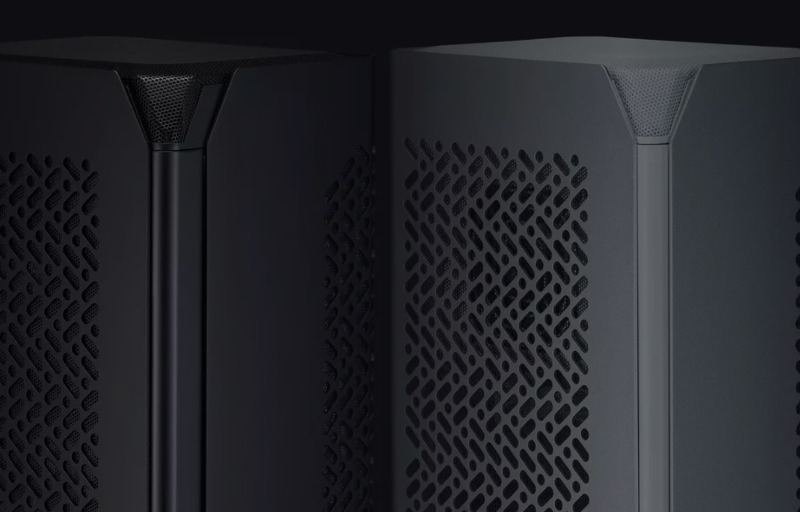
Building a powerful desktop in a genuinely compact case usually means accepting a few compromises, but the Cooler Master NCORE 100 AIR aims to make that trade-off feel far less severe. It is designed for people who want the footprint of a small form factor system without giving up the kind of hardware normally associated with a much larger build. From the outset, this case presents itself as a refined solution for gamers, creators, and enthusiasts who want performance and simplicity in the same package.
What makes the NCORE 100 AIR immediately appealing is the way it combines a minimalist external design with hardware support that feels surprisingly ambitious for its size. It is built around a vertical layout that uses space efficiently, while still leaving room for modern graphics cards, ITX motherboards, and SFX power supplies. That balance gives it strong appeal for anyone chasing a clean desk setup without stepping down to entry-level components.
Cooler Master has also clearly paid attention to the practical side of small form factor building, not just the visual one. Features such as the expandable frame, tool-less access, and airflow-focused layout show that this case is meant to be used and upgraded with less hassle than many compact alternatives. The result is a chassis that feels thoughtfully positioned for builders who want a small PC that still looks premium, runs efficiently, and remains flexible enough for future changes.
Table of Contents
Design and Functionality
The Cooler Master NCORE 100 AIR makes a strong first impression with a design that feels clean, modern, and intentionally understated. Rather than relying on flashy styling, it leans into a minimalist look that suits both gaming setups and more professional desk spaces.
Its slim vertical form is one of the most appealing parts of the design. The case takes up very little desk or floor space, which makes it especially attractive for users who want a capable system without dedicating a large area to it.
This small footprint does not make it look cramped or awkward. Instead, the proportions feel well considered, giving it a tidy and premium presence that stands out through simplicity rather than visual excess.
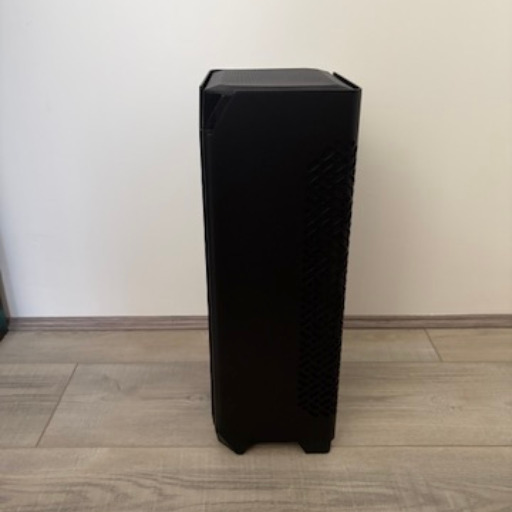
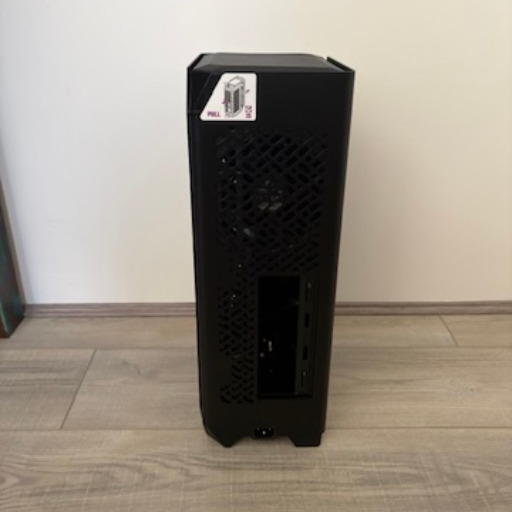
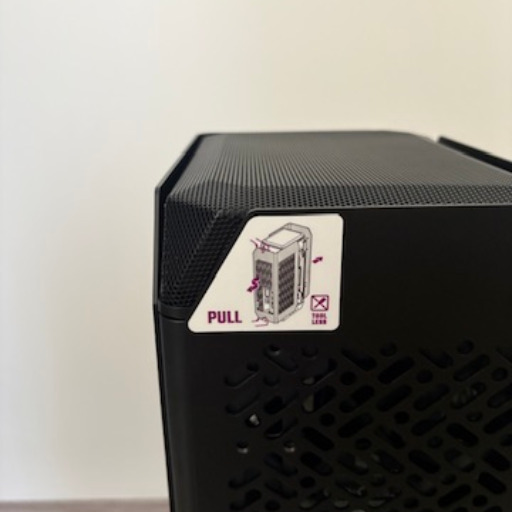
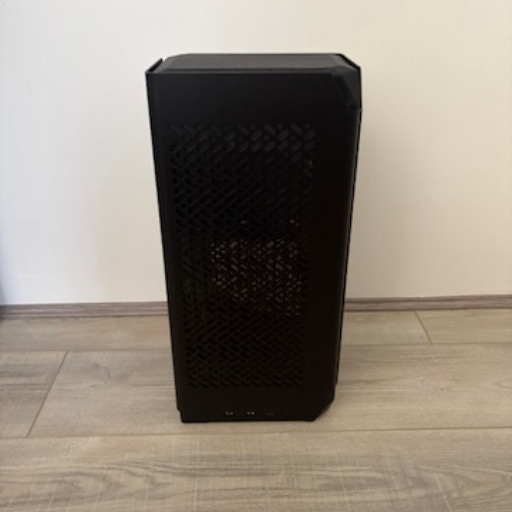
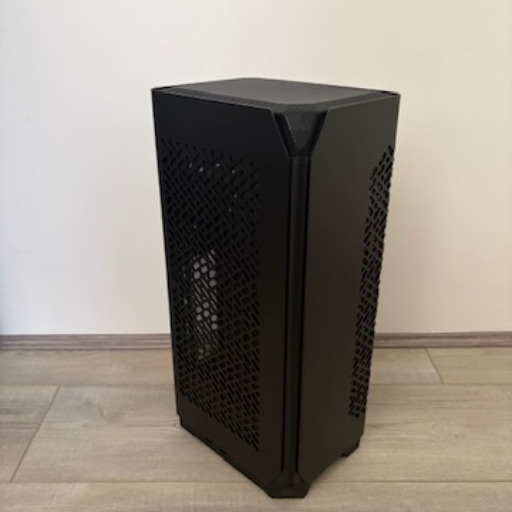
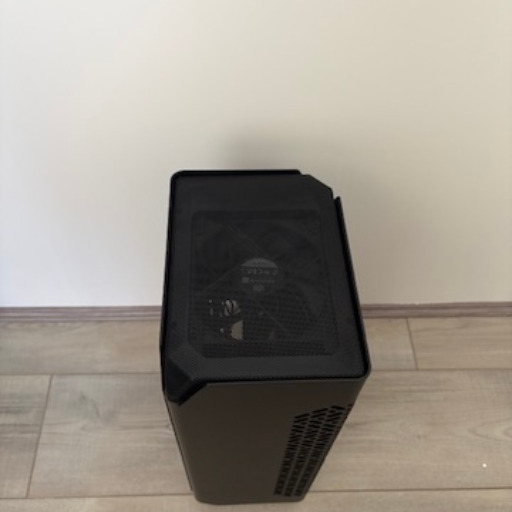
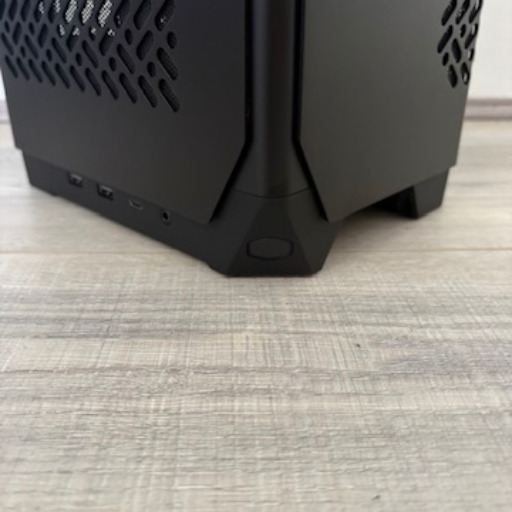
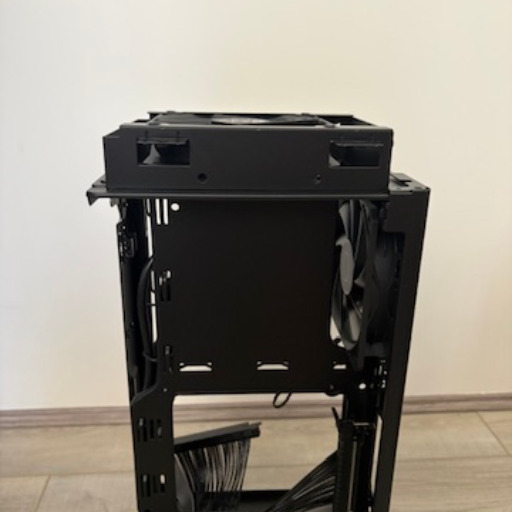
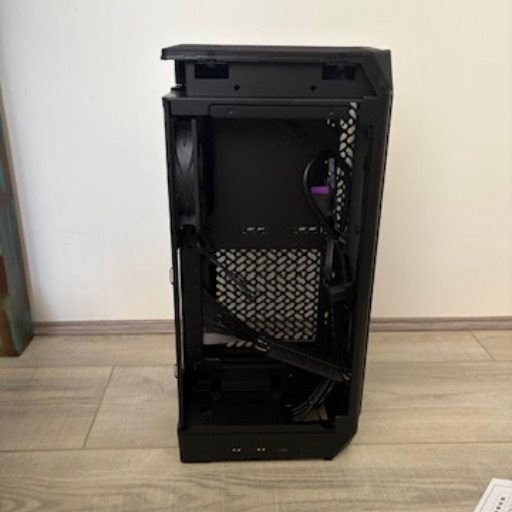
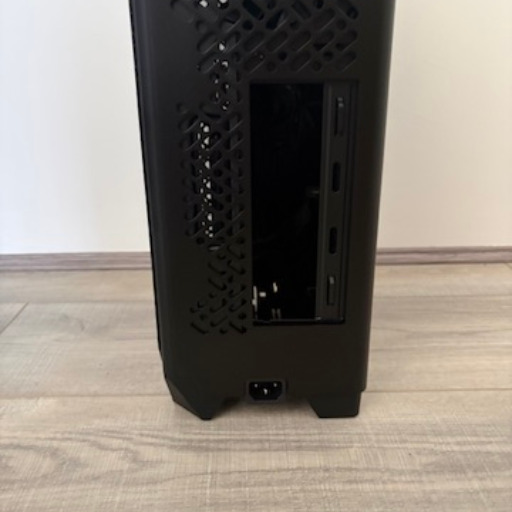
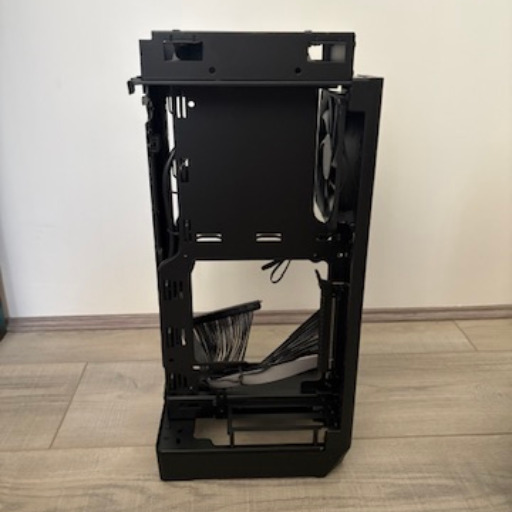
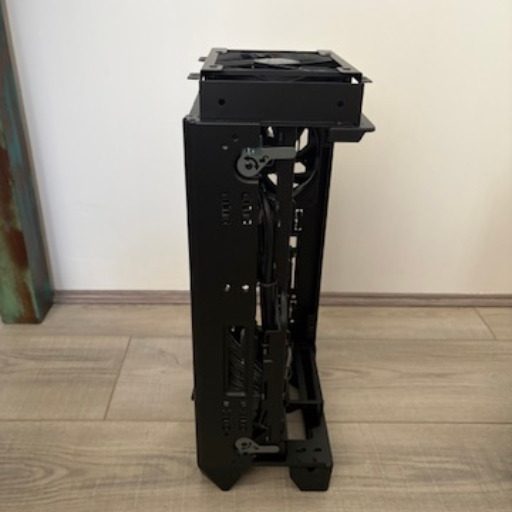
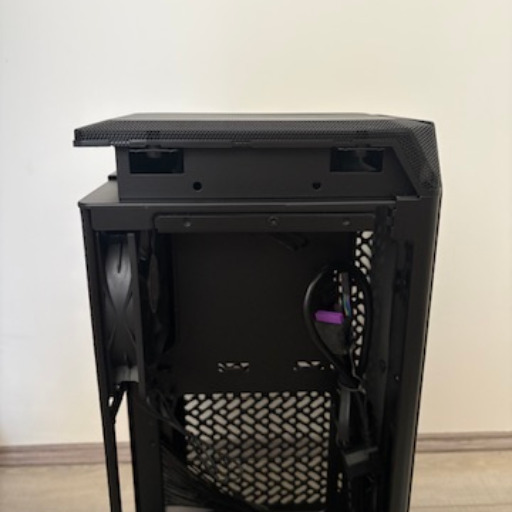
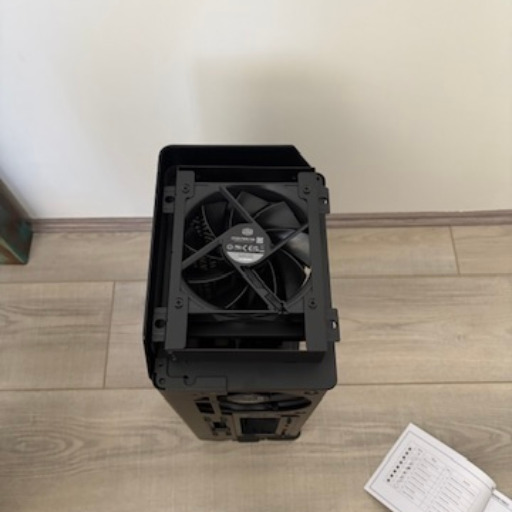
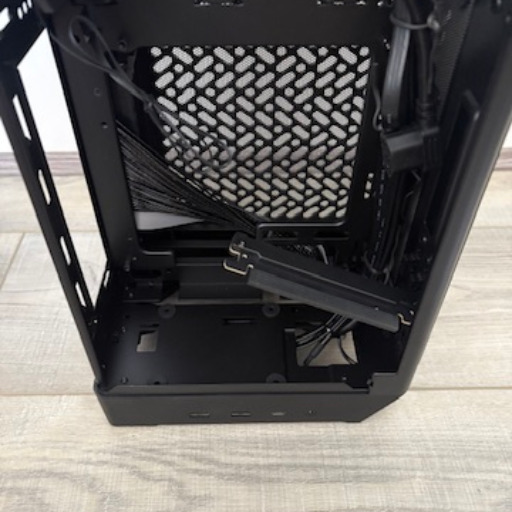
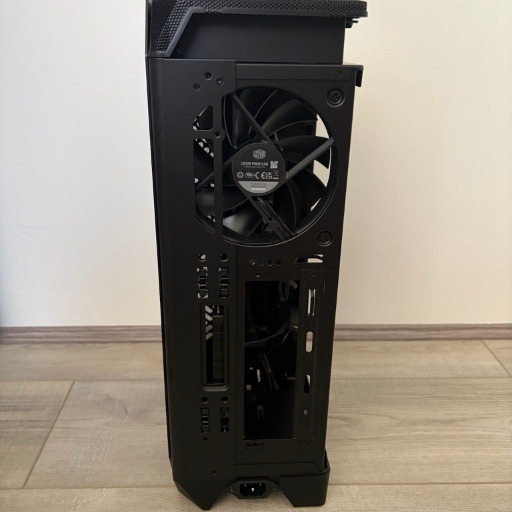
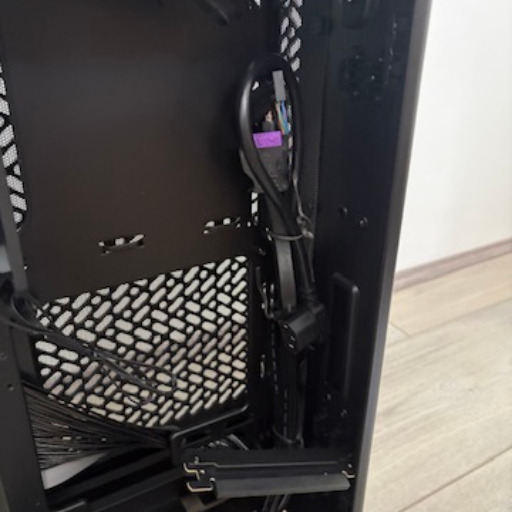
The aluminium exterior helps lift the presentation beyond what is usually expected from a compact case. It gives the chassis a more refined appearance while also helping it feel like a quality product built for users who care about both performance and presentation.
Cooler Master also deserves credit for offering the case in both black and white. That choice makes it easier to match the build with different room styles, desk setups, and component themes without needing to compromise on the overall look.
One of the smartest aspects of the design is the expandable frame. In its standard form, the case remains impressively compact, but the ability to extend the internal space adds welcome flexibility for builders who want to install longer graphics cards or create a little more breathing room inside.
That expandable approach makes the NCORE 100 AIR feel more versatile than many other small form factor cases. It gives builders the chance to start with a compact layout while still keeping options open for more demanding hardware choices.
The open frame design also plays an important role in how approachable the case feels. Small cases can often be frustrating to work in, but this one has clearly been designed to reduce that sense of restriction and make internal access more manageable.
Tool-less panel removal adds another layer of convenience to the experience. Being able to open the case quickly makes a noticeable difference during the build process, and it is equally useful later when cleaning, upgrading, or checking components.
Functionally, the layout is built around supporting strong airflow despite the limited dimensions. Cooler Master has used the larger side surfaces as intake zones, helping the case draw in air efficiently and support the thermal demands of modern hardware.
That airflow-focused structure is particularly important in a chassis built for powerful graphics cards. By shaping the internal layout around thermal efficiency, the NCORE 100 AIR gives compact builders a more confident starting point for performance-oriented systems.
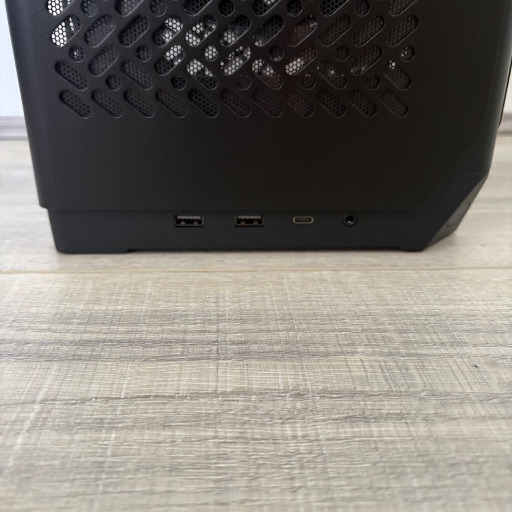
The front I/O selection also adds to the practical appeal, with modern connectivity that suits everyday use. With USB Type-A, USB Type-C, and a combo audio jack readily accessible, the case rounds out its design with the kind of convenience expected from a modern premium small form factor enclosure.
Key Features
One of the standout features of the Cooler Master NCORE 100 AIR is its support for modern high-end graphics cards. Compact cases often force builders into more limited GPU choices, but this one has been designed to accommodate triple-slot cards with generous length clearance, making it far more capable than its size first suggests.
That level of GPU support gives the case much broader appeal for current PC builders. It allows users to plan a genuinely powerful gaming or creative system without feeling boxed into a narrow list of compatible parts.
The adjustable PCIe slot design adds even more flexibility to the build process. With the frame able to support longer cards when configured appropriately, the case offers a thoughtful solution for users who want strong graphics performance in a smaller chassis.
Another major feature is the expandable frame itself, which helps the NCORE 100 AIR stand apart from many rival Mini-ITX cases. The ability to increase the internal volume when required makes the enclosure feel adaptable, which is especially valuable in a category where every millimetre can affect compatibility.
The open and tool-less design is also one of the most useful inclusions here. It simplifies access to the internal space, which can make building, upgrading, and routine maintenance feel much less intimidating for users working within a compact form factor.
Thermal design is clearly one of the central priorities of the case. Rather than treating airflow as an afterthought, Cooler Master has built the internal arrangement around efficient ventilation, using the standing sides of the chassis to help feed fresh air into the system.
This focus on cooling is supported by the inclusion of pre-installed fans, which helps the case deliver a more complete out-of-box experience. It means builders are starting with an airflow-ready layout straight away, which is a welcome advantage when assembling a compact high-performance PC.
The premium aluminium exterior panels are another key feature that adds to the case’s appeal. They give the NCORE 100 AIR a sleek and more elevated finish, helping it feel like a premium desktop chassis rather than just a functional small form factor enclosure.
Modern connectivity also strengthens the overall package. The inclusion of USB 3.2 Type-A ports, a high-speed USB Type-C connection, and an audio combo jack gives the case the kind of front access that suits contemporary peripherals and everyday convenience.
Cooler Master has also included practical extras that support the intended vertical build layout, such as the PCIe riser cable and ATX 3.0 power cable for vertical mounting. These additions help reinforce the idea that the NCORE 100 AIR is not only compact and stylish, but also carefully equipped for a smooth and capable small form factor build.
Experience Using the Product and Performance
Building inside the Cooler Master NCORE 100 AIR feels more approachable than many compact cases in this category. Small form factor systems can often feel restrictive from the start, but this chassis has been designed in a way that makes the process feel more controlled and far less intimidating.
The tool-less access makes an immediate difference once the build begins. Being able to open the case quickly without turning the process into a drawn-out disassembly helps keep the experience smooth, especially when adjusting components or checking clearances.
Its open frame design also contributes to a more builder-friendly workflow. Instead of forcing every step into a cramped and awkward sequence, it gives you a more accessible internal layout that feels practical for both first-time SFF builders and more experienced enthusiasts.
One of the most satisfying aspects of using the case is how efficiently it handles space. The internal layout feels carefully considered, allowing major components to fit in a way that still feels organised rather than forced together.
That sense of planning becomes even more apparent when working with modern graphics hardware. Support for larger triple-slot GPUs gives the NCORE 100 AIR a level of real-world usability that makes it much more appealing for performance-focused builds.
The expandable frame is particularly useful once component selection becomes more ambitious. Having the option to create extra space when needed gives the case a welcome level of adaptability, and it removes much of the stress that can come from building in a very compact enclosure.
This flexibility helps the case accommodate hardware choices that might normally feel unrealistic in a chassis of this size. For gamers and creators aiming for strong graphical performance, that makes the NCORE 100 AIR feel like a genuinely capable platform rather than a compromised compact alternative.
In day-to-day use, the vertical design works well on a desk. It occupies a much smaller footprint than a traditional tower, which helps free up room for monitors, accessories, and a cleaner overall setup.
That smaller footprint also gives the finished system a more refined presence in the room. Rather than dominating the workspace, it feels discreet and purposeful, which adds to the appeal for users who want performance without visual bulk.
The thermal performance is another area where the case leaves a positive impression. Compact builds depend heavily on smart airflow design, and the NCORE 100 AIR feels engineered to support that requirement rather than struggle against it.
By drawing air through the larger standing side panels, the chassis makes effective use of its available surfaces. This approach helps create a cooling path that feels well suited to the demands of higher-end hardware packed into a smaller space.
The included fans also help establish a strong starting point for airflow straight away. That means the case feels functional from the moment the build is complete, without creating the impression that it needs immediate extra investment just to perform properly.
When used with capable internal hardware, the layout supports a balanced and confident system configuration. It feels like a case that understands the needs of compact performance builds and has been structured to help those parts operate in a more stable environment.
The premium exterior also has an impact on the ownership experience beyond simple aesthetics. It gives the case a polished look that helps the finished PC feel like a thoughtfully designed product, not just a collection of powerful parts squeezed into a small shell.
That premium feel is reinforced each time the system is handled, opened, or repositioned. There is a sense of intention to the design that helps the case feel more mature and considered than many compact enclosures that focus only on squeezing components into the smallest possible volume.
Accessibility is another strength that becomes more valuable over time. Whether swapping storage, checking cabling, or preparing for a future upgrade, the easy access design makes regular interaction with the system much more convenient than it would be in a more restrictive case.
This is especially important for users who like to refine their systems over time. A compact case that is easy to work with tends to stay enjoyable well after the initial build, and the NCORE 100 AIR does a good job of supporting that kind of long-term ownership.
The front I/O also adds to everyday usability in a meaningful way. Having quick access to both Type-A and Type-C connections makes the case feel current and practical, especially when connecting external storage, accessories, or charging devices.
For content creators, the case has strong appeal because it allows a compact desktop to still feel suitably powerful and polished. The combination of GPU support, efficient cooling potential, and premium styling gives it a versatility that suits more than just gaming-focused systems.
For gamers, it offers the satisfaction of building something small without sacrificing the excitement of using high-performance hardware. That makes the finished system feel more special, because it combines strong capability with a compact design that looks neat, modern, and distinctive.
One of the most impressive things about the NCORE 100 AIR is how well it balances convenience, compatibility, and presentation. It does not rely on size alone as its selling point, but instead turns that compact form into part of a broader experience centred on flexibility and thoughtful design.
The result is a Mini-ITX case that feels rewarding to build in and satisfying to live with. It delivers the kind of experience that makes compact PC building feel accessible, stylish, and genuinely practical for users who want powerful hardware in a much smaller space.
Conclusion
The Cooler Master NCORE 100 AIR is a well-executed Mini-ITX case that shows how much can be achieved in a compact form factor when the design is approached with care. It combines a very small footprint with strong hardware support, making it an appealing option for builders who want a powerful desktop without the size of a traditional tower.
Its biggest strength is the way it balances compact dimensions with flexibility. From the expandable frame to the generous GPU support and builder-friendly access, it offers practical features that make small form factor building feel much more achievable.
The airflow-focused layout and premium exterior also help the case stand out for the right reasons. It feels modern, refined, and purposeful, while still delivering the functionality needed for gaming and creative systems that demand capable components.
For anyone planning a clean, high-performance Mini-ITX build, the NCORE 100 AIR makes a strong case for itself. It is stylish, thoughtfully designed, and versatile enough to suit users who want their compact PC to feel just as impressive as a much larger machine.