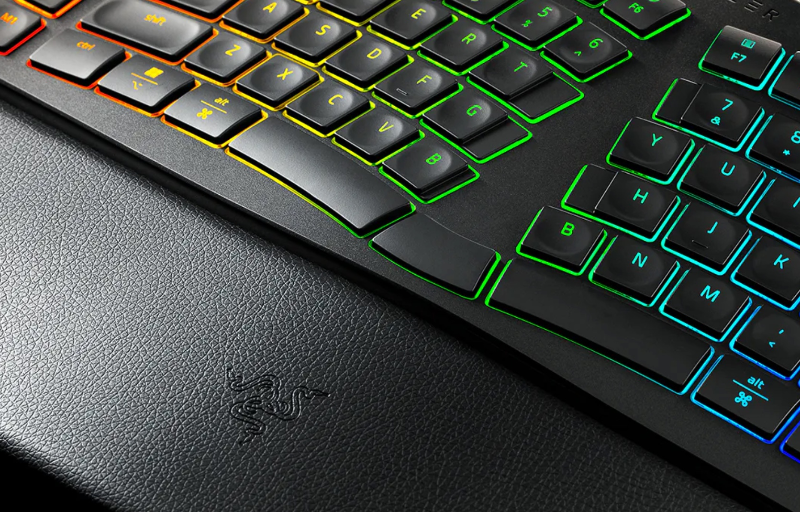
The Razer Pro Type Ergo brings a strong focus on comfort, control and productivity to the modern desktop setup. Designed around a split ergonomic layout, it encourages a more natural typing position while still offering the polish and personality expected from a premium Razer keyboard. It is a full-size wireless keyboard made for people who spend long hours typing, working across multiple devices and managing busy daily workflows.
Rather than feeling like a plain office accessory, the Pro Type Ergo combines ergonomic support with a more refined and feature-rich approach. The built-in wrist rest, low-profile sculpted keycaps, command dial, macro keys and multi-device connectivity all work together to make everyday use feel more convenient. Its 19-zone Razer Chroma RGB lighting also adds a tasteful level of customisation, giving the keyboard a more dynamic presence without taking away from its productivity focus.
What makes the Pro Type Ergo appealing is the way it balances comfort with useful workflow tools. It is built for typing, shortcuts, multitasking and longer work sessions, while still keeping the experience clean and wireless. For users wanting a keyboard that feels supportive, practical and more engaging than a standard office board, the Razer Pro Type Ergo makes a strong first impression.
Table of Contents
Design and Functionality
The Razer Pro Type Ergo has been designed around the idea that a keyboard should support the way your hands naturally rest, rather than forcing them into a flat, straight typing position. Its split ergonomic layout curves through the middle, creating two clearly defined typing zones that encourage a more relaxed hand position. This gives the keyboard a distinctive shape while still keeping it familiar enough for everyday use.
The centre section rises gently between the two halves of the key layout, helping guide your hands into a more open typing stance. It does not physically separate into two pieces, but the angled layout still provides the key benefits of a split-style design. For users who spend hours writing, editing, working through emails or managing documents, this shape makes the typing experience feel more considered.
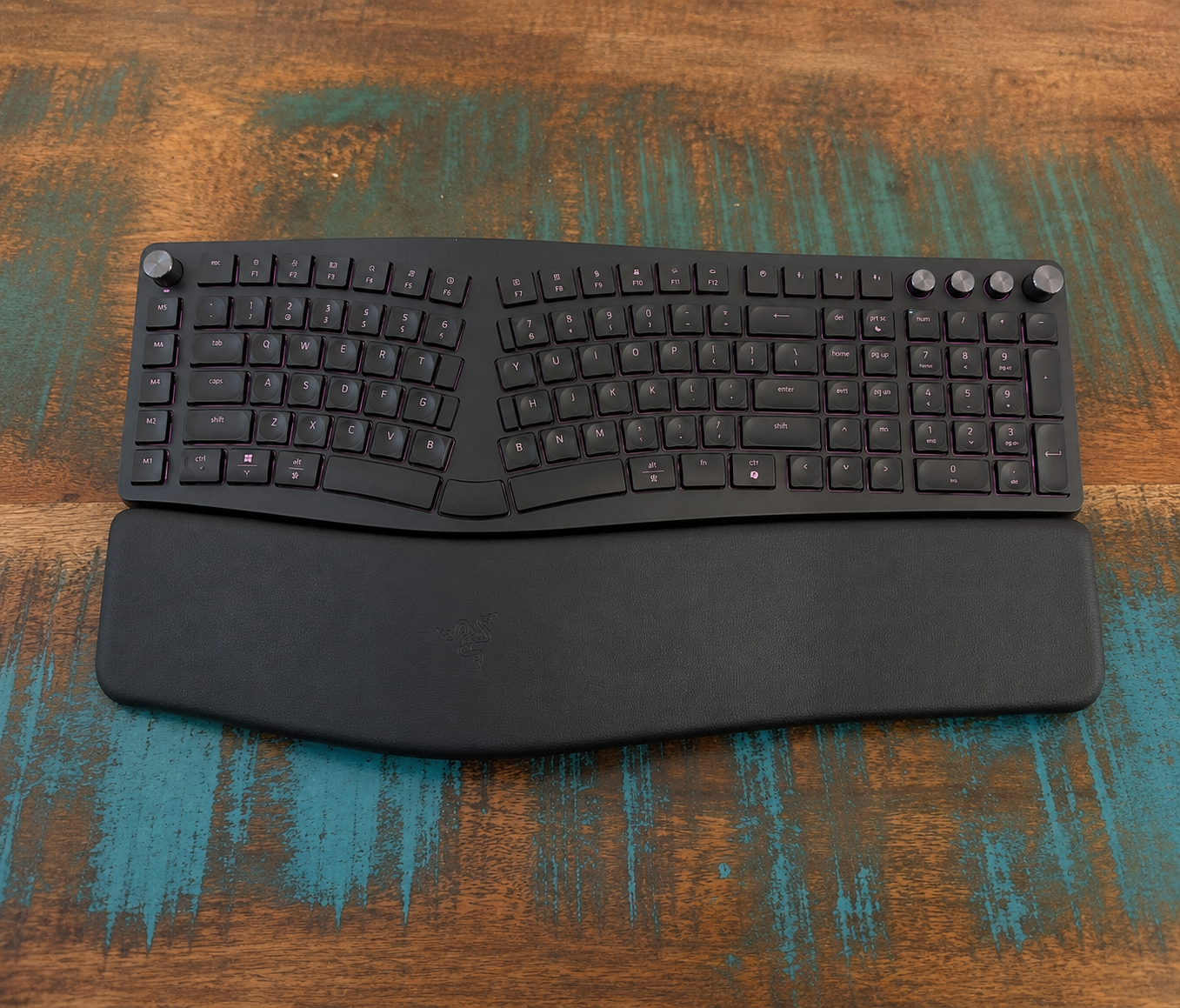
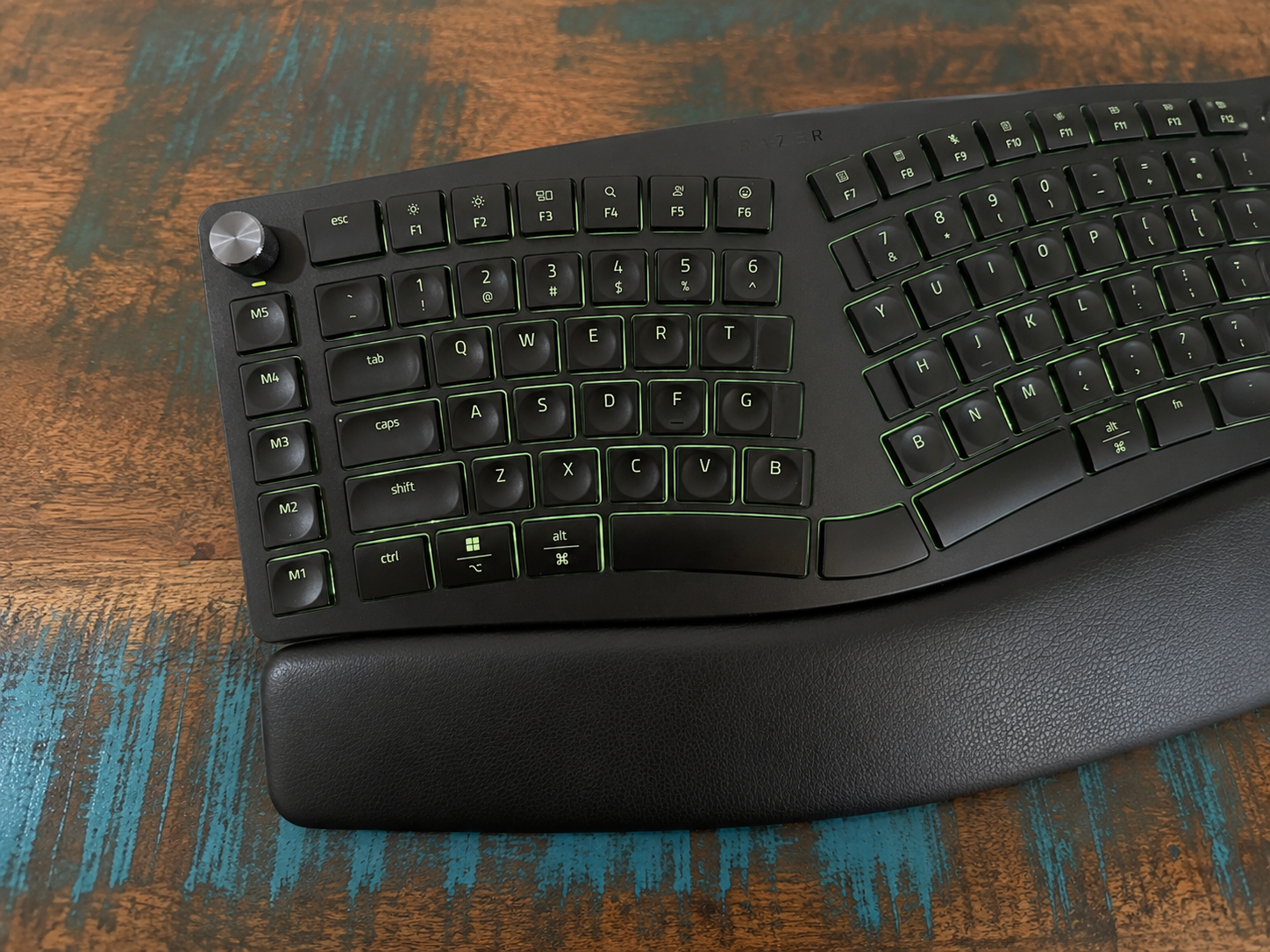
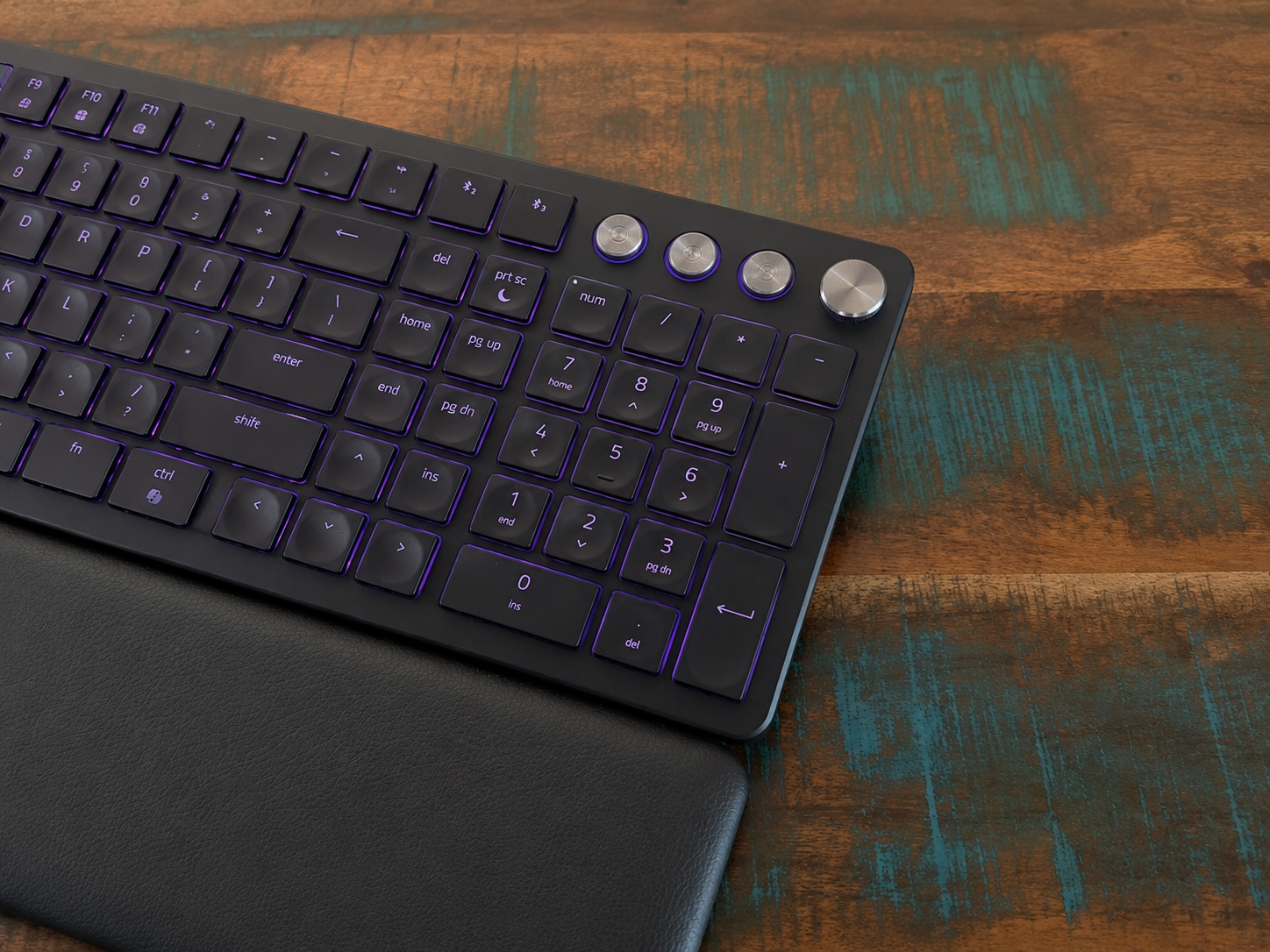
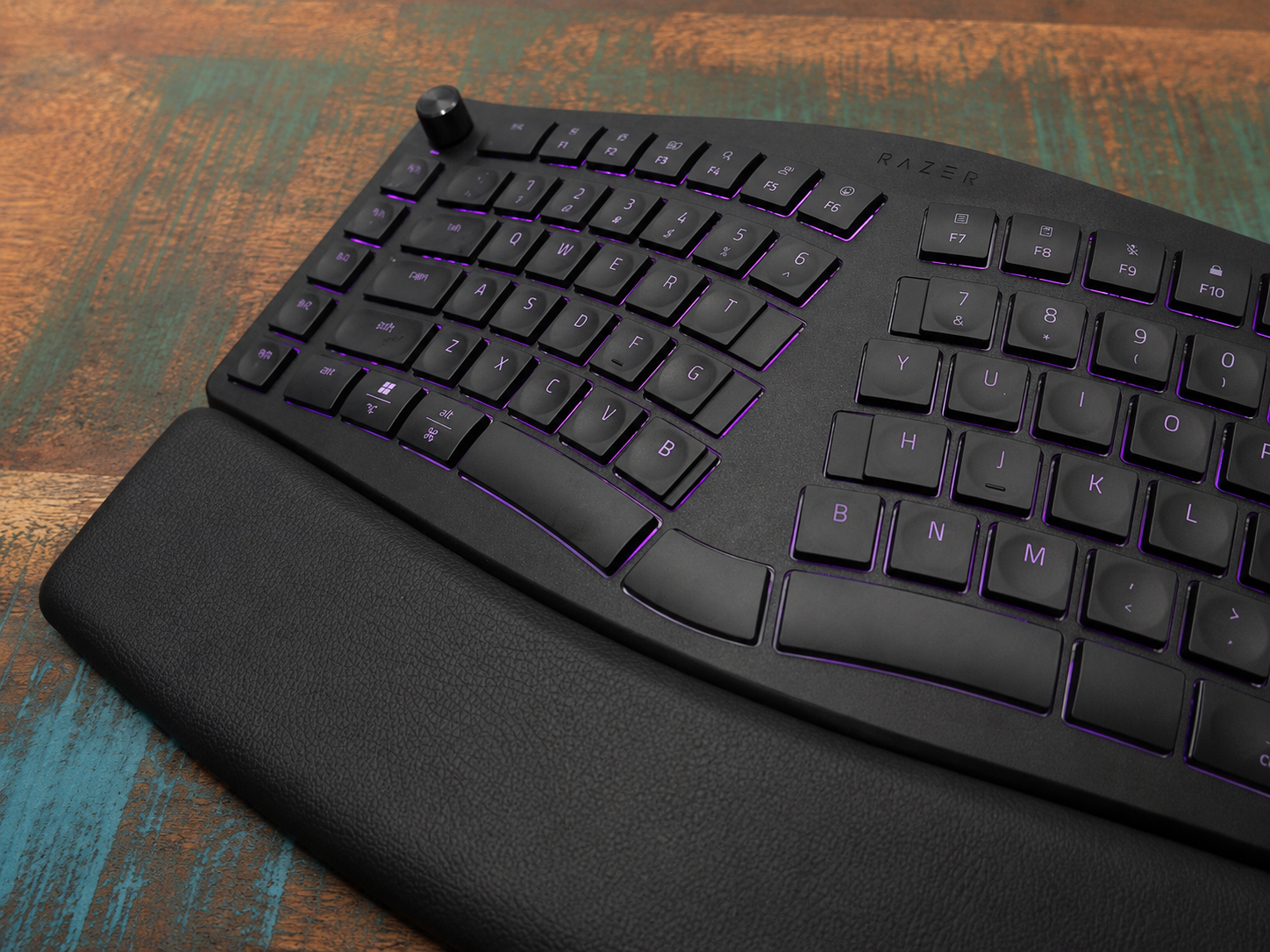
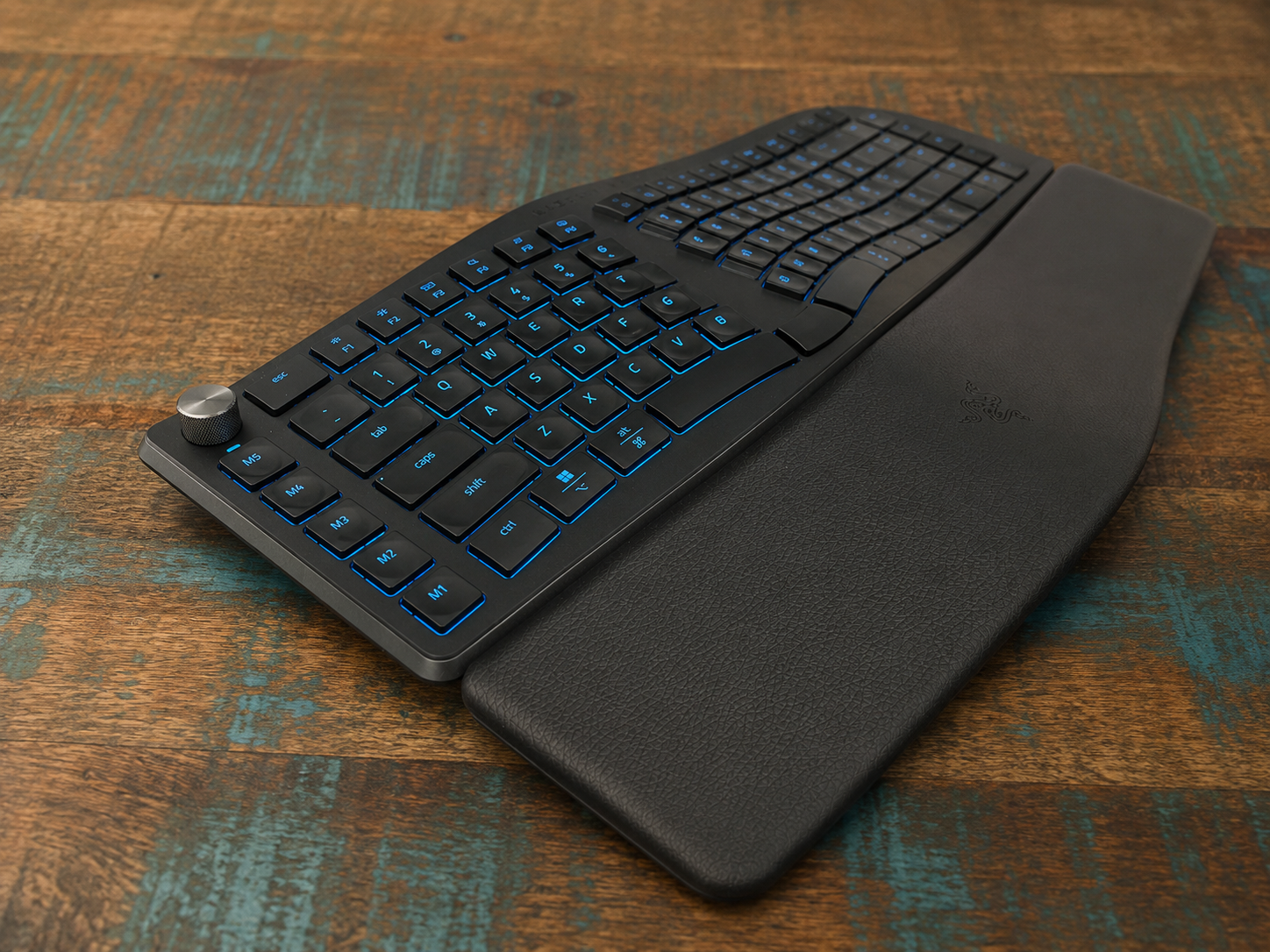
One of the most noticeable parts of the design is the built-in wrist rest. It is integrated into the keyboard rather than being a separate accessory, which helps keep the setup neat and consistent. The plush leatherette finish gives your wrists a soft, supportive surface while helping reduce pressure during longer sessions.
The keyboard has a full-size layout, which makes it a practical option for productivity users who rely on a number pad, dedicated controls and extra shortcut keys. It does take up a generous amount of desk space, but that space is used well. Razer has included a macro column, dual command controls and a full set of keys without making the layout feel overly complicated.
The overall build has a reassuringly solid feel. It is not the sort of keyboard that slides around easily during use, and the broader frame gives it a stable foundation on the desk. This sense of stability suits the ergonomic design well, especially when typing for long periods or using the keyboard as the centrepiece of a work setup.
Razer has also paid close attention to the key layout itself. Some keys near the centre are shaped differently to improve accuracy and reduce awkward reaches. This helps the keyboard feel more natural once you settle into its layout, particularly when moving between the left and right typing zones.
The inclusion of dual B keys is a clever touch that reflects the ergonomic focus of the keyboard. Depending on how you type, reaching for B can sometimes pull your hands away from a more comfortable position. By placing a B key on both sides, Razer gives users a more natural option and helps maintain a smoother typing rhythm.
The split space bar arrangement also adds to the keyboard’s practicality. Instead of using one long space bar, Razer has separated the centre section and turned part of it into an additional Backspace key. This makes quick corrections easier and gives the keyboard another small productivity advantage once it becomes part of your muscle memory.
The ultra low-profile keycaps are shaped to guide your fingertips into place. Their shallow spherical indents make each press feel more controlled, while the lower height helps keep hand movement efficient. Combined with the light and tactile scissor-switch membrane design, the keyboard delivers a quiet and comfortable typing feel that suits work environments.
The Razer Chroma RGB lighting gives the keyboard a more personalised appearance without overwhelming its professional focus. With 19-zone backlighting, the keys are easy to see in dimmer rooms and the lighting can be adjusted to suit different setups. It adds character to the keyboard while still being useful during late-night work or low-light desk arrangements.
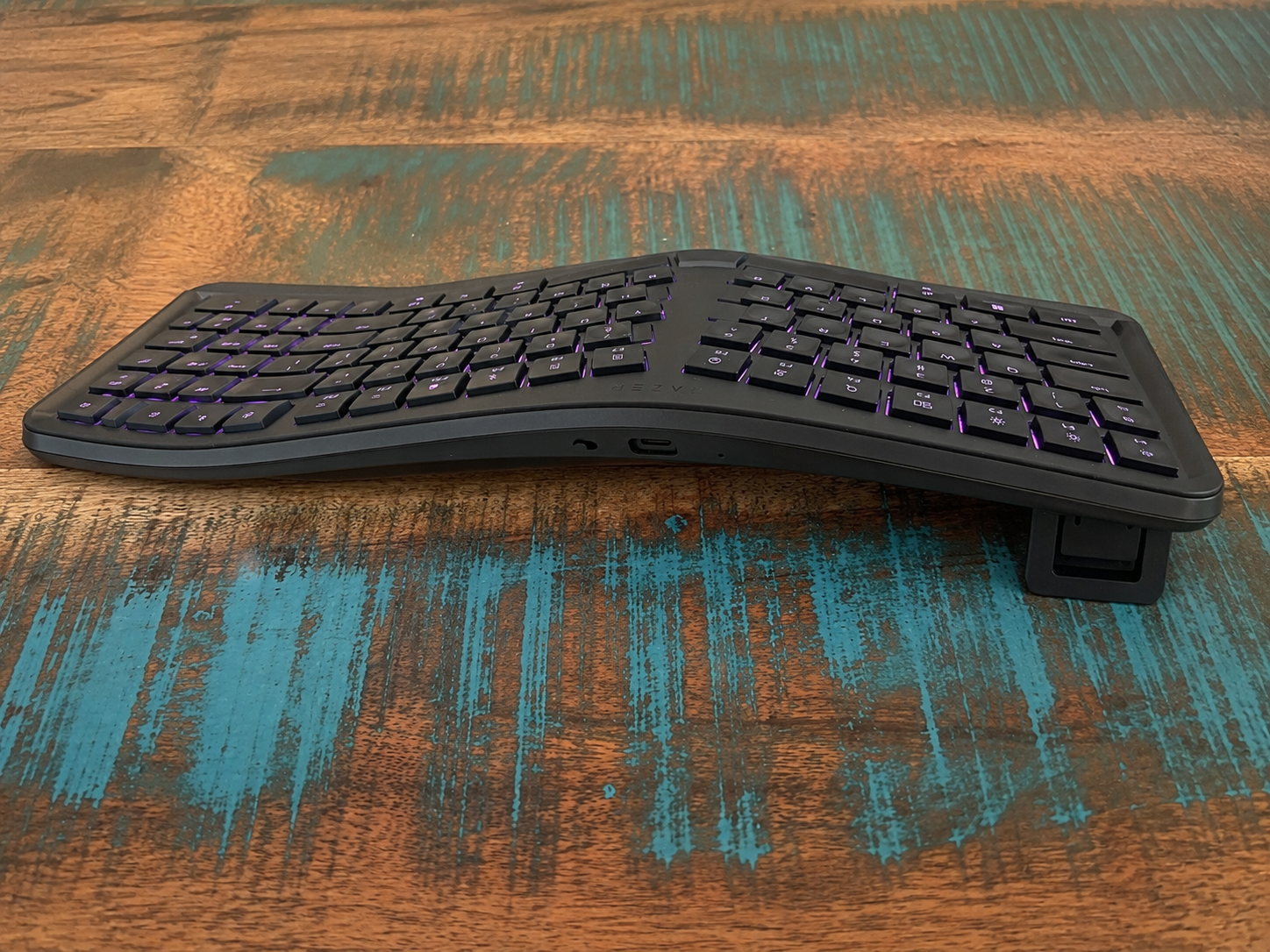
Functionality is further improved by the adjustable feet underneath the keyboard. These allow you to set the typing angle to better match your seated or standing position. Having forward and backward tilt options makes the keyboard more adaptable, especially for users who regularly change posture throughout the day.
Wireless convenience is another important part of the design. The keyboard supports Razer HyperSpeed Wireless through 2.4 GHz, Bluetooth and Type-C connectivity, giving it flexibility across different devices and setups. There is also a small storage area for the wireless dongle, which is a practical addition for keeping everything organised when the keyboard is moved or transported.
Key Features
The Razer Pro Type Ergo is built around a split ergonomic full-size layout that supports a more natural typing posture. By angling the key sections away from the centre, it helps your hands rest in a more relaxed position while still keeping the familiar feel of a standard keyboard. This makes it well suited to long work sessions where comfort matters just as much as speed.
Its built-in plush leatherette wrist rest is one of the most useful comfort features. Because it is integrated into the body of the keyboard, it feels stable and always sits in the right position. It gives your wrists a softer resting point and helps make extended typing sessions feel more comfortable.
The ultra low-profile ABS keycaps have been shaped with fingertip-friendly indents to improve control. Each key has a sculpted surface that helps guide your fingers into the centre of the press, which can make typing feel more accurate and deliberate. The lower key height also helps reduce unnecessary movement across the board.
Razer has used a scissor-switch membrane design that delivers a light and tactile feel. The keys are quiet enough for shared spaces, but still provide enough response to feel satisfying during regular typing. This gives the keyboard a smooth balance between comfort, precision and everyday usability.
The dual B key design is a small but thoughtful ergonomic addition. It allows users to press B from either side of the keyboard, reducing finger crossover and helping maintain a more natural typing position. This feature may sound simple, but it makes sense on a keyboard designed around comfort and efficient hand movement.
The Razer Command Dial adds another layer of control for productivity tasks. Through Razer Synapse, users can create a wide range of custom functions and assign the most useful ones to the dial. This can make it easier to adjust settings, move through creative tools or manage common actions without relying only on traditional shortcuts.
There are also five dedicated macro keys positioned in their own column. These can be mapped to frequently used commands, app shortcuts or workflow actions, giving users faster access to the functions they use most. For productivity, editing, content creation and general multitasking, these keys can make the keyboard feel more personalised.
AI Prompt Master is included as a dedicated productivity feature. With a single button press, it can help create prompts for AI tools, making it useful for summarising text, drafting emails or refining ideas. It does not replace the AI service itself, but it gives users a faster way to begin those tasks from the keyboard.
The 19-zone Razer Chroma RGB backlighting adds customisation while also improving key visibility. It can brighten the workspace during early mornings, evening sessions or dim office setups, making the keys easier to read without needing harsh overhead lighting. The lighting also gives the keyboard a more distinctive visual style.
Connectivity is another strong feature, with support for Razer HyperSpeed Wireless through 2.4 GHz, Bluetooth and Type-C. It can connect across multiple devices and switch between them using a dedicated button, which is ideal for users working between a desktop, laptop, tablet or other setup. With support for Windows and Mac, it offers the flexibility needed for a modern workspace.
Experience Using the Product and Performance
Using the Razer Pro Type Ergo feels very different from moving across a standard flat keyboard. The split ergonomic layout naturally encourages your hands to sit at a more open angle, which can make longer typing sessions feel more relaxed. It takes a little time to adjust if you are used to a traditional board, but the shape quickly starts to feel purposeful.
The raised centre section helps guide each hand into its own typing zone. This makes the keyboard feel more structured, especially when touch typing. Once your fingers adapt to the layout, the typing position feels comfortable and well suited to long stretches of writing or office work.
The built-in wrist rest plays a major role in the overall experience. It gives your wrists a soft and supportive place to sit, which helps reduce the need to hover your hands above the desk. During longer sessions, this makes the keyboard feel more settled and easier to use for extended periods.
The leatherette finish on the wrist rest also gives the keyboard a more premium feel. It feels smooth under the hands and suits the rest of the design nicely. Because it is built into the keyboard, it does not shift around or need to be repositioned during use.
Typing on the Pro Type Ergo is quiet, light and controlled. The scissor-switch membrane keys avoid the heavy feel of taller mechanical switches, making them easy to press repeatedly throughout the day. Each key has enough tactile feedback to feel responsive without becoming noisy or distracting.
The ultra low-profile keycaps contribute to the keyboard’s smooth typing feel. Their sculpted fingertip shape helps your fingers land cleanly in the centre of each key. This gives the board a precise and guided feel, which is especially useful when typing quickly.
The lower profile also helps reduce unnecessary finger travel. Instead of feeling like you are lifting your hands across tall keys, the movement feels flatter and more efficient. This works well with the ergonomic layout, as both elements are designed to support comfort and flow.
The split layout does require a short adjustment period, particularly around the keys near the middle of the board. However, Razer has made this transition easier by shaping several centre keys to give your fingers more room. This helps reduce accidental presses and makes the layout feel more natural over time.
The dual B key design becomes more useful once you notice how often your fingers would otherwise cross into the opposite side of the keyboard. Having a B key available for both hands helps keep your typing posture more balanced. It is a thoughtful addition that suits the purpose of the keyboard rather than feeling like a novelty.
The split space bar is another feature that improves with familiarity. The extra Backspace key in the centre is handy once it becomes part of your typing rhythm. It makes quick corrections easier, especially when writing long documents or responding to messages throughout the day.
The full-size layout is excellent for productivity work. Having a number pad makes data entry, spreadsheets and admin tasks more convenient. It also means the keyboard feels complete, rather than forcing users to give up practical keys in exchange for an ergonomic design.
The additional macro column adds extra flexibility for daily workflows. These keys can be assigned to common actions, shortcuts or application-specific commands through Razer Synapse. For users who repeat the same tasks often, this can make the keyboard feel more efficient and tailored to their needs.
The Razer Command Dial is one of the most enjoyable productivity features to use. It gives you quick access to adjustable controls that can be customised to suit your workflow. Whether used for scrolling, zooming, media control or creative adjustments, it adds a more hands-on way to interact with your software.
The clickable media roller and dedicated function buttons also make everyday control easier. Adjusting volume, managing playback or accessing assigned actions feels quick and convenient. These physical controls help keep simple tasks away from menus and on the keyboard where they are easier to reach.
Razer Synapse adds a lot of value for users who like to personalise their setup. The ability to map macro keys, adjust lighting and create custom dial functions makes the keyboard feel more powerful. It also helps the Pro Type Ergo adapt to different work styles rather than offering a fixed experience.
The AI Prompt Master button is useful for users who already include AI tools in their daily workflow. It provides a faster way to begin tasks such as drafting, summarising or refining text. While it still relies on external AI services, having a dedicated shortcut on the keyboard makes the feature easy to access.
For general office work, the AI feature feels most useful when dealing with repetitive writing or idea generation. It can help speed up the process of preparing emails, notes or summaries. Users who do not need it can simply leave it alone, while those who use AI regularly may find it a practical addition.
The 19-zone Razer Chroma RGB lighting gives the keyboard a distinctive look without making it feel unsuitable for productivity. The lighting is bright enough to improve key visibility in darker rooms and can be customised to match a workspace. It gives the Pro Type Ergo some personality while still serving a practical purpose.
In low-light environments, the backlighting is genuinely helpful. It allows you to keep working comfortably without relying on bright overhead lighting. This is especially useful for late-night writing, quiet work sessions or shared spaces where softer lighting is preferred.
Wireless performance feels responsive and reliable when using the 2.4 GHz Razer HyperSpeed connection. The keyboard maintains a clean desk setup while still feeling quick enough for demanding everyday use. The 1000 Hz polling rate also helps the keyboard feel responsive when typing and using shortcuts.
Bluetooth connectivity adds even more flexibility. Being able to connect to multiple devices and switch between them is excellent for users who move between a desktop, laptop and tablet. The dedicated switching button makes this feature practical rather than something hidden away in settings.
Type-C connectivity is also included, which gives the keyboard a dependable wired option when needed. This is useful for charging or for users who prefer a direct connection at certain times. Having all three connection options makes the keyboard easy to fit into different setups.
The Pro Type Ergo also works well for Mac users, which broadens its appeal beyond a typical Windows-focused productivity keyboard. Compatibility across platforms makes it easier to use in mixed-device environments. This is helpful for users who might work on a desktop during the day and switch to another device later.
Battery life is another strength, particularly for a wireless ergonomic keyboard with RGB lighting. Razer rates it for up to three months of use on a single charge, depending on settings and lighting use. For everyday productivity, that gives the keyboard a strong sense of reliability.
The keyboard’s larger footprint is noticeable, but it feels justified by what it offers. The ergonomic shape, wrist rest, number pad, macro keys and control dials all need space, and each part adds something useful to the experience. On a dedicated desk, the size feels more like a benefit than a drawback.
After spending time with the Razer Pro Type Ergo, its biggest strength is how complete it feels as a productivity keyboard. It offers comfort, customisation, wireless flexibility and practical controls in one polished package. For users who type often and want a more supportive keyboard with modern workflow features, it delivers a highly capable and enjoyable experience.
Conclusion
The Razer Pro Type Ergo is a strong choice for users who want a keyboard that places comfort and productivity at the centre of the experience. Its split ergonomic layout, built-in plush wrist rest and low-profile sculpted keycaps all work together to create a more relaxed typing position. It feels thoughtfully designed for long workdays, especially for anyone who spends a large portion of their time writing, editing, managing documents or moving between tasks.
Its feature set also helps it stand out as more than a comfortable keyboard. The Razer Command Dial, five macro keys, AI Prompt Master button and 19-zone Chroma RGB lighting give it a flexible and modern feel. These additions make it easier to shape the keyboard around different workflows, whether that involves shortcuts, creative controls, multitasking or simply improving key visibility in a low-light workspace.
Wireless connectivity is another major strength, with Razer HyperSpeed Wireless, Bluetooth and Type-C support giving users plenty of ways to connect. The ability to move between multiple devices makes it a practical fit for desktop setups, laptops, tablets and mixed Windows or Mac environments. Combined with strong battery life, it feels dependable enough for everyday productivity without adding clutter to the desk.
For anyone looking to improve their typing comfort while gaining useful workflow controls, the Razer Pro Type Ergo is a polished and capable option. It brings together ergonomic support, quiet tactile typing, customisable controls and a premium desktop presence in a way that feels practical rather than excessive. It is a keyboard built for serious productivity, but it still has enough personality to make daily work feel more enjoyable.