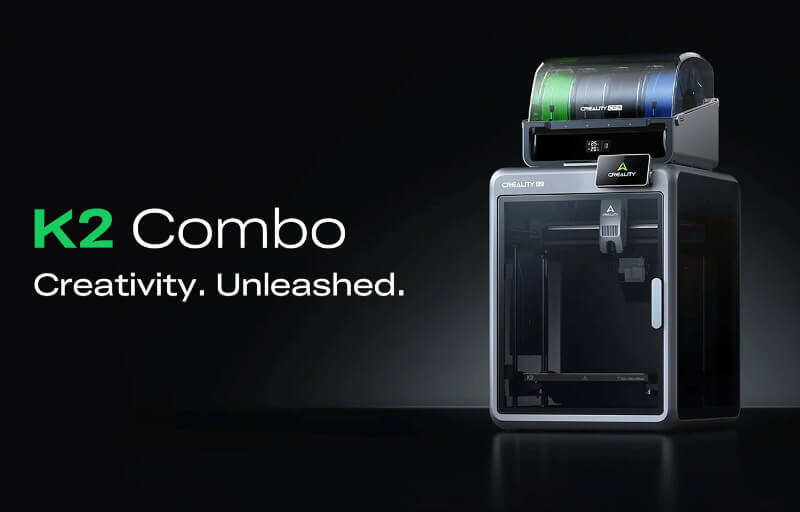
The Creality K2 Combo is a capable enclosed 3D printer that brings practical value to STEAM education, classroom learning, makerspaces and home-based projects. Its combination of a generous 260 x 260 x 260 mm build volume, CoreXY motion system and multi-colour printing support gives students and educators room to explore everything from simple models to more ambitious design challenges.
For learning environments, the printer has clear appeal because it can turn digital ideas into physical objects with relatively little setup. Students can design engineering components, anatomical models, geometric shapes, architectural concepts and creative art pieces, while the CFS makes it easier to add colour-coded details that improve clarity and visual impact.
The K2 Combo also supports a wide range of teaching outcomes beyond basic 3D printing. It can encourage problem-solving, collaboration, design thinking and iterative development, making it useful across science, technology, engineering, arts and mathematics activities. Its enclosed design, straightforward controls and connected software options help make the process more approachable for educators who want a flexible system that can grow with their learning program.
Table of Contents
Design and Functionality
The Creality K2 Combo uses an enclosed CoreXY design that gives it a clean, organised appearance while supporting stable and controlled printing. This enclosed structure is particularly useful in educational settings where equipment needs to look tidy, remain contained and fit comfortably into a classroom, laboratory or makerspace.
Its aluminium frame gives the printer a solid foundation and helps reduce movement during faster print jobs. For students and educators, this sturdy construction adds confidence when the machine is used regularly across different classes, projects and skill levels.
The printer offers a build volume of 260 x 260 x 260 mm, providing enough space for a broad range of STEAM activities. Students can create individual models, grouped components, classroom demonstration pieces and larger prototypes without immediately feeling restricted by the available print area.
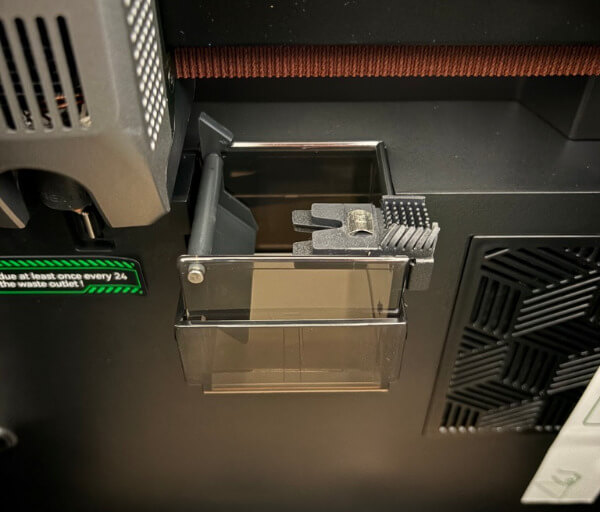
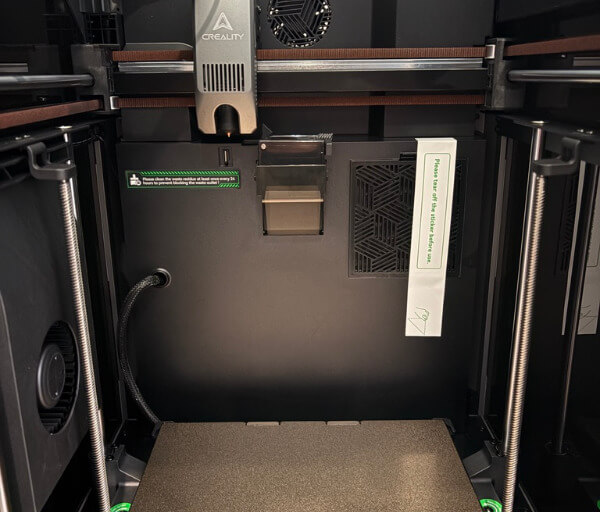
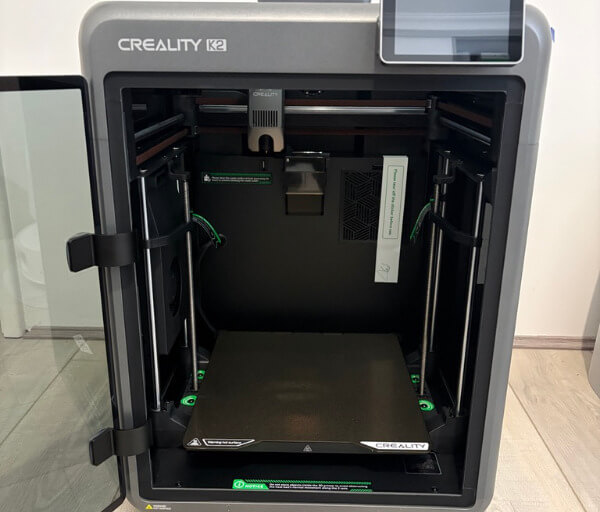
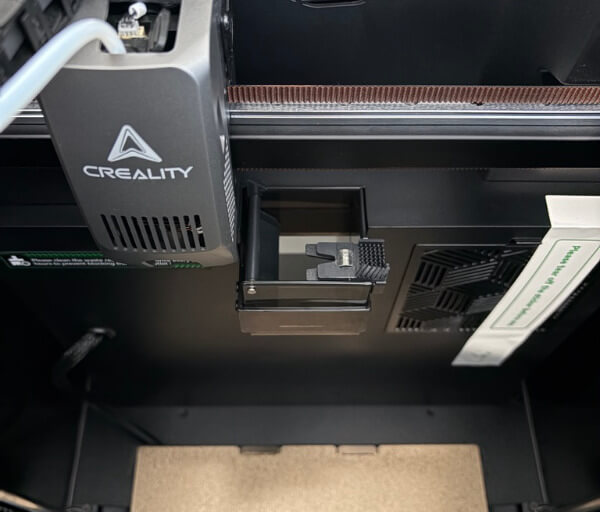
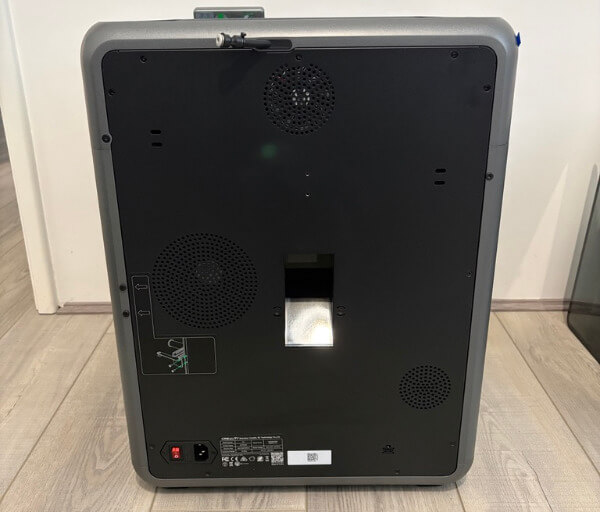
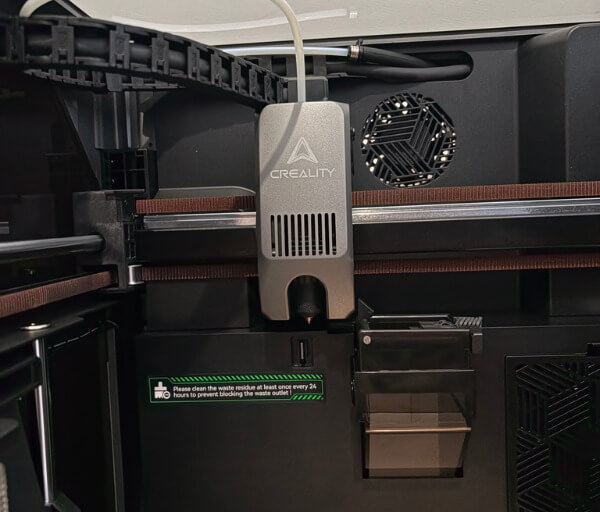
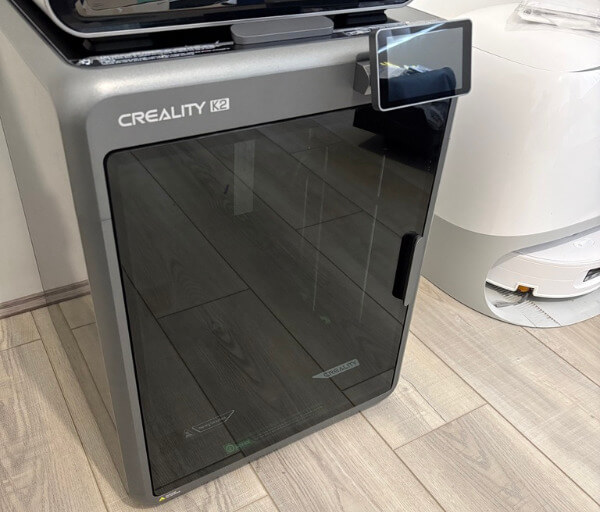
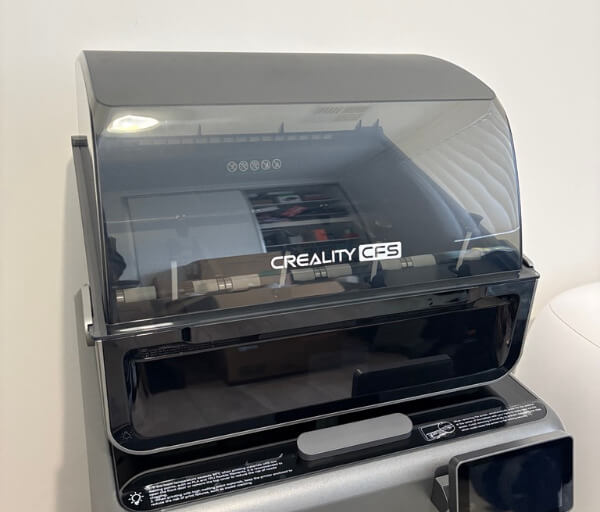
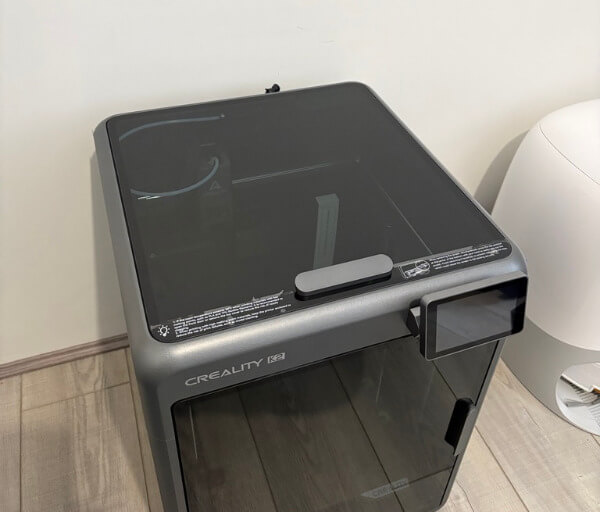
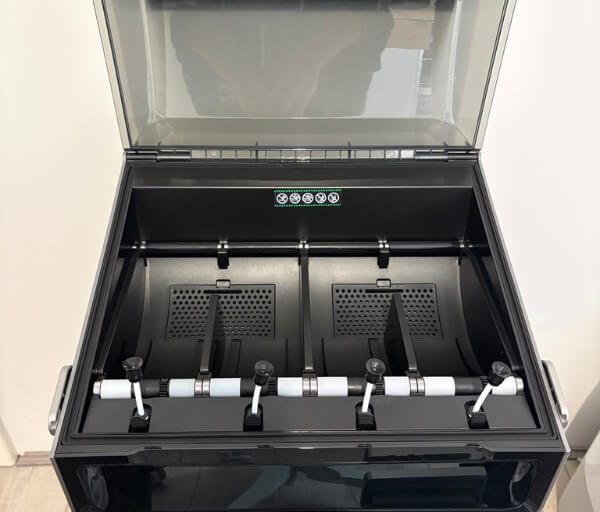
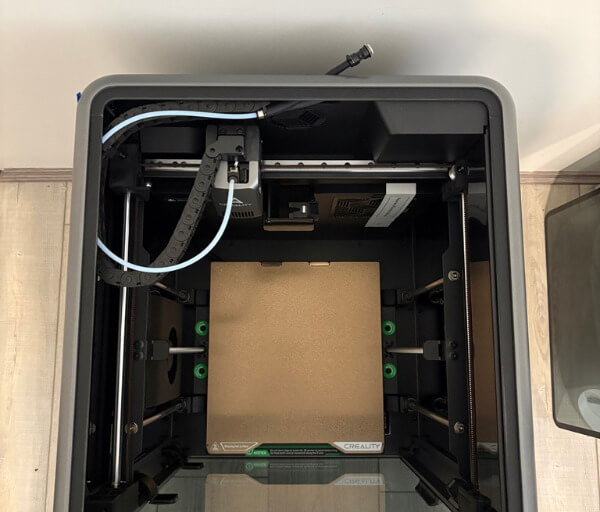
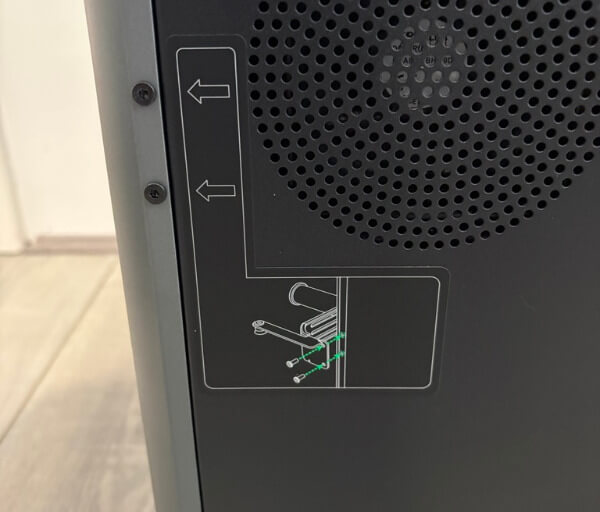
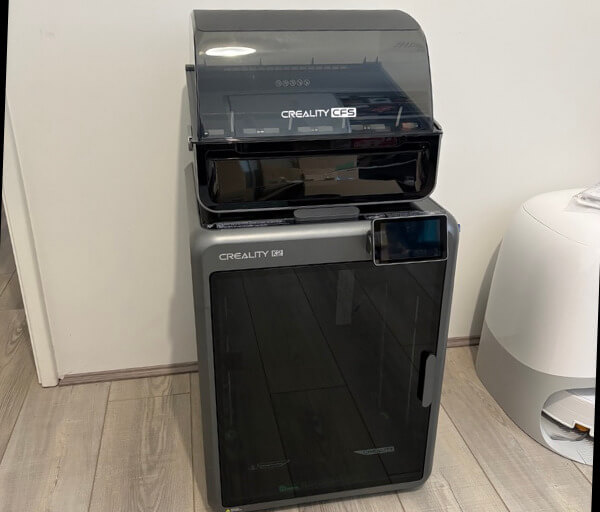
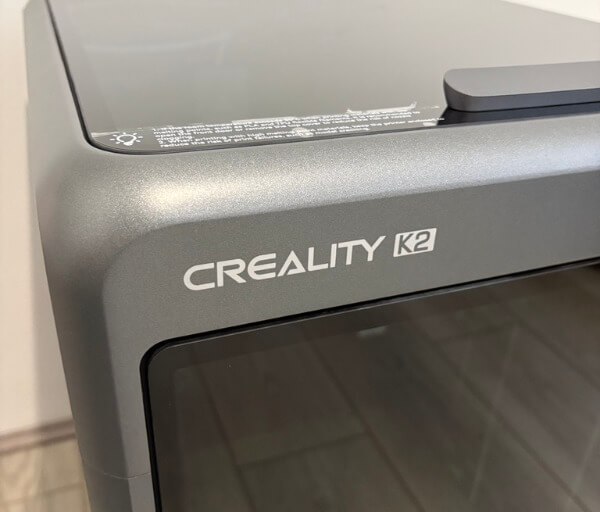
At approximately 404 x 436 x 545 mm, the K2 Combo remains relatively compact for an enclosed printer with this build capacity. It does require a stable work surface, especially once the CFS is positioned above it, but its vertical arrangement helps preserve valuable bench space.
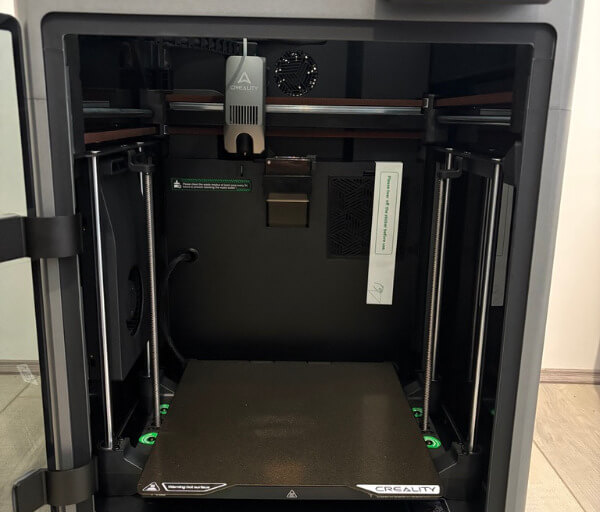
The front glass door and glass top cover make the printer easy to observe while keeping the moving components contained. This is valuable in education because students can watch the manufacturing process without needing to stand too close to the print head or reach into the build chamber.
Dark-tinted side panels give the enclosure a streamlined appearance while still allowing reasonable visibility when the internal lighting is active. Teachers can use this visibility to explain layer-by-layer fabrication, infill patterns, support structures and material behaviour as a model develops.
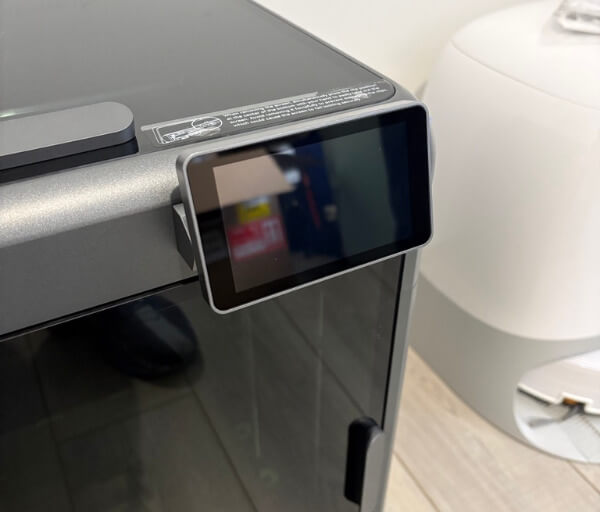
The touchscreen is mounted externally and provides a clear central point for controlling the printer. Its interface makes it easier for educators and students to start jobs, check machine status, adjust settings and follow the progress of a print without relying entirely on a separate computer.
The K2 Combo arrives mostly assembled, which reduces the amount of preparation required before it can be introduced into a learning environment. Only a small number of connections, tubes and components need to be installed, allowing schools and home educators to focus more quickly on practical activities.
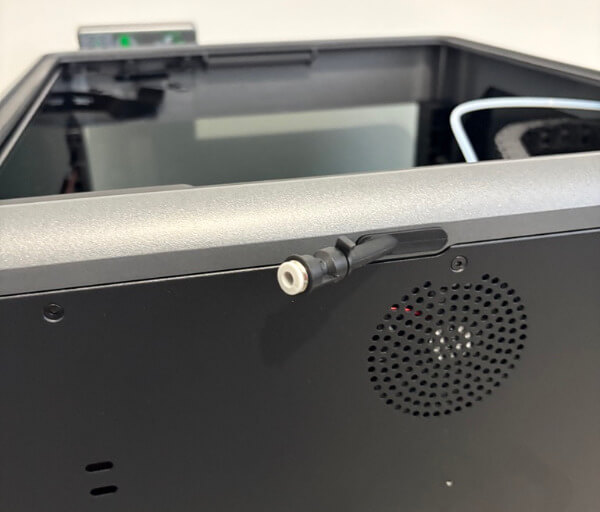
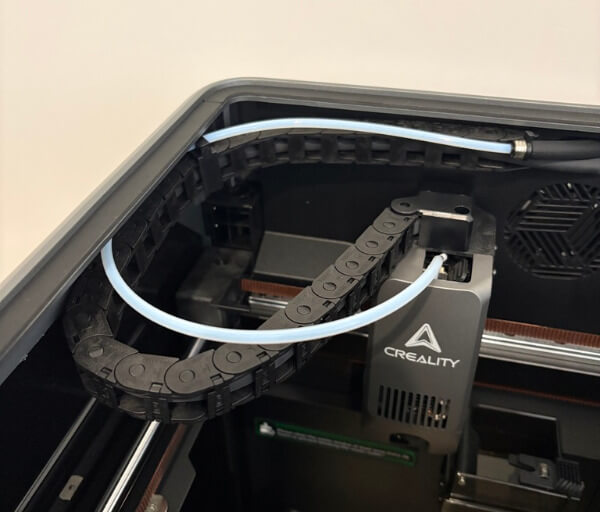
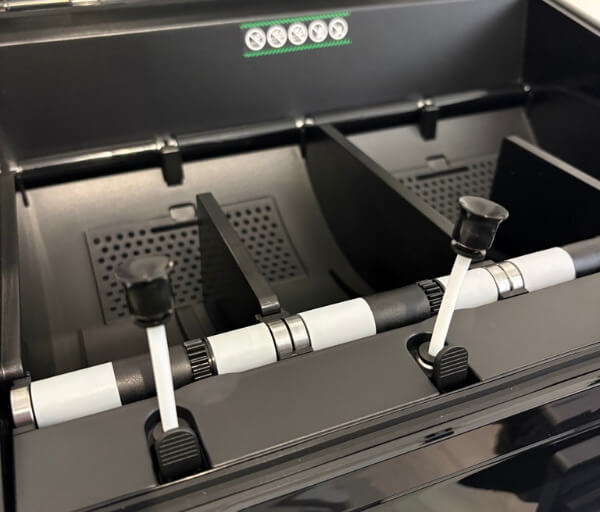
The included PTFE tubes and connectors are labelled clearly, helping simplify the setup process. This also creates an opportunity for older students to take part in the installation under supervision and learn how filament travels from the storage system to the extruder.
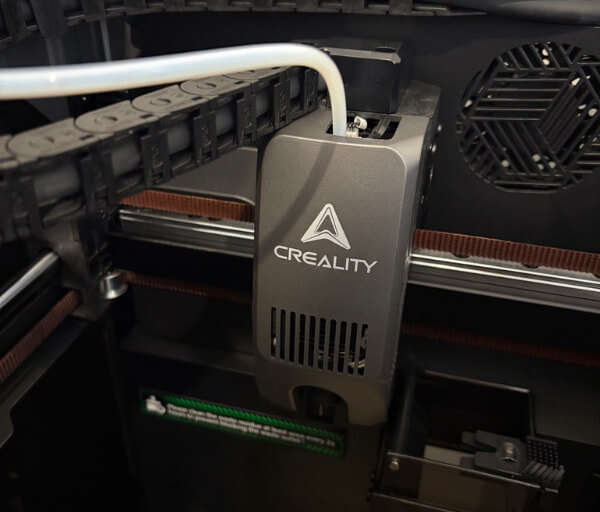
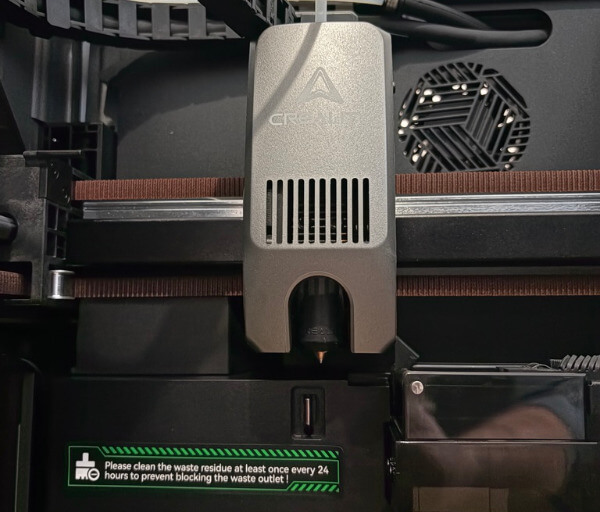
A direct drive extruder is built into the toolhead, giving the printer responsive filament control and supporting a useful range of materials. This arrangement is well suited to education because it can handle common classroom filaments while also giving more advanced students room to explore different printing behaviours.
The hardened steel hotend can reach temperatures of up to 300°C, while the heated bed can reach 100°C. These capabilities allow the K2 Combo to move beyond simple introductory models and support more demanding prototypes as students develop their skills.
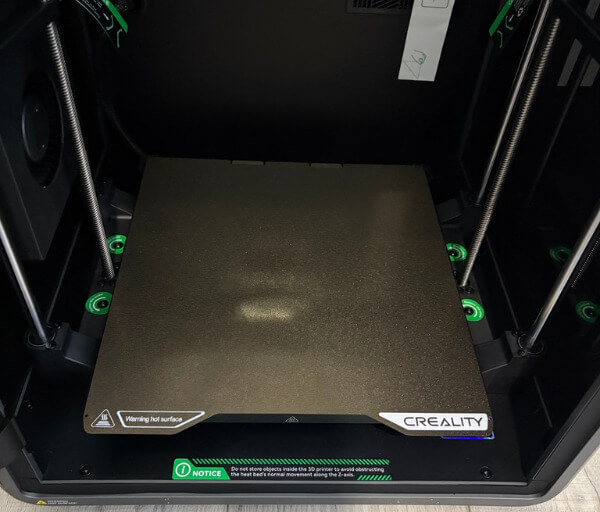
Creality includes a magnetic, flexible, textured PEI build plate that makes completed prints easier to remove. Once the plate has cooled, it can be lifted and gently flexed, allowing students to release their work without needing excessive force or complicated tools.
The print bed is supported by two lead screws and additional guide rods, helping it remain stable as it moves. This mechanical arrangement contributes to consistent layers and reliable first-layer performance, which is important when a teacher needs multiple models completed successfully within a limited lesson schedule.
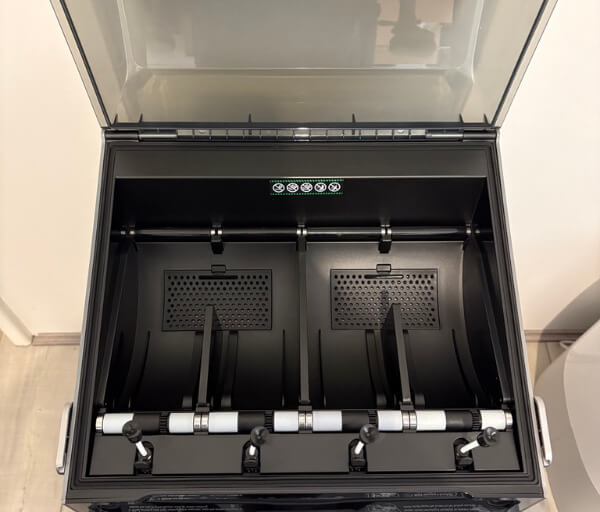
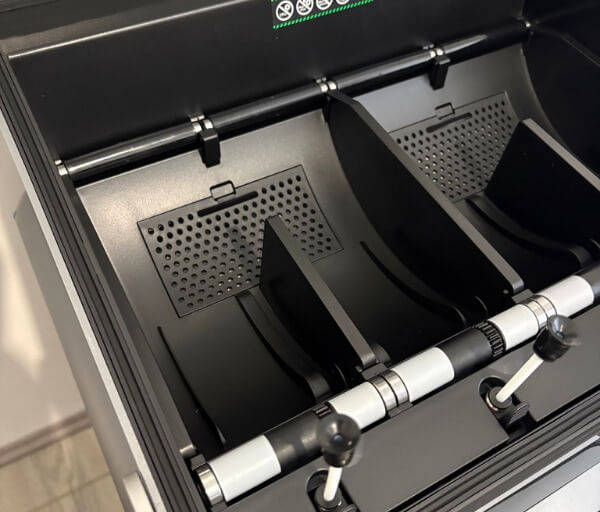
The Creality Filament System sits above the printer and holds up to four spools for automatic colour changes. Its integrated design keeps filament organised and makes the full setup feel like a single educational workstation rather than a collection of separate accessories and loose material feeds.
Key Features
The Creality Filament System is one of the K2 Combo’s most valuable features for STEAM education because it allows up to four filament colours to be loaded at once. The printer can switch between them automatically, helping students create visually distinct models without manually changing spools during a print.
Multi-colour printing can make educational objects easier to understand. Different colours can be used to separate parts of an anatomical model, highlight regions on a map, identify components in an engineering assembly or distinguish values in a mathematical demonstration.
The CFS includes individual status lights that show which filament positions are occupied and active. Its built-in display also provides temperature and humidity information, giving students a simple introduction to how material storage conditions can affect manufacturing quality.
Creality-branded RFID filament can be recognised automatically by the system. This reduces setup time by identifying compatible material information, while third-party filament can still be entered manually when educators want greater flexibility in the materials used for projects.
The K2 Combo supports printing speeds of up to 600 mm/s, giving it the capacity to complete suitable models quickly. In a classroom, faster production can help reduce queues between student projects and make it easier to prepare teaching aids within practical timeframes.
A high-flow hotend supports volumetric extrusion rates of up to 40 mm³/s. This allows the printer to deliver filament consistently during faster movements, helping it balance speed with the level of detail required for educational models and functional prototypes.
Step-servo motors are used on the motion system and extruder to improve control and positioning. Their feedback-assisted operation supports accurate movement, consistent extrusion and quieter printing, which can be especially helpful when the printer is operating near an active learning space.
Dynamic automatic bed levelling simplifies preparation before a job begins. Rather than requiring students or teachers to manually adjust the print surface, the system checks the relevant area and helps establish a dependable first layer.
The built-in camera provides remote viewing of the build chamber and can record time-lapse footage. Educators can use these recordings to demonstrate how an object develops layer by layer, even when the full print takes longer than a single lesson.
Camera-assisted monitoring can also watch for certain printing problems and provide another layer of supervision during extended jobs. This is useful for overnight prints, complex student designs and multi-colour models that may continue after classes have finished.
The printer includes Wi-Fi and USB connectivity, giving schools several ways to transfer prepared files. Wireless access can streamline workflows in a computer lab, while USB transfer remains practical in environments with restricted networks or shared devices.
Creality Print brings model preparation, slicing, filament assignment and machine control into one desktop application. For STEAM programs, this provides students with experience across the full digital manufacturing process, from importing a design and choosing settings to monitoring the finished physical result.
Experience Using the Product and Performance
Using the Creality K2 Combo for STEAM and education projects quickly shows how approachable the machine can be for both educators and students. Once the initial setup and calibration are complete, the printer provides a clear workflow that supports regular classroom use without requiring constant mechanical adjustment.
The mostly assembled design helps reduce the time between unpacking the printer and beginning the first project. In an education setting, this is valuable because teachers can spend less time dealing with construction and more time preparing activities, lesson plans and student models.
The guided calibration process also helps make the printer feel manageable for users who may not have extensive 3D printing experience. Automated checks prepare the machine for printing and reduce the risk of small setup errors affecting the first layer.
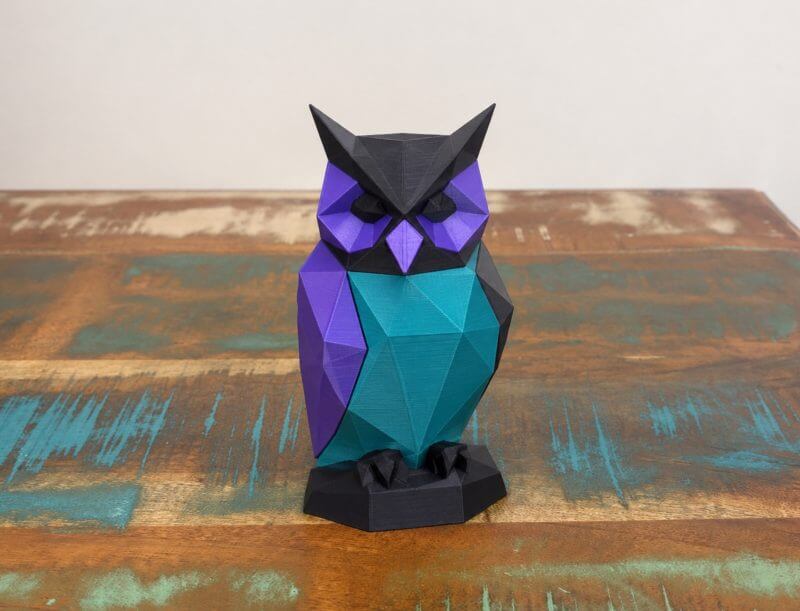
Loading filament into the CFS is straightforward, particularly when each spool is clearly assigned to a colour within Creality Print. Students can see how digital colour selections correspond with physical materials, which helps connect software-based design decisions with the finished object.
The automatic filament switching process performs reliably during multi-colour jobs. The system retracts one filament, loads the next and continues printing without requiring a student or teacher to remain beside the machine for each colour change.
This feature is especially useful when producing teaching models that rely on clear visual separation. A model of a plant cell, for example, can use different colours for major structures, while a mechanical assembly can highlight moving parts, fasteners or connection points.
Multi-colour printing also adds value to creative assignments. Students can develop signs, logos, architectural mock-ups, game pieces and display models that look more complete without needing to paint every detail after printing.
The single-nozzle design means the printer needs to purge filament between colour changes. This produces some additional material waste, but careful model planning can reduce unnecessary changes and give students a practical lesson in efficient manufacturing.
Educators can use this process to introduce conversations about sustainability, material use and responsible design. Students can compare models with frequent colour changes against designs that group colours by layer and then evaluate which approach is more efficient.
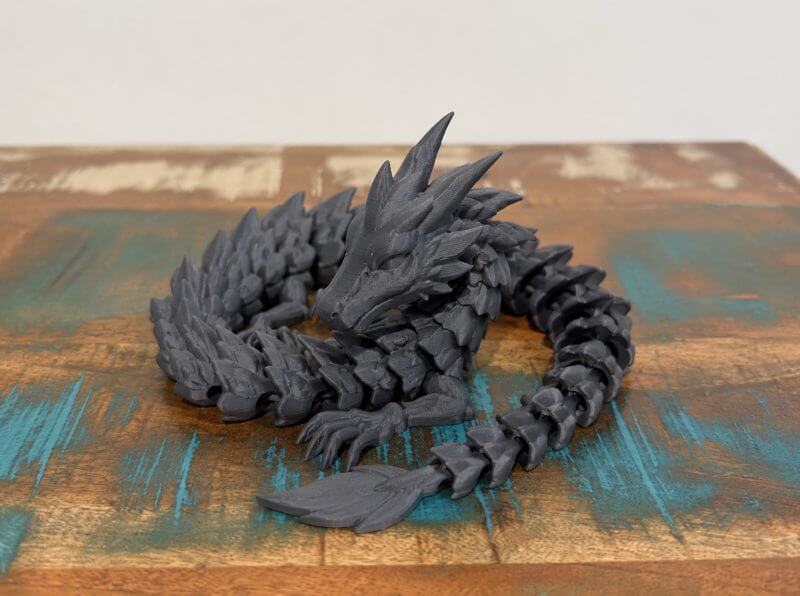
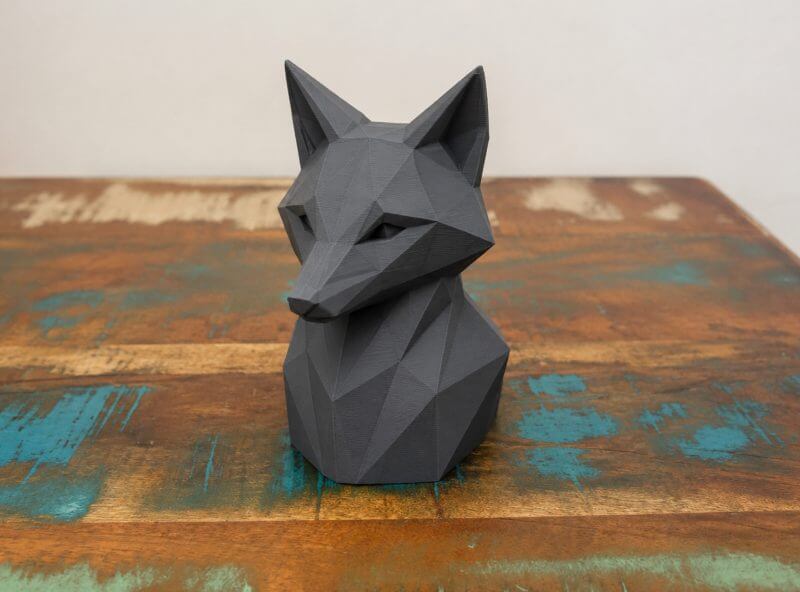
Print quality is consistently strong when suitable profiles and properly stored filament are used. Surfaces appear clean, dimensions remain accurate and small details are reproduced well enough for most classroom models, prototypes and demonstration pieces.
Dimensional accuracy is particularly useful for engineering and mathematics activities. Students can design parts to specific measurements, print them and then use callipers to compare the digital dimensions with the finished model.
This creates opportunities to teach tolerances, measurement error and design refinement. A student can adjust a hole, joint or connector after testing the first version, then print an improved revision and observe the effect of even a small change.
The textured PEI build plate supports reliable first layers while making finished objects easy to remove. Once the plate cools, flexing it gently releases most models without requiring excessive scraping or force.
This simple removal process helps protect student work from accidental damage. It also makes it easier for educators to clear the build plate quickly and prepare the printer for the next project.
The 260 x 260 x 260 mm build volume is large enough for many education-focused tasks. It can accommodate several smaller student parts at once, a sizeable architectural model or a larger scientific display that would be difficult to produce on a compact printer.
Batch printing is particularly useful when an entire class needs copies of the same component. Teachers can arrange multiple objects on the plate and produce sets of manipulatives, experiment parts, gears, brackets or geometric shapes in a single job.
The enclosed CoreXY structure helps the K2 Combo maintain stable printing conditions. This supports consistent results across longer projects and reduces the effect of classroom draughts or changing room temperatures on the printed model.
The enclosure also keeps the print area visually and physically contained. While normal supervision remains important, students can observe the printer through the front and side panels without needing to approach the moving toolhead.
Internal lighting makes it easier to monitor print progress through the tinted enclosure. It also improves the clarity of camera footage, which can be useful when educators want to show the printing process on a larger classroom display.
The built-in camera provides a convenient way to check long jobs remotely. Teachers can monitor progress from another computer or compatible device instead of interrupting other activities to inspect the machine repeatedly.
Time-lapse capture adds another educational opportunity by compressing a lengthy manufacturing process into a short visual sequence. Students can watch a model appear layer by layer and gain a clearer understanding of additive manufacturing.
Creality Print offers a useful balance between beginner accessibility and more advanced control. New users can begin with standard profiles, while experienced students can gradually explore layer height, infill, support placement, wall thickness and print speed.
The software is especially helpful for preparing multi-colour models because colours can be assigned before the job is sent to the printer. This allows students to review their choices digitally and correct mistakes before filament and classroom time are used.
Wireless file transfer makes the K2 Combo easier to incorporate into a modern computer lab or makerspace. Prepared jobs can be sent directly from a workstation, while USB support offers a practical alternative when network access is limited.
The printer’s speed helps keep educational projects moving, particularly when models are designed with realistic lesson schedules in mind. Smaller prototypes can be produced quickly, allowing students to test an idea, discuss the result and begin revising it without an extended delay.
For larger or more complex projects, the K2 Combo remains dependable across long printing sessions. Its combination of automatic levelling, filament management, camera monitoring and accurate motion makes it well suited to schools seeking a versatile system for creative, scientific and technical learning.
Conclusion
The Creality K2 Combo is a strong option for schools, makerspaces and home learning environments that want to introduce students to practical 3D printing. Its enclosed CoreXY design, approachable setup and dependable performance make it suitable for both introductory activities and more advanced STEAM projects.
The addition of the CFS gives educators greater creative flexibility by making multi-colour printing easier to manage. This can improve the clarity of scientific models, engineering prototypes, classroom displays and visual learning tools while also helping students think more carefully about colour, structure and design.
Its generous build volume, automatic calibration, connected software and built-in monitoring features support a smooth workflow from digital concept to completed object. Students can explore problem-solving, measurement, iteration and manufacturing in a way that produces clear and tangible results.
For education-focused buyers, the K2 Combo offers a practical balance of ease of use, capability and room for future learning. It is a versatile platform that can support creativity, technical development and hands-on experimentation across a wide range of subjects.