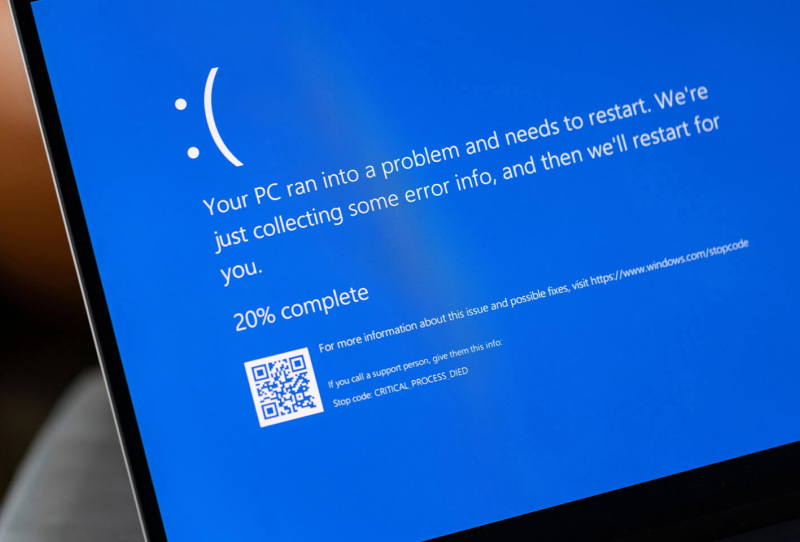
The Windows 11 RGB peripherals bug that has been crashing games since August finally has an official explanation, and it points squarely at lighting software rather than the operating system itself. Microsoft says its investigation has traced the forced crashes, freezes, and unexpected restarts back to drivers bundled with RGB gaming gear, though the company still hasn’t shipped a proper fix.
The trouble first surfaced after an August cumulative update, when players began reporting that certain games would crash outright or force a full system restart mid-session. Microsoft first flagged the RGB lighting bug crashing PCs weeks ago and opened an investigation, but at the time it stopped short of naming a cause. That has now changed.
Table of Contents
What Microsoft says is actually happening
According to a support update from Microsoft, the issue is linked to peripherals or onboard components that use RGB lighting effects. The company found that many of these devices install drivers or supporting code with file names resembling “inpoutx64”, a low-level driver commonly used by lighting and fan-control utilities to talk directly to hardware.
Microsoft’s own wording is blunt about the trigger: on systems where those driver files are present, simply launching certain games sets off the crash. That’s a fairly unusual failure mode, since it means the instability isn’t tied to a specific game engine or graphics card, but to whatever RGB control software happens to be running in the background.
It’s worth understanding why a lighting driver can cause this kind of damage. Utilities like inpoutx64 typically need kernel-level access to control fans, pumps, and lighting zones in real time. When a recent Windows update changes how the kernel handles that access, even a small mismatch between the driver and the new system behaviour can cascade into a full crash rather than a graceful error.
Which hardware is implicated
Microsoft hasn’t published a definitive list of affected brands or products, which is one of the more frustrating parts of this saga for enthusiasts trying to diagnose their own systems. The description covers any RGB-capable peripheral or internal component running software built on the affected driver architecture, a category that spans keyboards, mice, headsets, RAM modules, motherboards, and liquid coolers.
That breadth is part of the problem. Plenty of PC builders run RGB-equipped hardware like Corsair’s iCUE LINK cooling gear alongside lighting software from two or three other brands simultaneously, since motherboards, memory, and peripherals often ship with their own separate control apps. Pinpointing exactly which piece of software is carrying the problematic driver, without vendor-specific guidance, largely falls to trial and error for now.
Still no permanent fix
Despite identifying the mechanism, Microsoft has not released a patch that resolves the underlying conflict. The current advice amounts to a workaround rather than a cure: users experiencing crashes are effectively left to identify and temporarily disable RGB lighting software before launching affected games.
That’s a workable stopgap, but not a great long-term answer for anyone who bought RGB gear specifically to have synchronised lighting running during play. It also puts the onus on individual users to troubleshoot a problem Microsoft itself acknowledges originates from an update-level compatibility issue, not from anything users did wrong.
For anyone running Windows 11 Pro with a heavily customised RGB setup, the safest approach in the meantime is to keep an eye on official Windows update notes and only enable lighting software again once a fix confirms the conflict is resolved. Microsoft typically pushes these kinds of driver-compatibility fixes through a regular cumulative update once the root cause is validated across a wider range of hardware.
Why this matters beyond one buggy patch
The episode is a reminder of how fragile the relationship between Windows updates and third-party peripheral software can be. RGB control suites often run with elevated system privileges to manage lighting in real time, which makes them more sensitive than typical desktop apps to changes in how Windows handles drivers and background processes.
It also highlights a recurring tension for PC hardware makers: shared driver components like inpoutx64 get reused across many different lighting and monitoring tools, so a single compatibility issue can ripple across products from entirely unrelated brands. Until Microsoft ships a targeted fix, gamers with elaborate RGB setups are the ones left managing the risk, one disabled lighting app at a time.