Turtle Beach has unveiled the Vulcan II XP Air keyboard, a wireless mechanical gaming keyboard that pairs a low-profile design with a touch-free gesture sensor for media controls and automatic lighting dimming. It arrives alongside a wired sibling, the Vulcan II XP, and both boards are heading to pre-order ahead of an October launch.
Key takeaways
- ✓The Vulcan II XP Air keyboard adds a touch-free AirTrack Gesture Sensor for media control and auto-dimming
- ✓It uses tri-mode connectivity: 2.4GHz wireless, Bluetooth and wired USB-A
- ✓A 6000mAh battery lasts up to 95 hours with RGB on, or 2000 hours with lighting and sensors off
- ✓The wired Vulcan II XP sibling drops wireless and gestures but adds Titan HS Red or Brown switch options rated for 50 million actuations
- ✓Both keyboards support hot-swappable switches, full NKRO and SOCD support, and are heading to pre-order ahead of an October launch
The pair share a low-profile chassis, hot-swappable switches and sound-dampening materials designed to quieten the clicks and clacks that come with mechanical typing. Where they differ is connectivity, switch selection and one distinctly unusual feature: a sensor that lets a user skip a track or mute a call without touching a single key.
Table of Contents
What makes the Vulcan II XP Air keyboard different
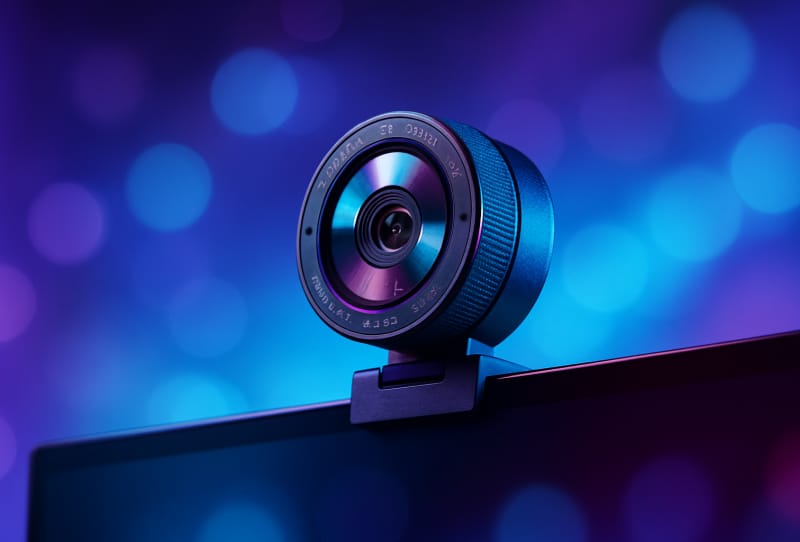
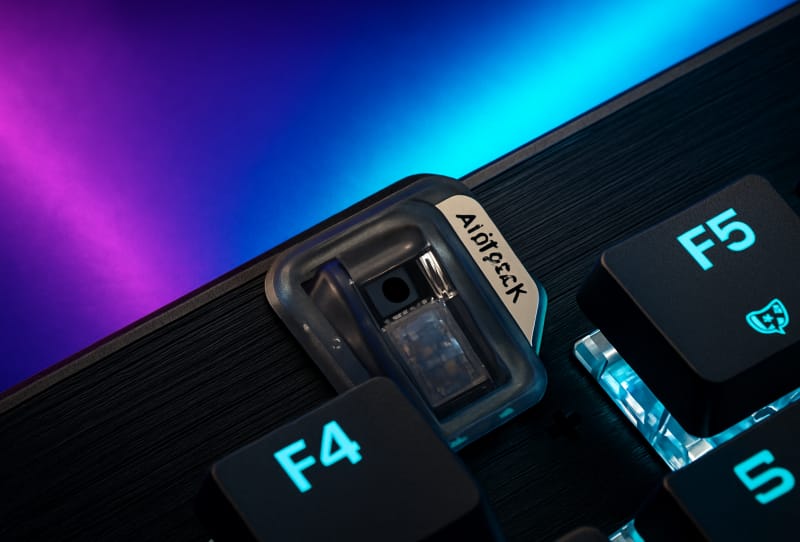
The headline feature on the official product listing is Turtle Beach’s AirTrack Gesture Sensor. It reads hand movements above the keyboard, so a wave can adjust media playback or trigger other shortcuts without breaking a gaming session to reach for a mouse or phone. The same sensor also detects when someone steps away from the desk and automatically dims the RGB lighting, a small touch that should help battery life during long stretches away from the keyboard.
Connectivity is where the Air variant earns its wireless credentials. It offers tri-mode support across 2.4GHz wireless, Bluetooth and wired USB-A, so it can bounce between a gaming PC, a laptop and a console or tablet without re-pairing each time. Turtle Beach rates the 6000mAh battery at up to 95 hours of use with RGB lighting switched on, stretching out to roughly 2000 hours if lighting and the gesture sensor are both disabled. That is a wide spread, but it reflects how much of a modern keyboard’s power draw comes from lighting rather than the switches themselves.
The wired Vulcan II XP trims the extras but adds switch choice
The wired Vulcan II XP strips out the wireless radios and the gesture sensor, but Turtle Beach has used the saved space and cost to offer switch variety instead. Buyers can choose between Titan HS Red linear switches or Titan HS Brown tactile switches, both rated for 50 million actuations, well above what most gamers will ever wear through. It ships in black or white, giving it a slightly broader appeal for people who want the mechanical feel without the wireless premium.
Both keyboards carry the features that matter most for competitive play: full N-key rollover, anti-ghosting, and ReacTap SOCD support, which resolves conflicting directional inputs so opposing keys do not cancel each other out mid-match. Turtle Beach has also included its Easy-Shift[+] key mapping system, a multi-function media wheel, and onboard profile storage managed through the Swarm II software, so custom lighting and macro setups travel with the keyboard rather than being tied to one PC.
Vulcan II XP Air vs Vulcan II XP: specifications compared
| Feature | Vulcan II XP Air | Vulcan II XP |
|---|---|---|
| Connectivity | 2.4GHz wireless, Bluetooth, wired USB-A | Wired USB-A only |
| Gesture sensor | AirTrack Gesture Sensor included | Not included |
| Battery life | Up to 95 hours (RGB on) / 2000 hours (lighting and sensors off) | Not applicable |
| Switch options | Hot-swappable, low-profile | Titan HS Red (linear) or Brown (tactile), hot-swappable |
| Switch rating | Not specified | 50 million actuations |
| Colours | Not specified | Black or white |
| Shared features | Full NKRO, anti-ghosting, ReacTap SOCD, Easy-Shift[+], media wheel, Swarm II onboard profiles | |
How it compares with other wireless mechanical keyboards
Gesture control is not something rivals have widely chased. Boards like the ASUS ROG Azoth 96 HE lean on Hall effect switches and heavy customisation instead, while the Logitech G915 X TKL Lightspeed focuses on a slim low-profile form factor paired with Lightspeed wireless speed. The Vulcan II XP Air keyboard sits closer to that low-profile camp on looks, but the AirTrack sensor gives it a genuinely different pitch: fewer reasons to touch the keyboard at all during media playback or when stepping away.
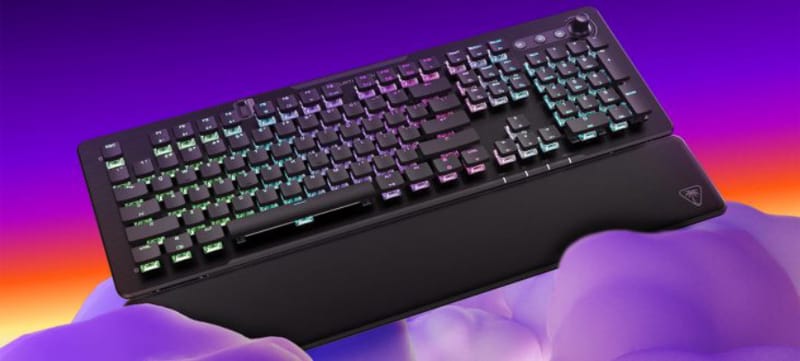
Turtle Beach is no stranger to layering software-driven extras onto otherwise conventional hardware, as seen with the Command Series KB5, which focused on granular tuning through its own control suite. The Vulcan II XP Air keyboard continues that pattern, betting that gesture sensing becomes a genuine convenience rather than a gimmick that gets switched off after a week.
What it means for buyers
The tri-mode connectivity and long battery estimates make the Vulcan II XP Air keyboard a reasonable option for anyone who splits time between a desktop, a laptop and other Bluetooth devices, since switching inputs does not require unplugging a dongle or re-pairing from scratch. Hot-swappable switches on both models also mean the keyboards should have a longer usable life, letting owners change feel or sound without buying a new board outright.
The wired Vulcan II XP will likely appeal more to players chasing the lowest possible latency and simplest setup, given its dedicated switch choices and lack of wireless overhead. Whether the AirTrack Gesture Sensor becomes a genuine selling point or a feature most owners quietly ignore will largely depend on how reliably it reads hand movement in real-world use, something only wider hands-on testing after launch will settle.
Frequently asked questions
What is the AirTrack Gesture Sensor on the Vulcan II XP Air keyboard?
It is a touch-free sensor built into the Vulcan II XP Air keyboard that reads hand movements above the board, letting a user control media playback and trigger automatic RGB dimming when they step away from the desk.
Does the wired Vulcan II XP have the same features as the Air model?
Mostly, but not entirely. Both share hot-swappable switches, sound dampening, full NKRO and SOCD support, but the wired Vulcan II XP drops wireless connectivity and the gesture sensor in exchange for a choice between Titan HS Red or Brown switches.
How long does the Vulcan II XP Air keyboard’s battery last?
Turtle Beach rates the 6000mAh battery at up to 95 hours with RGB lighting enabled, or as much as 2000 hours if both lighting and the gesture sensor are switched off.
When is the Vulcan II XP Air keyboard releasing?
Turtle Beach has both the Vulcan II XP Air and the wired Vulcan II XP available for pre-order ahead of a launch in October.