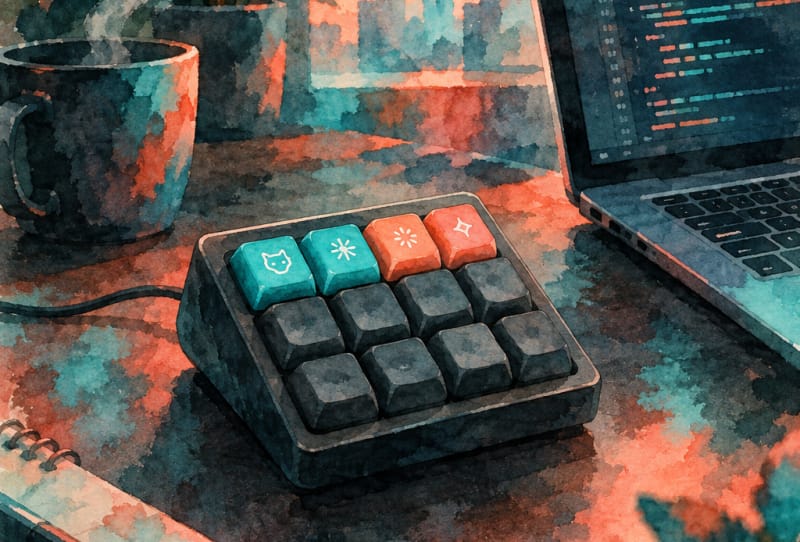
The Keychron Vibe Coding Keypad puts four dedicated keys on the desk for sending prompts, dictating voice input and accepting or rejecting AI-generated code, giving developers a physical shortcut for the Codex and Claude workflows they already rely on. Officially called the F4 HE 8K Vibe Coding Keypad, the compact accessory is Keychron’s answer to a growing habit among programmers: constantly switching between keyboard shortcuts and on-screen menus while working alongside an AI assistant.
Key takeaways
- ✓Keychron's F4 HE 8K Vibe Coding Keypad has four programmable magnetic keys for AI workflows
- ✓It ships with preset layouts for Codex and Claude, covering prompts, voice input and approvals
- ✓The keypad uses Hall effect magnetic switches with adjustable actuation points
- ✓It supports an 8000Hz polling rate over USB-C and includes 15 swappable icon keycaps
- ✓Keychron's Launcher software, used to remap keys, exits beta on 9 November
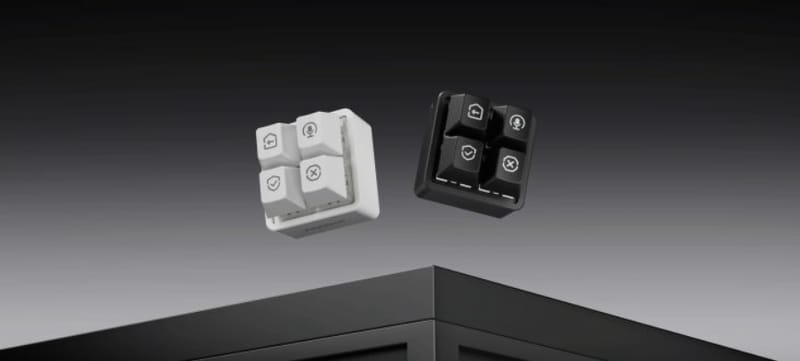
Rather than building another full-size keyboard, Keychron has stripped things back to just four keys, each one backed by a magnetic switch and topped with a swappable, dye-sublimated PBT keycap. The idea is simple. If most AI-assisted coding sessions boil down to the same handful of actions, a handful of dedicated keys should be faster than hunting through a menu or memorising a shortcut combination.
Table of Contents
What the Keychron Vibe Coding Keypad actually does
Each of the four keys on the pad can be assigned to a specific task, such as submitting a prompt, triggering voice dictation, or approving and rejecting a suggested code change. Keychron ships the keypad with preset layouts already configured for Anthropic’s Claude assistant and OpenAI’s Codex, so developers using either tool can plug in and get a working setup without manually mapping every key.
That said, the layouts are not locked in. Keychron’s browser-based Launcher software lets users remap any key, build macros, and chain multiple actions to a single press through what the company calls Dynamic Keystrokes. Profiles are stored on the keypad itself, so the same four keys can behave differently depending on which assistant or project a developer is working with.
Fifteen interchangeable icon keycaps come in the box, covering common labels like send, approve, reject and microphone, which means the keypad can be relabelled for a new workflow without needing a label maker or a marker pen.
Specs and features
Underneath the keycaps, the F4 HE 8K uses Hall effect magnetic switches rather than traditional mechanical switches. That matters because magnetic switches allow the actuation point, the exact distance a key needs to travel before it registers, to be adjusted per key. A developer who wants hair-trigger responsiveness for approving code suggestions can set that key differently to one used for a slower, more deliberate action like submitting a prompt.
| Feature | Detail |
|---|---|
| Key count | 4 programmable keys |
| Switch type | Magnetic (Hall effect), adjustable actuation |
| Lighting | Per-key RGB |
| Keycaps | Dye-sublimated PBT, 15 swappable icon designs included |
| Polling rate | Up to 8000Hz over USB-C |
| Software | Browser-based Launcher, with onboard profile storage |
| Preset profiles | Codex and Claude layouts included |
Reaching that 8000Hz polling rate requires a USB-C cable rated to handle it, which is not included in the box. Keychron’s Launcher software, which handles remapping and macro creation, is still technically in beta, with a full release scheduled for 9 November.
How it fits next to Keychron’s other gear
Keychron has built a reputation on mechanical keyboards rather than single-purpose accessories, so the F4 HE 8K is a departure from products like Keychron’s Orca Echo keyboard, which focuses on full-size ergonomic typing rather than a narrow set of AI shortcuts. The two products are aimed at different parts of a developer’s desk setup: one for general typing, the other for a specific repeated task.
The broader macro pad category is not new. Dedicated stream decks and programmable keypads have existed for years, aimed mostly at streamers and content creators triggering scenes or audio cues. What is new here is Keychron building presets specifically around AI coding assistants rather than leaving the entire configuration up to the user, which lowers the barrier for anyone who just wants the device working out of the box.
Why a four-key pad matters for AI-assisted coding
AI coding assistants have become a daily tool for many developers, and the actions involved tend to repeat constantly: write a prompt, listen to a suggestion, accept it or ask for changes, then move on. Keychron is betting that offloading those repetitive steps to physical keys, rather than keyboard shortcuts buried in an editor, saves enough friction to be worth a dedicated accessory. For readers weighing up choosing the right AI code generator, a device like this is a reminder that the hardware side of AI-assisted workflows is starting to catch up with the software.
Whether a standalone keypad earns a permanent spot on a crowded desk will depend on how often a developer actually uses voice input or needs to approve suggestions mid-session. For anyone deep in daily Codex or Claude sessions, though, four dedicated keys could remove a surprising amount of friction from the day. It also fits a wider pattern of hardware makers adapting to AI tools, similar to how other platforms are adapting to AI-assisted tools as they become part of everyday workflows.
Frequently asked questions
What is the Keychron Vibe Coding Keypad used for?
It is a four-key macro pad designed to speed up common AI assistant tasks, such as sending prompts, using voice input, and accepting or rejecting AI-generated code suggestions.
Does it work with any AI assistant?
Keychron includes preset layouts for Codex and Claude, but every key can be remapped through the Launcher software, so it can be configured for other tools as well.
What type of switches does it use?
The keypad uses Hall effect magnetic switches, which allow each key’s actuation point to be adjusted individually rather than relying on a fixed trigger distance.
Do I need special accessories to use the full polling rate?
Yes. The keypad supports up to 8000Hz polling over USB-C, but reaching that speed requires a compatible high-speed cable, which is not included in the box.