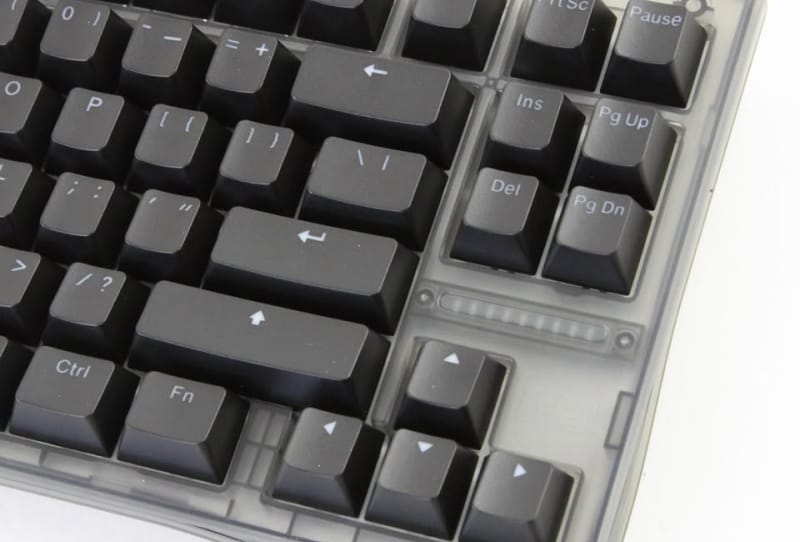
Wooting has rolled out a major beta update to Wootility Remap V2, overhauling how its Hall effect keyboards handle remapping, profiles and per-app shortcuts. The release, Wootility v5.5.0-beta.0, requires a companion firmware update to version 2.15.0-beta.0, and it is available now to anyone willing to opt into the beta channel.
Key takeaways
- ✓Wootility v5.5.0-beta.0 introduces Remap V2, a rebuilt keyboard remapping screen
- ✓The beta requires firmware version 2.15.0-beta.0 to function correctly
- ✓Global Remap lets users link or unlink a shared keymap across all profiles
- ✓Per-app profile switching now extends to Linux users for the first time
- ✓The update is available now through the Wootility beta channel
For a brand that built its reputation almost as much on software as on switches, this is a meaningful refresh. Wootility has long been held up as the benchmark other Hall effect keyboard makers get compared against, thanks to its clean interface and depth of customisation. The new beta pushes that further with a rebuilt remapping screen, a more flexible profile system, and small interface changes that affect everyday use.
Table of Contents
What’s new in Wootility Remap V2
The centrepiece of the update is Remap V2, a redesigned remapping screen that replaces the previous binding workflow. It introduces a new binding picker that adds symbols, emojis, shortcuts, mouse controls and direct app integrations, all tied into the Wooting Background Service that already runs quietly on supported systems.
That link to the Background Service matters because it is what lets a single keystroke trigger something more complex than a letter or number, such as launching an app, firing off a shortcut, or behaving differently depending on which program currently has focus. Wooting has expanded what a keypress can do without burying the feature behind extra menus.
Global Remap and per-app profiles
Alongside Remap V2, Wooting is introducing what it calls Global Remap, a single keymap layer that can be linked or unlinked from individual profiles. Linked, it lets a user set shortcuts and bindings that apply across every profile on the keyboard, so a favourite macro keeps working no matter which game or app happens to be open. Unlinked, individual profiles can carry highly specific keymaps tied to a single application, overriding the global layer entirely.
This is the change most likely to matter for anyone switching between several games or workflows on the same board, since it removes the need to rebuild a set of shortcuts every time a new profile gets created. The beta also brings per-app profile switching to Linux, a platform Wooting has been steadily building support for, closing a gap that previously left Linux owners with a thinner feature set than Windows users enjoyed.
Firmware, availability and interface tweaks
Running Remap V2 requires updating both the Wootility app and the keyboard’s own firmware. The table below sets out the versions involved in the current beta.
| Component | Version |
|---|---|
| Wootility software | v5.5.0-beta.0 |
| Keyboard firmware | v2.15.0-beta.0 |
Beta access runs through the Wootility app itself, downloadable from Wooting’s official website. Beyond the headline features, the company has made a handful of smaller interface adjustments throughout the app, tidying up menus and making settings easier to locate, though it has not published a full changelog of every cosmetic change. As with any beta, owners should expect the odd rough edge, and backing up existing profiles before updating firmware is a sensible precaution.
Why it matters for the Hall effect keyboard market
Wooting was among the first brands to popularise Hall effect and magnetic switches in mainstream keyboards, and rivals have since raced to catch up on both hardware and software fronts. Keychron’s recent move to open-source its own magnetic keyboard firmware shows how competitive that software race has become, with other brands trying to match the flexibility Wooting users have come to expect.
Global Remap and the reworked binding picker are Wooting’s answer to that pressure, adding capability without forcing less experienced users through complicated menus. It also keeps the brand ahead of newer entrants chasing the same analog-switch audience, including boards like the ATK RS6 V2 with its own dual-zone RGB and Hall effect layout.
Linux support fits a broader trend of hardware makers paying closer attention to that platform, echoed elsewhere by projects such as CachyOS’s early support for Easy Anti-Cheat on Linux, which has made gaming on Linux a far more realistic option than it was a few years ago. For owners of the brand’s higher-end boards, including the Wooting 80HE+, the update extends the software advantage that has long set the range apart from cheaper Hall effect alternatives.
Wooting has not said when Remap V2 and Global Remap will graduate from the beta channel to a stable release, or whether further features will land before then. Owners keen to try the changes early can opt in through Wootility and update firmware from the same app, though anyone wary of pre-release firmware may prefer to wait for a finished build.
Frequently asked questions
What is Wootility Remap V2?
Remap V2 is the redesigned keyboard remapping screen included in the Wootility v5.5.0-beta.0 release. It adds a new binding picker with symbols, emojis, shortcuts, mouse controls and app integrations built on the Wooting Background Service.
Which Wooting keyboards support the update?
The beta applies to Wooting keyboards compatible with firmware version 2.15.0-beta.0, which covers the brand’s current Hall effect lineup through the Wootility app. Owners should check for the firmware prompt inside Wootility before expecting the new features to appear.
Is the Wootility beta safe to install?
Beta software can carry minor bugs, so Wooting’s usual advice applies: back up existing profiles before updating firmware. The update is optional, and users uncomfortable running pre-release firmware can wait for a stable release instead.
Does the update add Linux support?
Yes. The beta extends per-app profile switching to Linux, letting Linux users automatically swap keymaps based on the active application, a feature Windows users have had access to for longer.