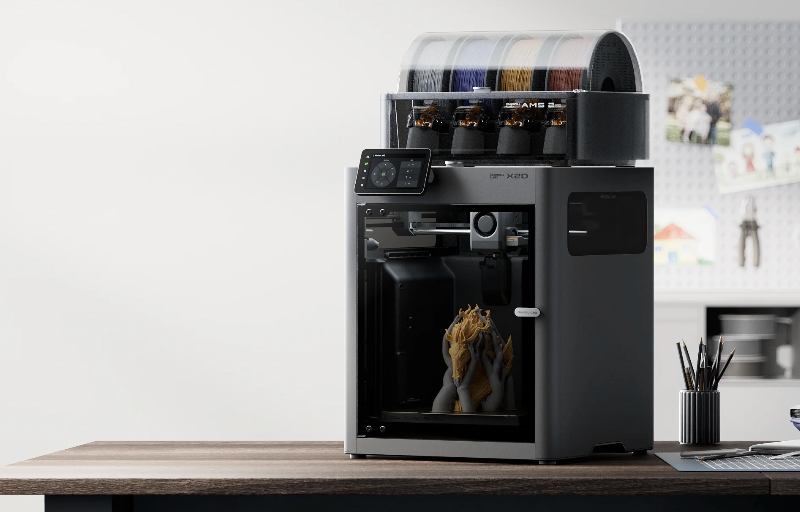
The Bambu X2D feels like a confident step forward for Bambu Lab, taking the familiar speed and polish the brand is known for and reshaping it around a smarter dual-nozzle system. Rather than simply chasing bigger numbers, this printer focuses on making advanced 3D printing feel more practical, especially for users who want cleaner supports, smoother workflow and fewer manual adjustments.
One of the biggest changes is the addition of a second nozzle, which gives the X2D a clear advantage when printing models that need dedicated support material or more efficient filament handling. It is not designed to be an overly complicated tool-changing machine, and that is part of its appeal, as the system feels purposeful, streamlined and built around real-world usability.
The X2D also brings a long list of refinements that make it feel more mature than the machines that came before it, including improved filtration, stronger motion components, smarter monitoring, better lighting and a more capable thermal system. For makers who want a fast, enclosed and highly automated 3D printer that can handle detailed models with less fuss, the Bambu X2D makes a very strong first impression.
Table of Contents
Design and Functionality
The Bambu X2D has a familiar enclosed CoreXY layout, but it feels more refined and purposeful than a simple refresh. It carries the clean, compact look that Bambu Lab printers are known for, while introducing several internal changes that make the machine feel more robust, easier to live with and better suited to more demanding everyday use.
The enclosed design gives the X2D a polished and practical appearance, making it feel at home in a workshop, studio or home office. The mix of plastic, glass, steel and metal helps it feel sturdy without becoming overly bulky, and the footprint remains sensible considering the capability built into the machine.
One of the most important design changes is the dual-nozzle arrangement. The main nozzle handles the primary printing work, while the auxiliary nozzle can be used for support material or additional filament tasks, allowing the printer to approach multi-material jobs in a more efficient way.
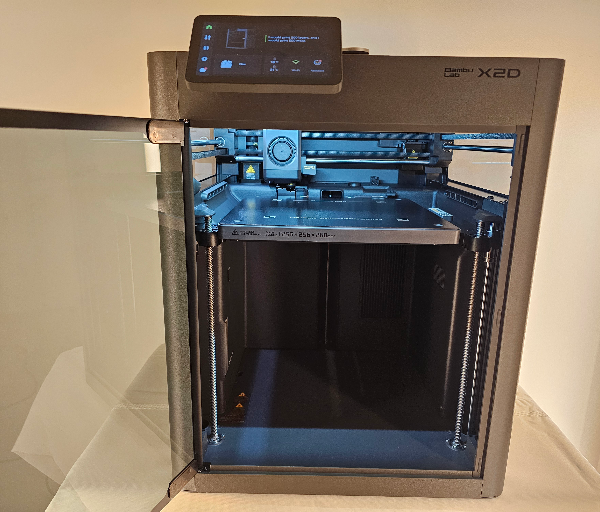
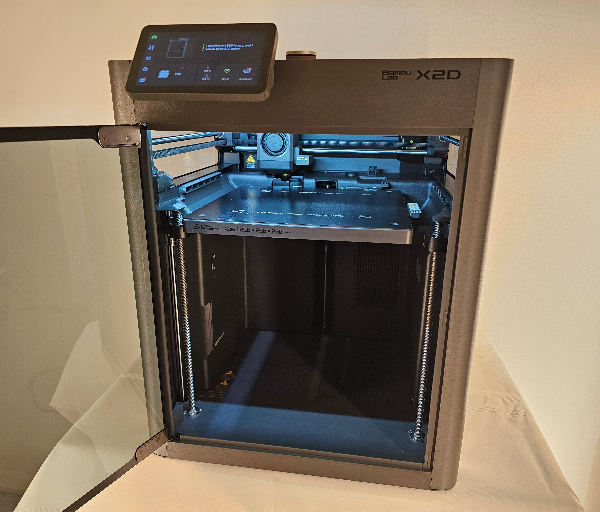
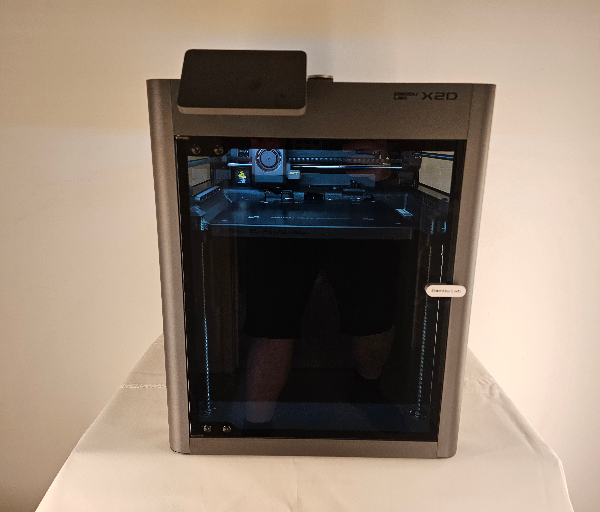
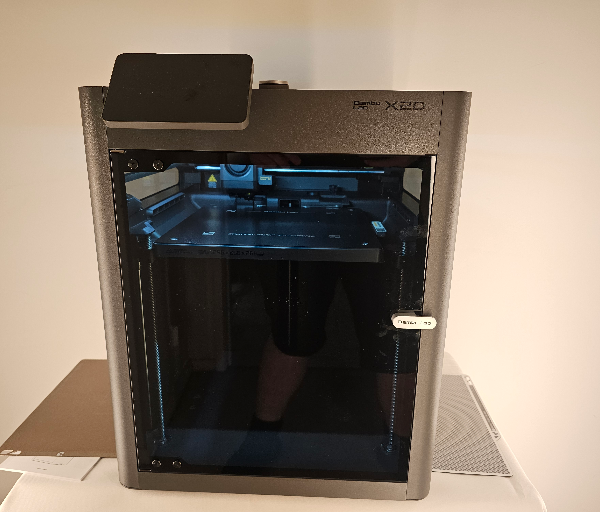
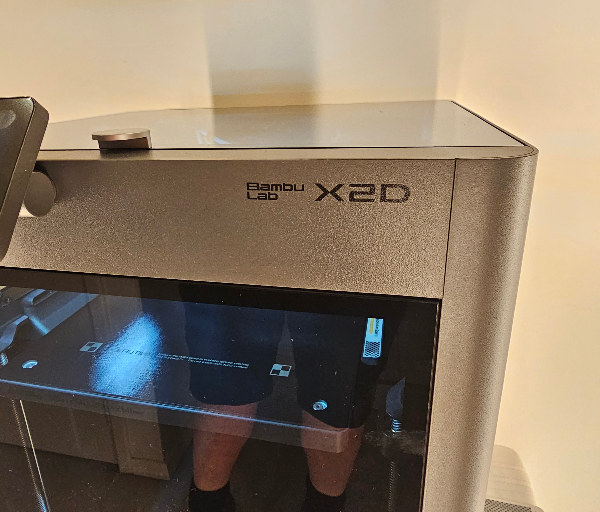
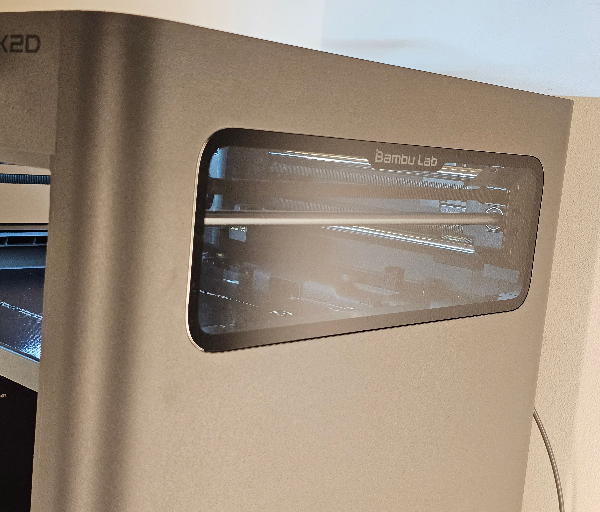
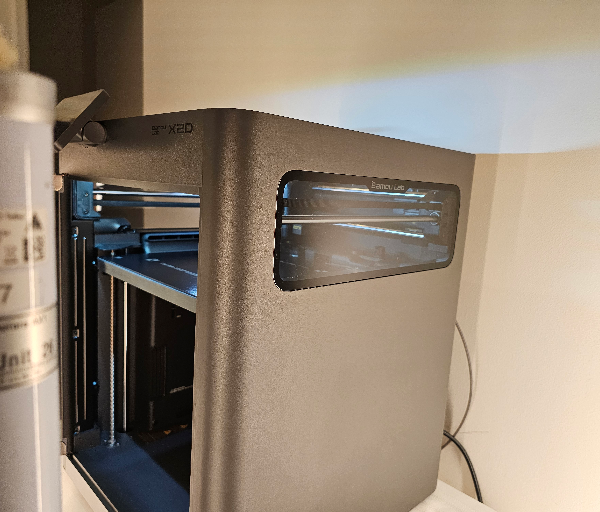
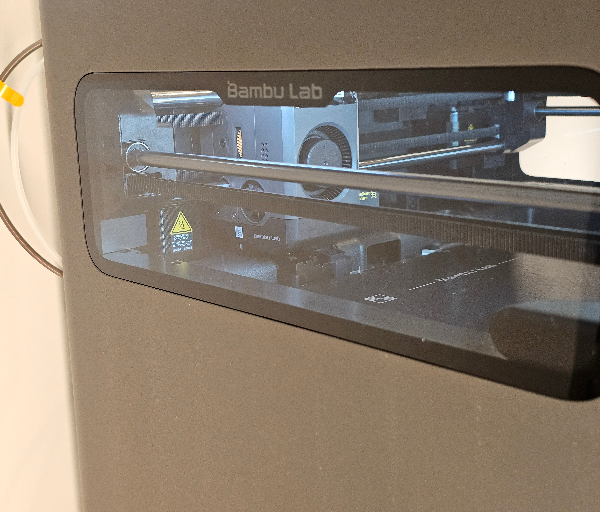
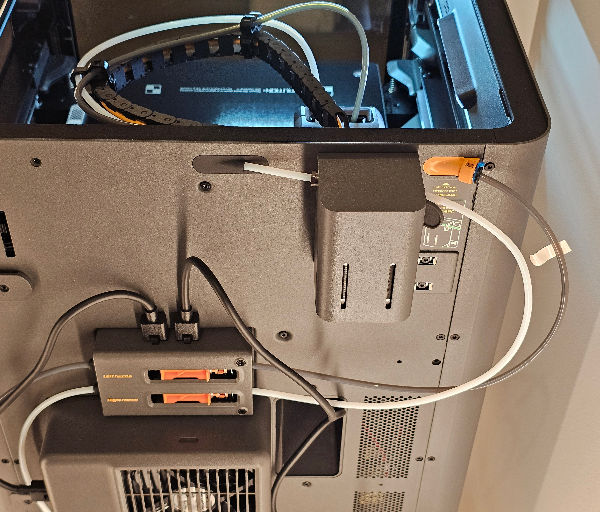
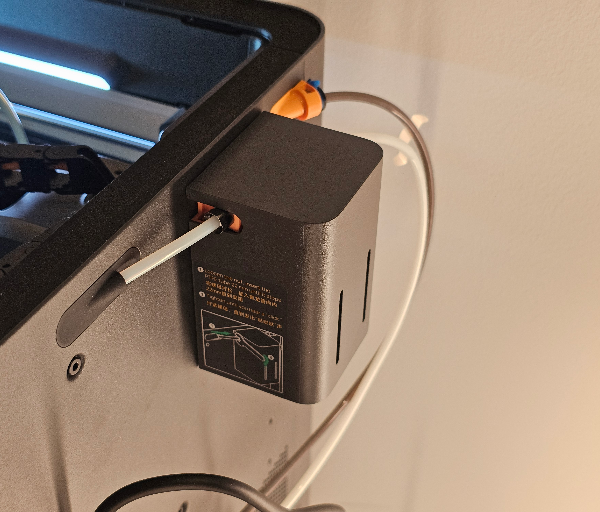
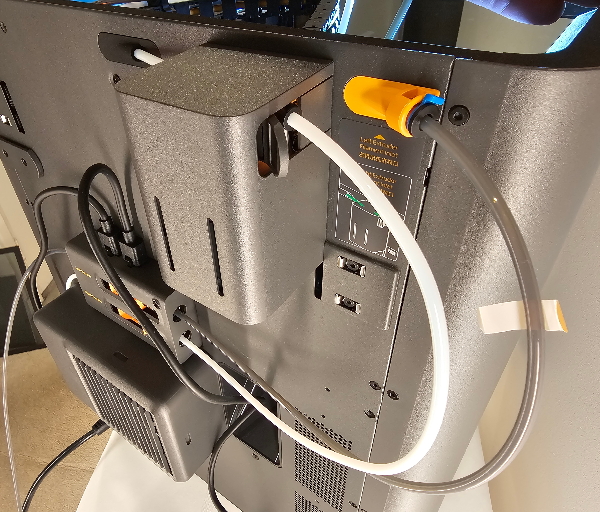
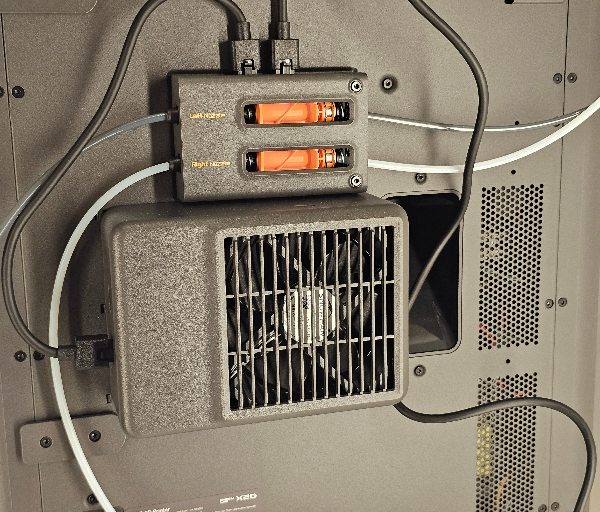
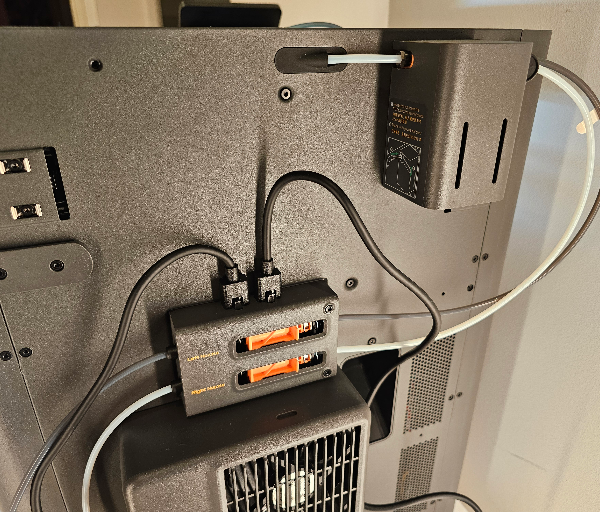
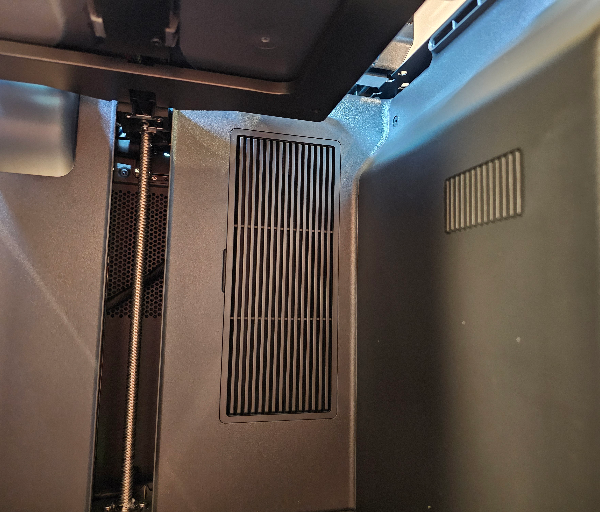
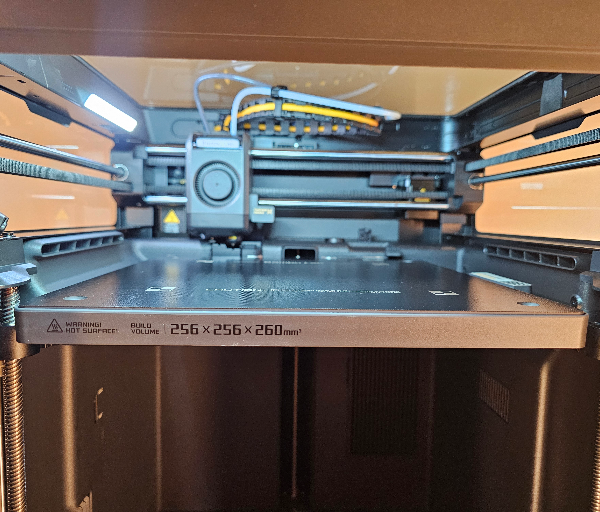
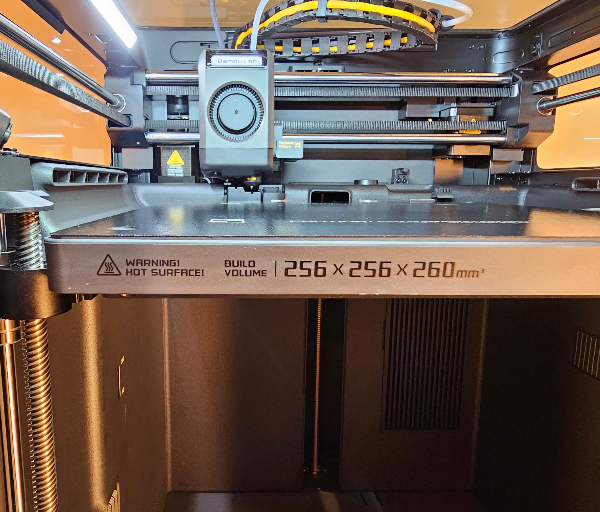
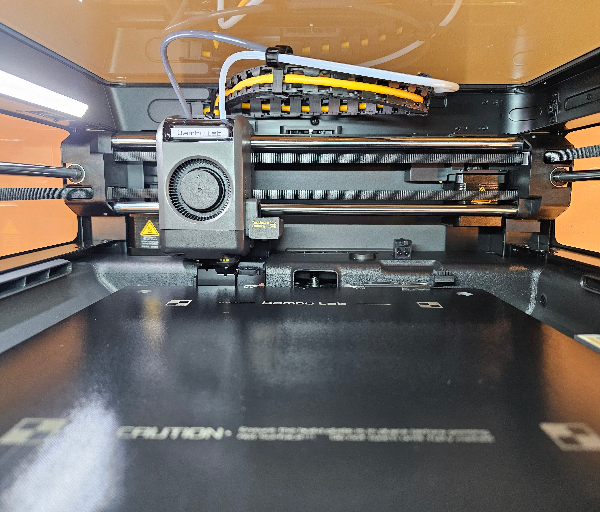
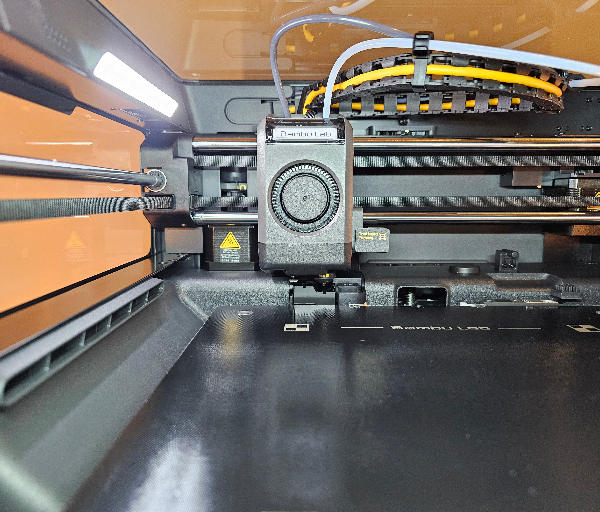
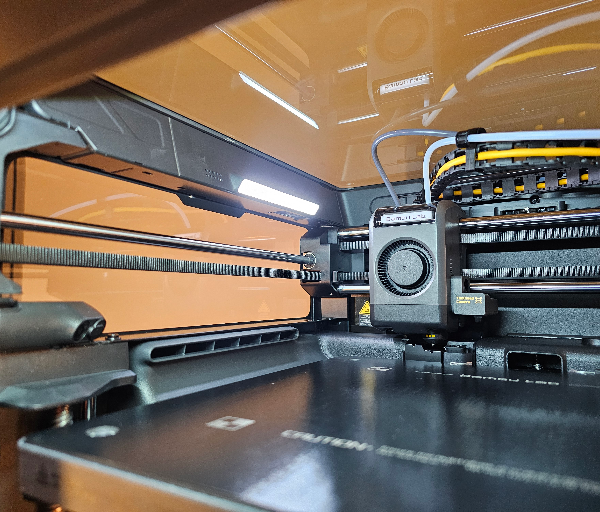
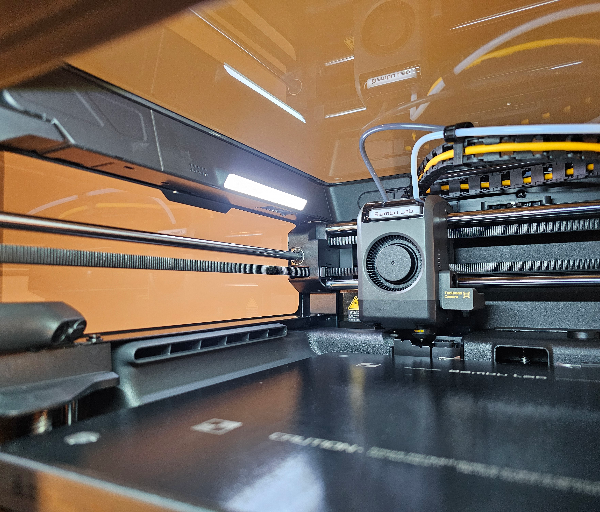
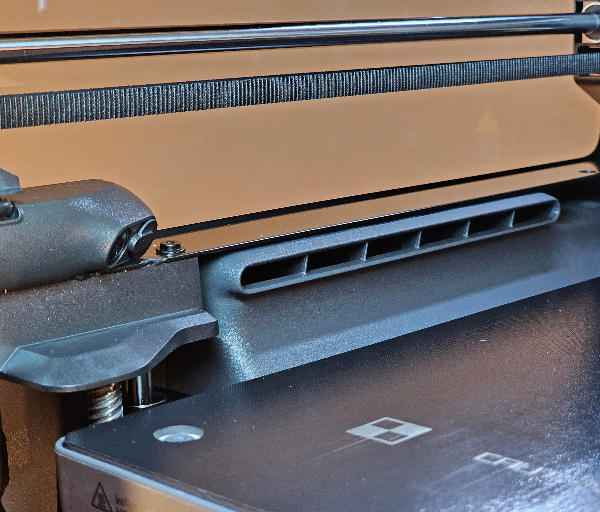
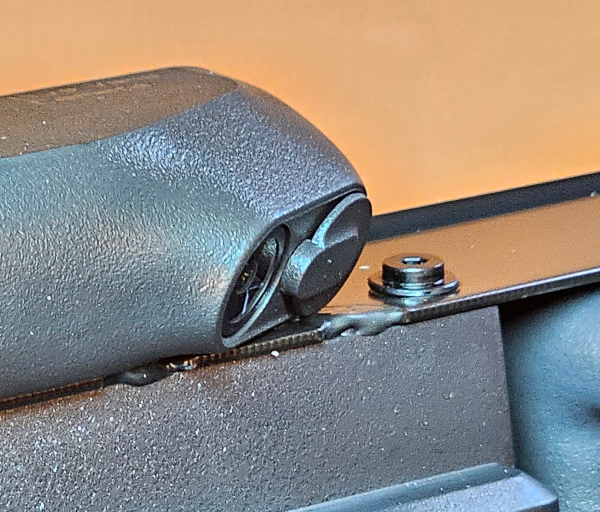
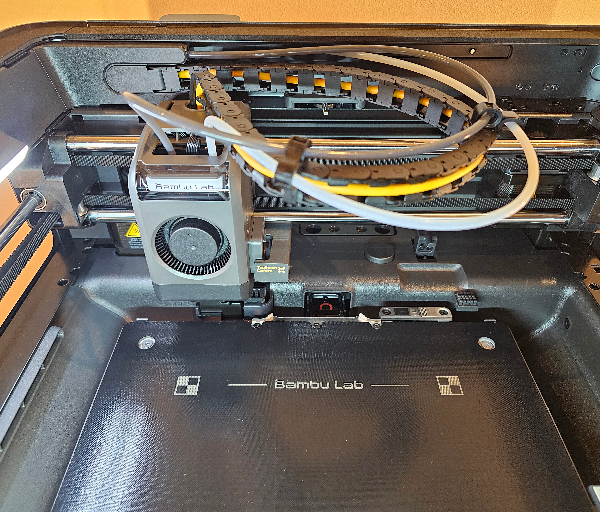
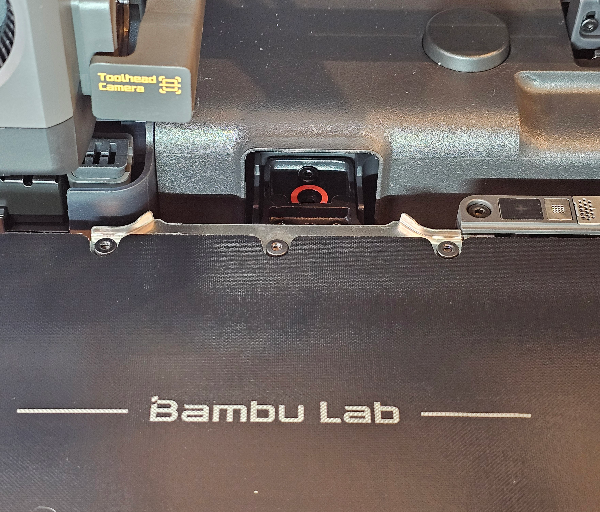
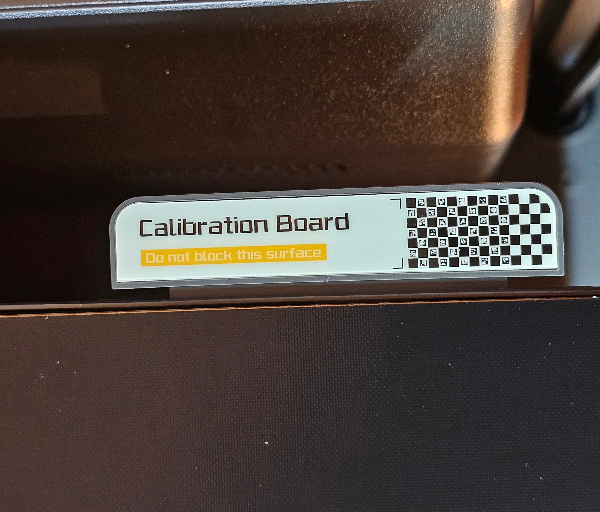
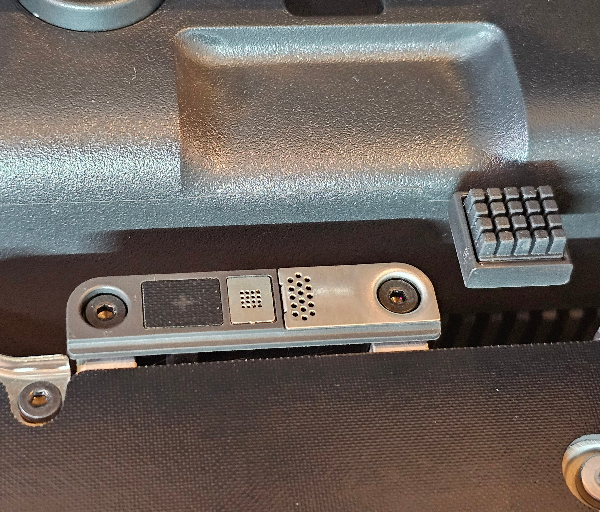
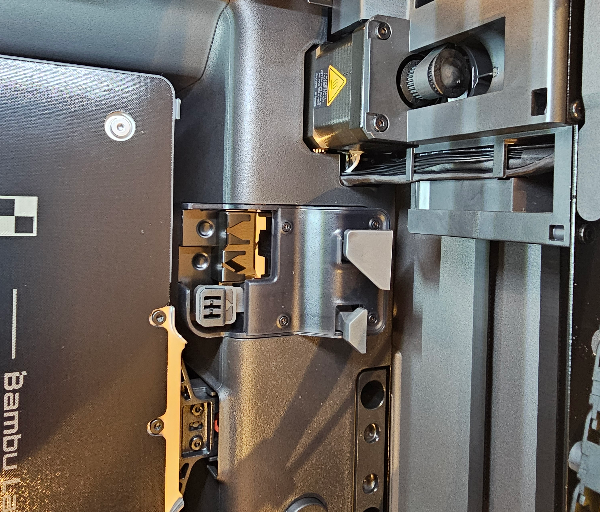
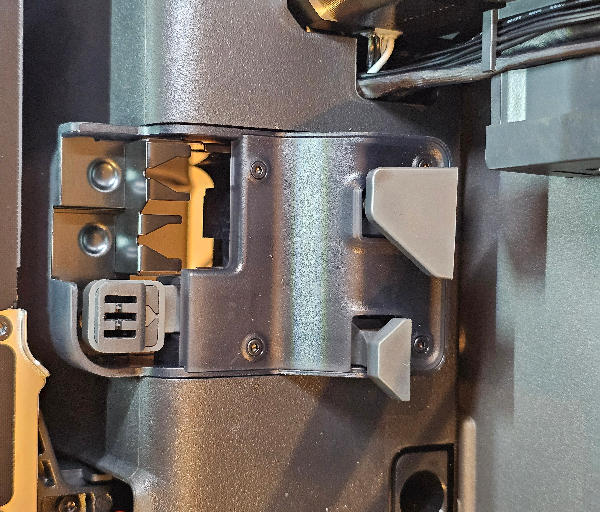
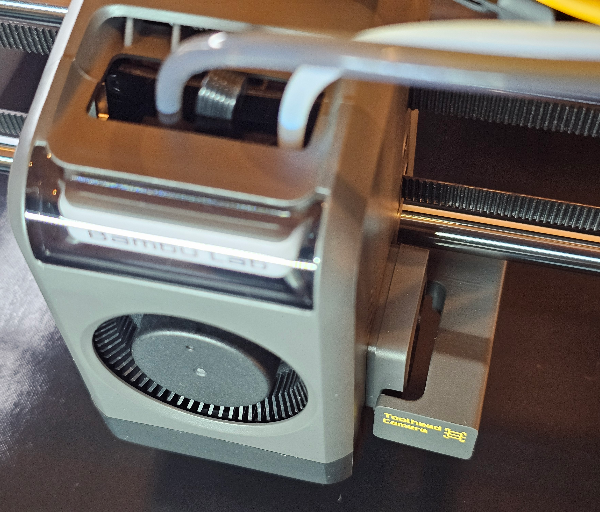
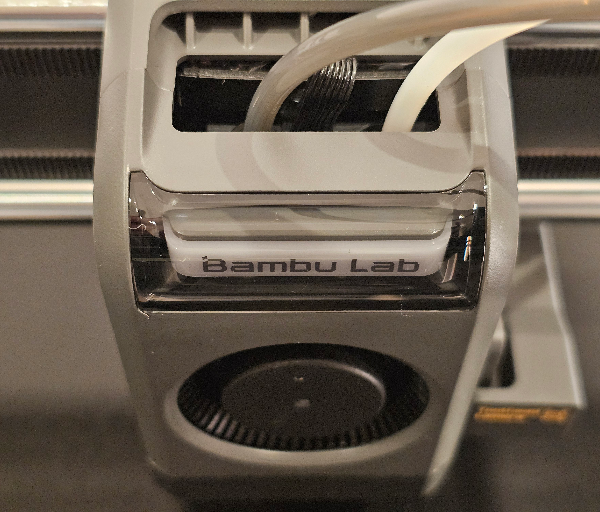
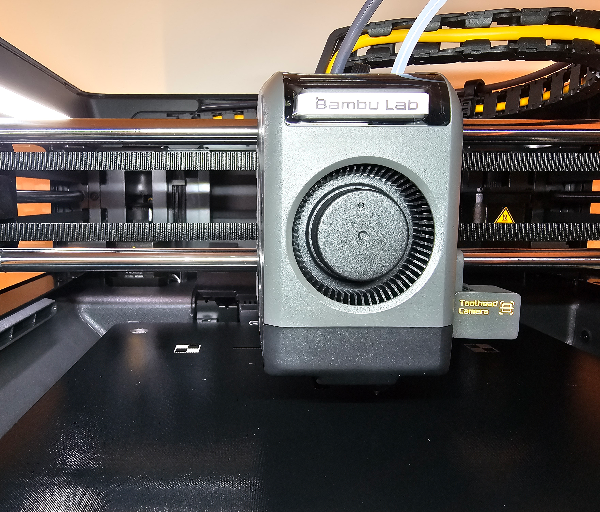
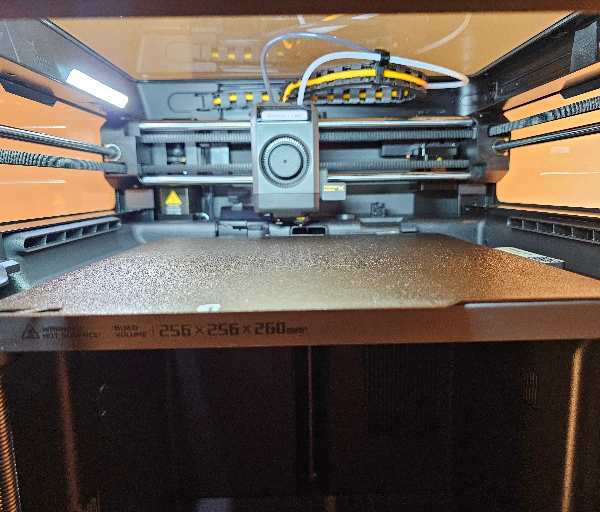
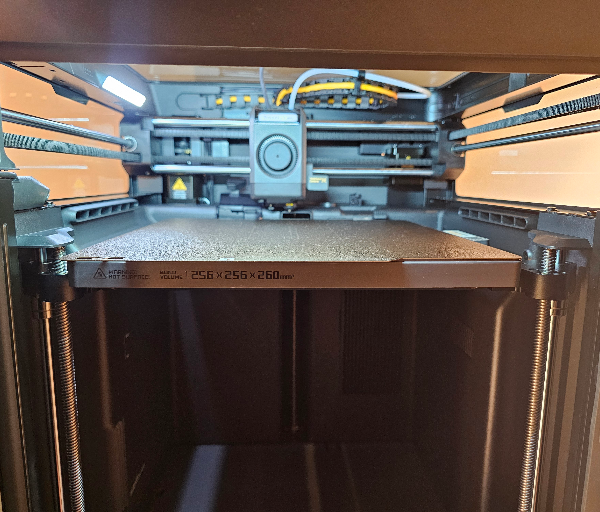
This dual-nozzle system is especially useful when working with support structures, as the auxiliary nozzle can use a material that separates more cleanly from the main print. For complex models with steep overhangs, internal channels or detailed surface areas, this can make post-processing far less frustrating.
Bambu Lab has avoided making the toolhead unnecessarily heavy by using a direct-drive setup for the main nozzle and a Bowden-style system for the auxiliary nozzle. This helps keep the moving assembly lighter, which supports fast movement and helps reduce vibration during high-speed printing.
The auxiliary extruder is mounted at the back of the printer, which is an unusual but practical design choice. It keeps weight away from the toolhead and places the extra hardware in a location that most users will not need to look at often once the printer is set up.
The toolhead itself has been designed with maintenance in mind. The quick-swap nozzle system makes nozzle changes much easier, and the tool-free approach is a welcome improvement for anyone who has dealt with more fiddly hotend assemblies in the past.
Compatibility across Bambu Lab’s newer nozzle ecosystem also helps simplify ownership. Instead of needing to keep track of different nozzle types for different machines, the X2D benefits from a more unified design that makes replacements and future upgrades easier to manage.
The move to hardened steel rods is another meaningful improvement. These rods give the motion system a more durable foundation, which is important for a fast CoreXY printer that may see long print sessions and frequent use.
The X2D also makes smart use of its build area, with a 256 x 256 x 260 mm print volume available for main nozzle printing. It is a practical size for everyday projects, functional parts, decorative models and multi-part builds without making the machine feel oversized.
A particularly nice improvement is the revised filament cutter design. By moving away from the older layout that occupied usable space near the front of the chamber, the X2D makes better use of the internal area and feels more efficiently arranged.
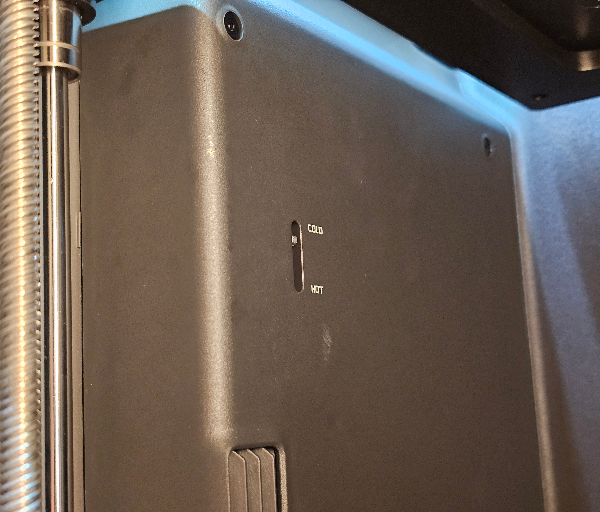
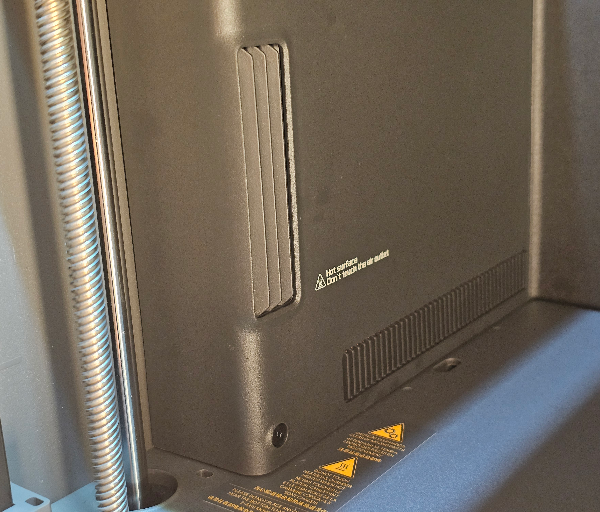
The enclosed chamber is not just there for appearance or safety. It plays an active role in temperature control, helping the printer manage different materials by either keeping the chamber cooler for lower-temperature filaments or warmer for engineering-grade materials.
For PLA and similar materials, the cooling system can draw in fresh air through side intakes to help stabilise prints and reduce the likelihood of heat-related issues. This is especially useful because it removes some of the guesswork around whether the door should be left open during certain prints.
When printing higher-temperature materials, the X2D can shift into a heated chamber mode to help maintain a more stable environment. This gives larger ABS, ASA and nylon prints a better chance of staying flat, strong and consistent from the first layer to the final surface.
The filtration system is another thoughtful addition, especially for users printing in shared spaces. With a multi-stage setup that includes HEPA filtration and activated carbon, the X2D is better equipped to reduce odours and capture fine particles produced during printing.
The improved camera and lighting system also add to the printer’s usability. A clearer full HD live view makes it easier to check prints remotely, while the upgraded chamber lighting helps the camera deliver a more useful image during monitoring and time-lapse capture.
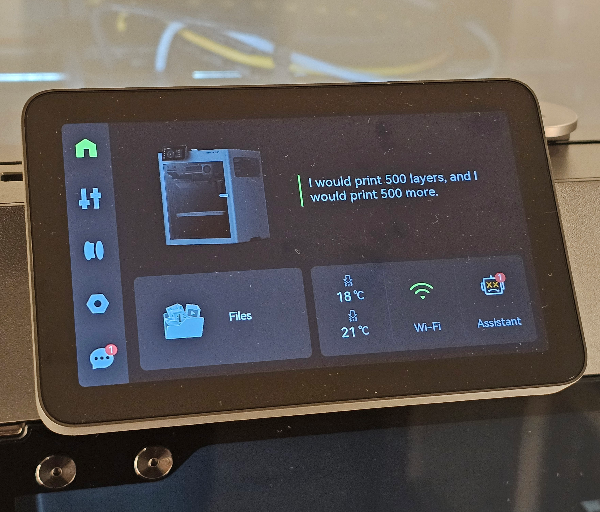
The front touchscreen keeps the printer approachable, particularly when setting up filament, checking settings or responding to errors. When something does go wrong, the ability to access guided troubleshooting through QR codes and Bambu’s support resources makes the experience feel less intimidating.
The X2D’s design works because it combines speed-focused engineering with features that reduce daily friction. From the dual nozzles and smarter chamber control to easier maintenance and cleaner monitoring, it feels like a printer built to make advanced 3D printing more accessible without sacrificing performance.
Key Features
The Bambu X2D’s headline feature is its dual-nozzle printing system, which gives it a clear advantage when working with support material and more advanced filament setups. By separating the main model and support duties between two nozzles, the printer can produce cleaner results while reducing some of the frustration usually associated with removing supports.
The main nozzle is used for the primary model, while the auxiliary nozzle can handle the support material. This makes a noticeable difference when printing models with steep angles, enclosed spaces, detailed textures or areas that would normally be difficult to clean up after printing.
This approach is especially useful when using two materials that do not bond strongly to each other. Once the print is complete, the support material can be peeled away more cleanly, helping preserve the surface finish of the actual model.
The dual-nozzle setup is not just about supports, as it also makes multi-material printing feel more efficient. Instead of constantly relying on filament swaps through a single nozzle, the X2D can divide certain tasks between the two print paths in a more practical way.
Bambu Lab has also built the nozzle switching system around a mechanical gear-and-trigger design. This helps avoid adding extra motor weight to the toolhead, which is important for maintaining fast and stable movement.
A lighter toolhead can move more freely with less inertia, which helps the printer maintain clean surfaces even at higher speeds. This design choice supports the X2D’s focus on speed without making the machine feel overly complicated.
The quick-swap nozzle system is another excellent feature, particularly for users who like to change nozzle sizes for different projects. Moving between finer detail work and faster, larger-layer prints becomes much easier when the nozzle can be changed without a frustrating maintenance process.
The X2D supports a range of nozzle sizes, giving users flexibility depending on the type of print they are creating. A smaller nozzle is useful for fine detail, while larger nozzles can help reduce print times on bigger, less intricate parts.
The maximum nozzle temperature of 300 °C gives the X2D strong material flexibility. It can handle common filaments such as PLA and PETG, while also opening the door to more demanding materials that need higher printing temperatures.
The actively heated chamber is another major advantage, as it helps create a more stable printing environment. This is particularly helpful when working with materials such as ABS, ASA and nylon, where temperature consistency can have a big impact on strength, warping and layer adhesion.
Rather than simply heating the chamber, the X2D is designed to manage airflow intelligently. This allows it to adapt to the needs of different materials, whether the goal is keeping PLA cooler or helping engineering materials stay warm and stable.
For lower-temperature filaments, the printer can draw in cooler air through side intakes to help maintain print quality. This helps with overhangs, bridging and fine details, where freshly extruded filament needs to settle cleanly before the next layer is added.
For higher-temperature materials, the chamber can retain and circulate heat more effectively. This gives larger functional parts a better chance of printing flat and strong, especially when the material is prone to lifting or shrinking.
The X2D also includes a triple-stage filtration system, which is a valuable feature for users printing indoors or in shared areas. With HEPA filtration and activated carbon, the system is designed to help reduce odours and capture fine particles from the chamber air.
The upgraded live view camera makes remote monitoring far more useful. With clearer detail and improved lighting inside the chamber, it is easier to check print progress without needing to stand beside the machine.
The AI camera system adds another layer of confidence by watching for common printing issues. It can help detect problems such as spaghetti failures, nozzle clumping and other issues that could otherwise waste time and filament.
Before a print begins, the monitoring system can also help verify that the correct build plate is installed. This is a simple but very useful safeguard, especially for users who move between different plate types depending on the material or surface finish they want.
The X2D uses sensors throughout the system to monitor key stages of the printing process. From filament movement to thermal behaviour and machine safety, these sensors help the printer make smarter decisions while reducing the amount of manual checking required.
Flow calibration is another strong feature, as the printer can compensate for changes in the extrusion system over time. This is useful because nozzles wear, filament quality varies and tiny changes in pressure can affect the final surface finish.
The main extruder uses a high-precision servo system designed to keep extrusion smoother and more controlled. By managing pressure more accurately, the X2D can help reduce subtle inconsistencies that might otherwise appear as visible lines or uneven surfaces.
Active vibration compensation also plays a major role in print quality. High-speed printers can suffer from ringing or ghosting around corners, but the X2D is designed to counteract these effects so details remain sharper.
The CoreXY motion system gives the printer its speed and precision foundation. By moving the printhead across the X and Y axes while the build plate lowers gradually, the X2D can produce fast, smooth prints with strong dimensional accuracy.
The automatic bed levelling system makes setup and daily printing much easier. There is no need to manually adjust Z-offset, as the printer handles calibration itself before printing.
Automatic belt tensioning further reduces maintenance concerns. Instead of expecting the user to constantly fine-tune mechanical settings, the X2D takes care of important adjustments that help preserve print quality over time.
The AMS 2 Pro is another standout part of the X2D Combo experience, adding four-spool filament handling and making colour or material changes far more convenient. It can also function as a drybox and filament dryer when not printing, which is especially useful for moisture-sensitive materials.
The AMS 2 Pro also supports automatic filament backup when identical spools are loaded. This is handy for longer prints or using up partial rolls, as the printer can continue from another spool rather than stopping when one runs out.
RFID support for Bambu Lab filament makes setup even smoother. When compatible filament is loaded, the system can recognise the material and colour, then match it with the correct profile in Bambu Studio.
Bambu Studio remains one of the X2D’s most important software features. It offers deep control for advanced users, but the default profiles are polished enough that newer users can get strong results without needing to adjust every setting.
The software also connects neatly with remote monitoring, print management and MakerWorld. Being able to prepare files, send them to the printer, check the live camera and manage settings from the same ecosystem makes the X2D feel cohesive and easy to use.
Experience Using the Product and Performance
Using the Bambu X2D feels very polished from the first setup, with most of the difficult work handled by the printer before you even begin your first proper project. The machine arrives mostly assembled, so the setup process is more about removing packaging, attaching a few external parts and letting the printer complete its initial checks.
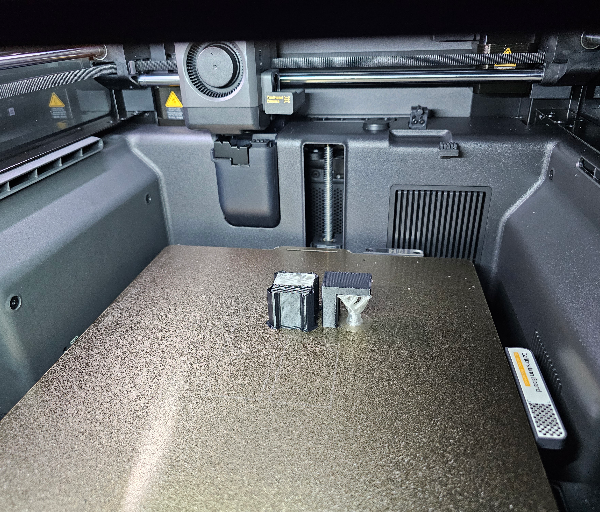
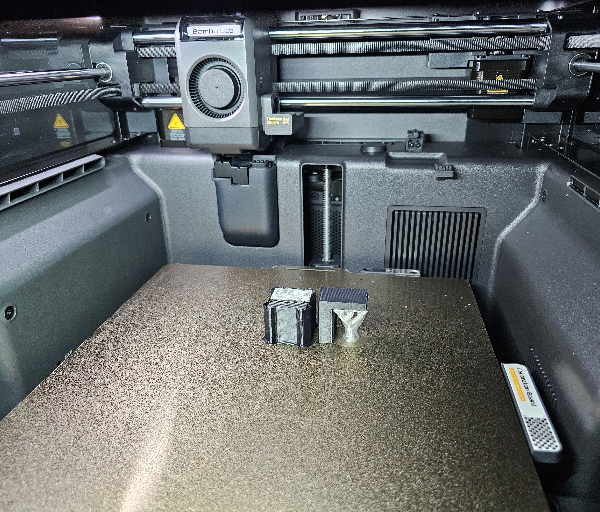
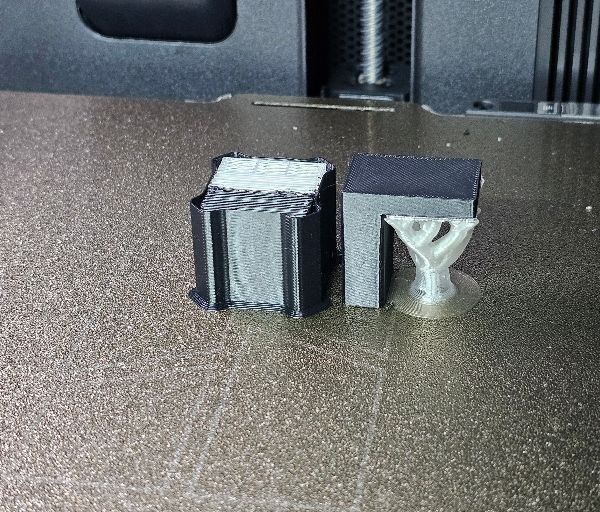
The guided setup is clear enough that new users should feel comfortable getting started without needing to already understand every part of the machine. The printed instructions, onboard prompts and app support help make the first experience feel structured rather than overwhelming.
Once powered on, the X2D runs through a thorough self-test to check that everything is working correctly. This gives the printer a more reassuring start, especially for users who want confidence that the motion system, sensors and calibration features are ready before printing.
The automatic calibration is one of the areas where the X2D feels particularly easy to live with. Bed levelling, vibration compensation, pressure advance and belt tensioning are all handled by the machine, which removes many of the manual steps that can make 3D printing frustrating.
There is no need to manually adjust the Z height or fiddle with a Z-offset setting. The printer manages this itself, and that makes the workflow feel far more approachable for anyone who simply wants to load a model and start printing.
Before each print, the X2D can run a bed levelling check to confirm that the first layer has the best chance of success. It adds a little time to the start of a print, but the reliability it brings is worth it, particularly for detailed or longer jobs.
The first layer performance is impressively consistent when the printer is allowed to complete its checks. Adhesion feels dependable, and the printer does a good job of removing the uncertainty that often surrounds the beginning of a print.
Print quality is one of the X2D’s strongest areas, especially when using the standard profiles in Bambu Studio. The default settings are well tuned, producing clean surfaces, sharp edges and accurate details without needing much manual adjustment.
The CoreXY motion system gives the printer its fast and controlled feel. Movement is smooth, confident and precise, and the machine is clearly designed to maintain quality while printing at speeds that would trouble many older desktop printers.
Even when printing quickly, the X2D keeps surface quality impressively clean. The combination of a lighter toolhead, vibration compensation and well-managed extrusion helps reduce ringing, ghosting and other artefacts that can appear on high-speed prints.
Fine details come through nicely, especially on decorative models, small mechanical parts and prints with textured surfaces. Edges look crisp, curves appear smooth and the printer does a strong job of keeping small features well defined.
Larger prints also benefit from the stable motion system and enclosed build environment. The 256 x 256 x 260 mm build volume is large enough for a wide range of practical projects, while still keeping the printer compact enough for regular desk or workshop use.
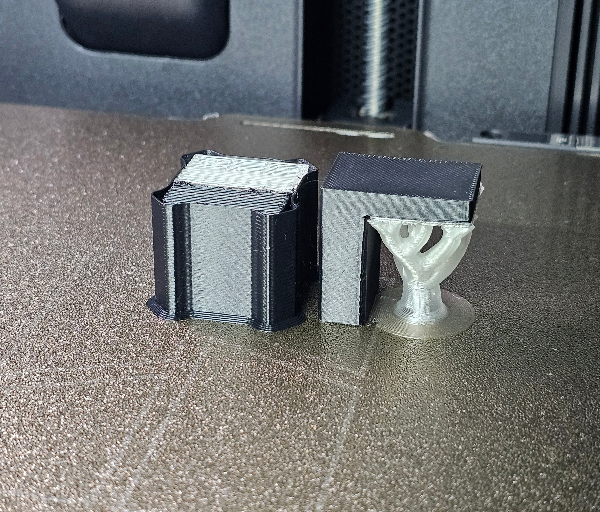
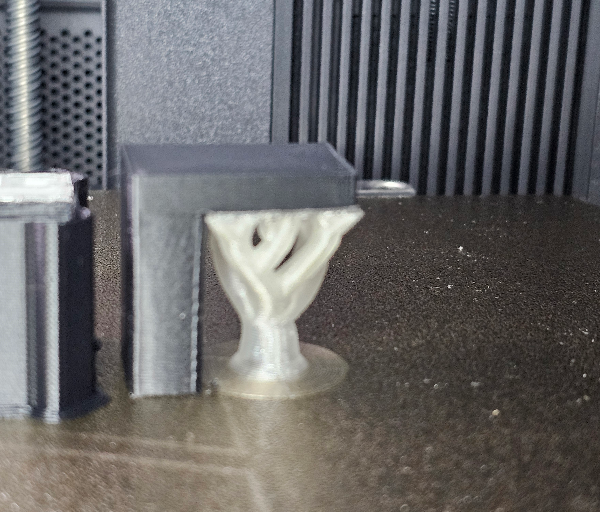
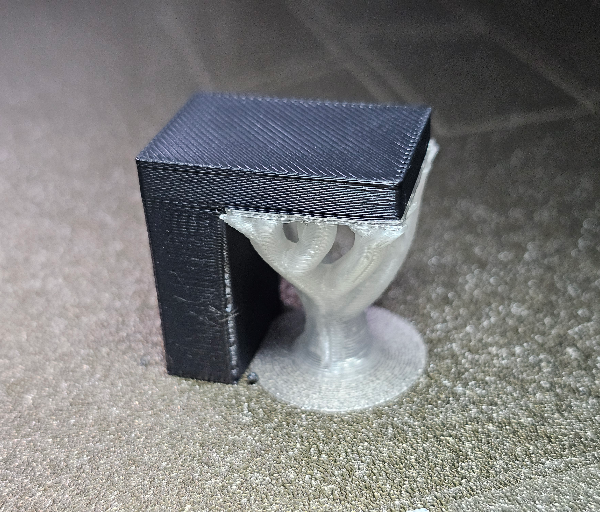
The dual-nozzle system is where the X2D feels most different from a typical single-nozzle printer. Using one nozzle for the main model and another for support material can make complex prints easier to manage, particularly when surface finish matters.
Support removal is noticeably more pleasant when the auxiliary nozzle is used with a suitable support material. Instead of fighting stubborn supports and risking marks on the model, the separation can feel much cleaner and more controlled.
This is especially helpful for models with steep overhangs, folded shapes, internal channels or delicate external surfaces. These are the kinds of prints where traditional supports can become tedious, so having a dedicated support workflow adds real value.
The mechanical nozzle switching system works neatly in practice. It avoids making the toolhead feel overly heavy, while still allowing the printer to move between nozzles in a way that feels purposeful and efficient.
The auxiliary Bowden-style extruder is more specialised than the main direct-drive system, so it is best understood as a support and secondary-material tool rather than an identical second printhead. For the jobs it is designed to handle, it adds flexibility without making the printer feel overly complex.
The main direct-drive extruder feels strong and responsive, with enough force and control to deliver reliable extrusion across a variety of common materials. It gives the X2D a confident foundation for everyday printing, especially when paired with Bambu’s tuned filament profiles.
Material handling through the AMS 2 Pro is one of the most convenient parts of the overall experience. Loading multiple spools makes colour changes, backups and material swaps much easier than managing everything manually from a single spool holder.
For multi-colour printing, the AMS 2 Pro opens up a lot of creative possibilities. It makes it easier to add colour accents, labels, decorative details and more complex visual designs without needing to pause the print and change filament by hand.
The automatic filament backup feature is also very useful for longer jobs. When matching spools are loaded, the system can continue printing from another spool, which helps reduce the risk of a print stopping simply because one roll runs out.
The AMS 2 Pro is also easier to maintain than earlier enclosed feeder systems because the filament tubes are more accessible. If a small piece of filament snaps or needs to be cleared, the design makes the process less annoying.
The drying and drybox functionality adds another practical benefit, particularly for users working with moisture-sensitive filaments. Keeping filament protected from humidity can make a noticeable difference to consistency, surface finish and print reliability.
Bambu Studio remains a major strength of the X2D experience. It has plenty of depth for users who want to fine-tune settings, but the standard presets are good enough that beginners can produce excellent results without getting lost in technical menus.
Sending prints to the machine is simple, whether using a local network connection or the cloud-based workflow. The device tab also makes it easy to monitor print progress, adjust temperatures, change speed settings and review time-lapse footage.
The connection to MakerWorld adds another layer of convenience. Being able to browse models, use machine-friendly files and send prepared prints into the Bambu ecosystem gives the X2D a smooth end-to-end workflow.
The improved camera and chamber lighting are genuinely useful rather than just nice extras. The live view is clear enough to check print progress remotely, and the better lighting makes it easier to see what is happening inside the enclosed chamber.
AI monitoring helps add peace of mind during longer prints. The system can watch for common failure signs such as spaghetti printing, nozzle clumping and plate issues, which can help prevent wasted filament and hours of lost printing time.
The X2D’s thermal control is another feature that improves the daily experience. For PLA and similar materials, the printer can manage cooler airflow to reduce heat-related issues, while higher-temperature materials benefit from a warmer, more stable chamber.
Printing PLA feels straightforward because the machine is better equipped to manage chamber temperature without relying on the user to guess whether the door should stay open. This makes the printer feel more forgiving, especially for newer users.
When working with materials such as ABS, ASA and nylon, the active chamber heating helps create a more suitable print environment. This can improve layer bonding, reduce warping and make larger functional parts more dependable.
The filtration system is a welcome inclusion, particularly for indoor use. It helps reduce odours and manages chamber air more thoughtfully, which makes the X2D feel better suited to shared spaces than a basic open-frame printer.
Noise levels are reasonable for a fast enclosed printer, although the exact experience will depend on print speed, material and cooling behaviour. The printer sounds busy when moving quickly, but the controlled motion and enclosed body help it feel more refined than chaotic.
TPU is the one material area where the workflow needs more care. The main nozzle is better suited to firmer flexible materials, while the auxiliary nozzle is not the ideal path for soft TPU, so users planning to print a lot of flexible filament should understand those limits before diving in.
Day-to-day maintenance feels easier than expected for a printer with this much technology built in. Quick-swap nozzles, guided troubleshooting, accessible filament paths and automatic calibration all help reduce the amount of time spent fixing or tuning the machine.
The touchscreen is helpful when managing filament, checking print details or responding to warnings. Error messages are supported by guided assistance and QR codes that lead to useful troubleshooting resources, which makes problems feel less intimidating when they occur.
In real use, the Bambu X2D feels fast, accurate and thoughtfully automated. Its biggest strength is not just that it can print quickly, but that it combines that speed with smart calibration, cleaner support handling, strong software and a smoother ownership experience.
Conclusion
The Bambu X2D feels like a carefully considered evolution of Bambu Lab’s enclosed printer formula, bringing together speed, automation and dual-nozzle flexibility in a way that feels genuinely useful. It is not just a faster machine with a longer feature list, but a more practical printer designed to make complex projects easier to manage.
Its dual-nozzle system is the standout feature, especially for users who regularly deal with supports or want cleaner results on detailed models. Combined with smart calibration, strong extrusion control, active chamber management and improved monitoring, the X2D makes advanced printing feel more approachable.
The overall experience is polished, from the mostly assembled setup process through to Bambu Studio, AMS 2 Pro support and the helpful onboard guidance. There are some material limitations to be aware of with softer flexible filaments, but for most everyday and advanced printing tasks, the X2D feels highly capable and reliable.
For makers who want a fast, enclosed and intelligent 3D printer with cleaner support handling and a more streamlined workflow, the Bambu X2D is an excellent option. It delivers a strong balance of print quality, convenience and automation, making it a compelling choice for users who want impressive results with less manual effort.