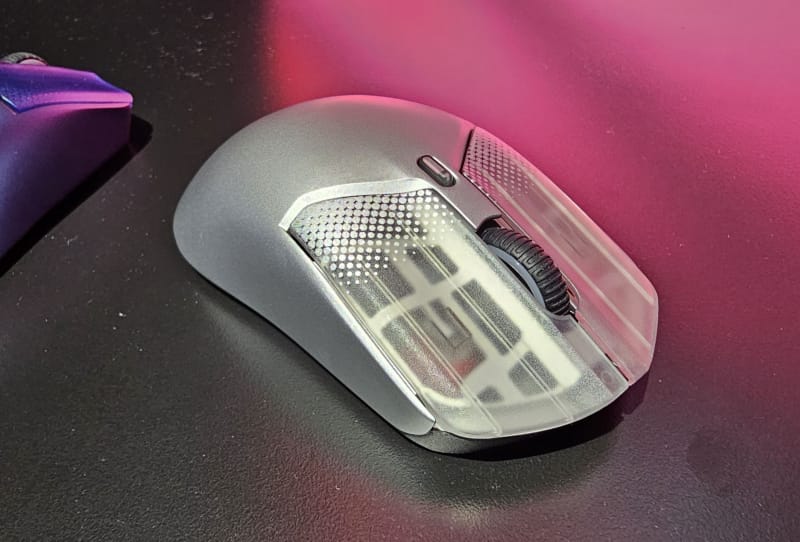
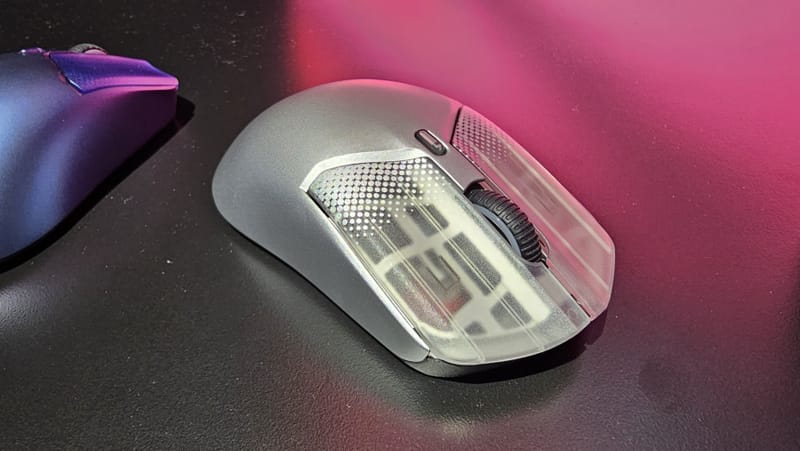
A custom mouse shell generator called MausStudio can now scan an existing mouse design and automatically map out its buttons, scroll wheel, and screw holes, all without relying on artificial intelligence. The tool comes from an unlikely source: a former Counter-Strike commentator who has turned a personal 3D printing hobby into a genuinely useful piece of software for the mouse modding community.
Key takeaways
- ✓A former Counter-Strike commentator built MausStudio, a custom mouse shell generator for 3D printing
- ✓The tool automatically detects buttons, scroll wheel position, and screw holes without using AI
- ✓It reads geometry from an existing mouse shape rather than requiring manual CAD measurement
- ✓The project taps into a growing hobbyist scene around 3D printed gaming mouse shells
- ✓It was shown as a demo, so wider availability and file-sharing details remain unconfirmed
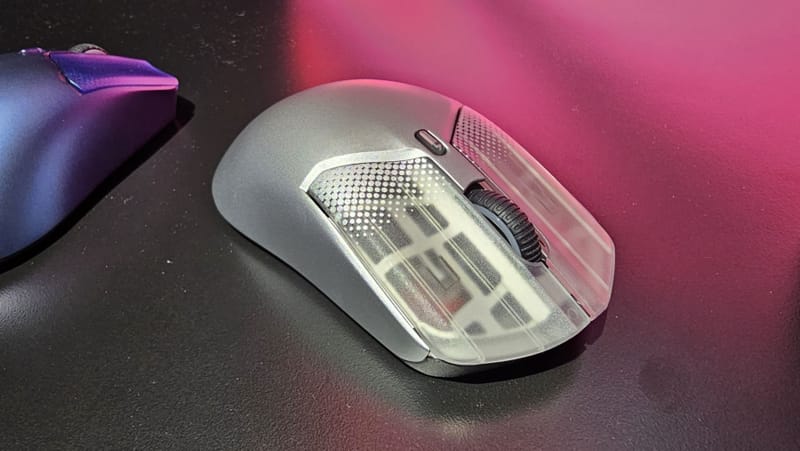
The project was shared as a working demo rather than a finished public release, but it already does something that most hobbyist CAD workflows struggle with. Instead of forcing someone to manually measure and model a mouse shell from scratch, MausStudio reads the geometry of a reference mouse and works out where the key components sit on its own.
Table of Contents
How the custom mouse shell generator actually works
At its core, the tool analyses an existing mouse shape and identifies functional zones: the primary click buttons, the scroll wheel housing, and the screw hole positions that hold the shell together. That detection step is normally the most tedious part of designing a 3D printed mouse shell, because every millimetre matters when a part needs to clear an internal PCB or align with a sensor.
What makes this custom mouse shell generator notable is the deliberate choice to skip machine learning entirely. Rather than training a model to recognise mouse features, the commentator built a more traditional, rules-based detection system. It is a less flashy approach than slapping an AI label on a project, but it is also more transparent: the logic behind every detected point can be traced and adjusted, rather than hidden inside a black box.
That matters for a tool aimed at makers who want predictable, repeatable results. A 3D printed mouse shell that is a millimetre out on a screw hole is a shell that does not close properly, and an opaque AI detection system offers little recourse when something goes wrong.
Why a former esports commentator built this
The background here is part of what makes the story interesting. Esports commentating and competitive gaming demand serious familiarity with mouse shape, weight, and button feel, since casters and pro players alike obsess over how a mouse sits in the hand during long sessions. That first-hand understanding of what makes a shell comfortable appears to have fed directly into the design priorities behind the generator.
Custom mouse shells are not a new idea. Enthusiasts have been modifying lightweight shells for years, often by hollowing out retail mice or 3D printing replacement housings to shave weight for competitive play. What has typically held that scene back is the amount of manual CAD work needed before a single prototype can even be test-printed. A generator that automates the detection stage removes a real barrier to entry for anyone without formal design experience.
Where this fits in the wider 3D printing mouse scene
The broader hobbyist 3D printing community has already produced a steady stream of shared mouse shell files, alt grip designs, and ergonomic variants, usually distributed through maker forums and file-sharing sites. A tool that automatically detects component placement could meaningfully speed up that process, letting someone go from a reference mouse to a workable printable file without first learning parametric CAD software.
Printing accuracy still depends heavily on the hardware doing the job. Fine details like screw bosses and button walls need tight tolerances, which is where capable desktop machines come in. Large-format printers like the Bambu Lab A2L can handle bigger test batches of shell iterations, while budget-friendly machines such as the Creality SPARKX i7 remain popular entry points for hobbyists experimenting with their first custom shell. For anyone chasing finer surface detail on small, complex parts like a mouse shell, high-speed printers like the QIDI Q2 are also commonly used in this space.
| Aspect | Detail |
|---|---|
| Creator | Former Counter-Strike esports commentator |
| Tool name | MausStudio |
| Detection method | Rule-based, not AI-powered |
| Features detected | Buttons, scroll wheel, screw holes |
| Status | Demonstrated publicly, not yet a confirmed public release |
What it means for gamers and makers
For the average buyer, this will not immediately change what shows up on a store shelf. But for the smaller community of players and makers who already print and modify their own gear, a reliable custom mouse shell generator lowers the skill floor considerably. Someone chasing a lighter shell, a different hump height, or a grip shape that no retail mouse currently offers suddenly has a faster path from idea to printable file.
It also says something about where hobbyist tool-building is heading more broadly. Not every useful utility needs an AI model behind it. A well-designed, rules-based system can be just as effective, and arguably easier to trust, when the task is geometric detection rather than open-ended creative generation.
Details on whether MausStudio will be released publicly, shared as open source, or kept as a personal project have not been confirmed. Anyone following the gaming mouse and 3D printing space should treat it as a demo for now rather than a ready-to-download tool, while keeping an eye on the maker’s channels for a wider release.
Frequently asked questions
What is MausStudio?
MausStudio is a custom mouse shell generator built by a former Counter-Strike commentator. It automatically detects button, scroll wheel, and screw hole positions on an existing mouse so the shapes can be used as the basis for a 3D printed replacement shell.
Does MausStudio use artificial intelligence?
No. The creator deliberately built the detection system using traditional, rule-based logic rather than a machine learning model, making the process more transparent and easier to troubleshoot.
Can anyone download and use this mouse shell generator yet?
Public availability has not been confirmed. The tool has been shown as a working demonstration rather than released as a finished product, so wider access depends on what the creator decides to do next.
What do people need to 3D print a custom mouse shell?
Beyond a printable file, accuracy depends on a capable FDM printer, careful calibration for fine details like screw bosses, and some trial and error to match the internal components of the donor mouse being replaced.