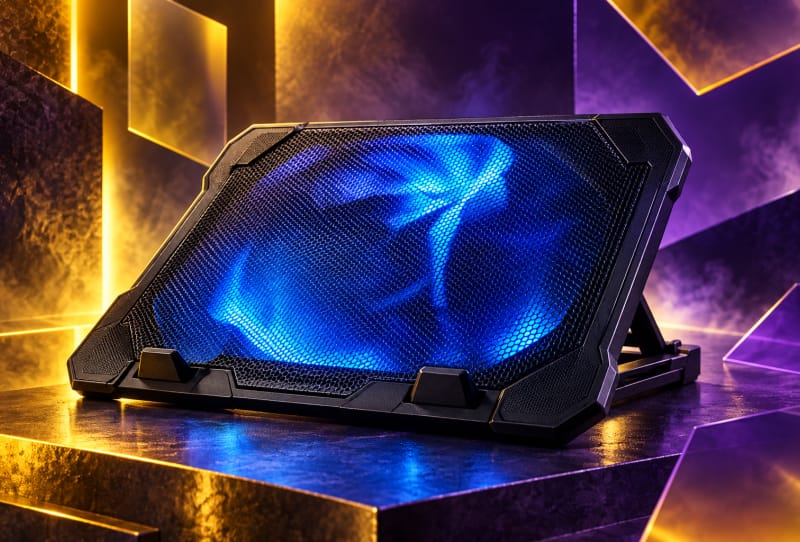
A gaming laptop cooling mod built from a repurposed bounce house blower has dropped GPU temperatures by more than 35 degrees Celsius, beating a dedicated laptop cooling stand in a deliberately over-the-top DIY test. The experiment, carried out by PC modder Trash Bench, pushed an older gaming laptop from a scorching 84 degrees Celsius down to just 48.8 degrees Celsius using nothing but raw airflow.
Key takeaways
- ✓A bounce house blower cooling mod dropped a gaming laptop's GPU from 84°C to 48.8°C.
- ✓Cyberpunk 2077 frame rates rose from 47 FPS to 56 FPS under the extreme setup.
- ✓A retail Llano V12 laptop cooling stand still managed a 27°C drop and a 19.4% average FPS gain.
- ✓Six Arctic P12 fans and twin 4000 RPM server fans both narrowly beat the cooling stand at full speed.
- ✓Once thermal throttling disappears, extra airflow brings only marginal performance gains.
The laptop in question pairs an Intel Core i7-10750H with an Nvidia RTX 2070 MaxQ, power-limited to 90 watts, a fairly typical configuration for a mid-range gaming laptop from a few years ago. Rather than simply reviewing a laptop cooling stand he had been sent, Trash Bench proposed something more interesting: try to beat it using his own creations, without opening the laptop chassis or resorting to sub-ambient cooling tricks. The rules were simple. Airflow only.
Table of Contents
Setting the baseline with a retail cooling stand
Before building anything, Trash Bench tested the Llano V12, a laptop cooling fan stand, against the laptop running at stock settings with no external cooling at all. That baseline configuration hit 84 degrees Celsius on the GPU under load, a temperature high enough to trigger thermal throttling and hold back frame rates.
At medium fan speed, the Llano V12 brought the average GPU temperature down to 58.3 degrees Celsius, a 27-degree improvement that also lifted gaming performance by an average of 19.4 percent. Pushing the stand to its maximum 100 percent fan speed only shaved off another 1.6 degrees, landing at 56.7 degrees Celsius, while becoming considerably louder for negligible extra benefit. That diminishing return would become a recurring theme throughout the rest of the test.
Building bigger fans and ducts to chase lower temperatures
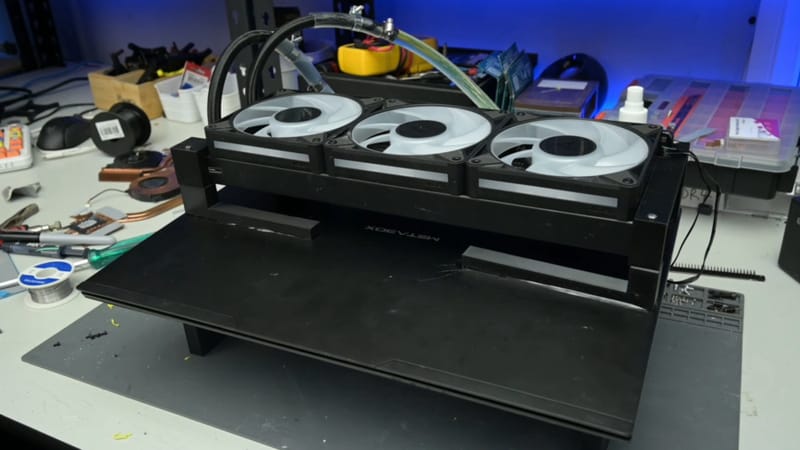
Trash Bench’s first attempt to outdo the retail cooler used a single Noctua NF-A20, a 200mm fan, paired with a 3D-printed duct sealed with foam to stop air from escaping around the edges. It was an elegant, low-complexity build, but it fell short of the Llano V12, averaging 66.3 degrees Celsius on the GPU. Still, for one large fan and a printed shroud, it was a respectable result.
The second attempt scaled things up considerably, using six Arctic P12 fans running flat out. That setup narrowly edged past the Llano V12’s medium setting, reaching 57.4 degrees Celsius, though it still lost to the stand’s maximum speed. A third build swapped in two 4000 RPM server fans, which were louder again than six full-speed Arctic P12s but finally delivered a clear win, beating the Llano V12 at full power by 2.6 degrees Celsius.
Each step up in this gaming laptop cooling mod traded noise for marginal thermal gains, a pattern familiar to anyone who has tried to optimise a laptop for gaming performance using aftermarket airflow solutions rather than internal upgrades.
The bounce house blower delivers the biggest drop
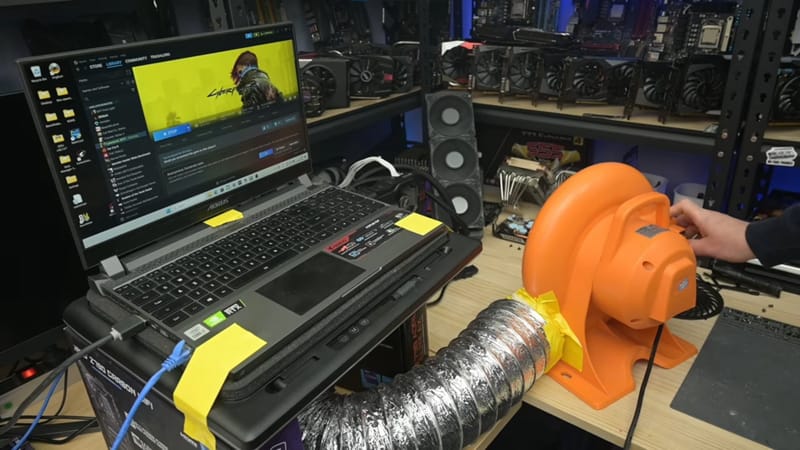
For the final and most extreme test, Trash Bench reached for a blower fan designed to inflate bounce houses. Taking advantage of the Llano V12’s larger foam gaskets, he 3D-printed an interface at the base of the cooling stand’s housing to connect a flexible duct to the blower. The airflow was so forceful it lifted the laptop off the stand entirely, forcing him to tape the whole assembly down to stop air escaping around the seal.
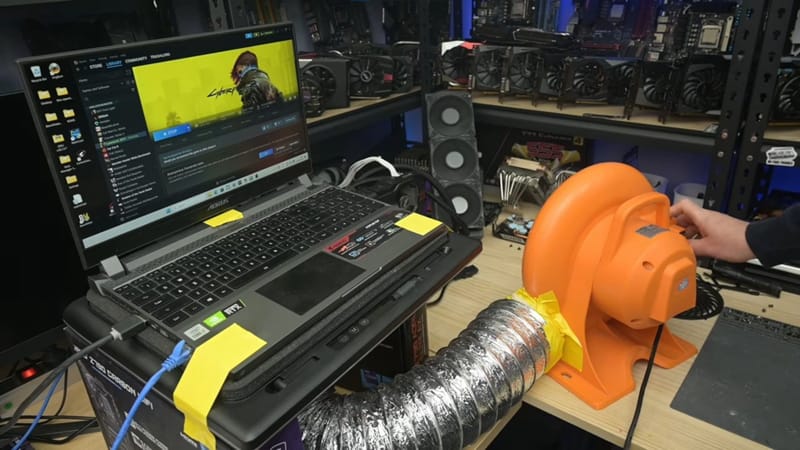
The payoff was the lowest temperature of the entire test: an average GPU temperature of 48.8 degrees Celsius, a 35-degree drop from the original 84-degree baseline. In Cyberpunk 2077, frame rates climbed from 47 FPS to 56 FPS. Interestingly, the performance gap between the bounce house blower, the full-speed Llano V12, the six Arctic P12 fans, and the twin server fans was tiny in benchmark terms, with Time Spy results all within 1 percent of each other. The Noctua build, while the quietest of the serious contenders, lagged about 3 percent behind the blower in raw benchmark scores.
| Cooling setup | Average GPU temp (°C) | Notes |
|---|---|---|
| Stock, no cooling | 84.0 | Baseline with no external airflow |
| Llano V12 (medium) | 58.3 | 27°C drop, 19.4% average FPS gain |
| Llano V12 (100%) | 56.7 | Very loud for minimal extra gain |
| Noctua NF-A20 + duct | 66.3 | Simple single 200mm fan build |
| Six Arctic P12 fans | 57.4 | Narrowly beat Llano V12 medium |
| Twin 4000 RPM server fans | 54.1 | Beat Llano V12 at full speed by 2.6°C |
| Bounce house blower | 48.8 | Lowest temp, laptop had to be taped down |
What this means for gaming laptop owners
Trash Bench’s conclusion is a useful one for anyone considering a cooling upgrade. Once a laptop stops thermal throttling, extra airflow buys diminishing returns because another bottleneck, whether it is the chip’s power limit, clock speed ceiling, or the CPU rather than the GPU, takes over as the limiting factor. That explains why the bounce house blower, the server fans, and the maxed-out retail stand all produced near-identical frame rates despite wildly different temperatures.
For everyday laptop owners, the takeaway is less about chasing the lowest possible number on a thermal sensor and more about matching the cooling solution to the actual bottleneck. A quality laptop cooling stand, like the Llano V12 used as the benchmark here, still delivers a meaningful real-world improvement without the noise, mess, or structural risk of taping a laptop to an inflatable toy blower. Anyone chasing more serious thermal headroom on a gaming laptop might also look at other bottlenecks that limit a laptop’s GPU before assuming airflow alone is the answer.
The experiment also highlights just how much untapped thermal capacity sits inside a modern gaming laptop chassis when the stock cooling solution is the limiting factor. It echoes Trash Bench’s earlier project, where he bolted a 360mm AIO radiator to a gaming laptop, showing a continued appetite for pushing laptop thermals far beyond what manufacturers intended.
Frequently asked questions
What laptop and components were used in the test?
The test laptop ran an Intel Core i7-10750H processor paired with an Nvidia RTX 2070 MaxQ graphics card, with the GPU power limit set to 90 watts.
Which cooling method produced the lowest GPU temperature?
The bounce house blower produced the lowest average GPU temperature at 48.8 degrees Celsius, a 35-degree improvement over the uncooled baseline of 84 degrees Celsius.
Did the extreme cooling methods improve gaming performance significantly?
Performance gains levelled off once temperatures dropped far enough. Benchmark results for the bounce house blower, the full-speed retail stand, the six-fan array, and the server fans were all within 1 percent of each other.
Is this gaming laptop cooling mod practical for everyday use?
Not really. The blower setup required taping the laptop down to stop it lifting off the stand, and the extreme noise and bulk make it impractical compared with a standard laptop cooling stand for daily use.