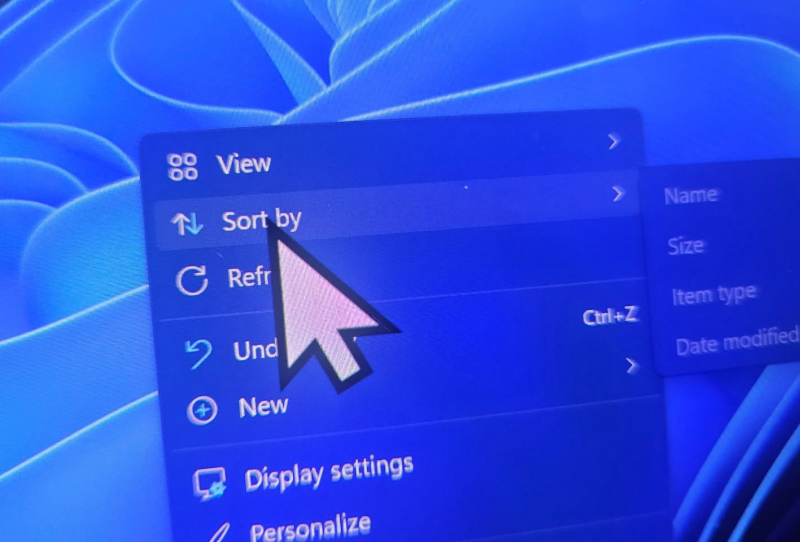
The KB5120998 cursor bug is officially real, and Microsoft has confirmed it. The company has updated its release health notes to acknowledge that its latest optional Windows 11 update is resetting custom mouse cursor settings back to Microsoft’s own defaults, undoing personalisation that some users have spent years fine-tuning.
KB5120998 landed on August 27 as an optional preview update, the kind Windows enthusiasts often install early to get a look at features before they roll out more broadly. This one carried some genuinely welcome changes, including a taskbar that can finally be repositioned and a Start menu that can be resized to show more or fewer pinned apps and recommendations. For a lot of users, though, those improvements have been overshadowed by an unwanted side effect on the desktop.
Table of Contents
What the KB5120998 cursor bug actually does
Reports started surfacing on forums and social media within days of the update going out, describing cursors that suddenly reverted to an oversized, generic pointer. Anyone who had installed a custom cursor pack, tweaked the pointer colour, or resized it for visibility found those settings quietly wiped after the update installed. Worse, several users said the changes wouldn’t stick even after they went back into the Settings app and reapplied their preferences.
Microsoft’s updated release health notes spell out the issue in plain terms. The company says it has “received reports indicating that mouse cursor personalization settings are being changed or reverted to certain standard settings,” and pins the cause squarely on Windows updates released on or after August 27, 2026, which includes KB5120998 and anything that follows it. That wording suggests the bug isn’t isolated to one specific build and could persist into future cumulative updates until Microsoft ships a proper fix.
Cursor resets aren’t the only complaint attached to this update. A smaller number of users have also reported their desktop wallpaper changing or reverting unexpectedly after installing KB5120998, though Microsoft’s official acknowledgement so far focuses specifically on the cursor personalisation problem.
Why this keeps happening with optional updates
Optional preview updates like KB5120998 exist precisely to catch issues like this before they reach the mainstream Patch Tuesday release, but that safety net only works if the bugs are visible and reported quickly. Cursor and wallpaper personalisation sit in a part of the operating system that touches user profiles, themes, and display settings simultaneously, which makes it a surprisingly fragile area whenever Microsoft reworks adjacent shell components such as the taskbar or Start menu in the same release.
This isn’t an isolated incident either. Microsoft has already had to walk back one peripheral-related bug this year, after an update caused RGB lighting software to crash Windows 11 PCs outright. In fact, another recent Windows 11 update that started crashing PCs over RGB lighting software was traced back to similar shell-level changes interacting badly with third-party and first-party personalisation tools. The pattern suggests Microsoft’s testing process for optional updates isn’t catching every interaction between new shell features and existing user customisation, particularly for anyone using custom cursor and pointer settings that many gaming mice owners rely on for precision and visibility during fast-paced play.
What Windows 11 users should do now
For anyone who hasn’t installed KB5120998 yet, the simplest fix is to hold off. Optional updates are never mandatory, and skipping this one avoids the cursor reset entirely until Microsoft issues a follow-up patch. Those who have already installed it and are seeing the bug can try reapplying their cursor scheme through Settings, though multiple users report the fix doesn’t always hold.
Uninstalling the update is also an option through Windows Update’s update history, though that means losing the taskbar and Start menu improvements it introduced. Given Microsoft has now formally acknowledged the bug on its release health dashboard, a targeted fix is likely to arrive in a subsequent cumulative update rather than requiring a full rollback, but no timeline has been given yet.
The broader takeaway is a familiar one for Windows 11 users: optional preview updates carry genuine risk in exchange for early access to new features, and personalisation settings appear to be an ongoing weak point whenever Microsoft touches the shell. Anyone who relies heavily on custom cursors, whether for accessibility reasons or simply personal preference, should treat this class of update with a bit more caution until Microsoft’s track record on the KB5120998 cursor bug and its successors improves.
Until an official patch lands, checking Microsoft’s release health dashboard remains the most reliable way to confirm whether the cursor issue has been resolved for a given build before installing further updates.