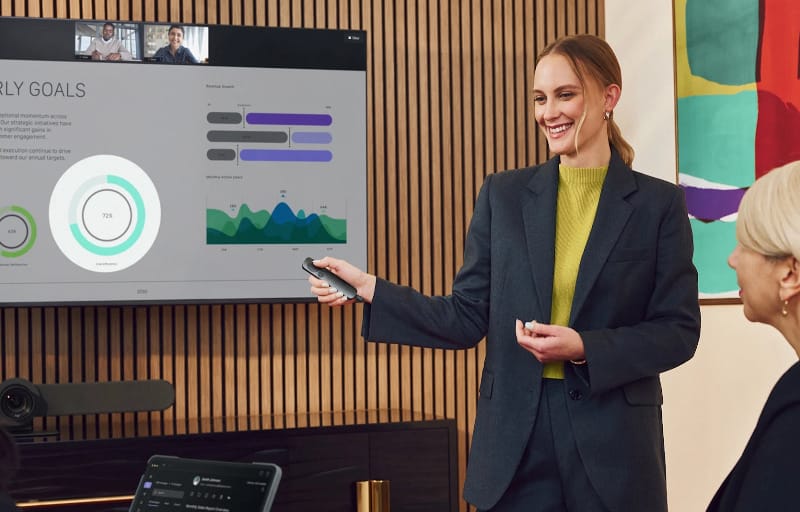
Presenting to a room full of people, whether in person or over a video call, is one of those tasks where small frustrations can quickly undo an otherwise polished pitch. The Logitech Spotlight 2 Presenter is built to remove those friction points, pairing haptic feedback with digital highlighting tools designed to keep an audience’s eyes exactly where a speaker wants them. This review looks at the black version of the device, put through its paces across slide decks, video calls and casual desk use to see whether it lives up to Logitech’s reputation for premium peripherals.
Review summary
Logitech Spotlight 2 Presenter
The Logitech Spotlight 2 Presenter delivers a premium, well-built remote that combines reliable slide navigation with genuinely useful digital highlighting tools like Spotlight, Squarelight and Magnify. Long battery life, fast charging and dual Bluetooth or Logi Bolt connectivity make it practical for everyday use, while the haptic timer and pressure-sensitive controls add thoughtful extra functionality rarely seen in this category.
Highlights
- Premium aluminium build with tactile button feedback
- Effective Spotlight, Squarelight and Magnify highlighting modes
- Reliable dual connectivity via Bluetooth or Logi Bolt receiver
- Long battery life with fast USB-C charging
- Useful haptic timer for managing presentation length
Presentation remotes are often treated as an afterthought, something grabbed at the last minute from a drawer of tangled cables and dead batteries. Logitech has clearly taken a different view with the Spotlight 2, treating it as a genuine productivity tool rather than a simple clicker. The result is a device that feels considered from the moment it’s unboxed.
What follows is a detailed look at how the Spotlight 2 handles everyday presenting tasks, how its more advanced features hold up in practice, and who is likely to get the most value from adding one to their kit.
Table of Contents
Design and Functionality
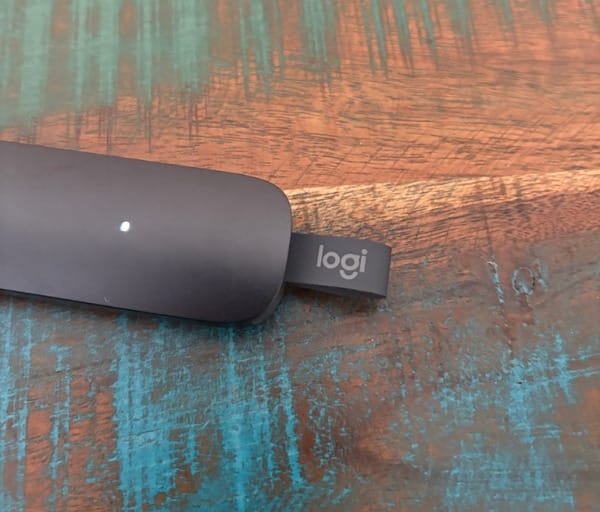
The first thing that stands out about the Spotlight 2 is how understated it looks. In black, the remote has a sleek, almost stealthy appearance that would sit comfortably on a boardroom table or peeking out of a laptop bag without drawing unwanted attention.
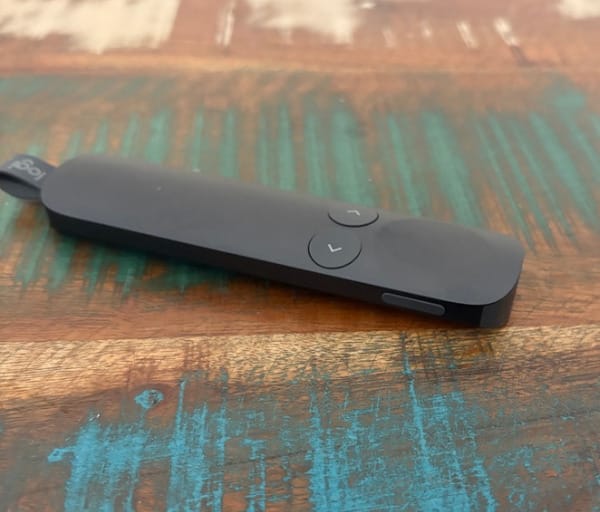
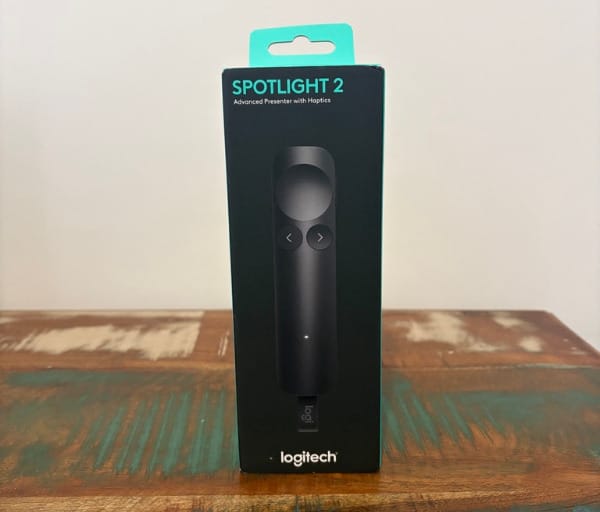
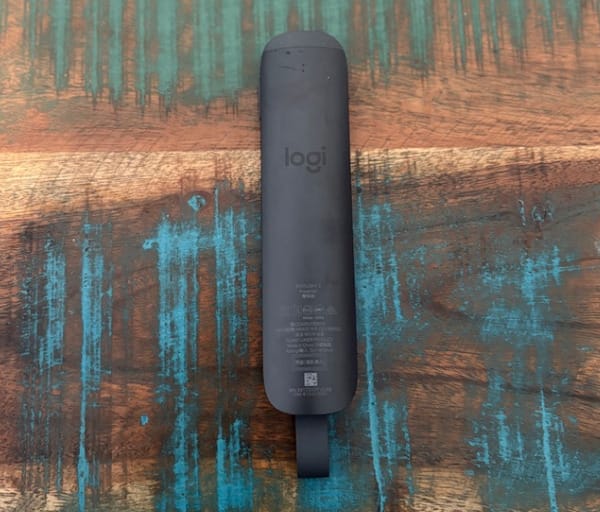
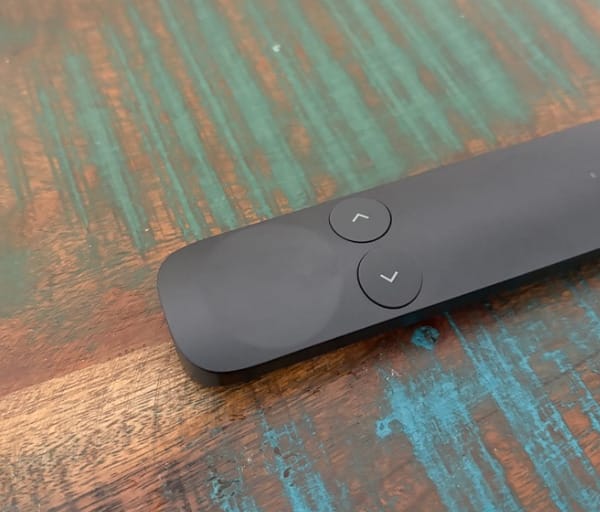
It’s a compact device, small enough to disappear into a pocket, yet it carries enough heft to feel substantial in the hand. There’s none of the hollow, toy-like quality that cheaper presentation remotes sometimes have.
Logitech has used aluminium in the construction, and the brand notes it comes from a low carbon supply chain as part of its broader sustainability commitments. That choice also gives the Spotlight 2 a cool, slightly weighted feel that reinforces the sense this is a premium accessory rather than a throwaway gadget.
The button layout is simple and intuitive. Forward and back navigation buttons sit where a thumb naturally rests, while a larger indented button toward the top handles cursor control, spotlight activation and the laser pointer.
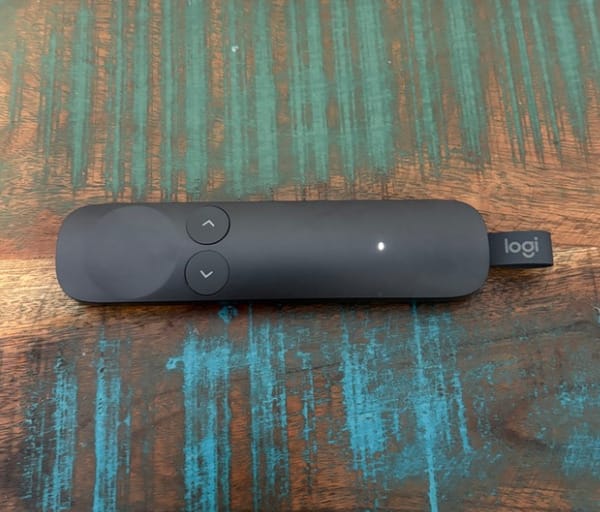
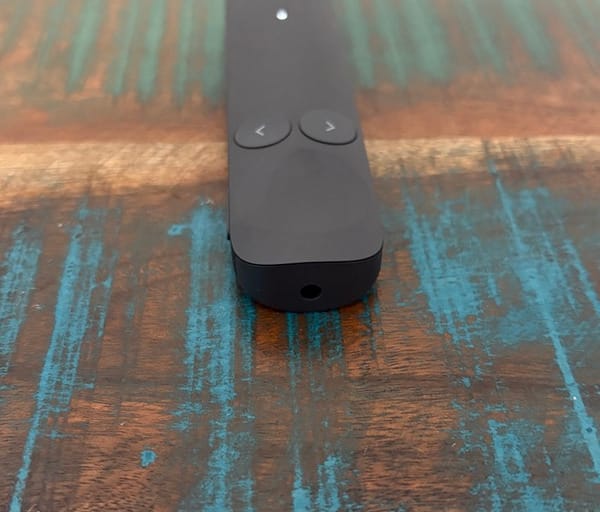
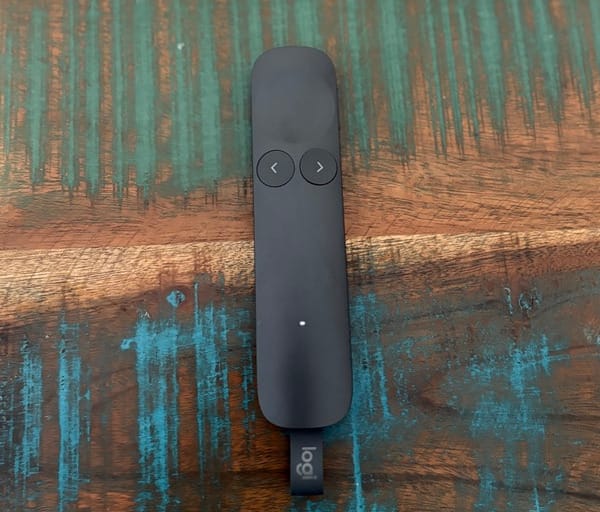
That central button uses pressure sensitivity, meaning a light touch switches between the digital cursor and laser pointer, while a firmer press activates the more advanced highlighting effects. It sounds fiddly on paper, but in practice the transition between modes becomes second nature after a short adjustment period.
A dedicated action button sits nearby and can be configured through Logitech’s companion software to trigger custom shortcuts. This is where the Spotlight 2 starts to separate itself from basic clickers, offering genuine flexibility rather than a fixed set of functions.
Connectivity is handled two ways. The included Logi Bolt USB-C receiver plugs into a laptop for a fast, reliable wireless connection, while Bluetooth pairing is available for anyone who would rather skip the dongle entirely.
Both connection methods proved simple to set up, with no drivers or lengthy configuration required. Plugging in the receiver and switching the remote on was enough to get moving within seconds.
Bluetooth pairing was similarly painless, following the same process most people would already be familiar with from pairing headphones or a mouse. This dual connectivity approach means the Spotlight 2 works whether someone is presenting from their own laptop or borrowing a lectern PC that only has USB ports free.
In the box, buyers get the Spotlight 2 remote itself, the Logi Bolt receiver and basic documentation. There’s nothing extra to buy before a first presentation, which is a small but appreciated touch given how often accessories arrive needing separate cables or adapters.
The button feedback deserves a specific mention. Every press has a crisp, tactile click that gives immediate confirmation without needing to glance down at the remote mid-sentence.
That matters more than it might sound. Anyone who has fumbled with an unresponsive clicker mid-presentation knows how quickly it can break concentration, and the Spotlight 2’s tactile response largely eliminates that worry.
The haptic motor inside the device adds another layer to this confidence. Rather than relying purely on the physical click of a button, subtle vibrations confirm certain actions, which becomes particularly useful once the more advanced highlighting tools are in play.
Weight distribution has clearly been thought through as well. The Spotlight 2 doesn’t feel front heavy or awkward to hold for extended periods, which matters for anyone delivering a longer lecture or training session.
Build quality throughout feels consistent with what Logitech has delivered on other premium peripherals in its lineup, and there’s nothing about the fit or finish that feels like a compromise for the sake of keeping the device slim.
Altogether, the design brief here seems to have been simplicity on the surface with genuine depth underneath, and that’s exactly what the Spotlight 2 delivers.
Key Features
Beyond the core navigation buttons, the Spotlight 2’s real value comes from the suite of features unlocked through Logitech’s Logi Options+ software. This is where the remote transforms from a simple slide advancer into a genuinely useful presentation tool.
Digital highlighting is arguably the headline feature. Users can choose between Spotlight, which dims everything except a circular area of focus, Squarelight, which does the same with a rectangular region, Magnify for zooming into detail, and Annotate for drawing directly onto the screen during a presentation.
Each of these tools is designed to direct audience attention with far more nuance than a traditional laser dot ever could. For anyone presenting complex diagrams, spreadsheets or design mockups, being able to isolate a specific section of the screen is a genuinely useful trick.
A digital pointer is also available as an alternative to the built-in laser, which is particularly handy for virtual meetings where a physical laser pointer would be completely invisible to remote attendees.
Switching between the laser pointer and digital cursor is handled through the pressure sensitive top button, with a lighter press giving the laser and a firmer press engaging the on screen cursor. It’s a clever way of packing multiple functions into a single control point.
The haptic timer is one of the standout inclusions here. Through Logi Options+, presenters can set a countdown for their allotted speaking time, and once that time expires, the remote delivers a gentle vibration as a discreet alert.
This removes the need to glance at a clock, a phone, or rely on someone at the back of the room signalling that time is nearly up. The vibration intensity can also be adjusted to suit personal preference, from a barely noticeable pulse to something far more insistent.
Guided Breathing is a slightly more unusual addition, using timed haptic vibrations before a presentation begins to help settle nerves through a structured breathing pattern. It’s a feature that will land differently depending on the presenter, but its inclusion shows Logitech thinking beyond pure functionality toward the actual experience of public speaking.
Custom action mapping rounds out the software side of things, letting the dedicated action button be assigned to shortcuts such as muting a microphone, pausing a video call, or triggering other commands relevant to a specific workflow.
On the connectivity front, Logitech rates the Spotlight 2 for a wireless range of up to 30 metres using either Bluetooth or the Logi Bolt receiver. That’s comfortably enough coverage for lecture theatres, large conference rooms or auditoriums, not just a modest meeting room.
Battery life is rated at up to three months on a single charge, which for most presenters translates to months of regular use before needing to plug in again. Charging is handled over USB-C, and Logitech’s fast charging claim is genuinely useful in practice, with just one minute on the cable providing up to three hours of runtime.
The table below summarises the core specifications at a glance.
| Feature | Detail |
|---|---|
| Colour reviewed | Black |
| Connectivity | Logi Bolt USB-C receiver or Bluetooth |
| Wireless range | Up to 30 metres |
| Battery life | Up to 3 months per charge |
| Fast charging | 1 minute charge for up to 3 hours use |
| Highlighting modes | Spotlight, Squarelight, Magnify, Annotate, digital pointer |
| Software | Logi Options+ |
| Build material | Low carbon aluminium |
Sustainability has clearly been part of the design conversation as well, with Logitech highlighting its use of low carbon aluminium alongside thoughtful packaging choices. For buyers who factor environmental impact into purchasing decisions, these details add a bit of extra weight to the value proposition.
Taken together, these features push the Spotlight 2 well beyond what most people would expect from a presentation remote, and they form the backbone of what makes the everyday experience so effective.
Experience Using the Product and Performance
Testing the Spotlight 2 in a real-world setting meant putting it to work across a mix of PowerPoint slide decks, a video call, and a screen mirrored to a larger office display. That variety gave a clearer picture of how the remote performs outside a controlled demo environment.
Initial setup was as simple as plugging in the Logi Bolt receiver and powering on the remote. There was no need to install anything just to get basic navigation working, which is exactly what should be expected from a device at this level.
Advancing and reversing through slides felt immediate and reliable throughout testing. Button presses registered consistently, with none of the missed inputs or double presses that can plague cheaper remotes.
When the screen was mirrored to a large display using a wireless casting connection, there was a very slight delay of roughly a second between pressing the button and the slide changing. That lag appeared to be a byproduct of the wireless display connection itself rather than any shortcoming in the Spotlight 2, and it was barely noticeable once the presentation was underway.
Direct connections, whether through the Logi Bolt receiver or Bluetooth to a laptop screen, showed no such delay at all. Slides changed instantly with every press, which is the more common use case for most presenters.
Downloading Logi Options+ unlocked the remote’s full personality. The software is clean and well organised, walking through each customisation option without feeling overwhelming for a first-time user.
Cursor control, accessed through the top button, took a small amount of adjustment initially. Out of the box, the sensitivity felt a touch high, but a quick tweak in the software settings brought it to a comfortable, controllable level within a couple of minutes.
Once dialled in, moving the on-screen cursor felt natural, closer to using a laptop’s trackpad than the jerky imprecision often associated with older-style laser presenters trying to double as a mouse.
The Spotlight effect was the standout discovery during hands-on testing. A firm press on the top button dims the entire screen except for a circular area that follows the cursor, instantly drawing the eye to whatever detail is being discussed.
Demonstrating this on a shared display, the effect proved genuinely impressive, giving presentations a level of polish that a plain laser dot simply can’t match. It’s the kind of feature that looks great in a demo video and holds up just as well in practice.
Squarelight works in much the same way but with a rectangular focus area, which suits content like tables, charts or specific paragraphs of text better than the circular Spotlight mode.
Magnify allows a section of the screen to be zoomed in on the fly, which proved particularly useful when reviewing fine print or detailed diagrams that would otherwise be hard for an audience to read from a distance.
Annotate lets presenters draw directly onto the screen, which is a handy tool for walking through a process or circling a specific data point in real time. It takes a little practice to draw smoothly using the remote rather than a mouse, but it becomes manageable with repetition.
Switching from the digital cursor to the laser pointer simply required a lighter press on the same button, and the transition felt seamless once the muscle memory was established. Having both options on a single control point, rather than a separate switch, keeps the remote feeling streamlined rather than cluttered.
The laser pointer itself is bright, precise and easy to spot even under standard office lighting, making it a reliable fallback for in-person audiences who don’t need the more elaborate digital tools.
Range testing within a typical office environment showed no issues at distances up to around five metres, well within the kind of space most presenters would actually use. Logitech’s official rating of up to 30 metres suggests there’s plenty of headroom left for larger venues like lecture halls or conference auditoriums.
The haptic timer proved to be one of the most genuinely useful features tested. Setting a countdown through Logi Options+ before a mock presentation and letting it run through to completion produced a subtle, unmistakable vibration exactly when expected.
That quiet nudge removes the awkwardness of constantly checking a clock or having someone signal from across the room, and it’s easy to see why frequent presenters would come to rely on it. Vibration strength can also be adjusted, so the reminder can be as subtle or as noticeable as a presenter prefers.
Guided Breathing was also tested ahead of a presentation, walking through the timed vibration sequence designed to encourage slower, steadier breathing. It’s a feature that may not appeal to everyone, but for anyone who feels genuine nerves before speaking publicly, it’s a thoughtful inclusion rather than a gimmick tacked on for marketing purposes.
Custom action mapping was configured to control microphone muting during a video call, and it worked exactly as expected once set up in the software. Being able to mute and unmute without touching the laptop keyboard turned out to be more convenient than anticipated.
Battery performance wasn’t tested to full depletion given the timeframe involved, but Logitech’s claim of up to three months per charge lines up with the kind of usage pattern most presenters would expect, especially for anyone who isn’t presenting daily.
The fast charging feature was tested directly by running the battery down partially and then charging for exactly one minute via USB-C. The remote comfortably powered through an extended test presentation afterwards, backing up Logitech’s claim of up to three hours of use from that brief top-up.
That kind of emergency charging speed is genuinely reassuring for anyone who has ever discovered a dead battery moments before walking on stage. A minute is roughly the time it takes to plug in a cable and check a phone, making it a realistic recovery option rather than a marketing footnote.
Compatibility testing extended across PowerPoint, Google Slides accessed through a browser, and a PDF viewer, with navigation working consistently across all three without any special configuration.
The remote also paired without issue to a different laptop running Windows 11, confirming that switching between devices, such as a personal laptop and a work machine, doesn’t require reconfiguring from scratch each time.
Ergonomically, extended handling over multiple test sessions didn’t produce any discomfort, even during a longer simulated lecture-style presentation. The shape sits naturally in the palm, and the button placement means there’s rarely a need to shift grip mid-presentation.
Comparing the Spotlight 2 against a basic clicker highlighted just how much extra value the software and haptic features add. A cheaper remote might handle slide navigation just as reliably, but it can’t replicate the highlighting tools, timer or customisation options that make the Spotlight 2 feel like a considered upgrade.
For anyone stepping up from Logitech’s original Spotlight, the haptic feedback and refined software experience represent a meaningful improvement rather than a minor refresh. The tactile confirmation on button presses in particular makes the newer model feel noticeably more polished in the hand.
In a classroom-style scenario with a projector and a whiteboard nearby, the digital highlighting tools proved especially handy for directing attention to specific parts of a slide without needing to walk over and point manually.
Hybrid meeting scenarios, where part of the audience is in the room and part is joining remotely, showed off the value of the digital pointer particularly well. Remote attendees could clearly see exactly where the presenter wanted attention directed, something a physical laser dot simply cannot achieve for anyone joining via video call.
Across every scenario tested, the Spotlight 2 held up as a consistent, reliable performer, with the more advanced features adding genuine value rather than feeling like unnecessary extras bolted on for the sake of a longer feature list.
Conclusion
The Logitech Spotlight 2 Presenter succeeds because it treats presenting as a genuine craft rather than a simple task of clicking through slides. The black finish reviewed here looks understated and professional, while the haptic feedback, digital highlighting tools and clever timer feature all work together to build real confidence during a presentation.
Frequent presenters, whether that’s teachers, trainers, corporate speakers or anyone regularly running hybrid meetings, stand to get the most out of everything this remote offers. The Spotlight, Squarelight and Magnify tools genuinely change how an audience engages with content on screen, while the haptic timer quietly solves a problem most presenters have faced at some point.
Occasional presenters who only need basic forward and back navigation a few times a year may not use every feature on offer, but even at its most basic level, the Spotlight 2 handles slide navigation with more polish and reliability than most simpler alternatives.
For anyone who presents regularly and wants a tool that removes small frustrations while adding genuine engagement value, the Spotlight 2 is well worth serious consideration.