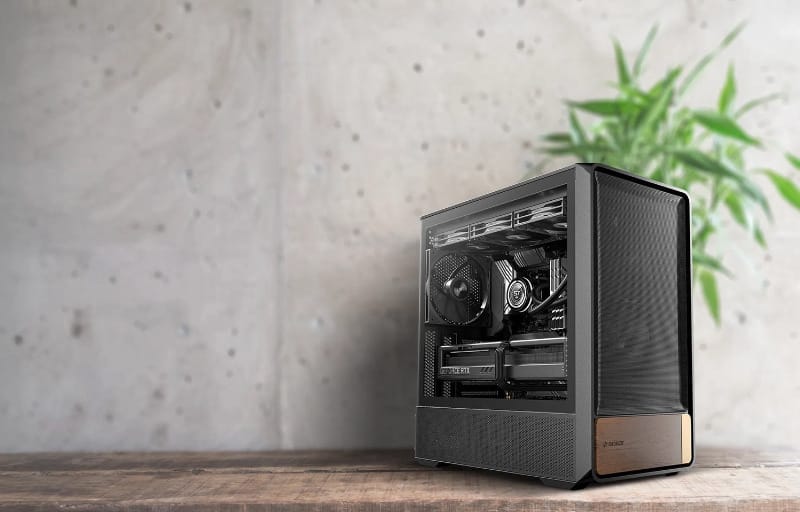
Case design has quietly become one of the more interesting battlegrounds in PC hardware, and the Okinos Air Cross is a strong example of a mid-tower that tries to do more than just hold components together. It leans on a dual-channel airflow layout, five pre-installed PWM fans and full support for back-connect motherboards, all wrapped in a steel and walnut wood exterior that looks a lot more premium than a typical mid-range chassis.
Review summary
Okinos Air Cross
The Okinos Air Cross is a mid-tower case that combines strong out-of-the-box airflow with a more refined steel and walnut wood exterior than typical gaming cases. Five pre-installed PWM fans, a dual-channel cooling layout and a front-mounted PSU work together to keep components cool, while generous cable management and back-connect motherboard support make for tidy, straightforward builds.
Highlights
- ✓Five pre-installed PWM fans with strong airflow figures
- ✓Dual-channel cooling design targeting CPU and GPU separately
- ✓Tool-free panel removal throughout
- ✓Supports back-connect motherboards for hidden cabling
- ✓Premium steel and FSC-certified walnut wood finish
Okinos has positioned the Air Cross as a case for builders who want strong thermals without resorting to a wall of RGB or an overly aggressive gamer aesthetic. The walnut wood trim and the Starlight power button give it a warmer, more considered look, while the internal layout has clearly been engineered around airflow rather than just fitting parts in a box.
This review walks through the Air Cross from the ground up, covering its physical design, the features that set it apart, and how it actually performs once a system is built inside it. Anyone shopping for a mid-tower that balances cooling performance with a more refined look should find plenty to like here.
Table of Contents
Design and Functionality
The Air Cross measures 468 x 238 x 462mm and sits firmly in mid-tower territory, wide enough to accommodate front-mounted radiators and a front PSU without feeling like a full tower. At 8.17kg net and 9.74kg gross, it is light enough to move around a desk setup without much effort, yet the steel panels give it a reassuring solidity.
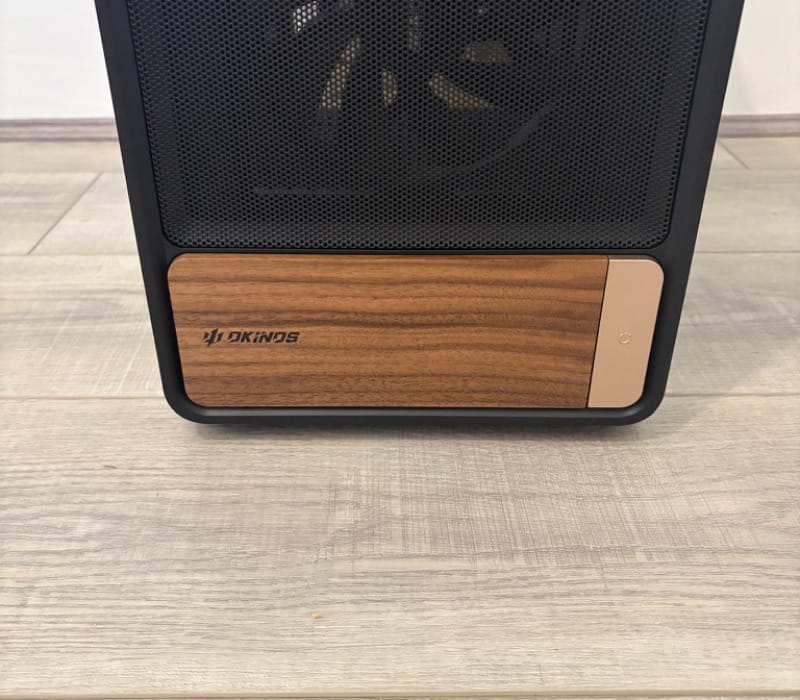
Construction is a mix of steel, plastic and wood, a combination that is not common in this price bracket. The wood elements are not just a strip of trim either, they wrap around functional areas of the front and top, giving the case a warmer feel than the usual brushed metal or matte black finish.
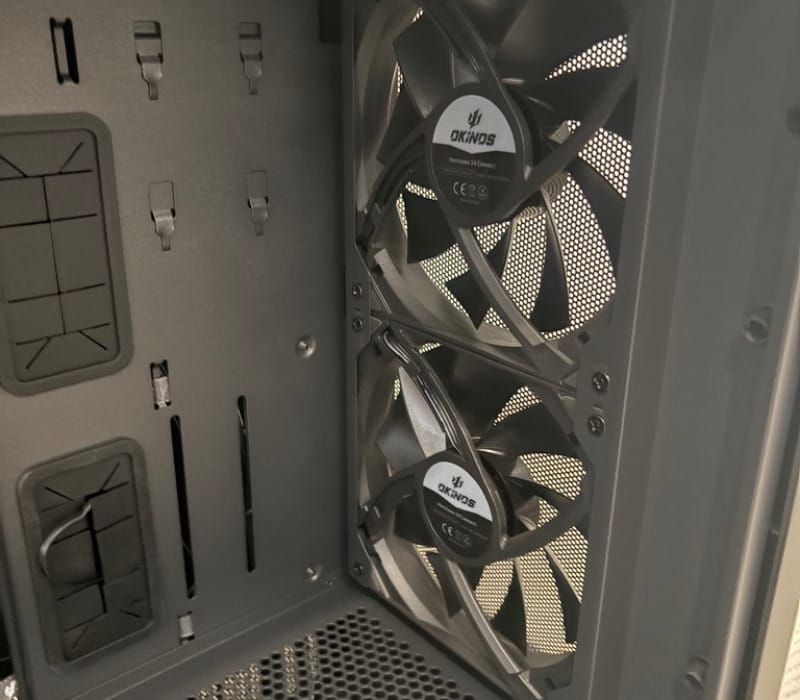
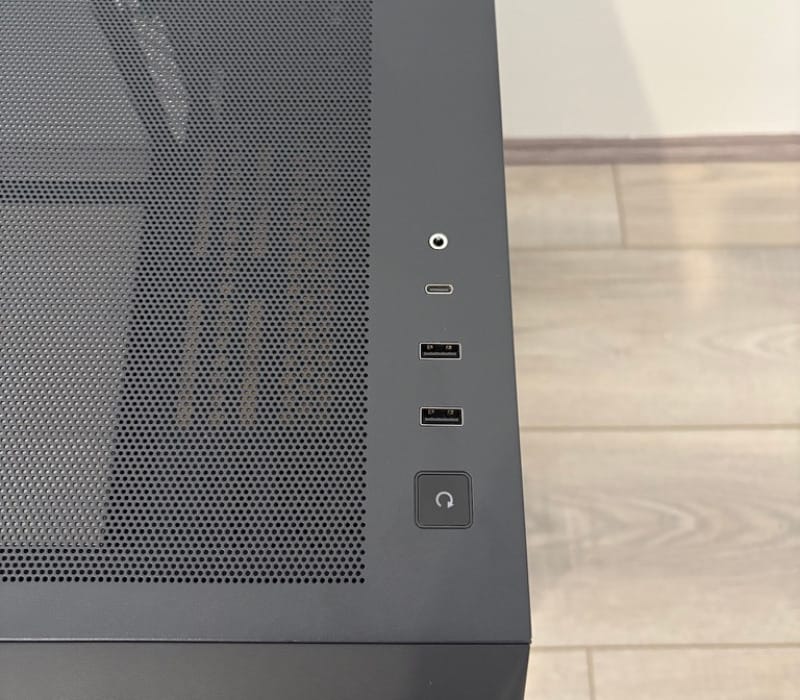
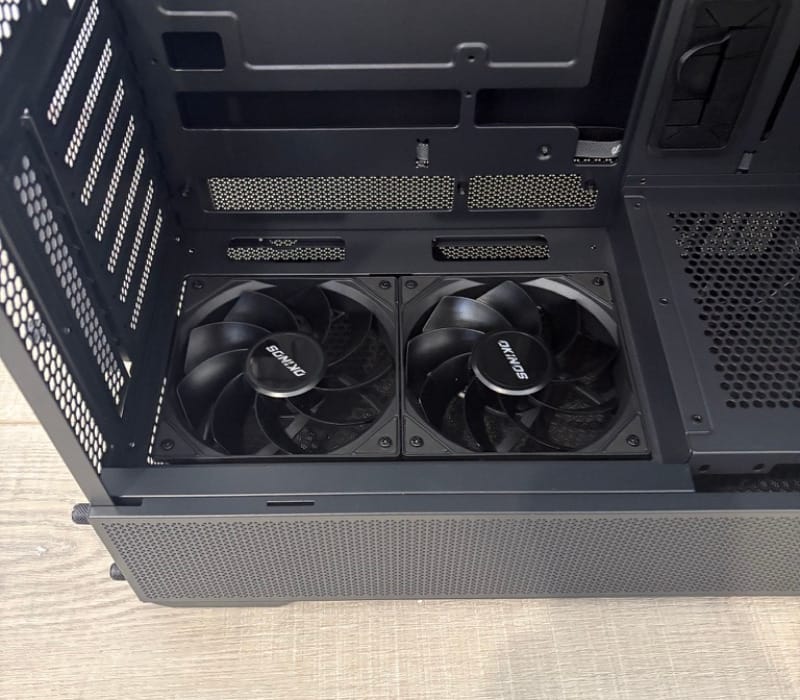
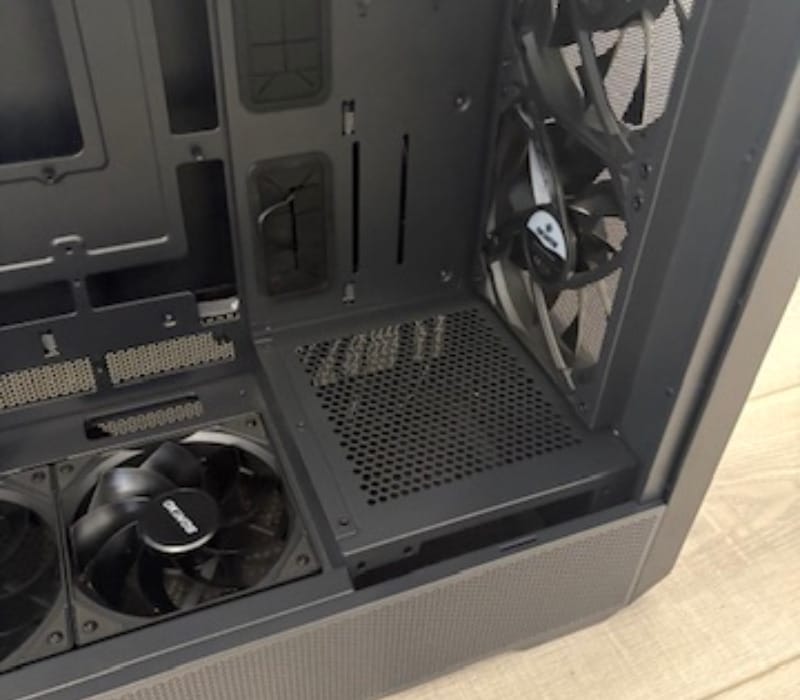
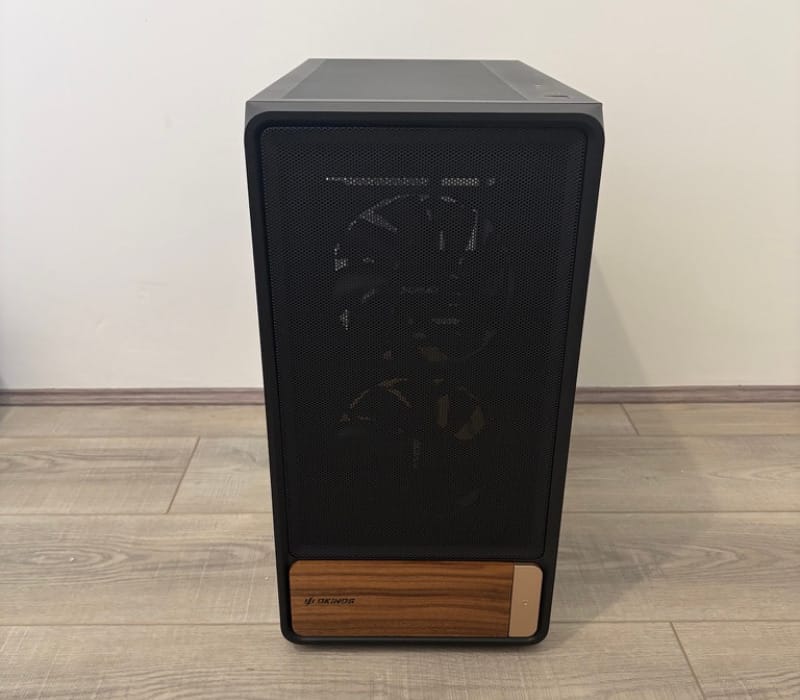
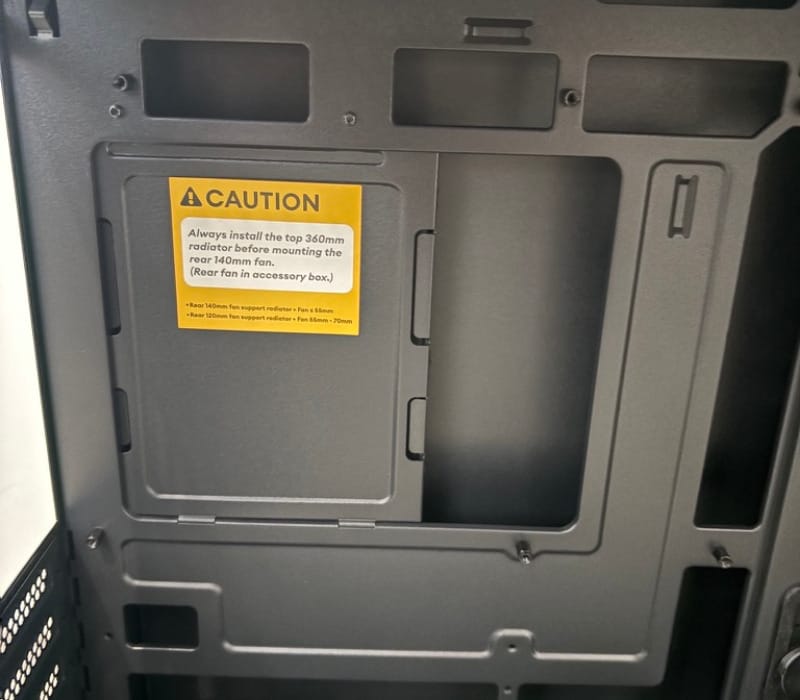
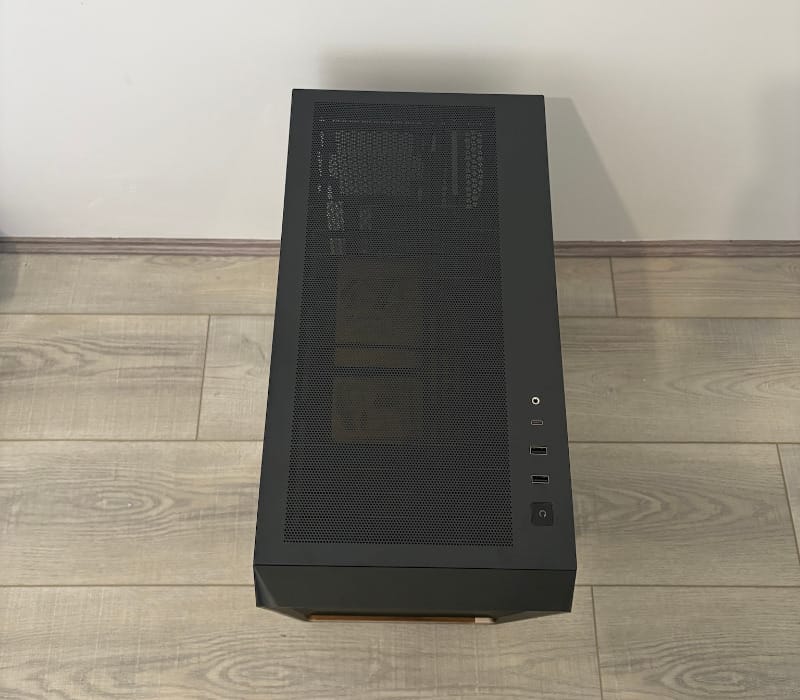
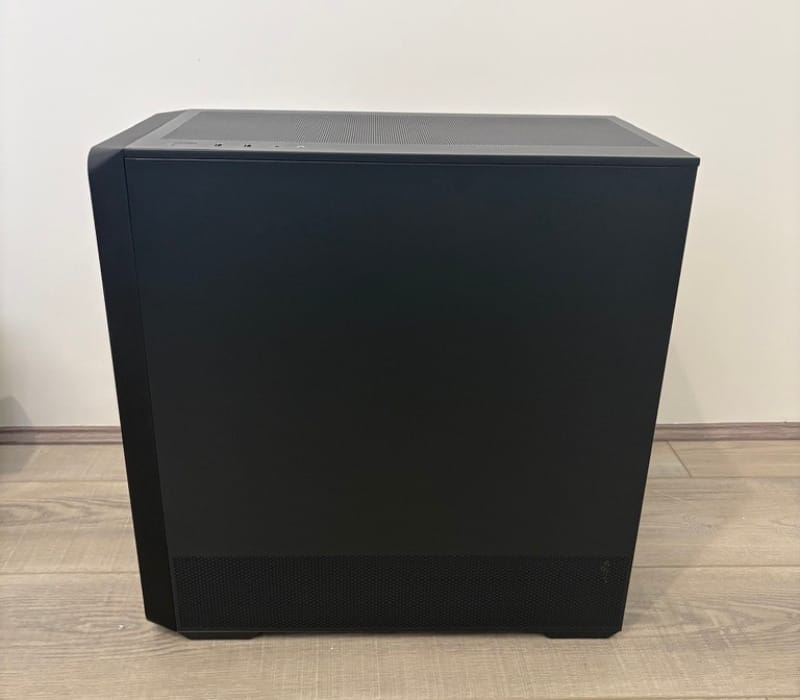
The front panel uses a press-to-release mesh design, meaning there is no need to hunt for hidden clips or tools when removing it for cleaning or fan access. This tool-free approach extends to most of the exterior panels, which is a small thing that makes a noticeable difference during a build.
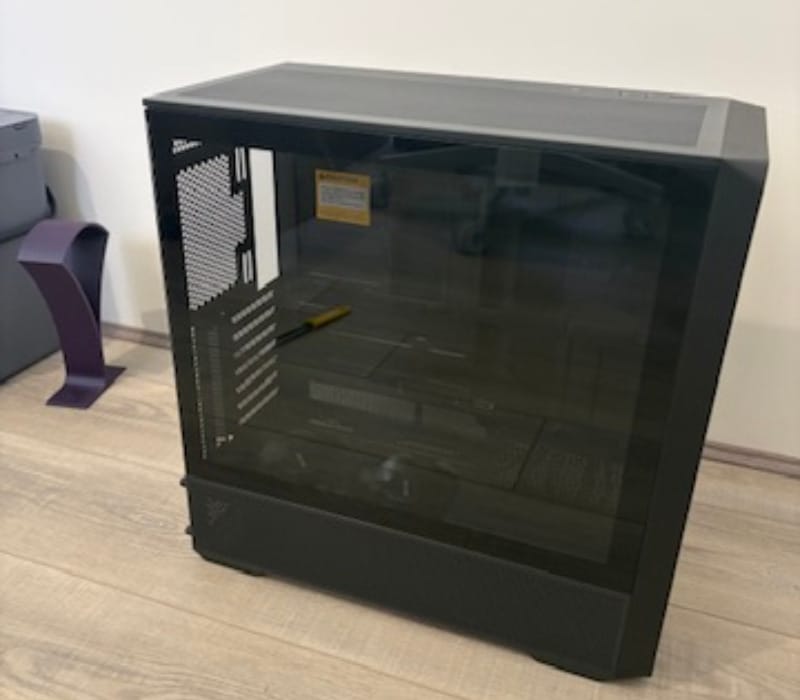
Both side panels use 4mm tempered glass, thick enough to feel sturdy rather than flexible, and both are cut with a triangular mesh pattern that doubles as a design flourish and an airflow aid. It is a subtle detail, but it gives the Air Cross a bit of visual identity rather than looking like an anonymous glass box.
Front I/O is grouped in a compact multi-function zone that includes power and reset buttons, two USB 3.0 ports, one USB-C 3.2 Gen 2 port rated at 10Gbps, and a combined headphone and microphone jack. Okinos notes these USB ports are intended primarily for data transfer rather than charging, since most motherboard USB headers cap out at 5V.
The Starlight power button is a nice touch, giving the front panel a small focal point rather than a plain plastic switch. Paired with the wood accents, it reinforces the sense that Okinos wanted this case to look considered rather than purely functional.
Where the Air Cross really diverges from a typical mid-tower is its front-mounted PSU. Rather than tucking the power supply into the bottom rear corner, Okinos has shifted it forward, freeing up the bottom and rear sections of the case for airflow rather than cable clutter.
That front PSU position means the bottom of the case is no longer competing for space with a power supply or a stack of hard drive trays. Combined with a reverse-mounted fan pair on the PSU shroud, the layout is built to funnel air directly up towards the graphics card rather than letting it stagnate near the floor.
The 3.5-inch hard drive bay has also been relocated behind the motherboard tray, well away from the bottom intake area. This keeps the lower chamber clear for cooling airflow while still giving builders a spot for traditional spinning storage if they need it.
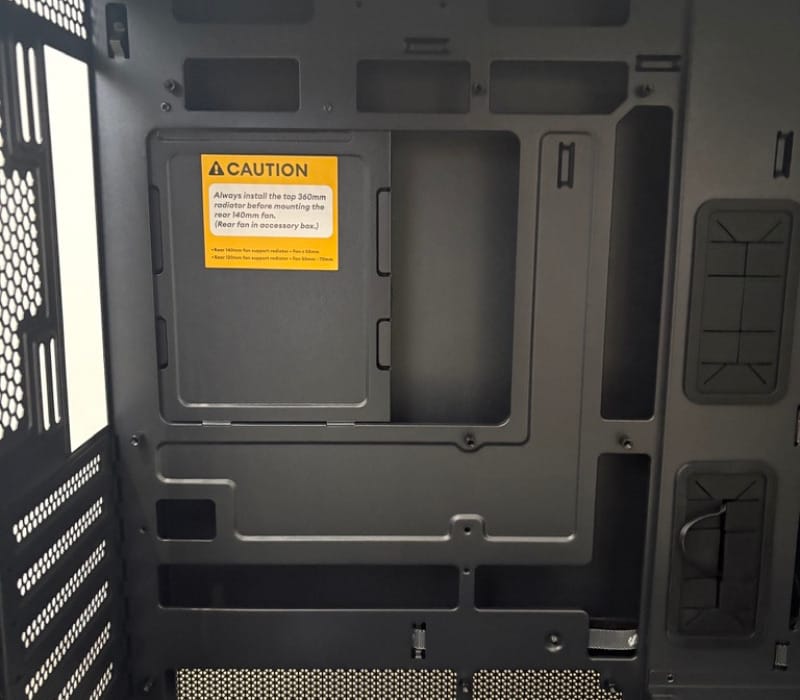
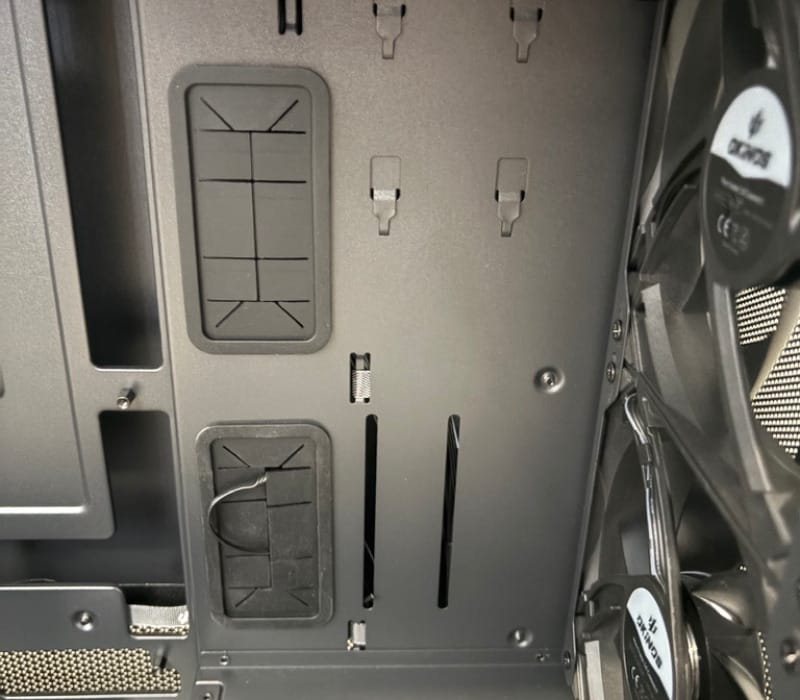
Cable management space is generous for a case in this class, with 37mm of clearance behind the motherboard tray at the front and 33mm at the rear. That is enough room to bundle cables neatly without having to fight the side panel closed, which is a common frustration in tighter cases.
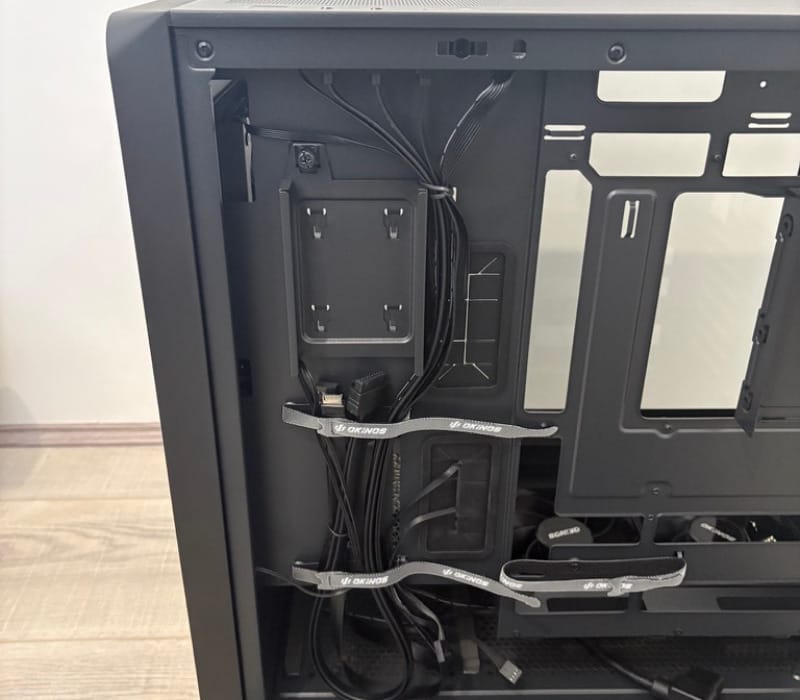
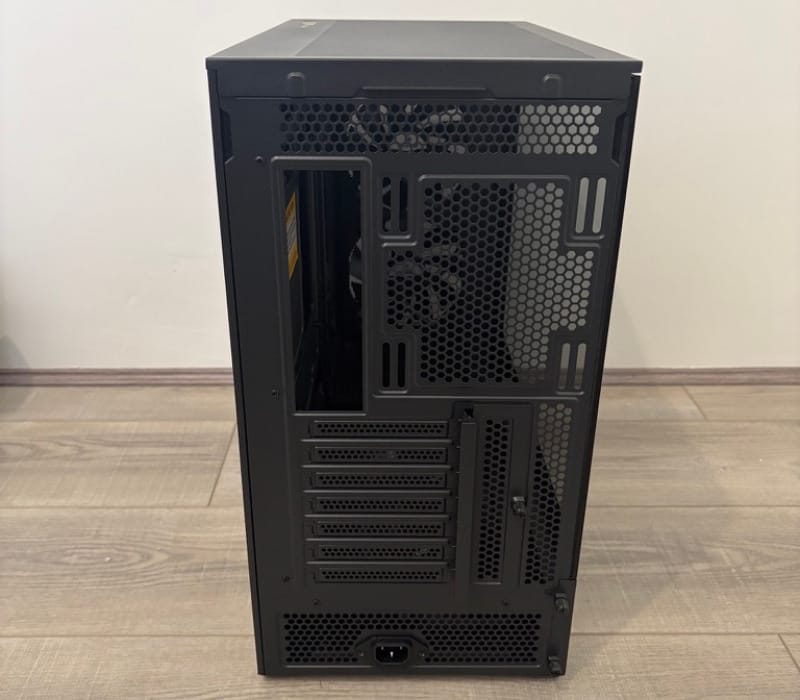
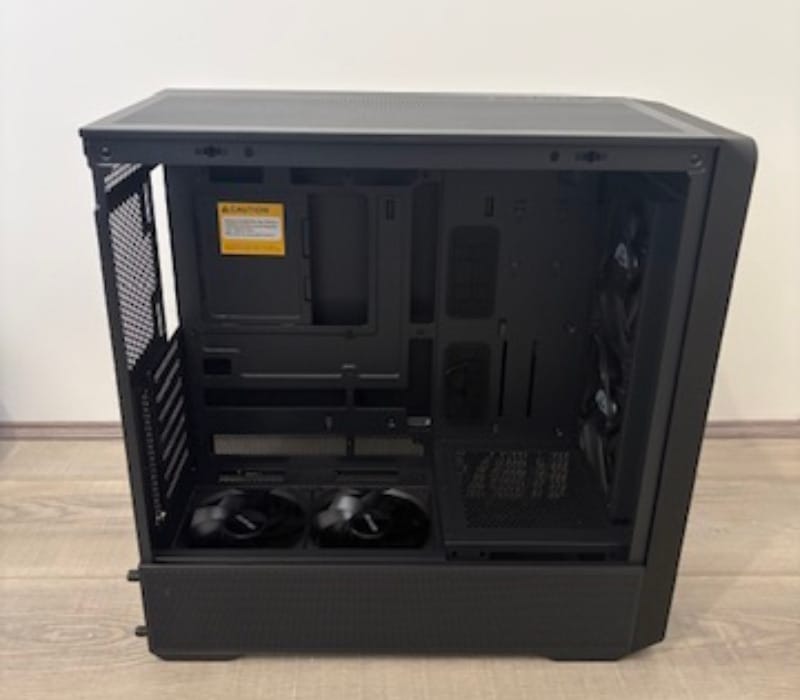
Rubber grommets and Velcro straps are placed throughout the cable channels, giving builders proper anchor points rather than relying on zip ties threaded through random holes. It is a straightforward system, but an effective one once cables start piling up behind the tray.
The Air Cross also supports back-connect, or BTF-style, motherboards, where the power and I/O headers sit on the rear of the board rather than the front face. This lets cables run almost invisibly behind the tray, resulting in a noticeably cleaner front-facing interior for anyone using a compatible board.
Seven expansion slots give plenty of room for multi-slot graphics cards, additional capture cards or expansion cards without needing an oversized chassis. Combined with support for ATX, Micro-ATX and ITX motherboards, the case covers a wide range of build sizes from a single unit.
Storage options are modest but sensible for a gaming-focused case, with two 2.5-inch mounting points for SSDs and one 3.5-inch bay for a hard drive. Most modern builds lean heavily on NVMe storage anyway, so this allocation feels appropriately balanced rather than wasted.
An integrated GPU support bracket is included to stop heavier graphics cards from sagging over time, a problem that has become more common as flagship cards have grown longer and heavier. The bracket can be adjusted up, down, left and right, so it can be positioned to suit whichever card is installed.
Every major panel, including the top and both glass sides, can be removed without tools, which makes installing fans, radiators or extra drives far less fiddly than in cases that rely on a handful of awkwardly placed screws. A dust filter on the bottom rounds out the practical side of the design, catching debris before it reaches the internal components.
Key Features
The standout feature of the Air Cross is its dual-channel airflow system, which separates cooling duties into a horizontal path for the CPU and a vertical path for the GPU. Rather than relying on one generic front-to-back airflow pattern, this design aims each channel at the component that needs it most.
Five high-performance PWM fans come pre-installed, which is a genuinely strong inclusion for a case in this category. Two 140mm H14C fans sit at the front pushing air in, two 120mm H12CR fans are reverse-mounted on the power supply shroud to feed the GPU directly, and a 140mm H14 fan handles rear exhaust, arriving separately in the accessory box for installation.
Fan performance numbers back up the airflow-first approach. The H14 rear fan is rated at 74 CFM, the H14C front intake fans at 155 CFM each, and the H12CR reverse fans at 116.8 CFM apiece, giving the case a genuinely high total airflow potential straight out of the box.
A 1-to-3 PWM splitter cable is included, letting multiple fans run from a single motherboard header while still responding to fan curves. This is a small inclusion that saves builders from having to source their own splitter or eat into limited header count on the motherboard.
Radiator support is generous for a mid-tower, with the top able to accommodate 360mm, 280mm, 240mm, 140mm or 120mm radiators, and the rear supporting a 120mm unit. Okinos specifically notes that the top 360mm radiator should be installed before the rear 140mm fan, a sequencing detail worth following to avoid awkward reinstallation later.
Clearance figures are competitive too. Graphics cards up to 400mm are supported, which Okinos states is enough room for current 50 Series cards, CPU coolers can stand up to 180mm tall, and power supplies up to 170mm in length fit without cable interference.
One important compatibility note is that the Air Cross does not support graphics cards using a double-layer PCIe mechanical design. This is worth checking against a chosen GPU before purchase, particularly for some newer flagship cards that use unconventional slot designs.
BTF and back-connect motherboard support is backed by a confirmed compatibility list that includes the ASUS TUF B560M-BTF WIFI D4, ASUS TUF GAMING B560-BTF WIFI, ASUS TUF B550 REVOLUTION, ASUS ROG STRIX B550-F GAMING, MSI B450M PROJECT ZERO and ColorFul CVN B360M FROZEN WIFI V20. This gives builders several concrete options if a fully cable-hidden build is the goal.
A 13A heavy-duty PSU extension cable is bundled in, a necessity given the front-mounted power supply position, and one that adds a layer of confidence around power delivery rather than relying on a generic third-party cable.
Front I/O rounds out the feature set with a USB-C 3.2 Gen 2 port capable of 10Gbps transfer speeds alongside dual USB 3.0 ports, giving reasonably fast external connectivity for a case at this level, even if Okinos is clear these ports are meant for data rather than device charging.
The materials used, including the wood elements, carry FSC certification under reference numbers BV-COC-125023 and BV-CW-125023, which speaks to responsibly sourced timber being used in the build rather than an unverified decorative addition.
Broad motherboard support across ATX, Micro-ATX and ITX formats means the same chassis can suit a compact build or a full-size enthusiast system, which adds useful flexibility for anyone planning future upgrades rather than a complete rebuild.
Every fan and radiator mounting point is accessible without tools, thanks to the removable glass and top panels, which turns what is usually a fiddly stage of a build into a quick, straightforward process.
The table below summarises the core specifications for quick reference.
| Specification | Detail |
|---|---|
| Dimensions | 468 x 238 x 462mm (D x W x H) |
| Form Factor | Mid Tower |
| Materials | Steel, plastic, wood |
| Motherboard Support | ATX, Micro-ATX, ITX |
| Side Panel | 4mm tempered glass |
| Expansion Slots | 7 |
| Drive Bays | 1 x 3.5-inch, 2 x 2.5-inch |
| Included Fans | 2 x 140mm H14C front, 2 x 120mm H12CR reverse (PSU shroud), 1 x 140mm H14 rear |
| Radiator Support | Top: 360/280/240/140/120mm, Rear: 120mm |
| Max GPU Length | 400mm |
| Max CPU Cooler Height | 180mm |
| Max PSU Length | 170mm (without cables) |
| Net Weight | 8.17kg |
Experience Using the Product and Performance
Building Inside the Air Cross
Unboxing the Air Cross reveals a case that feels heavier and more solidly built than its weight figures suggest, with tight panel gaps and no obvious flex when handled. The wood accents do not feel like an afterthought either, they are properly integrated into the front and top rather than glued on as a sticker-like finish.
Installing a full-size ATX motherboard proved simple, with clearly marked standoff points and enough room around the socket area to fit a large air cooler or an all-in-one pump bracket without wrestling for space. The tool-free front and side panels meant the case could be opened and closed repeatedly during the build without any of the usual screw fatigue.
Fitting the power supply into its new front-mounted position took a moment of adjustment simply because it is not where most builders expect to find it, but the included 13A extension cable made routing power to the unit straightforward. Once in place, the PSU sits well clear of the bottom intake, exactly as Okinos intended.
Installing a long graphics card highlighted just how much the front PSU position frees up internal space. A card approaching the 400mm limit fit with room to spare at the front, and the reverse-mounted fans on the PSU shroud sit almost directly beneath the card, feeding it cool air rather than warm exhaust from other components.
That reverse fan placement is one of the more noticeable design choices in daily use. Rather than pulling air past the GPU indirectly, the shroud fans push air upward straight into the underside of the card, which is a smarter arrangement than simply relying on front intake fans located further away.
Mounting a 360mm radiator up top was uncomplicated thanks to the removable top panel, and following Okinos’s guidance to install the radiator before the rear 140mm fan avoided any awkward re-fitting later in the process. Skipping that order would likely have meant removing the rear fan again just to get the radiator screws in properly.
Cable routing behind the motherboard tray benefited enormously from the 37mm of front clearance, allowing thicker cable bundles to sit flat rather than bulging against the side panel. The rear 33mm gap was tighter but still workable, particularly with the included grommets guiding cables through cleanly.
Building with a compatible back-connect motherboard from the supported list produced a noticeably tidier front-facing interior, since power and header cables disappear behind the board rather than draping across the front of the tray. Even without a BTF board, the standard cable routing channels kept things looking reasonably neat.
Storage installation was quick given the modest but sensible bay count. The two 2.5-inch mounts were easy to access without needing to remove other components, and the relocated 3.5-inch bay behind the tray kept a spinning drive out of the way of the front airflow path entirely.
Connecting the front I/O panel was painless, with clearly labelled headers for the USB-C 3.2 Gen 2 port, the USB 3.0 pair, and the audio jack. The USB-C connection in particular felt like a genuinely modern inclusion rather than a token gesture, useful for quickly transferring files from an external drive.
Cooling and Noise
Under sustained gaming loads, the dual-channel airflow design showed its value. CPU temperatures benefited from the horizontal front-to-rear path, while GPU temperatures stayed noticeably in check thanks to the direct upward airflow from the reverse-mounted shroud fans.
Idle noise levels from the five stock fans were low enough to fade into the background in a typical room, with no obvious rattle or vibration from the glass panels despite their triangular mesh cutouts. Under full load, fan noise rose but stayed within a reasonable range for a case pushing this much airflow.
The included 1-to-3 PWM splitter made fan curve tuning simple, allowing several fans to be controlled from a single motherboard header without sacrificing individual PWM response. This meant fan speeds ramped smoothly with temperature rather than jumping abruptly between states.
Airflow through the bottom of the case felt noticeably less restricted than in cases that still mount the PSU and drive cages down low. With that space cleared, cool air had a much more direct path up towards the GPU and CPU cooler rather than being blocked by cabling or hardware.
Dust filtration at the bottom proved easy to access and clean, sliding out without needing to tilt or lift the case. This is a small but appreciated detail for anyone who has had to wrestle a filter out from underneath a case sitting flush against a desk or floor.
Everyday Usability
Handling the case day to day, its 8.17kg empty weight makes it manageable to move between rooms or reposition on a desk, a welcome trait compared with heavier full towers that require two hands and a bit of planning to relocate.
Aesthetically, the wood accents and Starlight power button stood out in a way that felt more at home in a living room or study than a typical black-and-RGB gaming rig. It is a case that looks deliberately designed rather than assembled from stock parts.
The triangular mesh pattern on the side panels does double duty, adding visual texture while still allowing air to pass through the glass rather than sealing the interior off entirely. It strikes a reasonable balance between showing off internal components and maintaining airflow.
At 468mm deep, the case fits comfortably on most desks or under a desk without requiring an oversized footprint, making it a realistic option for a home office setup rather than only a dedicated gaming room.
The seven expansion slots proved useful when testing additional add-in cards alongside a primary GPU, with enough clearance to avoid crowding even when a second card or capture device was installed nearby.
Before installing a graphics card, it is worth double-checking against the case’s warning about double-layer PCIe mechanical designs, since a small number of newer cards use this arrangement and would not be compatible with the Air Cross’s slot layout.
Adjusting the GPU support bracket to match a card of a different length than the one initially tested took only a few seconds, thanks to its up, down, left and right adjustment range. It held the card firmly without adding any pressure to the PCIe slot itself.
Across an extended gaming session, thermal performance remained consistent, with no signs of heat soak or gradually climbing temperatures that sometimes creep in with cases that rely on a single airflow path. The dual-channel approach appeared to keep both CPU and GPU zones properly separated in terms of hot and cold air.
Compared with more traditional mid-towers that still mount the PSU at the bottom rear, the Air Cross’s layout felt like a genuine improvement rather than a marketing gimmick, particularly for anyone running a longer graphics card that would otherwise sit close to a bottom-mounted power supply.
The case suits a range of build types, from a straightforward gaming rig to a quieter workstation build, given its relatively low idle noise and strong sustained cooling. Builders wanting a fully cable-hidden setup will get the most out of it when paired with one of the supported back-connect motherboards.
Long-term durability impressions were positive, with the steel panels showing no flex under normal handling and the tempered glass feeling secure in its tool-free mounting points even after repeated removal and reinstallation during the build process.
Maintenance is straightforward thanks to the accessible bottom dust filter and the tool-free panels, meaning routine cleaning does not turn into a stripped-down teardown every time dust builds up inside the case.
Future upgrades should also be relatively painless, since swapping a GPU, adding a radiator, or fitting extra storage does not require removing unrelated components first, largely thanks to the layout decisions Okinos has made around the front PSU and relocated drive bay.
Conclusion
The Okinos Air Cross, detailed in full on the Okinos Air Cross product page, manages to combine genuinely thoughtful airflow engineering with a design that looks and feels more premium than its category typically delivers. The front-mounted PSU, relocated hard drive bay and dual-channel cooling path all work together rather than existing as isolated selling points.
Five pre-installed PWM fans, strong radiator support up to 360mm, and generous clearance for long graphics cards make this a case that can keep pace with demanding modern builds rather than just looking the part. The inclusion of BTF and back-connect motherboard support adds genuine flexibility for anyone chasing a cleaner interior.
Small details, such as the tool-free panels, the adjustable GPU support bracket and the accessible bottom dust filter, add up to a build and ownership experience that feels considerably more refined than the case’s mid-tower classification might suggest at first glance.
For anyone shopping for a mid-tower case that prioritises airflow without sacrificing style, the Air Cross earns its place on the shortlist. It suits gaming builds, workstations and anyone who simply wants a case that looks as good as it cools.