If you want to keep watching movies, shows, or music without burning through mobile data or relying on a stable connection, you can download content from Plex for offline viewing on your phone, tablet, or computer. This guide walks you through setting it up on both mobile and desktop apps, so your library travels with you even when the internet does not.
Table of Contents
What you’ll need
- A working Plex Media Server with content already added to your library
- The Plex app installed on the device you want to watch offline on (iOS, Android, Windows, macOS, or Linux)
- An active Plex account signed in on that device
- Enough free storage space on the device for the files you plan to download
- A stable connection to your Plex server at the time you start the download
Downloading content on mobile (iOS and Android)
- Open the Plex app on your phone or tablet and sign in with your Plex account.
- Navigate to your server’s library and find the movie, episode, or album you want to watch offline.
- Open the details page for that title.
- Look for the download icon, usually shown as a downward arrow, and tap it.
- If prompted, choose a video quality or file size option. Lower quality settings save space and download faster, while higher quality keeps more detail but uses more storage.
- Wait for the download to finish. You can check progress from the Downloads section of the app.
- Once complete, go to the Downloads tab to play the content without an active connection to your server.
Downloading content on desktop (Windows, macOS, and Linux)
- Open the Plex desktop app and sign in to your account.
- Browse to the title you want to save for offline playback.
- Select the download option on that title’s page, similar to the mobile process.
- Pick a quality setting if one is offered, keeping your available disk space in mind.
- Allow the app to finish syncing the file to your local storage.
- Access the downloaded item from the app’s Downloads area whenever you are ready to watch, even without internet access.
Tips and troubleshooting
- Downloads need to be initiated while your device can reach the Plex server, whether that is on your home network or remotely, so make sure your server is online and reachable before you start.
- If a download stalls or fails, check your storage space first. Running low on space is one of the most common causes of a stuck download.
- Some content types or server configurations may limit what can be downloaded, particularly certain live TV or DVR recordings.
- If downloaded files will not play, try removing the download and starting it again, since an interrupted sync can leave an incomplete file behind.
- Keep the Plex app updated on all your devices, as download behaviour and available quality options can change between versions.
- If your library content is not showing up as expected before you try to download it, it helps to refresh your Plex library after adding content first.
Frequently asked questions
Do I need a Plex Pass to download content for offline viewing?
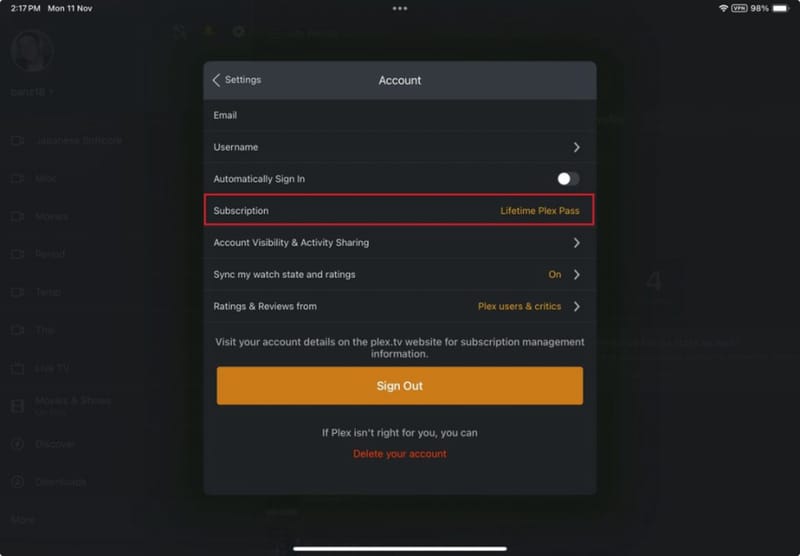
Downloading personal media for offline playback is a feature tied to Plex’s subscription tiers, and access can vary depending on your account type and the content source. Check your account status in the Plex app if the download option is not appearing, since some download features are gated behind a paid plan.
How much storage do downloads use?
This depends entirely on the quality setting you choose and the length of the content. A short episode at a lower quality might use a few hundred megabytes, while a full movie at higher quality can use several gigabytes. Always check available storage before downloading multiple large files.

Can I download content from someone else’s shared Plex library?
In many cases, yes, provided the library owner has allowed downloads for shared users and you have appropriate access. If you regularly watch a friend’s library, it is worth reviewing how to share a Plex library with friends to understand what permissions are involved.
Why does my downloaded content disappear or need to re-download?
Plex may periodically revalidate downloads to confirm you still have rights to the content, especially for online or licensed sources rather than your own personal media. If downloads keep vanishing, ensure your device connects to the internet occasionally so this check can complete, and confirm your Plex account remains active.
For further detail on setup requirements and platform-specific behaviour, the official Plex Downloads Overview and the Plex Downloads FAQ are useful references if you run into an issue not covered here. If you are still building out your server, it also helps to know how to set up a Plex Media Server on your PC before attempting to download content from it.