Anyone who splits their iPad time between binge-watching shows and knocking out a quick email knows the frustration of carrying a keyboard case that never quite fits the moment. The Logitech Flip Folio tackles that problem by letting the keyboard come and go as needed, magnetically snapping onto the case when it’s not required and popping free the moment typing duties call. This review looks at the black version built for iPad Air, examining how well the modular design holds up for everyday use.
Review summary
Logitech Flip Folio
The Logitech Flip Folio pairs a well-built iPad Air case with a fully detachable Bluetooth keyboard that magnetically docks onto the cover when typing isn't needed. Its sturdy adjustable kickstand, portrait-mode support and quiet, comfortable typing experience make it a versatile choice for both casual browsing and longer writing sessions. Long coin-cell battery life and multi-device pairing round out a case that prioritises flexibility over trying to be a full laptop replacement.
Highlights
- ✓Detachable, magnetically dockable Bluetooth keyboard
- ✓Sturdy, wide-range adjustable kickstand
- ✓Portrait mode ledge for reading and note-taking
- ✓Long-lasting coin cell battery, no charging needed
- ✓Quiet, comfortable typing with textured key caps
Logitech has built a solid reputation supplying keyboards, mice and webcams to both gamers and everyday users, and the Flip Folio applies that same practical thinking to tablet accessories. Rather than fusing the keyboard permanently to the case in the way many rivals do, Logitech has separated the two components while still finding a clever way to keep them travelling together. The result is a case that behaves like a normal folio when you don’t need to type, and a capable little keyboard setup the moment you do.
Over the course of testing, the Flip Folio proved itself as more than a gimmick. It offers genuine flexibility for iPad Air owners who want a keyboard on hand without being locked into carrying extra bulk every single day. The following sections break down the design, the standout features and how the case performs in real-world scenarios, from casual browsing sessions to longer typing stints.
Table of Contents
Design and Functionality
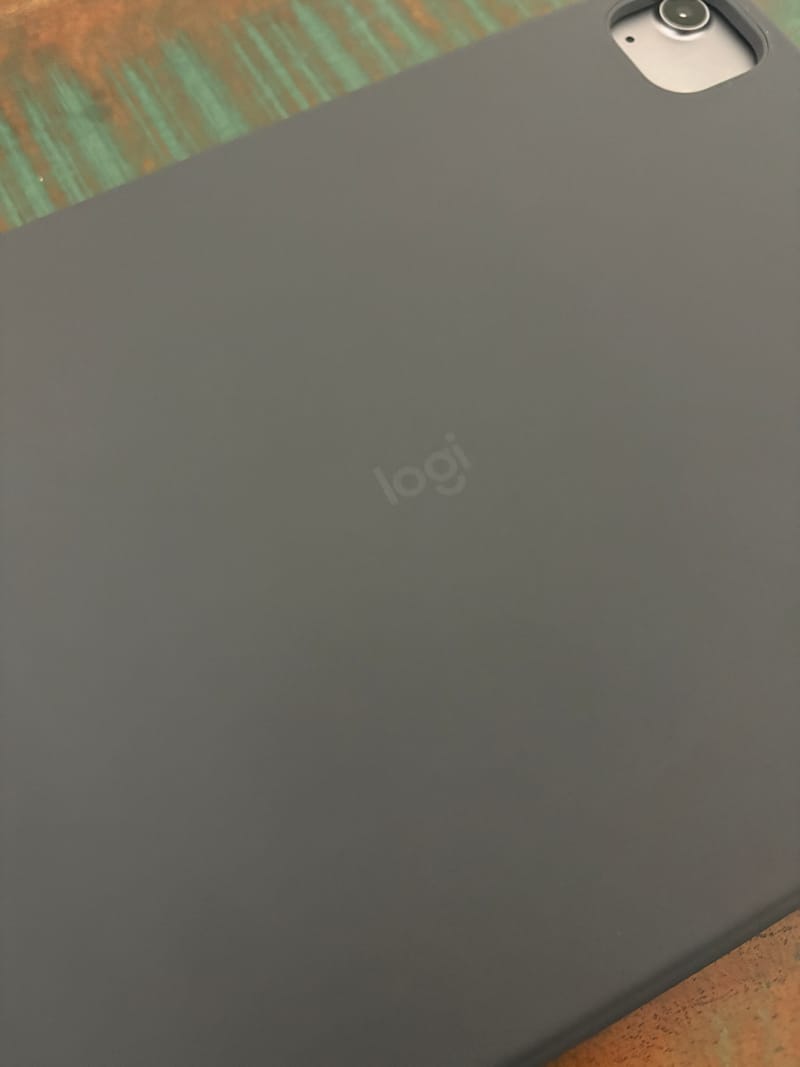
The black colourway of the Flip Folio has a soft-touch, faux leather style finish that feels pleasant in hand and looks understated rather than flashy. It’s a finish that suits the iPad Air well, giving the tablet a slightly more premium look than a plain plastic shell would manage.
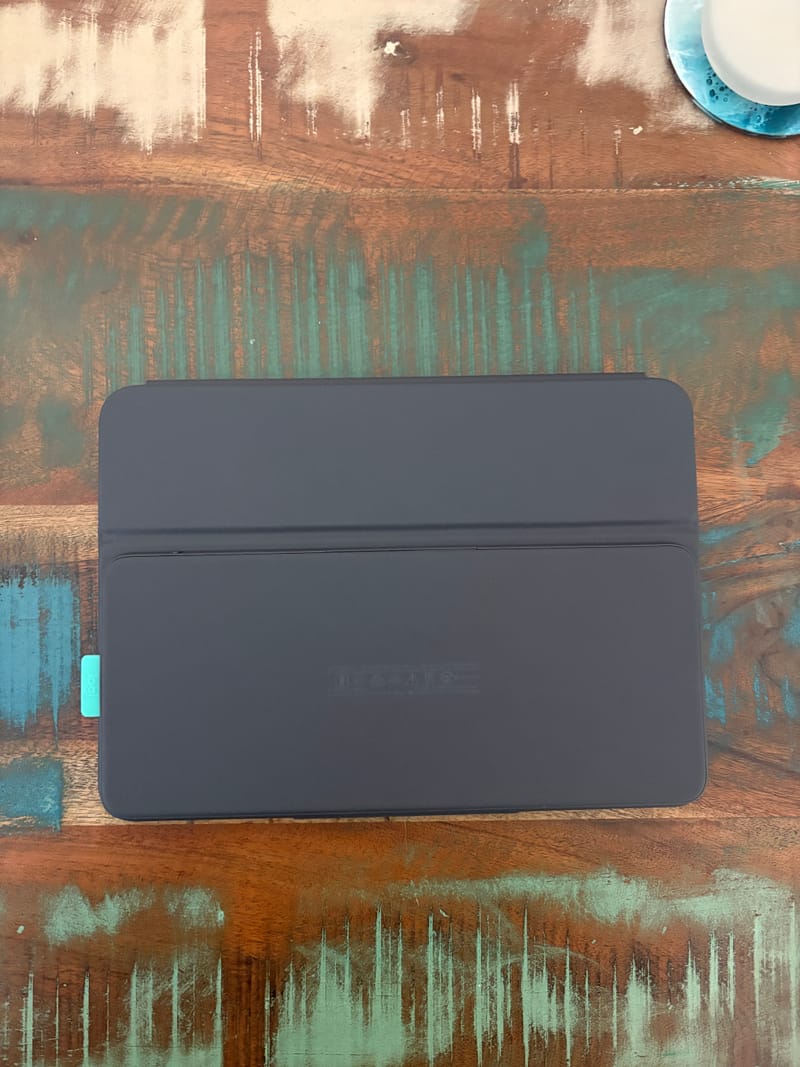
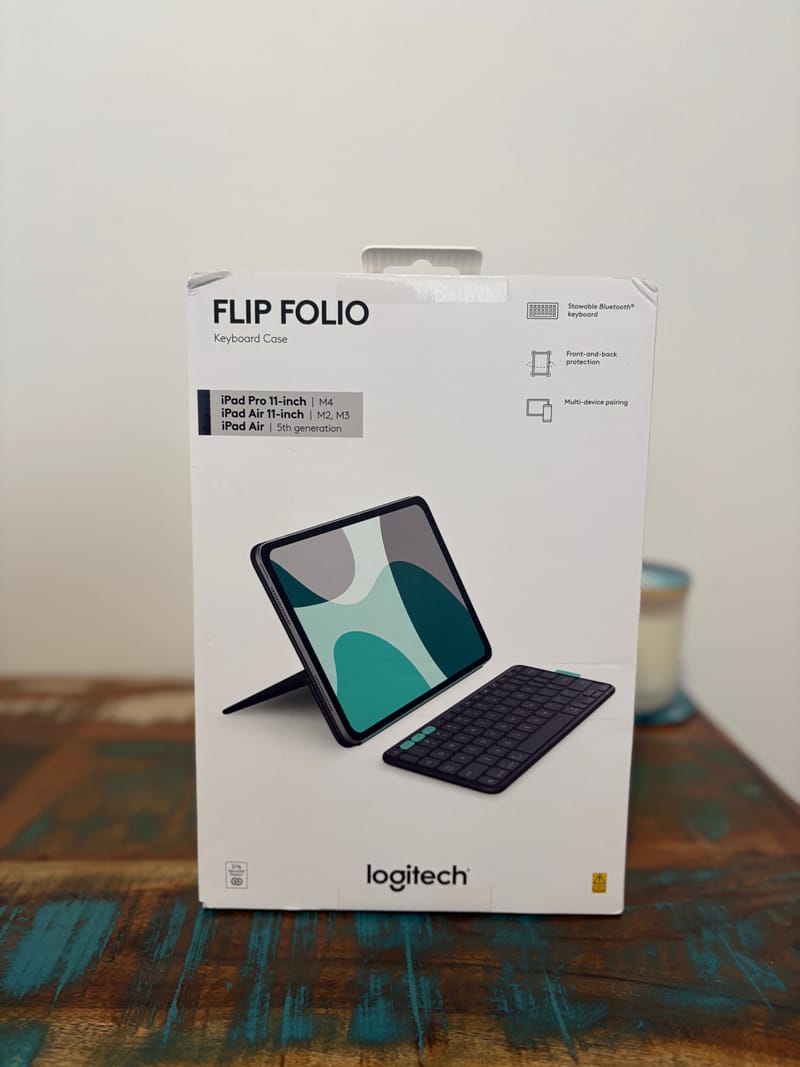
Being a darker colour, the black version also does a reasonable job of hiding fingerprints and light smudges compared to what a paler shade might show after a few weeks of handling. That’s a small but welcome detail for anyone who tends to pick their tablet up and put it down constantly throughout the day.
Logitech’s approach to attaching the keyboard is where the Flip Folio really separates itself from more conventional folio cases. Rather than hinging the keyboard directly to the tablet, the company has built a recessed, keyboard-shaped section into the cover portion of the case, lined with magnets that correspond to matching magnets in the keyboard itself.
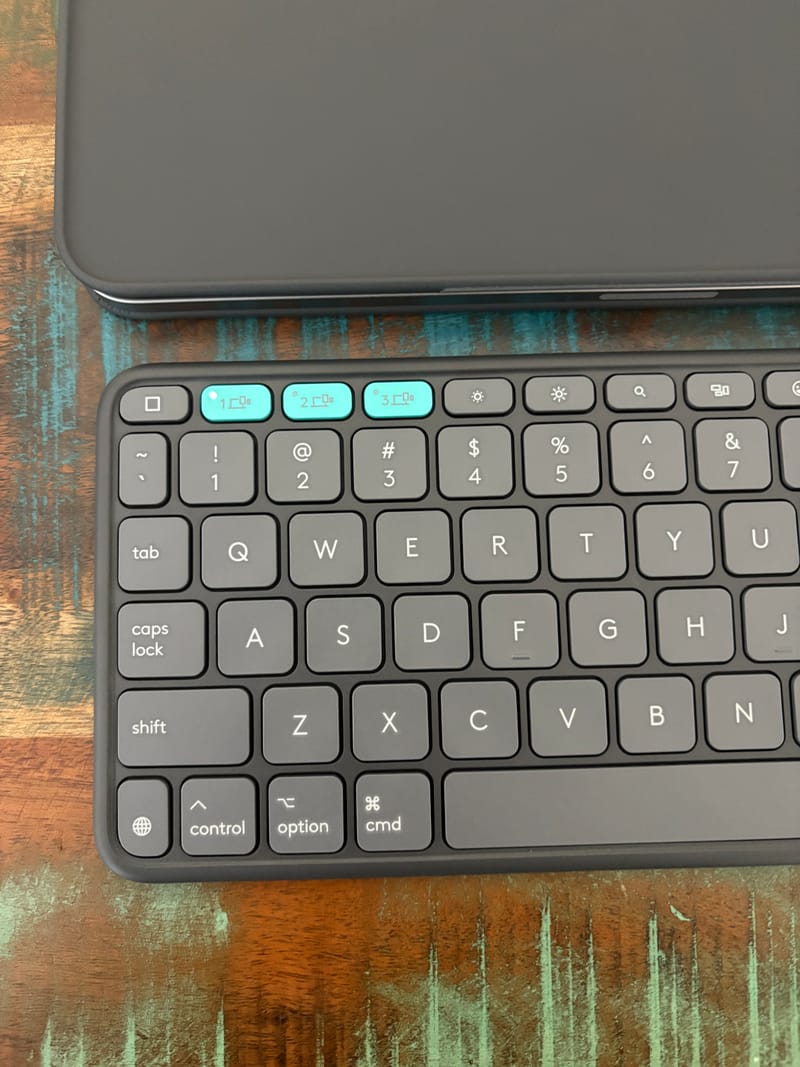
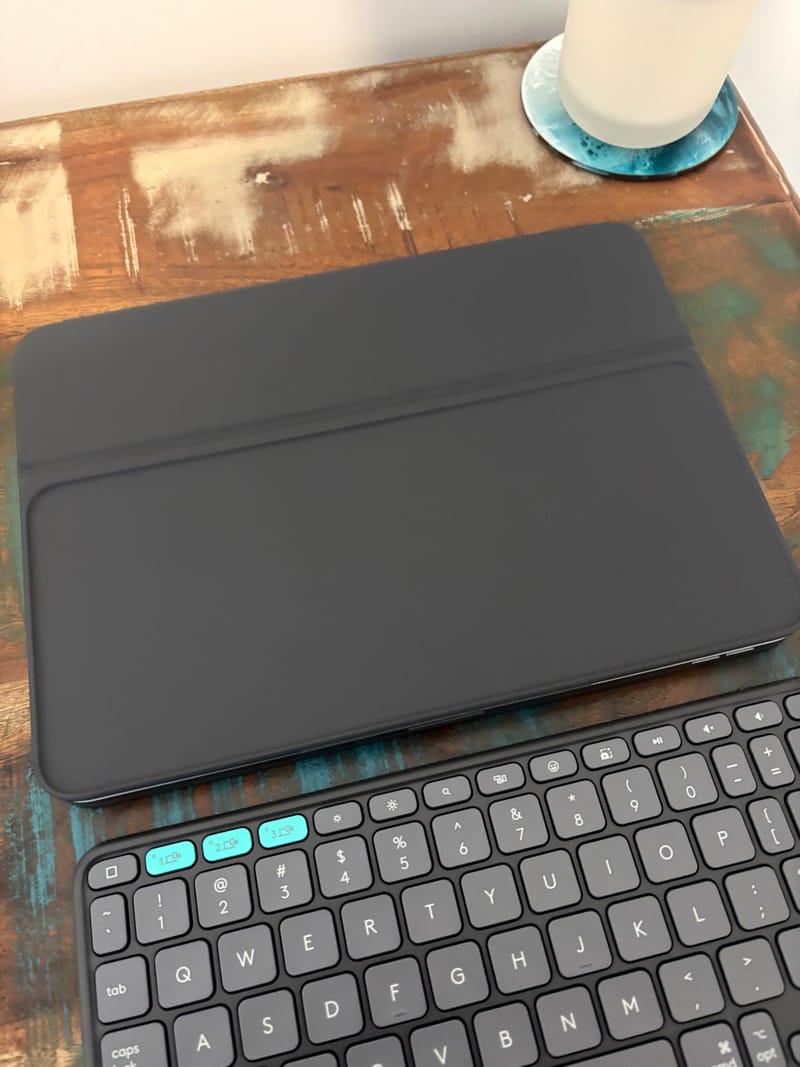
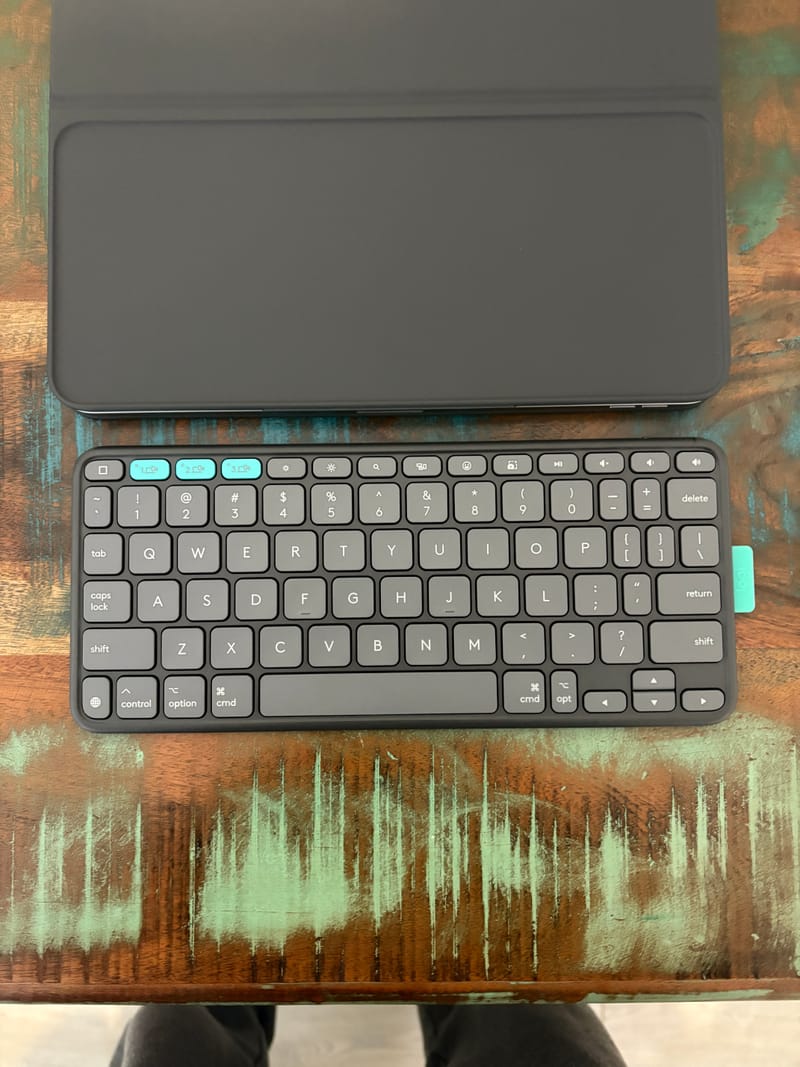
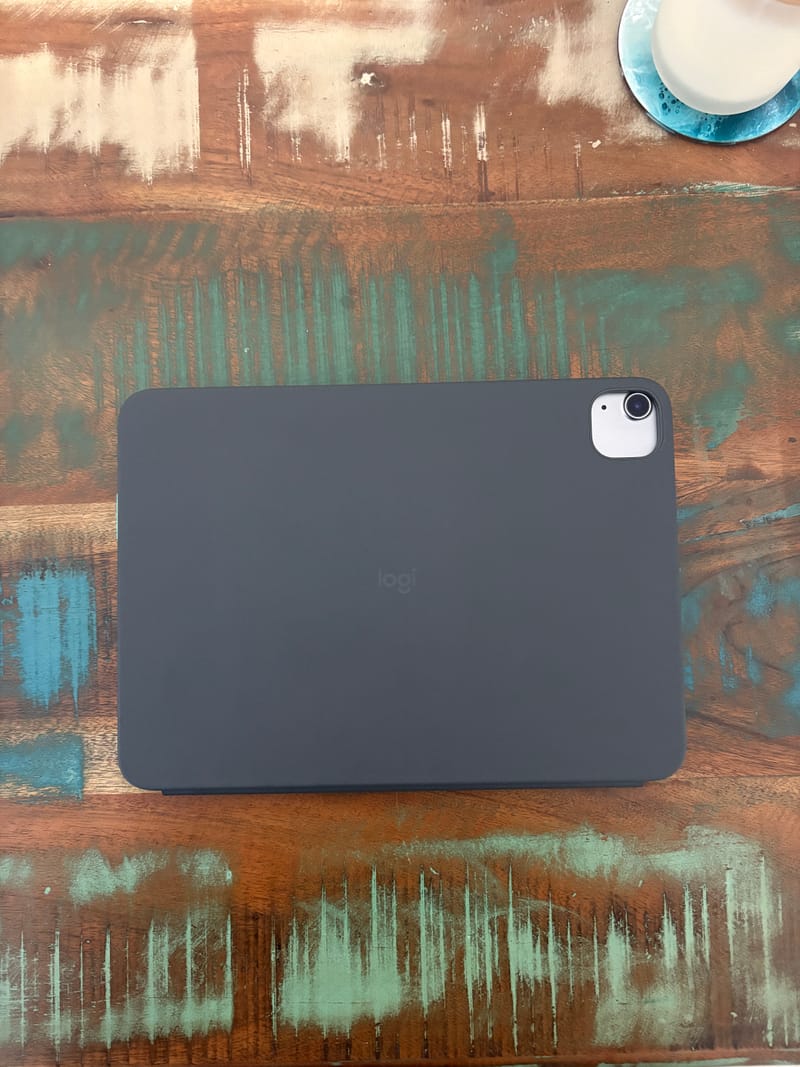
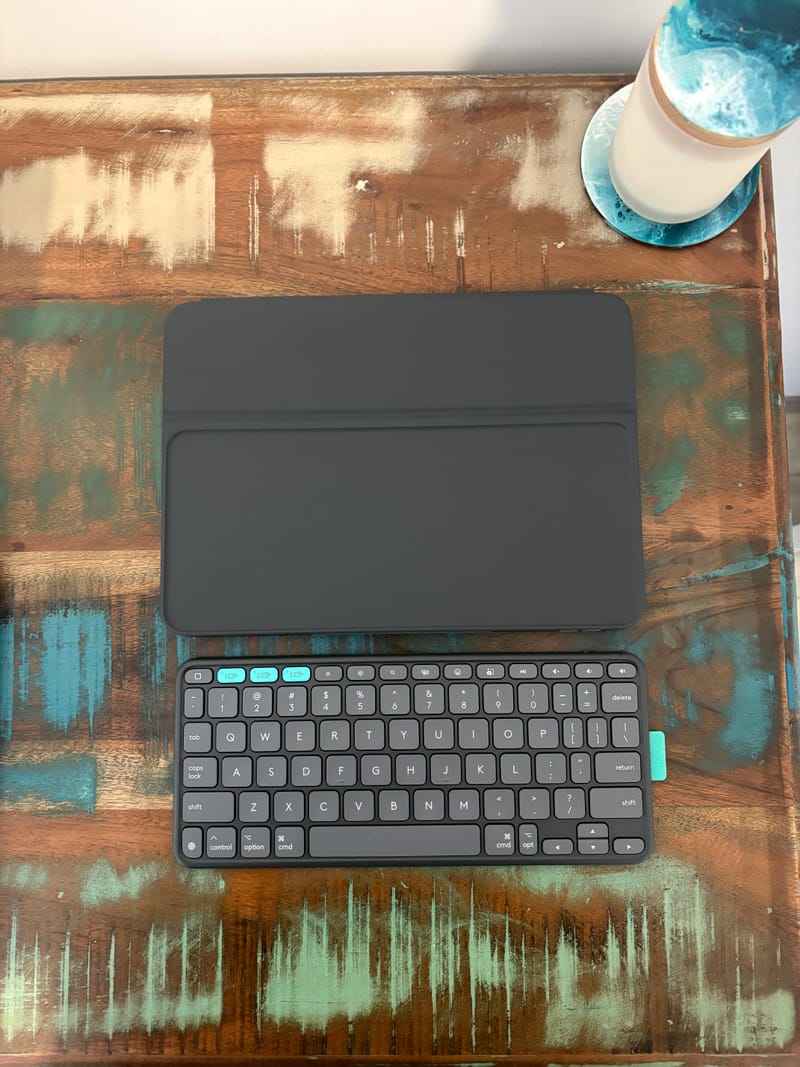
When not in use, the keyboard simply rests face down in that recessed area and locks into place magnetically. It’s a satisfying bit of engineering that means the keyboard never rattles around loose in a bag, and there’s no separate pouch or strap required to keep it secured to the case.
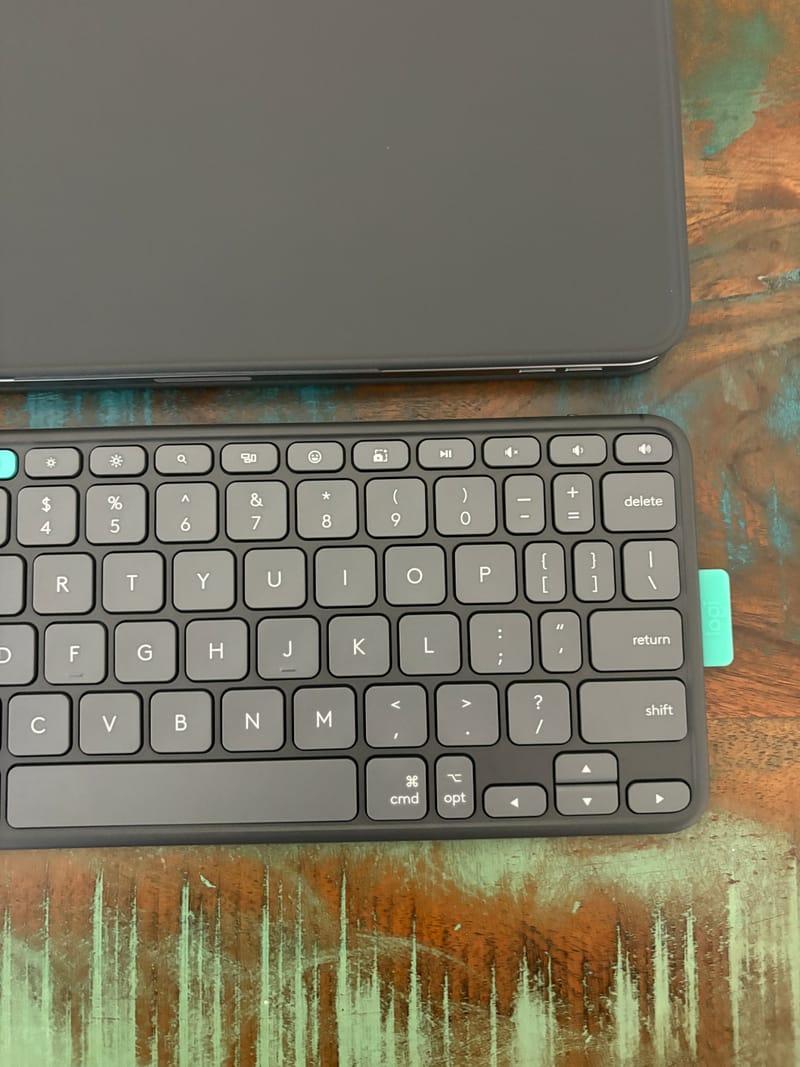
A small rubber pull tab sits along one edge of the keyboard, making it easy to peel it away from the case when it’s time to type. It isn’t strictly necessary since the keyboard can be prised off with a fingernail, but the tab makes the process quicker and less fiddly, especially when reaching for it one-handed.
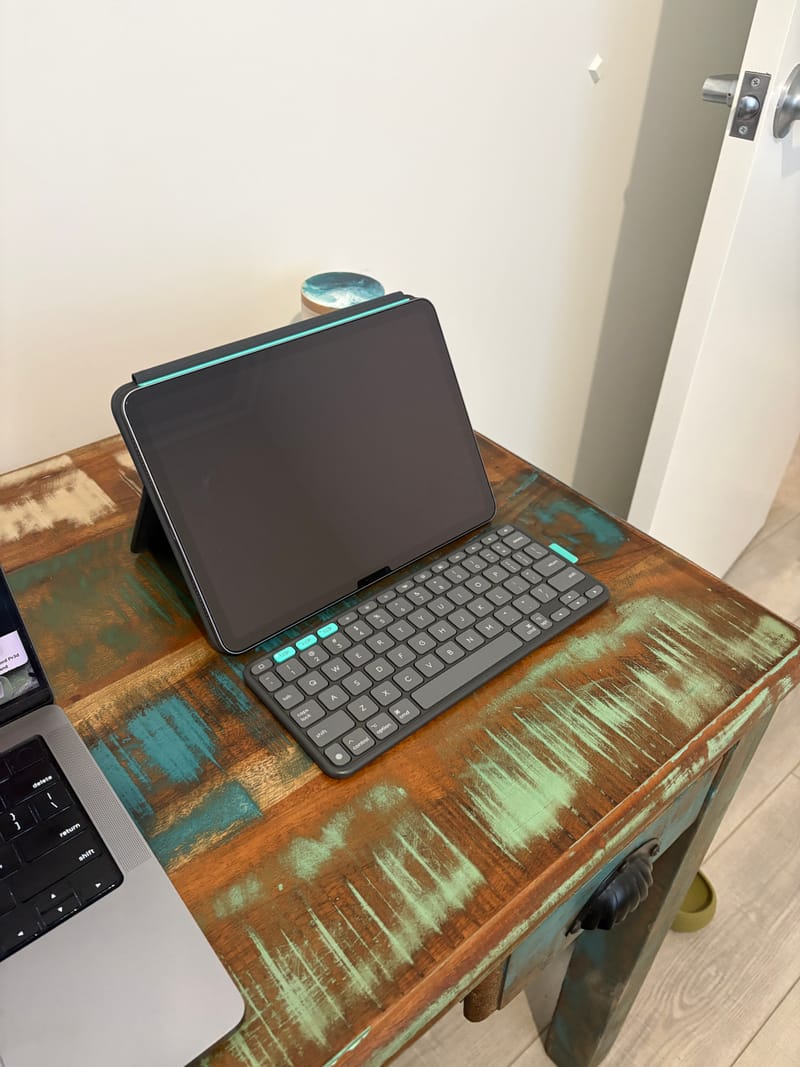
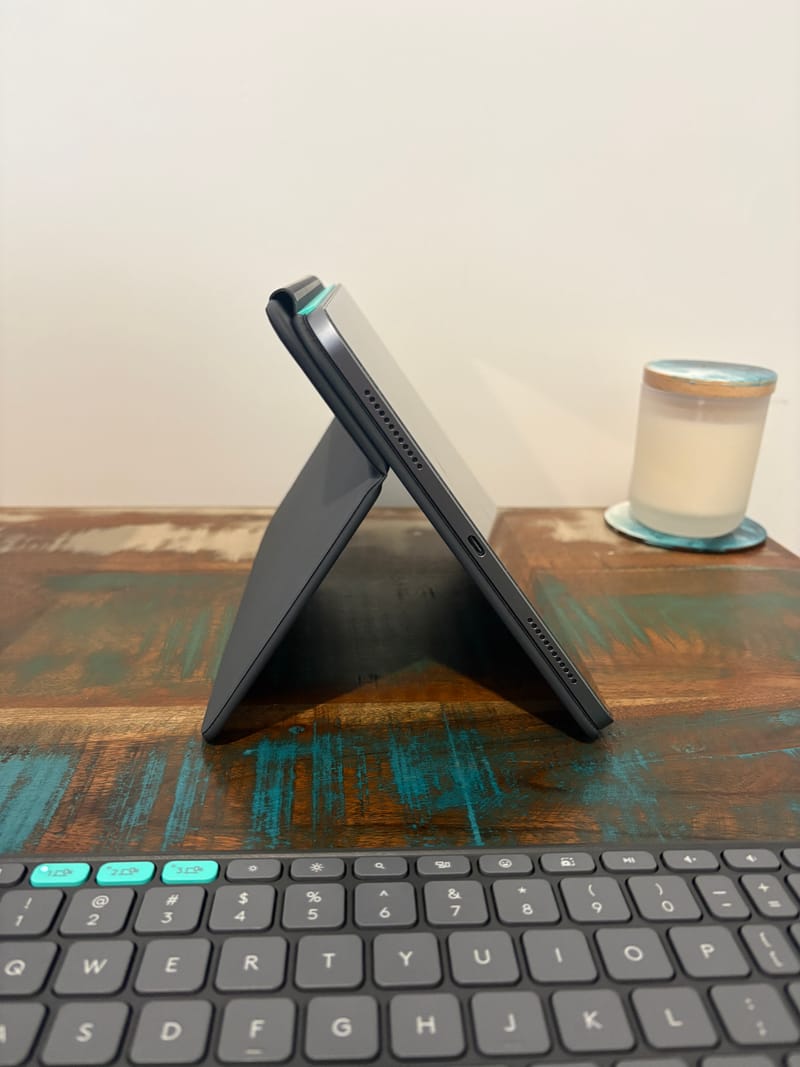
The cover section that wraps around the iPad’s screen doubles as the mechanism for propping the tablet upright. A hinge built into the case allows that cover to fold back behind the iPad, creating a kickstand that can be adjusted through a wide range of angles, up to roughly 90 degrees from flat.
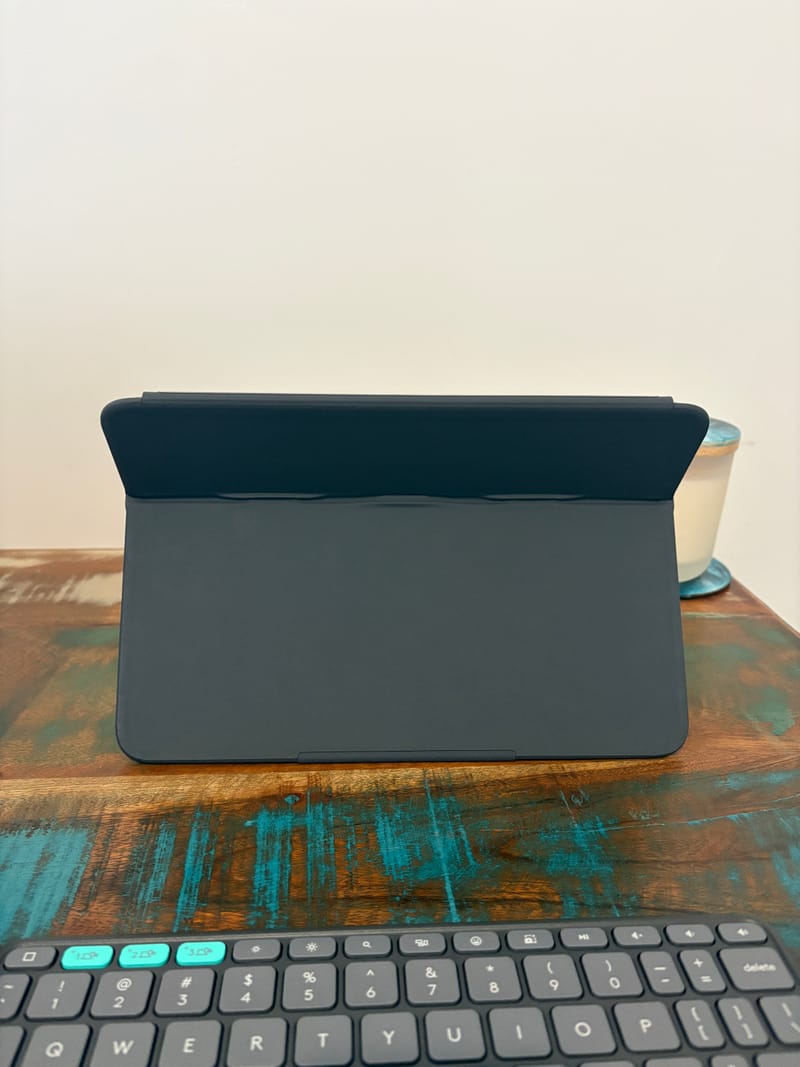
That hinge has a noticeably firm resistance to it, which means whatever angle gets chosen stays put rather than slowly drifting flat under the weight of the tablet. It’s a small thing, but it makes a real difference when using the iPad on an uneven surface like a couch cushion or a lap.
There’s also a small ledge built into the base of the case that supports the iPad in portrait orientation, something that not every folio case bothers to offer. This makes the Flip Folio genuinely useful for reading, note-taking or sketching in portrait mode, not just for typing in landscape.
Weight is one area where the design trade-off becomes obvious. Logitech lists the case portion for the 11-inch size at 560 grams, with the keyboard adding a further 176 grams, bringing the combined total to around 641 grams. That’s heavier than some rival keyboard cases on the market, largely a consequence of the magnets and internal hinge mechanism needed to make the detachable design work.
In daily use, that extra heft is noticeable when picking the folio up compared to a slim Smart Folio style case, but it isn’t so heavy that it becomes uncomfortable to hold or carry. Most users adjusting from a lighter case will settle into the extra weight within a day or two.
One feature that’s conspicuously absent is any kind of trackpad or built-in pointing device. The Flip Folio is a typing accessory first and foremost, so anyone wanting cursor control will need to pair a separate Bluetooth mouse or rely on the iPad’s touchscreen and Apple Pencil for navigation.
For plenty of iPad Air owners, that omission won’t matter much since touch input already covers most day-to-day navigation tasks. It does mean the Flip Folio is squarely aimed at typing convenience rather than trying to turn the iPad into a full laptop replacement.
The 11-inch Flip Folio is designed to work with compatible iPad Air models, including the M2 and M3 generations, giving Air owners a keyboard option that’s tailored to their specific tablet rather than a generic case that loosely fits several models.
Build quality throughout feels solid, with stitching and edges finished neatly and no obvious weak points around the hinge or the magnetic keyboard dock after repeated attaching and detaching. Logitech’s design and manufacturing experience with peripherals such as the Logitech G502 X Plus clearly carries over into how sturdy this case feels in hand.
The overall footprint of the case, even with the keyboard docked, remains reasonably slim for a folio of this style. It slides into most backpack sleeves and tablet compartments without needing extra room set aside.
Logitech has also positioned sustainability as part of its broader product design approach, considering environmental impact throughout development. It’s a nice inclusion for buyers who like knowing the accessories they’re carrying were designed with that in mind, even if it isn’t the headline feature of the case.
Key Features
The detachable Bluetooth keyboard is unquestionably the centrepiece feature of the Flip Folio. Pulling it free from the case takes seconds, and it can be placed anywhere convenient, on a table, a lap or even propped against another surface, without needing to keep the iPad tethered directly to it.
Multi-device pairing is built in, with the keyboard able to connect to up to three separate devices over Bluetooth. That opens the door to switching between an iPad, a laptop or a phone without having to repeatedly re-pair the keyboard each time.
Power comes from a small coin cell watch battery rather than a rechargeable internal cell. Because there’s no backlighting to drain power and the keyboard can be switched off between uses, that single battery is expected to last for a considerable stretch of regular use before needing replacement.
Skipping backlighting was clearly a deliberate trade-off in favour of battery longevity, and for a keyboard aimed at occasional rather than constant typing, it’s a sensible one. Most users reaching for the Flip Folio in daylight hours or well-lit rooms won’t miss illuminated keys.
The key caps themselves have a light texture that adds a bit of grip under the fingertips, helping typing feel more controlled rather than slippery. It’s a subtle touch, but one that becomes noticeable during longer typing sessions.
Half-sized keys make an appearance in a few spots on the layout, most notably the apostrophe key, which takes some getting used to for touch typists accustomed to a full-sized layout. It’s a minor adjustment period rather than a genuine obstacle.
The magnetic docking system doubles as both a storage mechanism and a functional feature, since the keyboard locks flush against the case rather than needing a separate pocket or sleeve. This keeps the whole package tidy when tossed into a bag.
Kickstand versatility is another feature worth highlighting, with the wide range of adjustable angles supporting everything from a low, relaxed viewing position for video to a more upright angle suited to typing at a desk.
Portrait mode support, thanks to the ledge at the base of the case, extends the Flip Folio’s usefulness beyond typing scenarios into reading, note-taking and drawing with an Apple Pencil, where a taller, narrower screen orientation is often preferred.
Compatibility with the iPad Air lineup means the case and keyboard are shaped specifically to that tablet’s dimensions, rather than being a loose universal fit that might leave gaps around the ports or camera cutout.
The rubber pull tab on the keyboard, while a small addition, genuinely improves the day-to-day experience of detaching the keyboard, particularly when doing so quickly or with one hand while the other holds the iPad steady.
Because the keyboard functions independently over Bluetooth rather than through a physical connector, it can be used at a distance from the iPad, propped up separately on a stand or lying flat on a desk, which suits people who like typing with the tablet elevated on its own kickstand a little further away.
The stiff internal hinge that creates the kickstand also acts as a protective fold when the case is closed, covering the screen fully and adding a layer of everyday protection against scratches and knocks while the iPad sits in a bag.
Sustainability considerations run through Logitech’s broader design philosophy, and while it isn’t a flashy feature in the traditional sense, buyers who prioritise environmentally conscious purchases will appreciate that this thinking has been factored into the Flip Folio’s development.
Experience Using the Product and Performance
Typing on the Flip Folio for the first time feels immediately familiar, with key spacing close enough to a standard keyboard that muscle memory kicks in within a few sentences. The half-sized apostrophe key is the only real speed bump, and even that becomes second nature after a short adjustment period.
Longer writing sessions, such as drafting emails or working through a set of notes, remain comfortable thanks to the slightly textured key caps, which help fingers stay planted rather than sliding around during faster typing.
Detaching the keyboard to place it on a desk while the iPad sits propped up nearby works exactly as intended, and it quickly becomes a natural habit rather than an extra step to think about. Within a day or two, unclipping the keyboard feels as routine as opening a laptop lid.
The kickstand’s firm hinge proves its worth in real use, holding the iPad steady at whatever angle has been chosen even when typing with a bit of force or resting a hand against the edge of the screen.
Using the case on a lap, rather than a flat table, highlights just how much the ledge and stiff hinge contribute to stability. There’s very little wobble compared to some cantilevered keyboard designs that can tip if the balance shifts even slightly.
Portrait mode gets plenty of use for reading articles, scrolling through documents and jotting quick notes with an Apple Pencil, and the ledge keeps the iPad securely propped without sliding down over time.
Switching the keyboard between paired devices is straightforward, and moving from the iPad to a phone for a quick message takes only a couple of seconds once the initial pairing has been set up for each device.
Battery life has been a non-issue throughout testing, with no signs of the coin cell running low despite regular use across multiple sessions each day. The lack of backlighting clearly pays dividends here.
Typing volume is on the quieter side, which suits environments like shared offices, cafes or trains where a loud, clacky keyboard would draw unwanted attention.
The overall footprint when using the case flat on a table, keyboard docked or detached, remains compact enough to fit comfortably on a small cafe table alongside a coffee cup, something not every keyboard case manages gracefully.
Carrying the Flip Folio in a backpack alongside other gear hasn’t presented any issues, with the case sliding into a padded sleeve without extra bulk causing zips to strain.
The extra weight compared to a plain folio case is noticeable when first picking it up, but it settles into the background after a few days of regular handling, particularly once the added stability and detachable keyboard start proving their worth.
Watching video with the case propped at a lower, more reclined angle has been comfortable for extended periods, with the sturdy hinge preventing any of the slow drift downward that looser kickstands sometimes suffer from.
Video calls benefit from the same kickstand stability, holding the iPad at eye level on a desk without needing a separate stand or prop to keep the camera steady.
Removing the keyboard for a video call, so it isn’t picking up unnecessary background noise or getting knocked, takes only a moment thanks to the pull tab, and reattaching it afterwards is just as quick.
Drawing sessions with an Apple Pencil, whether sketching or annotating documents, benefit from the kickstand’s range of angles, allowing the screen to sit at a comfortable drawing angle rather than flat on a table.
The magnets holding the keyboard in the docked position have proven strong enough that the keyboard hasn’t come loose inside a bag during transport, even when the bag has been tossed around a bit on public transport.
Closing the case fully protects the screen during travel, and the soft-touch exterior has shown no signs of wear or peeling after weeks of regular use, sliding in and out of bag pockets.
The black colourway continues to hide fingerprints reasonably well, with smudges far less obvious than they’d likely be on a lighter shade after a similar amount of handling.
Repeated flipping of the cover to create the kickstand hasn’t loosened the hinge or introduced any play, with the resistance feeling just as firm after weeks of daily folding and unfolding as it did on day one.
For students, the Flip Folio suits lecture note-taking particularly well, letting the iPad sit propped in portrait or landscape while the keyboard handles typed notes, then quickly switching to touch input for annotating slides.
Professionals who mostly use their iPad Air for reading documents, replying to messages and the occasional email will likely find the detachable keyboard perfectly suited to their needs, since it’s there when required and out of the way otherwise.
Heavier writing tasks, such as long-form documents or extended research work, remain achievable, though those doing this kind of typing daily might still prefer a keyboard with a built-in trackpad for smoother navigation between apps.
The absence of a trackpad hasn’t been a major drawback during testing, largely because the iPad’s touchscreen handles most navigation tasks quickly, and a Bluetooth mouse can always be paired for anyone who wants a pointer.
Using the Flip Folio alongside other Logitech peripherals, such as a Logitech Spotlight 2 presenter during a presentation, has highlighted how well the ecosystem’s Bluetooth pairing tends to behave across devices without dropouts.
Setup out of the box has been simple, with pairing the keyboard to an iPad Air taking only a few taps through the standard Bluetooth settings menu, no additional app or account required.
The recessed dock for the keyboard means there’s never any guesswork about alignment when snapping it back into place, since the magnets naturally pull it into the correct position.
Comparing the experience to typing directly on the iPad’s on-screen keyboard, the physical keys make an obvious difference to both speed and accuracy, particularly for anything longer than a short message.
The case has held up well through daily commuting, tossed in and out of a bag multiple times a day, without the corners fraying or the magnetic clasp that keeps the folio closed losing its grip.
Overnight standby with the case closed hasn’t drained the iPad’s battery any faster than usual, suggesting the magnets used for the sleep and wake function are well calibrated.
Anyone weighing up whether to keep an external webcam or camera accessory nearby for calls, similar to something like the Obsbot Meet Flip webcam, will find the Flip Folio’s stable kickstand a solid base for that kind of setup, holding steady during longer video sessions.
The keyboard’s compact size does mean touch typists with larger hands may need a short adjustment period, though this settles quickly with regular use over a few days.
Responsiveness of the Bluetooth connection has been reliable throughout testing, with no noticeable lag between key presses and characters appearing on screen, even during fast typing bursts.
Conclusion
The Logitech Flip Folio succeeds by embracing a genuinely different approach to the keyboard case formula, separating the keyboard from the case without sacrificing the convenience of having them travel together. For iPad Air owners who type occasionally rather than constantly, it strikes a sensible balance between flexibility and everyday usability.
The sturdy kickstand, stable portrait mode support and reliable magnetic keyboard dock all contribute to a case that feels considered rather than gimmicky. Small details, like the textured keys and the pull tab for detaching the keyboard, show that Logitech has thought through the small frictions that come with daily use.
The lack of a built-in trackpad and the extra weight compared to a slimmer folio are worth keeping in mind, but neither becomes a serious drawback once the case settles into a daily routine. For light to moderate typing needs, those trade-offs are easy to live with given everything else the Flip Folio gets right.
Anyone considering a keyboard case for their black iPad Air should take a look at the Logitech Flip Folio as a genuinely well thought out option that adapts to how often, or how little, a keyboard actually gets used.