Multi-colour 3D printing has traditionally meant paying a premium, but the Creality SPARKX i7 Nano Combo aims to change that equation for Australian makers, families and hobbyists. Built around the existing SPARKX i7 platform, this Nano variant bolts on a compact four-colour filament system without ballooning the printer’s footprint or complicating the experience for first-time users.
Review summary
Creality SPARKX i7 Nano
The Creality SPARKX i7 Nano Combo delivers accessible four-colour 3D printing without ballooning cost or complexity, making it a practical choice for hobbyists and families. AI-assisted design tools and extensive automation handle much of the hands-on work, whilst the compact footprint keeps the overall desk space minimal for a multi-material machine. Build quality feels solid for the price, with thoughtful touches like Night Mode operation and live AI monitoring adding genuine everyday utility.
Highlights
- ✓Four-colour printing in a compact desktop footprint
- ✓AI Photo-to-3D removes the need for CAD experience
- ✓Automated filament handling and safety detection systems
- ✓Quiet Night Mode operation as low as 45dB
- ✓Tool-free maintenance and quick-swap components
Creality has leaned heavily into accessibility with this release, pairing AI-assisted modelling tools with the kind of automated filament handling usually reserved for pricier machines. The result is a printer pitched squarely at everyday hobbyists, gamers wanting their own miniatures, and families looking to tackle home decor or school projects together.
This review walks through the design, the standout features and what it is actually like to set up and run the SPARKX i7 Nano Combo day to day. Anyone weighing it up against other budget-friendly options on the market will find plenty here to help decide whether it earns a spot on the desk.
Table of Contents
Design and Functionality
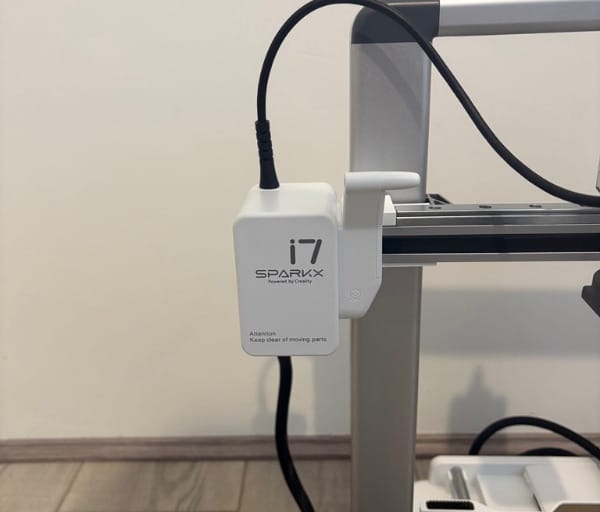
The SPARKX i7 Nano Combo keeps the clean, white-and-grey aesthetic that Creality has favoured across its recent lineup, with the added CFS Nano kit sitting neatly on top of the main frame rather than beside it. This vertical arrangement is what keeps the overall footprint close to that of a single-colour printer, despite now offering four filament inputs.
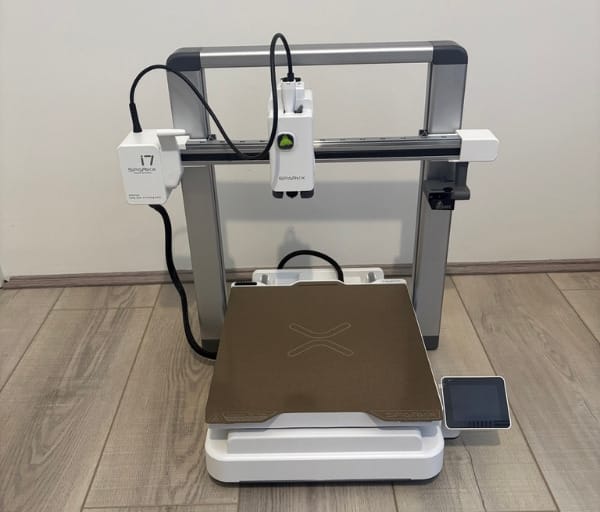
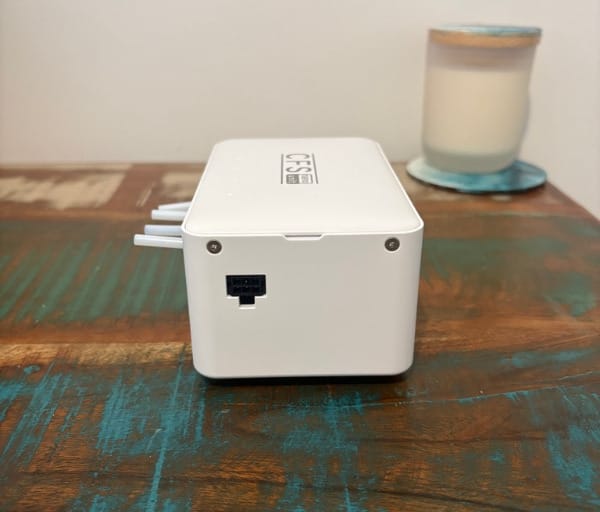
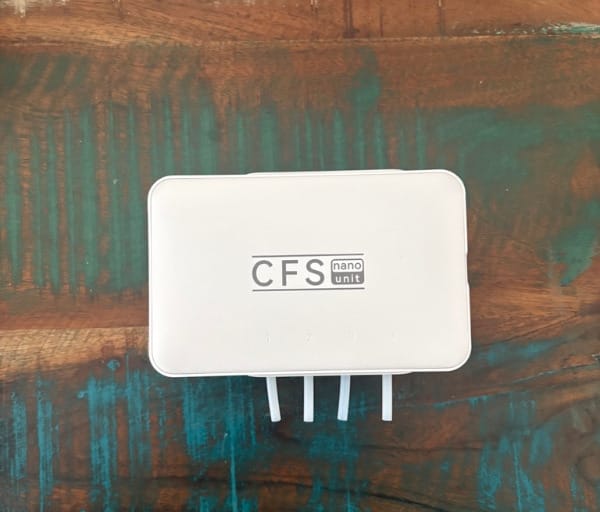
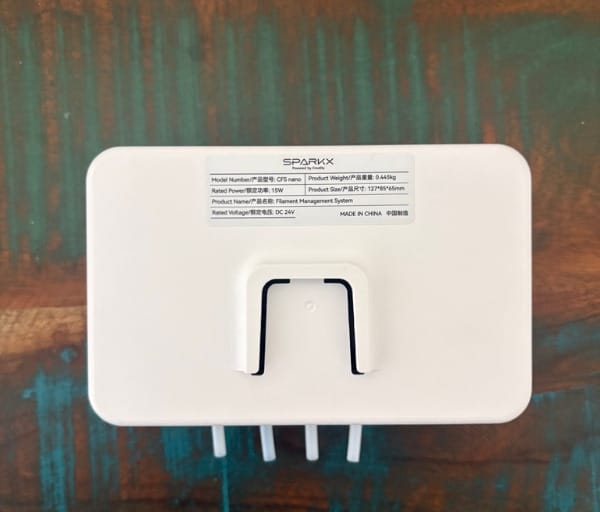
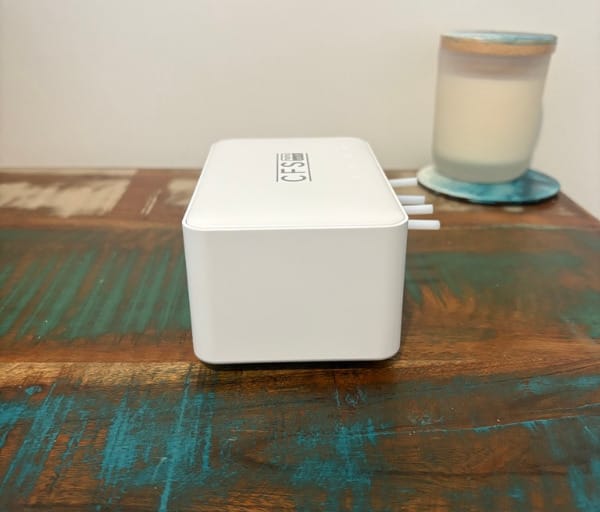
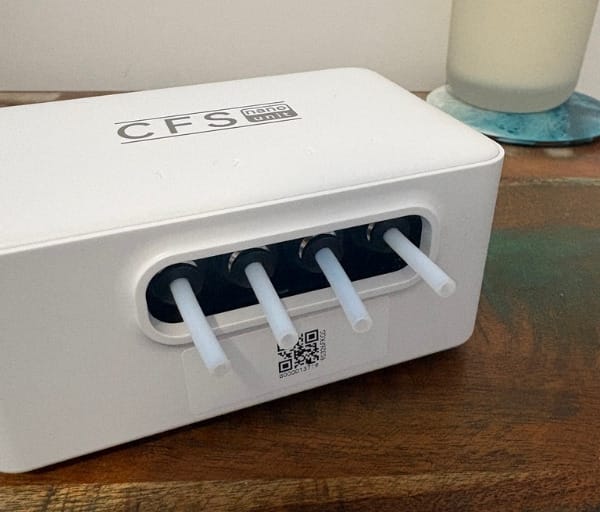
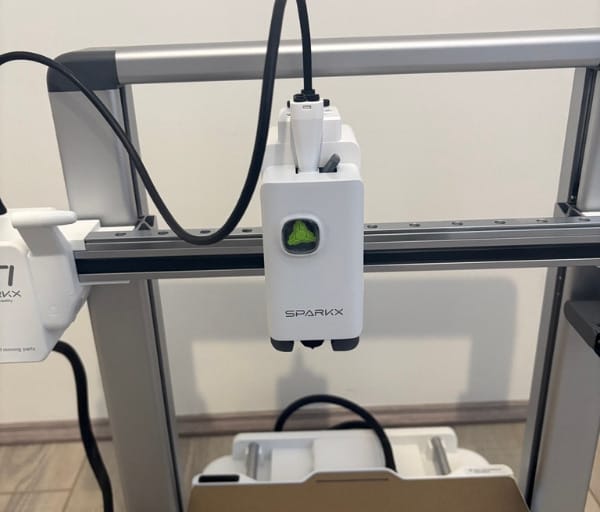
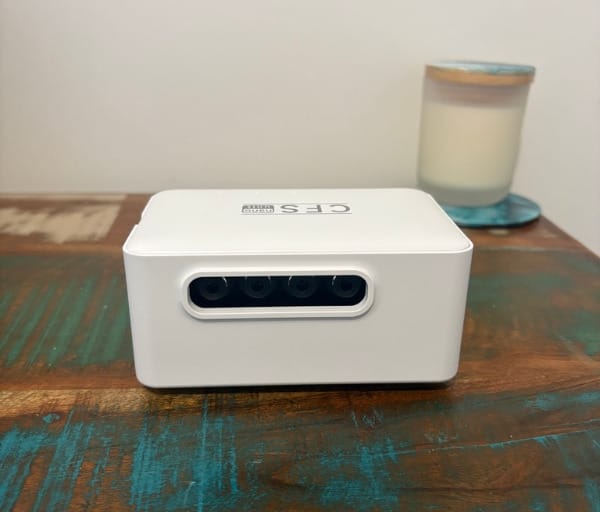
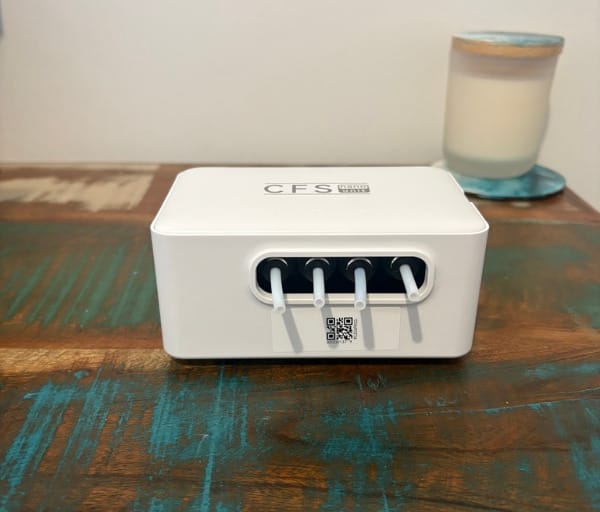
Build volume comes in at 260 x 260 x 255mm, which is a sensible size for a desktop machine and leaves enough room for everything from tabletop gaming miniatures to small household fixtures. It is generous enough for most hobbyist projects without demanding the floor space of larger enclosed printers.
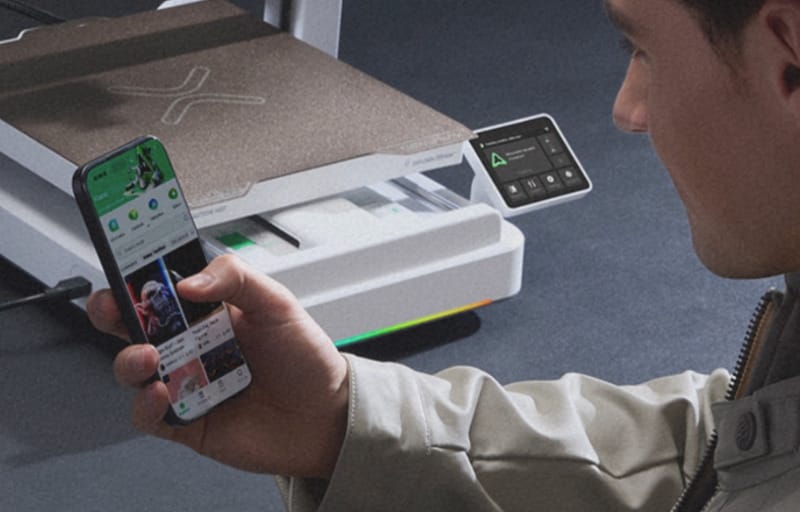
A wide RGB light strip runs along the bottom front edge of the base and does more than add visual flair. It doubles as a genuine status indicator, tracking print progress in real time so a glance across the room tells you roughly how far along a job is.
Because the lighting is customisable, users can set colours and effects that suit their space, whether that is a home office, a classroom, or a garage workshop. It is a small touch, but one that makes the machine feel considered rather than purely functional.
The modular nature of the SPARKX i7 platform is one of its more practical design decisions. Buyers can start with the barebones printer and later add the Nano or CFS kits as their needs grow, which suits anyone unsure how deep they want to go into multi-colour printing from day one.
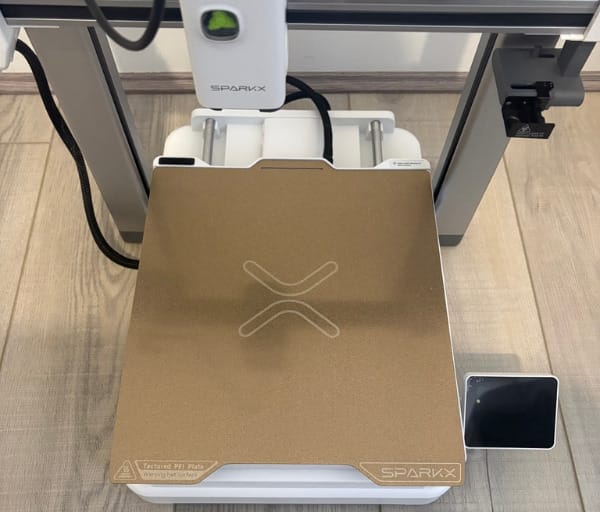
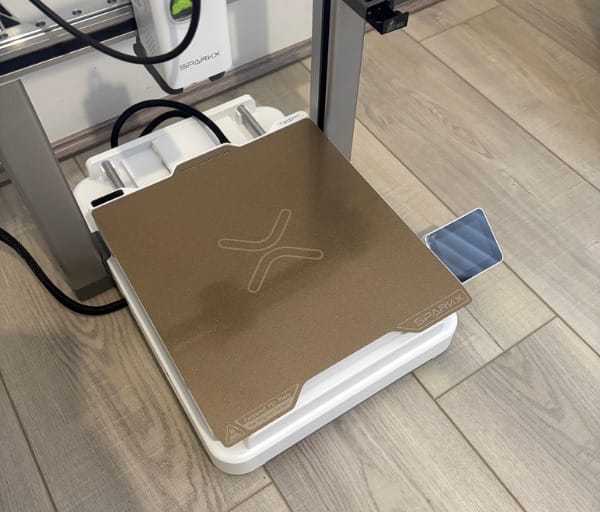
Compared with standalone multi-material units sold separately, having the CFS Nano kit integrated into the printer’s frame means far less bench space is sacrificed. For apartment dwellers or those with a dedicated hobby corner rather than a full workshop, that compact profile matters.
Underneath the styling, the frame itself is built from solid metal, with X, Y and Z axis rods that give the machine a reassuring heft. It does not feel like a toy, even positioned as an entry-level option in Creality’s range.
A hardened steel nozzle rated to handle temperatures up to 300°C sits at the heart of the hotend, which opens the door to a wider range of filaments than many budget machines can manage, including tougher engineering materials alongside standard PLA.
The build plate is a dual-sided, textured PEI surface, giving users the flexibility to switch textures depending on the finish they want on the underside of a print, and it should also make removing finished parts simpler once cooled.
Onboard, the printer includes 8GB of internal storage, which is handy for keeping sliced files ready to print without needing a USB stick or constant network connection. For a printer at this end of the market, that inclusion is a welcome convenience.
Automation is where the design really shows its ambition. Filament run-out detection, automatic refill, and automatic loading and unloading are all built in, meaning the printer can manage its own filament supply with minimal hands-on intervention.
Because the CFS Nano kit holds four spools, the printer can automatically switch to a fresh spool of the same filament if one runs dry mid-print, which is particularly useful for long, unattended jobs that would otherwise stall overnight.
Tangle detection and spaghetti detection round out the automated safety net, both designed to catch common 3D printing mishaps before they waste an entire spool or damage a print in progress.
Maintenance has clearly been considered too, with a tool-free, latch-based nozzle replacement system that lets users swap nozzles without hunting for an Allen key. An easily accessible extruder lever also makes clearing a jam a quick job rather than a stressful one.
A built-in AI camera sits at the top of the printer, complete with a dual LED light setup to illuminate the build plate and a manual privacy shield that can be flipped over the lens when not in use. This camera enables live view streaming and AI-assisted monitoring of the print as it progresses.
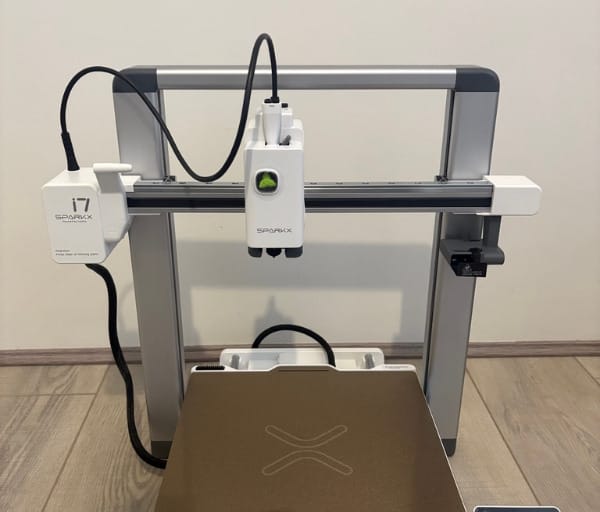
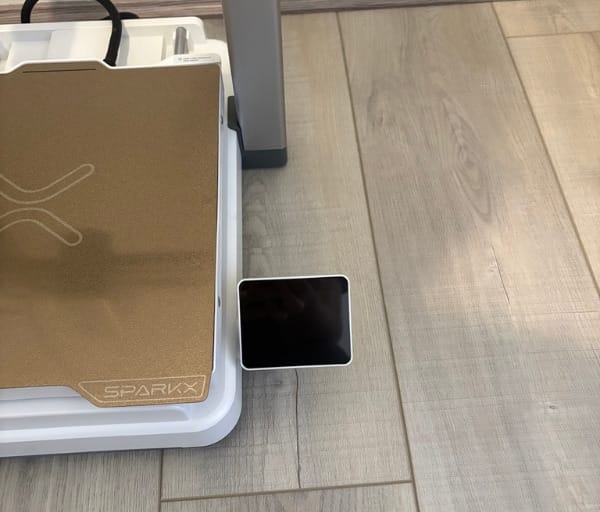
The display is a 2.85-inch full-colour touchscreen with a hinge that allows it to fold flat against the frame for transport or storage, rather than tilting on an arm as seen on some other Creality models. Despite the smaller size, text and icons remain easy to read.
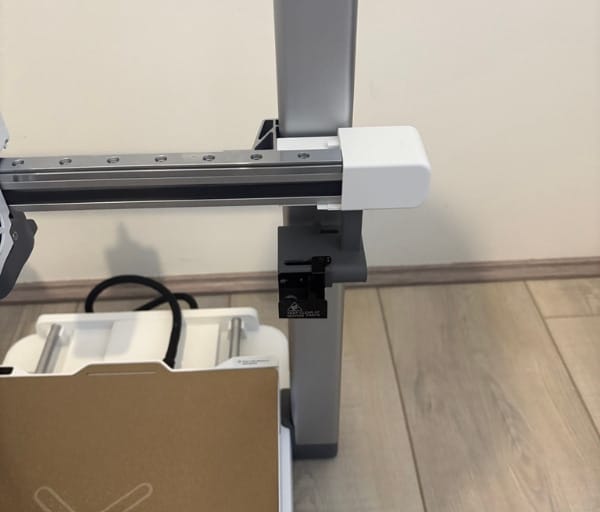
Taken together, the design balances compactness, genuine build quality and a sensible set of automated conveniences, all wrapped in a package that still looks tidy sitting on a desk at home or in a classroom.
Key Features
The headline feature is undoubtedly AI Photo-to-3D, which lets users take a single photo and generate a printable model from it without ever opening traditional CAD or modelling software. For anyone intimidated by 3D design, this removes one of the biggest barriers to getting started.
Night Mode is another standout, bringing operating noise down to around 45dB, roughly as quiet as turning a page in a book. That makes it genuinely usable overnight in a bedroom, home office or shared studio space without disturbing anyone nearby.
The custom RGB lighting mentioned earlier also functions as a practical feature rather than just decoration, since the colour and pattern can be configured to reflect print status at a glance from across the room.
Creality has clearly designed the setup process with beginners front of mind, promising a path from unboxing to first print in under five minutes for the base configuration. That kind of claim is rare in the 3D printing space, where setup headaches are often the first hurdle for newcomers.
Quick-swap, tool-free parts extend across several components, not just the nozzle, which means routine maintenance does not require a toolbox full of hex keys and specialty tools.
The CFS Nano kit itself is the feature that defines this particular variant, unlocking four-colour printing from a single machine. It includes its own spool holder structure and four individual spool mounts, designed to integrate with the automatic filament handling system.
The built-in AI camera supports more than casual monitoring. It can stream live footage of an active print, record timelapse video, and use AI analysis to flag potential print issues as they develop rather than after the fact.
Timelapse output is captured in 720p at 15 frames per second, which is enough to produce shareable clips of a build growing layer by layer, a popular feature among hobbyists who like documenting their projects.
The automatic filament management suite, covering run-out detection, auto refill and automatic load and unload, works as a cohesive system rather than a collection of separate gimmicks, aimed squarely at reducing the babysitting that multi-material printing often demands.
Tangle detection and spaghetti detection add an extra layer of reassurance for anyone planning longer prints while away from the machine, catching two of the most common failure points in FDM printing before they spiral into wasted filament.
The hardened steel nozzle and its 300°C temperature ceiling count as a genuine feature rather than a footnote, since it broadens the range of filaments the printer can realistically handle beyond basic PLA.
The dual-sided textured PEI plate gives users a choice of finish without needing to buy a separate build surface, which is a nice bit of built-in versatility for a machine at this level.
Eight gigabytes of internal storage means files can be queued and printed without relying on a constant Wi-Fi connection or USB drive, a small but genuinely useful piece of everyday convenience.
The full-colour, foldable touchscreen interface ties the experience together, giving direct access to temperature readouts, axis movement, file browsing and network settings without digging through confusing sub-menus.
For those wanting to extend the setup further, Creality also sells a companion i7 PrintEase Kit, giving existing owners a path to add even more functionality without replacing the whole printer.
| Specification | Detail |
|---|---|
| Build volume | 260 x 260 x 255mm |
| Nozzle | Hardened steel, up to 300°C |
| Build plate | Dual-sided textured PEI |
| Display | 2.85-inch foldable touchscreen |
| Internal storage | 8GB |
| Noise level | As low as 45dB in Night Mode |
| Multi-colour capability | CFS Nano kit, 4 spools |
| Camera | Built-in AI camera with dual LED and privacy shield |
Experience Using the Product and Performance
Unboxing the SPARKX i7 Nano Combo reveals the kind of careful packaging Creality is known for, with dense foam inserts protecting the frame and components during transit. Everything arrives neatly separated, which makes taking stock of the included parts straightforward.
Inside the box sits the CFS Nano kit, assembly parts and screws, assembly tools, PTFE tubing, a standard spool holder, the CFS Nano four-spool holder structure, a sample of Hyper PLA, and a scraper with a replaceable blade. Filaments for ongoing use are sold separately.
Assembly is more involved than Creality’s fully assembled K-series machines, since the Nano kit needs to be physically built up before it is ready to snap onto the main frame. This involves fitting a number of smaller parts together along with a handful of cable connections.
For a printer marketed at first-time users, this step asks a little more patience than expected, though taking it slowly and following each stage in order gets the job done without needing any specialist tools.
Once assembled, the CFS Nano unit clips onto the top of the frame with minimal fuss. It is worth paying attention to orientation during this step, since the printing and spool number indicators are designed to face the front of the printer rather than the back.
Powering on for the first time and working through the touchscreen setup wizard is a smooth experience, with clear prompts for levelling, filament loading and network connection. The touch response feels immediate, with no noticeable lag moving between menus.
Trying the AI Photo-to-3D feature firsthand is arguably the most novel part of getting familiar with this printer. Selecting a photo and letting the software generate a model removes the need for any prior CAD experience, which genuinely lowers the barrier for someone who has never designed anything before.
The resulting models are simplified interpretations rather than perfect replicas, as expected from any photo-to-model conversion tool, but for quick, fun prints like decorative items or basic shapes, it does exactly what it promises without extra software downloads.
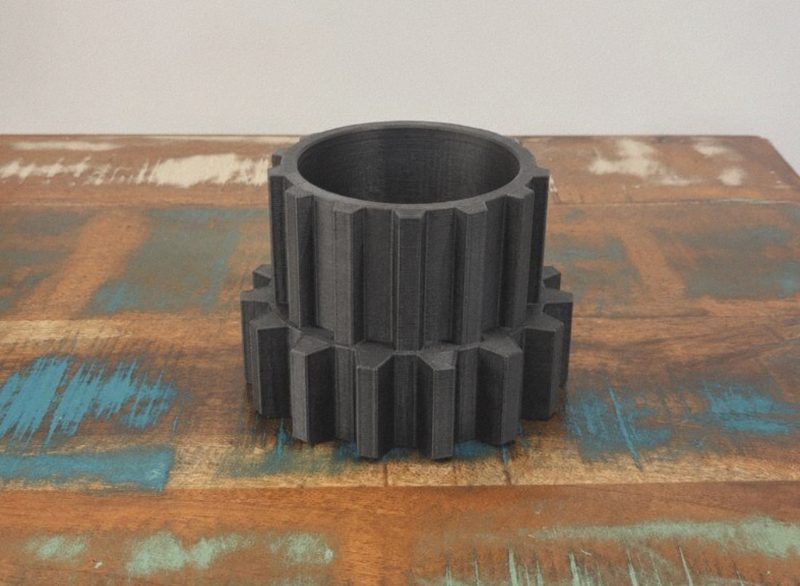
Running the included Hyper PLA sample through a first print produces clean layer lines and solid first-layer adhesion on the textured PEI plate, giving a good first impression of what the hardware is capable of out of the box.
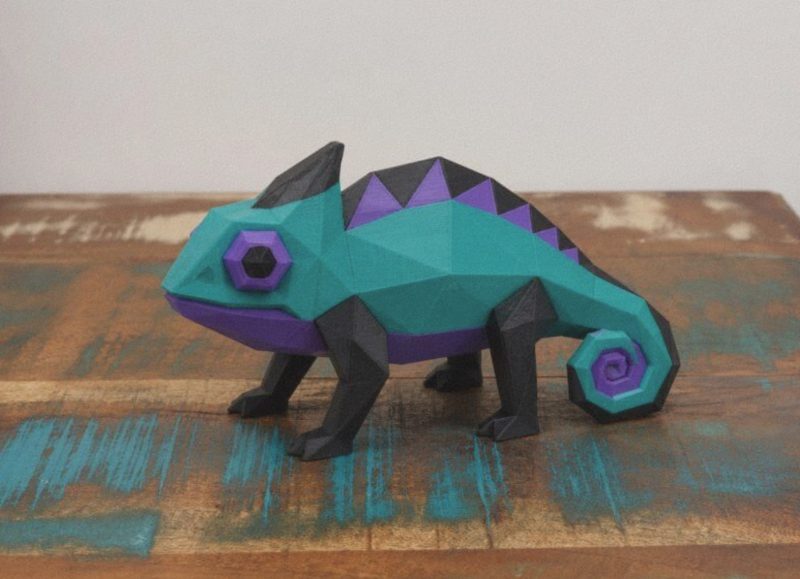
Moving on to multi-colour prints, the CFS Nano system handles colour changes automatically, feeding and retracting filament between the four spools as the slicer instructs. Transitions between colours are handled without manual intervention, which is the entire point of owning a combo unit like this.
Print quality on multi-colour jobs holds up well for everyday projects, with clean colour boundaries on simpler geometric designs and good consistency across longer, multi-hour prints.
Night Mode genuinely lives up to its billing during longer overnight jobs. Running the printer in a nearby room at the reduced 45dB setting means it does not intrude on sleep or conversation, which is a meaningful point of difference from noisier budget machines.
The RGB status strip earns its keep during these longer prints too, offering an at-a-glance read on progress without needing to walk over and check the touchscreen directly.
Putting the automatic filament swapping to the test by letting one spool run dry mid-print confirms the system works as intended, pulling in a fresh spool of matching filament and continuing the job without requiring any manual restart.
Tangle detection and spaghetti detection both proved their worth during testing scenarios designed to trip them up, catching issues early enough that the print could be paused rather than left to waste an entire spool overnight.
Swapping the nozzle using the tool-free latch system takes only a minute or two once the process clicks, and the easy-access extruder lever makes clearing a minor jam considerably less fiddly than on printers that require partial disassembly.
The built-in AI camera delivers a genuinely useful live view of active prints, letting users check progress remotely from a phone without needing to physically check the printer. For households or workshops where the printer runs out of direct line of sight, that remote visibility is valuable.
Timelapse captures at 720p and 15 frames per second produce smooth, shareable clips of a build taking shape, and while the resolution sits a step below some flagship Creality cameras, it is more than serviceable for social sharing or simply reviewing a print afterwards.
The manual privacy shield is a nice inclusion for anyone uncomfortable with an always-on camera pointed at their workspace, flipping down over the lens in seconds when it is not needed.
The dual-sided PEI plate performs reliably across both textures, with prints releasing cleanly once the bed has cooled and no need for extra adhesives or sprays during testing.
Thanks to the 300°C-capable nozzle, the printer handled a broader range of filament types beyond basic PLA without issue, giving more experienced users room to experiment as their skills grow.
The 8GB of internal storage proved genuinely handy for queuing up several sliced files in advance, letting print jobs run back to back without needing a laptop or phone connected the whole time.
Day-to-day noise outside of Night Mode sits at a level comparable to other desktop FDM printers, noticeable but not intrusive in a typical home or office environment.
The solid metal frame pays dividends during faster print moves, with minimal vibration or wobble transmitted through the chassis even on more detailed, high-travel prints.
The one area where some flex becomes apparent is in the plastic spool holder extensions of the Nano kit, which can wobble slightly if the printer is lifted with the kit fully loaded. In normal use sitting on a desk and printing, this is a non-issue.
The printer suits its stated audience well, from hobbyists printing decorative pieces and gamers producing their own miniatures, through to families tackling shared projects or classroom activities that benefit from colour-coded parts.
Anyone who has used the earlier original SPARKX i7 review model will notice the Nano Combo builds directly on that foundation, adding genuine multi-colour capability while keeping the same beginner-friendly spirit intact.
For those wanting more throughput or a fully enclosed chamber for engineering filaments, Creality’s Creality K2 Combo and Creality K2 Pro sit higher in the lineup and are worth considering as a step up once budgets allow.
For Australian buyers specifically weighing up options this year, the broader guide to the best 3D printers for Australian makers and schools offers useful context on where this machine sits against the rest of the market.
Across extended use, the combination of quiet overnight printing, automated filament handling and a genuinely usable photo-to-model feature makes the SPARKX i7 Nano Combo feel far more capable than its entry-level positioning might suggest.
The few rough edges, mainly around Nano kit assembly time and the slight flex in its plastic extensions, are minor when weighed against the amount of functionality packed into such a compact desktop footprint.
Conclusion
The Creality SPARKX i7 Nano Combo manages to pack four-colour printing, AI-assisted modelling and a genuinely quiet night mode into a machine that does not demand a steep learning curve or a huge amount of desk space.
Its automated filament handling, from run-out detection through to automatic spool swapping, takes a lot of the manual fuss out of multi-material printing that has traditionally put beginners off the format entirely.
Build quality feels sturdier than the entry-level positioning suggests, with a solid metal frame, a capable 300°C nozzle and sensible touches like the dual-sided PEI plate and tool-free maintenance options.
For Australian hobbyists, families and classrooms after a compact multi-colour printer that does not require a long setup process or constant supervision, the SPARKX i7 Nano Combo is a strong option worth serious consideration.
Frequently asked questions
Does the Creality SPARKX i7 Nano Combo come with filament included?
The combo includes a Hyper PLA sample to get started, but ongoing filament for ordinary use is sold separately. Buyers will need to purchase their own spools to keep printing once the sample is used.
How does the AI Photo-to-3D feature work?
Users select a photo and the built-in software converts it into a simplified, printable 3D model without requiring any CAD or modelling experience. It is designed as a quick, beginner-friendly way to produce fun or decorative prints.
How loud is the printer during overnight printing?
In its dedicated Night Mode, the SPARKX i7 Nano Combo operates at around 45dB, roughly as quiet as turning a page in a book, making it suitable for overnight prints in a home, office or studio setting.
What does the CFS Nano kit add over the standard SPARKX i7?
The CFS Nano kit introduces four-spool multi-colour printing with automatic filament switching, run-out detection and auto refill, while keeping the overall footprint close to that of a single-colour printer thanks to its compact, top-mounted design.