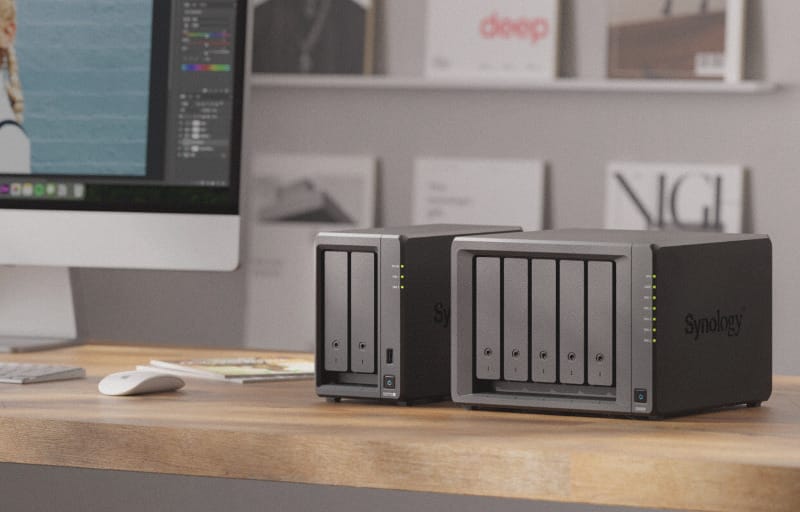
Finding a network storage box that is easy to live with, quiet enough for a lounge room or home office, and still capable of handling backups, media, and shared files is harder than it sounds. The Synology DS725+ product family has long been a go-to choice for exactly this kind of buyer, and the DS725Neo+ variant reviewed here brings that same compact two-bay formula to Australian desks and home networks.
Review summary
Synology DS725Neo+
The Synology DS725Neo+ is a compact, quiet two-bay NAS designed for home and small-office users who want reliable file sharing, backups, and media hosting without enterprise-grade complexity. It combines practical hardware like a 2.5GbE port and expandable storage with Synology's polished DSM operating system, delivering solid performance for everyday workloads at an accessible price point.
Highlights
- ✓Compact, quiet design (17.9 dB(A)) suits home offices and media cabinets
- ✓2.5GbE networking and expandable to seven bays via USB-C
- ✓Includes file sync, backups, Plex support, and surveillance without extra licensing
- ✓Efficient power use with scheduled on/off and wake-on-LAN capabilities
- ✓Tool-less drive installation and simple DSM setup process
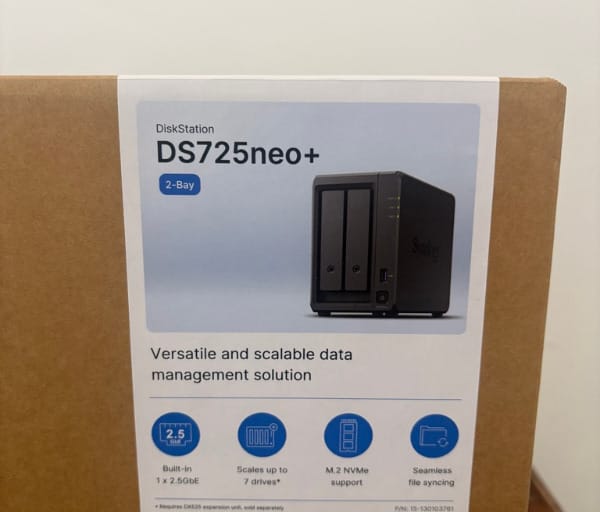
This particular unit is the DS725Neo+, not the standard DS725+, and the key distinction worth knowing upfront is memory. Where some Synology Plus-series units lean on ECC memory for enterprise-grade error correction, the DS725Neo+ ships with 4GB of non-ECC DDR4 SODIMM memory, a sensible trade-off for a device built with home and small-office budgets in mind rather than mission-critical server rooms.
That positioning is really the story of this NAS. It is not chasing data centre workloads; it is aimed squarely at people who want a reliable, low-noise, low-power box to centralise family photos, back up a few laptops, run Plex, or give a small home-based business a proper shared drive. This review covers the design, the feature set, and what day-to-day life with the DS725Neo+ actually looks like.
Table of Contents
Design and Functionality
The DS725Neo+ is a small unit, measuring 166mm × 106mm × 223mm and weighing just 1.51kg, so it tucks easily onto a shelf, under a monitor, or beside a router without dominating a desk.
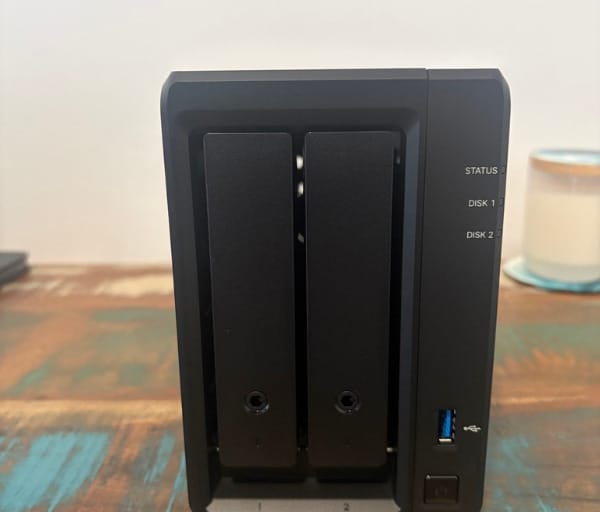
Build quality follows Synology’s familiar Plus-series language: a matte plastic shell, a simple rectangular profile, and a layout that prioritises airflow and drive access over flashy styling.
Two drive bays sit behind the front panel, supporting either 3.5″ SATA hard drives or 2.5″ SATA SSDs, and both bays are hot swappable, meaning a failed or ageing drive can be pulled and replaced without powering the whole system down.
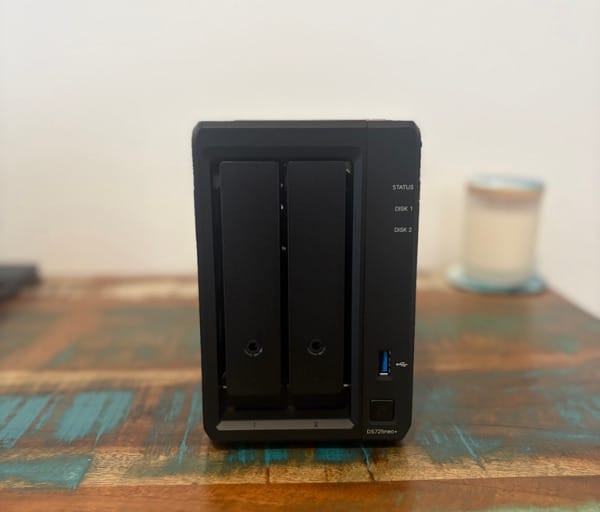
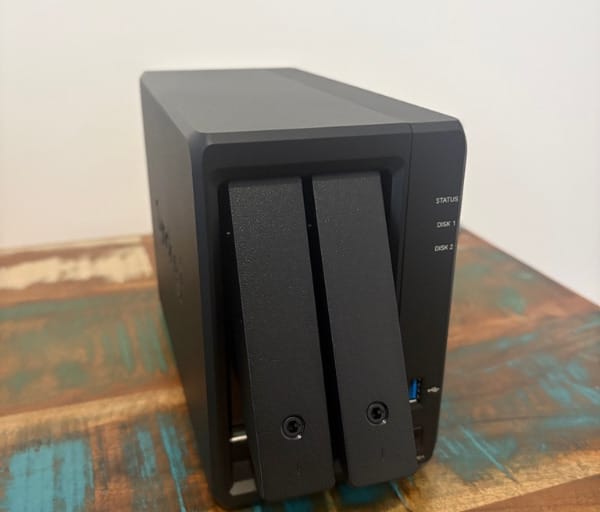
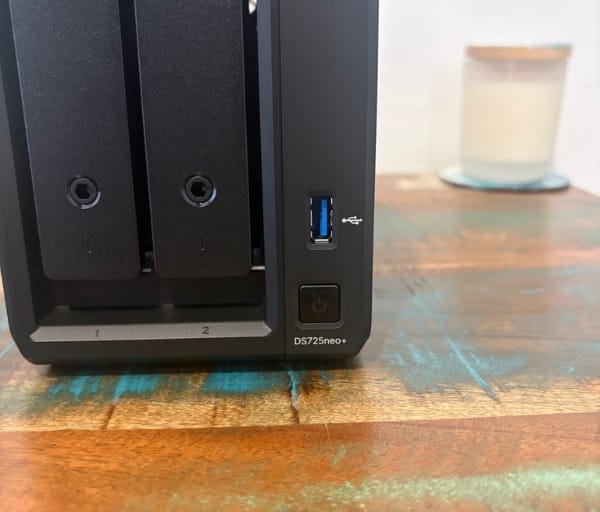
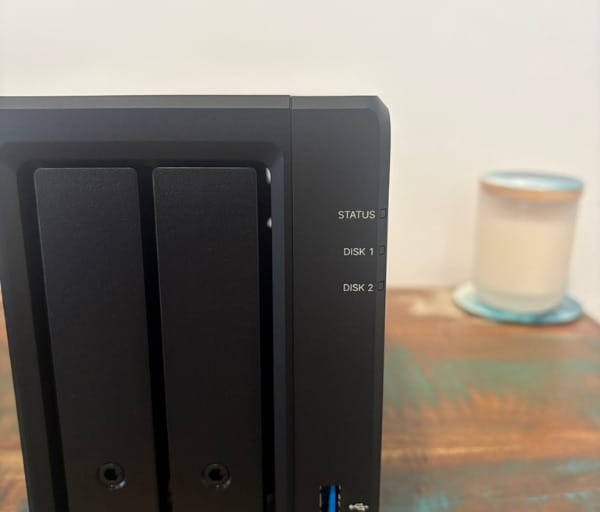
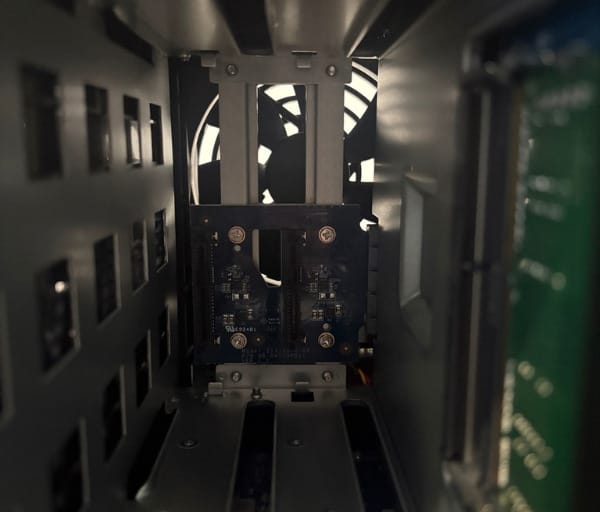
Behind those bays, two M.2 2280 NVMe slots are built into the chassis, though these are intended for SSD caching or small storage pools rather than hot-swap duties, and accessing them requires opening the unit rather than sliding a tray.
Front-facing LED indicators cover system status and individual drive status, and usefully their brightness is adjustable, a small but appreciated touch for anyone placing the NAS in a bedroom, home office, or media cabinet where a bright LED at night can be annoying.
The power button sits on the front panel alongside those indicators, keeping the most commonly used control within easy reach rather than buried around the back.
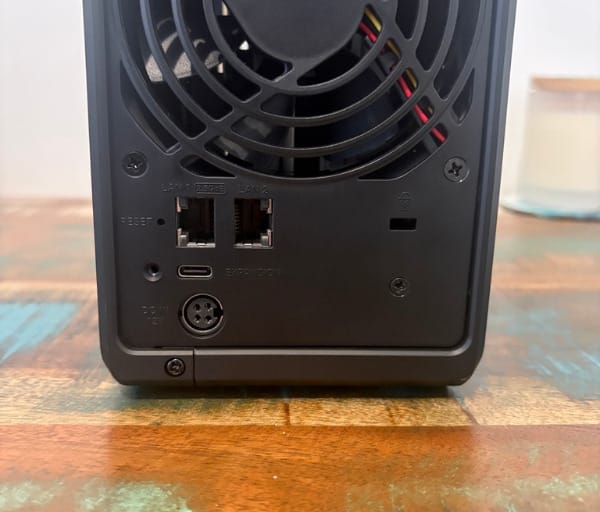
Flip to the rear and the port selection reflects the device’s dual role as both a home and small-office unit: one 2.5GbE RJ-45 port, one 1GbE RJ-45 port, a single USB 3.2 Gen 1 port, and a USB Type-C expansion port.
That expansion port is what lets the DS725Neo+ grow beyond its own two bays, connecting to a Synology DX525 expansion unit to add five more drive bays, taking the system to seven bays and, using 24TB drives, up to roughly 168TB of raw capacity.
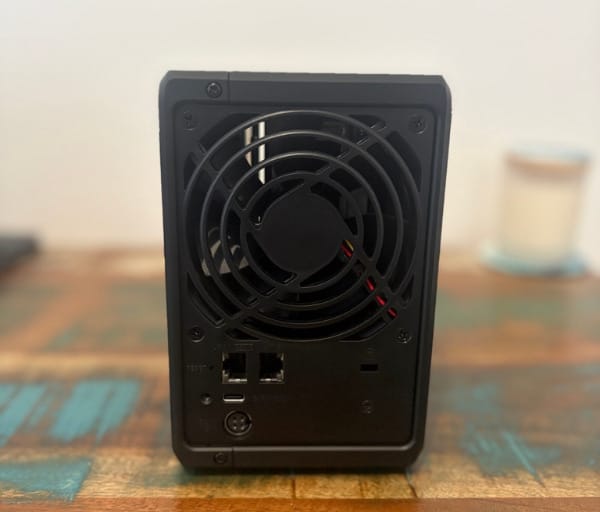
Cooling comes from a single 92mm rear fan, which can be set to Full-Speed, Cool, or Quiet modes depending on how hard the NAS is working and how much ambient noise is acceptable in the room.
Synology rates the noise output at just 17.9 dB(A), which in practice is quiet enough to sit a metre or two from a desk without becoming a distraction during video calls or late-night work sessions.
Power comes from an external 65W adapter accepting 100V to 240V AC at 50/60Hz, so it plays nicely with Australian mains power without needing a separate converter.
Handy quality-of-life features round out the design: power recovery automatically brings the NAS back online cleanly after an outage, scheduled power on and off lets owners set working hours for the device, and Wake-on-LAN/WAN support means it can be woken remotely when needed rather than left running around the clock.
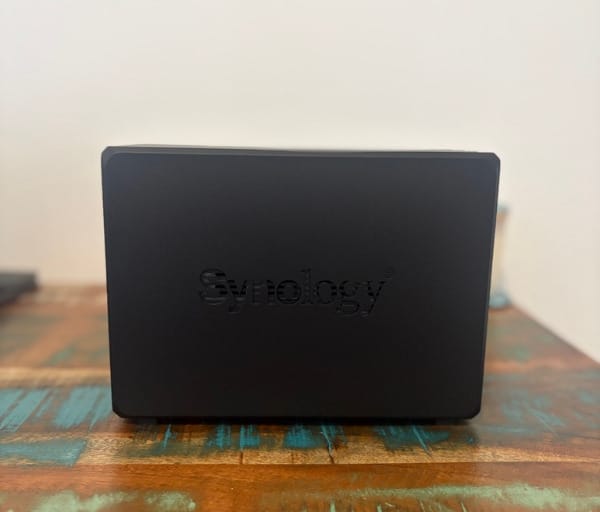
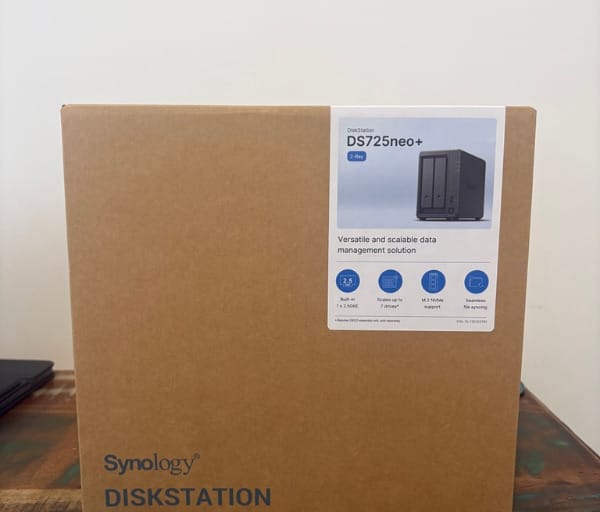
The operating temperature range of 0°C to 40°C and humidity tolerance of 8% to 80% RH give it enough headroom for a typical Australian home office, even through a hot summer, without needing climate-controlled placement.
In the box, Synology includes the main unit, an accessory pack, the AC power adapter and cord, and two RJ-45 LAN cables, which means a buyer only needs to supply drives to get started.
None of these design choices are flashy on their own, but together they describe a NAS built to be dropped into a home or small office and largely forgotten about, which is precisely the point of a starter NAS.
The overall impression is of a device designed for approachability first, with enough physical expandability built in that it does not become a dead end once storage needs grow.
Key Features
At the heart of the DS725Neo+ is an AMD Ryzen R1600 processor, a dual-core, four-thread chip running at 2.6GHz base and 3.1GHz turbo, which is modest on paper but well matched to file serving, backup jobs, and the kind of background tasks a home or small-office NAS actually performs.
A 64-bit architecture and a built-in hardware encryption engine mean AES 256-bit encrypted volumes can run without placing a heavy load on that CPU, which matters given the processor’s limited core count.
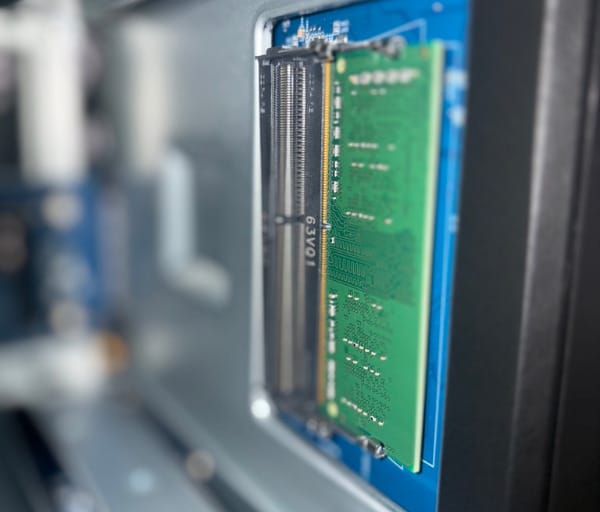
Memory is 4GB of DDR4 non-ECC SODIMM, pre-installed as a single module, and this non-ECC configuration is the defining difference between the Neo+ variant and the standard DS725+, making it a slightly more budget-conscious option for buyers who do not need enterprise-grade error correction.
Two memory slots support expansion up to 32GB (16GB × 2), giving plenty of headroom for users who later want to run more concurrent connections, heavier Docker-style workloads, or additional virtual machines.
On the networking side, the DS725Neo+ pairs a 2.5GbE port with a standard 1GbE port, so it can either run a fast primary connection or dedicate each port to a different purpose, such as separating backup traffic from general file access.
Storage flexibility extends beyond the two main bays, thanks to the two M.2 2280 NVMe slots, which can be used to build SSD caching for frequently accessed files or to create a small, fast storage pool for latency-sensitive tasks.
For anyone who outgrows the two internal bays, the DX525 expansion unit connects via the USB-C expansion port to bring total capacity up to seven bays, which is a meaningful growth path for a device at this entry level.
All of this hardware sits under Synology’s DSM operating system, a browser-based platform that handles everything from storage configuration to app management through a clean, approachable interface.
Virtualisation is supported too, with the DS725Neo+ able to run two to three virtual machines via Virtualization Station, enough for light testing environments or a small dedicated service without needing a separate PC.
Built-in iSCSI support gives the unit a role in small business or home-lab setups that need block-level storage, something not every entry-level NAS bothers to include.
Synology’s productivity suite is bundled in as well, covering Drive for file sync and sharing, Office for collaborative document editing, Chat for team messaging, Calendar for shared scheduling, and Moments and Photos for organising family or business media libraries.
Data protection tools include Snapshot Replication for near-instant recovery points, Hybrid Share and Hybrid Backup for linking local and cloud storage, and Active Insight, Synology’s cloud-based monitoring service that uses machine learning to flag unusual drive or network behaviour before it becomes a real problem.
Surveillance Station is included too, supporting a recommended maximum of around 40 IP cameras at 1080p, along with ONVIF compatibility for third-party cameras and private, subscription-free storage of recorded footage.
Security is handled through AES 256-bit encryption, configurable password policies, and granular file-level and group-based permissions, giving even a small home network sensible access controls without needing a dedicated IT administrator.
Experience Using the Product and Performance
Getting the DS725Neo+ running starts with DSM’s setup wizard, which walks through drive detection, storage pool creation, and account setup in a browser, following much the same process outlined in a full Synology NAS installation guide, making it approachable even for someone setting up their very first NAS.
Synology Assistant or a simple browser search for the device on the local network is enough to locate the DS725Neo+ once it is plugged in, removing any guesswork around IP addresses for less technical users.
Installing drives into the two main bays is tool-less and hot-swappable, while fitting M.2 NVMe cache drives requires opening the chassis, a minor extra step but one most buyers will only do once during initial setup.
For most home and small-office users, setting up a RAID 1 volume across the two bays makes the most sense, trading some raw capacity for the peace of mind that comes with drive redundancy on a starter NAS.
As a home office hub, the DS725Neo+ works well as the single place everyone in a household or small team saves their documents, rather than scattering files across individual laptops and USB drives.
Synology Drive’s desktop client syncs folders automatically in the background, which is genuinely useful for a small office that wants shared folders behaving like a lightweight version of cloud storage without a subscription fee.
File-level permissions make it simple to separate access, for example giving each family member their own private folder while keeping a shared media folder open to everyone on the network.
Backup duties are well covered too, with Time Machine support for Mac users and Active Backup for Business for Windows PCs, both included at no extra licensing cost.
As a home server, the DS725Neo+ is a natural fit for media hosting, and setting up a server using the steps in a Synology Plex setup guide turns the unit into a capable local media library for a household.
The built-in 2.5GbE port is one of the more noticeable upgrades over older entry-level NAS units, delivering a real-world benefit when multiple people pull large files or stream media from the device at once.
Synology’s own figures put sequential performance at up to 276MB/s read and 224MB/s write, numbers that comfortably cover everyday file transfers, backup jobs, and casual media streaming for a small household or office.
The dual-core Ryzen R1600 keeps the DSM interface responsive while background tasks like Snapshot Replication, indexing, or light container workloads run, without the sluggishness sometimes seen on cheaper entry-level NAS chips.
The included 4GB of non-ECC memory is enough for a typical two-to-four person home office running file sharing, backups, and a handful of apps, though anyone planning heavier multitasking has a clear upgrade path to 32GB.
Choosing non-ECC memory for this tier makes sense in context, as ECC matters most for large databases or enterprise workloads where silent memory errors could corrupt critical data, which is simply not the primary use case for a home file and backup server.
Noise in daily use matches the 17.9 dB(A) rating, staying genuinely unobtrusive even while a backup job or Snapshot Replication task is running in the background.
Switching the fan to Quiet mode suits a bedroom or home office setting, while Cool or Full-Speed modes are there for warmer conditions or heavier sustained workloads.
Power draw sits around 20.41W during active access and drops to just 7.87W when drives enter HDD hibernation, which adds up to meaningful electricity savings for a device intended to run continuously.
Scheduled power on and off is a nice touch for a home office that does not need the NAS running overnight, letting owners trim standby power use without manually switching it off each day.
Wake-on-LAN support means the device can be triggered remotely before accessing files from outside the home network, useful for anyone who wants to save power without losing remote access convenience.
The DS file and Synology Photos mobile apps make it easy to browse shared folders or back up phone photos automatically, which is a popular use case for families wanting an alternative to paid cloud photo storage.
Synology Photos’ facial recognition and timeline views help organise years of family photos and videos without needing to pay an ongoing subscription to a third-party cloud service.
Surveillance Station integration is straightforward for anyone pairing a couple of IP cameras around a home or small office, with private, subscription-free recording storage that avoids the ongoing fees charged by many consumer camera brands.
Snapshot Replication adds a real layer of protection against ransomware or accidental deletion, letting a volume be rolled back to a previous point in time, something particularly reassuring for a first NAS owner who has never had this kind of safety net before.
Active Insight’s cloud-based monitoring quietly keeps an eye on drive health and unusual network activity, sending alerts that are genuinely helpful for anyone without dedicated IT support keeping watch on the system.
The expansion path matters too, because starting with two drives today and later adding a DX525 unit means the initial investment in the DS725Neo+ is not wasted when storage needs inevitably grow.
Compared with Synology’s larger models such as the DS925+, the DS725Neo+ trades raw processing power and bay count for a smaller footprint and gentler entry point, which suits exactly the audience it is built for rather than being a downside.
For buyers weighing up how many bays they actually need, the four-bay DS925neo+ review offers a useful comparison point for anyone unsure whether two bays will be enough long term.
Running day to day as a home server, the DS725Neo+ handles overnight scheduled backups without generating noise or heat that would bother anyone sharing the same living space.
Power recovery proved its worth during the kind of sudden outages not uncommon in Australian storm season, with the system resuming operation cleanly rather than needing a manual restart.
Taken together, the daily experience points clearly to a NAS built for someone setting up their first proper home office storage hub or small home server, rather than one designed to impress on a spec sheet in an enterprise rack.
For a household or small business just starting its NAS journey, that focus on approachability without sacrificing genuine capability is exactly what makes the DS725Neo+ worth considering over a more complicated, higher-tier alternative.
Conclusion
The Synology DS725Neo+ succeeds because it does not try to be everything to everyone. It focuses on being a quiet, efficient, genuinely easy-to-live-with two-bay NAS that suits a home office, a home server setup, or a small business just getting its first shared storage system off the ground.
The combination of a 2.5GbE port, hot-swappable bays, M.2 caching, and a clear upgrade path through additional memory and the DX525 expansion unit means it is not a device buyers will quickly outgrow, even as their storage needs expand.
Its non-ECC memory configuration and modest dual-core processor are sensible compromises for this price tier rather than real limitations, given the typical workloads a starter NAS like this is asked to handle.
Anyone researching their first NAS, or looking to replace an ageing one with something quieter and more capable, would do well to look closely at the specifications on Synology’s DS725+ product page before deciding between the standard and Neo+ variants, since the memory difference is the detail most worth understanding upfront.
Frequently asked questions
What is the difference between the DS725Neo+ and the DS725+?
The main difference is memory. The DS725Neo+ ships with 4GB of non-ECC DDR4 SODIMM memory, while the standard DS725+ is built around ECC memory. Everything else, including the CPU, ports, and bay configuration, follows the same core design.
How much storage can the DS725Neo+ support?
Out of the box it supports two 3.5″ SATA HDDs or 2.5″ SATA SSDs, plus two M.2 2280 NVMe slots for caching. With the optional DX525 expansion unit connected via the USB-C expansion port, total capacity grows to seven bays, which can reach roughly 168TB of raw storage using 24TB drives.
Is the DS725Neo+ suitable for a home office or small business?
Yes, it is specifically well suited to this use case. Its quiet 17.9 dB(A) operation, low power draw, built-in backup and sync tools, and DSM software suite make it an easy first NAS for home offices, home servers, or small teams sharing files and running basic backups.
What is included in the box with the DS725Neo+?
The package includes the main NAS unit, an accessory pack, a 65W AC power adapter and cord, and two RJ-45 LAN cables. Drives for the two internal bays and any M.2 NVMe cache drives are sold separately.