Juggling separate gear for video calls, music and gaming sessions is a familiar headache for anyone who splits their day between an office chair and a gaming rig. The Razer Barracuda V2 Pro aims to solve that problem by packing active noise cancellation, long battery life and flexible connectivity into a single wireless headset that looks just as comfortable on a commute as it does in front of a monitor. Rather than forcing a choice between a dedicated gaming headset and a pair of everyday headphones, Razer has tried to build one product that handles both roles convincingly.
Review summary
Razer Barracuda V2 Pro
The Razer Barracuda V2 Pro delivers genuine versatility for mixed-use lifestyles, combining active noise cancellation, impressive battery life and seamless connectivity across work, gaming and everyday listening without sacrificing comfort or sound quality. Its understated design avoids gaming aesthetics, making it equally at home in meetings or on commutes, whilst practical features like onboard dongle storage and dual microphone options solve real everyday problems.
Highlights
- ✓Active noise cancellation performs well across office and commute environments
- ✓Exceptional battery life up to 70 hours without ANC, 50 hours with it enabled
- ✓Lightweight 285-gram design remains comfortable during extended wear
- ✓Flexible connectivity including Bluetooth, 2.4GHz wireless and wired USB-C
- ✓THX Spatial Audio enhances PC gaming immersion and directional audio cues
That kind of versatility matters more than ever now that so many people move between meetings, music and multiplayer matches without changing desks. A headset that can switch contexts without a fuss, while still sounding good and lasting through a full day, solves a genuine everyday problem rather than just adding another gadget to the pile.
This review breaks down how the Barracuda V2 Pro is built, what its standout features bring to the table and how it holds up through extended real-world use across work calls, music listening and gaming sessions. Readers trying to decide whether this headset suits a mixed-use lifestyle will find the practical detail they need below.
Table of Contents
Design and Functionality
At first glance, the Barracuda V2 Pro leans closer to a premium pair of over-ear headphones than a flashy gaming headset. The understated shell, rounded earcups and lack of visible branding give it a look that would not feel out of place in a boardroom or on a train.
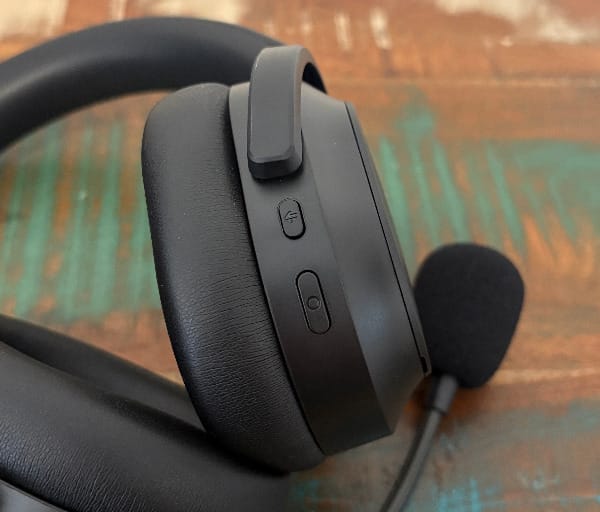
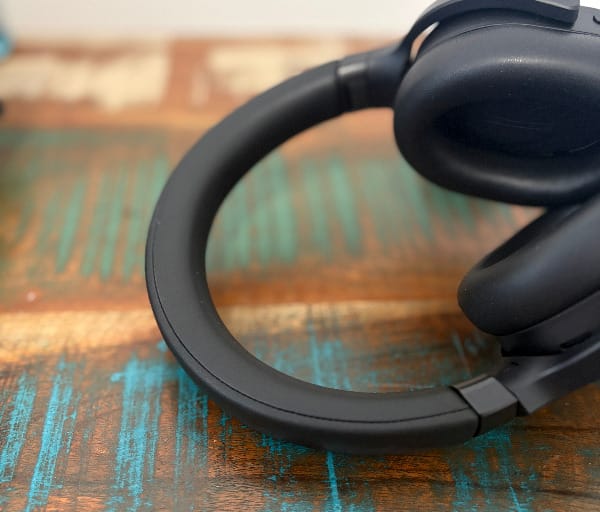
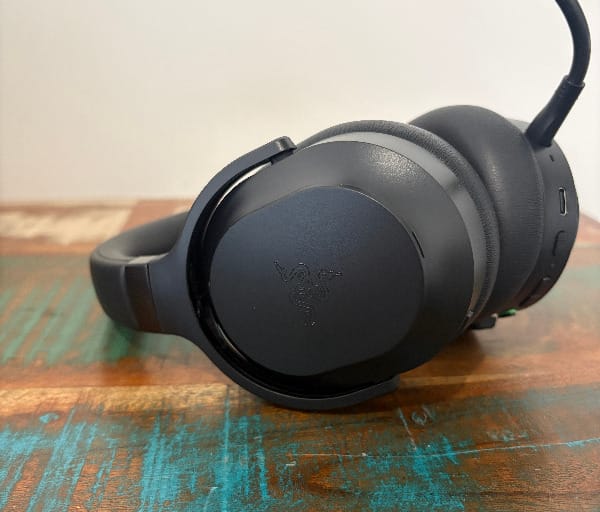
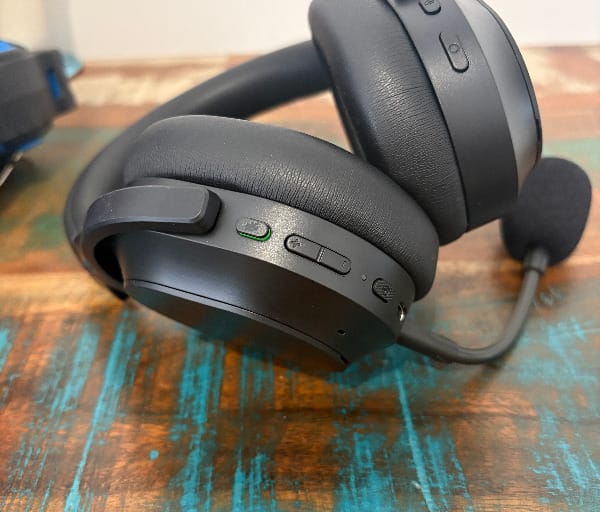
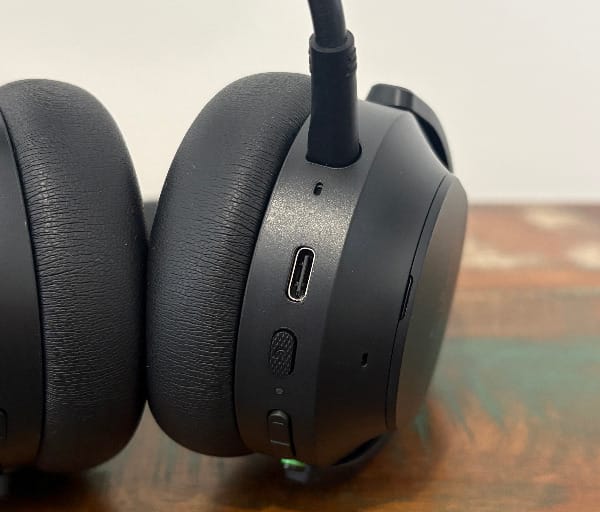
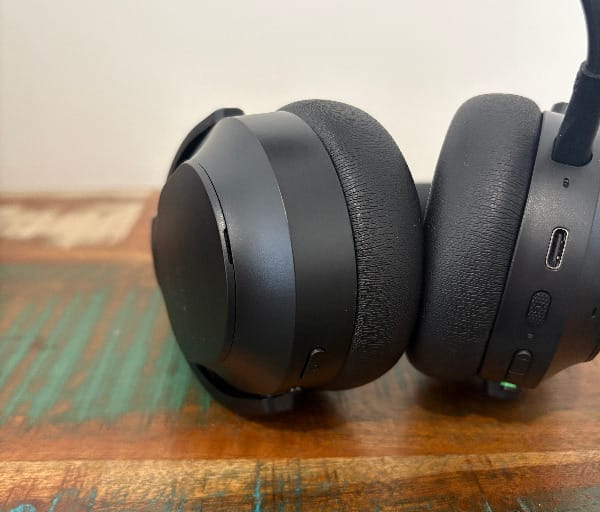
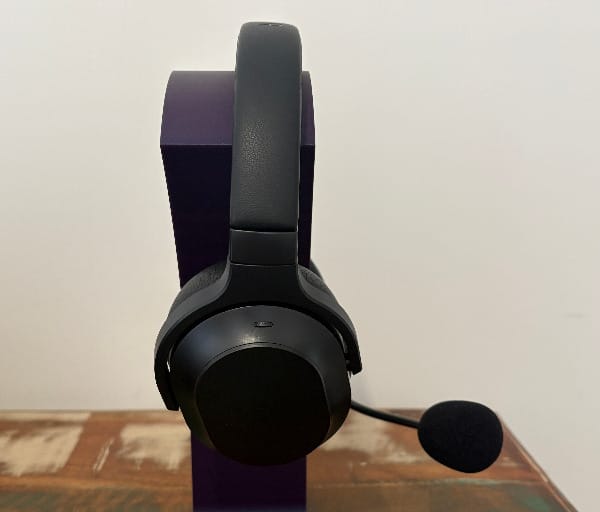
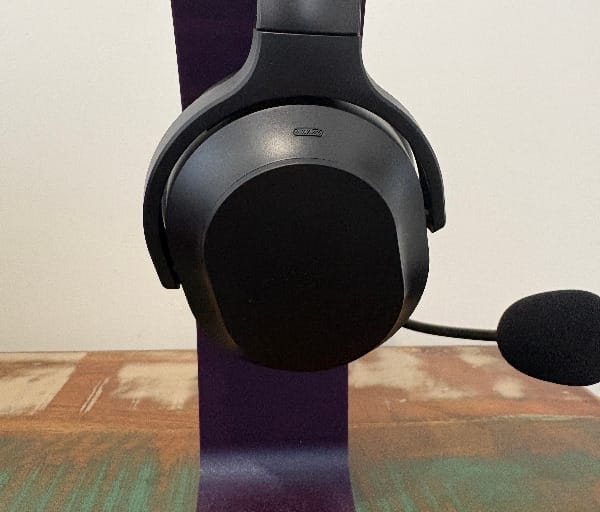
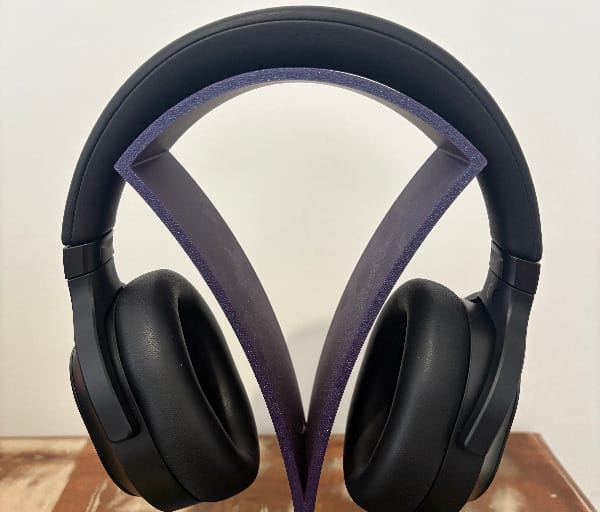
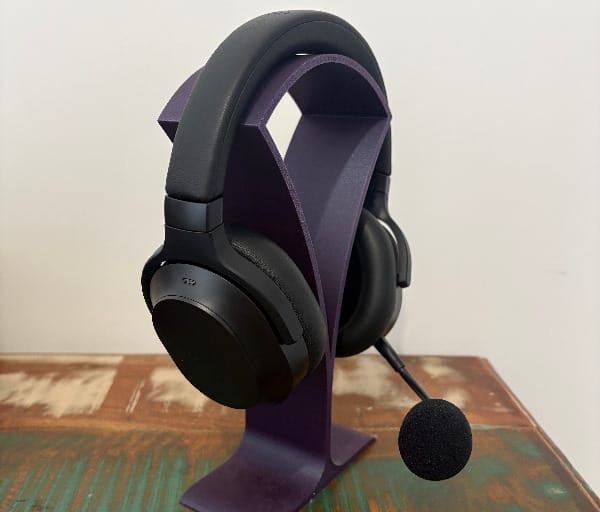
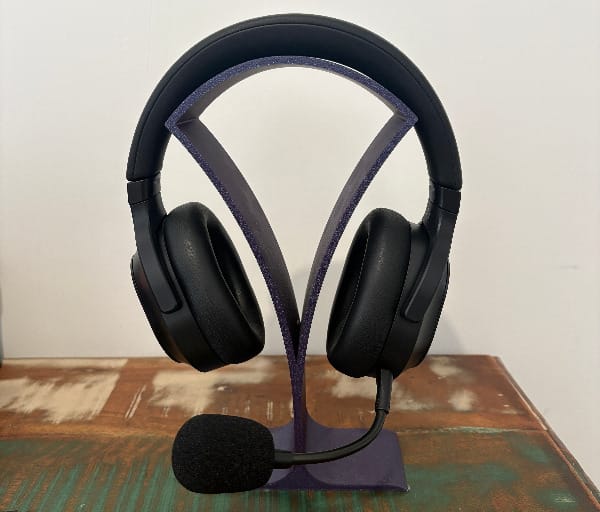
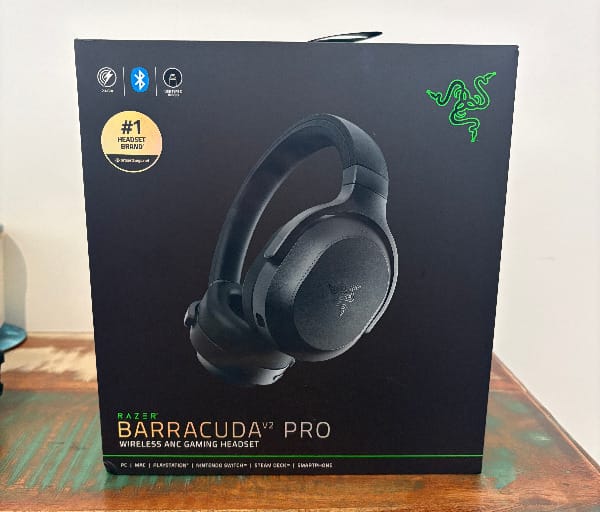
Razer has dropped the RGB lighting that typically defines its gaming lineup, and that is a deliberate choice rather than an oversight. For anyone wearing this headset outside a gaming den, the absence of glowing logos and light strips makes it far easier to use without drawing attention.
The earcups are wrapped in leatherette over memory foam padding, giving them a soft, slightly springy feel against the ears. That cushioning does a good job of distributing pressure evenly, which matters once the headset has been worn for a few hours straight.
Weight is one of the headset’s strongest design wins. At 285 grams, it sits well below many gaming-focused headsets that pile on bulk for bass drivers or battery capacity, and the lighter build pays off noticeably during long wear.
The headband uses a simple sliding adjustment mechanism rather than anything overly complicated, and it is easy to dial in a comfortable fit within a few seconds. The clamping force leans slightly firmer than some rivals, which helps keep the headset stable during movement but can feel snug for those with a larger head shape.
One of the cleverer design touches is how Razer has handled the HyperSpeed Wireless dongle. Instead of leaving it to rattle around in a bag or get lost in a drawer, the dongle tucks into a small compartment behind a magnetic panel on the left earcup.
That magnetic storage solution is a small thing, but it solves a real annoyance that affects almost every wireless headset with a USB dongle. Because the panel snaps shut securely, there is no risk of the dongle falling out during transport.
Razer also bundles a USB-C to USB-A adapter so the dongle can be used with devices that lack a USB-C port, such as older laptops or current-generation consoles. That adapter does not have its own storage spot on the headset, so it needs to be kept somewhere separate.
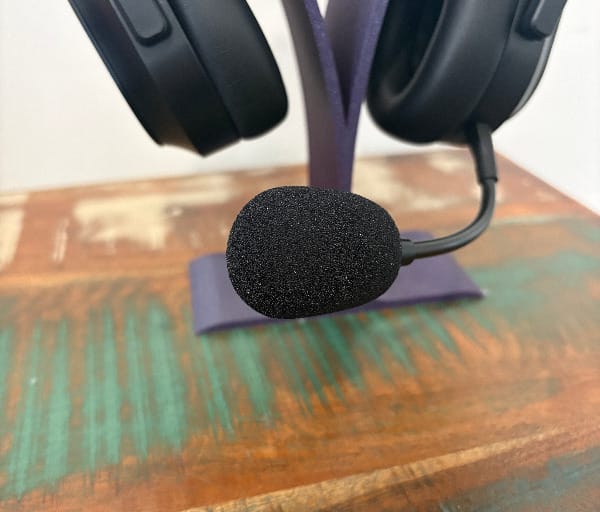
The detachable HyperClear Full Band Mic boom attaches via a port on the left earcup and can be removed in seconds when it is not needed. It is flexible enough to bend into a useful position near the mouth without feeling flimsy or prone to snapping.
Onboard controls are kept fairly minimal and intuitive. There are two separate volume buttons rather than a wheel, a dedicated mute toggle, a power button and a multifunction button, all positioned where fingers naturally land on the earcup.
The power button does more than switch the headset on and off. A single tap pauses or resumes playback, a double tap skips to the next track, and a triple tap jumps back, while the same button also answers or rejects incoming calls when paired over Bluetooth.
The multifunction button is used to cycle between noise control modes with a short press, while a longer press can trigger a voice assistant or be reassigned entirely through Razer’s companion software. This level of button customisation is a welcome touch for a headset aimed at more than one use case.
A USB-C port on the headset handles charging, and an included cable allows for a fully wired connection when wireless simply is not an option. That wired fallback is a handy inclusion for situations like low-latency competitive gaming or when travelling without easy access to a charger.
Razer has not included a carrying case or pouch in the box, which stands out as a missed opportunity given how often this headset is likely to travel between home, office and commute. Owners will need to source their own case, ideally one with enough room to stash the detached boom microphone alongside the headset.
The headset also does not fold down into a particularly compact shape, so it takes up a reasonable amount of space in a bag regardless of whether a case is used. For a product clearly designed with portability in mind, this is one area where the physical design could still be refined.
Build quality throughout feels solid rather than premium, with enough give in the hinges and headband to withstand regular adjustment without feeling like it will crack. Combined with the lightweight frame and soft earcups, the overall package reads as a headset built for comfort and everyday durability rather than outright ruggedness.
Key Features
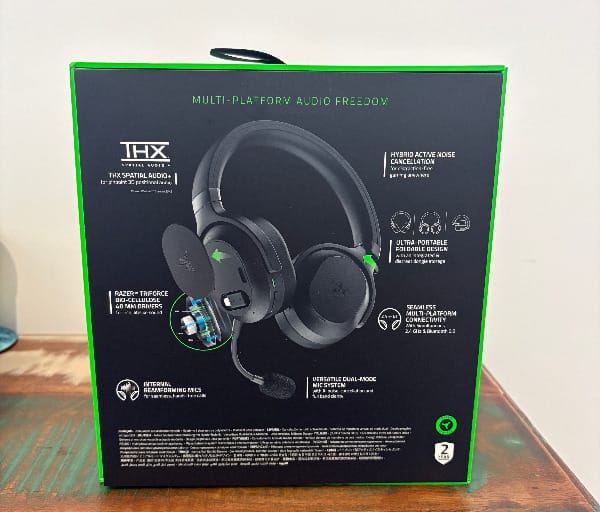
The headline feature for most buyers will be hybrid active noise cancellation, which blends feedback and feedforward microphones to reduce ambient sound across a wide frequency range. It can be toggled through three states: ambient mode, ANC on and ANC off, all cycled with a short press of the multifunction button.
Connectivity is where the Barracuda V2 Pro really earns its all-rounder reputation. It supports Bluetooth for everyday devices, a 2.4GHz HyperSpeed Wireless dongle for low-latency gaming, and a wired USB-C connection for situations where neither wireless option is practical.
A standout addition is Simultaneous Listening mode, which lets Bluetooth and HyperSpeed Wireless run at the same time. In practice, this means taking a phone call while still hearing in-game audio, or keeping a video playing in the background while waiting in a matchmaking queue.
THX Spatial Audio is baked in for PC gaming, adding a sense of directional depth to footsteps, gunfire and ambient effects in supported titles. It is a feature that genuinely changes how immersive certain games feel rather than existing as a marketing checkbox.
Microphone duties are split between two options. Internal beamforming microphones built into the earcups handle calls and casual chat without needing anything attached, while the detachable HyperClear Full Band Mic boom can be clipped on when clearer, more directional audio is needed.
Battery life is rated at up to 70 hours with ANC disabled, dropping to roughly 50 hours with active noise cancellation running continuously. Even accounting for daily use across music, calls and gaming, that is enough runtime to go several days between charges for most people.
Fast charging is supported through the USB-C port, with just 15 minutes on the cable claimed to return around six hours of playback. That kind of top-up speed is genuinely useful for anyone who forgets to charge overnight and needs the headset ready in a hurry.
Software customisation runs through Razer Synapse on PC and Mac, or the Razer Audio smartphone app for mobile devices. Both let owners remap button functions, switch between EQ presets and fine-tune how the headset behaves without needing to dig through hidden menus.
Four EQ presets are available out of the box: Movie, Music, Game and Default, each adjusting the sound signature to suit the content being played. Cycling between them is as simple as pressing a mapped button, which makes it easy to switch profiles mid-session.
Platform compatibility is broad enough to cover almost every device a typical household owns. The Barracuda V2 Pro works natively with PC, Mac, PlayStation consoles, Steam Deck and mobile devices, with Xbox supported through Bluetooth pairing.
The mute toggle offers a quick, tactile way to silence the microphone during calls or voice chat without needing to dig into software, which is a small but genuinely practical inclusion for daily use. There is no need to second-guess whether a press has registered thanks to the distinct physical click.
Button remapping extends to the multifunction control as well, letting owners choose between cycling noise cancellation modes, adjusting Bluetooth volume or triggering a voice assistant depending on what gets used most. This flexibility means two different owners could set the headset up in noticeably different ways to suit their habits.
The included wired cable doubles as a backup connection method if either wireless mode experiences interference, which can matter in crowded Bluetooth environments like shared offices or public transport. It also allows the headset to be used with devices that lack Bluetooth or a spare USB port for the dongle.
Taken together, these features point to a headset designed around flexibility rather than chasing a single use case. Few headsets in this category manage to combine ANC, spatial audio, dual microphone options and this many connectivity modes without the experience feeling cluttered.
Experience Using the Product and Performance
Living with the Barracuda V2 Pro across a mix of work calls, music sessions and gaming time reveals how well its feature list translates into day-to-day usefulness. The headset quickly becomes the default choice for almost any audio task, which says a lot about how well its various modes actually work together.
Sound Quality and Noise Cancellation
Music playback through the Barracuda V2 Pro sounds clear and well balanced for a headset primarily marketed around gaming. Mids and vocals come through with good clarity, while there is a slight softening at the very top and bottom of the frequency range compared to dedicated audiophile headphones.
That trade-off is a reasonable one given how many other jobs this headset is being asked to do. For casual listening, podcasts and most gaming soundtracks, the tuning holds up well without needing to reach for the EQ presets.
Switching into the Game preset sharpens footstep detail and directional cues, which pairs nicely with THX Spatial Audio when playing competitive titles on PC. Switching to Movie mode, by contrast, adds a touch more warmth that suits dialogue-heavy content.
The hybrid ANC system is genuinely one of the strongest aspects of the whole package. In a busy office or on a train, enabling ANC noticeably dulls the drone of air conditioning, chatter and background hum, making it far easier to focus on a call or concentrate on work.
Ambient mode works as a useful middle ground, letting outside sound filter back in without removing the headset entirely. That is handy for quickly checking in on a conversation nearby or hearing an announcement without breaking a listening session.
Toggling between ambient, ANC-on and ANC-off is fast enough that it becomes second nature within a day or two of regular use. There is no noticeable lag or awkward pause when switching modes, which keeps the experience feeling seamless rather than fiddly.
Microphone Performance
For everyday calls and casual voice chat, the internal beamforming microphones do a competent job without needing the boom attached. Voices come through clearly enough that colleagues on the other end of a call rarely notice anything is missing compared to a dedicated headset microphone.
Clipping on the HyperClear Full Band Mic boom noticeably sharpens voice clarity, particularly in noisier environments where background sound could otherwise bleed into a call. Gamers who rely on clear team communication will likely want the boom attached for anything competitive.
Bending the boom into position takes a few seconds and holds its shape reliably through a session, rather than drooping or needing constant readjustment. Detaching it afterwards is just as quick, which makes switching between a discreet office look and a full gaming setup effortless.
Feedback from people on the receiving end of calls and voice chat sessions consistently describes the audio as clean and easy to understand, with minimal background noise bleeding through even in moderately busy rooms. That consistency across both microphone options is a strong point for a headset trying to cover so many use cases.
Connectivity and Compatibility
Switching between the HyperSpeed Wireless dongle and Bluetooth is straightforward, with a double press of the multifunction button cycling through connection modes without needing to dive into settings. That simplicity matters for anyone jumping between a gaming PC and a phone multiple times a day.
Latency through the 2.4GHz dongle feels tight enough for competitive gaming, with no noticeable lag between on-screen action and audio cues. Bluetooth, as expected, introduces a touch more delay, but it remains perfectly usable for music, calls and casual single-player gaming.
Simultaneous Listening mode proves genuinely useful rather than being a gimmick buried in the feature list. Taking a phone call mid-match without pausing the game, or keeping a podcast running in the background while queuing for a match, both work smoothly without one audio stream drowning out the other.
Pairing the headset with a Steam Deck through the dongle works just as easily as pairing it with a gaming PC, which extends its usefulness for anyone who splits gaming time between a desktop and a handheld. PlayStation compatibility through the same dongle is equally straightforward.
Xbox owners can still use the Barracuda V2 Pro, though only through Bluetooth rather than the HyperSpeed dongle, since Xbox consoles do not support Razer’s proprietary wireless protocol. It is a minor limitation worth knowing about for anyone whose primary console is an Xbox.
Mobile pairing through Bluetooth is quick and reliable, with the headset reconnecting automatically to the last paired device without any fuss. That reliability matters for a headset expected to move between a phone, laptop and console multiple times a day.
Battery Life and Charging
Across days of mixed use covering music, calls and gaming sessions, the Barracuda V2 Pro comfortably stretches well beyond a single working day on a charge. With ANC left off, battery life genuinely approaches the rated 70-hour figure under lighter daily use.
Running ANC continuously understandably shortens that figure to somewhere closer to the rated 50 hours, though that is still a generous runtime compared to many competing wireless headsets. Even heavy daily users are unlikely to need a charge more than once or twice a week.
The fast-charging feature earns its keep on busier days. A quick 15-minute top-up before heading out genuinely delivers enough juice for several hours of use, which removes a lot of the anxiety around forgetting to charge overnight.
Charging via USB-C rather than a proprietary cable is a small but appreciated detail, since it means the same cable used for a laptop or phone can top up the headset in a pinch. There is no need to carry an extra dedicated charging cord.
Comfort During Extended Sessions
The lightweight 285 gram build pays dividends during long gaming sessions or full workdays spent wearing the headset. There is little of the neck fatigue that heavier gaming headsets can cause after a few hours.
The memory foam earcups stay comfortable for the majority of a session, though the clamping force does become noticeable after several hours in a row, particularly around the jaw and earlobes. Those with a smaller head shape are less likely to notice this than people with a larger head.
Breathability is reasonable for a leatherette-covered earcup, though as with most headsets using this material, prolonged wear in warmer conditions can lead to some warmth building up around the ears. It is not a dealbreaker, but it is worth factoring in for anyone in a hot climate without air conditioning.
Software and Customisation
Razer Synapse on desktop provides a clean, organised way to remap buttons, adjust EQ settings and fine-tune how the headset responds to different inputs. The interface is easy enough to navigate without prior experience with Razer’s ecosystem.
The Razer Audio mobile app mirrors most of that functionality for phone-based control, which is handy for travellers who want to tweak settings without a laptop nearby. Both apps make it simple to experiment with EQ presets until the sound signature feels right for a given task.
Customising the multifunction button to trigger a voice assistant rather than cycling ANC modes is a small change that makes a noticeable difference for anyone who relies heavily on hands-free commands throughout the day. It is the kind of detail that shows real thought has gone into how different owners might actually use the headset.
None of the software felt buggy or prone to crashing during regular use, and settings reliably carried over between sessions without needing to be reconfigured each time the headset reconnected. That consistency adds to the sense that this is a mature, well-supported product rather than something rushed to market.
Conclusion
The Razer Barracuda V2 Pro succeeds at the thing it sets out to do: being one headset capable of handling work calls, music listening and serious gaming without forcing a compromise in any single area. Strong ANC, a genuinely useful Simultaneous Listening mode and broad device compatibility make it an easy headset to reach for no matter what the day involves.
Its lightweight build and detachable boom microphone mean it can slip between a professional setting and a gaming session without looking out of place in either, something that is harder to pull off than it sounds. The absence of RGB lighting, often a Razer signature, actually works in its favour here by making the headset far more discreet.
A missing carrying case and a slightly snug fit during marathon sessions are the main blemishes on an otherwise well-rounded package. Neither issue is significant enough to outweigh the genuine convenience of long battery life, fast charging and flexible connectivity options.
For anyone tired of switching between separate headphones, headsets and earbuds depending on the task at hand, the Razer Barracuda V2 Pro offers a genuinely convincing all-in-one alternative. It handles the daily grind and late-night gaming sessions with equal confidence, which makes it a smart pick for anyone wanting fewer devices cluttering their desk.
Frequently asked questions
How long does the Razer Barracuda V2 Pro battery last?
The headset is rated for up to 70 hours of battery life with active noise cancellation turned off, dropping to around 50 hours with ANC enabled. A 15-minute USB-C fast charge can return roughly six hours of additional playback.
Is the Razer Barracuda V2 Pro compatible with consoles other than PlayStation?
Yes. It connects to PC, Mac, PlayStation and Steam Deck through the HyperSpeed Wireless dongle, and to mobile devices and Xbox consoles via Bluetooth, since Xbox does not support Razer’s proprietary wireless protocol.
Does the Razer Barracuda V2 Pro come with a carrying case?
No, a carrying case is not included in the box. Owners who travel frequently will need to source their own case, ideally one with enough space to store the detachable boom microphone alongside the headset.
Can the microphone be removed for everyday use?
Yes, the HyperClear Full Band Mic boom detaches easily from the left earcup, leaving the built-in beamforming microphones to handle calls and voice chat when a more discreet look is preferred.