Choosing low-latency gaming headphones is about more than sound quality. It means finding a Bluetooth headset or pair of earbuds that keeps audio cues, footsteps, gunshots, dialogue, tightly synced with what happens on screen. This guide walks you through the settings, codecs, and design choices that matter, so you can pick gear that suits your console, PC, or phone without wrestling with distracting delay.
Table of Contents
What you’ll need
- A Bluetooth headset or earbuds with a stated low-latency or “game mode” feature
- A gaming device (console, PC, or phone) with up-to-date firmware or software
- The companion app for your headphones, if one exists, to enable low-latency modes
- Optionally, a USB Bluetooth dongle or wired adapter as a backup connection
Understand what causes Bluetooth audio delay
Bluetooth headphones convert digital audio into a compressed signal, send it over a wireless link, then decode it again inside the earbud or headphone. Each of those steps adds a small amount of processing time. The codec your headphones and source device agree to use has the biggest impact on that delay, followed by how efficiently the headphones handle noise cancellation and other audio processing.
Standard Bluetooth audio was designed for music, where a delay of a couple of hundred milliseconds is unnoticeable. In a fast shooter or rhythm game, that same delay is enough to throw off your reactions. This is why manufacturers now build dedicated low-latency modes into many earbuds and headsets, prioritising speed over some of the finer audio polish.
Check codec support before you buy
Not all Bluetooth codecs behave the same way. Some are built for high fidelity, others for speed. As a general guide:
| Codec | Typical strength | Rough latency behaviour |
|---|---|---|
| SBC | Universal compatibility | Highest delay, not ideal for gaming |
| AAC | Good with Apple devices | Moderate delay |
| aptX / aptX Low Latency | Balanced quality and speed | Noticeably lower delay |
| aptX Adaptive | Adjusts to conditions | Variable, generally low |
| LE Audio (LC3) | Newer low-power standard | Designed with low delay in mind |
| LDAC | High-resolution audio | Prioritises detail over speed |
Treat these as general tendencies rather than fixed numbers, since actual performance depends on both the headphones and the source device supporting the same codec properly.
Steps to pick the right pair
- Work out which device you’ll game on most, since PC, console, and phone platforms support different codecs and low-latency features.
- Look for headphones or earbuds that explicitly list a “game mode” or “low latency mode” in their specifications or companion app.
- Confirm the headphones support a codec your device also supports, since low-latency features only work when both ends agree on it.
- Decide between closed-back or in-ear designs for isolation, or open-ear designs if you want to stay aware of your surroundings during long sessions or co-op play.
- Check whether the headphones include a wired or USB dongle option as a fallback for the lowest possible delay.
- Read up on battery life and comfort, since gaming sessions often run much longer than a typical music listening session.
- Update the firmware on your headphones and enable any dedicated game mode before testing them in an actual match.
Popular approaches worth knowing about
Apple’s AirPods lineup, including AirPods 5, includes a low-latency mode that kicks in automatically for supported video and gaming content on Apple devices, alongside active noise cancellation designed to cut background distraction without adding noticeable extra delay. AirPods 5 noise cancellation is tuned to work alongside this mode, which makes it a reasonable option if you’re already inside the Apple ecosystem, though performance is generally strongest on Apple hardware rather than other platforms.
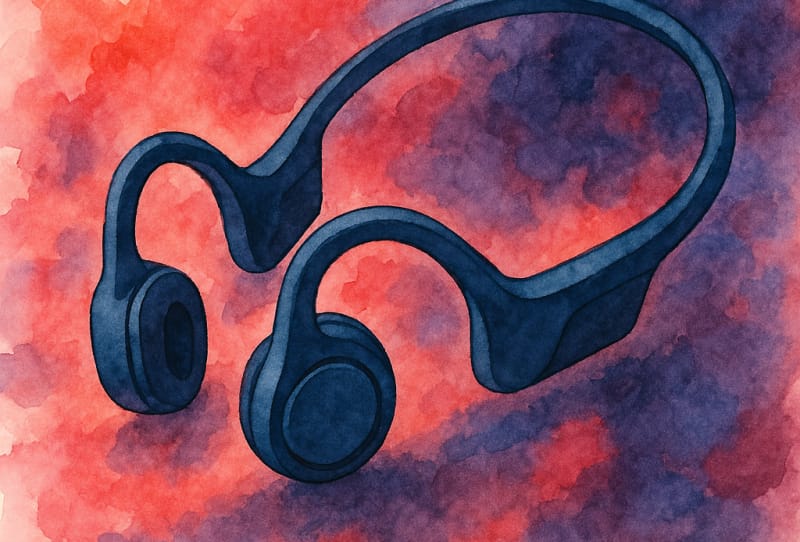
Open-ear designs have also become popular with gamers who want situational awareness, whether that’s hearing a housemate calling out or staying aware of a doorbell during a long raid. Models such as the Shokz OpenRun Air 2 and JBL OpenFit Air 2 sit outside the ear canal and include dedicated low-latency or game-focused connection modes for compatible devices, trading a small amount of bass depth for comfort and awareness during marathon sessions.
At the more premium end, in-ear monitors like the 64 Audio Ocean are built primarily for critical, detailed listening rather than gaming specifically, but many enthusiasts pair audiophile-grade IEMs like this with a wired or low-latency USB connection when precision matters most, such as in competitive shooters where footstep audio needs to be crisp and accurately placed.
If you’re chasing the lowest possible delay for competitive play, a wired connection or a dedicated USB Bluetooth dongle will generally beat a standard phone or laptop Bluetooth chip, since dongles are built specifically to prioritise a stable, low-latency link over general compatibility.
Tips and troubleshooting
- Turn off other Bluetooth devices nearby, since interference and multiple active connections can add lag or cause audio stutter.
- Disable extra audio enhancements like spatial audio or heavy equalisation if you notice a delay, as some processing features add a small amount of latency.
- Keep your headphones and their companion app updated, since manufacturers often improve low-latency performance through firmware updates.
- If lag persists on PC, check that the game and your operating system’s audio settings are both using the same codec your headphones support.
- Consider network-side fixes too. Audio delay is only part of the picture, so sorting out lag at the network level first can make a bigger overall difference to how responsive your games feel.
Frequently asked questions
Are Bluetooth headphones good enough for competitive gaming?
Modern Bluetooth headphones with a proper low-latency mode and a supported codec can work well for most competitive gaming, though dedicated wired headsets or USB dongles still generally offer the most consistent, lowest delay for players who need every millisecond.
What is a low-latency codec?
A low-latency codec is an audio compression method built to minimise the time between a sound being sent and being heard, unlike standard codecs which are optimised more for audio quality or battery efficiency than speed.
Do AirPods work well for gaming?
AirPods, including AirPods 5, include a low-latency mode for supported content on Apple devices, which makes them a reasonable casual gaming option within the Apple ecosystem, though they aren’t specifically marketed as competitive gaming headsets.
Are open-ear headphones good for gaming?
Open-ear designs like the OpenRun Air 2 and OpenFit Air 2 suit gamers who want comfort over long sessions and awareness of their surroundings, though closed-back or in-ear designs typically offer better isolation for fully immersive or competitive play.