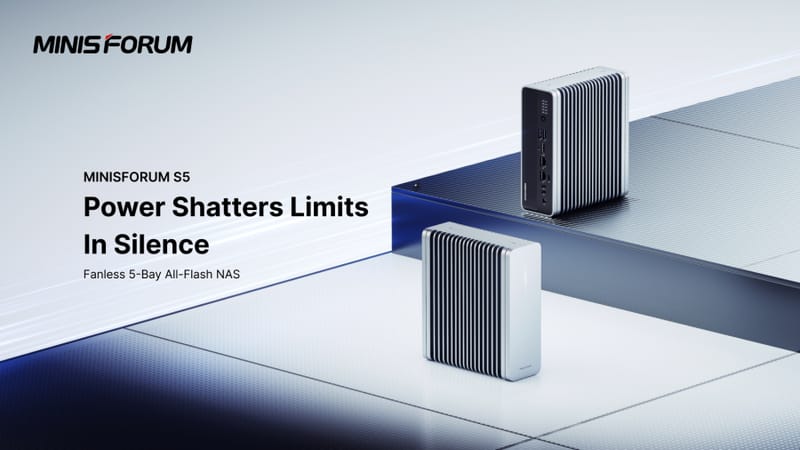
The Minisforum S5 NAS is a fanless, all-flash network storage device that packs five NVMe SSD slots, 10GbE wired networking and dual USB4 ports into a silent chassis built for home offices and small studios. Rather than relying on spinning hard drives and cooling fans, the S5 uses solid-state storage throughout, and Minisforum is offering it as a bare-bone unit so buyers can fit their own drives instead of paying for pre-installed capacity.
Key takeaways
- ✓The Minisforum S5 NAS runs entirely fanless with five M.2 NVMe SSD slots instead of hard drives.
- ✓It includes 10GbE wired networking alongside two USB4 ports for high-speed direct connections.
- ✓A bare-bone configuration lets buyers supply their own NVMe SSDs rather than paying for pre-installed storage.
- ✓Local AI processing is built in, letting the NAS handle certain AI tasks without relying on the cloud.
- ✓The silent, all-flash design targets home offices and small studios that want fast storage without fan noise.
That combination sets the Minisforum S5 NAS apart from the bulkier, fan-cooled network drives that have dominated the home and small-business storage market for years. Flash-only designs are still relatively rare at this price tier, and pairing one with genuinely fast networking and local AI processing suggests Minisforum is chasing creators and small teams who need speed without the hum of a server closet.
Table of Contents
What the Minisforum S5 NAS actually offers
At its core, the Minisforum S5 NAS is built around five M.2 NVMe slots, letting an owner build a multi-terabyte array entirely out of solid-state drives. Because there are no mechanical platters to spin and no fans needed to cool them, the unit runs silently, which matters for anyone keeping a NAS on a desk rather than tucked away in a server rack.
Networking is handled through a 10GbE connection, a tier of speed that used to be reserved for enterprise gear but has slowly filtered down into prosumer devices. On top of that, the device includes two USB4 ports, giving users the option of a direct high-bandwidth link to a laptop or desktop for tasks like video editing straight off the array, bypassing the network entirely when every bit of throughput counts.
Minisforum has also built in local AI processing capability. Rather than pushing every AI-assisted task, such as media indexing or smart search, out to a cloud service, the S5 can handle some of that work on the device itself. That keeps data in-house and avoids the latency and privacy trade-offs that come with routing files through a third party.
Specifications at a glance
| Feature | Detail |
|---|---|
| Storage type | All-flash, 5 x M.2 NVMe SSD slots |
| Cooling | Fanless, silent operation |
| Networking | 10GbE wired connection |
| High-speed I/O | 2 x USB4 ports |
| AI processing | Local, on-device AI capability |
| Configuration options | Bare-bone (user-supplied SSDs) or pre-configured |
Bare-bone flexibility and why it matters
One of the more interesting decisions Minisforum has made is selling the S5 as a bare-bone chassis, leaving the choice of SSDs up to the buyer. For anyone who already has spare NVMe drives sitting around, or who wants to mix capacities and endurance ratings across the five slots, that flexibility is genuinely useful.
It also means the overall value of the setup shifts depending on what drives are fitted. Someone populating the Minisforum S5 NAS with budget consumer SSDs will end up with a very different machine, in terms of sustained write performance and longevity, than someone who installs enterprise-grade drives rated for heavier write cycles. That is worth weighing carefully, because the NAS enclosure is only half of the performance equation.
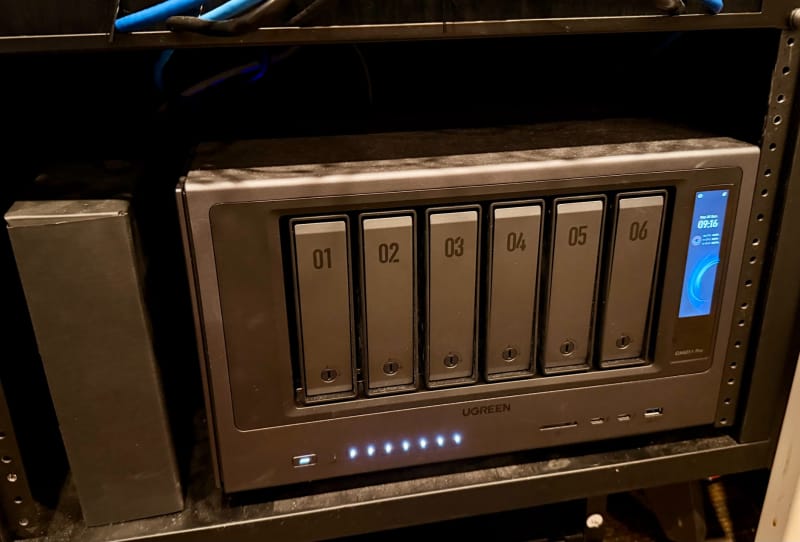
This approach mirrors how NAS makers like UGREEN have tried to lower the barrier to entry with entry-level NAS options like UGREEN’s NASync DH2300, though Minisforum’s all-flash, bare-bone route is aimed squarely at users who already understand SSD selection rather than newcomers wanting a fully packaged solution.
Why fanless, 10GbE and USB4 line up well together
Each of these three features reinforces the others. Fanless cooling only works well in an all-flash design because NVMe drives generate less sustained heat under load than spinning platters, and they do not need the airflow a mechanical drive array demands. Pairing that quiet chassis with 10GbE means the network connection will not bottleneck what the flash storage can actually deliver, which is a common complaint with slower NAS boxes that cap out well below what modern SSDs can sustain.
The dual USB4 ports round out the picture by offering an alternative path entirely. For video editors or photographers working with large files, plugging directly into the Minisforum S5 NAS over USB4 can outperform even a fast network link, since it sidesteps switch and cabling limitations altogether. It is the same logic behind the growing popularity of USB4-equipped portable SSDs such as Samsung’s P9 and P7, just applied to a multi-bay network device instead of a single external drive.
What it means for buyers
For home users and small studios, the Minisforum S5 NAS represents a shift toward storage that behaves more like a high-end workstation accessory than a traditional file server. The silence alone will appeal to anyone who has had to relocate a noisy NAS away from a desk, while the combination of 10GbE and USB4 means it can keep pace with demanding workflows rather than becoming the slowest link in the chain.
Local AI handling is the feature most likely to grow in importance over time, as more NAS software adds smart search, automatic tagging and media organisation tools. Devices such as Anker’s MindBase, which pairs a smart home hub with local NAS storage, point to a broader trend of vendors bringing AI processing closer to where the data actually lives, rather than routing it through external servers.
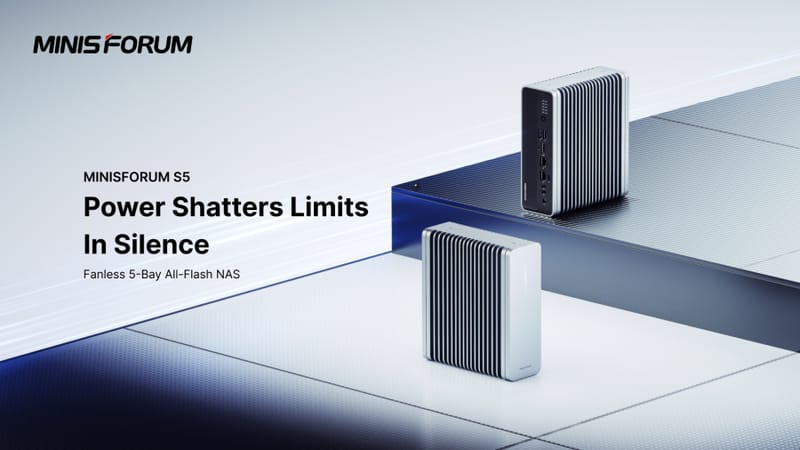
Anyone considering the Minisforum S5 NAS should factor in the cost and quality of the NVMe drives they plan to install, since the bare-bone approach puts that decision, and its effect on long-term performance, directly in the buyer’s hands. More detail on official specifications and configurations is available through Minisforum’s official site.
Frequently asked questions
What does “bare-bone” mean for the Minisforum S5 NAS?
It means the unit ships without pre-installed SSDs, so buyers need to source and fit their own M.2 NVMe drives across the five available slots.
Why is an all-flash NAS fanless?
NVMe SSDs run cooler under sustained load than mechanical hard drives, which lets manufacturers design a silent chassis without active cooling while still handling the heat the drives produce.
What is the benefit of USB4 on a NAS?
USB4 allows a direct, high-bandwidth connection between the NAS and a computer, which can outperform a standard network link for large file transfers like video editing projects.
Does the Minisforum S5 NAS need the cloud for AI features?
No. It includes local AI processing, meaning some AI-assisted tasks such as media indexing can run on the device itself rather than depending on an internet connection.