Large-format 3D printing gives creators the freedom to produce bigger parts, reduce the need for assembly, and take on projects that would be difficult to complete on a smaller machine. The QIDI Max4 is designed around that idea, combining a generous build area with high-speed movement, an enclosed chamber, and support for a wide range of filament types. It is aimed at users who want more room to work without giving up precision or control.
Its 390 x 390 x 340 mm print volume provides enough space for sizeable functional components, display pieces, workshop tools, cosplay parts, and prototypes. The enclosed CoreXY structure is built to remain stable during rapid movements, while the heated bed, high-temperature hotend, and independently heated chamber make the printer suitable for both common and more demanding materials. These features give the Max4 the flexibility to handle everyday printing as well as more technical projects.
The printer also includes automatic levelling, AI-assisted camera monitoring, input shaping, filament detection, and several wired and wireless connection options. QIDI has paired this hardware with an accessible touchscreen interface and software support that helps simplify preparation, calibration, and print management. For users looking for a capable machine that can grow alongside more ambitious projects, the Max4 presents a strong combination of size, speed, material compatibility, and convenient automation.
Table of Contents
Design and Functionality
The QIDI Max4 has a substantial enclosed design that immediately communicates its large-format capabilities. Measuring 55.8 x 57.8 x 61.2 cm, it requires a dedicated surface with enough surrounding room for ventilation, access, and routine maintenance.
Its net weight of approximately 40 kg also means it is best positioned with the assistance of another person. Once installed, the sturdy construction helps create a stable foundation for high-speed movement and long printing sessions.
The exterior has a clean and purposeful appearance, with a hinged front door providing direct access to the build chamber. A removable top panel offers additional access from above, which is useful when inspecting the motion system or managing filament paths.
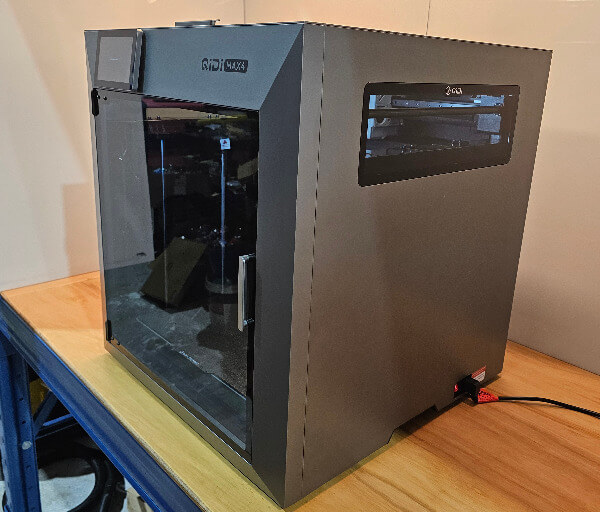
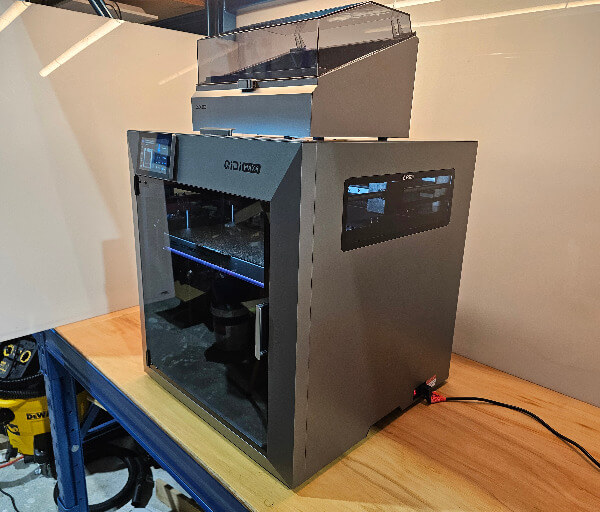
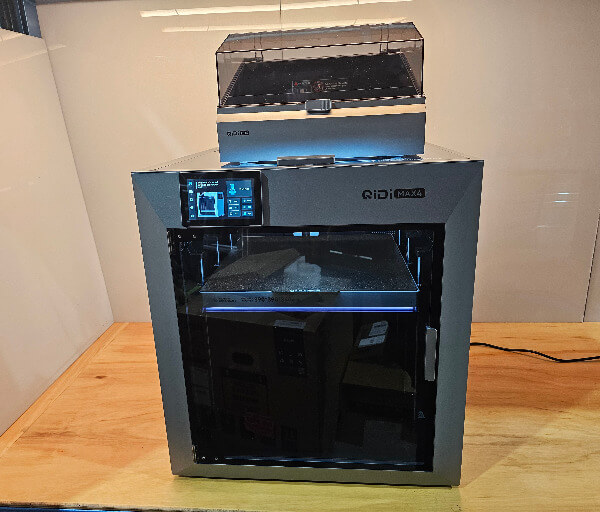
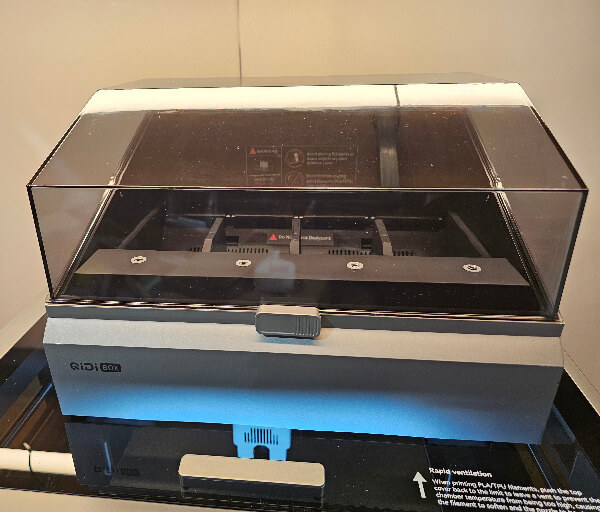
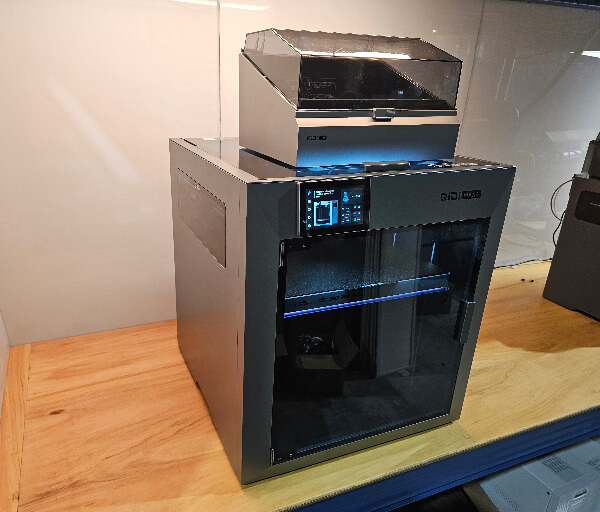
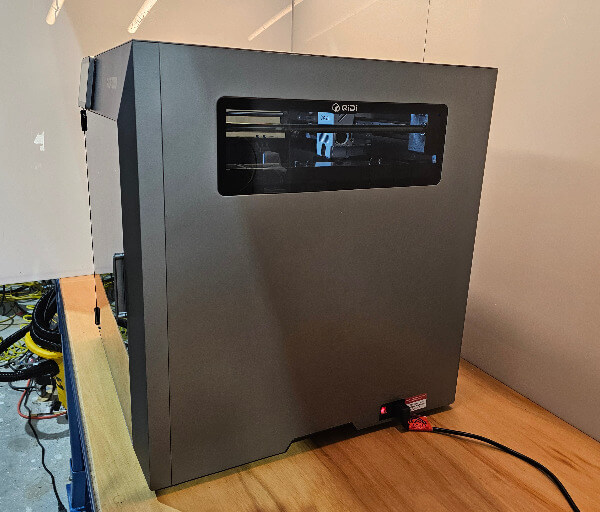
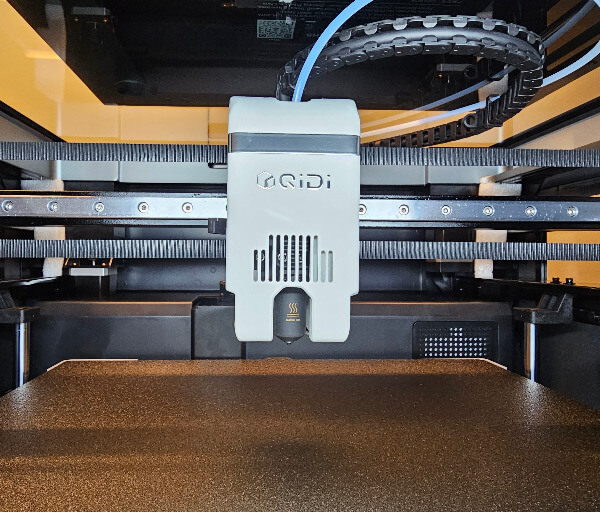
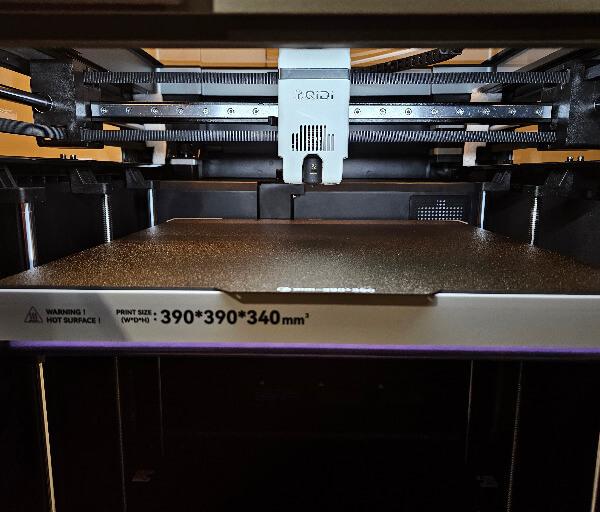
Inside, the large 39 x 39 x 34 cm build volume is one of the printer’s most defining design elements. The open internal layout makes it easier to place large models, clean the chamber, and reach areas that may require occasional servicing.
The CoreXY motion system is supported by a high-hardness linear guide on the X-axis and 12 mm steel shafts on the Y-axis. This arrangement is designed to maintain controlled movement while the print head travels at high speed across the expansive build area.
Wide 1.5GT belts are used to transfer motion through the XY system, helping the machine remain responsive during rapid direction changes. Convenient external access points also make belt tension adjustments more approachable without requiring extensive disassembly.
The Z-axis uses two independent lead screw motors together with four 12 mm steel guide shafts. This configuration supports the large heated platform evenly and helps maintain consistent vertical movement across taller prints.
A flexible dual-sided textured PEI plate sits on top of the aluminium heated bed. Its magnetic attachment makes the plate easy to remove, while the flexible surface helps release completed models without excessive force.
The bed can reach temperatures of up to 120°C, allowing it to work with a broad range of filament types. Its large surface is designed to heat evenly, which is especially important when printing wide objects that extend towards the edges.
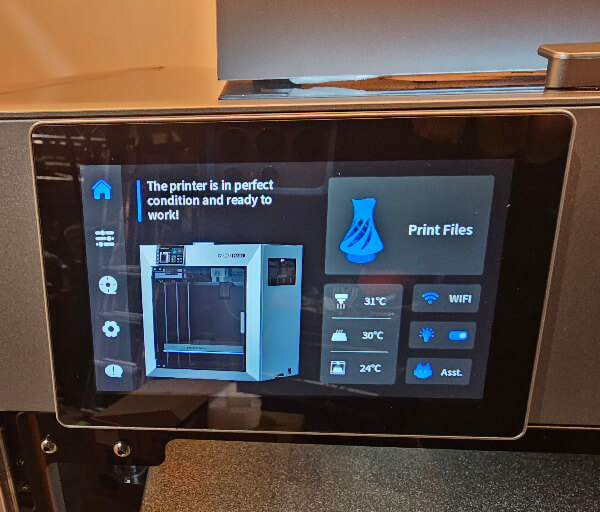
At the front of the printer is a 5-inch colour touchscreen with an 800 x 480 resolution. The screen can be angled for easier viewing and provides access to printing, calibration, temperature, network, filament, camera, and maintenance controls.
A USB 2.0 port is positioned within easy reach for importing print files and applying firmware updates. The printer also includes 32 GB of internal eMMC storage, providing room to retain frequently used models and system data.
The enclosed chamber includes integrated lighting and a 1080p camera with a wide view of the printing area. This makes it easier to inspect the first layer, monitor progress remotely, and create time-lapse recordings of completed projects.
A three-stage filtration system combines a G3 pre-filter, an H12 HEPA filter, and coconut-shell activated carbon. This integrated arrangement helps manage airborne particles and odours produced during printing, particularly when working with higher-temperature materials.
Thoughtful internal details also make routine upkeep more manageable. The smooth chamber floor is easy to wipe clean, while the nozzle-cleaning system removes residue and directs waste away from the main printing area.
Key Features
One of the QIDI Max4’s standout features is its large 390 x 390 x 340 mm print capacity. This gives users enough room to produce larger models in a single piece, reducing the need to split designs into multiple sections and join them afterwards.
The printer’s CoreXY system is built for fast and controlled movement across the full build area. With toolhead speeds reaching up to 800 mm/s and acceleration of up to 30,000 mm/s², it is capable of completing suitable models quickly while maintaining a stable motion path.
FOC closed-loop stepper motors are used on the X and Y axes to improve positional accuracy during rapid movement. This system continuously manages motor behaviour, helping the printer respond precisely during sharp changes in direction and complex toolpaths.
The hotend can reach temperatures of up to 370°C, making the Max4 suitable for far more than standard PLA printing. It can work with materials such as ABS, ASA, PETG, TPU, PA, PC, and various carbon or glass fibre reinforced filaments.
A direct-drive extruder with hardened steel dual gears supports reliable filament feeding. This design provides the control needed for flexible materials while also offering the durability required for more abrasive reinforced filaments.
The printer arrives with a 0.4 mm bimetal nozzle, providing a practical balance between detail and print speed. Optional 0.2, 0.6, and 0.8 mm nozzle sizes allow users to prioritise finer detail, stronger flow, or faster completion depending on the project.
An independently heated chamber can reach temperatures of up to 65°C. Maintaining a warmer internal environment can improve layer consistency and reduce the risk of warping when working with engineering-grade materials.
Hands-free automatic levelling uses a load-cell sensor integrated into the hotend. This allows the machine to measure the build surface directly and prepare an accurate first layer without requiring repeated manual adjustments.
Input shaping helps reduce ringing and vibration artefacts during high-speed printing. Combined with the printer’s rigid frame and calibrated motion system, it supports smoother surfaces and cleaner edges on models with rapid directional changes.
The integrated camera records at up to 1080p and supports time-lapse capture. AI-assisted monitoring can also identify certain print failures, giving users another layer of protection during long or unattended jobs.
Filament run-out detection allows the printer to pause when the material supply is exhausted. This can prevent incomplete models and gives the user an opportunity to load a replacement spool before continuing the print.
Connectivity options include dual-band Wi-Fi, Ethernet, and USB. These choices make it easy to send files, monitor progress, and manage the machine from a nearby computer or across a local network using QIDI Studio or compatible third-party software.
Experience Using the Product and Performance
Setting up the QIDI Max4 is straightforward once the printer has been moved into position. Its size and weight make two-person handling the sensible choice, but the packaging protects the machine well and the included guidance clearly explains which transport restraints and internal supports need to be removed.
The on-screen setup process helps take much of the uncertainty out of the first calibration. Prompts guide the user through essential checks, network configuration, automatic levelling, and vibration calibration before the first model is loaded.
The initial calibration sequence takes some time because the printer is mapping the build surface and analysing its motion characteristics. This is a worthwhile process, as it creates a reliable starting point and reduces the amount of manual tuning required afterwards.
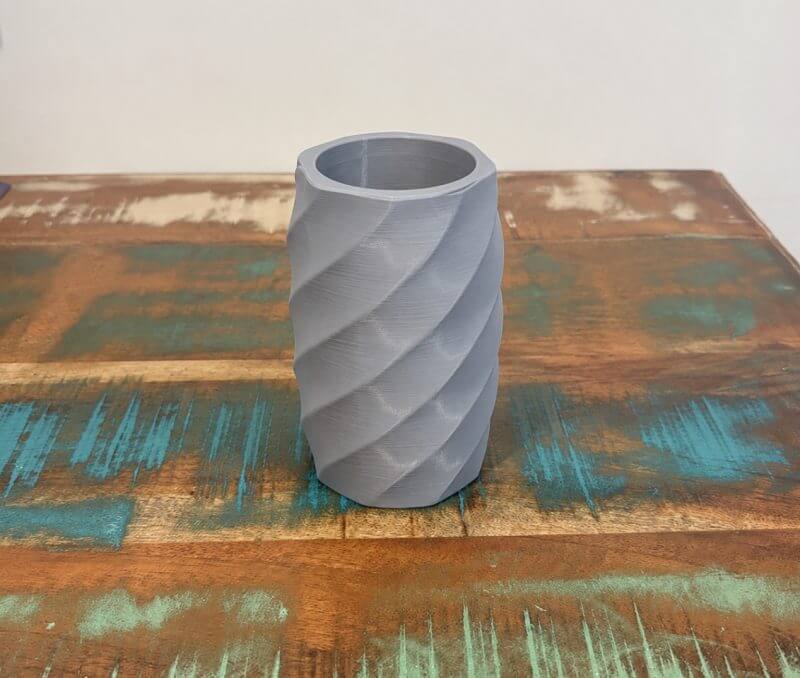
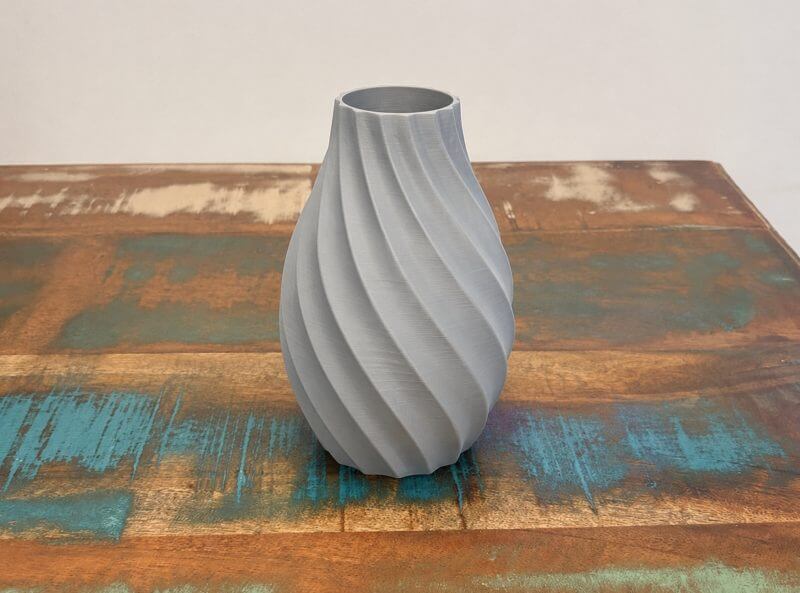
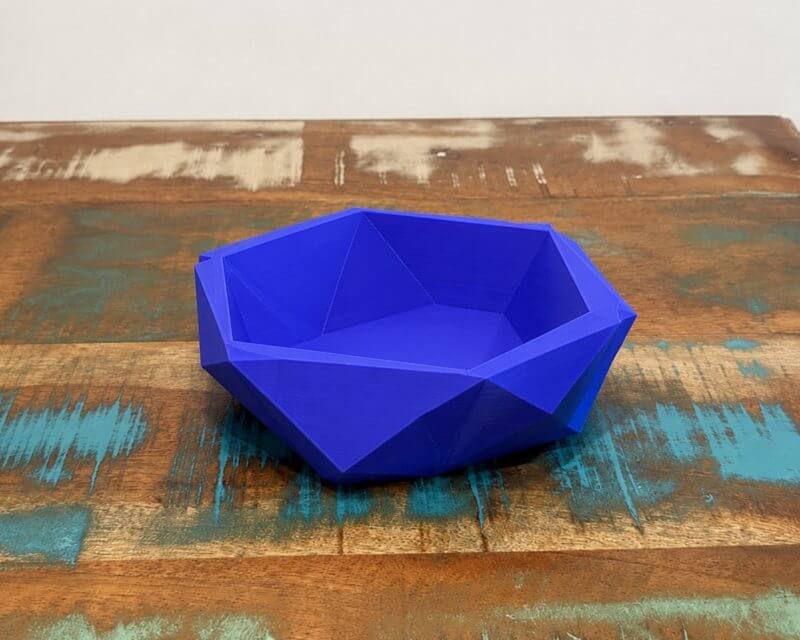
Once calibration is complete, the Max4 feels approachable despite its advanced hardware. The touchscreen presents the main controls in a clear layout, allowing temperatures, filament loading, levelling, network settings, camera functions, and print files to be managed directly from the machine.
The adjustable angle of the 5-inch display makes it comfortable to use whether the printer is positioned on a bench, cabinet, or lower workshop surface. Touch response is quick, and the menus remain easy to navigate without burying commonly used controls behind unnecessary layers.
Loading filament through the direct-drive system is uncomplicated. The extruder grips material firmly, and the guided loading process makes it easy to confirm that filament is flowing correctly before beginning a job.
Automatic bed levelling is particularly useful on a build platform of this size. The load-cell system checks the surface without requiring the user to make manual corner adjustments, helping create a consistent first layer across both small models and prints that occupy much of the plate.
First-layer performance is dependable when the build plate is clean and the correct material profile is selected. The textured PEI surface provides strong adhesion during printing, while the flexible sheet makes completed parts easier to remove once the bed has cooled.
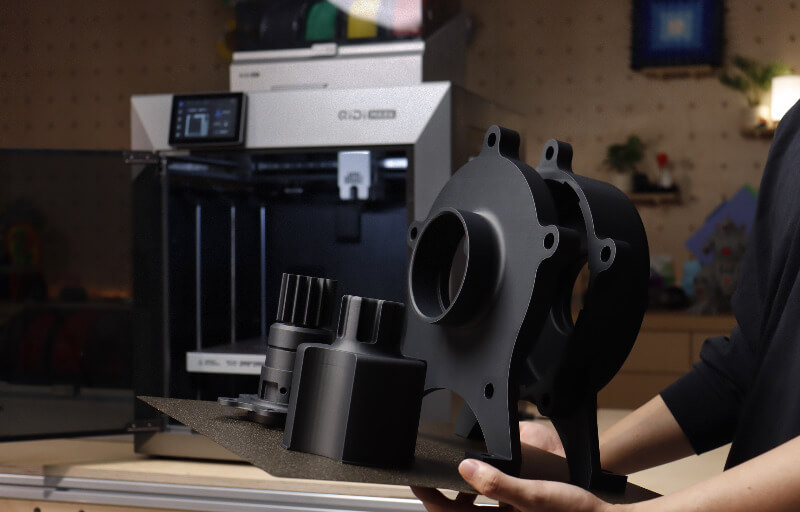
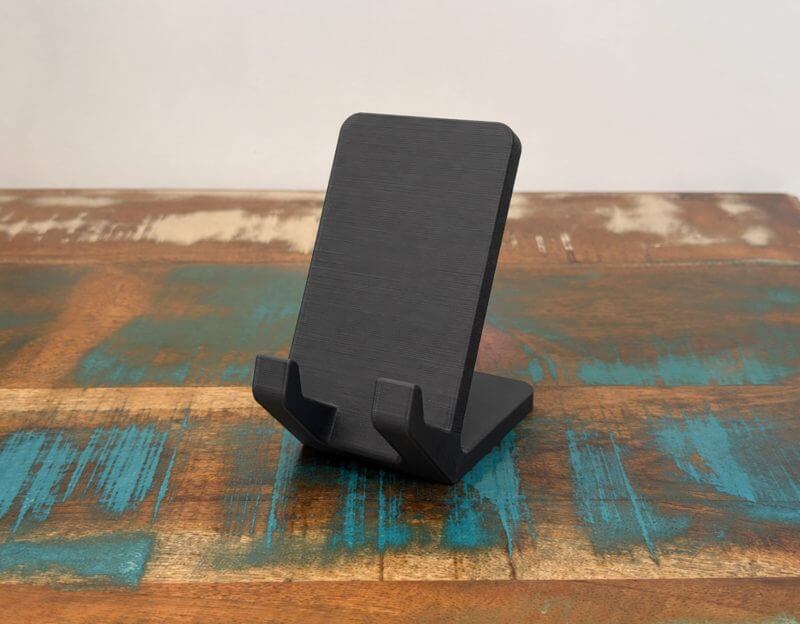
The large print area changes the types of projects that can be attempted. Helmets, storage systems, workshop components, architectural pieces, large enclosures, and sizeable prototypes can often be printed as single models rather than divided into smaller sections.
Printing a model in one piece can improve both appearance and structural integrity. It also reduces the time spent aligning, gluing, filling, and finishing separate sections after the print has been completed.
Despite the generous build volume, the Max4 remains capable of producing smaller detailed objects. The supplied 0.4 mm nozzle offers a useful balance between clean detail, dependable extrusion, and reasonable completion times for everyday projects.
Surface quality is one of the printer’s stronger performance traits. Well-tuned models display smooth walls, controlled corners, and layer lines that can be difficult to notice at normal viewing distances.
Input shaping helps the machine maintain this quality when the toolhead changes direction rapidly. Fine details remain more controlled, while ringing around edges and lettering is kept to a minimum when using suitable speed and acceleration settings.
The printer can operate at very high advertised speeds, although the best setting depends on the model, filament, and desired finish. Functional drafts and simple geometry can benefit from faster profiles, while decorative or highly detailed parts respond well to more measured settings.
This flexibility allows the Max4 to prioritise speed when rapid prototyping is important and surface refinement when presentation quality matters more. Users can create separate profiles for each type of work rather than relying on one setting for every project.
QIDI Studio provides a practical environment for slicing models and sending them to the printer. The software includes profiles for different layer heights and materials, while still allowing experienced users to adjust temperatures, cooling, walls, infill, supports, and motion settings in detail.
Saving customised filament profiles is helpful when working with spools that perform best outside the default values. Once a reliable temperature and flow combination has been found, the profile can be named and reused without repeating the same adjustments.
The printer also supports other established slicing applications, giving users freedom to continue with a familiar workflow. This is valuable for those who already maintain model libraries, material presets, or carefully tuned settings in another program.
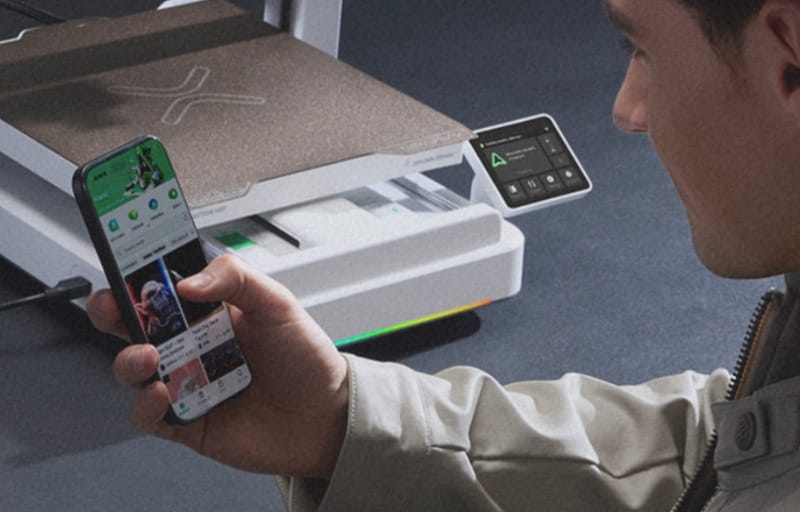
Sending jobs over Wi-Fi is convenient and reduces dependence on removable storage. Ethernet provides a stable alternative in workshops where reliable network communication is important, while USB remains available for direct file transfers.
Remote monitoring through the integrated camera adds reassurance during longer jobs. The camera provides a clear view of the chamber, allowing users to check bed adhesion, model progress, and potential filament problems without standing beside the printer.
AI-assisted failure detection provides another useful safeguard for unattended printing. It is not a replacement for checking the model and preparing the bed properly, but it can help identify obvious failures before a large amount of material is wasted.
The internal lighting makes the camera feed easier to interpret and also improves visibility when inspecting the chamber in person. It is bright enough to illuminate the model without creating distracting glare across the build area.
The enclosed structure helps the Max4 maintain more consistent printing conditions. This is especially valuable for ABS, ASA, nylon, polycarbonate, and reinforced materials that can be sensitive to temperature changes and uncontrolled airflow.
With the chamber heating enabled, the printer can sustain an internal temperature of up to 65°C. This supports stronger layer bonding and helps reduce lifting, cracking, and distortion on larger engineering-material prints.
The filtration system is beneficial when working with materials that produce noticeable odours or fine particles. Its combination of pre-filtration, HEPA filtration, and activated carbon contributes to a more considered setup for home workshops, studios, and professional environments.
After extended use, the Max4 proves to be a versatile platform that can move comfortably between quick prototypes, large display pieces, and durable functional components. Its combination of automation, material support, strong surface quality, and expansive capacity makes it well suited to users who want to take on more ambitious printing work.
Conclusion
The QIDI Max4 is a capable large-format 3D printer built for users who want to produce bigger models without sacrificing speed, accuracy, or material flexibility. Its spacious build volume, rigid CoreXY structure, and enclosed design make it suitable for everything from creative projects to demanding functional parts.
Features such as automatic levelling, input shaping, AI-assisted monitoring, power-loss recovery, and multiple connection options help streamline the printing process. These systems make the machine approachable while still providing the control and versatility experienced users expect.
Its high-temperature hotend, heated bed, and independently heated chamber also give it the ability to work with a broad selection of standard and engineering-grade filaments. Combined with dependable first layers and smooth surface quality, this makes the Max4 a practical platform for varied and ambitious workloads.
The printer does require a dedicated workspace and careful handling during installation, but its size is matched by substantial capability. For creators, designers, workshops, and enthusiasts seeking a powerful machine with room to take on larger projects, the QIDI Max4 is an impressive and well-rounded option.