Steering wheels have always promised a more immersive way to play racing games, but they have also come with a reputation for being awkward to live with. Cables trail across the floor, clamps never quite fit the desk, and full rigs take up more space than most lounge rooms can spare. The Racer Wireless Racing Wheel from Turtle Beach is built to solve that exact problem, aiming to bring wheel-based racing into Xbox, PC and Android setups without demanding a dedicated rig.
Review summary
Turtle Beach Racer Wireless Racing Wheel
The Turtle Beach Racer Wireless Racing Wheel successfully brings wheel-based racing to casual players without demanding a dedicated rig or floor space. It combines solid build quality, flexible mounting options (lap tray or desk clamp), and comprehensive software tuning to deliver an accessible middle ground between controller and full simulation rigs. The wireless connectivity is responsive, and the paddle shifter design removes barriers for players with limited space or accessibility needs.
Highlights
- ✓Flexible lap tray and desk clamp mounting
- ✓Comprehensive software tuning via Control Center 2
- ✓Low-latency 2.4GHz wireless connectivity
- ✓Paddle shifters eliminate need for floor pedals
- ✓Compatible with Xbox, PC and Android
Rather than chasing the hardcore simulation crowd with force feedback motors and three-pedal setups, Turtle Beach has pitched this wheel at players who want more connection to their racing games than a controller offers, without the commitment a full cockpit demands. It uses low-latency 2.4GHz wireless connectivity, magnetic paddle shifters in place of floor pedals, and a lap tray that lets it be used from a couch just as easily as a desk.
This review looks at how that approach plays out in practice, covering the build quality, the features baked into the accompanying software, and what it actually feels like to throw a car around a track with it. For anyone who enjoys arcade and semi-simulation racing but has never wanted to dedicate a corner of the house to a wheel stand, this is a genuinely interesting product to consider.
Table of Contents
Design and Functionality
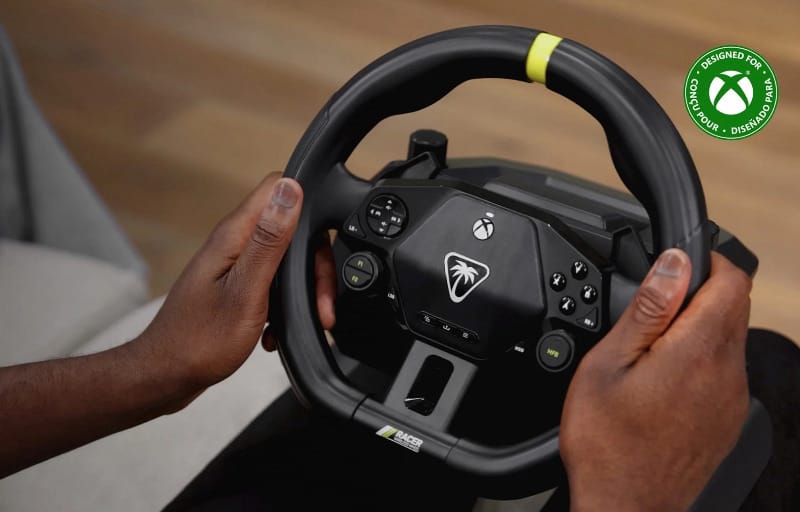
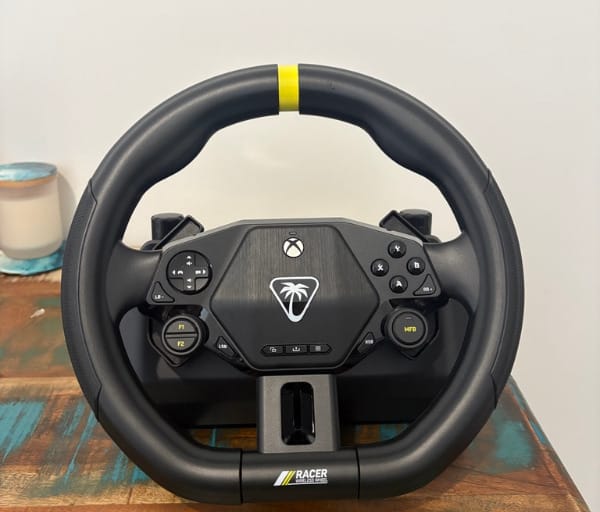
Pulling the Racer Wireless Racing Wheel out of its box, the first impression is how solid it feels. The main body is built from a mix of matte and gloss black plastic, finished with a bright yellow accent cut into the top of the wheel that breaks up what could otherwise be a fairly plain design.
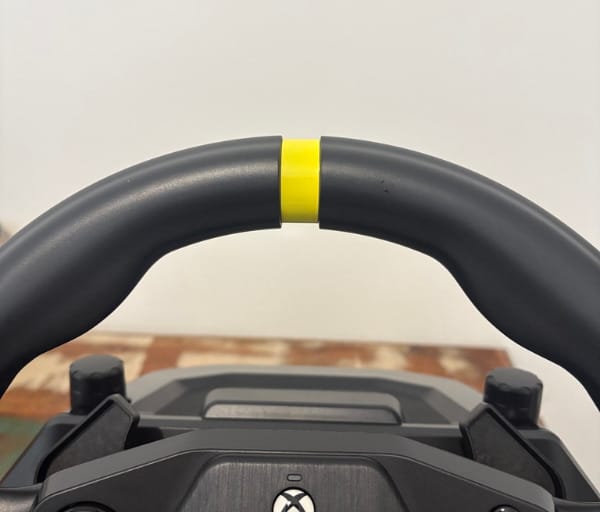
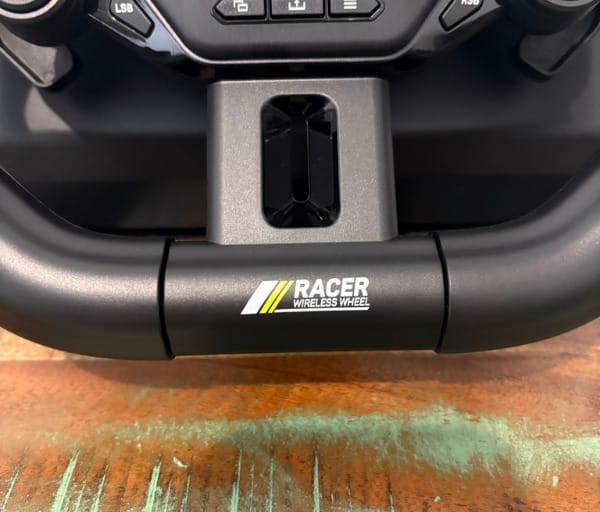
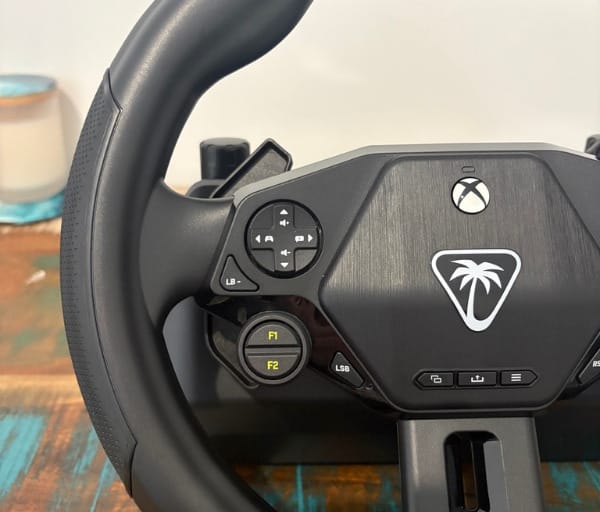
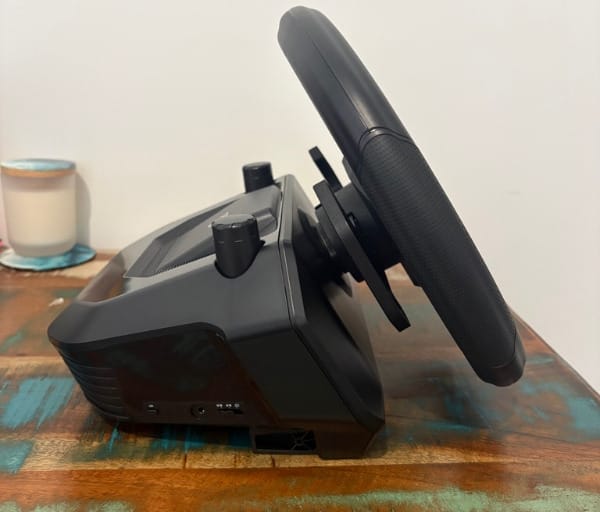
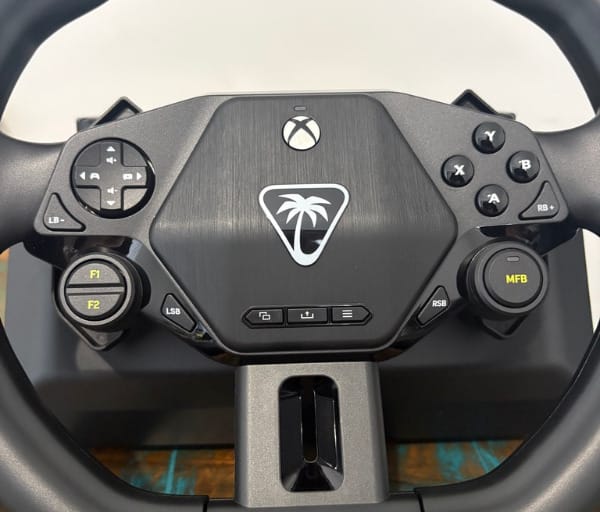
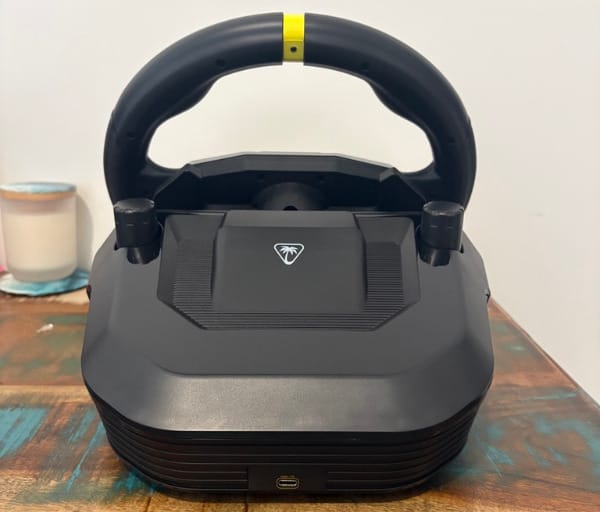
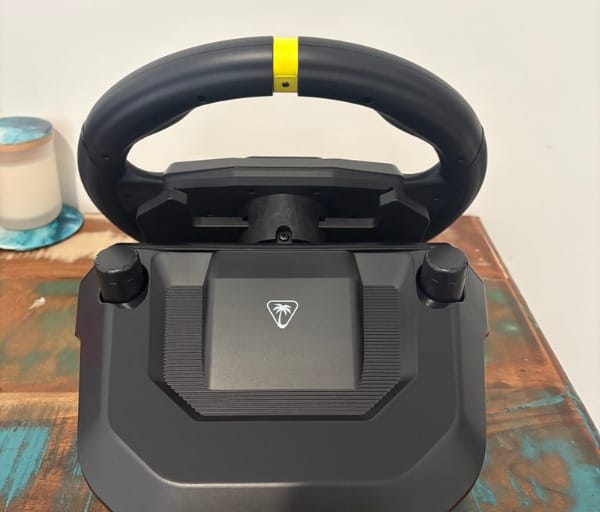
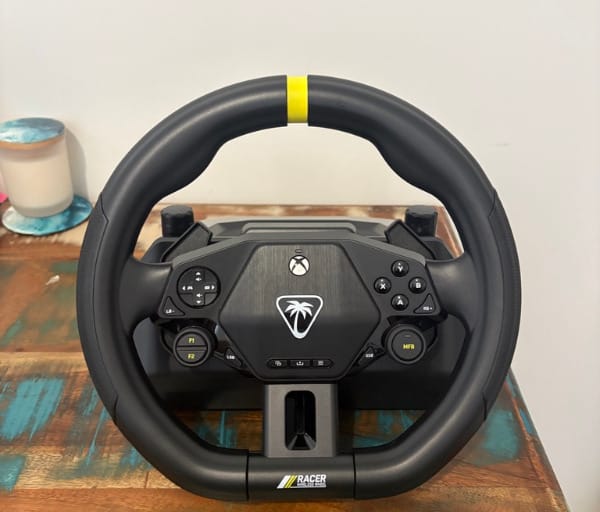
Rubberised grip sections sit at the natural hand positions on the left and right of the wheel, giving a comfortable hold during longer sessions. The plastic used elsewhere does not feel cheap or hollow, and the wheel has enough heft in the main body to feel substantial rather than toy-like.
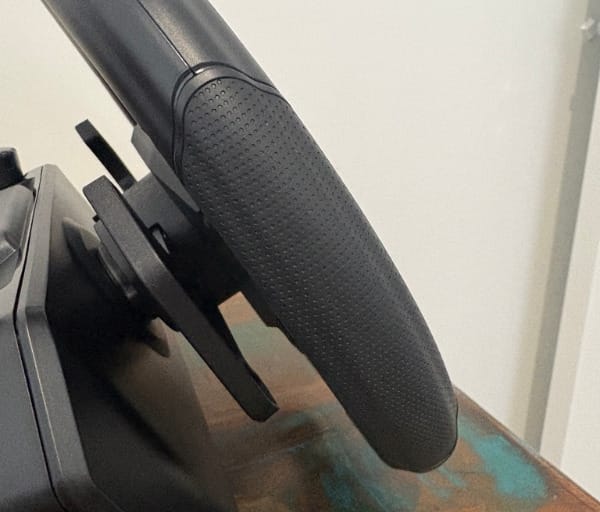
That weight is not just there for the sake of feeling premium either. It genuinely helps the wheel behave more like a traditional unit even when it is not clamped to anything, giving a sense of stability that lighter alternatives often lack.
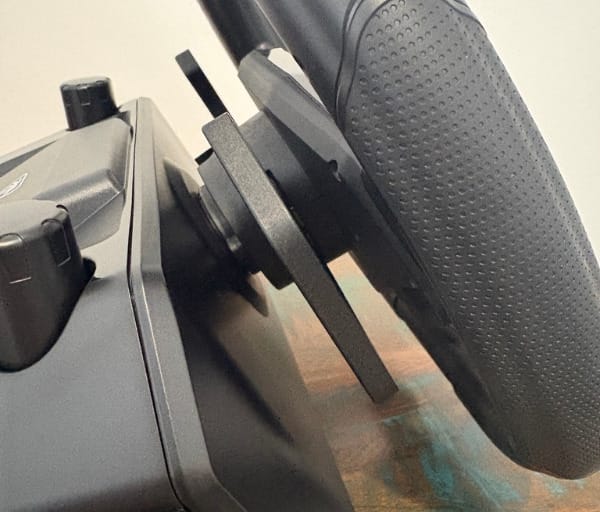
Mounting options are where this wheel starts to differentiate itself from more traditional setups. Instead of forcing a desk clamp as the only option, Turtle Beach includes a metal lap tray insert that slides into place at the base of the wheel.
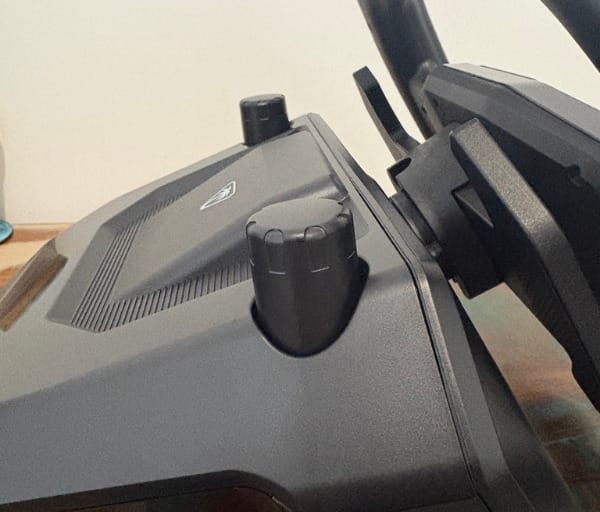
The lap tray locks in using the same rotating mechanism found on the top of the unit, which is also used for the desk clamps, so switching between mounting styles does not require separate tools or hardware.
Underneath the curved metal tray sits a rubberised grip pad, which combines with the wheel’s natural weight to keep everything steady once it is resting on a lap. It is not perfectly immovable during aggressive inputs, but it stays put far better than expected for a setup without a rigid frame.
For anyone who prefers a more conventional arrangement, the desk clamp option is still there, and it locks the wheel down with the same confidence most dedicated wheel stands offer. Switching between the two mounting styles depending on the room or the mood is a genuinely useful piece of flexibility.
Perhaps the most notable design decision is the complete absence of floor pedals. Acceleration and braking are instead mapped to a pair of magnetic paddle shifters on the rear of the wheel, which removes the need for a separate pedal box entirely.
This does mean manual gear shifting is not part of the experience, but that trade-off makes sense once the intended audience is considered. The Racer Wireless Racing Wheel is built for players who want more immersion than a controller provides, not for those chasing a full manual simulation rig.
There is a genuine accessibility upside to this layout as well. Removing the need for floor pedals opens the wheel up to players who might find traditional pedal setups difficult or impossible to use due to injury, disability, or simply limited floor space.
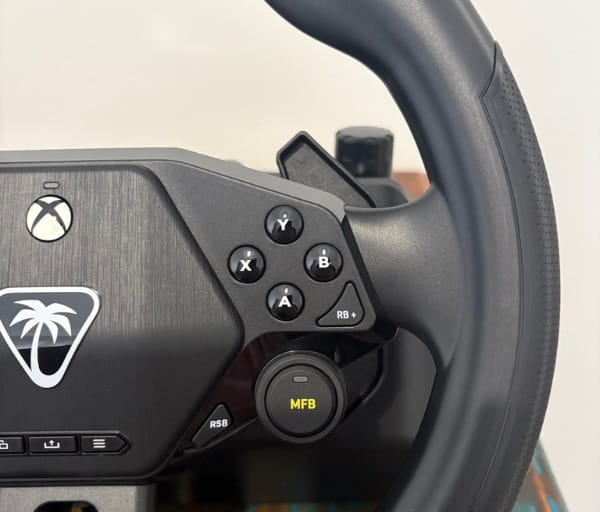
The face of the wheel carries a full set of Xbox-style controls, including A, B, X and Y buttons alongside a D-pad, with Menu and View buttons placed centrally for quick access. The D-pad in particular feels well made and precise when navigating menus.
Two customisable function buttons sit on the left side of the wheel, and these can be mapped to replicate other inputs depending on preference. A multi-function button and knob round out the control layout, giving quick access to settings such as audio adjustments without needing to dive into a menu mid-race.
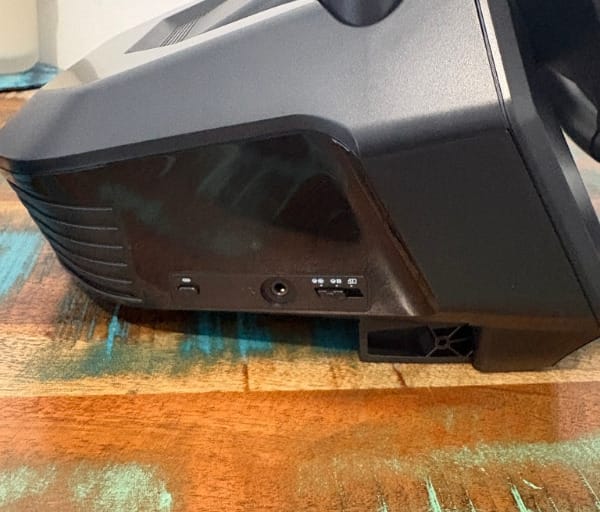
A 3.5mm headset port is built into the wheel, allowing a wired headset to be plugged in directly for clear communication during multiplayer races. This taps into Turtle Beach’s broader audio ecosystem, the same one found across products like Turtle Beach’s wireless audio ecosystem, bringing EQ presets and mic controls to a racing wheel rather than just headsets.
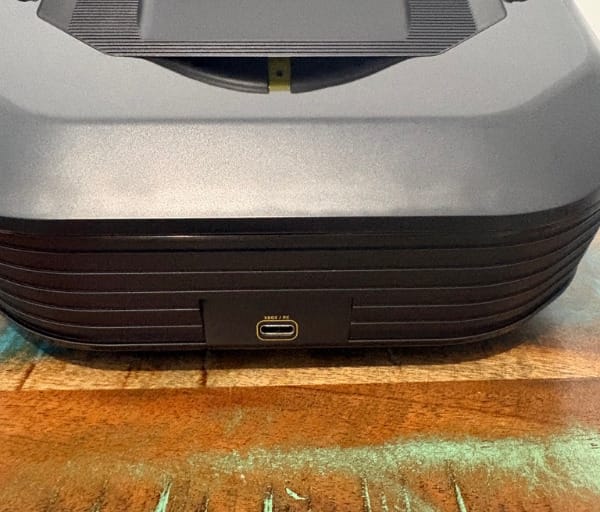
Charging and firmware updates happen via a USB-C port on the wheel, and there is a dedicated slot built into the base to store the 2.4GHz wireless dongle when it is not in use. This small touch matters more than it sounds, since a lost dongle can otherwise render a wireless peripheral useless.
If wireless connectivity ever drops out or the dongle goes missing, the wheel can be used in wired mode via the same USB-C cable used for charging, which is a sensible fallback for a device aimed at casual, drop-in-and-play use.
Compatibility extends across Xbox, PC and Android, giving the Racer Wireless Racing Wheel a wider reach than many wheels that are locked to a single platform. That flexibility suits the casual, flexible positioning Turtle Beach is going for with this device.
Key Features
At the heart of the wheel’s connectivity is low-latency 2.4GHz wireless technology, which keeps input lag minimal and steering responsive without needing a wired connection for every session.
Turtle Beach’s Control Center 2 software, available on both Xbox and PC, is where most of the wheel’s deeper customisation lives. It handles firmware updates for both the wheel and the dongle, and gives access to a wide range of tuning options.
Steering rotation can be adjusted from a full 360 degrees down to 180 degrees, which makes a noticeable difference depending on whether the wheel is clamped to a desk or balanced on a lap without the full range of motion a mounted wheel allows.
Three response profiles are available in the app: Standard, Precision and Fast. Each alters how directly the wheel’s inputs translate to on-screen steering, letting players dial in a feel that suits their preferred racing style.
Deadzone and sensitivity settings can be adjusted independently for the left paddle, right paddle and the wheel itself, giving a level of granular control that is unusual for a wheel pitched at a casual audience.
Turtle Beach’s audio EQ presets are built into the same software, including Signature Sound, Bass Boost, Bass and Treble Boost, and Voice Boost, all accessible through the wheel’s multi-function controls and headset port.
The well-known Superhuman Hearing feature also makes an appearance, designed to bring out detail in quieter audio cues, which can be genuinely useful for picking up engine notes or opponents closing in during a race.
Mic monitoring and chat mix controls round out the audio side, letting players balance game audio against voice chat without needing to leave the race to adjust settings on a console dashboard.
A sleep timeout setting helps manage battery life by automatically powering the wheel down after a period of inactivity, while a dedicated calibration option resets the wheel’s movement tracking if it ever starts to feel slightly off.
A full factory reset is also available directly through the app, which is a handy option if settings ever get into a tangled state after a lot of experimentation with sensitivity and deadzone values.
Battery level is displayed clearly within Control Center 2, so there is no need to guess how much charge remains before starting a longer session.
While the wheel does not include true force feedback motors that physically resist steering input, it does offer adjustable vibration intensity, giving some tactile feedback during impacts and rough track surfaces rather than leaving the wheel entirely static.
Game compatibility is broad, covering popular arcade and semi-simulation titles including Forza Horizon 5, though the supported games list is not exhaustive and newer releases are not guaranteed day-one support.
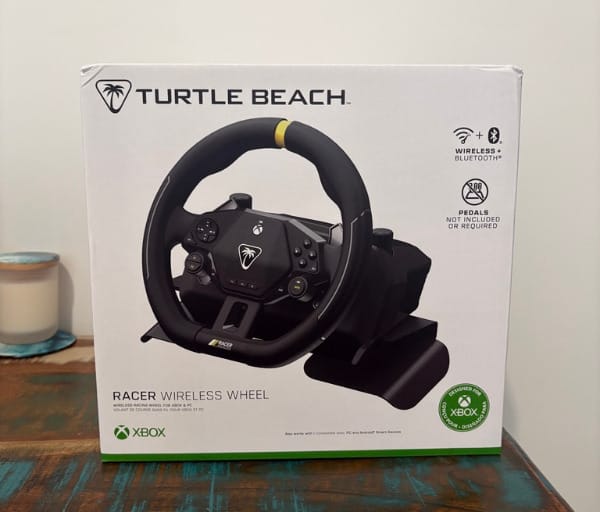
The box includes the wheel itself, a USB dongle for wireless connection, a USB-C charging cable, the metal lap tray insert, and a quick start guide, which is enough to get set up without needing to track down additional accessories.
| Feature | Detail |
|---|---|
| Connectivity | 2.4GHz wireless dongle or wired USB-C |
| Platforms | Xbox, PC, Android |
| Mounting | Lap tray stand or desk clamp |
| Rotation | Adjustable 180 to 360 degrees |
| Battery life | Up to 30 hours |
| Pedals | None; paddle shifters handle accelerate and brake |
Experience Using the Product and Performance
Setting Up the Wheel
Getting the Racer Wireless Racing Wheel up and running is refreshingly quick. The quick start guide covers the basics clearly, and pairing the wireless dongle takes only a moment before the wheel is recognised by the console or PC.
The dongle’s dedicated storage slot in the base proved useful almost immediately, since it meant there was never a moment of rummaging around for a small USB stick before a session.
Choosing between the lap tray and the desk clamp came down to the room being used in. On a desk, the clamp offers a sturdier, more traditional feel, while the lap tray made sense for couch sessions in front of a television.
An initial calibration run through Control Center 2 took only a minute, and from that point on the wheel tracked movement accurately without any drift or recentring issues during play.
Driving Feel and Responsiveness
First laps in Forza Horizon 5 immediately highlighted why a wheel like this is worth considering over a standard controller. Feathering the paddles to control throttle and brake while steering with the wheel adds a layer of physicality that a controller simply cannot replicate.
Switching the rotation setting from the default 360 degrees down to 180 degrees made a big difference when using the lap tray setup, since it reduced how far the wheel needed to turn and made it feel far less cumbersome without a fixed mounting point.
The paddle shifters handling acceleration and braking took a short adjustment period, but once muscle memory kicked in, they felt natural and responsive, offering a good middle ground between a trigger-based controller input and a full pedal setup.
Testing the Fast response profile made the wheel feel noticeably snappier, to the point of feeling slightly twitchy during high-speed corrections, while Standard and Precision offered smoother, more predictable turn-in for less aggressive driving styles.
Navigating menus with the D-pad mid-session worked well, though the smaller shoulder buttons occasionally required a glance down to confirm placement, particularly during the first few sessions before their position became familiar.
The adjustable vibration feedback added a welcome bit of texture during collisions and rough surfaces. It is not a replacement for true force feedback resistance, but it stops the wheel from feeling completely inert during impacts.
For casual racing fans, the overall feel strikes a nice balance between immersion and accessibility. It is not trying to be a one-to-one simulation tool, but it makes games like Forza Horizon 5 feel considerably more alive than playing with a standard controller.
The lack of floor pedals genuinely broadens who can use this wheel comfortably, and in practice that showed up as a far quicker, more relaxed setup process compared with wheels that demand a full pedal box and floor space.
Software Tuning in Practice
Spending time in Control Center 2 adjusting rotation settings showed just how much of a difference software tuning can make to the physical feel of the wheel, particularly for lap tray users without a fixed mounting point.
Fine-tuning deadzones on the paddles helped eliminate a slightly spongy feeling at the very start of each paddle’s travel, tightening up the responsiveness of both acceleration and braking inputs.
Switching between the audio EQ presets while racing showed clear differences in how engine notes and ambient sound came through, with Bass Boost adding welcome weight to engine audio during races.
Superhuman Hearing proved genuinely useful for picking out finer audio cues, such as rival cars approaching from behind, during online multiplayer races where situational awareness matters.
A firmware update for both the wheel and dongle was handled smoothly through the app during testing, taking only a few minutes and requiring no manual file downloads or complicated steps.
Battery Life and Wireless Reliability
Turtle Beach rates the Racer Wireless Racing Wheel for up to 30 hours of battery life without force feedback motors drawing extra power, and real-world use lined up closely with that figure across multiple sessions.
Standby battery retention was particularly impressive. After a week away from the wheel, the battery level shown in the app had dropped by only a couple of percent, which suggests genuinely low standby drain.
The 2.4GHz wireless dongle held a stable connection throughout testing, with no noticeable input lag or dropouts during fast-paced racing sessions where any delay would be immediately obvious.
Having the wired USB-C fallback available felt like a sensible safety net, particularly for anyone who might misplace the dongle or want a guaranteed connection during a competitive session.
The dongle’s built-in storage slot in the base of the wheel also made it far less likely to go missing between sessions, which is a small but genuinely practical design touch.
Compatibility and Game Support
Xbox and PC remain the primary platforms for the Racer Wireless Racing Wheel, with Android support broadening its appeal to players who enjoy mobile racing titles as well.
The list of supported games is solid and covers popular titles including Forza Horizon 5, where the wheel felt right at home thanks to the title’s more arcade-leaning handling model.
One notable gap during testing was F1 2025, which the wheel’s selector switch failed to properly recognise for either of its driving modes, despite earlier entries in the franchise being supported. The game simply would not register the wheel for actual driving input.
Given how actively Turtle Beach supports firmware and software updates for this wheel, there is a reasonable chance additional game compatibility will be added over time, though it is worth checking the current supported titles list before buying if a specific game is the main motivation.
Comfort Over Long Sessions
The rubberised grip on both the wheel and the underside of the lap tray made longer sessions noticeably more comfortable, with far less fatigue than expected from a setup without a rigid frame.
The wheel’s weight distribution helps here too, since the heft in the main body keeps things feeling stable on a lap rather than shifting around during aggressive steering inputs.
For anyone living in an apartment or a share house without room for a permanent racing rig, this wheel offers a genuinely practical way to enjoy wheel-based racing without the usual spatial compromises.
Compared with dedicated simulation rigs, the precision on offer here is naturally more limited, but for the casual racing fan who wants more engagement than a controller provides, the trade-off feels entirely reasonable.
Conclusion
The Turtle Beach Racer Wireless Racing Wheel succeeds at exactly what it sets out to do. It makes wheel-based racing accessible to players who do not want to dedicate space, cables, or a permanent setup to the hobby, without sacrificing the fun that comes from steering, paddle shifting, and feeling genuinely connected to a race.
The decision to drop floor pedals in favour of paddle shifters will not suit everyone, particularly dedicated simulation racers chasing manual gear changes and full pedal feel. For the broader audience of casual and semi-serious players, though, it removes friction and opens the wheel up to more people, including those who might struggle with traditional pedal setups.
Software depth through Control Center 2 is a real strength here, giving enough tuning options in rotation, sensitivity, and response profiles to let players shape the wheel around their own preferences rather than accepting a one-size-fits-all feel.
Minor gaps like the F1 2025 compatibility issue are worth noting, but they do not undermine what is otherwise a thoughtfully designed, genuinely enjoyable peripheral. Anyone curious about stepping up from a controller without committing to a full racing rig should take a look at the Racer Wireless Racing Wheel as a strong, flexible entry point.
Frequently asked questions
Does the Turtle Beach Racer Wireless Racing Wheel include pedals?
No, it does not use floor pedals. Acceleration and braking are handled through magnetic paddle shifters on the rear of the wheel, which keeps the setup compact enough to use on a lap tray or desk clamp without needing extra floor space.
How long does the battery last?
Turtle Beach rates the wheel for up to 30 hours of use on a single charge, and real-world testing matched that figure closely. Standby battery drain is also very low, with the wheel losing only a small amount of charge after a week of being left unused.
Is the Racer Wireless Racing Wheel compatible with every racing game?
It supports a solid range of popular titles, including Forza Horizon 5, but not every racing game is officially supported. F1 2025, for example, did not correctly recognise the wheel for driving input during testing, despite earlier games in the series being supported.
What platforms does it work with?
The wheel is designed for Xbox, PC and Android, connecting wirelessly via a 2.4GHz USB dongle or via a wired USB-C connection as a backup option.