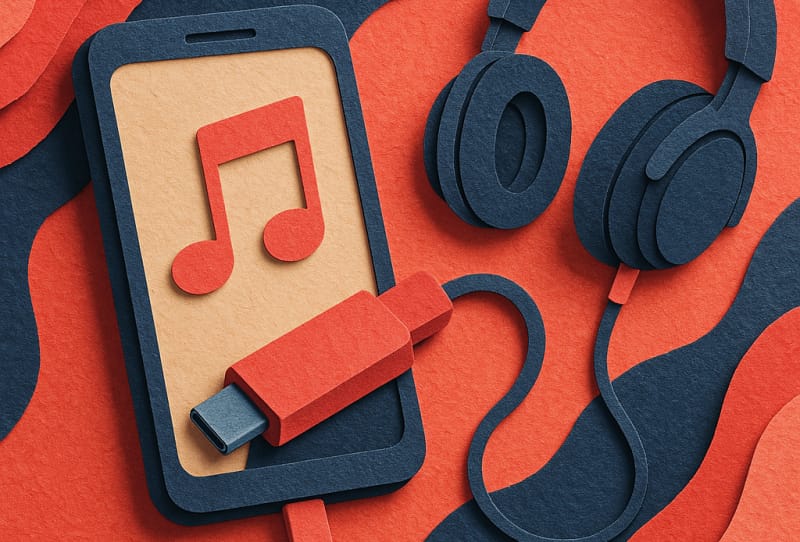
If your phone no longer has a headphone jack, a USB-C DAC is the easiest way to get real audiophile-grade sound from wired headphones again. This guide walks you through what a USB-C DAC actually does, how to choose one that suits your phone and headphones, and how to set it up so you get clean, detailed audio every time you plug in.
Table of Contents
What a USB-C DAC actually does
Your phone stores music as digital data, but headphones need an analogue electrical signal to produce sound. A DAC (digital-to-analogue converter) handles that conversion. Many modern phones removed their built-in headphone amplifier and DAC circuitry to save space, so a USB-C DAC brings that conversion back, often with better components than a phone maker would ever fit inside a handset. The result is usually lower noise, better dynamic range, and enough power to properly drive headphones that sound thin or lifeless straight out of a phone’s USB-C port.
What you’ll need
- A phone with a USB-C port that supports USB audio output (most modern Android phones do; check the specific model if unsure)
- A USB-C DAC, either a small dongle-style unit or a larger portable DAC and amp
- Wired headphones or in-ear monitors with a 3.5mm or balanced connector
- A charging cable or USB-C hub if your DAC does not pass through power
Step 1: Confirm your phone supports USB audio
- Check whether your phone’s USB-C port supports USB Audio Class output, since a small number of devices only use USB-C for charging and data.
- Look up your phone model’s specifications or support page to confirm USB audio and USB-C DAC compatibility before buying anything.
- If you use an iPhone with a USB-C port, confirm that Apple’s software allows external USB audio devices, since behaviour can differ from Android.
Step 2: Decide between a dongle DAC and a portable DAC/amp
Dongle-style DACs are compact, inexpensive to run day to day, and plug directly into your phone with no extra cable needed. Larger portable DAC and amp units are bulkier and usually need their own cable, but they include a proper headphone amplifier stage, which matters if you own harder-to-drive headphones. The table below breaks down the main differences.
| Feature | Dongle DAC | Portable DAC/Amp |
|---|---|---|
| Size | Very small, pocketable | Larger, often needs its own pocket or pouch |
| Power output | Modest, fine for most in-ears | Higher, suited to power-hungry headphones |
| Battery use | Draws from phone battery | Often has its own battery |
| Best for | Casual listening, travel | Serious listening sessions at a desk or on the move |
Step 3: Check the specs that actually matter
- Look at the supported sample rates and bit depths, since a DAC that only handles standard resolution audio will bottleneck high-resolution files.
- Check the headphone output power rating, measured in milliwatts, and compare it against the sensitivity rating of your headphones.
- Note whether the DAC supports high-bitrate Bluetooth codecs if you plan to use it as a wired backup alongside wireless listening.
- Confirm the connector type on both ends, since some DACs use a captive cable while others accept a separate 3.5mm or balanced cable.
Step 4: Connect and configure the DAC
- Plug the USB-C DAC directly into your phone’s USB-C port.
- Connect your wired headphones to the DAC’s output jack.
- Allow any permission prompt that appears asking to grant the accessory access to audio.
- Open your phone’s sound settings and confirm the DAC is selected as the active audio output device, since some phones default back to the internal speaker.
- Play a familiar track and adjust volume gradually, since some DACs output at a different level than your phone’s internal speaker.
Tips and troubleshooting
- If you hear no sound, unplug and reseat the connection, and check that the DAC is not drawing so much power that your phone throttles the port.
- If the sound cuts out during calls, disconnect and use the phone’s built-in microphone, since not all DACs pass through microphone signal reliably.
- If audio sounds distorted at low volume, your headphones may need more power than the DAC can supply, which usually points to a step up to a dedicated portable DAC and amp.
- Keep your phone’s software updated, since USB audio handling can improve with system updates.
- If you also use a laptop, the same DAC often works there too, and understanding why USB-C ports matter so much on modern devices helps when choosing accessories that work across your whole setup.
When to consider a bigger step up
A phone-friendly dongle DAC is a great entry point, but if you find yourself wanting more headroom, more power, or physical volume control, it may be time to look at a dedicated desktop DAC and amp stack for home listening, while keeping the USB-C dongle for on-the-go use. Pairing either setup with a pair of genuinely audiophile-grade headphones is where the difference in detail and separation becomes most obvious.
Frequently asked questions
Do I really need a USB-C DAC if my phone already plays music fine?
A phone’s built-in USB-C audio output is usually adequate for casual listening, but a dedicated DAC generally offers cleaner conversion, lower background noise, and more power for headphones that otherwise sound quiet or flat.
Will any USB-C DAC work with any phone?
Most modern Android phones support standard USB audio output, but always check your specific phone’s Android developer documentation or the manufacturer’s specifications, since a small number of devices limit USB-C to charging and data only.
Can a USB-C DAC charge my phone while playing audio?
Some DACs include a pass-through charging port, which lets you charge your phone and listen at the same time. If yours does not, you will need to choose between charging and using the DAC.
Is a wired USB-C DAC better than Bluetooth headphones?
A wired DAC connection avoids Bluetooth compression and reduces the chance of latency or dropouts, which generally makes it the better option for critical listening, though quality Bluetooth codecs have narrowed that gap considerably.