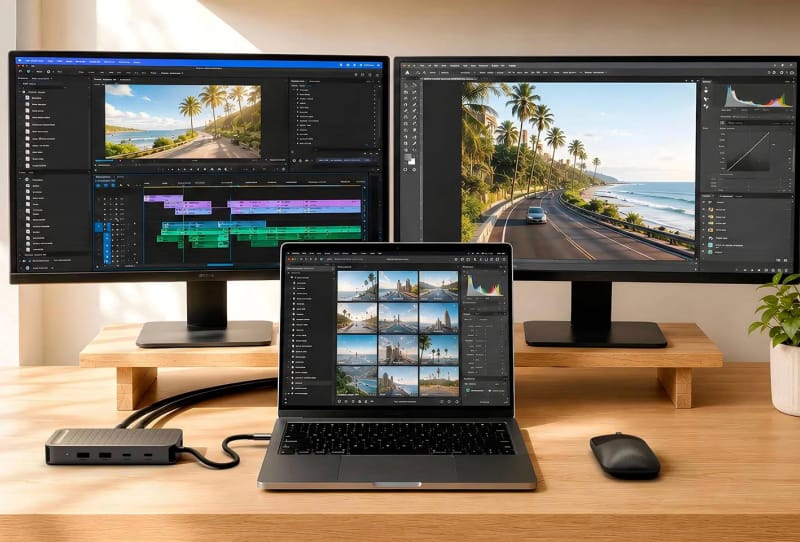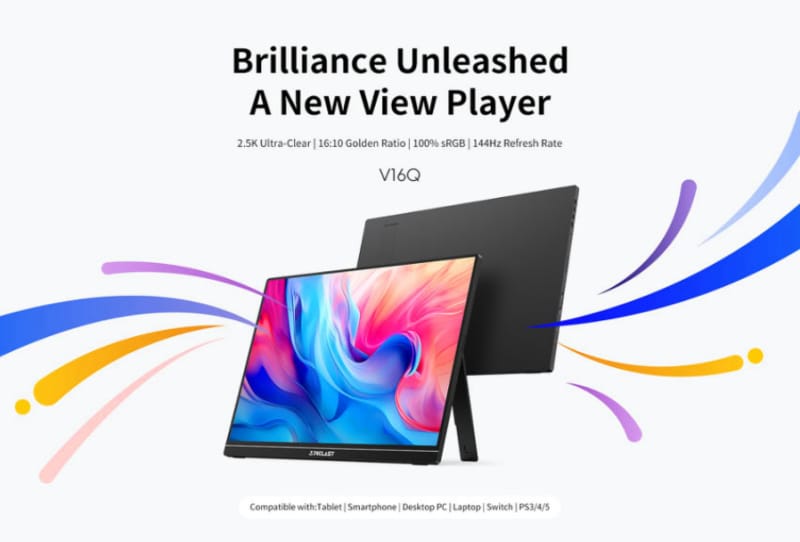
The Teclast V16Q portable monitor packs a 16-inch 2560×1600 IPS screen with a refresh rate of up to 144Hz, giving mobile workers and gamers a sharper and smoother external display than most portable screens on the market. It’s built to clip onto a laptop as a second screen, but it also works with game consoles and other HDMI-capable devices, making it a flexible option for anyone who needs an extra display away from a desk.
Key takeaways
- ✓The Teclast V16Q is a 16-inch portable monitor with a 2560×1600 IPS panel.
- ✓It supports refresh rates up to 144Hz for smoother motion than typical portable screens.
- ✓The panel covers 100% sRGB, 10-bit colour and HDR10 with 490 nits peak brightness.
- ✓Colour accuracy is rated at Delta E less than 2, suitable for photo and video work.
- ✓It can extend a laptop display or connect to compatible consoles and other devices.
Portable monitors have traditionally been a compromise: decent resolution but sluggish refresh rates, or smooth motion paired with a dim, washed-out panel. The V16Q tries to close that gap by combining a higher refresh rate with colour performance that would normally be reserved for a desktop monitor, all in a chassis thin enough to travel with a laptop bag.
Table of Contents
A 2.5K screen built for multitasking
The panel uses a 16:10 aspect ratio rather than the more common 16:9, giving slightly more vertical space on screen. That extra height matters for anyone juggling documents, spreadsheets or browser tabs side by side, since a taller canvas means less scrolling and more visible content at once.
Resolution sits at 2560×1600, often described as 2.5K, which is a notable step up from the 1080p panels found on cheaper portable monitors. Text looks crisper at this density, and there’s enough real estate to run two windows comfortably without everything feeling cramped. Combined with the 144Hz refresh rate, the screen also handles fast motion in games or video more cleanly than the 60Hz panels typical of this product category.
Colour accuracy and HDR for creative work
Beyond the resolution and refresh figures, the V16Q covers 100% of the sRGB colour gamut and supports 10-bit colour depth along with HDR10. Peak brightness is rated at 490 nits, which is bright enough to remain usable in reasonably lit rooms, though it won’t rival a dedicated HDR reference monitor outdoors.
Colour accuracy is rated at Delta E less than 2, a figure that indicates the panel reproduces colours close to their true values straight out of the box. That level of accuracy is useful for photo editing, light video work or any task where colour fidelity matters, rather than just casual browsing or document editing. It’s a spec sheet that reads more like a creative-focused monitor than a bare-bones travel accessory.
How it stacks up against other portable and gaming displays
Most portable monitors on the market still top out around 60Hz or 90Hz, so a 144Hz refresh rate puts the V16Q ahead of the pack for anyone who wants smoother scrolling or more responsive gaming on the move. It won’t match the extreme refresh rates chased by dedicated desktop gaming monitors, but for a screen that folds into a laptop bag, 144Hz is a genuine step up.
The broader monitor market has been pushing refresh rates and resolution higher across the board, from ultrawide panels chasing ultrawide monitors pushing past 260Hz to dual-mode displays like monitors that juggle 4K and 480Hz in one panel. The V16Q brings a slice of that momentum to the portable segment, where specs have historically lagged well behind desktop hardware.
For buyers weighing up options, it helps to understand what actually matters when choosing a high-refresh screen, whether portable or fixed. Readers comparing specs across panels may find a guide to picking a gaming monitor for competitive play useful background, even though the V16Q is aimed more broadly at productivity and casual gaming than esports.
Who the V16Q actually suits
The obvious use case is extending a laptop screen while travelling or working from different locations. Pairing a portable monitor with a slim machine, such as thin laptops like the HP OmniBook 5, turns a single-screen setup into a dual-monitor workspace without needing a permanent desk arrangement. That flexibility appeals to freelancers, students and anyone who regularly works away from a fixed office.
Console owners also get a practical option here. Because the panel accepts standard video input, it can double as a travel screen for handheld-adjacent setups or a compact display when a TV isn’t available. The HDR10 support and wide colour coverage mean games and video content should look reasonably vibrant even on a screen this size, rather than flat or washed out.
Specification tables rarely capture the full picture, but they’re a useful quick reference for the V16Q’s core numbers:
| Spec | Detail |
|---|---|
| Screen size | 16 inches |
| Resolution | 2560 x 1600 (2.5K) |
| Panel type | IPS |
| Aspect ratio | 16:10 |
| Refresh rate | Up to 144Hz |
| Colour gamut | 100% sRGB, 10-bit |
| HDR support | HDR10 |
| Peak brightness | 490 nits |
| Colour accuracy | Delta E < 2 |
Full availability details and regional pricing for the Teclast lineup are best confirmed through the manufacturer directly, since portable monitor releases from smaller brands can vary by market and retailer.
Frequently asked questions
What resolution does the Teclast V16Q support?
The Teclast V16Q portable monitor uses a 2560×1600 IPS panel, often referred to as 2.5K resolution, on a 16:10 aspect ratio screen.
Can the V16Q run at 144Hz over any connection?
The monitor supports up to 144Hz refresh, though the exact refresh rate achievable will depend on the output capabilities of the connected laptop, console or device.
Is the Teclast V16Q suitable for photo or video editing?
Its 100% sRGB coverage, 10-bit colour and Delta E rating under 2 make it a reasonable option for colour-sensitive work, though it isn’t marketed as a professional reference display.
Does the V16Q work with gaming consoles?
Yes, the panel is designed to work with compatible devices beyond laptops, including game consoles, making it a flexible secondary screen for gaming on the move.