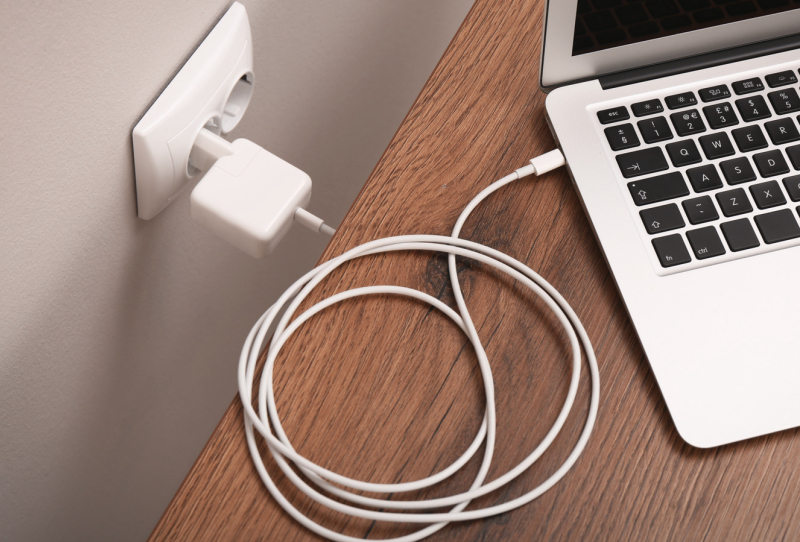
Grabbing a USB-C laptop charger to top up a phone battery feels like the obvious shortcut when the laptop itself is already sitting at 100 percent. Both devices use the same style of plug, so it should work fine, right? That instinct is correct more often than not, but the reasons behind it are worth understanding before making a habit of it.
USB-C has become the common connector across phones, tablets and laptops, which makes swapping chargers tempting. The good news is that modern charging standards were built specifically to allow this kind of mixing and matching without frying anything. The bad news is that “usually safe” still comes with a few exceptions worth knowing.
Table of Contents
How USB-C Power Delivery actually decides what your phone gets
A USB-C laptop charger does not simply blast maximum wattage into whatever it is plugged into. Charging is governed by the USB Power Delivery standard, known as USB-PD, developed by the USB Implementers Forum. This protocol lets a charger and a device talk to each other before any meaningful power moves between them.
That negotiation is the key detail people miss. The charger does not push power into the phone. Instead, the phone pulls exactly what it needs from a list of power levels the charger offers. Because of this back and forth, a high-wattage charger cannot overload a phone’s internal circuitry. The phone simply never asks for more than its components are designed to handle.
Is a USB-C laptop charger really safe for everyday phone charging
For almost anyone with gear from the last decade or so, the answer is yes. Recent iPhones, Pixel phones, Galaxy devices, MacBooks and most Windows laptops all support USB-PD. When both ends of the cable understand the standard, the negotiation happens automatically, and using that combination daily causes no harm.
Even mismatched setups tend to default to something safe. A USB-PD charger connected to an older, non-PD phone will simply drop to a conservative output and charge more slowly. Flip it around, and a non-PD charger paired with a USB-PD phone caps out at 5V/3A, which is still enough for a steady, safe charge even if it is not the fastest option available.
| Charger and phone combination | What happens |
|---|---|
| USB-PD charger with USB-PD phone | Full negotiation, fastest safe speed both support |
| USB-PD charger with older non-PD phone | Falls back to a slow, safe default charge |
| Non-PD charger with USB-PD phone | Capped at 5V/3A, slower but still safe |
| Phone charger used on a laptop | Usually charges very slowly, if at all |
Will it actually charge faster than a standard wall adapter
This depends entirely on what the phone itself supports. If a handset can accept higher-voltage fast charging and the laptop charger can supply it, expect a noticeably quicker top-up than a basic adapter would provide. Apple states that fast charging on many recent iPhones needs a 20W or higher USB-C adapter, and a typical 65W laptop charger clears that easily.
However, more watts on the label does not automatically mean more speed. A phone limited to an 18W or 20W input will only ever pull that much, whether it is plugged into a 65W brick or a 140W one built for laptops and multiple accessories. The higher figure on a multi-port charger exists to cover every connected device at once, not to force extra speed into a single phone. Some brands also lean on proprietary charging protocols that need their own cable or adapter to hit advertised speeds, so results can still vary by manufacturer.
The reverse swap rarely impresses either. A phone’s compact charger will not deliver anything close to the speed a laptop expects, and charging a laptop from a car’s USB port tends to be similarly underwhelming. Anyone shopping for a single charger that handles both device types comfortably might look at compact GaN chargers like the MINIX P100, which are built with exactly this kind of multi-device flexibility in mind.
Where the real risks actually sit
The genuine danger is not in mixing a reputable USB-C laptop charger with a modern phone. It sits with cheap, uncertified chargers that skip the isolation barriers required between the AC mains side and the DC output side. A power surge hitting one of these can, in rare cases, pass a damaging voltage spike straight through to a connected phone.
Low-quality cables carry their own hidden risk too. A non-certified USB-C cable may lack the internal pull-up resistor the USB-C specification requires, which can confuse the negotiation process entirely. Checking for recognised safety marks such as UL, ETL or CE before trusting any charger is a simple habit worth keeping, whether it came bundled with a laptop or was picked up separately.
Smaller USB-C accessories deserve a bit more caution as well, since some do not include the microcontrollers needed to properly negotiate with a high-power charger. Most fast chargers start low and step up only after a successful handshake, so the risk is generally small, but sticking with the cable and charger that shipped in the box remains the safest default for anything other than a phone. Options such as Rolling Square’s GaN charger or the Minix Neo P1 are worth considering for anyone wanting a single, well-certified brick to cover a phone, tablet and a modern USB-C laptop like the Gigabyte Gaming A16 Pro without second-guessing every swap.