Network attached storage has become the quiet backbone of home offices, media libraries, and small business networks, and Synology’s latest four-bay unit aims to keep that trend going without unnecessary complexity. The DS925neo+ is a compact desktop NAS built around an AMD Ryzen processor and DSM software, positioned as a dependable option for anyone who has outgrown external drives or cloud-only backups. Full specifications for the model, including its processor and memory configuration, are available on Synology’s official product page, which is a handy reference before diving into how the unit actually performs.
Throughout this review, the Synology DS925neo+ is tested as a real-world home office NAS, with a focus on how it handles day-to-day file serving, backups, media streaming, and the kind of multi-device demands a typical household or small team places on shared storage. If you’re comparing the DS925neo+ against other four-bay options or trying to work out whether it fits your setup, the sections below cover the design, software, and performance in detail.
Anyone researching the DS925neo+ specifically is usually weighing it up against the pricier DS925+, or trying to work out whether a four-bay NAS is overkill for their needs in the first place. This review is written with both of those questions in mind, covering not just raw benchmarks but also the everyday practicalities of living with the DS925neo+ as a primary storage and backup device over an extended testing period. Where relevant, the DS925neo+ is also compared against other models in Synology’s current line-up, so readers can see exactly where it sits in terms of price, performance, and features before committing to a purchase.
Review summary
Synology DiskStation DS925neo+
The Synology DS925neo+ delivers a well-built, sensibly designed four-bay NAS with dual 2.5GbE networking and Synology's polished DSM software, making it a practical fit for home offices and small networks moving beyond external drives or cloud-only backups. Set-up was straightforward, storage pool creation via SHR was simple, and file transfer speeds comfortably saturated the network connection during testing. The inclusion of tool-less trays, hot-swap bays, and expansion support add further long-term flexibility.
Highlights
- ✓Solid metal chassis with tool-less, hot-swappable drive trays
- ✓Dual 2.5GbE ports for fast network transfers
- ✓DSM software offers strong backup, photo, and file-sync tools
- ✓Expandable up to nine bays with the DX525 unit
- ✓Quick, hassle-free setup process
What sets the DS925neo+ apart from its closest sibling, the DS925+, comes down to a few internal choices rather than the exterior design. This particular unit ships with 4GB of DDR4 non-ECC SODIMM memory rather than the ECC memory found in some other models in the range, a detail worth understanding before assuming feature parity across the line-up. It still runs on the AMD Ryzen V1500B processor clocked at 2.2GHz, giving it enough grunt for everyday file serving, backup jobs, and light multimedia tasks. Memory on the DS925neo+ can also be upgraded beyond the stock 4GB module if a workload later demands more headroom, which is worth keeping in mind for anyone planning to run several containerised applications or a larger Plex library down the track.
This review covers the DS925neo+ as tested with four Synology HAT3320-8T 8TB hard drives installed, giving a total raw capacity of 32TB across the array. The following sections walk through the physical design, the software features that make DSM such a compelling platform, and how the unit behaved during real-world use with a fully populated drive bay.
Table of Contents
Design and Functionality
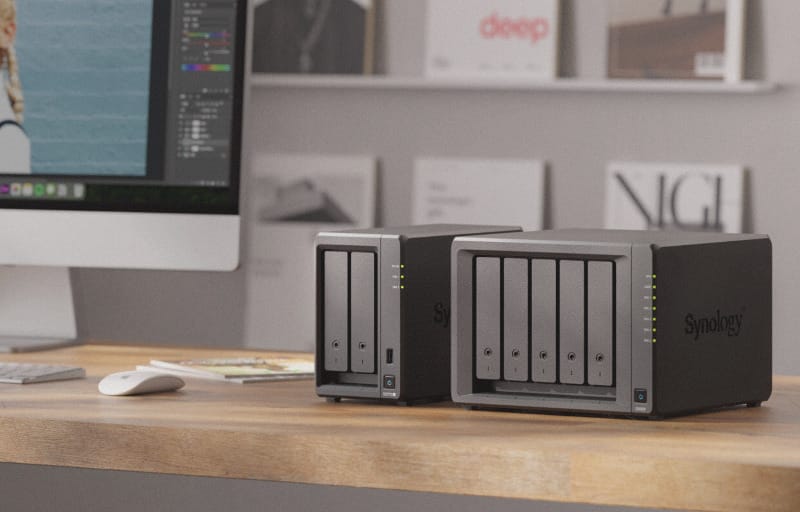
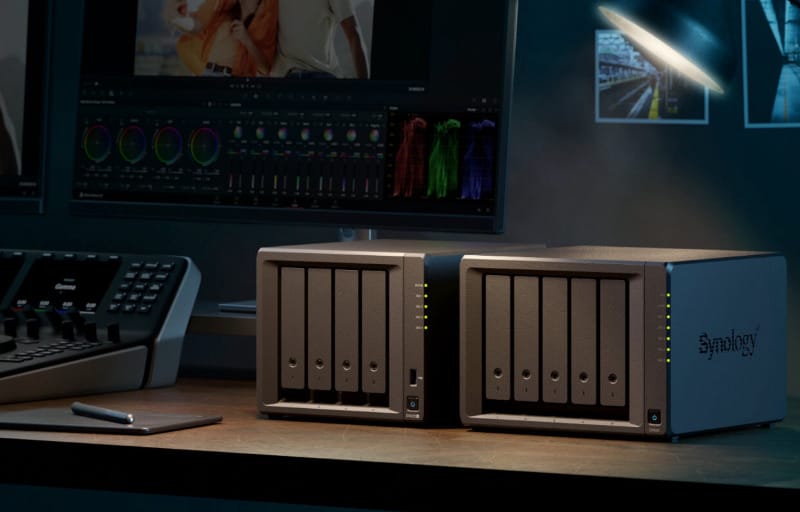
The DS925neo+ arrives in the classic Synology desktop form factor, finished in black and built to sit unobtrusively on a desk, shelf, or in a small server cupboard. The chassis is compact given it houses four drive bays, and the overall footprint makes it easy to slot into spaces where a tower PC or rackmount unit simply wouldn’t fit.
Build quality feels solid throughout, with a mostly metal chassis that resists flex when picked up or moved, even with four 8TB drives installed. The front panel uses a simple, clean design with drive bay covers that snap into place magnetically, keeping dust out while still allowing quick access when needed.
Each of the four bays uses tool-less trays, so mounting the HAT3320-8T drives took only a matter of minutes without needing a screwdriver. The trays clip the drives firmly into place, which is reassuring given how much vibration a spinning 8TB drive can generate under sustained load.
Drive bays are hot-swappable, meaning a failed drive can be pulled and replaced without powering down the entire array, provided the storage pool has redundancy configured. This is a genuinely useful feature for anyone running the NAS as a always-on file server, since it avoids downtime during a drive replacement.
Front-facing LED indicators show the status of each drive bay along with system health, and the brightness of these LEDs can be adjusted through DSM. This is a small but appreciated touch for anyone running the unit in a bedroom or home office where a wall of bright LEDs at night isn’t ideal.
Around the back, the DS925neo+ includes dual 2.5GbE network ports, which can be combined for link aggregation or failover depending on the network setup. This is a meaningful step up from older Gigabit-only NAS units and makes a real difference when moving large media files or running multiple backup jobs simultaneously.
USB ports are also present on the rear panel, useful for attaching external drives for one-off backups or for connecting a UPS for power protection. The layout keeps cabling tidy, with ports grouped sensibly rather than scattered around the chassis.
Cooling is handled by rear-mounted fans that pull air through the drive bays and out the back of the unit. Airflow felt well managed during testing, with the drive bays staying at sensible temperatures even with all four bays populated with mechanical drives.
The power supply is external, which keeps heat generation inside the chassis to a minimum and also makes it simple to source a replacement if it were ever needed. It’s a design choice that prioritises longevity and serviceability over a slightly more compact overall package.
Synology has also included expansion support for those who might outgrow four bays down the track, with compatibility for the DX525 expansion unit. This means the DS925neo+ can scale up to a nine-bay setup without needing to replace the entire system, which is a sensible option for a growing home lab or small office.
There’s no memory card slot or front-facing USB port for quick copying, which keeps the front panel clean but means all storage interaction happens either over the network or through the rear USB ports. For most users running the NAS purely as network storage, this isn’t a practical downside.
The unit’s dimensions and weight sit comfortably in the “desktop NAS” category, small enough to tuck away but substantial enough to feel like a serious piece of hardware rather than a toy. Once drives are installed, the weight increases noticeably, which is reassuring in terms of build substance.
Assembly of the drive trays and cabling took very little time, and the whole physical setup process, from unboxing to drives installed and cables connected, was straightforward enough for anyone with basic home networking experience. Synology’s documentation and quick start guide walk through the process clearly.
The chassis design also allows for reasonably easy access to the internal memory slot, should an upgrade be desired later, though Synology recommends using their own branded memory modules for warranty and compatibility reasons. Mixing modules from different manufacturers isn’t supported if reliability and full technical support are a priority.
Physical ergonomics favour practicality over flash, and that suits the target audience well. This isn’t a NAS designed to be shown off, it’s designed to sit quietly in the background doing its job reliably.
The combination of tool-less trays, hot-swap support, adjustable LEDs, and dual 2.5GbE ports gives the DS925neo+ a genuinely modern feature set for its size and positioning in the range.
Key Features
At the heart of the DS925neo+ experience is Synology’s DSM operating system, which remains one of the most polished and approachable NAS interfaces on the market. It’s essentially a full desktop-style operating system accessed through a web browser, complete with a file manager, app store, and system monitoring tools.
Storage flexibility is a major strength, with support for Synology Hybrid RAID (SHR) alongside traditional RAID configurations. SHR is particularly useful for home users because it allows mixed-capacity drives to be used efficiently without wasting storage space, though in this case all four HAT3320-8T drives are identical 8TB units.
The Btrfs file system is available on the DS925neo+, bringing benefits like data checksums for detecting silent corruption, file-level snapshots, and more efficient storage snapshots overall. For anyone storing irreplaceable photos, documents, or backups, this is a genuinely valuable layer of protection.
Synology’s Active Backup suite is one of the standout software features, offering free backup solutions for PCs, servers, and virtual machines directly to the NAS. It’s the kind of feature that alone can justify moving away from third-party backup subscriptions for a household or small office.
Synology Photos provides a self-hosted alternative to cloud photo services, complete with facial recognition, mobile backup, and shared albums. For anyone wary of storing family photos on third-party cloud servers indefinitely, this is a compelling reason to run a NAS in the first place.
Synology Drive brings file syncing and sharing capabilities similar to Dropbox or Google Drive, but hosted entirely on the user’s own hardware. Files sync across devices, with version history and selective sync options available through the desktop and mobile apps.
Container Manager allows Docker containers to be run directly on the NAS, opening the door to self-hosted applications ranging from home automation dashboards to media management tools. This gives more technically inclined users plenty of room to expand what the device can do beyond basic file storage.
Surveillance Station is included as well, letting the DS925neo+ double as a network video recorder for IP cameras. Two free camera licenses are included out of the box, with the option to add more licenses if additional cameras are needed later.
Snapshot Replication adds another layer of protection by capturing point-in-time snapshots of shared folders, which can be rolled back easily if files are accidentally deleted or modified. This is a genuinely practical safety net for both personal and business data.
QuickConnect and Synology’s mobile apps make remote access straightforward, meaning files, photos, and backups can be reached from outside the home network without needing to configure complex port forwarding or VPN setups manually.
Security features on DSM are comprehensive, including two-factor authentication, firewall rules, and a Security Advisor tool that scans for weak passwords or misconfigured settings. For a device that’s often exposed to the internet in some capacity, this attention to security is reassuring.
The following table summarises the key specifications relevant to this particular DS925neo+ configuration as tested.
| Specification | Detail |
|---|---|
| Processor | AMD Ryzen V1500B, 2.2GHz |
| Memory | 4GB DDR4 non-ECC SODIMM |
| Drive Bays | 4-bay, tool-less, hot-swappable |
| Network Ports | Dual 2.5GbE |
| Drives Tested | 4x Synology HAT3320-8T 8TB (32TB raw) |
| Chassis Colour | Black |
| Expansion Support | Compatible with DX525 expansion unit |
| File System | Btrfs, with support for SHR and standard RAID levels |
| Form Factor | Desktop tower NAS |
| Power Supply | External power brick |
| Typical Use Case | Home office, small business file serving, backup, media streaming |
Multi-gigabit networking support pairs well with the file system’s efficiency, meaning the hardware isn’t held back by a slow network bottleneck when transferring large files or running multiple simultaneous backup jobs.
DSM’s package center also supports mail server, VPN server, and DNS server applications, letting more advanced users turn the DS925neo+ into a genuine home server rather than just a storage box. This flexibility is a major reason Synology’s ecosystem remains popular among enthusiasts and small businesses alike.
It’s also worth noting that the DS925neo+ supports Synology’s High Availability clustering feature when paired with a second compatible unit, allowing a standby NAS to take over automatically if the primary unit fails. While this is a more advanced setup than most home users will need, it’s a useful option for small businesses that genuinely cannot afford downtime on their shared storage.
Experience Using the Product and Performance
Setting Up the DS925neo+
Setting up the DS925neo+ followed the familiar Synology process, starting with physically installing the four HAT3320-8T drives into their trays before connecting power and network cables. The whole physical setup took only a few minutes thanks to the tool-less tray design covered earlier.
Initial configuration was handled through Synology’s web-based assistant, which detects the NAS on the network and walks through DSM installation automatically. For anyone wanting a more detailed walkthrough, Synology’s own full installation guide covers the process from start to finish.
DSM installed without any hiccups, and the system was up and running with a fresh install in well under fifteen minutes. This included creating an administrator account, setting up basic network settings, and installing the recommended set of DSM packages.
Storage pool creation came next, with Synology Hybrid RAID chosen given all four drives were identical 8TB HAT3320-8T units. SHR made the process simple, automatically suggesting a sensible redundancy configuration without requiring deep RAID knowledge.
With all four 8TB drives in the pool, usable capacity landed comfortably in the range expected for a single-drive redundancy configuration, leaving a healthy buffer of storage for photos, documents, backups, and media files. This capacity should comfortably serve a household or small office for years before needing expansion.
For anyone planning their own DS925neo+ setup, it’s worth deciding on a RAID level and drive capacity before purchase, since reconfiguring a storage pool after it’s populated with data is far more time-consuming than getting the layout right from the start.
Storage Performance and Network Speed
File transfer speeds over the 2.5GbE network connection were consistently strong throughout testing, with large sequential file transfers comfortably saturating the available network bandwidth. Moving large video files and disk images between a desktop PC and the NAS felt close to working with a locally attached drive.
Smaller file transfers, such as copying folders full of documents or photos, were similarly quick, with DSM’s file indexing keeping the shared folders responsive even while background tasks like Snapshot Replication were running. There was no noticeable slowdown when multiple types of traffic hit the NAS at once.
Sustained write performance during large backup jobs remained stable, with the four HAT3320-8T drives working together smoothly under the SHR configuration. There were no drop-offs in throughput even during extended backup windows involving multiple devices on the network.
Read performance when pulling files back from the NAS, whether for media playback or simply retrieving documents, was equally solid. Streaming high-bitrate video files over the network showed no buffering or stutter, which speaks well to both the storage configuration and the network throughput available.
The AMD Ryzen V1500B processor handled everyday NAS tasks without breaking a sweat, including file indexing, thumbnail generation for Synology Photos, and background snapshot operations. CPU usage stayed at sensible levels even when several tasks were running concurrently.
The 4GB of non-ECC memory proved sufficient for typical file serving, backup, and media tasks throughout testing, though it’s worth noting that ECC memory brings additional data integrity protection that isn’t present in this configuration. For most home and small office workloads this distinction won’t be noticeable day to day, but it’s a fair consideration for anyone running mission-critical data.
Running Active Backup for Business against a couple of test machines went smoothly, with initial full backups completing at a pace consistent with the available network bandwidth. Subsequent incremental backups were noticeably quicker, as expected given only changed data needs to be transferred.
Testing Synology Photos with a library of several thousand images showed quick thumbnail generation and smooth browsing through the mobile app, even when accessing the library remotely via QuickConnect. Facial recognition tagging ran in the background without any noticeable impact on other NAS tasks.
Everyday Software Experience
Setting up Plex Media Server on the DS925neo+ was straightforward through DSM’s Package Center, and for anyone wanting a step-by-step walkthrough, setting up Plex on a Synology NAS covers the process in detail. Streaming media to multiple devices around the house worked reliably, with the Ryzen processor comfortably handling direct play for most video formats.
Transcoding more demanding video files did place a noticeably higher load on the CPU, which is expected given this isn’t a high-end processor built specifically for hardware transcoding. For households that mostly stream in native formats to smart TVs or media players, this limitation is unlikely to be an issue in practice.
Container Manager was tested with a handful of lightweight self-hosted applications, and performance remained smooth without any noticeable strain on system resources. This confirms the DS925neo+ has enough headroom for basic home server projects beyond pure file storage.
Surveillance Station was configured with a test IP camera, and the setup process was quick thanks to Synology’s camera detection tools. Recording and live viewing through the DSM interface and mobile app both worked reliably without lag.
Snapshot Replication was set up on the main shared folders, and restoring a test file from a previous snapshot took only seconds through DSM’s intuitive rollback interface. This kind of quick recovery option is genuinely reassuring for anyone storing important family or business documents.
Mobile app performance across DS File, Synology Photos, and DS Cam was consistently smooth, with quick load times and reliable remote access via QuickConnect without needing manual firewall configuration. This ease of remote access is one of the more underrated strengths of the Synology ecosystem.
Security Advisor flagged a couple of minor configuration suggestions during setup, such as enabling two-factor authentication, which took only a couple of minutes to configure. This kind of proactive guidance is helpful for less experienced users who might otherwise overlook basic security hardening.
Noise, Power, and Thermal Behaviour
Noise levels during idle operation were low, with the fans and drives producing only a gentle hum that’s easy to ignore in most home or office environments. Synology’s own noise testing places idle background noise in a range that most users would find unobtrusive, and this matched the experience during testing.
Under sustained load, such as during a large backup job or heavy file transfer, fan noise increased slightly but remained well within reasonable levels for a device sitting in a home office or living space. It never became distracting enough to warrant relocating the unit.
Thermal performance was solid throughout testing, with drive temperatures staying at healthy levels even with all four HAT3320-8T drives working simultaneously during backup and Active Backup jobs. The cooling design mentioned earlier clearly does its job well.
Power consumption felt reasonable for a four-bay NAS running four mechanical hard drives, particularly during idle periods when the system can spin down drives that aren’t actively in use. For a device intended to run continuously, efficient idle power draw matters a great deal over time, and it’s worth factoring ongoing electricity costs into the total cost of ownership alongside the upfront price of the unit and drives.
Responsiveness of the DSM interface itself remained snappy throughout testing, whether navigating file manager, checking system health, or configuring new shared folders. There was no lag or sluggishness even with background tasks like snapshot replication and Active Backup running concurrently.
Stability over the testing period was excellent, with no unexpected reboots, dropped network connections, or software crashes encountered. This kind of consistent reliability is exactly what’s expected from a NAS that’s likely to run unattended for months at a time.
Compared to the ECC-equipped Synology DS925+ review, the neo+ variant performed very similarly in day-to-day tasks, with the memory difference being more of a theoretical data-integrity consideration than a practical performance bottleneck during testing. Anyone weighing up the two models should base the decision more on budget and integrity requirements than raw speed.
For households or small offices considering a slightly larger option, the Synology DS1525+ review is worth a look for comparison, particularly if five bays of storage rather than four better suits future growth plans.
Multi-user access testing, with several devices simultaneously reading and writing to shared folders, showed no meaningful slowdown, which speaks well to how the Ryzen processor and 2.5GbE networking handle concurrent demand. This is an important consideration for any household with multiple people streaming, backing up, or syncing files at once.
Throughout the testing period, the combination of DSM’s software polish and the underlying hardware left a strong impression of a NAS built to simply work without drama. Day-to-day use quickly became a case of forgetting the NAS was even there, which is exactly the kind of quiet reliability this category of product should deliver.
Who Should Buy the DS925neo+
The DS925neo+ is well suited to households and small offices that want reliable, always-on storage without the added cost of ECC memory, and who place more value on dual 2.5GbE networking and DSM’s software ecosystem than on enterprise-grade data integrity checks. It’s a sensible pick for anyone replacing an ageing Gigabit-only NAS or consolidating external drives into a single, properly redundant storage pool.
It’s also a solid starting point for anyone building out a small home lab, given the Container Manager support, Surveillance Station licenses, and the ability to expand to nine bays via the DX525 unit down the track. Buyers who specifically need ECC memory for mission-critical workloads, or who are managing larger teams with heavier concurrent demand, may still want to weigh up the standard DS925+ or a five-bay option like the DS1525+ instead.
As a rough guide, the DS925neo+ makes the most sense for one to twenty users sharing files, running regular Active Backup jobs, hosting a modest Plex library, or recording footage from a handful of IP cameras via Surveillance Station. Larger teams, heavier virtualisation workloads, or businesses with strict data integrity requirements are better served by stepping up to the ECC-equipped DS925+ or a higher-tier rackmount model.
It’s also worth thinking about future drive upgrades when deciding whether the DS925neo+ is the right fit. Because the four bays support hot-swapping and SHR, drives can be replaced one at a time with larger-capacity units as budgets allow, gradually increasing total storage without having to rebuild the array from scratch or buy all new drives up front.
Pricing and Value
Pricing for the DS925neo+ sits below the ECC-equipped DS925+, reflecting the simpler memory configuration rather than any difference in chassis, networking, or drive bay count. Street pricing will vary by region and retailer, so it’s worth checking current listings alongside Synology’s official product page before buying, particularly around sales periods when bundles with Synology-branded drives are sometimes discounted.
When weighing up value, it’s worth remembering that the NAS enclosure is only part of the overall cost. Drives, whether Synology’s own HAT3320 series or third-party NAS-rated disks, typically represent the larger share of the total spend, so factoring in drive pricing early helps when comparing the DS925neo+ against rival four-bay units on a like-for-like basis.
Value also extends beyond the initial purchase price. Because DSM includes Active Backup, Synology Photos, Synology Drive, and Surveillance Station licenses at no extra cost, buyers effectively avoid several ongoing subscription fees that would otherwise be paid to separate cloud backup, photo storage, or video surveillance providers. Over several years of ownership, this bundled software value can meaningfully offset the upfront cost difference compared with the ECC-equipped DS925+.
Frequently asked questions
What is the difference between the Synology DS925neo+ and the DS925+?
The main difference comes down to memory rather than the physical design or drive bay layout. The DS925neo+ ships with 4GB of DDR4 non-ECC SODIMM memory, while the DS925+ uses ECC memory, which offers an additional layer of data integrity protection. Both models use the same AMD Ryzen V1500B processor, dual 2.5GbE ports, and support for the DX525 expansion unit, so the choice generally comes down to budget versus the value placed on ECC error correction.
How many drives can the DS925neo+ hold, and can it be expanded?
The DS925neo+ has four tool-less, hot-swappable drive bays as standard. For anyone needing more capacity down the track, it supports the Synology DX525 expansion unit, which allows the total number of bays to grow to nine without replacing the main unit. This makes it a practical starting point for households or small offices that expect their storage needs to increase over time.
Is the DS925neo+ good for Plex and media streaming?
Yes, for the most part. The AMD Ryzen V1500B processor handles direct play of most video formats comfortably across multiple devices, and the dual 2.5GbE network ports mean bandwidth isn’t a limiting factor. Heavier transcoding tasks do place more load on the CPU since it isn’t designed specifically for hardware transcoding, so households that mostly stream in native file formats will get the smoothest experience.
What RAID or storage options does the DS925neo+ support?
The DS925neo+ supports Synology Hybrid RAID (SHR) as well as traditional RAID levels, running on the Btrfs file system for data checksums and snapshot support. SHR is particularly useful for simplifying setup, as it automatically suggests a sensible redundancy configuration, and it also allows mixed-capacity drives to be used efficiently if the array is later expanded with different-sized disks.
Does the DS925neo+ require Synology-branded hard drives?
The DS925neo+ will work with many third-party NAS-rated hard drives, but Synology maintains a compatibility list and some advanced features, along with full technical support, are only guaranteed when using Synology-branded drives such as the HAT3320 series used in this review. Buyers planning to use existing third-party drives should check the current compatibility list before purchase to avoid any surprises.
Conclusion
The Synology DS925neo+ delivers a well-rounded four-bay NAS experience that balances solid hardware with Synology’s polished DSM software. With four HAT3320-8T 8TB drives installed, it comfortably handled everything thrown at it during testing, from large file transfers to media streaming and automated backups.
The dual 2.5GbE networking, tool-less hot-swap drive bays, and expansion support via the DX525 unit make it a genuinely flexible option for a household or small office that expects its storage needs to grow over time. Full specifications and configuration options can be checked on Synology’s official product page for anyone weighing up which drives or memory configuration suits their needs.
The 4GB non-ECC memory configuration is worth noting for anyone comparing it directly against ECC-equipped siblings, though in practical day-to-day use this made little discernible difference to performance or reliability during testing. For most home users and small businesses, the trade-off is unlikely to be a deciding factor.
For anyone after dependable network storage with strong software support, flexible expansion options, and enough processing power for everyday multimedia and backup tasks, the DS925neo+ stands out as a sensible and capable choice in Synology’s current line-up.