Steam now displays real-world Steam Deck FPS data directly on game store pages, letting players check crowd-sourced average framerates before they buy. Valve has rolled out the feature under the existing Steam Deck Compatibility section, accessible through a new “Learn More” option, and the company says thousands of games already carry performance figures.
Key takeaways
- ✓Steam now shows crowd-sourced average FPS figures on supported game store pages for Steam Deck.
- ✓A new histogram breaks down the percentage of playtime spent at different frame rates.
- ✓Data comes from Steam Deck owners who opted into anonymous framerate reporting.
- ✓Figures are filtered from systems running default frame limit settings for consistency.
- ✓Valve plans to extend similar performance reporting to the Steam Machine and PC graphics cards.
The change answers a gap that Steam Deck Verified badges never quite closed. A green checkmark tells a shopper a game runs on the handheld, but it says nothing about whether that means a locked 60 frames per second or a choppier 30. Now, instead of guessing, players can see what actual Steam Deck owners have experienced.
Table of Contents
How the Steam Deck FPS data actually works
The figures come from players who have opted into anonymous framerate reporting through their own Steam Deck units. Valve aggregates that data and publishes an average FPS figure on the relevant store page, alongside a histogram showing the percentage of playtime spent at various frame rates.
That histogram matters more than the headline number. A game could average 45 frames per second while actually bouncing wildly between 30 and 60, which feels very different to a steady 45. By breaking playtime into bands, Steam gives a clearer read on consistency, not just a single average that can hide stutter or frame pacing issues.
Valve has confirmed the reported figures are filtered to systems running at default frame limit settings, which keeps the comparison consistent across different games and avoids skewed results from players running custom performance tweaks. It builds on the kind of performance data Valve already shares with developers, now turned outward for shoppers instead of studios.
Why this goes further than Steam Deck Verified
The Steam Deck Verified system was designed to flag whether a game is playable, controllable, and legible on the handheld’s small screen. It has worked well as a baseline check, and the Steam Deck Verified library, which recently passed 30,000 titles, shows how far that catalogue has grown. But a Verified badge was never built to communicate performance nuance.
Valve has acknowledged that player expectations vary widely. Some people are happy locking a demanding game at 30 frames per second to preserve battery life on the go, while others want a smoother 60 frames per second and are willing to tolerate more visual compromises to get there. Rather than Valve making that call on a player’s behalf, the new FPS data hands over the raw information and lets each buyer decide what counts as acceptable for their own habits.
That distinction is particularly useful for the kind of demanding, graphically heavy titles that strain the Steam Deck’s hardware, where the gap between a comfortable experience and a frustrating one can come down to a handful of frames per second.
What it means for buyers and developers
For shoppers, the practical benefit is straightforward: less guesswork before a purchase. Instead of relying on scattered forum posts or video reviews to learn how a game runs on Steam Deck, the information now sits right on the store page where the buying decision happens.
For developers, the feature adds a layer of public accountability. A game that technically earns Steam Deck Verified status but delivers a rough, stuttering experience in practice will now have that reality reflected in visible, crowd-sourced numbers rather than hidden behind a badge. That could push studios to pay closer attention to optimisation work specifically for the handheld, since poor real-world figures are harder to paper over once they are sitting next to the buy button.
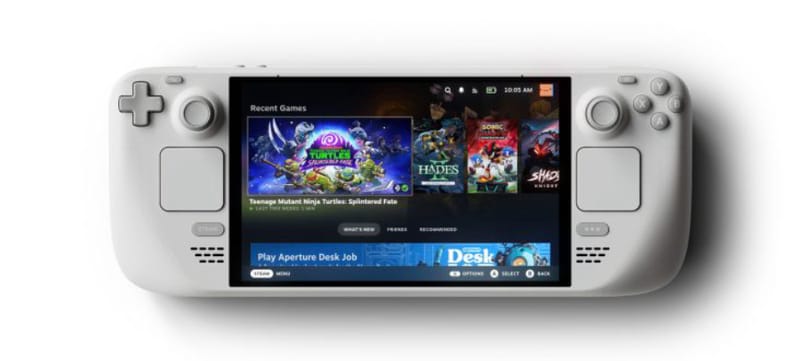
Players chasing smoother performance can also lean on general optimisation habits, including practical tips for reducing lag and improving FPS, to squeeze more consistent results out of supported titles once they have decided a game is worth buying.
Where Valve could take this next
Valve has signalled that Steam Deck FPS data is only the starting point. The company says it is considering applying the same reporting system to the upcoming Steam Machine, and potentially extending it to desktop and laptop graphics cards more broadly, with the system automatically showing results relevant to whatever hardware a shopper is using.
That would turn a Steam Deck-specific tool into something closer to a universal performance layer across the whole Steam storefront, tailored to each visitor’s own PC configuration. It is also a timely move given renewed interest in the handheld’s future, with leaks around a rumoured chip inside a future Steam Deck 2 already circulating. Real-world performance transparency on current hardware sets a useful precedent for whatever comes next.
None of this replaces hands-on impressions or dedicated benchmarking, but it gives shoppers a genuinely new data point that did not exist on Steam before. For a platform built around helping players make informed purchases, that is a meaningful addition rather than a cosmetic one.
Frequently asked questions
How do I see Steam Deck FPS data on a game’s store page?
Look for the Steam Deck Compatibility section on a supported game’s store page and select “Learn More.” Games with enough crowd-sourced reports will show an average FPS figure alongside a histogram of playtime at different frame rates.
Where does the Steam Deck performance data come from?
Valve collects the figures from Steam Deck owners who have opted into anonymous framerate reporting. The results are filtered to systems running default frame limit settings to keep comparisons consistent.
Does every game show FPS data on Steam Deck?
Not yet. Valve says thousands of games already have performance information available, but coverage depends on how much reporting data has been collected for each title, so newer or less-played games may show limited or no figures.
Will Steam add performance data for PC graphics cards too?
Valve has indicated it wants to expand the system beyond Steam Deck, potentially to the Steam Machine and to commonly used PC and laptop GPUs, showing results tailored to a shopper’s own hardware. Nothing has been confirmed as officially rolled out yet.