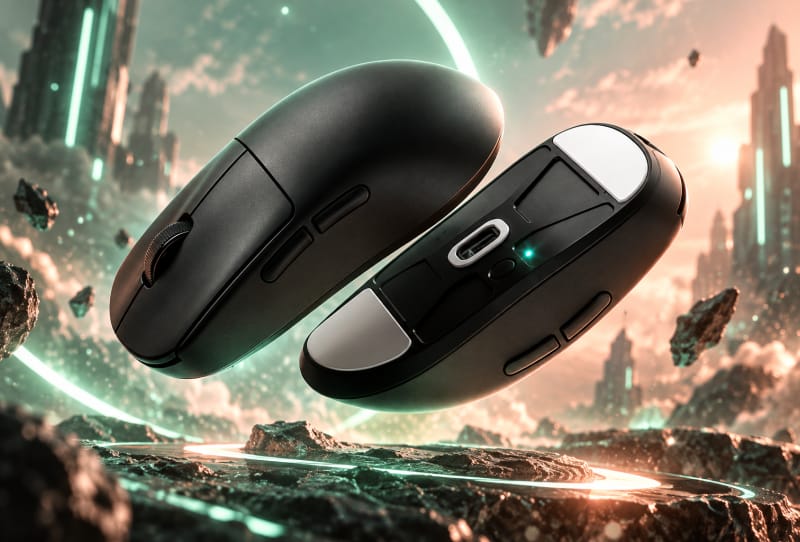
The Pulsar X2 CrazyLight 2 is now available in Mini and Medium sizes, bringing a new sensor, upgraded switches and a redesigned scroll wheel to a shell that otherwise looks familiar. Pulsar has kept the shape that made the original popular with claw and fingertip grip players, choosing to refine what sits underneath rather than start from scratch.
Key takeaways
- ✓Pulsar X2 CrazyLight 2 ships in Mini (40g) and Medium (43g) sizes with stock skates fitted
- ✓New XS-2 sensor offers up to 42,000 DPI, 800 IPS tracking and 70G acceleration
- ✓Polling rate reaches up to 8kHz for lower input latency during fast movements
- ✓A new Pulsar TTC IR contactless optical encoder aims to stop scroll wheel skipping and reversal over time
- ✓Dual-sensor tracking, previously teased by Pulsar, is not included in this release
That approach makes sense for a mouse that already had a loyal following. Rather than chase a dramatic redesign, Pulsar has focused its second-generation CrazyLight on the parts that affect day-to-day feel: tracking accuracy, click consistency and scroll reliability. For competitive players who already liked the shape, that is arguably a more useful upgrade than a new silhouette.
Table of Contents
What’s changed inside the Pulsar X2 CrazyLight 2
The headline update is the sensor. Pulsar has swapped in its new XS-2 unit, which supports up to 42,000 DPI, 800 inches per second of tracking speed and 70G of acceleration. Polling rate tops out at 8kHz, a figure aimed squarely at players who want the lowest possible gap between a hand movement and the cursor response on screen.
Those numbers put the X2 CrazyLight 2 in line with other flagship-tier sensors currently used across the gaming mouse market, including rivals like Razer’s Basilisk V4 Pro. In practice, most players will not notice a difference between 20,000 DPI and 42,000 DPI, since few games or monitors benefit from sensitivity that extreme. The more meaningful gains tend to come from tracking consistency and acceleration headroom during fast flicks, which is where a sensor refresh like this one typically earns its keep.
Primary buttons continue to use Pulsar’s own optical switches, rated for 100 million clicks. That is not a new figure for the brand, but it is worth reiterating because optical switches avoid the physical contact points that cause mechanical switches to develop double-click issues over time. Durability, not raw speed, is the real selling point there.
Mini versus Medium: sizing and weight
Pulsar is offering the X2 CrazyLight 2 in two sizes rather than one, letting buyers pick based on hand size rather than forcing a single compromise shape. Both versions share the same grip-friendly profile reported by TechPowerUp, designed around claw and fingertip grip styles rather than a full palm grip.
| Model | Dimensions | Weight (with stock skates) |
|---|---|---|
| X2 CrazyLight 2 Mini | 115.6 x 61 x 36.6mm | 40g |
| X2 CrazyLight 2 Medium | 120.4 x 63 x 38mm | 43g |
Both figures sit comfortably in lightweight territory for a wireless gaming mouse, continuing a trend Pulsar itself helped popularise with earlier CrazyLight releases and its sub-30g X2F CrazyLight. For context, the new X2 CrazyLight 2 is heavier than that stripped-back predecessor, suggesting Pulsar has prioritised the internal upgrades and build quality over chasing the lightest possible weight this time around.
A scroll wheel built to avoid long-term wear
One of the quieter but genuinely practical changes is the scroll wheel. Pulsar has fitted a new TTC IR contactless optical encoder, which replaces the physical contact mechanism found in many traditional scroll wheels. Over months of use, standard encoders can start to skip steps or register a scroll in the wrong direction, an annoyance familiar to anyone who has used a mouse for a year or two.
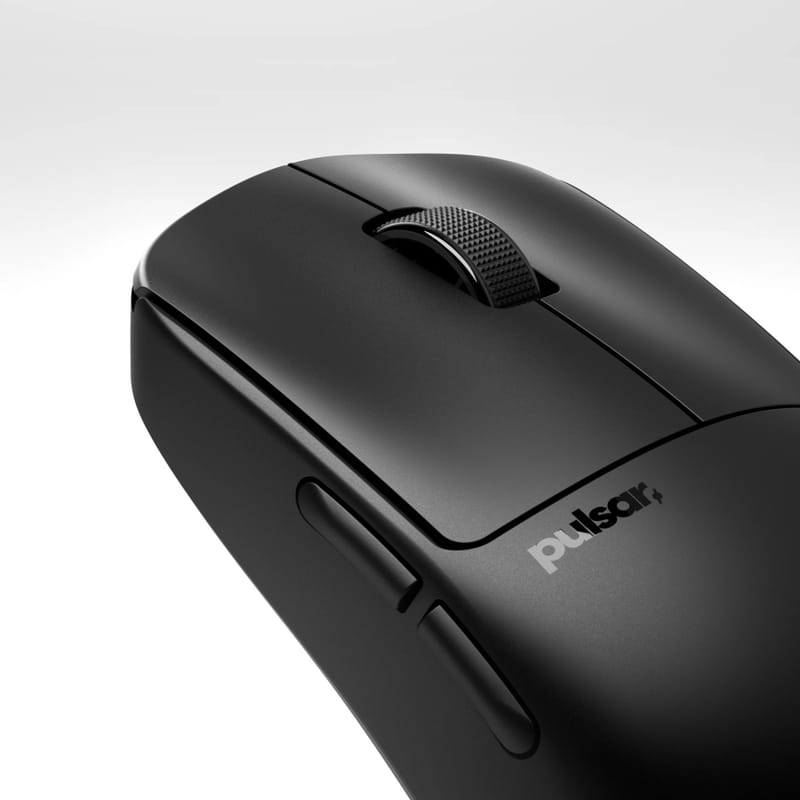
By moving to an infrared-based contactless design, Pulsar is targeting that specific failure point directly. It is a small component in the overall mouse, but scroll wheel degradation is one of the more common complaints levelled at ageing gaming mice, so addressing it head-on is a sensible use of an engineering refresh.
No dual-sensor tracking, at least not yet
Pulsar had previously teased dual-sensor tracking technology as a direction for its future mice, and some had expected that feature to debut with this CrazyLight refresh. It has not. The X2 CrazyLight 2 sticks with a single XS-2 sensor, suggesting the dual-sensor concept is either still in development or destined for a different model line entirely.
That is not necessarily a bad outcome for buyers. A mature, well-tuned single sensor is often more reliable than an unproven new tracking method, and Pulsar’s choice here reads as a safer, more incremental step rather than a riskier leap. For shoppers comparing options, Pulsar’s broader range now spans ultra-light models like the CrazyLight series through to shape-focused designs such as its ergonomic X5 model, giving buyers a genuine choice of grip style within one brand.
Both the Mini and Medium versions of the X2 CrazyLight 2 are available now, and anyone weighing it up against other lightweight options can check specifications directly through Pulsar’s official website before deciding which size suits their grip.
Frequently asked questions
What is the main upgrade in the Pulsar X2 CrazyLight 2?
The biggest change is the new XS-2 sensor, which supports up to 42,000 DPI, 800 IPS tracking, 70G of acceleration and polling rates up to 8kHz. Pulsar has also added a contactless optical scroll encoder and kept its 100-million-click optical switches.
Does the Pulsar X2 CrazyLight 2 have dual sensors?
No. Despite Pulsar previously discussing dual-sensor tracking technology, the X2 CrazyLight 2 uses a single XS-2 sensor. The dual-sensor feature has not appeared in this release.
What sizes does the X2 CrazyLight 2 come in?
It is available in Mini, which measures 115.6 x 61 x 36.6mm and weighs 40g with stock skates, and Medium, which measures 120.4 x 63 x 38mm and weighs 43g with stock skates.
Who is the Pulsar X2 CrazyLight 2 designed for?
Both sizes share a shape built around claw and fingertip grip styles, making the mouse better suited to players who use those grips rather than a full palm grip.