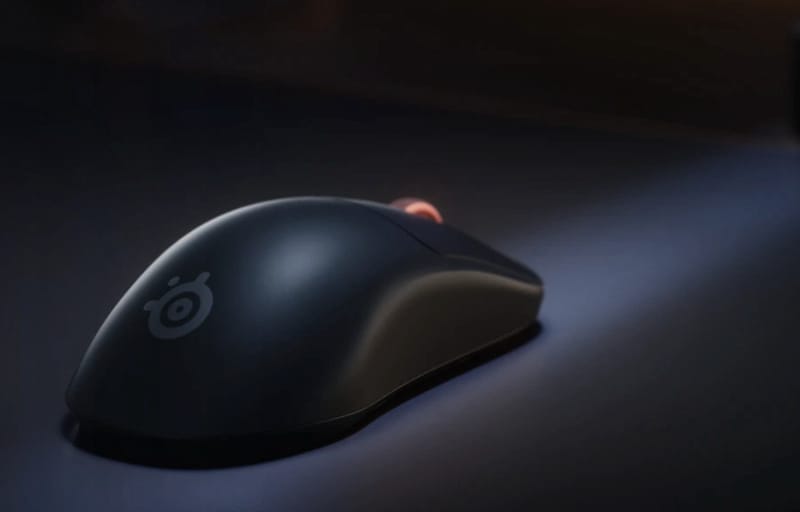
Shrinking a flagship gaming mouse down without losing any of its performance is no small feat, but that is exactly what SteelSeries has attempted with the SteelSeries Sensei Pro Mini. Built around the same ultra-wideband wireless platform as its full-size sibling, this compact version trades bulk for a lighter, tighter shell while keeping the brand’s clever swappable “infinite” battery system intact. The unit covered here is the black symmetrical version, one of two colourways SteelSeries offers alongside white.
Review summary
SteelSeries Sensei Pro Mini
The SteelSeries Sensei Pro Mini successfully scales down the flagship Sensei Pro without compromising performance, delivering a lightweight 49-gram mouse built on ultra-wideband wireless technology and featuring an innovative swappable battery system that eliminates charging downtime. Its symmetrical design suits smaller to medium hands particularly well, with excellent glide, snappy buttons, and comprehensive software customisation that rivals competitive-grade mice at this price point.
Highlights
- ✓Ultra-wideband wireless with 8kHz polling and swappable battery system
- ✓Lightweight 49g design ideal for flick shots and smaller hands
- ✓Extensive GG software tuning for DPI, angle snapping, acceleration curves
- ✓Smooth PTFE skates and responsive button feel
- ✓No Bluetooth or wired fallback connectivity
Mini-sized gaming mice have become a genuine category rather than a niche afterthought, largely because smaller hands and lower grip styles benefit enormously from a reduced footprint without sacrificing sensor quality or polling performance. The Sensei Pro Mini slots into that space directly, competing against other scaled-down flagships while carrying SteelSeries’ most advanced wireless tech under the hood.
This review walks through the design, the depth of its customisation options, and how all of that translates into real-world use across competitive and casual sessions alike. It also looks at where the Sensei Pro Mini falls short, particularly around connectivity choices, so readers can judge whether its strengths outweigh those omissions.
Table of Contents
Design and Functionality
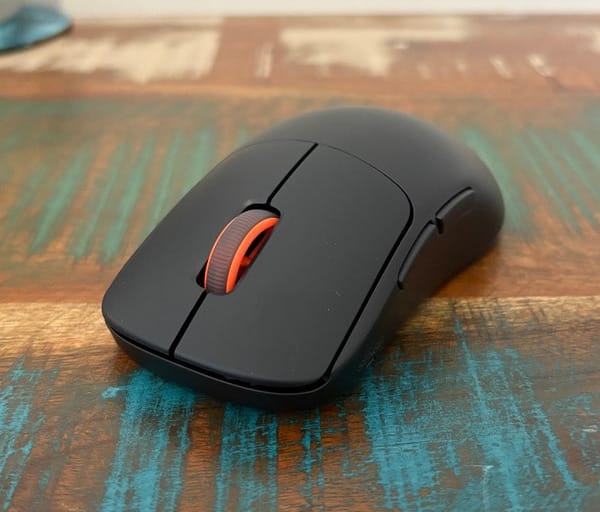
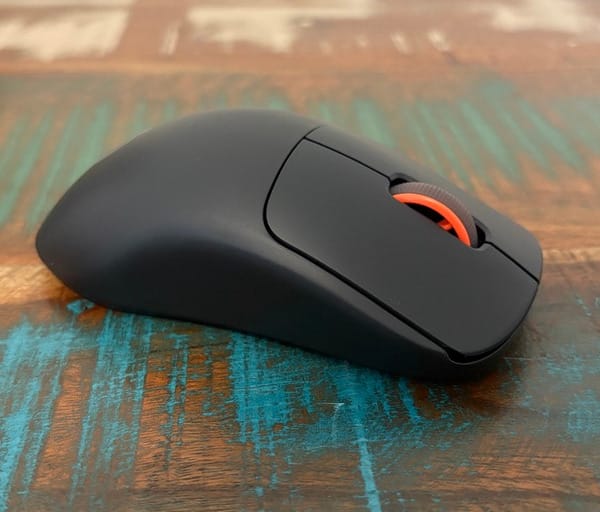
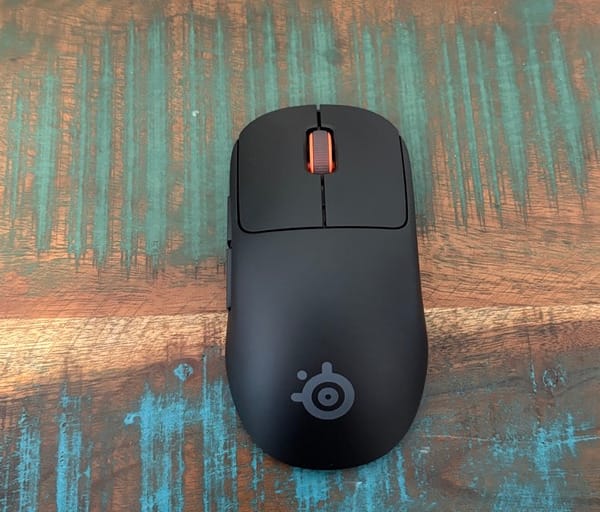
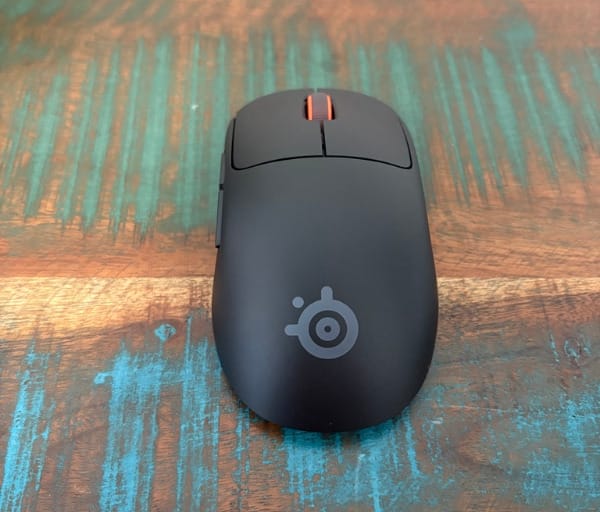
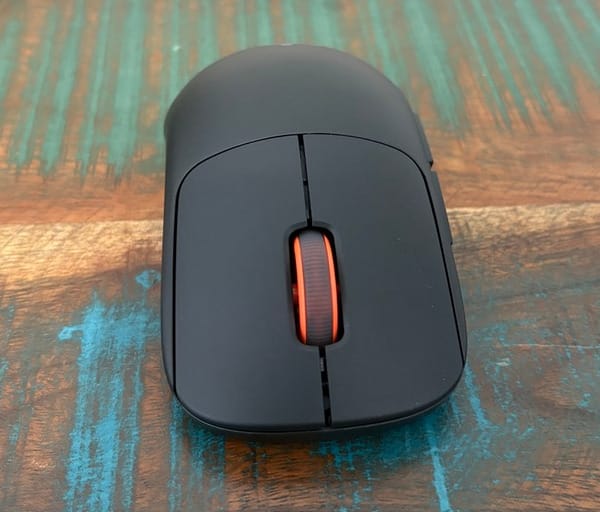
The Sensei Pro Mini keeps the symmetrical shape SteelSeries is known for, simply scaled down to suit smaller hands. The silhouette mirrors the standard Sensei Pro closely, just with a shorter body and a narrower waist that makes the whole shell easier to wrap a hand around.
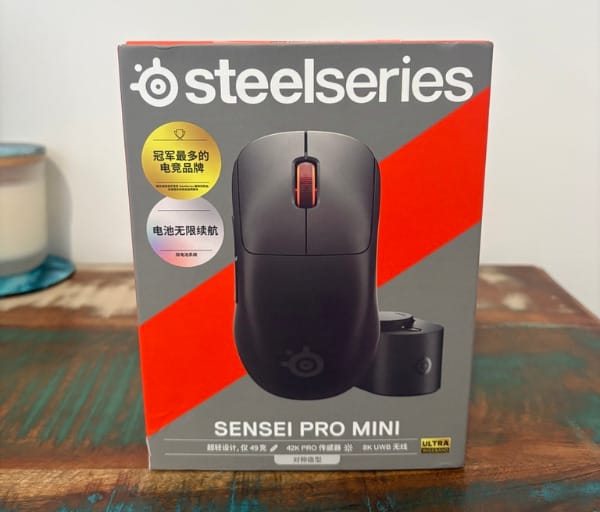
That reduction in size makes the mouse particularly well suited to players with smaller or medium hands who found the standard Sensei Pro slightly oversized for a fingertip or claw grip. Palm grippers with larger hands will likely still prefer the full-size model, but for everyone else this mini variant closes that gap neatly.
Weight is another standout element of the design. At just 49 grams, the Sensei Pro Mini is a full 4g lighter than the standard Sensei Pro, putting it firmly in competitive flick-shot territory where every gram matters.
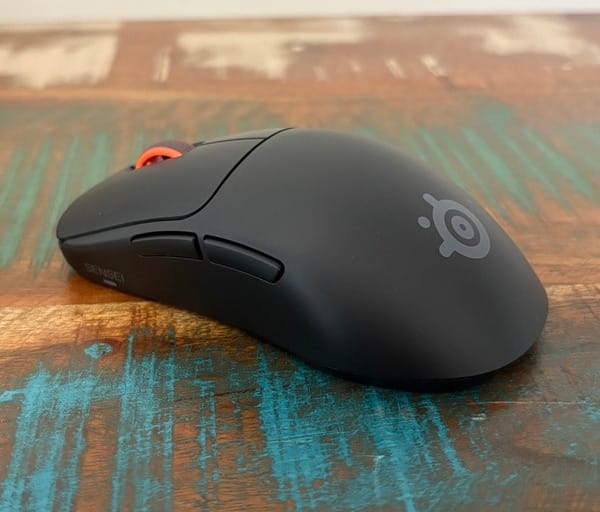
Along the sides, SteelSeries has added a pronounced cinch that pulls inward more aggressively than most symmetrical mice. This forces the thumb and ring finger to clamp further in than usual, which some players will appreciate for the extra security it provides during fast directional changes.
For anyone who finds the smooth outer shell a touch slippery, SteelSeries includes grip tape in the box. It is a simple inclusion but a welcome one, since the glossy black finish on the review unit offers relatively little natural texture on its own.
The central hump, which typically supports the palm on an ergonomic or semi-ergonomic mouse, sits in a position that may not suit every hand shape. Some users may find it lands closer to the knuckles than the middle of the palm, depending on how far forward or back their grip naturally rests.
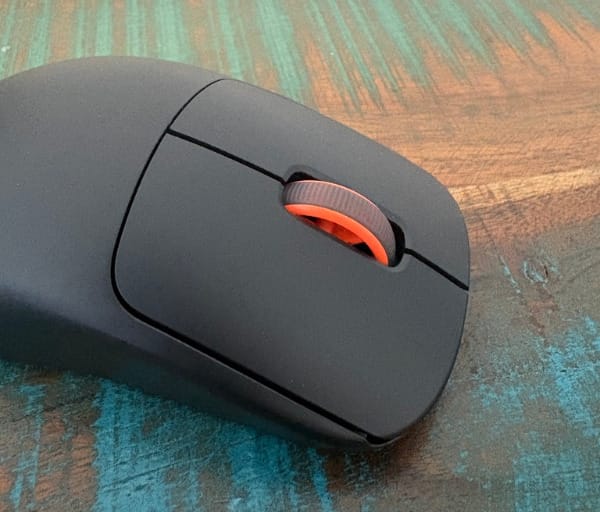
Six buttons are spread across the shell, covering the two primary clicks, two side buttons, a clickable scroll wheel, and the DPI cycle button. That is a fairly conservative count for a mouse at this level, but it matches the minimalist approach SteelSeries has taken with the rest of the Sensei Pro line, as detailed in its full-size SteelSeries Sensei Pro review.
The side buttons sit in an easily reachable position on the thumb side, angled slightly to match the natural resting point of the thumb during normal grip. Their placement feels deliberate rather than an afterthought bolted onto the shell.
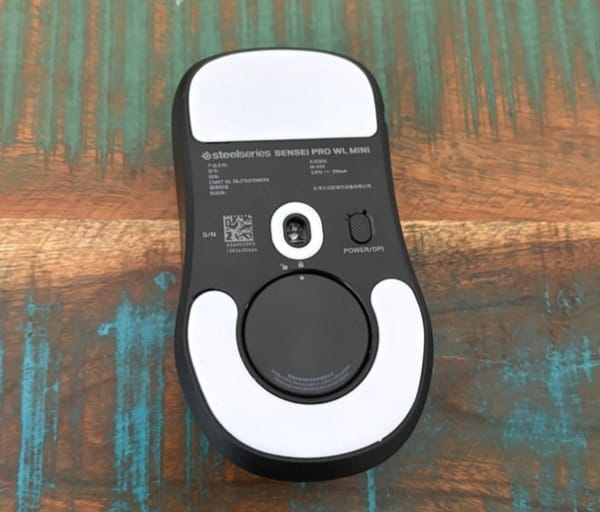
Underneath the shell, the Sensei Pro Mini relies on a pair of large PTFE skates to glide across a mouse mat. Their size is generous for a mouse this compact, which helps keep movement smooth and consistent rather than catching or juddering on certain surfaces.
The DPI button sits on the underside of the mouse rather than on top, positioned on the thumb side instead of the pinkie side. It is a functional location but not the most convenient one, since reaching it mid-game typically requires flipping the mouse over.
Perhaps the most notable design decision is the complete absence of a USB port on the mouse itself. There is no wired fallback mode at all, meaning the Sensei Pro Mini is built to be used exclusively via its wireless connection.
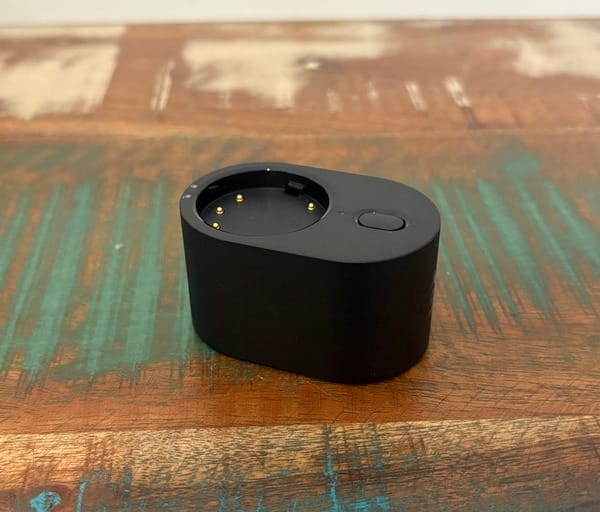
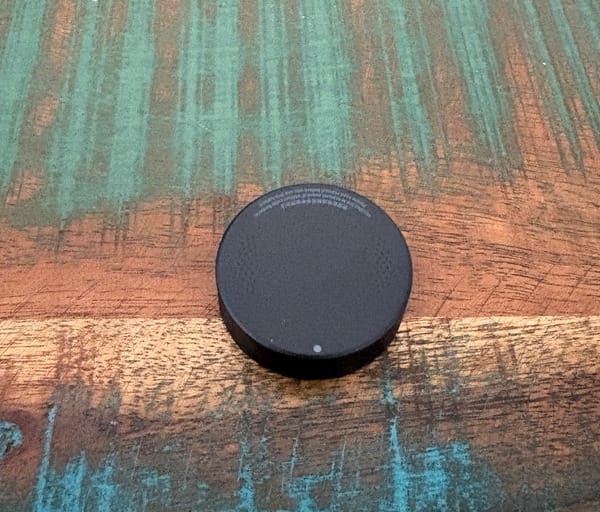
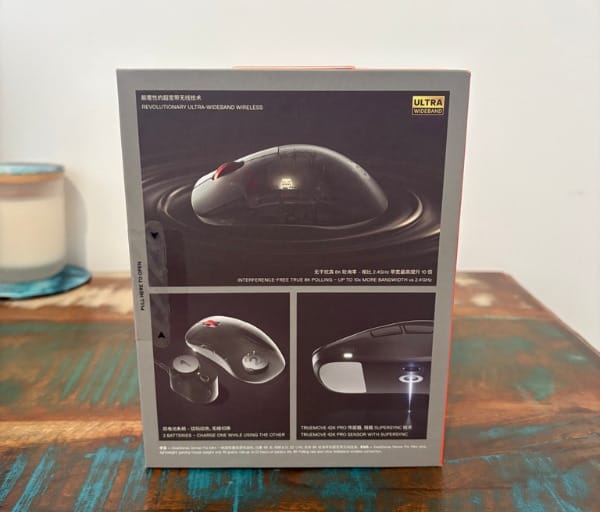
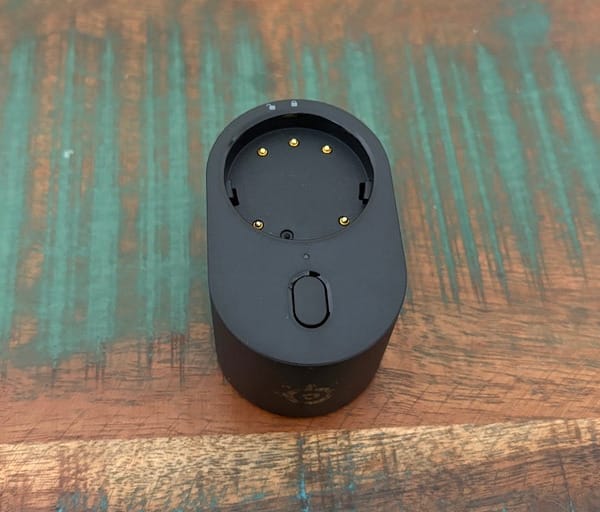
In place of wired charging, SteelSeries supplies two removable batteries along with a UWB base station that doubles as a charging dock. One battery powers the mouse while the other sits charging in the dock, ready to be swapped in once it runs low.
The base station itself is sizeable compared to typical wireless dongles, reflecting the amount of hardware SteelSeries has packed in to support ultra-wideband connectivity and simultaneous battery charging. It is a design choice shared across the brand’s wider UWB lineup, including its shift toward ultra-wideband connectivity across other Rival and Sensei models.
A braided USB-C to USB-A cable is included to connect the base station to a PC, and its length is generous enough to allow flexible placement away from potential sources of wireless interference. That matters more than it might sound, since positioning the base station closer to the mouse rather than tucked behind a monitor can genuinely help signal consistency.
Inside the box, buyers get the mouse, two batteries, the UWB base station, the braided cable, a spare set of PTFE skates, and the optional grip tape mentioned earlier. It is a thoughtful accessory bundle that covers wear and tear over the mouse’s lifespan rather than leaving those items as a separate purchase.
Build quality throughout feels consistent with SteelSeries’ usual standard, with no creaking panels or loose components anywhere on the shell. The matte and gloss finishes on the black colourway also resist fingerprints reasonably well given how often a gaming mouse gets handled during long sessions.
Key Features
Everything about the Sensei Pro Mini is tuned through SteelSeries’ GG software suite, which acts as the control centre for every performance setting on the mouse. GG covers button remapping, sensor tuning, and the more advanced polling adjustments that set this mouse apart from cheaper wireless options.
All six buttons can be reassigned within GG, with mapping options stretching well beyond simple key swaps to include media controls, system shortcuts, and layered keyboard inputs. That flexibility gives competitive players room to build genuinely custom control schemes rather than settling for default bindings.
DPI adjustment on the Sensei Pro Mini spans an enormous range, from 1 all the way up to 65,000, which is considerably wider than most rivals offer. Five presets can be stored and cycled through using the DPI button on the underside of the mouse, letting players switch sensitivity on the fly between different games or tasks.
Click response time can be tuned between 0ms and 20ms, giving players fine control over how quickly an input registers after a press. Lift-off and landing distances can also be set independently of one another, each adjustable across a range of 0.7 to 1.7, allowing the sensor’s tracking behaviour to be matched precisely to a preferred mouse mat and grip style.
A feature called Scroll Jump Protection is included to prevent accidental double inputs on the scroll wheel. It ignores the first scroll unless a second follows within an adjustable window of 100ms to 1500ms, which is useful for weapon switching in shooters where a stray scroll can cost a round.
Motion Sync and Angle Snapping are both present as toggles within GG. Angle Snapping goes a step further by offering a ten-level slider, letting players dial in exactly how much straightening effect is applied to diagonal movements rather than taking an all-or-nothing approach.
Acceleration settings add another layer of depth, with several graph-based curve presets available to alter how cursor speed scales relative to physical hand movement speed. This is a feature rarely seen with this much granularity outside of niche competitive hardware.
Sensor angle can also be adjusted by up to 45 degrees in either direction from centre, compensating for the natural angle at which many players move their wrist and forearm. It is a small addition but one that can meaningfully improve tracking accuracy for players with an unconventional grip angle.
On the wireless side, the UWB polling rate and the sensor report rate can be set independently of each other, each ranging from 125Hz up to 8kHz, with an additional 9kHz overpolling mode available for players chasing the lowest possible latency. Five presets combining different rate pairings can be cycled directly from a button on the base station itself.
The headline feature remains the infinite battery system, which swaps the usual single rechargeable cell for two removable batteries that rotate between the mouse and the charging dock inside the base station. The idea is simple: there is always a charged battery ready to go, so downtime for charging is effectively eliminated.
GG also includes brief explanations alongside many of its settings, which helps less experienced users understand what each adjustment actually does rather than guessing based on a slider position. That is a small but appreciated touch for a piece of software with this much depth on offer.
The table below summarises the core specifications that define how the Sensei Pro Mini performs and where it sits relative to typical wireless gaming mice.
| Specification | Detail |
|---|---|
| Weight | 49g |
| Shape | Symmetrical, scaled-down shell |
| DPI range | 1 to 65,000, five presets |
| Polling/report rate | 125Hz to 8kHz, plus 9kHz overpolling |
| Connectivity | Ultra-wideband only, no Bluetooth or wired mode |
| Power | Swappable infinite battery system |
| Colours | Black, White |
Notably absent from that feature list is Bluetooth support, which many rival wireless mice include to allow quick switching between a gaming PC and a secondary device like a laptop or console. Its exclusion here keeps the Sensei Pro Mini locked to a single dedicated connection via its UWB base station.
Experience Using the Product and Performance
The very first thing that stands out when picking up the Sensei Pro Mini is how effortlessly it glides across a mat. The large PTFE skates underneath virtually eliminate friction, making broad sweeping movements feel fluid while still allowing precise, controlled micro-adjustments during slower aiming.
That glide quality pairs well with the sensor’s accuracy, since there is no sense of drag or catching that might throw off a carefully aimed flick shot. It is the kind of base-level smoothness that competitive players notice almost immediately, even before touching any of the software tuning options.
The main buttons feel light and snappy under the finger, ideal for rapid clicking in fast-paced shooters, yet they still offer enough tactile feedback to avoid feeling mushy or disconnected. A touch of internal dampening gives each press a satisfying finish rather than an overly hollow click.
Side buttons continue that positive impression, sitting exactly where a resting thumb naturally falls and offering a crisp, clicky response that is easy to differentiate by feel alone. Reaching them mid-match requires no noticeable repositioning of the hand.
The clickable scroll wheel is similarly well judged, with light but well-defined notching that resists accidental presses during fast scrolling. Middle-click inputs register cleanly without any unwanted scroll movement sneaking in alongside them.
Scroll performance itself holds up whether cycling quickly through a long list of weapons or performing a single controlled scroll, with no stray double inputs during testing scenarios that typically expose weaker scroll wheels. The optional Scroll Jump Protection setting adds an extra layer of insurance for anyone who wants it.
The one input that proves genuinely awkward is the DPI button. Because it sits underneath the mouse on the thumb side, reaching it during active play typically means flipping the mouse over entirely, which breaks the flow of a session far more than a top-mounted button would.
Connectivity through the UWB base station proves rock solid, with no noticeable dropouts or input lag across normal desktop use and gaming sessions. Given the size of the dedicated base station, that reliability is expected, but it is still reassuring to see it hold up consistently.
The included cable is long enough to let the base station sit well away from other wireless devices on a desk, which helps avoid the kind of interference that can occasionally plague crowded wireless setups. Placing it closer to the mouse rather than behind a monitor makes a noticeable difference to consistency.
Battery life varies significantly depending on how aggressively the performance settings are configured. With everything maxed out, including the 8kHz-plus polling rates, the battery drains quickly enough that it barely stretches through a full day of heavy use.
Dialled back to more moderate settings, the battery comfortably lasts several days between swaps, which is a much more realistic expectation for anyone not chasing every last fraction of a millisecond in competitive play. Finding that balance is worth doing for players who do not need the absolute maximum polling rate at all times.
The battery swap process itself is quick and genuinely painless. Popping out the depleted battery and dropping in the charged spare from the dock takes only a few seconds, with no need to wait around for a top-up like a traditional rechargeable mouse.
Because there is always a second battery charging in the base station, there is effectively no scenario where the mouse is left completely unusable while waiting to charge. That convenience goes a long way toward justifying the lack of a wired fallback for day-to-day use.
That said, the absence of any wired mode at all remains a genuine consideration for competitive players, particularly in scenarios where wireless interference might crop up unexpectedly during a high-stakes match. A wired backup, even as a rarely used option, would add peace of mind that this mouse simply does not offer.
The lack of Bluetooth is a separate but related gap, since it removes the ability to quickly pair the mouse with a laptop or secondary PC without disconnecting the dedicated base station. Players who like to hot-swap a single mouse between devices will need to look elsewhere.
Day to day, GG software runs quickly and reliably, with no noticeable lag when adjusting settings or switching between presets. The interface itself is clearly laid out, making it straightforward to find specific adjustments without digging through confusing menus.
Helpful explanations attached to many settings make GG approachable even for players who are new to this level of mouse customisation, clarifying what effects like Angle Snapping or Scroll Jump Protection actually do in practice. That context is genuinely useful rather than just filler text.
One minor software quirk is that the actual adjustment panel opens in a separate window rather than within the main GG interface. It is a small inconvenience that slightly disrupts the otherwise smooth experience of tweaking settings.
The sensor angle adjustment proves genuinely useful in practice, allowing the tracking to be aligned more closely with how the wrist naturally moves rather than forcing a perfectly straight path. It is a subtle change, but one that becomes noticeable once configured correctly for an individual grip.
Acceleration curve presets add a layer of customisation that most gaming mice simply do not offer, letting players fine-tune how cursor speed scales with physical movement to suit different genres, from precise tactical shooters to faster-paced arena titles.
Motion Sync keeps cursor movement feeling consistent regardless of polling rate fluctuations, reducing the chance of stuttering during fast flicks. Pairing it with a tuned Angle Snapping level creates noticeably steadier line tracing during precision aiming tasks.
The symmetrical shape makes the Sensei Pro Mini equally comfortable for right or left-handed players, which is a point worth highlighting given how many competitive mice are moving toward asymmetrical, handed-only designs. It keeps the mouse accessible to a wider range of players without sacrificing performance.
That pronounced side cinch mentioned earlier genuinely earns its place during fast directional flicks, since the added grip security prevents the mouse from shifting inside the hand during sudden movements. It takes a short adjustment period to get used to, but becomes second nature quickly.
The 49g weight is immediately noticeable during fast flick shots, where the reduced mass makes rapid direction changes feel effortless compared to heavier wireless mice. Sustained aim training sessions also feel less fatiguing on the wrist over time.
For fast-paced shooters like competitive first-person titles, the combination of low weight, high polling rates, and adjustable click response times makes the Sensei Pro Mini a genuinely strong fit. Precision-focused tactical shooters benefit just as much from the fine-grained lift-off and landing distance tuning.
Compared with the full-size Sensei Pro, the Mini feels noticeably more manageable for smaller hands without giving up any of the underlying sensor or wireless performance. Anyone who found the standard model slightly too large will likely find this scaled-down version a better fit.
Against the Razer Naga V3 Pro, the Sensei Pro Mini gives up extra side buttons and the flexibility of both Bluetooth and wired connectivity, though it counters with a tighter focus on raw wireless performance and considerably deeper polling customisation through GG.
The AngryMiao AM Infinity.97 offers a similar swappable battery concept and comes in slightly lighter at 47g, but its software does not match the depth or clarity of SteelSeries’ GG suite, and its styling leans far more aggressive than the understated black shell reviewed here.
Players already invested in the SteelSeries ecosystem, including those using the brand’s Aeon Pro controller or pairing their setup with the Arctis Nova Pro Omni headset, will find the Sensei Pro Mini slots neatly into that wider lineup both in design language and software integration through GG.
Given its combination of strict wireless-only connectivity, very high running costs compared to casual gaming mice, and a feature set aimed squarely at competitive tuning, the Sensei Pro Mini is clearly built with serious players in mind rather than everyday desktop use.
Conclusion
The SteelSeries Sensei Pro Mini delivers a genuinely impressive slice of pro-grade wireless performance in a shell that finally suits smaller hands properly. Its glide quality, button feel, and depth of software customisation all punch well above what most wireless mice in this category manage to offer.
The infinite battery system is the standout feature, removing charging downtime entirely by letting players swap in a fresh battery in seconds rather than waiting for a top-up. Combined with the extensive polling, sensor, and acceleration tuning available through GG, it gives competitive players an enormous amount of control over how the mouse behaves.
The missing wired fallback and lack of Bluetooth are the two clearest compromises, and they will matter more to some players than others depending on how much they value backup connectivity or multi-device switching. For anyone comfortable relying purely on UWB wireless, though, neither omission gets in the way of day-to-day performance.
This is not a mouse built for casual desktop use or budget-conscious buyers, but for competitive players after a compact, lightweight, and deeply customisable wireless mouse, the Sensei Pro Mini stands out as one of the strongest options currently available.
Frequently asked questions
Does the SteelSeries Sensei Pro Mini support Bluetooth?
No, the Sensei Pro Mini relies solely on its dedicated ultra-wideband base station for connectivity and does not include Bluetooth support, so it cannot be quickly paired with a second device like a laptop.
Is there a wired mode if the wireless connection drops out?
There is no wired fallback option at all, as the mouse has no USB port of its own. It is designed to be used exclusively through its UWB connection and the infinite battery swapping system.
What is included in the box with the Sensei Pro Mini?
The package includes the mouse, two swappable batteries, the UWB base station that also charges the spare battery, a braided USB-C to USB-A cable, a spare set of PTFE skates, and optional grip tape.
How does the Sensei Pro Mini compare to the standard Sensei Pro?
The Mini uses the same symmetrical shape and ultra-wideband technology as the full-size Sensei Pro but in a smaller shell that weighs 49g, which is 4g lighter than the standard model, making it better suited to smaller hands.