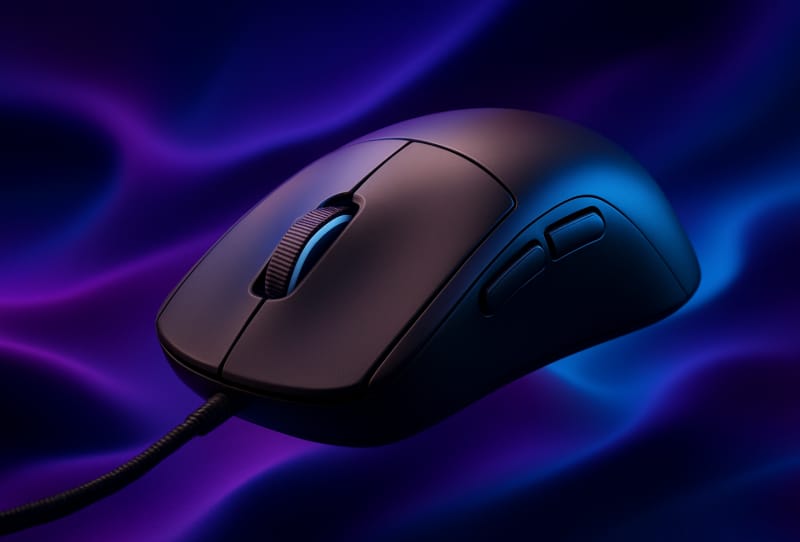
The best gaming mouse for claw grip has a pronounced rear hump to support your palm, a body short enough to let your fingertips arch naturally over the buttons, and a light enough build to suit quick, wrist-driven movements. This guide is for PC gamers who want to work out whether claw grip actually suits them, and then choose a mouse shape, size and weight that matches it properly, rather than buying on brand name alone.
Key takeaways
- ✓A claw grip mouse needs a pronounced rear hump and a body short enough for fingers to arch freely
- ✓Lighter mice generally suit claw grip better because movement is driven mostly by the wrist and fingertips
- ✓Hand size matters more than brand reputation when picking a claw grip shape
- ✓Crisp, responsive clicks make a noticeable difference to claw grip comfort over long sessions
- ✓Testing a mouse with your actual games is the only reliable way to confirm it suits your grip
Table of Contents
What you’ll need
- A mouse you currently use, so you have something to compare grip feel against
- A ruler or tape measure to check your hand length and width
- A flat mousepad with consistent glide across its surface
- Access to the manufacturer’s configuration software for DPI and button settings
Understand how claw grip works
Claw grip sits between a full palm grip and a fingertip grip. The palm rests lightly on the rear of the mouse for stability, while the fingers arch upward and curl down onto the primary buttons, almost like a claw shape. This posture is popular because it allows fast, precise flicks and quick micro-adjustments, while still giving enough contact with the mouse body to keep clicks controlled and deliberate.
The trade-off is that an aggressive claw grip can tire the hand faster than a relaxed palm grip, especially during long sessions. Choosing a mouse that genuinely supports this grip style, rather than fighting against it, makes a real difference to comfort and accuracy.
| Grip style | Hand contact | Best suited to |
|---|---|---|
| Palm grip | Full hand rests flat on the mouse | Larger mice, slower and more controlled movements |
| Claw grip | Palm lightly touches the rear hump, fingers arched | Fast flicks and precise clicking, common in competitive FPS play |
| Fingertip grip | Only fingertips touch the mouse, palm hovers | Very fast, low-friction movement, lighter mice |
How to choose a gaming mouse for claw grip
- Confirm your grip style first by holding your current mouse naturally and checking whether your fingers arch upward with only light palm contact at the back, rather than lying flat or hovering entirely.
- Measure your hand length from the base of your palm to the tip of your middle finger, and your hand width across the knuckles, since these two numbers narrow down suitable mouse sizes far more reliably than guesswork.
- Choose a shape with a clearly defined rear hump that sits just where your palm naturally rests, since this gives your hand a stable anchor point without forcing your fingers flat.
- Match the mouse length to your fingers rather than your whole hand. A shorter body generally lets claw grip users arch their fingers freely over the buttons instead of stretching to reach them.
- Prioritise a lighter weight where possible, because claw grip relies heavily on quick wrist and finger movement, and excess weight makes rapid direction changes feel sluggish.
- Check the click feel and button placement before committing. Crisp, well-defined clicks are easier to control with the curled finger position of claw grip, and side buttons should sit within easy reach of your thumb without needing to shift your whole grip.
- Decide between wired and wireless based on your setup. Modern wireless gaming mice have closed most of the performance gap, so this choice usually comes down to cable drag and personal preference rather than responsiveness.
- Test the mouse in your actual games for at least a few sessions, adjusting DPI and in-game sensitivity as needed, since a shape can feel fine on a desk but reveal issues only during fast, repeated movement.
Shape and size considerations for different hand sizes
Smaller hands generally pair best with compact, shorter mice that let the fingers fall naturally onto the buttons without overextending. Larger hands often need a slightly longer body with a taller rear hump, otherwise the palm ends up hovering awkwardly with nothing to rest on. Width matters too: a mouse that is too narrow can force the fingers to pinch inward, which adds fatigue during an aggressive claw grip. If you are also upgrading other parts of a competitive setup, it is worth reviewing your display alongside your mouse, since a smooth, low-latency screen and a well-matched mouse shape both contribute to consistent aim. A guide to the best gaming monitors for competitive play covers that side of the setup in more detail, and many players use it alongside a dedicated best gaming mouse for FPS pick for the same reason.
Tips and troubleshooting
- If your palm feels like it is hovering with no support, the mouse is likely too long or too flat for your hand, so look for a model with a more pronounced rear hump.
- If your fingers cramp quickly, the mouse may be too heavy or too wide, pushing you into a more aggressive claw angle than is comfortable.
- If clicks feel mushy or delayed, check the switch feel in reviews or in person before buying, since this has a bigger effect on claw grip comfort than most people expect.
- If side buttons are hard to reach without shifting your grip, the thumb rest is probably positioned for palm grip rather than claw grip.
- Many brands, including those featured in lightweight mice like the Corsair Sabre V3 Pro, now offer configuration software that lets you fine-tune DPI steps and button assignments, which is worth doing before judging whether a shape truly suits you.
Frequently asked questions
What size mouse is best for claw grip?
A shorter to medium-length mouse generally suits claw grip best, since it lets your fingers arch over the buttons rather than lying flat or stretching to reach them. The exact size still depends on your hand length and width, so measuring your hand before comparing mouse dimensions gives a far more reliable result than relying on general size labels.
Is claw grip good for competitive FPS games?
Yes, many competitive FPS players use claw grip because it supports fast flicks and precise clicking while still giving enough palm contact for control. It is one of several effective grip styles, and the right choice ultimately comes down to hand size, comfort and what feels most natural during sustained aim.
Can I use claw grip with any gaming mouse?
Technically yes, but comfort and performance vary a lot depending on shape. Mice with a flat profile or no rear hump tend to feel unstable under claw grip, while mice designed with a raised rear section and shorter body generally feel far more supportive.
Does mouse weight really matter for claw grip?
It does, because claw grip relies on quick wrist and finger-driven movement rather than broad arm motion. A lighter mouse responds faster to those small adjustments, while a heavier mouse can feel sluggish during rapid direction changes, even if the shape itself is otherwise comfortable.