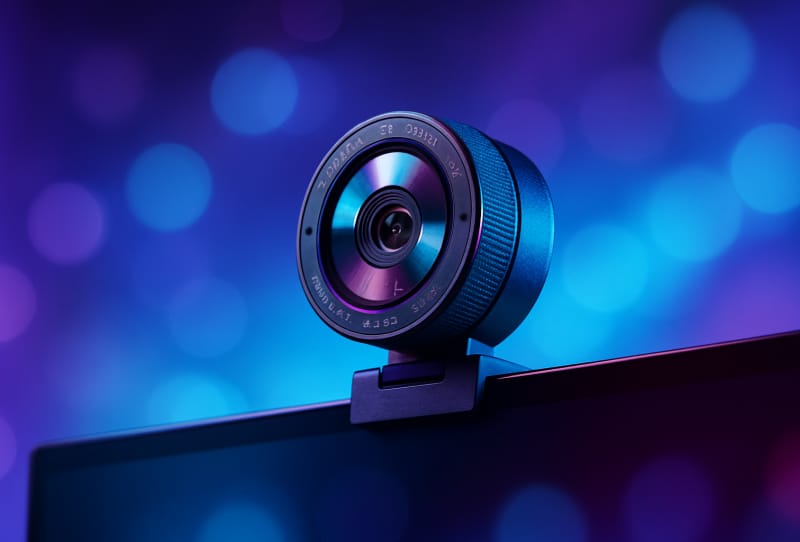
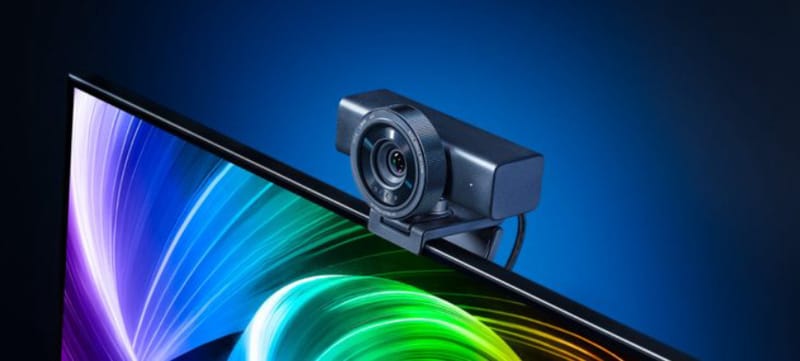
The Razer Kiyo V2 Pro is a new 4K webcam built for streamers and content creators, capturing footage at 60 frames per second through a Sony Starvis 2 sensor with dynamic auto-framing built in. Razer is pitching it as the most capable webcam it has released, aimed at creators who want broadcast-quality footage without setting up a dedicated camera rig.
Key takeaways
- ✓Razer Kiyo V2 Pro captures 4K video at 60FPS using a Sony Starvis 2 back-illuminated sensor
- ✓An 86-degree wide-angle lens and dynamic auto-framing keep moving subjects centred in frame
- ✓Image tools include Ultra-High Dynamic Range and one-click exposure, white balance and noise fixes
- ✓A twist-operated privacy shutter and universal pivoting mount are built into the housing
- ✓Razer bundles a complimentary Camo Pro subscription through its partnership with Camo Studio
The camera sits above Razer’s existing lineup, including the original Razer Kiyo V2, and brings a sharper sensor, wider lens and smarter tracking to the table. For anyone who streams, hosts video calls, or records tutorials regularly, the jump from a standard 1080p webcam to 4K60 with automatic framing is a meaningful one, and it puts the Kiyo V2 Pro in direct competition with some of the more advanced AI-tracking cameras already on the market.
Table of Contents
What the Razer Kiyo V2 Pro offers
At the heart of the camera is a Sony Starvis 2 back-illuminated sensor, a component known for handling low-light scenes with less noise and reduced motion blur than older sensor designs. That matters for streamers whose setups rely on ambient room lighting rather than dedicated studio lamps, since a weaker sensor tends to introduce grain and smearing the moment the light gets dim.
Paired with the sensor is an 86-degree wide-angle lens, which Razer says keeps edge distortion to a minimum even at that wider field of view. A wide lens is useful for creators who want more of their desk or background visible, or who move around while talking, without the fisheye warping that cheaper wide-angle webcams often produce.
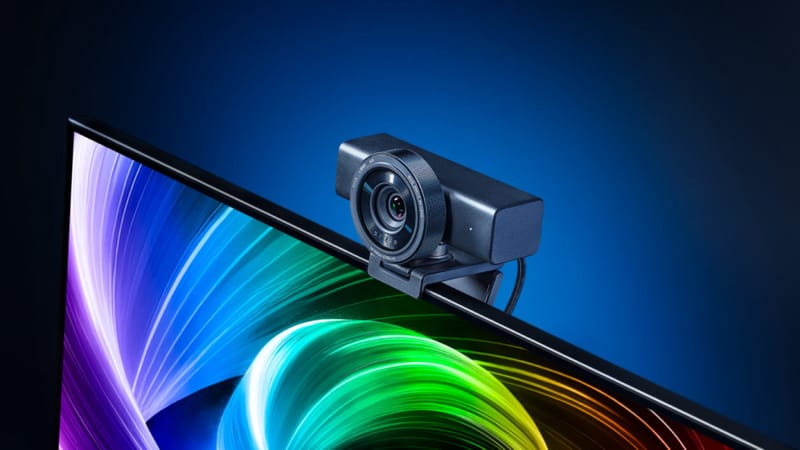
The auto-framing system is the other headline feature. Using dynamic pan, tilt and zoom, the Kiyo V2 Pro tracks a subject’s movement and keeps them centred in the frame automatically, rather than locking onto a fixed crop. That should appeal to streamers who gesture a lot on camera, stand up during gameplay, or simply don’t want to manually readjust framing every time they shift position.
Razer Kiyo V2 Pro specifications
| Feature | Detail |
|---|---|
| Sensor | Sony Starvis 2, back-illuminated |
| Resolution and frame rate | 4K at 60FPS |
| Lens | 86-degree wide-angle, low-distortion |
| Framing | Dynamic auto-framing with pan, tilt and zoom |
| Image processing | Ultra-High Dynamic Range (UHDR), One-Click Image Enhancement |
| Privacy | Twist-operated built-in shutter |
| Mount | Universal pivoting design for monitors and tripods |
| Bundled software | Complimentary Camo Pro subscription via Camo Studio |
How it compares to Razer’s other webcams and rivals
Razer already sells the Kiyo V2, which offers 4K capture but without the newer sensor or the automatic framing that defines this Pro model. The step up is aimed squarely at users who found the standard Kiyo V2 competent but wanted the camera to do more of the framing work itself, rather than relying on a fixed shot.
The move also puts Razer in more direct competition with Obsbot, a brand that has built its reputation almost entirely around AI-driven tracking webcams. Cameras such as the Obsbot Tiny 3 and the fold-away Obsbot Meet Flip have already proven there is demand for webcams that track a subject without needing manual adjustment, and Razer’s auto-framing feature is a clear answer to that segment of the market.
Budget-conscious buyers who like the tracking concept but don’t need every feature might still find the more affordable Obsbot Tiny 3 Lite worth a look as an alternative, though the Kiyo V2 Pro’s Sony sensor and wider lens give it a different set of strengths, particularly around low-light image quality.
Why the auto-framing and software matter for streamers
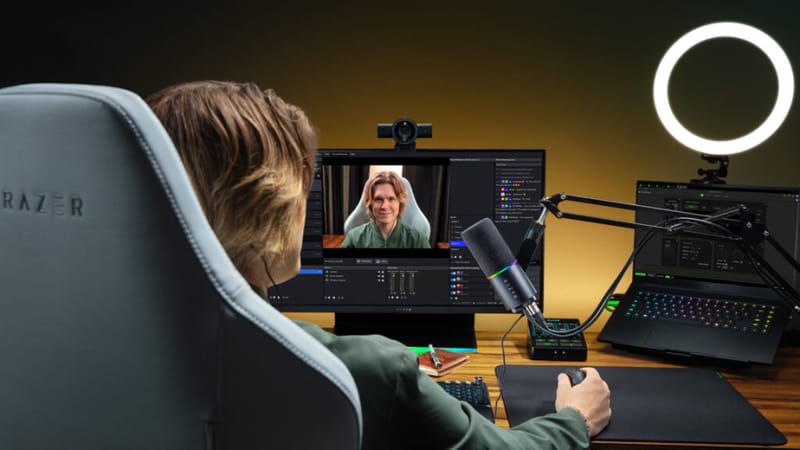
Hardware is only half the story here. Razer has paired the Kiyo V2 Pro with a set of image tools designed to reduce fiddly manual setup. Ultra-High Dynamic Range processing balances bright highlights against darker shadows in a single frame, which is useful for anyone streaming near a window or under mixed lighting.
One-Click Image Enhancement automatically adjusts exposure, white balance and noise reduction, a feature clearly built for creators who want good footage instantly rather than tweaking sliders before every session. More advanced users still get manual colour and sharpness controls through Razer’s desktop software, so the camera doesn’t lock out finer adjustments for those who want them.
Razer has also partnered with Camo Studio’s software to include a complimentary Camo Pro subscription with the camera, extending the control options available beyond Razer’s own app. Combined with the twist-operated privacy shutter, a small but practical inclusion for anyone conscious about camera security when not streaming, the Kiyo V2 Pro reads as a genuinely considered upgrade rather than a simple sensor bump. Full pricing and specification details are listed on Razer’s official Kiyo V2 Pro product page.
Frequently asked questions
What sensor does the Razer Kiyo V2 Pro use?
It uses a Sony Starvis 2 back-illuminated sensor, which is designed to reduce noise and motion blur in low-light conditions compared with older sensor types.
Does the Kiyo V2 Pro support 4K at 60 frames per second?
Yes, the camera captures video at 4K resolution and 60FPS, a step up from many webcams that either cap out at 1080p or drop frame rate at higher resolutions.
How is the Kiyo V2 Pro different from the standard Kiyo V2?
The Pro version adds the newer Sony Starvis 2 sensor, an 86-degree wide-angle lens and a dynamic auto-framing system that tracks movement, none of which feature on the standard Kiyo V2.
Does the Kiyo V2 Pro come with a privacy cover?
Yes, it includes a twist-operated privacy shutter built into the housing, along with a universal pivoting mount that fits monitors and tripods.