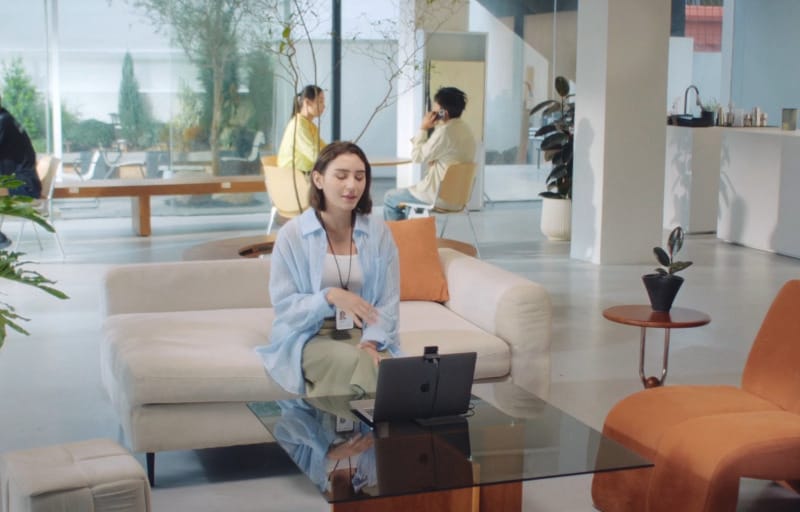
Desktop monitors have never really needed a built-in camera, and plenty of people still work with the lid down on a laptop docked to a bigger screen. The Obsbot Meet Flip is built specifically for that gap, folding down to a footprint smaller than two square inches so it can travel in a bag and clip onto whichever screen happens to be in front of the user that day.
Review summary
Obsbot Meet Flip
The Obsbot Meet Flip is a compact folding webcam that clips onto monitors, laptops or tablets, offering sharp 4K video, reliable autofocus and a genuinely useful built-in privacy shutter that doubles as an on/off switch. It suits anyone who moves between desks or devices during the week, combining strong image quality with practical conferencing and creator-focused features in a pocketable design.
Highlights
- ✓Folds shut to power off and cover the lens in one motion
- ✓Sharp 4K/30fps and smooth 1080p/60fps video
- ✓Tripod socket adds vertical framing and mounting flexibility
- ✓Reliable autofocus, HDR and gradual exposure adjustments
- ✓Small, light and easy to move between screens
It is the smallest fixed-position webcam Obsbot has released, and it solves two annoyances that plagued earlier compact models: a lens cover that could get lost and a mount that felt like an afterthought. The fold itself doubles as both of those things at once, closing over the lens and cutting power to the camera in a single motion.
This review works through how the Meet Flip is built, what its camera and software can actually do, and how it holds up once it is clipped to a monitor and used for real video calls, recordings and everyday work. The goal is to give a clear picture of where this webcam earns its keep and who it suits best.
Table of Contents
Design and Functionality
Obsbot’s earlier compact webcam, the Meet 2, was small enough to sit on a laptop lid but paired that size with a clunky mount and a magnetic lens cap that was easy to misplace. The Meet Flip addresses both problems by building the privacy cover into the hinge itself, so there is nothing loose to lose in a bag.
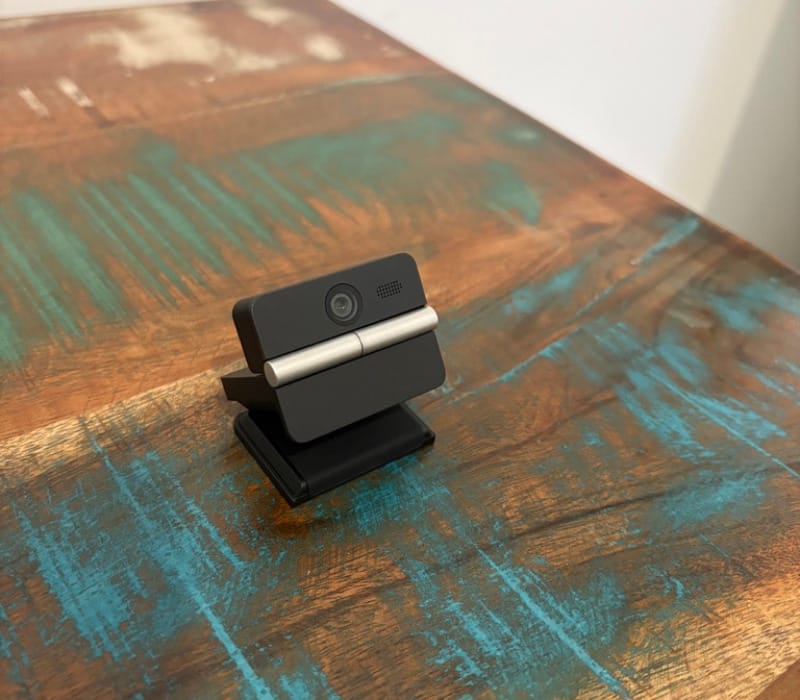
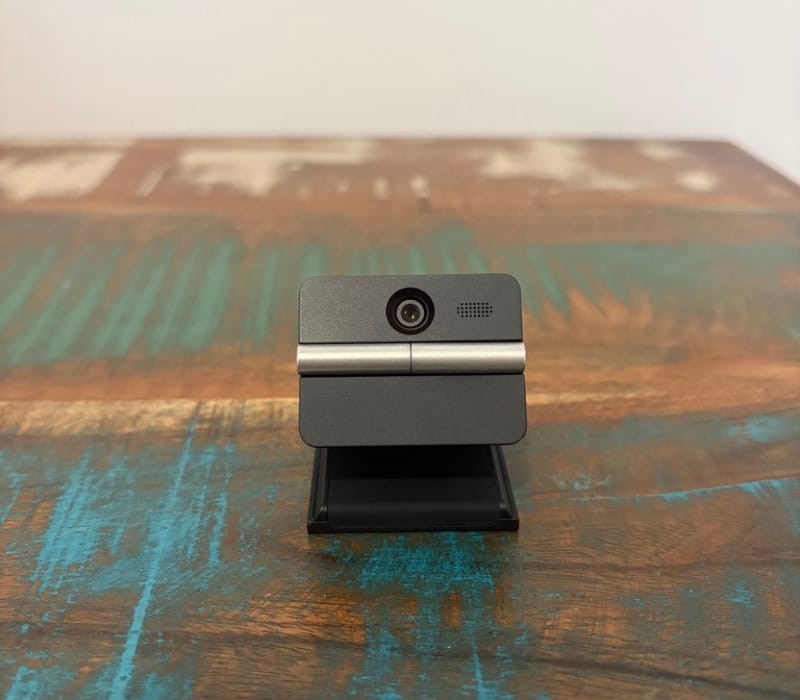
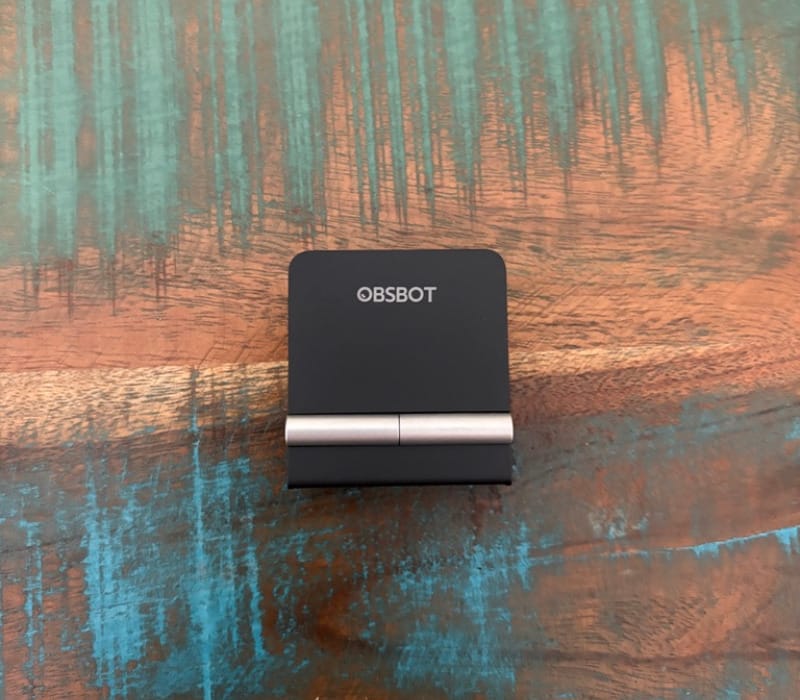
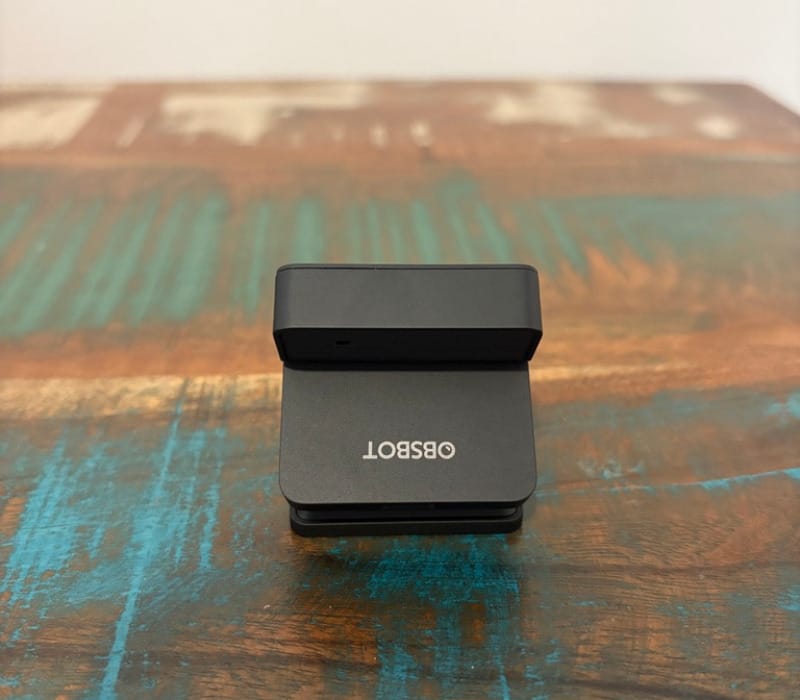
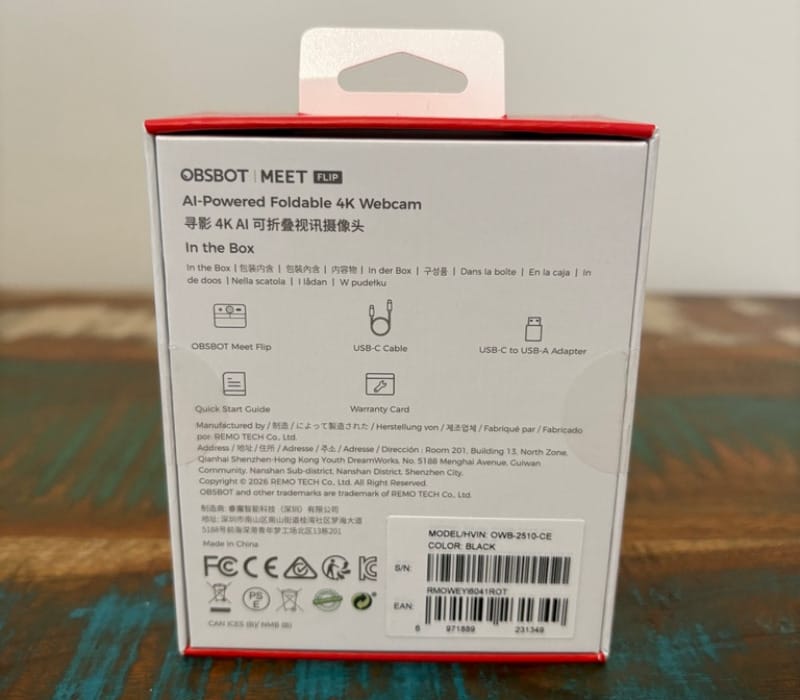
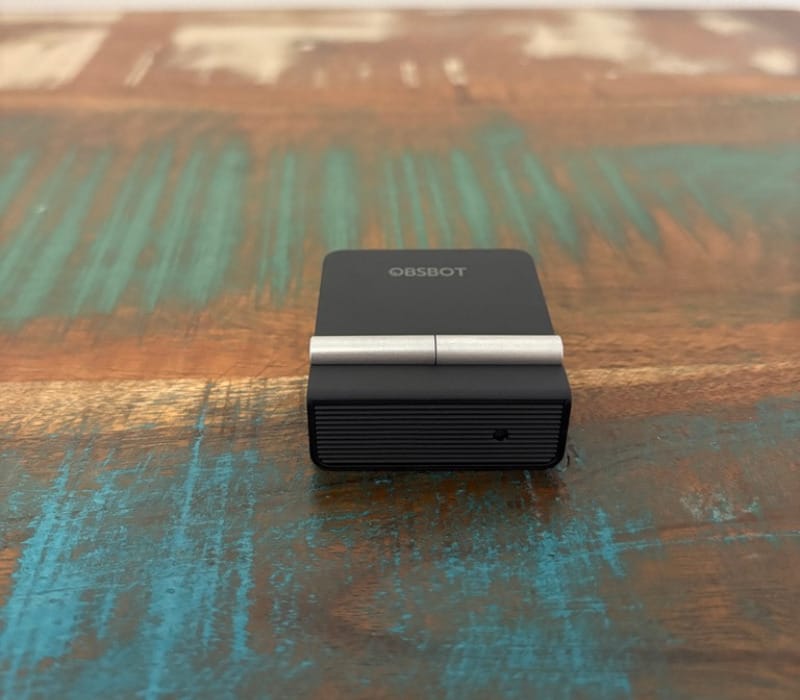
Folded shut, the Meet Flip measures less than two square inches, sits at roughly 0.7 inches thick, and weighs just 37.7 grams. That is light enough to toss into a laptop sleeve or a small pouch without a second thought.
Unfolding the camera arm exposes the lens and microphone array and simultaneously powers the unit on, which means there is no separate switch to hunt for. Closing it back down turns the camera off and shields the lens in one motion, giving a visible, physical assurance that the camera genuinely cannot see anything.
That physical privacy action matters more than it sounds. Software toggles can be forgotten or overridden, but a folded webcam is an unambiguous signal, similar in spirit to the physical shutters some laptop makers already build into their own cameras.
The mount itself is a standard spring-loaded webcam clip with a 1/4-inch tripod socket built into the base. That combination lets it perch on a monitor edge for everyday calls or screw onto a small tripod for a different angle entirely.
Obsbot has tuned the clip specifically for screens up to about 0.8 inches, or 21mm, thick, which covers the vast majority of modern monitors and laptop lids. Thicker panels or unusual monitor bezels may need the tripod mount instead, but most desks will not run into that issue.
Because the mount includes that tripod thread, the Meet Flip is not locked to landscape orientation on a screen. Attaching it to a small ball-head tripod allows for vertical framing, which suits anyone shooting quick clips for social platforms rather than sitting in a conference call.
A detachable USB-C cable handles both power and data, and it is long enough, at around five feet, to reach from a desktop monitor to a rear USB port without strain. It is a little generous for laptop-only setups where the port sits close by, though a shorter cable can easily be swapped in if that is a priority.
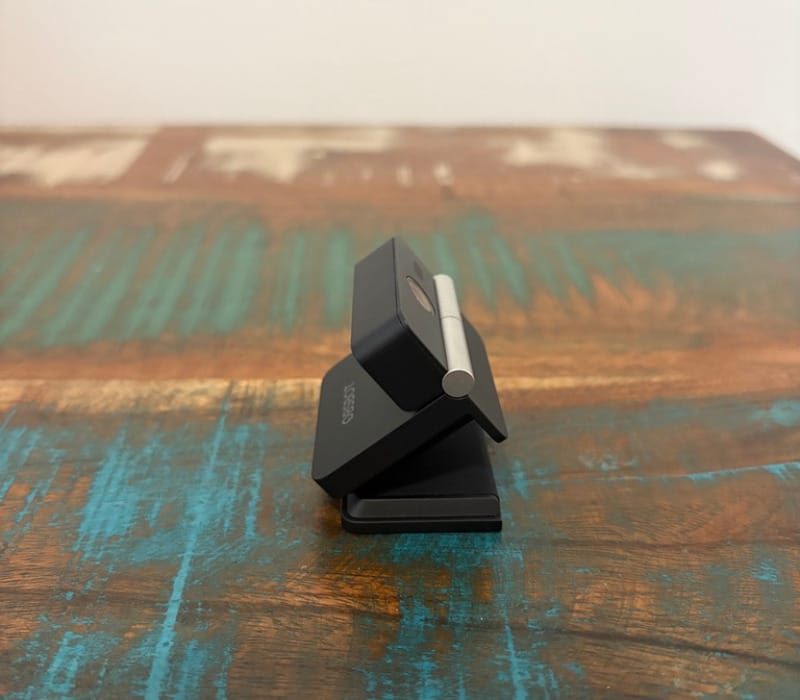
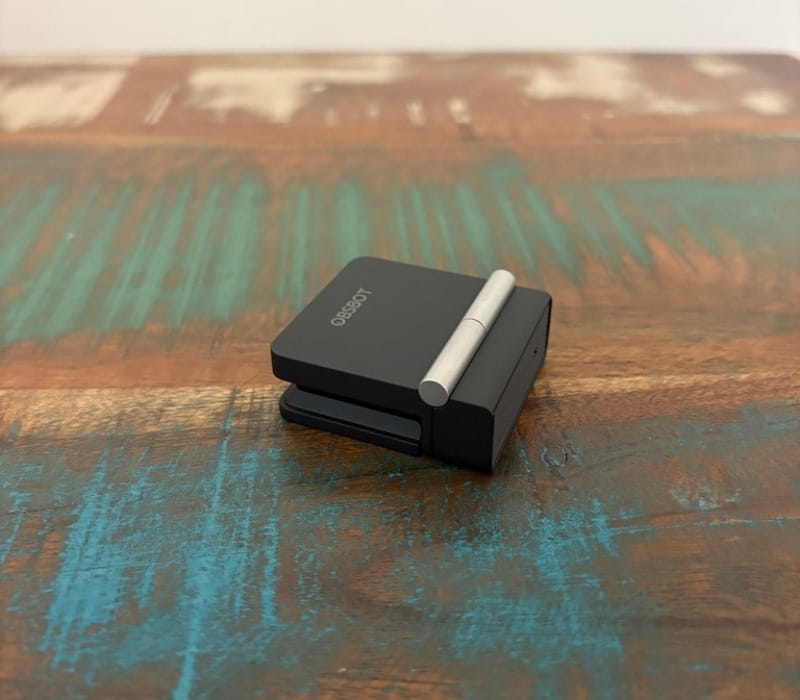
Build quality feels solid rather than premium, with a matte plastic shell that resists fingerprints and a hinge that has a reassuring bit of resistance rather than feeling loose. It does not feel like a device that will develop a wobble after a few months of folding and unfolding.
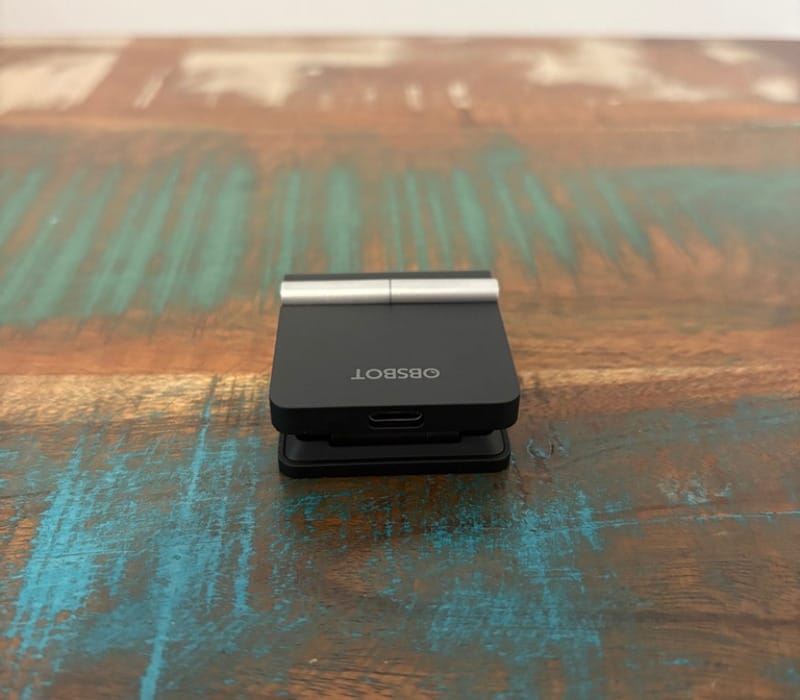
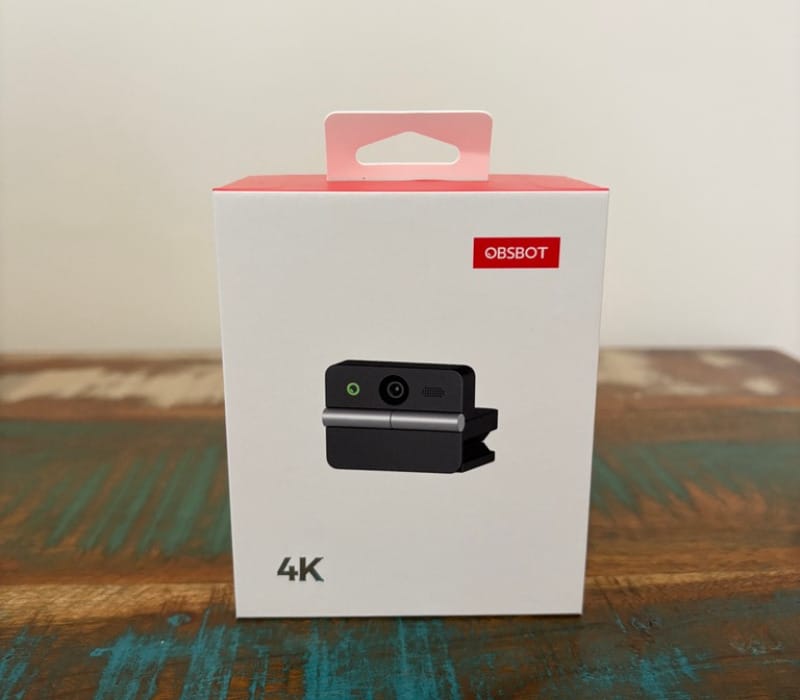
The size advantage becomes most obvious next to Obsbot’s larger cameras such as the pricier Obsbot Tiny 3, which relies on a motorised pan-tilt gimbal and a much bigger footprint. The Meet Flip trades that mechanical tracking hardware for pure portability, and for a lot of desk setups that is the more sensible trade.
It also sits well against the more affordable Obsbot Tiny 3 Lite, which keeps a fixed lens but still commits to a permanent desk footprint. The Meet Flip’s folding design is squarely about packing away and moving between rooms or devices, rather than staying bolted to one desk long-term.
This kind of folding webcam concept is not entirely new, and previous attempts from other companies leaned so heavily into minimalism that usability suffered. Obsbot’s version is a little larger than the smallest of those earlier attempts but makes up for it with a proper tripod socket, a working clip mount, and software that actually supports the hardware.
The compact folded shape also means it survives being thrown loosely into a backpack pocket alongside chargers and cables without a dedicated case. That is a genuine point of difference for anyone who moves between a home office, a co-working space, or client meetings during the week.
Because the mount works on almost any screen edge, the same camera can shift between a home monitor, a work laptop, and even a tablet without needing separate accessories. It is genuinely one device that follows the user rather than staying tied to a single machine.
An Apple iPad Pro with a suitably thin edge can also accept the clip, opening up video calling on a tablet that lacks a front-facing camera positioned well for landscape use. Obsbot has also confirmed compatibility with the Nintendo Switch 2, extending its use beyond conventional desk setups.
Taken together, the design solves the two biggest complaints about small companion webcams: fragile lens protection and awkward mounting. It is a genuinely thoughtful piece of industrial design before even getting to what the camera and microphone can do.
Key Features
At the centre of the Meet Flip is a 1/2-inch sensor paired with an f/1.8 aperture lens, capable of shooting 4K at 30 frames per second or 1080p at 60 frames per second. That gives users a choice between maximum resolution or smoother motion, depending on what a call or recording needs.
Phase-detection autofocus keeps the lens locked onto a face as it moves, rather than hunting back and forth the way older contrast-detection systems tend to. HDR is also on board, which helps when a subject sits in front of a bright window or a strong backlight.
Digital zoom goes up to 4x, letting the frame tighten in without needing to physically move the camera closer. It is a useful option for framing a shot more deliberately during a recorded video rather than a live call.
Obsbot has carried over its AI auto-framing feature from the rest of the lineup, which keeps a subject centred in frame as they shift position. It is a feature more commonly found on the company’s motorised cameras, so its inclusion here is a nice bonus for a fixed-lens device.
Gesture controls are also included, letting a wave of the hand trigger zoom adjustments or reframing without touching a keyboard. It is a small convenience but a genuinely useful one when both hands are occupied with notes or a second device.
Four separate audio modes are built in: Omni, Dual, Unidirectional, and Pure. Omni captures sound from all directions, Dual focuses on two speakers, Unidirectional narrows in on a single voice, and Pure applies no processing or gain at all for anyone who wants a completely untouched signal.
AI Magic Notes brings automatic transcription to meetings, complete with time codes attached to each line of text. Obsbot includes 120 minutes of complimentary use before a subscription is required to keep using the feature.
A built-in teleprompter overlays script text on screen while recording, which suits presenters, educators, or anyone recording video who wants to maintain eye contact with the lens rather than glancing away to notes.
Loop recording is also included, continuously capturing footage and overwriting older clips once storage fills, a feature more commonly seen on dashcams than webcams. It is a handy inclusion for anyone using the Meet Flip as a lightweight recording device rather than purely for calls.
Background removal and background blur are both available through Obsbot’s companion software, aimed at users who want to hide a messy room without a physical backdrop. Blur is the more dependable of the two, softening the background rather than trying to cut it out entirely.
All of these features run through Obsbot’s desktop software, shared across its wider camera range, which means anyone already familiar with a previous Obsbot webcam will feel instantly at home. Settings, presets, and firmware updates all live in the same application.
The fold-to-shutdown mechanism deserves another mention as a feature in its own right rather than just a design flourish, since it removes the need to trust a software indicator for privacy. It is arguably the single most practical feature on the entire device.
The tripod thread built into the mount also counts as a feature rather than an afterthought, since it opens up vertical shooting and creative angles that a typical clip-only webcam cannot manage. It expands what the Meet Flip can be used for well beyond a standard video call.
Together, this feature set punches well above what the compact size suggests, combining conferencing tools, creator-focused extras, and genuine hardware flexibility in a single small package.
Experience Using the Product and Performance
Setting Up and Everyday Handling
Unfolding the Meet Flip for the first time is intuitive, with the hinge offering just enough resistance to feel deliberate rather than flimsy. There is no pairing process beyond plugging in the USB-C cable, and most video conferencing software recognises it immediately as a standard UVC camera.
Clipping it to a monitor without a built-in webcam is where it feels most at home, instantly giving a screen that never had a camera a genuinely capable one. It sits securely on the top edge without needing to be repositioned throughout a call.
The same applies to a closed-lid laptop setup connected to an external display, since the laptop’s own webcam becomes useless the moment the lid shuts. The Meet Flip fills that gap neatly, without adding a bulky external camera to the desk.
Cable management is a minor consideration given the five-foot length, though running it behind a monitor stand or along a desk mat keeps things tidy enough. It is long enough that reaching a rear USB-C or USB-A port via an adapter is rarely an issue.
Switching the Meet Flip between a home monitor and a laptop during the week is as simple as folding it up, unclipping it, and moving it to the next screen. That flexibility is really the whole point of the design, and it delivers on that promise without friction.
Video Quality in Practice
At 4K and 30 frames per second, footage looks clean and detailed in good lighting, with accurate colour rendering that avoids the overly warm or washed-out look some budget webcams produce. Skin tones look natural rather than oversaturated.
Switching to 1080p at 60 frames per second smooths out motion nicely, which suits anyone gesturing a lot on camera or recording something more dynamic than a static talking-head call. It is a genuinely useful trade-off to have available.
Autoexposure, white balance, and autofocus all behave well, adjusting gradually rather than snapping abruptly when lighting changes or a subject leans forward. That gradual behaviour makes the image feel more polished during a live call compared with cameras that visibly hunt for focus.
HDR helps considerably when a window or lamp sits behind the subject, pulling detail back into a face that would otherwise be silhouetted. Switching the exposure priority to focus on a face rather than the whole scene achieves a similar result without needing to enable 4K mode.
Low-light performance is solid for a webcam this size, though not outstanding. Detail softens a little as the room dims, and some noise creeps into shadow areas, but the image remains usable for evening calls rather than falling apart entirely.
The 4x digital zoom is best used sparingly, since pushing it to the maximum introduces a visible drop in sharpness. Used moderately, though, it is a handy way to reframe a shot without touching the mount.
For everyday video calls, presentations, and casual recording, the video quality comfortably meets what is needed, and most viewers on the other end of a call would have no complaints about clarity or colour accuracy.
Audio Performance
The four audio modes give a decent amount of flexibility for a webcam this size, and switching between them inside the companion software takes only a couple of clicks. Dual mode works well when two people sit close together at a desk.
Omni, Dual, and Unidirectional all apply a degree of noise reduction, which does introduce a slightly thin or processed character to voices compared with a dedicated USB microphone. It is a reasonable trade for cutting down on fan noise or keyboard clatter during a call.
Pure mode strips out that processing entirely, but the resulting signal is noticeably quieter and benefits from a manual gain boost in whatever conferencing software is being used. It is best reserved for anyone pairing the Meet Flip with a separate microphone anyway.
For a single person sitting at a desk, which is really the core use case here, Unidirectional mode strikes the best balance between clarity and background noise rejection. It handles typical home office chatter without needing constant adjustment.
Audio quality overall sits in solid, dependable territory rather than anything exceptional, which lines up with expectations for a camera this compact. Anyone relying on it purely for meetings and calls will have no issues, though serious podcasters will likely still prefer a dedicated microphone.
AI and Software Features in Use
Gesture controls work reliably once the hand is held steady in frame for a moment, triggering zoom or reframing without needing to reach for a mouse. It takes a call or two to learn the exact gesture timing, but it becomes second nature quickly.
Auto-framing keeps a face centred reasonably well during a call, adjusting as the subject leans in or shifts position. It is not quite as fluid as the tracking on Obsbot’s motorised cameras, since there is no physical pan or tilt to fall back on, but it manages the crop convincingly.
AI Magic Notes proved handy for keeping a running transcript of longer meetings, with the attached time codes making it easy to jump back to a specific point in a recording later. Given how many transcription tools already exist elsewhere, it functions more as a convenient bonus than a standout reason to buy the camera.
The teleprompter feature works cleanly for short scripted recordings, scrolling text at an adjustable pace directly in front of the lens. It is a genuinely useful inclusion for anyone recording short explainer videos or presentations.
Loop recording is a niche feature but a welcome one, quietly capturing footage in the background without needing to manage individual clip files. It suits anyone using the Meet Flip as a lightweight desk-mounted recorder rather than purely for calls.
Background removal is the weakest part of the software experience, struggling with hair detail and occasionally cutting into the subject’s shoulders or chair during movement. It flickers noticeably rather than holding a clean, stable edge.
Background blur fares much better, softening a cluttered room convincingly without the same flickering issues. Anyone wanting to hide a messy desk is better served choosing blur over full background removal until Obsbot refines the feature further.
Compatibility and Versatile Use Cases
Testing the Meet Flip on an iPad confirmed it works well in apps built around standard video calling frameworks, such as FaceTime and WebEx, recognising the camera without any extra setup. It is a genuinely useful option for a tablet that otherwise has an awkwardly placed front camera for landscape video calls.
Some creative and recording apps on iPadOS simply do not detect external UVC cameras at all, which is a limitation of those apps rather than anything Obsbot has done wrong. It is worth checking compatibility with a specific app before relying on the Meet Flip for tablet-based recording work.
Obsbot has also confirmed compatibility with the Nintendo Switch 2, opening up a use case for anyone wanting a compact, foldable camera for streaming or capturing gameplay reactions. It is a nice bit of extra flexibility beyond typical desk-based use.
Mounting the Meet Flip on a small tripod for vertical video shooting works nicely for short social clips, giving it a creative use case well beyond standard conferencing. The 1/4-inch thread makes this switch effortless.
The strongest use case remains a monitor or closed-lid laptop setup with no existing camera, where the Meet Flip effectively creates a webcam out of a screen that never had one. In that scenario, it delivers real, tangible value rather than simply duplicating a feature that already exists.
Anyone with a modern laptop that already includes a capable built-in camera is unlikely to see a meaningful upgrade in image or audio quality by adding this device. Its real strength lies in filling gaps rather than replacing an already-good existing camera.
Conclusion
The Obsbot Meet Flip solves a genuinely practical problem with a clever, well-executed design, folding down small enough to travel anywhere and clipping onto almost any monitor, closed laptop lid, or tablet edge.
Video quality is clean and dependable across both 4K and 1080p modes, autofocus and exposure behave sensibly, and the four audio modes cover most everyday calling needs without fuss. Background removal remains the one rough edge in an otherwise polished software package, though blur mode covers that gap well.
Its biggest strength is versatility rather than raw specification, serving anyone who regularly switches between a monitor, a closed-lid laptop, or even a tablet without a well-placed camera of their own. The physical fold-to-shutdown design also gives genuine peace of mind that a laptop-only camera can’t quite match.
For anyone whose main screen currently has no webcam at all, this is an easy device to recommend, combining sensible image quality with a genuinely thoughtful, portable design. Those with a recent laptop boasting a strong built-in camera may find less reason to add one, but for every screen without a camera of its own, the Meet Flip is a smart, compact solution.