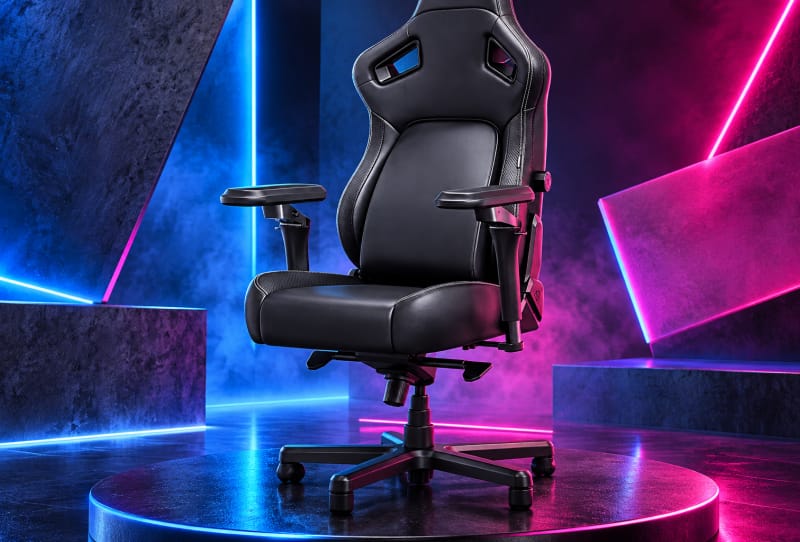
The best gaming chairs for back pain are the ones with properly adjustable lumbar support, a seat depth that matches your body, and enough recline and armrest adjustment to let you shift position often. No chair fixes back pain on its own, but the right one reduces strain during long sessions and makes it far easier to sit well for hours at a time. This guide is for anyone shopping for a new chair because their current one leaves them sore, stiff, or aching after a few hours at the desk.
Key takeaways
- ✓No chair can treat or cure back pain; it can only support better posture and reduce strain
- ✓Adjustable lumbar support that moves in height and depth matters more than branding
- ✓Seat depth and height need to match your body, not the other way around
- ✓Mesh backs suit warmer rooms while PU leather and foam suit cooler, firmer support
- ✓Changing position regularly during long sessions matters as much as the chair itself
Before getting into specific features, it helps to understand what a chair can and cannot do. A gaming chair is a tool for support, not a medical treatment. If you have ongoing or severe back pain, see a physiotherapist or GP rather than relying on furniture alone. For everyone else, the right setup genuinely makes a difference to comfort and posture during gaming, work, or study.
Table of Contents
What you’ll need
- Your height, weight, and torso length (roughly), to match chair sizing
- A tape measure for your desk height and available floor space
- A sense of your usual sitting posture and pain points (lower back, hips, shoulders)
- A budget range and a preference for material (mesh versus PU leather or fabric)
Step 1: Work out what’s actually causing your discomfort
- Notice where the pain sits. Lower back ache often points to poor lumbar support or a seat that’s too deep. Hip discomfort can come from a seat pan that’s too hard or too shallow.
- Think about how long you sit without moving. Even an excellent chair cannot compensate for four or five hours without a break.
- Check your current desk height against your elbow height when seated. A mismatch here often causes shoulder and upper back tension that gets blamed on the chair.
Step 2: Prioritise adjustable lumbar support
- Look for lumbar support that adjusts in both height and depth, not just a fixed curve moulded into the backrest. Bodies differ, and a static curve rarely lines up for everyone.
- Favour chairs with a lumbar pillow or built-in adjustable pad over chairs that rely purely on shape. Being able to move support up, down, in, and out matters more than branding.
- Test the support, if possible, by sitting upright with your lower back against the pad. You should feel gentle pressure in the curve of your spine rather than a gap or a hard point.
Step 3: Get the seat dimensions right
- Check seat depth first. Your knees should have a couple of fingers’ width of clearance from the front edge of the seat when your back is against the rest.
- Match seat width to your hips with enough room to shift position, but not so much that armrests sit too far away to use comfortably.
- Confirm the gas lift height range suits your desk. Your feet should sit flat on the floor, with knees roughly level with or slightly below your hips.
Step 4: Choose armrests and recline that suit how you sit
- Pick armrests that adjust in height at minimum, and in width and depth if you can get them. Poorly positioned armrests push shoulders up and add to neck and upper back strain.
- Look for a recline range with a lockable tilt, so you can lean back during cutscenes or breaks without the backrest flopping loose.
- If the chair offers a rocking or tilt-tension function, make sure it can be locked firmly upright for typing and precise aiming, and released for a more relaxed recline.
Step 5: Match the material and frame to your situation
- Choose mesh backing if you run warm or live somewhere hot. It breathes better over long sessions than foam-backed PU leather or fabric.
- Choose PU leather or dense foam if you prefer a firmer, more structured feel and don’t mind slightly less airflow.
- Check the weight rating and frame material, especially if you’re above an average build. A steel frame rated well above your weight tends to hold support and padding shape for longer.
Step 6: Build good habits around the chair
- Set a reminder to stand, stretch, or walk every 45 to 60 minutes, regardless of how supportive the chair is.
- Pair the chair with a desk and monitor at the right height. If you’re also upgrading your setup, it’s worth reading about choosing a gaming monitor for competitive play so your neck isn’t tilted up or down for hours.
- Think about hand and wrist position too. Posture problems often travel together, so matching your mouse grip to your hand can take pressure off your shoulder and upper back.
Gaming chair features at a glance
| Feature | Why it matters for back pain | What to look for |
|---|---|---|
| Lumbar support | Fills the natural curve of your lower spine | Adjustable height and depth, not just a fixed shape |
| Seat depth | Wrong depth forces slouching or pressure behind the knees | Adjustable seat slider or a size matched to your height |
| Armrests | Poor positioning raises shoulders and strains the neck | Height adjustable at minimum, ideally 3D or 4D |
| Recline and tilt lock | Lets you change position instead of staying rigid | Lockable recline with a reasonable range, such as 90 to 135 degrees |
| Material | Affects heat, grip, and long-session comfort | Mesh for airflow, PU leather or foam for firmer structure |
| Frame and weight rating | Keeps support consistent over years of use | Steel frame rated comfortably above your body weight |
Tips and troubleshooting
If a new chair still feels uncomfortable after a week, check the basics again before assuming the chair is wrong for you. Re-measure seat height against your desk, confirm the lumbar pad sits at the actual curve of your lower back rather than higher up, and make sure armrests aren’t forcing your shoulders up or out. A chair that felt fine in a shop can feel different after several hours, so give genuine adjustments time before giving up on a model.
If you’ve read a deeper breakdown already, the dedicated guide on how to pick a gaming chair for back pain relief goes further into specific adjustment ranges and sizing by body type, and is worth a look if you want a second pass before buying.
Watch out for chairs that look heavily padded but offer no real adjustability. Thick foam can feel comfortable for the first ten minutes in a shop and then compress unevenly after a few months, losing the support that mattered most.
Frequently asked questions
Can a gaming chair actually fix back pain?
No single chair treats or cures back pain. A well-adjusted chair can reduce strain and support better posture during long sessions, but ongoing or severe pain needs assessment from a physiotherapist or doctor rather than a furniture purchase alone.
Is an office chair better than a gaming chair for back pain?
Not necessarily. What matters is adjustability rather than the gaming or office label. Some ergonomic office chairs offer excellent lumbar and seat depth adjustment, while some gaming chairs do too. Compare the actual adjustment ranges rather than the category.
How often should I get up from a gaming chair?
Aim to stand, stretch, or walk briefly every 45 to 60 minutes. Even the most supportive chair cannot fully offset several hours of continuous sitting without a break.
What’s the single most important feature for back pain?
Adjustable lumbar support that moves in height and depth tends to matter more than any other single feature, since it directly fills the curve of your lower spine where most discomfort originates.