Wireless gaming mice have mostly followed the same script for years: an internal battery, a USB-C cable for topping it up, and either Bluetooth or a 2.4GHz dongle handling the connection. The SteelSeries Sensei Pro throws that script out, swapping a built-in battery for a pair of hot-swappable cells and trading familiar RF wireless for Ultra Wideband technology. It is a genuinely different approach to a category that has not changed much in a decade.
Review summary
SteelSeries Sensei Pro
The SteelSeries Sensei Pro delivers flagship wireless gaming performance with a genuinely innovative approach to power and connectivity, featuring hot-swappable batteries and Ultra Wideband technology that eliminate charging interruptions and wireless interference concerns. Built for competitive players and precision-focused users, it combines a lightweight 53-gram design with the PAW3955 sensor and up to 9,000Hz polling rate, backed by customisable software and reliable performance across gaming and everyday use.
Highlights
- ✓Hot-swappable battery system enables essentially uninterrupted use with 16-60 hour battery life depending on polling rate
- ✓Ultra Wideband connectivity eliminates 2.4GHz interference concerns and provides rock-solid connection stability
- ✓PAW3955 sensor with 42,000 DPI maximum and 70G acceleration tolerance offers exceptional precision headroom
- ✓Lightweight at 53 grams yet structurally rigid with premium soft-touch finish
- ✓Symmetrical design suits claw and fingertip grips across a range of hand sizes
Built with input from competitive gaming organisations and aimed squarely at esports players and precision-focused creatives, the Sensei Pro sits at the top of SteelSeries’ mouse lineup alongside its ergonomic sibling, the Rival Pro. Both share the same internals, but the Sensei Pro keeps things symmetrical, making it a strong option for players who prefer a claw or fingertip grip without committing to a shape biased toward one hand.
This review looks at how the Sensei Pro’s design, features and real-world performance stack up, from the battery-swapping ritual to the sensor’s eye-watering specifications. The short version is that it is an extremely capable mouse with a handful of small quirks, and most of what it does well, it does exceptionally well.
Table of Contents
Design and Functionality
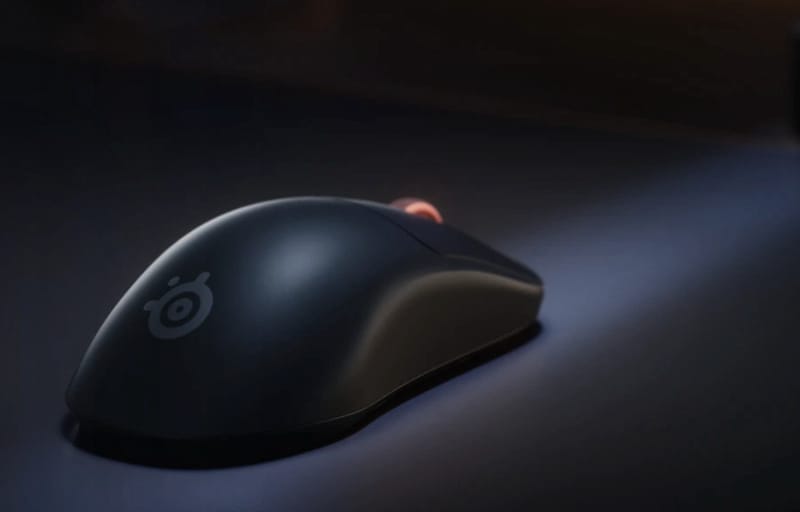
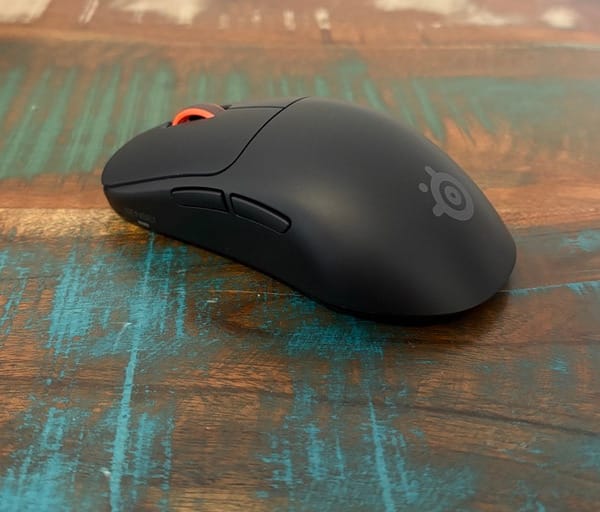
The Sensei Pro takes a deliberately understated approach to its exterior. It is a symmetrical, low-profile shape finished in a smooth matte plastic, available in either black or white, and it looks far more conventional than its internals suggest.
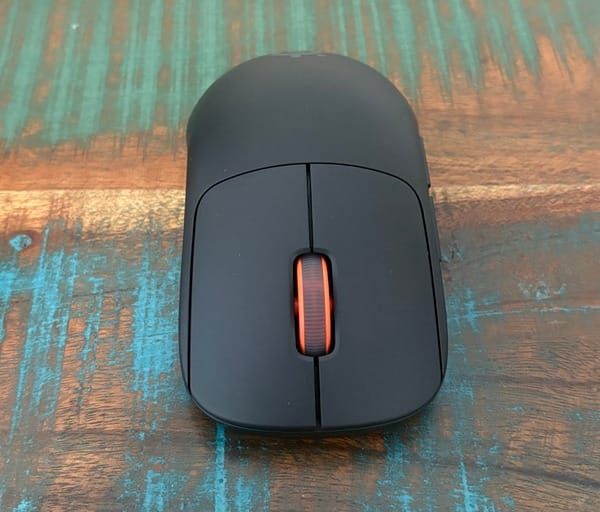
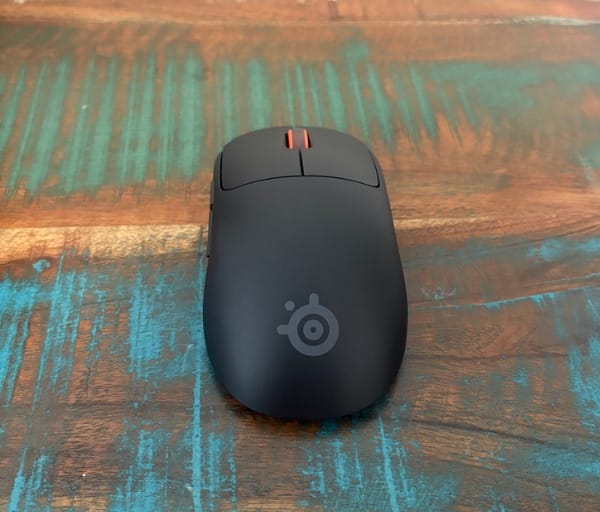
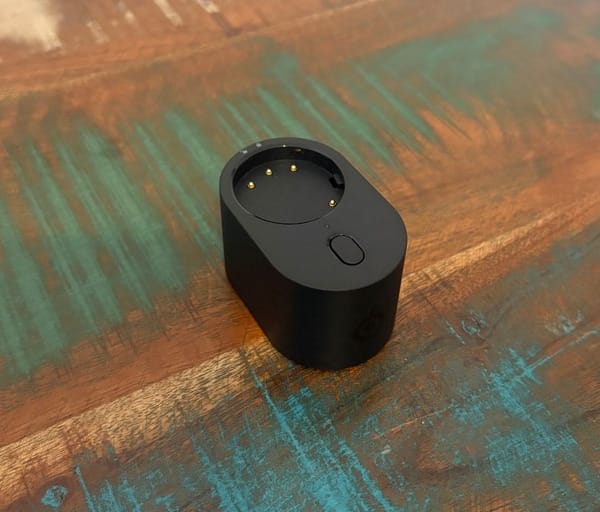
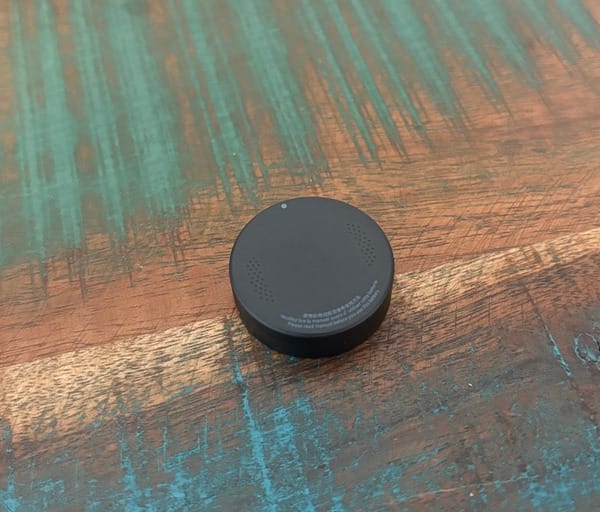
At 12.36 x 6.65 x 3.86 centimetres, it sits in that comfortable middle ground between compact and full-size mice, suiting a range of hand sizes. The plastic shell has a pleasant, slightly soft-touch texture that feels premium without becoming a fingerprint magnet.
Weight is where things get genuinely impressive. With a battery installed, the Sensei Pro tips the scales at just 53 grams, putting it firmly in lightweight gaming mouse territory despite housing a swappable power system rather than a simple fixed cell.
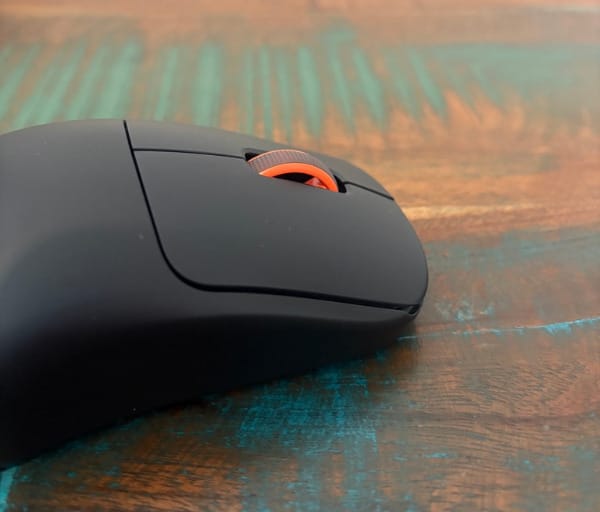
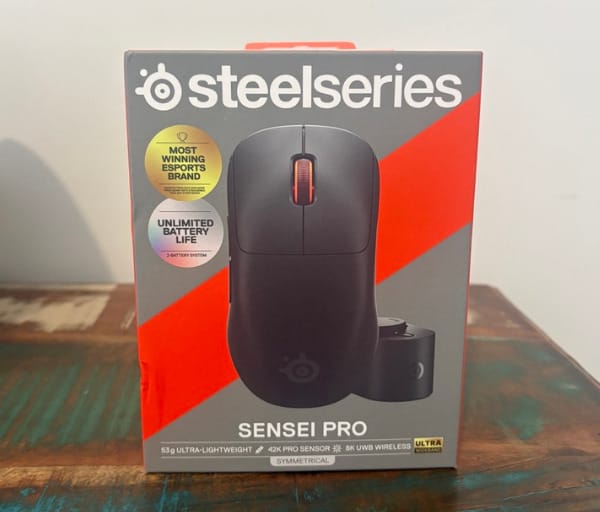
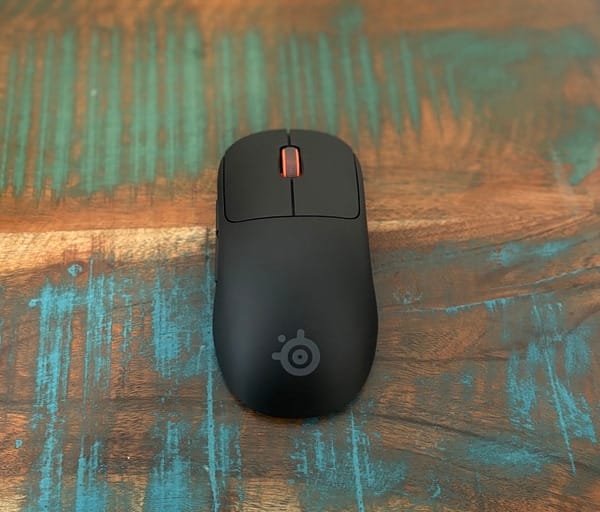
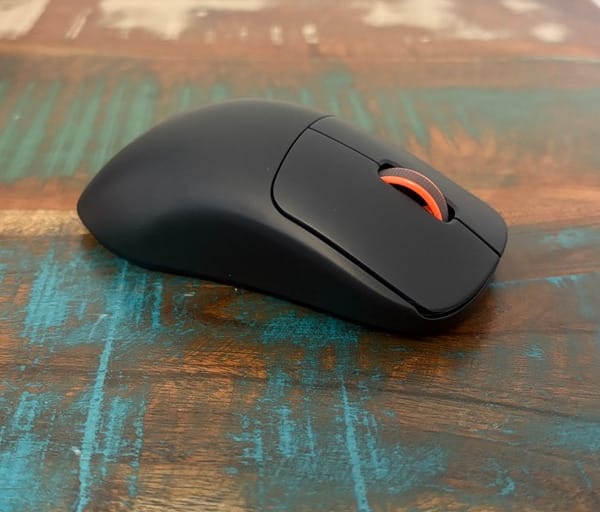
That lightness is achieved without the mouse feeling hollow or cheap, which is no small feat given how many ultralight mice sacrifice structural rigidity to hit a low weight. The shell feels solid under pressure and shows no flex during quick directional flicks.
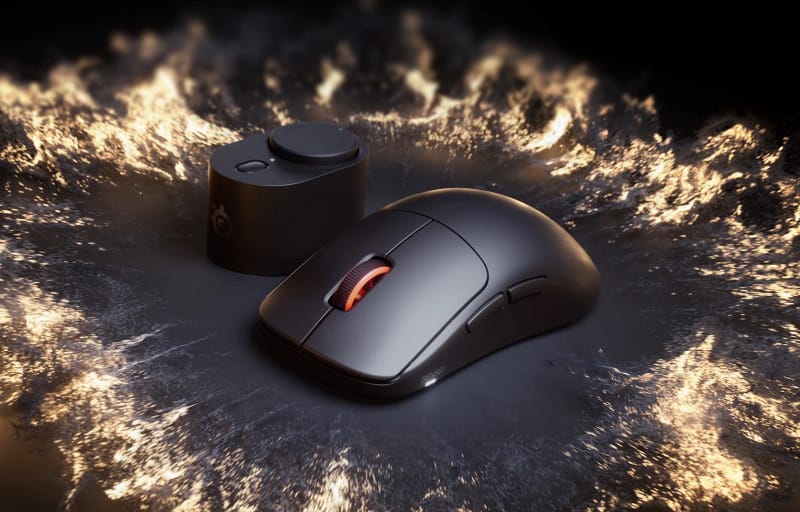
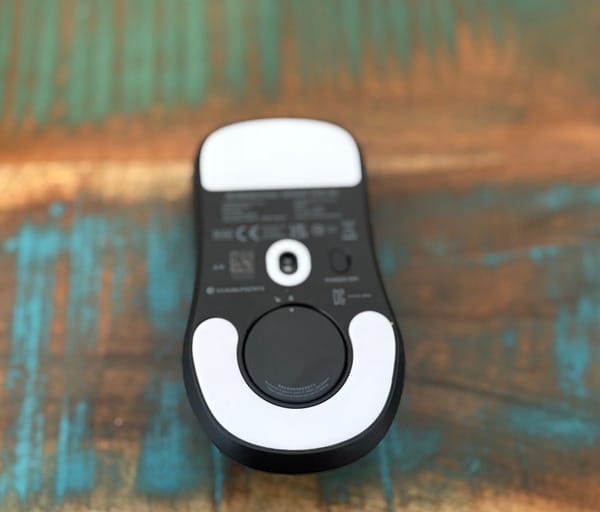
The standout design decision is the removal of any internal, non-removable battery. Instead, SteelSeries supplies two separate round batteries, each roughly the size of a small stack of coins, which press and twist into a circular well on the underside of the mouse.
One battery powers the mouse while the second sits in a USB-powered charging dock, topping up ready for its turn. When the active battery runs low, a flashing LED gives a clear heads-up, and swapping the two takes only a few seconds.
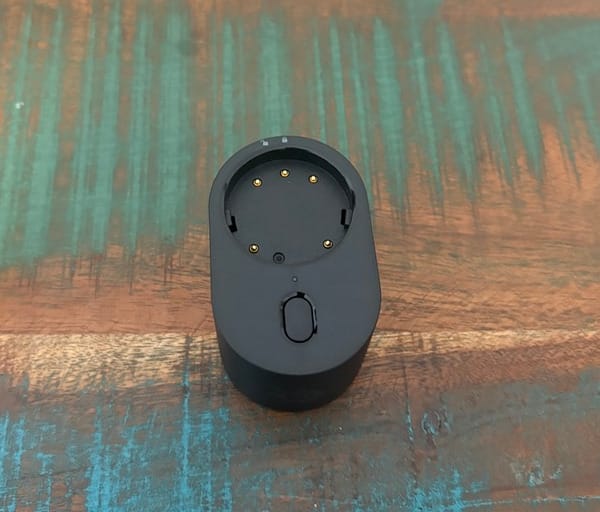
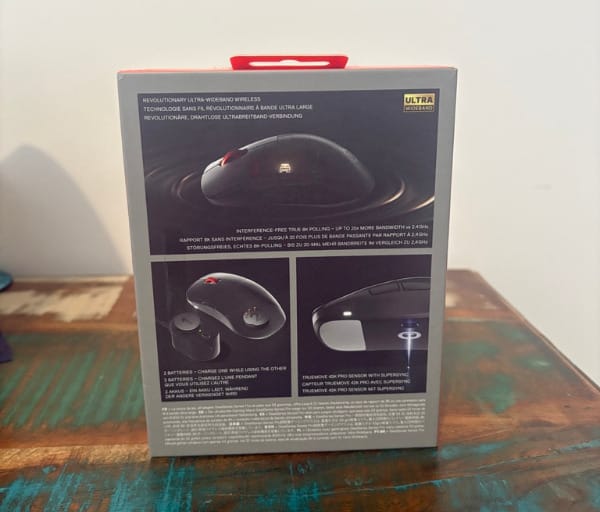
In practice, this means the Sensei Pro can offer essentially uninterrupted use. There is no need to plug in a cable mid-session or wait around for a charge, because a fresh battery is always on standby in the dock.
SteelSeries rates a single charge at around 16 hours in performance mode, where the mouse runs at an 8kHz polling rate. Drop that down to a more modest 1kHz and battery life stretches out to roughly 60 hours, which is plenty for even the longest gaming marathons.
For players who spend hours a day at high polling rates, this swap-and-go system removes one of the few genuine downsides of wireless gaming mice: the anxiety of a battery dying mid-match. A fresh cell is always within arm’s reach.
The other major shift is in how the Sensei Pro talks to a computer. Rather than the usual 2.4GHz RF signal or Bluetooth connection, it uses Ultra Wideband technology, with the charging dock doubling as the wireless receiver.
Ultra Wideband operates at a much higher frequency than standard wireless mouse protocols, around 6GHz, and uses a wider bandwidth per channel. That translates to faster data transmission and noticeably reduced susceptibility to interference from nearby Wi-Fi networks or Bluetooth devices.
For anyone gaming in a busy household with dozens of wireless devices competing for the same 2.4GHz spectrum, this is a meaningful advantage, even if most users will never consciously notice the difference day to day. It is the kind of upgrade that matters most when it counts.
SteelSeries also sells a sister model, the Rival Pro, which shares this exact Ultra Wideband platform but wraps it in a more ergonomic, right-hand-biased shell. Anyone who prefers a shaped mouse over a symmetrical one has that option without losing any of the underlying technology.
Button layout on the Sensei Pro is kept classic and functional: primary left and right clicks, a central scroll wheel with a click function, two thumb buttons on the left side for forward and backward navigation, and a DPI cycling button on the underside.
The clicks themselves have a crisp, defined feel with an audible snap that confirms every input, which competitive players tend to appreciate even if it is a touch louder than some ultra-quiet switches on the market.
Being semi-ambidextrous rather than fully symmetrical in function, the thumb buttons sit on the left side only, catering to right-handed use. Left-handed players can still use the mouse comfortably for general navigation, just without those extra shortcuts.
Key Features
At the heart of the Sensei Pro is the PAW3955 optical sensor from PixArt, a chip found in a number of high-performance gaming mice and widely regarded as one of the best currently available.
It supports a maximum resolution of 42,000 DPI, tracking speeds up to 800 inches per second, and acceleration tolerance of 70G. These numbers comfortably exceed what any human hand movement could realistically demand, which speaks to just how much headroom is built in.
Polling rate is just as impressive. The Sensei Pro runs at up to 8,000Hz in its standard performance mode, with an over-polling mode pushing that figure to 9,000Hz for those chasing the lowest possible input latency.
Most players will not need to run at the absolute ceiling, and SteelSeries wisely offers a handful of preset sensitivity modes accessible via the underside DPI button, so switching between a precise aiming DPI and a faster everyday setting takes one press.
For anyone who wants deeper control, the SteelSeries GG software opens up every setting on the mouse. DPI values can be assigned freely rather than picked from presets, letting users dial in an exact figure for each stage.
Button remapping is comprehensive within GG, covering all five mouse buttons bar the dedicated DPI switch. Keyboard macros can be built and assigned directly to any button, which is handy for anything from in-game combos to productivity shortcuts.
Settings are stored in onboard memory, meaning a configured profile travels with the mouse rather than staying tied to one PC. Plugging the Sensei Pro’s dock into a different computer brings across the same button mapping, DPI stages and sensitivity curve.
The software also allows fine adjustment of lift-off distance, which determines how far the mouse can be lifted off the mat before the sensor stops tracking, a small but genuinely useful feature for players who lift and reposition frequently.
Hand orientation and angle snapping settings are tucked away in the same software, letting the sensor compensate for natural wrist movement rather than fighting against it, which can help smooth out tracking during fast flicks.
The charging dock itself pulls double duty as the Ultra Wideband receiver, meaning there is no separate USB dongle to lose or misplace. Plugging the dock into a computer powers the charging battery and establishes the wireless connection in one step.
System requirements are refreshingly modest: Windows 10 or later for the SteelSeries GG software, plus a free USB port for the dock. There is no need for proprietary adapters or additional drivers beyond the GG app itself.
A specification snapshot helps put the Sensei Pro’s numbers into perspective against what buyers typically expect from a flagship wireless gaming mouse.
| Specification | Detail |
|---|---|
| Sensor | PixArt PAW3955 optical sensor |
| Maximum resolution | Up to 42,000 DPI |
| Polling rate | Up to 9,000Hz (over-polling mode) |
| Wireless technology | Ultra Wideband via USB charging dock |
| Battery life | 16 to 60 hours per swappable battery, depending on polling rate |
| Buttons | Five programmable mouse buttons plus a dedicated DPI switch |
| Weight | 53 grams with one battery installed |
| Dimensions | 12.36 x 6.65 x 3.86 centimetres |
| Colours | Black or white |
| System requirements | Windows 10 or later, free USB port |
Taken together, these features position the Sensei Pro less as an incremental update and more as a genuine rethink of what a flagship wireless mouse can offer, blending sensor performance with a power and connectivity solution that solves real pain points.
Experience Using the Product and Performance
Unboxing the Sensei Pro reveals a tidy setup: the mouse, two batteries, and the charging dock, which plugs in via USB and immediately starts topping up the spare battery.
Getting started is straightforward. Twist a battery into the base, plug the dock in, and the mouse connects automatically without needing to install anything beyond the SteelSeries GG app for deeper customisation.
The battery swap mechanism works exactly as promised. Twisting the depleted cell out and the charged one in takes only a few seconds, and there is a satisfying tactile click when it locks into place.
During extended gaming sessions, the flashing low-battery LED gives ample warning before a swap is needed, so there is no risk of being caught out mid-match with a dead mouse.
Whether this swap system beats simply plugging in a USB-C cable while continuing to use the mouse is a matter of personal preference. What it undeniably avoids is any tether, meaning full freedom of movement at all times.
In fast-paced shooters, that freedom is immediately noticeable. There is no cable drag, no snagging on a mouse bungee, and no subtle resistance affecting flick shots during intense moments.
Connection stability over Ultra Wideband has been rock solid throughout testing, with no dropped inputs or stutter even in a busy wireless environment with multiple other 2.4GHz devices nearby.
Input latency feels indistinguishable from a wired connection, which lines up with what the Ultra Wideband spec promises. Competitive players chasing every millisecond of responsiveness should feel right at home.
At the default sensitivity presets, cursor movement feels precise and predictable, tracking smoothly across a variety of surfaces without any noticeable jitter or acceleration artefacts.
Pushing the DPI up toward the sensor’s maximum reveals just how sensitive the PAW3955 can be. At extreme settings, even the smallest hand movement translates to significant cursor travel, which is more a showcase of headroom than something most people will use daily.
Interestingly, at very high sensitivity, any imperfections in a mouse mat’s surface become obvious. Switching to a smoother cloth or hard-surface mat noticeably improved tracking consistency, which is worth keeping in mind for anyone planning to run near the sensor’s limits.
For everyday desktop use, a mid-range DPI setting feels comfortable and accurate, with none of the overshoot or lag that cheaper sensors sometimes display when moving quickly between windows.
In MOBA titles, where precise clicking matters more than flick-shot speed, the Sensei Pro’s accuracy shines. Selecting units and casting abilities feels consistent, with no missed clicks even during frantic team fights.
Switching between the preset sensitivity stages via the underside button is quick and reliable, with a short light flash confirming the new DPI level, so there is no need to dig into software mid-game to check settings.
The scroll wheel has firm, defined steps rather than a free-spin mode, which some users may miss if they are used to a flywheel for rapid scrolling through long documents or spreadsheets.
Click feel across the main buttons is consistent and satisfying, with a crisp snap that makes it easy to tell when an input has registered, even during rapid-fire clicking in fast games.
The two thumb buttons are well positioned for a relaxed grip, falling naturally under the thumb without requiring any awkward hand repositioning to reach them.
Comfort over long sessions is generally strong, thanks largely to the light overall weight. Hours of continuous use produce none of the wrist fatigue that heavier mice can cause.
The shape suits claw and fingertip grips particularly well, given its low profile and symmetrical build. Palm grip users who prefer a taller hump may find it slightly flatter than ideal, though this comes down to personal hand shape rather than a flaw in the design.
Setting up custom profiles in SteelSeries GG is intuitive, with a clear visual layout showing each button and its current assignment, plus simple sliders for DPI and polling rate adjustments.
Creating a macro for a game-specific combo took only a couple of minutes, and testing confirmed it fired reliably every time it was triggered in-game.
Carrying custom settings between computers worked exactly as advertised. Plugging the dock into a different PC brought across the same DPI stages and button mapping without any manual reconfiguration.
The charging dock itself is compact and unobtrusive on a desk, with a small cutout that holds the spare battery securely while it charges, avoiding any risk of it rolling away.
Noise levels from the switches are moderate. They are audible in a quiet room but nowhere near as loud as some mechanical switch mice, and unlikely to bother others nearby during a late-night session.
Glide across different mouse mats was smooth and consistent, helped by the mouse’s light weight and the glossy feet on its underside, which showed minimal resistance even on textured cloth surfaces.
Testing the mouse alongside a rival like the Corsair Sabre V3 Pro highlighted just how far sensor and wireless technology have come in this category, with both mice delivering excellent tracking but taking very different approaches to power delivery.
Battery swapping did take some getting used to as a habit, particularly remembering to place the spent battery back in the dock promptly so it is ready for the next swap, but this quickly became second nature.
No connection interference was noticed even when testing in a room packed with other wireless peripherals, smart home devices, and a Wi-Fi router, reinforcing the practical benefit of Ultra Wideband’s higher frequency range.
Software stability has been reliable throughout testing, with SteelSeries GG launching quickly and applying changes to the mouse almost instantly, without the lag or crashes that some peripheral software can suffer from.
Build quality held up well across daily use, with no creaking, loose parts, or wobble in the main buttons, even after repeated heavy clicking during intense gaming sessions.
Taken as a complete package, the day-to-day experience of using the Sensei Pro reinforces exactly what its specification sheet promises: a precise, responsive, and genuinely low-maintenance wireless gaming mouse.
Conclusion
The SteelSeries Sensei Pro succeeds at solving two problems gamers have lived with for years: battery anxiety and wireless interference. Its swappable battery system and Ultra Wideband connection are not just gimmicks, they genuinely improve the day-to-day experience of using a wireless mouse.
Backed by one of the best sensors currently available in the PAW3955, plus deep customisation through SteelSeries GG, it delivers the kind of precision competitive players and discerning everyday users are looking for.
Its symmetrical shape, light weight, and clean build make it comfortable for long sessions, and the option to pick up the Rival Pro for a more ergonomic shape with identical internals means there is a version of this platform for different hand preferences.
For anyone after a wireless gaming mouse that removes the usual compromises around charging and connection reliability, the Sensei Pro stands out as one of the more thoughtfully engineered options on the market right now.
Frequently asked questions
How long does the battery last on the SteelSeries Sensei Pro?
A single battery lasts around 16 hours when running in the 8kHz performance polling mode, or up to roughly 60 hours at a standard 1kHz polling rate. Because the Sensei Pro uses two swappable batteries with one always charging in the dock, users can effectively keep it running continuously by swapping cells in seconds.
What makes the Sensei Pro’s wireless connection different from other gaming mice?
Rather than standard 2.4GHz RF or Bluetooth, the Sensei Pro uses Ultra Wideband technology, with its charging dock doubling as the wireless receiver. This offers faster data transmission and significantly better resistance to interference from other wireless devices.
Does the Sensei Pro work with other operating systems besides Windows?
The mouse itself will function as a basic pointing device on most systems once connected, but the SteelSeries GG software used for customising DPI, button mapping, and macros requires Windows 10 or later. A free USB port is also needed for the charging dock.
How does the Sensei Pro compare to the Rival Pro?
The two mice share identical internals, including the same PAW3955 sensor, Ultra Wideband wireless system, and swappable battery design. The main difference is shape, with the Sensei Pro offering a symmetrical build suited to claw and fingertip grips, while the Rival Pro uses a more ergonomic, right-hand-biased shell.